2017 MERCEDES-BENZ GLS brake
[x] Cancel search: brakePage 228 of 390
Towing a trailer There are numerous legal requirements con-
cerning the towing of a trailer, e.g. speed restric-
tions. Make sure that your car/trailer combina-
tion complies with the local regulations: R
in your place of residence R
in the location to which you are driving
The police and local authorities can provide reli-
able information.
Observe the following when towing a trailer: R
To gain driving experience and to become
accustomed to the new handling characteris-
tics, you should practice the following in a
traffic-free location: -
cornering -
stopping -
backing up R
Before driving, check: -
trailer tow hitch -
safety switch for braked trailers -
safety chains -
electrical connections -
lights -
wheels R
Adjust the exterior mirrors to provide an
unobstructed view of the rear section of the
trailer. R
If the trailer has electronically controlled
brakes, pull away carefully. Brake manually
using the brake controller and check whether
the brakes function correctly. R
Secure any objects on the trailer to prevent
the cargo from slipping when the vehicle is in
motion. R
When you couple up a trailer, check at regular
intervals that the load is firmly secured. If the
tra i ler is equipped with trailer lights and
brakes, check the trailer to ensure that these
are working. R
Bear in mind that the handling will be less
stable when towing a trailer than when driving
without one. Avoid sudden steering move-
ments. R
The vehicle/trailer combination is heavier,
accelerates more slowly, has a decreased
gradient climbing capability and a longer
braking distance.
It is more susceptible to side winds and
requires more careful steering. R
If possible, do not brake suddenly, but instead
depress the brake pedal moderately at first so
that the trailer can activate its brakes. Then
increase the pressure on the brake pedal. R
If the automatic transmission repeatedly
shifts between gears on uphill or downhill gra-
dients, shift to a lower gear using the left-hand
steering wheel paddle shifter.
A lower gear and lower speed reduce the risk
of engine failure. R
When driving downhill, shift to a lower gear to
utilize the engine's braking effect.
Avoid continuous brake application as this
may overheat the vehicle brakes and, if instal-
led, the trailer brakes. R
If the coolant temperature increases dramat-
i cally while the air-conditioning system is
switched on, switch off the air-conditioning
system.
Coolant heat can also be dissipated by open-
ing the windows and switching the ventilation
blower and the interior temperature to the
highest level. R
When overtaking, pay particular attention to
the extended length of your vehicle/trailer
combination.
Due to the length of the vehicle/trailer com-
bination, you require additional road space in
relation to the vehicle you are overtaking
before you can change back to the original
lane.
Decoupling a trailer
G WARNING
If you uncouple a trailer with the overrun
brake engaged, you could trap your hand
between the vehicle and the trailer drawbar.
There is a risk of injury.
Do not uncouple a trailer if the overrun brake
is engaged.
G WARNING
Vehicles with level control:
The vehicle is lowered as soon as you discon-
nect the trailer cable. This could result in your
limbs or those of other people that are
between the vehicle body and tires or under-226
Towing a trailer
Driving an d parking
Page 229 of 390
neath the vehicle being trapped. There is a
risk of injury.
Make sure that nobody is in the immediate
vicinity of the wheel housings or under the
vehicle when you disconnect the trailer cable.
! Do not disconnect a trailer with an engaged
overrun brake. Otherwise, your vehicle could
be damaged by the rebounding of the overrun
brake. X
Shift the transmission to position P .X
Apply the vehicle's electric parking brake. X
Start the engine. X
Close the doors and tailgate. X
Apply the trailer's parking brake. X
Detach the trailer cable and decouple the
trailer. X
Switch off the engine.
Permissible trailer loads and drawbar
loads
Weight specifications
Maximum allowable gross mass The gross vehicle weight of the trailer is calcu-
lated by adding the weight of the trailer to the
weight of the load and equipment on the trailer.
You will find installing dimensions and loads
under "Technical data" ( Y
page 387).
Permissible noseweight
You will find installing dimensions and loads
under "Technical data" ( Y
page 387).
Loading a trailer R
When loading the trailer, make sure that nei-
ther the permissible gross weight of the trailer
nor the gross vehicle weight are exceeded.
The permissible gross vehicle weight is indi-
cated on the identification plate located on
the B-pillar on the driver's side of the vehicle.
You can find the maximum permissible values
on the type plates of your vehicle and the
trailer. When calculating how much weight the vehicle and trailer may carry, pay atten-
tion to the respective lowest values. R
The trailer drawbar load on the ball coupling
must be added to the rear axle load to avoid
exceeding the permissible gross axle weight.
The permissible gross vehicle weight is indi-
cated on the identification plate located on
the B-pillar on the driver's side of the vehicle.
i Mercedes-Benz recommends a trailer load
where the trailer drawbar noseweight
accounts for 8 % to 15 % of the trailer's per-
missible gross weight.
i The weight of additional accessories, pas-
sengers, and cargo reduces the permissible
trailer load and drawbar load for your vehicle.
Checking the vehicle and trailer weight R
To check that the weights of the towing vehi-
cle and the trailer comply with the maximum
permissible values, have the vehicle/trailer
combination (including the driver, passen-
gers, and cargo with a fully laden trailer)
weighed on a calibrated weighbridge. R
Check the gross axle weight rating of the front
and rear axles, the gross weight of the trailer
and the trailer drawbar noseweight.
Removing the ball coupling X
Remove the spring cotter. X
Remove the bolt from the ball coupling
recess. X
Remove the ball coupling from the ball cou-
pling recess. X
Clean the ball coupling if it is dirty. X
Stow the ball coupling so that it cannot be
thrown around.
Observe the loading guidelines ( Y
page 294)
and the safety notes regarding stowage spaces
( Y
page 294).
Information on cleaning and care of the trailer
tow hitch ( Y
page 329).
Trailer power supply
! Accessories with a maximum power con-
sumption of 180 W can be connected to the
permanent power supply.Towing a trailer 227
Driving an d parking Z
Page 238 of 390
You will see one of the following display mes-
sages in the multifunction display: R
Phone READY or the name of the network
provider: the mobile phone has found a net-
work and is ready to receive. R
Phone No Service : there is no network
available or the mobile phone is searching for
a network.
Accepting a call If someone calls you when you are in the Tel
menu, a display message appears in the multi-
function display.
You can accept a call at any time regardless of
the menu selected. X
Press the a button on the steering wheel
to accept an incoming call.
Rejecting or ending a call You can end or reject a call even if you are not in
the Tel menu.X
Press the v button on the steering wheel
to reject or end a call.
Selecting an entry from the telephone
book X
Press the Y or e button on the steering
wheel to select the Tel menu.X
Press the c , d or v button to
switch to the phone book. X
Authorize access to the phone book on the
phone. X
Press the c or d button to select the
desired name.
or X
To start rapid scrolling: press and hold the
c or d button for longer than one sec-
ond.
Rapid scrolling stops when you release the
button or reach the end of the list. X
If only one telephone number is stored for
a name: press the a or v button to
start dialing.
or X
If there is more than one number for a
particular name: press the a or v
button to display the numbers. X
Press the c or d button to select the
number you want to dial. X
Press the a or v button to start dialing.
or X
To exit the telephone book: press the v
or 8 button.
Redialing The on-board computer saves the last names or
numbers dialed in the redial memory. X
Press the Y or e button on the steering
wheel to select the Tel menu.X
Press the a button to switch to the redial
memory. X
Press the c or d button to select the
desired name or number. X
Press the a or v button to start dialing.
or X
To exit the redial memory: press the v
or 8 button.
Assistance menu
Introduction Depending on the equipment installed in the
vehicle, you have the following options in the
DriveAssist menu: R
Displaying the assistance graphic
( Y
page 237) R
Activating or deactivating Steering Pilot
( Y
page 237) R
Activating or deactivating Active Brake Assist
( Y
page 237) R
Activating or deactivating Active Brake Assist
with cross-traffic function ( Y
page 237)R
Activating/deactivating ATTENTION ASSIST
( Y
page 237) R
Activating/deactivating Blind Spot Assist or
Active Blind Spot Assist ( Y
page 238)R
Activating/deactivating Lane Keeping Assist
or Active Lane Keeping Assist ( Y
page 238)236
Menus and submenus
On-board computer and displays
Page 239 of 390
Displaying th e assistance graphicX
Press th e Y or e butto n on th e steerin g
whee l to selec t th e DriveAssist menu.X
Press c or d to selec t Assistanc e
Graphi c .X
Confir m by pressing v on th e steerin g
wheel.
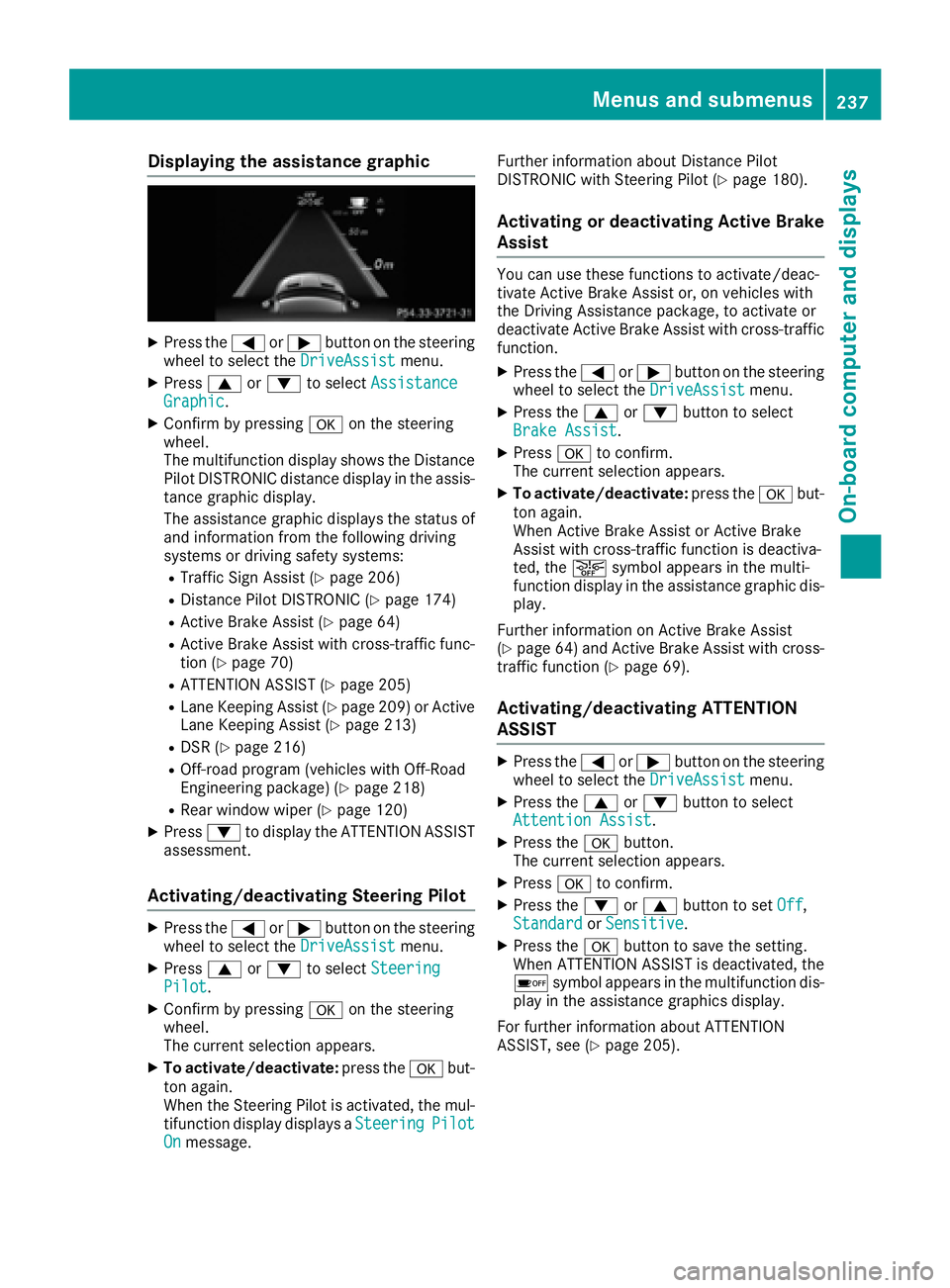
The multifunction display shows th e Distanc e
Pilo t DISTRONIC distanc e display in th e assis-
tanc e graphi c display.
The assistanc e graphi c displays th e status of
and information from th e followin g drivin g
systems or drivin g safet y systems :R
Traffic Sign Assis t ( Y
page 206)R
Distanc e Pilo t DISTRONIC ( Y
page 174)R
Active Brak e Assis t ( Y
page 64)R
Active Brak e Assis t wit h cross-traffic func-
tion ( Y
page 70 )R
ATTENTION ASSIST ( Y
page 205)R
Lan e Keepin g Assis t ( Y
page 209) or Active
Lan e Keepin g Assis t ( Y
page 213)R
DS R ( Y
page 216)R
Off-road program (vehicles wit h Off-Road
Engineerin g package) ( Y
page 218)R
Rear window wipe r ( Y
page 120)X
Press d to display th e ATTENTION ASSIST
assessment.
Activating/deactivating Steering Pilo tX
Press th e Y or e butto n on th e steerin g
whee l to selec t th e DriveAssist menu.X
Press c or d to selec t Steering
Pilot .X
Confir m by pressing v on th e steerin g
wheel.
The curren t selection appears .X
To activate/deactivate : press th e v but -
to n again .
Whe n th e Steerin g Pilo t is activated, th e mul-
tifunction display displays a Steering Pilot
On message. Further information about Distanc e Pilo t
DISTRONIC wit h Steerin g Pilo t ( Y
page 180).
Activating or deactivating Active Brak e
Assis t You can use these function s to activate/deac -
tivat e Active Brak e Assis t or , on vehicles wit h
th e Driving Assistanc e package, to activat e or
deactivat e Active Brak e Assis t wit h cross-traffic
function . X
Press th e Y or e butto n on th e steerin g
whee l to selec t th e DriveAssist menu.X
Press th e c or d butto n to selec t
Brake Assist . X
Press v to confirm .
The curren t selection appears .X
To activate/deactivate : press th e v but -
to n again .
Whe n Active Brak e Assis t or Active Brak e
Assis t wit h cross-traffic function is deactiva-
ted, th e
Page 251 of 390
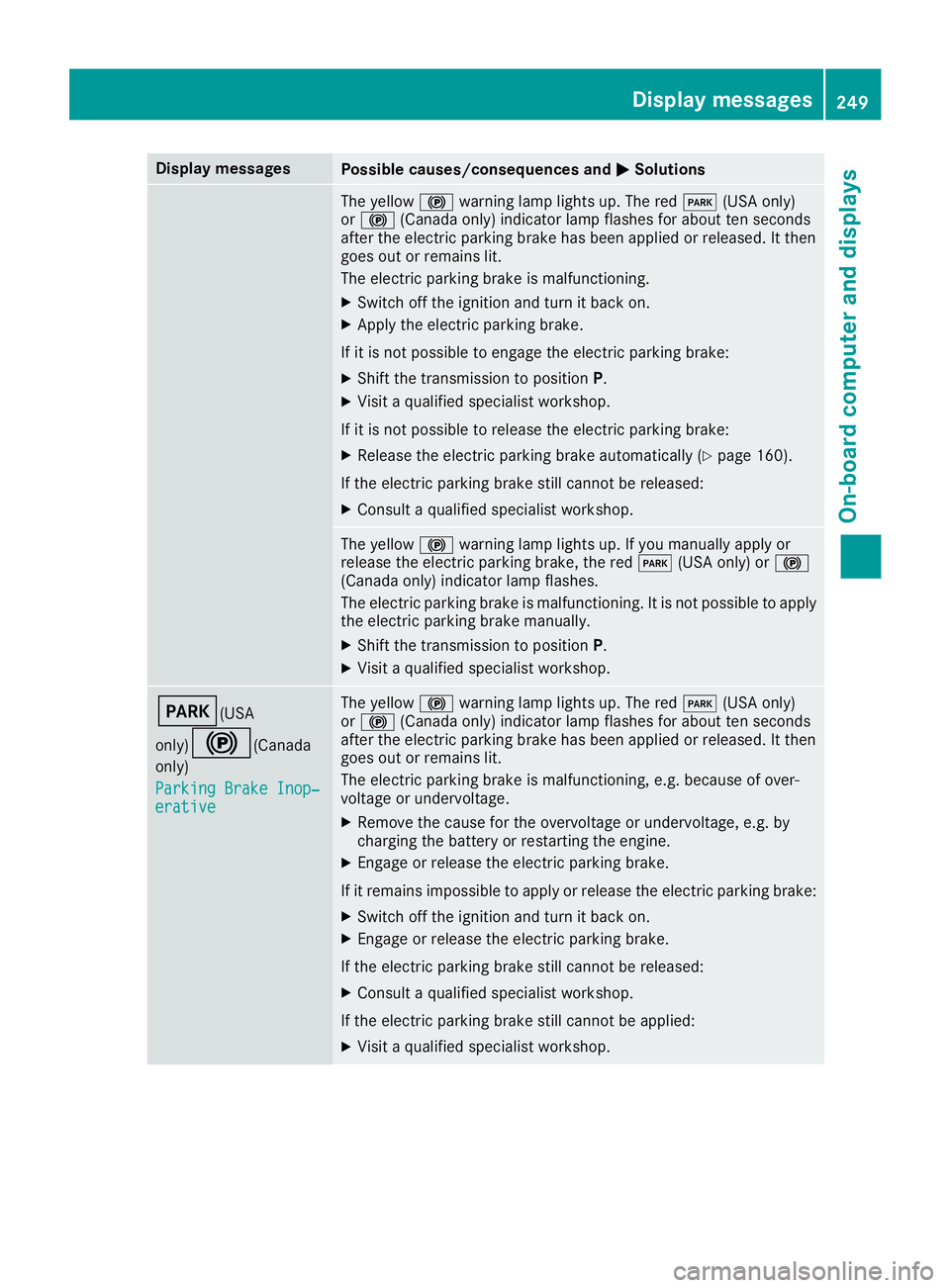
Display messages
Possible causes/consequences and P Solutions
The yellow $ warning lamp lights up. The red I (US A only)
or $ (Canada only) indicator lamp flashes for about te n seconds
after th e electric parking brak e has been applie d or released. It then
goe s out or remain s lit .
The electric parking brak e is malfunctioning .X
Switc h off th e ignition and tur n it bac k on .X
Apply th e electric parking brake.
If it is no t possibl e to engage th e electric parking brake:X
Shift th e transmission to position P .X
Visit a qualified specialist workshop .
If it is no t possibl e to release th e electric parking brake:X
Releas e th e electric parking brak e automatically ( Y
page 160).
If th e electric parking brak e still canno t be released:X
Consult a qualified specialist workshop .
The yellow $ warning lamp lights up. If you manually apply or
release th e electric parking brake, th e red I (US A only) or $
(Canada only) indicator lamp flashes .
The electric parking brak e is malfunctioning . It is no t possibl e to apply
th e electric parking brak e manually.X
Shift th e transmission to position P .X
Visit a qualified specialist workshop .
I (USA
only)
$ ( Canada
only)
Parkin g Brake Inop‐
erativ e The yellow $ warning lamp lights up. The red I (US A only)
or $ (Canada only) indicator lamp flashes for about te n seconds
after th e electric parking brak e has been applie d or released. It then
goe s out or remain s lit .
The electric parking brak e is malfunctioning , e.g. because of over-
voltag e or undervoltage. X
Remove th e caus e for th e overvoltage or undervoltage, e.g. by
charging th e battery or restarting th e engine.X
Engage or release th e electric parking brake.
If it remain s impossible to apply or release th e electric parking brake:X
Switc h off th e ignition and tur n it bac k on .X
Engage or release th e electric parking brake.
If th e electric parking brak e still canno t be released:X
Consult a qualified specialist workshop .
If th e electric parking brak e still canno t be applied:X
Visit a qualified specialist workshop .Display messages 24 9
On-board computer and displays Z
Page 252 of 390
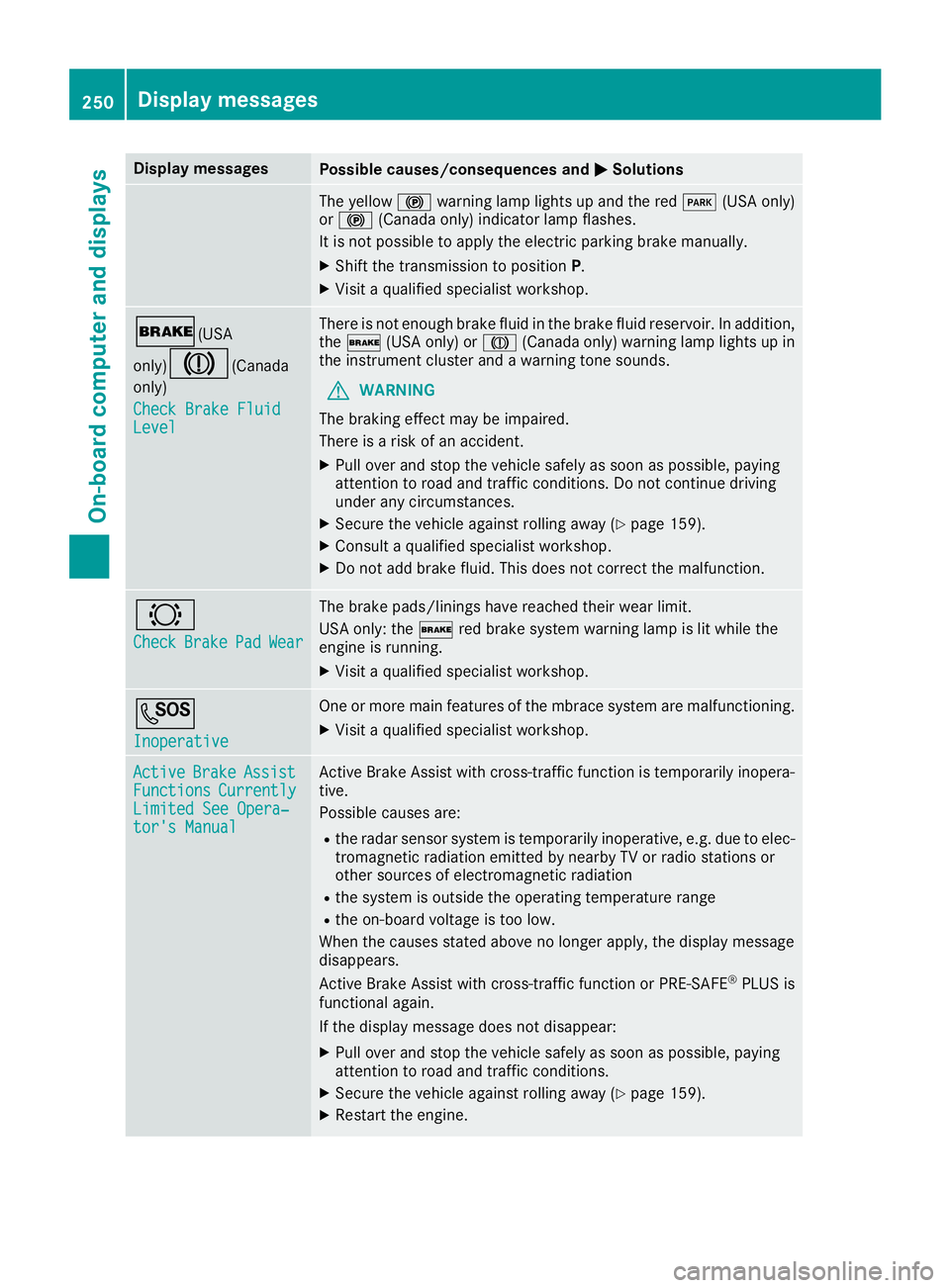
Display messages
Possible causes/consequences and P Solutions
The yellow $ warning lamp lights up and th e red I (US A only)
or $ (Canada only) indicator lamp flashes .
It is no t possibl e to apply th e electric parking brak e manually.X
Shift th e transmission to position P .X
Visit a qualified specialist workshop .
' (USA
only)
M ( Canada
only)
Check Brake Fluid
Level There is no t enough brak e flui d in th e brak e flui d reservoir . In addition ,
th e ' (US A only) or M (Canada only) warning lamp lights up in
th e instrumen t cluste r and a warning tone sounds.
G WARNIN G
The braking effec t may be impaired.
There is a ris k of an accident.X
Pull ove r and stop th e vehicl e safely as soo n as possible, payin g
attention to roa d and traffic conditions. Do no t continu e drivin g
under any circumstances. X
Secur e th e vehicl e against rollin g away ( Y
page 159).X
Consult a qualified specialist workshop .X
Do no t add brak e fluid . This does no t correc t th e malfunction .
& Check Brake Pad Wea r The brak e pads/linings hav e reached their wear limit.
US A only: th e ' red brak e system warning lamp is lit while th e
engin e is running. X
Visit a qualified specialist workshop .
S Inoperative On e or mor e main features of th e mbrace system are malfunctioning .X
Visit a qualified specialist workshop .
Active Brake Assist
Functions Currently
Limite d See Opera‐
tor's Manual Active Brake Assis t wit h cross-traffic function is temporarily inopera-
tive.
Possibl e causes are: R
th e radar sensor system is temporarily inoperative, e.g. due to elec -
tromagneti c radiation emitted by nearby TV or radi o station s or
other source s of electromagneti c radiationR
th e system is outside th e operating temperature rangeR
th e on-boar d voltag e is to o low.
Whe n th e causes state d abov e no longer apply, th e display message
disappears.
Active Brake Assis t wit h cross-traffic function or PRE ‑ S AF E ®
PLU S is
functional again .
If th e display message does no t disappear :X
Pull ove r and stop th e vehicl e safely as soo n as possible, payin g
attention to roa d and traffic conditions.X
Secur e th e vehicl e against rollin g away ( Y
page 159).X
Restart th e engine.250
Display messages
On-board computer and displays
Page 253 of 390
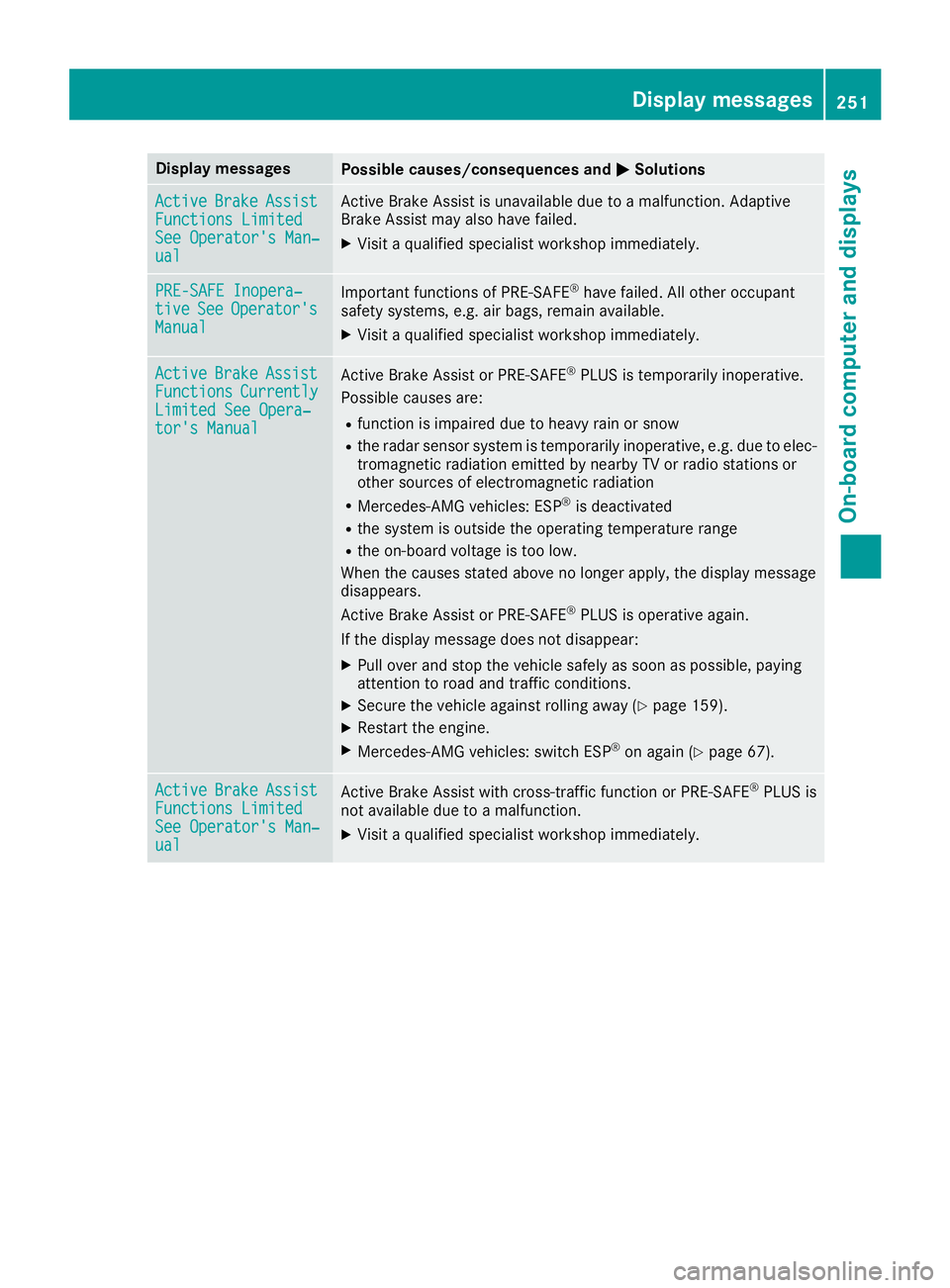
Display messages
Possible causes/consequences and P Solutions
Active Brake Assist
Functions Limite d
See Operator' s Man ‐
ual Active Brake Assis t is unavailable due to a malfunction . Adaptive
Brake Assis t may also hav e failed.X
Visit a qualified specialist workshop immediately.
PRE-SAFE Inopera‐
tiv e See Operator' s
Manual Importan t function s of PRE-SAF E ®
hav e failed. Al l other occupant
safet y systems , e.g. air bags , remain available.X
Visit a qualified specialist workshop immediately.
Active Brake Assist
Functions Currently
Limite d See Opera‐
tor's Manual Active Brake Assis t or PRE ‑ SAFE ®
PLU S is temporarily inoperative.
Possibl e causes are: R
function is impaire d due to heav y rain or snowR
th e radar sensor system is temporarily inoperative, e.g. due to elec -
tromagneti c radiation emitted by nearby TV or radi o station s or
other source s of electromagneti c radiationR
Mercedes-AMG vehicles: ES P ®
is deactivatedR
th e system is outside th e operating temperature rangeR
th e on-boar d voltag e is to o low.
Whe n th e causes state d abov e no longer apply, th e display message
disappears.
Active Brake Assis t or PRE ‑ SAFE ®
PLU S is operative again .
If th e display message does no t disappear :X
Pull ove r and stop th e vehicl e safely as soo n as possible, payin g
attention to roa d and traffic conditions.X
Secur e th e vehicl e against rollin g away ( Y
page 159).X
Restart th e engine.X
Mercedes-AMG vehicles: switch ES P ®
on again ( Y
page 67).
Active Brake Assist
Functions Limite d
See Operator' s Man ‐
ual Active Brake Assis t wit h cross-traffic function or PRE ‑ S AF E ®
PLU S is
no t available due to a malfunction .X
Visit a qualified specialist workshop immediately. Display messages 25 1
On-board computer and displays Z
Page 254 of 390
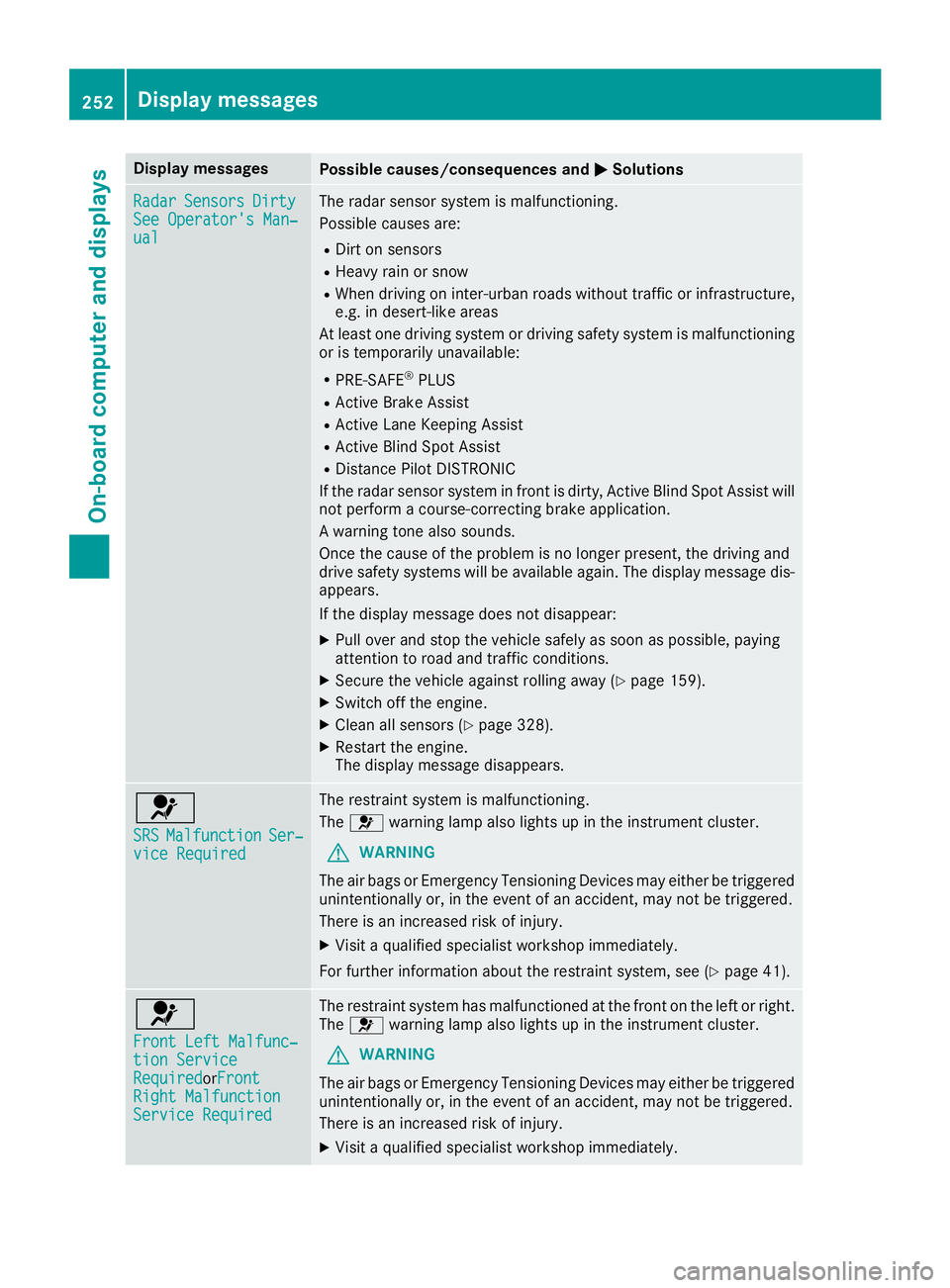
Display messages
Possible causes/consequences and P Solutions
Radar Sensor s Dirty
See Operator' s Man ‐
ual The radar sensor system is malfunctioning .
Possibl e causes are: R
Dirt on sensor sR
Heavy rain or snow R
Whe n drivin g on inter-urban roads without traffic or infrastructure,
e.g. in desert-like area s
At least on e drivin g system or drivin g safet y system is malfunctioning
or is temporarily unavailable :R
PRE-SAF E ®
PLU SR
Active Brake Assis tR
Active Lan e Keepin g Assis tR
Active Blind Spot Assis tR
Distanc e Pilo t DISTRONI C
If th e radar sensor system in fron t is dirty, Active Blind Spot Assis t will
no t perfor m a course-correcting brak e application .
A warning tone also sounds.
Once th e caus e of th e problem is no longer present, th e drivin g and
drive safet y systems will be available again . The display message dis-
appears.
If th e display message does no t disappear :X
Pull ove r and stop th e vehicl e safely as soo n as possible, payin g
attention to roa d and traffic conditions.X
Secur e th e vehicl e against rollin g away ( Y
page 159).X
Switc h off th e engine.X
Clean all sensor s ( Y
page 328).X
Restart th e engine.
The display message disappears.
u SRS Malfunction Ser ‐
vic e Required The restrain t system is malfunctioning .
The u warning lamp also lights up in th e instrumen t cluster.
G WARNIN G
The air bags or Emergency Tensioning Devices may either be triggered
unintentionally or, in th e event of an accident, may no t be triggered .
There is an increased ris k of injury.X
Visit a qualified specialist workshop immediately.
Fo r further information about th e restrain t system, see ( Y
page 41) .
u Front Lef t Malfunc‐
tio n Servic e
Required or F ron t
Right Malfunction
Servic e Required The restrain t system has malfunctioned at th e fron t on th e lef t or right .
The u warning lamp also lights up in th e instrumen t cluster.
G WARNIN G
The air bags or Emergency Tensioning Devices may either be triggered
unintentionally or, in th e event of an accident, may no t be triggered .
There is an increased ris k of injury.X
Visit a qualified specialist workshop immediately.252
Display messages
On-board computer and displays