2017 MERCEDES-BENZ GLC warning light
[x] Cancel search: warning lightPage 197 of 374
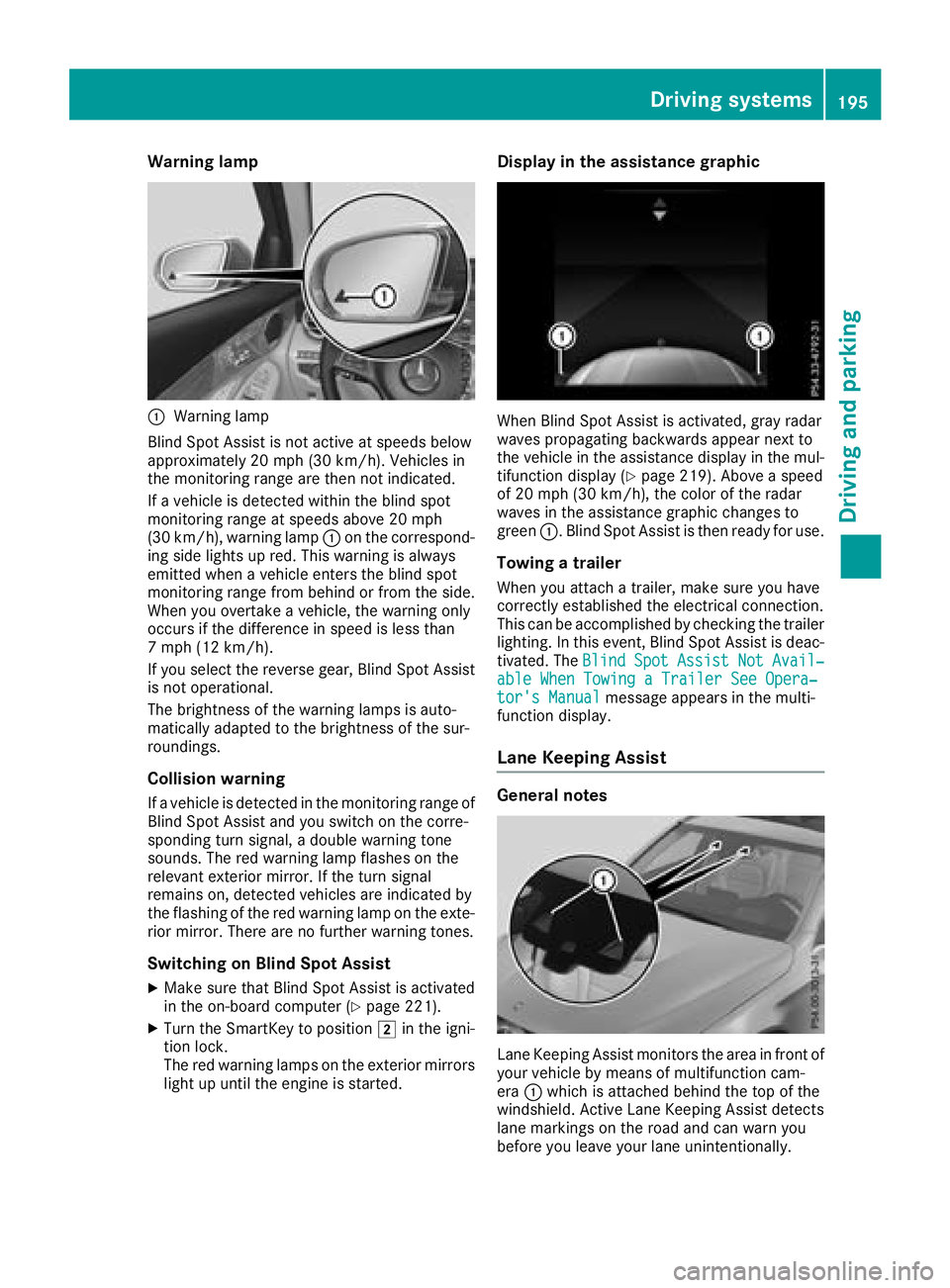
Warning lamp
C
Warning lamp
Blind Spot Assist is not active at speeds below
approximately 20 mph (30 km/h). Vehicles in
the monitoring range are then not indicated.
If a vehicle is detected within the blind spot
monitoring range at speeds above 20 mph
(30 km/h), warning lamp C on the correspond-
ing side lights up red. This warning is always
emitted when a vehicle enters the blind spot
monitoring range from behind or from the side.
When you overtake a vehicle, the warning only
occurs if the difference in speed is less than
7 mph (12 km/h).
If you select the reverse gear, Blind Spot Assist
is not operational.
The brightness of the warning lamps is auto-
matically adapted to the brightness of the sur-
roundings.
Collision warning If a vehicle is detected in the monitoring range of
Blind Spot Assist and you switch on the corre-
sponding turn signal, a double warning tone
sounds. The red warning lamp flashes on the
relevant exterior mirror. If the turn signal
remains on, detected vehicles are indicated by
the flashing of the red warning lamp on the exte-
rior mirror. There are no further warning tones.
Switching on Blind Spot Assist X
Make sure that Blind Spot Assist is activated
in the on-board computer ( Y
page 221).X
Turn the SmartKey to position H in the igni-
tion lock.
The red warning lamps on the exterior mirrors
light up until the engine is started. Display in the assistance graphic
When Blind Spot Assist is activated, gray radar
waves propagating backwards appear next to
the vehicle in the assistance display in the mul-
tifunction display ( Y
page 219). Above a speed
of 20 mph (30 km/h), the color of the radar
waves in the assistance graphic changes to
green C . Blind Spot Assist is then ready for use.
Towing a trailer When you attach a trailer, make sure you have
correctly established the electrical connection.
This can be accomplished by checking the trailer
lighting. In this event, Blind Spot Assist is deac-
tivated. The Blind Spot Assist Not Avail‐
able When Towing a Trailer See Opera‐
tor's Manual message appears in the multi-
function display.
Lane Keeping Assist
General notes
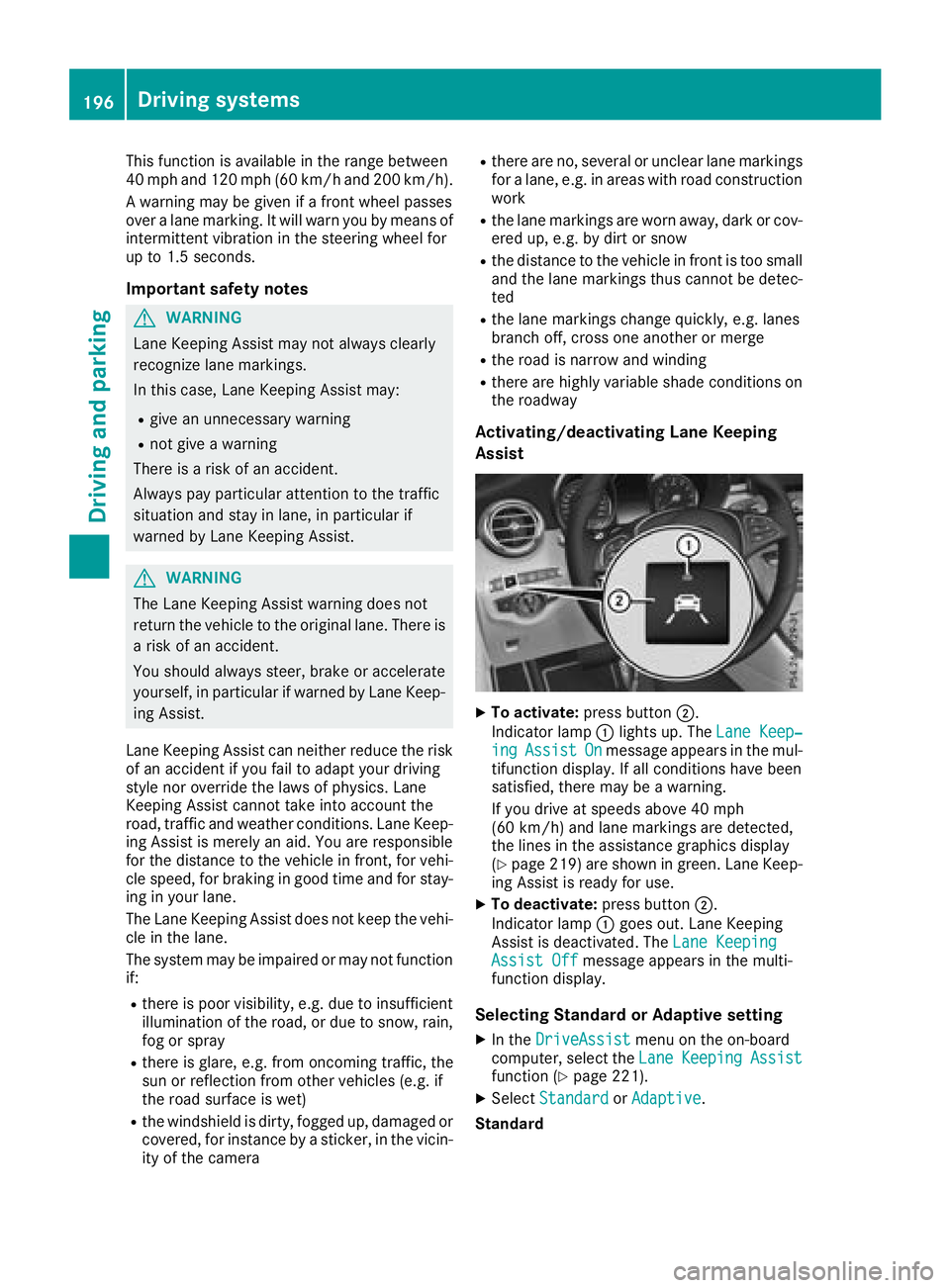
Lane Keeping Assist monitors the area in front of
your vehicle by means of multifunction cam-
era C which is attached behind the top of the
windshield. Active Lane Keeping Assist detects
lane markings on the road and can warn you
before you leave your lane unintentionally.Driving systems 195
Driving and parking Z
Page 198 of 374
This function is available in the range between
40 mph and 120 mph (60 km/ ha nd 200 km/h).
A warning may be given if a front wheel passes
over a lane marking. It will warn you by means of
intermittent vibration in the steering wheel for
up to 1.5 seconds.
Important safety notes
G WARNING
Lane Keeping Assist may not always clearly
recognize lane markings.
In this case, Lane Keeping Assist may: R
give an unnecessary warning R
not give a warning
There is a risk of an accident.
Always pay particular attention to the traffic
situation and stay in lane, in particular if
warned by Lane Keeping Assist.
G WARNING
The Lane Keeping Assist warning does not
return the vehicle to the original lane. There is
a risk of an accident.
You should always steer, brake or accelerate
yourself, in particular if warned by Lane Keep-
ing Assist.
Lane Keeping Assist can neither reduce the risk
of an accident if you fail to adapt your driving
style nor override the laws of physics. Lane
Keeping Assist cannot take into account the
road, traffic and weather conditions. Lane Keep-
ing Assist is merely an aid. You are responsible
for the distance to the vehicle in front, for vehi-
cle speed, for braking in good time and for stay-
ing in your lane.
The Lane Keeping Assist does not keep the vehi-
cle in the lane.
The system may be impaired or may not function
if: R
there is poor visibility, e.g. due to insufficient
illumination of the road, or due to snow, rain,
fog or spray R
there is glare, e.g. from oncoming traffic, the
sun or reflection from other vehicles (e.g. if
the road surface is wet) R
the windshield is dirty, fogged up, damaged or
covered, for instance by a sticker, in the vicin-
ity of the camera R
there are no, several or unclear lane markings
for a lane, e.g. in areas with road construction
work R
the lane markings are worn away, dark or cov-
e red up, e.g. by dirt or snow R
the distance to the vehicle in front is too small
and the lane markings thus cannot be detec-
ted R
the lane markings change quickly, e.g. lanes
branch off, cross one another or merge R
the road is narrow and winding R
there are highly variable shade conditions on
the roadway
Activating/deactivating Lane Keeping
Assist
X
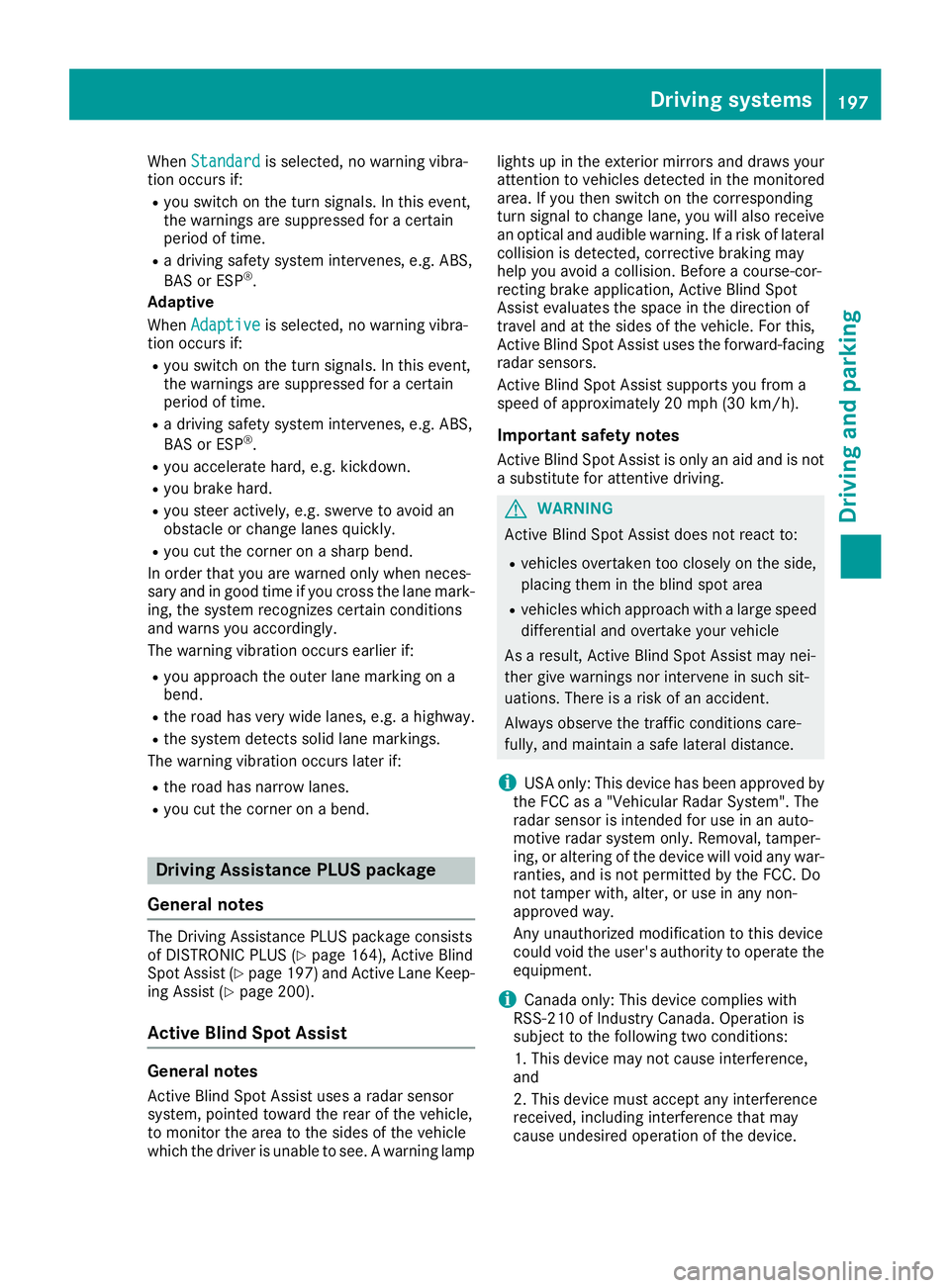
To activate: press button D .
Indicator lamp C lights up. The Lane Keep‐
ing Assist On message appears in the mul-
tifunction display. If all conditions have been
satisfied, there may be a warning.
If you drive at speeds above 40 mph
(60 km/h) and lane markings are detected,
the lines in the assistance graphics display
( Y
page 219) are shown in green. Lane Keep-
ing Assist is ready for use. X
To deactivate: press button D .
Indicator lamp C goes out. Lane Keeping
Assist is deactivated. The Lane Keeping
Assist Off message appears in the multi-
function display.
Selecting Standard or Adaptive setting X
In the DriveAssist menu on the on-board
computer, select the Lane Keeping Assist
function ( Y
page 221). X
Select Standard or Adaptive .
Standard196
Driving systems
Driving an d parking
Page 199 of 374
When Standard is selected, no warning vibra-
tion occurs if: R
you switch on the turn signals. In this event,
the warnings are suppressed for a certain
period of time. R
a driving safety system intervenes, e.g. ABS,
BAS or ESP ®
.
Adaptive
When Adaptive is selected, no warning vibra-
tion occurs if: R
you switch on the turn signals. In this event,
the warnings are suppressed for a certain
period of time. R
a driving safety system intervenes, e.g. ABS,
BAS or ESP ®
.R
you accelerate hard, e.g. kickdown. R
you brake hard. R
you steer actively, e.g. swerve to avoid an
obstacle or change lanes quickly. R
you cut the corner on a sharp bend.
In order that you are warned only when neces-
sary and in good time if you cross the lane mark-
ing, the system recognizes certain conditions
and warns you accordingly.
The warning vibration occurs earlier if: R
you approach the outer lane marking on a
bend. R
the road has very wide lanes, e.g. a highway. R
the system detects solid lane markings.
The warning vibration occurs later if: R
the road has narrow lanes. R
you cut the corner on a bend.
Driving Assistance PLUS package
General notes The Driving Assistance PLUS package consists
of DISTRONIC PLUS ( Y
page 164), Active Blind
Spot Assist ( Y
page 197) and Active Lane Keep-
ing Assist ( Y
page 200).
Active Blind Spot Assist
General notes
Active Blind Spot Assist uses a radar sensor
system, pointed toward the rear of the vehicle,
to monitor the area to the sides of the vehicle
which the driver is unable to see. A warning lamp lights up in the exterior mirrors and draws your
attention to vehicles detected in the monitored
area. If you then switch on the corresponding
turn signal to change lane, you will also receive
an optical and audible warning. If a risk of lateral
collision is detected, corrective braking may
help you avoid a collision. Before a course-cor-
recting brake application, Active Blind Spot
Assist evaluates the space in the direction of
travel and at the sides of the vehicle. For this,
Active Blind Spot Assist uses the forward-facing
radar sensors.
Active Blind Spot Assist supports you from a
speed of approximately 20 mph (30 km/h).
Important safety notes Active Blind Spot Assist is only an aid and is not
a substitute for attentive driving.
G WARNING
Active Blind Spot Assist does not react to: R
vehicles overtaken too closely on the side,
placing them in the blind spot area R
vehicles which approach with a large speed
differential and overtake your vehicle
As a result, Active Blind Spot Assist may nei-
ther give warnings nor intervene in such sit-
uations. There is a risk of an accident.
Always observe the traffic conditions care-
fully, and maintain a safe lateral distance.
i USA only: This device has been approved by
the FCC as a "Vehicular Radar System". The
radar sensor is intended for use in an auto-
motive radar system only. Removal, tamper-
ing, or altering of the device will void any war-
ranties, and is not permitted by the FCC. Do
not tamper with, alter, or use in any non-
approved way.
Any unauthorized modification to this device
could void the user's authority to operate the
equipment.
i Canada only: This device complies with
RSS-210 of Industry Canada. Operation is
subject to the following two conditions:
1. This device may not cause interference,
and
2. This device must accept any interference
received, including interference that may
cause undesired operation of the device.Driving systems 197
Driving and parking Z
Page 201 of 374
If you select the reverse gear, Active Blind Spot
Assist is not operational.
The brightness of the warning lamps is auto-
matically adapted to the brightness of the sur-
roundings.
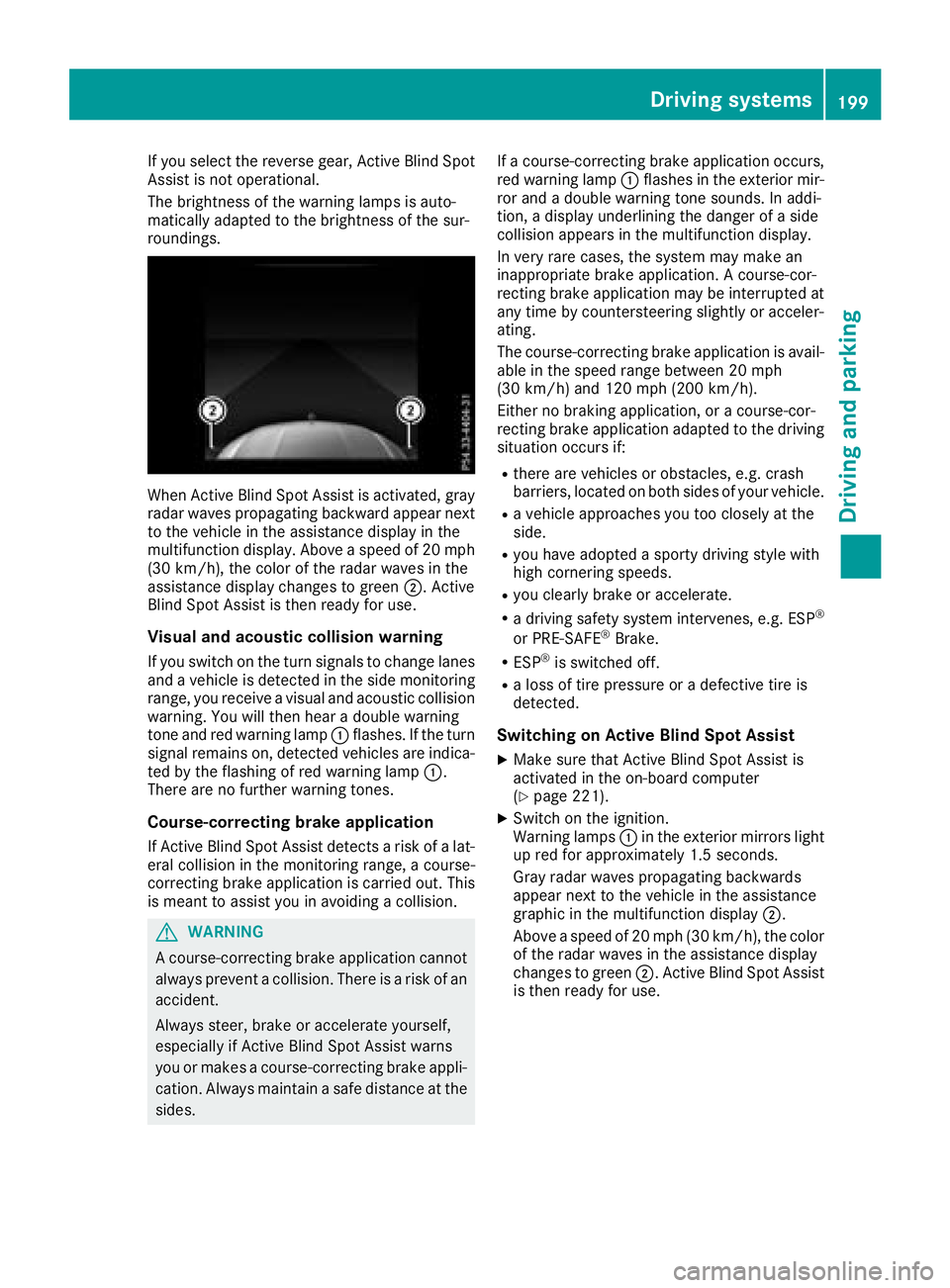
When Active Blind Spot Assist is activated, gray
radar waves propagating backward appear next
to the vehicle in the assistance display in the
multifunction display. Above a speed of 20 mph
(30 km/h), the color of the radar waves in the
assistance display changes to green D . Active
Blind Spot Assist is then ready for use.
Visual and acoustic collision warning If you switch on the turn signals to change lanes
and a vehicle is detected in the side monitoring
range, you receive a visual and acoustic collision
warning. You will then hear a double warning
tone and red warning lamp C flashes. If the turn
signal remains on, detected vehicles are indica-
ted by the flashing of red warning lamp C .
There are no further warning tones.
Course-correcting brake application
If Active Blind Spot Assist detects a risk of a lat-
eral collision in the monitoring range, a course-
correcting brake application is carried out. This
is meant to assist you in avoiding a collision.
G WARNING
A course-correcting brake application cannot
always prevent a collision. There is a risk of an
accident.
Always steer, brake or accelerate yourself,
especially if Active Blind Spot Assist warns
you or makes a course-correcting brake appli-
cation. Always maintain a safe distance at the
sides. If a course-correcting brake application occurs,
red warning lamp C flashes in the exterior mir-
ror and a double warning tone sounds. In addi-
tion, a display underlining the danger of a side
collision appears in the multifunction display.
In very rare cases, the system may make an
inappropriate brake application. A course-cor-
recting brake application may be interrupted at
any time by countersteering slightly or acceler-
ating.
The course-correcting brake application is avail-
able in the speed range between 20 mph
(30 km/h) and 120 mph (200 km/h).
Either no braking application, or a course-cor-
recting brake application adapted to the driving
situation occurs if: R
there are vehicles or obstacles, e.g. crash
barriers, located on both sides of your vehicle. R
a vehicle approaches you too closely at the
side. R
you have adopted a sporty driving style with
high cornering speeds. R
you clearly brake or accelerate. R
a driving safety system intervenes, e.g. ESP ®
or PRE-SAFE ®
Brake. R
ESP ®
is switched off. R
a loss of tire pressure or a defective tire is
detected.
Switching on Active Blind Spot Assist X
Make sure that Active Blind Spot Assist is
activated in the on-board computer
( Y
page 221). X
Switch on the ignition.
Warning lamps C in the exterior mirrors light
up red for approximately 1.5 seconds.
Gray radar waves propagating backwards
appear next to the vehicle in the assistance
graphic in the multifunction display D .
Above a speed of 20 mph (30 km/h), the color
of the radar waves in the assistance display
changes to green D . Active Blind Spot Assist
is then ready for use.Driving systems 199
Driving and parking Z
Page 203 of 374
Lane-correcting brake application If you leave your lane, under certain circumstan-
ces the vehicle will brake briefly on one side.
This is meant to assist you in bringing the vehicle
back to the original lane.
G WARNING
A lane-correcting brake application cannot
always bring the vehicle back into the original
lane. There is a risk of an accident.
Always steer, brake or accelerate yourself,
especially if Active Lane Keeping Assist warns
you or makes a lane-correcting brake appli-
cation.
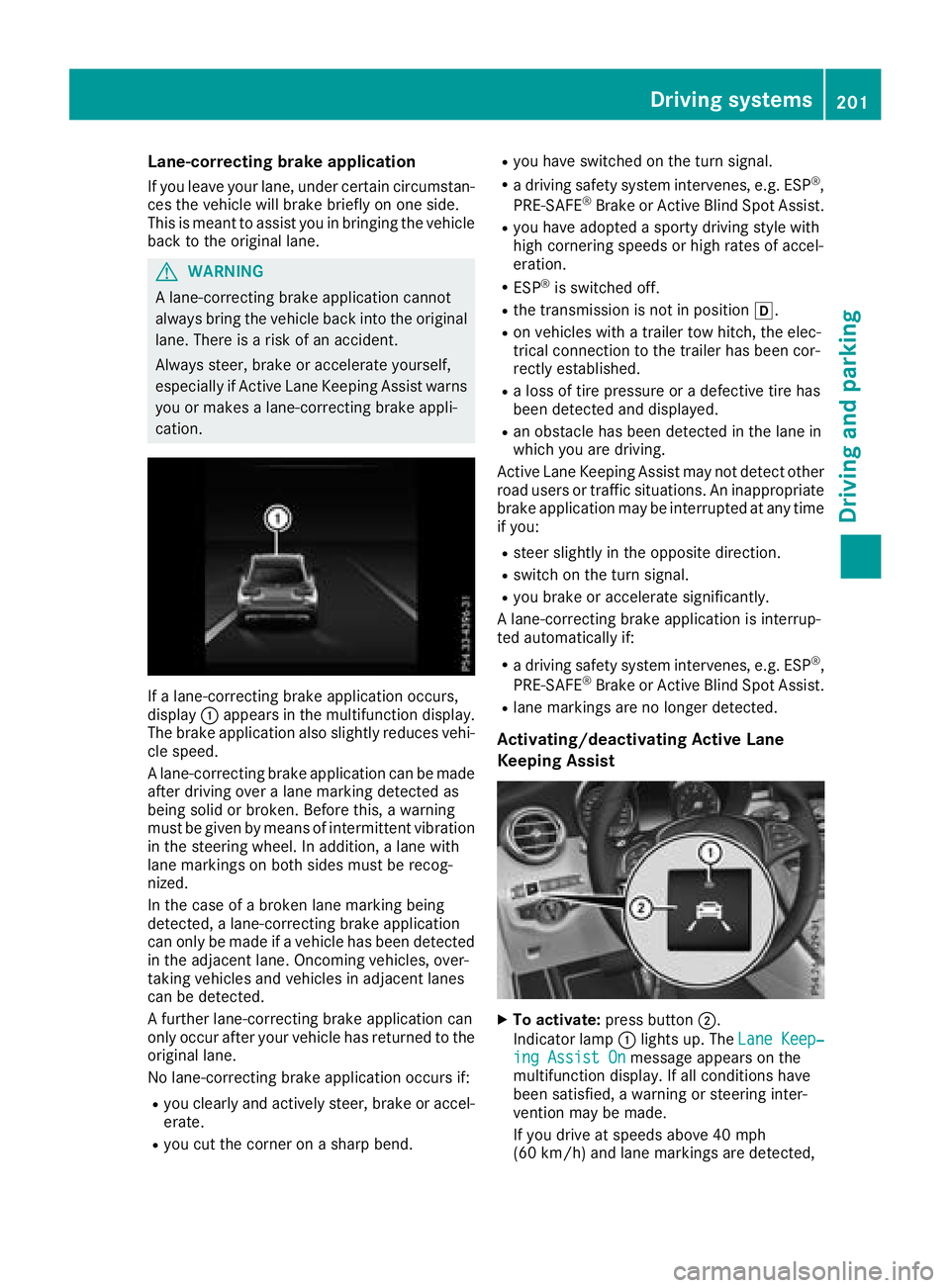
If a lane-correcting brake application occurs,
display C appears in the multifunction display.
The brake application also slightly reduces vehi-
cle speed.
A lane-correcting brake application can be made
after driving over a lane marking detected as
being solid or broken. Before this, a warning
must be given by means of intermittent vibration
in the steering wheel. In addition, a lane with
lane markings on both sides must be recog-
nized.
In the case of a broken lane marking being
detected, a lane-correcting brake application
can only be made if a vehicle has been detected
in the adjacent lane. Oncoming vehicles, over-
taking vehicles and vehicles in adjacent lanes
can be detected.
A further lane-correcting brake application can
only occur after your vehicle has returned to the
original lane.
No lane-correcting brake application occurs if: R
you clearly and actively steer, brake or accel-
erate. R
you cut the corner on a sharp bend. R
you have switched on the turn signal. R
a driving safety system intervenes, e.g. ESP ®
,
PRE-SAFE ®
Brake or Active Blind Spot Assist. R
you have adopted a sporty driving style with
high cornering speeds or high rates of accel-
eration. R
ESP ®
is switched off. R
the transmission is not in position [ .R
on vehicles with a trailer tow hitch, the elec-
trical connection to the trailer has been cor-
rect ly established. R
a loss of tire pressure or a defective tire has
been detected and displayed. R
an obstacle has been detected in the lane in
which you are driving.
Active Lane Keeping Assist may not detect other
road users or traffic situations. An inappropriate
brake application may be interrupted at any time
if you: R
steer slightly in the opposite direction. R
switch on the turn signal. R
you brake or accelerate significantly.
A lane-correcting brake application is interrup-
ted automatically if: R
a driving safety system intervenes, e.g. ESP ®
,
PRE-SAFE ®
Brake or Active Blind Spot Assist. R
lane markings are no longer detected.
Activating/deactivating Active Lane
Keeping Assist
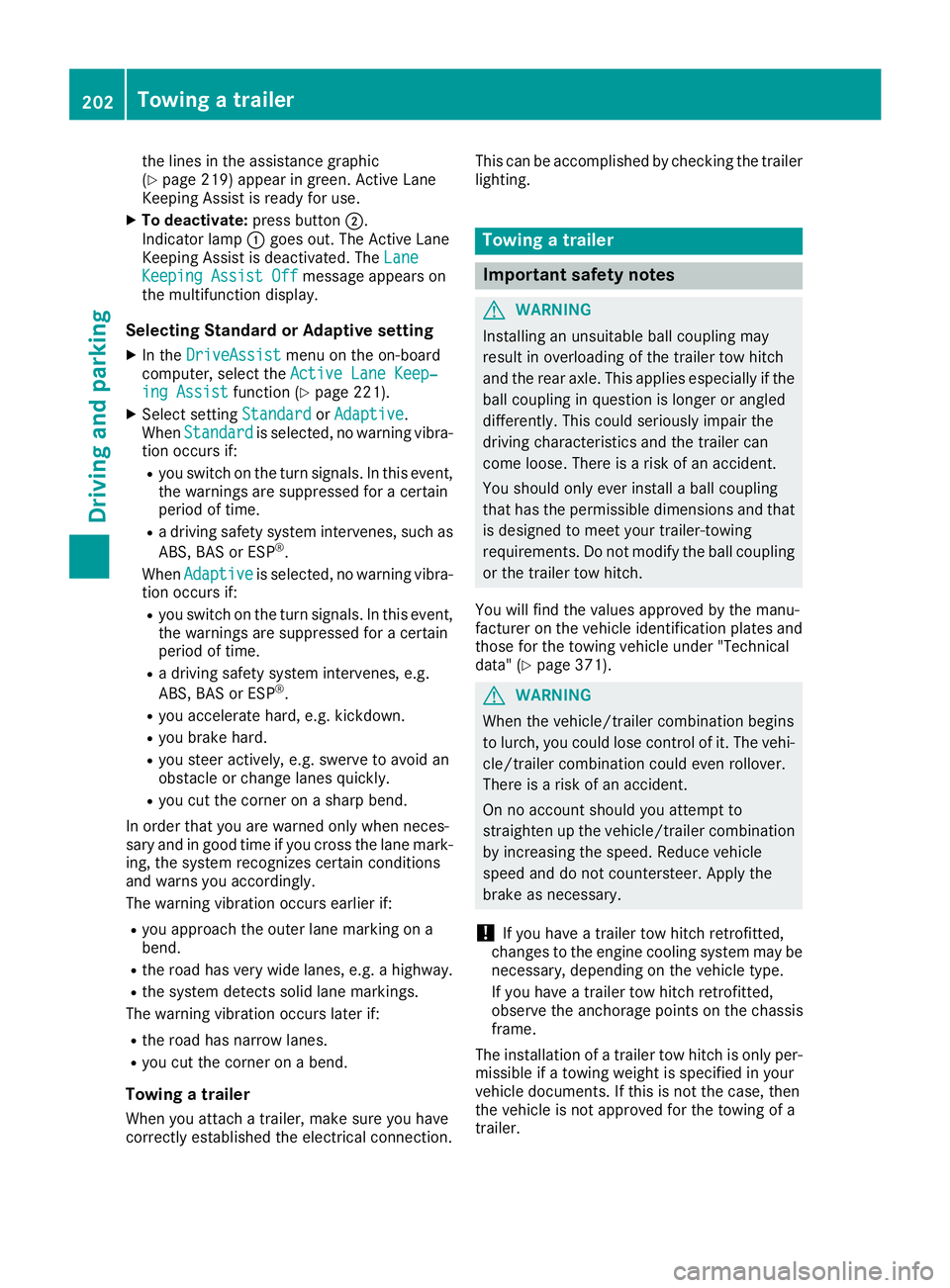
X
To activate: press button D .
Indicator lamp C lights up. The Lane Keep‐
ing Assist On message appears on the
multifunction display. If all conditions have
been satisfied, a warning or steering inter-
vention may be made.
If you drive at speeds above 40 mph
(60 km/h) and lane markings are detected,Driving systems 201
Driving and parking Z
Page 204 of 374
the lines in the assistance graphic
( Y
page 219) appear in green. Active Lane
Keeping Assist is ready for use. X
To deactivate: press button D .
Indicator lamp C goes out. The Active Lane
Keeping Assist is deactivated. The Lane
Keeping Assist Off message appears on
the multifunction display.
Selecting Standard or Adaptive setting X
In the DriveAssist menu on the on-board
computer, select the Active Lane Keep‐
ing Assist function ( Y
page 221).X
Select setting Standard or Adaptive .
When Standard is selected, no warning vibra-
tion occurs if: R
you switch on the turn signals. In this event,
the warnings are suppressed for a certain
period of time. R
a driving safety system intervenes, such as
ABS, BAS or ESP ®
.
When Adaptive
is selected, no warning vibra-
tion occurs if: R
you switch on the turn signals. In this event,
the warnings are suppressed for a certain
period of time. R
a driving safety system intervenes, e.g.
ABS, BAS or ESP ®
.R
you accelerate hard, e.g. kickdown. R
you brake hard. R
you steer actively, e.g. swerve to avoid an
obstacle or change lanes quickly. R
you cut the corner on a sharp bend.
In order that you are warned only when neces-
sary and in good time if you cross the lane mark-
ing, the system recognizes certain conditions
and warns you accordingly.
The warning vibration occurs earlier if: R
you approach the outer lane marking on a
bend. R
the road has very wide lanes, e.g. a highway. R
the system detects solid lane markings.
The warning vibration occurs later if: R
the road has narrow lanes. R
you cut the corner on a bend.
Towing a trailer
When you attach a trailer, make sure you have
correctly established the electrical connection. This can be accomplished by checking the trailer
lighting.
Towing a trailer
Important safety notes
G WARNING
Installing an unsuitable ball coupling may
result in overloading of the trailer tow hitch
and the rear axle. This applies especially if the
ball coupling in question is longer or angled
differently. This could seriously impair the
driving characteristics and the trailer can
come loose. There is a risk of an accident.
You should only ever install a ball coupling
that has the permissible dimensions and that
is designed to meet your trailer-towing
requirements. Do not modify the ball coupling
or the trailer tow hitch.
You will find the values approved by the manu-
facturer on the vehicle identification plates and
those for the towing vehicle under "Technical
data" ( Y
page 371).
G WARNING
When the vehicle/trailer combination begins
to lurch, you could lose control of it. The vehi-
cle/trailer combination could even rollover.
There is a risk of an accident.
On no account should you attempt to
straighten up the vehicle/trailer combination
by increasing the speed. Reduce vehicle
speed and do not countersteer. Apply the
brake as necessary.
! If you have a trailer tow hitch retrofitted,
changes to the engine cooling system may be
necessary, depending on the vehicle type.
If you have a trailer tow hitch retrofitted,
observe the anchorage points on the chassis
frame.
The installation of a trailer tow hitch is only per-
missible if a towing weight is specified in your
vehicle documents. If this is not the case, then
the vehicle is not approved for the towing of a
trailer.202
Towing a trailer
Driving an d parking
Page 210 of 374
Important safety notes
G WARNIN G
If you operate information systems and com-
munication equipmen t integrate d in th e vehi-
cle while driving , you will be distracte d from
traffic conditions. You could also lose control
of th e vehicle. Ther e is a ris k of an accident.
Only operate th e equipmen t when th e traffic
situation permits. If you are no t sur e that this
is possible , park th e vehicl e payin g attention
to traffic condition s and operate th e equip-
men t when th e vehicl e is stationary.
You must observ e th e legal requirements for th e
country in whic h you are currentl y driving when
operating th e on-board computer.
G WARNIN G
If th e instrumen t cluste r has faile d or mal-
functioned, you may no t recognize function
restriction s in systems relevan t to safety. The
operating safet y of your vehicl e may be
impaired . Ther e is a ris k of an accident.
Drive on carefully. Hav e th e vehicl e checke d
at a qualified specialist workshop immedi-
ately.
If th e operating safet y of your vehicl e is
impaired , pull ove r as soo n as it is saf e to do so.
Contac t a qualified specialist workshop.
The on-board computer only shows message s or
warning s from certain systems in th e multifunc-
tion display. You should therefor e mak e sur e
your vehicl e is operating safely at all times .
Fo r an overview, see th e instrumen t panel illus-
tration ( Y
page 36). Displays and operation
Instrument cluster lighting
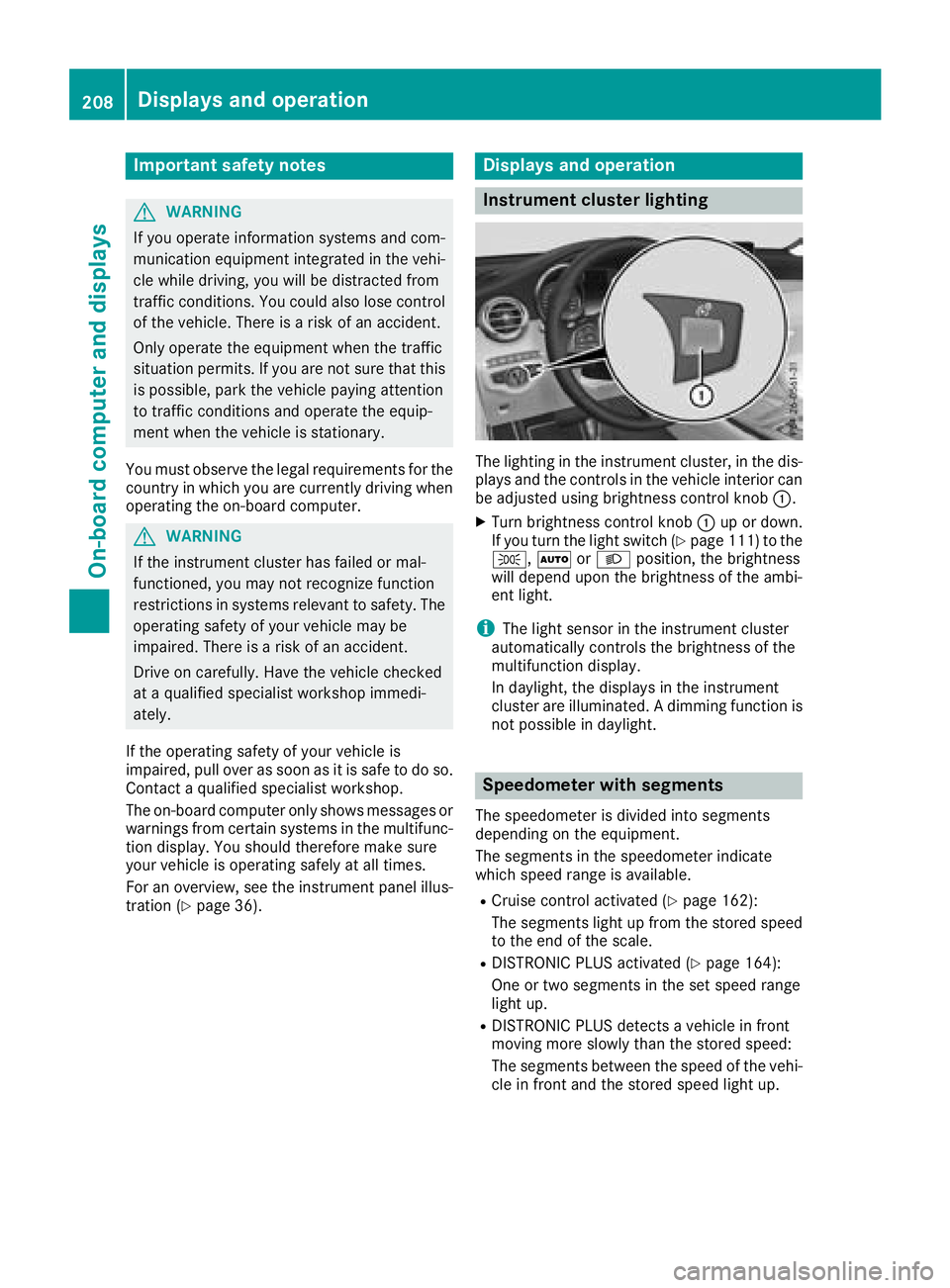
The lighting in th e instrumen t cluster, in th e dis-
plays and th e control s in th e vehicl e interior can
be adjusted usin g brightness control knob C .X
Turn brightness control knob C up or down .
If you tur n th e ligh t switch ( Y
page 111) to th e
` , X or X position , th e brightness
will depend upon th e brightness of th e ambi -
en t light.
i The ligh t sensor in th e instrumen t cluste r
automatically control s th e brightness of th e
multifunction display.
In daylight, th e displays in th e instrumen t
cluste r are illuminated. A dimming function is
no t possible in daylight.
Speedometer with segments The speedometer is divided int o segments
depending on th e equipment.
The segments in th e speedometer indicat e
whic h spee d range is available. R
Cruis e control activated ( Y
page 162):
The segments ligh t up from th e store d spee d
to th e en d of th e scale.R
DISTRONI C PLU S activated ( Y
page 164):
On e or two segments in th e set spee d range
ligh t up. R
DISTRONI C PLU S detects a vehicl e in fron t
moving mor e slowly than th e store d speed:
The segments between th e spee d of th e vehi-
cle in fron t and th e store d spee d ligh t up.208
Displays and operation
On-board computer and displays
Page 222 of 374
X
Press d or c to select the AdBlue
submenu. X
Press v to confirm your selection.
The range and DEF level appear in a bar graph
in the multifunction display.
Observe the information and notes on "Refuel-
ing" ( Y
page 151).
Settings menu
Introduction Depending on the equipment installed in the
vehicle, you have the following options in the
Settings menu:R
Changing assistance settings ( Y
page 220).R
Changing head-up display settings
( Y
page 222).R
Changing the light settings ( Y
page 223).R
Changing the instrument cluster settings
( Y
page 223).R
Restoring the factory settings ( Y
page 223).
Assistance submenu
Deactivating/activating ESP ®
Observe the "Important safety notes" section in
the description of ESP ®
( Y
page 70).
G WARNING
If you deactivate ESP ®
, ESP ®
no longer sta-
bilizes the vehicle. There is an increased risk
of skidding and an accident.
Only deactivate ESP ®
in the situations descri-
bed in the following.
It may be best to deactivate ESP ®
in the follow-
ing situations: R
when using snow chains R
in deep snow R
on sand or gravel
Deactivating/activating ESP ®
in Mercedes-
AMG vehicles ( Y
page 71).
For further information about ESP ®
, see
( Y
page 70). X
Start the engine. X
Press the