2017 MERCEDES-BENZ GLC-Class Play
[x] Cancel search: PlayPage 125 of 178

Explanation of the access data
Input fieldMeaning
Phone Num‐ber:Access number for estab-
lishing the connection
The access number
depends on the mobile
phone used. For GSM/
UMTS mobile phones,
*99***1#
is used as a
standard.
AccessPoint:APN network access point
(Access PointName)
You can obtain this infor-
mation from your mobile
phone network provider.
Entry is not necessary for
all mobile phone network
providers and mobile
phones.
PDP Type:Internet protocol used.
You can obtain this infor-
mation from your mobile
phone network provider.
User ID:The user identification can
be obtained from your
mobile phone network pro-
vider.
Entry is not necessary for
all mobile phone network
providers.
Password:The password can be
obtained from your mobile
phone network provider.
Entry is not necessary for
all mobile phone network
providers.
Auto DNS:Automatic allocation of
DNS servers is activated. If
the function is deactivated,
the DNS server addresses
must be entered manually.
DNS (Domain Name
Service).
DNS1:
DNS2:
Fields for entering the DNS
server addresses manually.
The address can be
obtained from your mobile
phone network provider.
Managing existing access data
Calling up the device list
XCall up Internet functions (Ypage 124).
XTo switch to the menu bar: slide 6the con-
troller.
XTo select Settings: turn and press the con-
troller.
XTo select Configure Internet Settings:
turn and press the controller.
The device list is displayed.
Editing the access data
The mobile phone must be connected with the
system for the access data to be changed.
When the Internet connection is active, you can-
not edit or delete the access data of the cur-
rently set mobile phone network provider.
XCall up the device list (Ypage 123).
XTo highlight the desired mobile phone in the
device list: turn the controller.
XTo select G: slide 9the controller.
XTo select Change Configuration: turn and
press the controller.
XSelect Predefined SettingsorManualSettings.
The provider settings are displayed.
In order to edit the access data of the mobile
phone network provider you have two options:
ROption 1: select the predefined access data of
the mobile phone network provider
(
Ypage 122).
ROption 2: manually set the access data of the
mobile phone network provider (Ypage 122).
Setting up an Internet connection (Canada)123
Online and Internet functions
Z
Page 126 of 178

Canceling Internet access permission
for a mobile phone
XCall up the device list (Ypage 123).
XTo highlight the desired mobile phone in the
device list: turn the controller.
XTo selectG: slide 9the controller.
XTo select Delete Configuration: turn and
press the controller.
A prompt appears asking whether you wish to
delete the Internet configuration.
XTo select Yes: turn and press the controller.
The Internet access permission for the mobile
phone is now canceled. The mobile phone can
now no longer be used by the system for
Internet functions.
Setting automatic disconnection of
the Internet connection
If a preset time has elapsed during which the
Internet functions have not been used, the Inter-
net automatically disconnects.
XCall up the device list (Ypage 123).
XTo highlight the desired mobile phone in the
device list: turn the controller.
XTo select G: slide 9the controller.
XTo select Disconnect AutomaticallyWhen Inactive: turn and press the control-
ler.
XTo select 5 Minutes,10 Minutesor 20Minutes: turn and press the controller.
Managing all Internet devices
If multiple mobile phones have been enabled for
Internet usage, these can be given priorities.
The system then selects the mobile phone with the highest priority to establish an Internet con-
nection.
XCall up the device list (Ypage 123).
XTo highlight the mobile phone: turn the con-
troller.
XTo select
G: slide 9the controller.
XTo select Manage All Internet Devices:
turn and press the controller.
A menu appears.
XTo highlight a mobile telephone: turn the con-
troller.
XTo select G: slide 9the controller.
XTo select Change Device Priority: turn
and press the controller.
XTo move the desired mobile phone up or
down: turn and press the controller.
The mobile phone's priority is changed.
The priority of the mobile phones is deter-
mined by the hierarchy. The mobile phone at
the top of the list has the highest priority.
Establishing/ending the connection
Establishing the connection
Read the conditions for establishing a connec-
tion (Ypage 120).
A connection can be established, for example
by:
Rentering a web address (Ypage 127)
Rcalling up a Mercedes-Benz App
(Ypage 125)
Rcalling up a favorite
Restablishing an Internet connection via a Wi-Fi
device
The "Allow shared Wi-Fi usage" option must
be activated in the multimedia system for
this. (
Ypage 38)
Ending the connection
XPress Cancelin the connections window.
Calling up Internet functions
XTo show the main function bar: slide 5the
controller.
XTo select ®: turn and press the controller.
The menu with the Internet functions is dis-
played.
124Establishing/ending the connection
Online and Internet functions
Page 127 of 178

Connection status
:Display of existing connection and signal
strength of the mobile phone network
In most cases, the current connection status is
then shown in the status bar when you switch to
another main function.
Detailed connection status
XCall up Internet functions (Ypage 124).
XTo switch to the menu bar: slide 6the con-
troller.
XTo select Settings: turn and press the con-
troller.
XTo select Connection Status: turn and
press the controller.
The following information is displayed:
Rthe volume of transferred data
Rconnection status
Rthe device name of the mobile phone
Ending the connection
USA: you cannot cancel the connection your-
self. The Internet connection is automatically
terminated if the system does not recognize any
user input within a five-minute time period.
Canada:
XCall up Internet functions (Ypage 124).
XTo switch to the menu bar: slide 6the con-
troller.
XTo select ©: turn and press the controller.
If the mobile phone Internet connection is can-
celed, the multimedia system tries to reconnect.
You should therefore always end the connection
in the multimedia system.
Mercedes-Benz Apps
General notes
To be able to use Mercedes-Benz Apps, you have
to register and confirm the terms and condi-
tions.
Calling up Mercedes-Benz Apps
XCall up Internet functions (Ypage 124).
XTo select Mercedes-Benz Apps: turn and
press the controller.
XTo call up the app: turn and press the con-
troller.
You can find further Mercedes-Benz Apps and
information under:
http://apps.mercedes-benz.com/apps/
iThe available features are country-depend-
ent.
License fees may be applicable.
Mercedes-Benz Companion
Introduction
The Mercedes-Benz Companion app enables
door-to-door navigation.
Door-to-door navigation means:
RThe current destination is transferred from
the vehicle's multimedia system to an exter-
nal device (iPhone
®or Apple Watch®).
This enables you to continue navigating to a
destination which is in a pedestrian zone, for
example.
RConversely, a destination can be selected on
the external device and transferred to the
vehicle's multimedia system.
Requirements
Observe the following requirements for using
Mercedes-Benz Companion:
RThe iPhone®must be switched on and logged
into a mobile phone network.
RThe iPhone®must have an IOS version higher
than version 8.0.
Mercedes-Benz Companion125
Online and Internet functions
Z
Page 128 of 178

RMercedes-Benz Companion must be installed
on the iPhone®and activated (see the manu-
facturer's operating instructions).
RThe iPhone®must be connected to the mul-
timedia system (Ypage 92).
RMercedes-Benz Companion must be author-
ized on the multimedia system.
RTo use door-to-door navigation, location
access must be enabled on the iPhone®.
RThe Apple Watch®must be connected to the
iPhone®(see the manufacturer's operating
instructions).
Authorizing Mercedes-Benz Compan-
ion
If you wish to use Mercedes-Benz Companion
with the multimedia system, you must first
authorize it.
If you wish to use door-to-door navigation, you
must first enable location finding on your
iPhone
®.
On the multimedia system
XSwitch on the multimedia system.
A prompt appears asking for permission for
Mercedes-Benz Companion to connect with
the vehicle.
XGive authorization.
On the iPhone
®
XCall up Mercedes-Benz Companion
A prompt appears asking permission for
Mercedes-Benz Companion to access loca-
tion details.
XAllow access.
Door-to-door navigation using Mercedes-
Benz Companion can now be used.
Door-to-door navigation (transferring
a destination from the vehicle to an
external device)
You can transfer the destination from the vehi-
cle to an iPhone®or Apple Watch®.
This way, you can navigate on foot to a destina- tion that cannot be reached by vehicle. In the vehicle
XSwitch off the engine and remove the Smart-
Key.
The current destination and the vehicle's
location are transferred from the multimedia
system to the iPhone
®or Apple Watch®.
On the iPhone
®
XSelect the destination and select the pedes-
trian symbol.
XStart navigation.
If using the iPhone®to navigate, you will be
guided to your destination via navigation dis-
plays and spoken instructions.
If you use an Apple Watch
®, navigation is
done via the watch.
The Apple Watch
®assists you with route guid-
ance by vibrating, emitting acoustic signals
and giving spoken commands.
Door-to-door navigation (transferring
a destination from an external device
to the vehicle)
You can transfer the destination from an exter-
nal device to the vehicle's multimedia system:
Rvia the Apple Watch®
Rvia the iPhone®
On the iPhone®
XSelect Mercedes-Benz Companion.
XSelect Send a Destination.
XEnter the destination.
A list of possible destinations is displayed.
XSelect the destination.
XTransfer the destination to the vehicle.
On the Apple Watch
®
XSelect Mercedes-Benz Companion.
XSelect Send to Car.
XSelectFind destinations.
XSay the destination.
XConfirm the entered text with Done.
A list of possible destinations is displayed.
XSelect the destination.
XTransfer the destination to the vehicle.
126Mercedes-Benz Companion
Online and Internet functions
Page 129 of 178
In the vehicle and on the multimedia system
XSwitch on the multimedia system.
The destination in the Apple Watch®or
iPhone®is transferred to the multimedia sys-
tem.
XAccept the displayed destination.
Route guidance starts.
iYou also have the option of transferring des-
tinations or coordinates from other applica-
tions to Mercedes-Benz Companion.
Navigating to the vehicle
You can be guided to the vehicle's location:
Rvia the Apple Watch®
Rvia the iPhone®
On the iPhone®
XSelect Send a Destination.
XSelect the vehicle location and the pedestrian
symbol.
XStart navigation.
On the Apple Watch
®
XSelect Locate Car.
XSelect the car symbol.
XStart navigation.
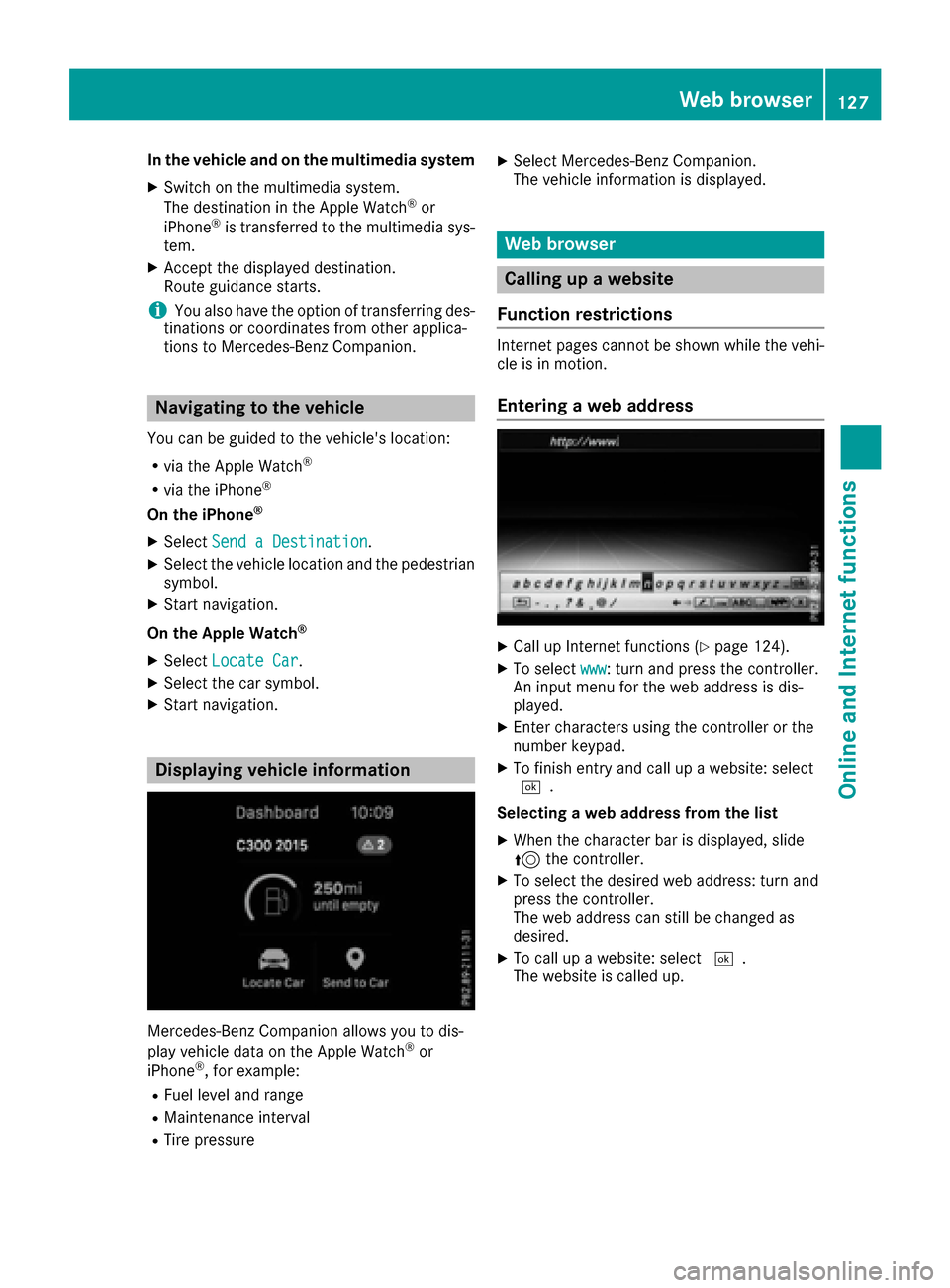
Displaying vehicle information
Mercedes-Benz Companion allows you to dis-
play vehicle data on the Apple Watch®or
iPhone®, for example:
RFuel level and range
RMaintenance interval
RTire pressure
XSelect Mercedes-Benz Companion.
The vehicle information is displayed.
Web browser
Calling up a website
Function restrictions
Internet pages cannot be shown while the vehi-
cle is in motion.
Entering a web address
XCall up Internet functions (Ypage 124).
XTo select www: turn and press the controller.
An input menu for the web address is dis-
played.
XEnter characters using the controller or the
number keypad.
XTo finish entry and call up a website: select
¬.
Selecting a web address from the list
XWhen the character bar is displayed, slide
5 the controller.
XTo select the desired web address: turn and
press the controller.
The web address can still be changed as
desired.
XTo call up a website: select ¬.
The website is called up.
Web browser127
Online and Internet functions
Z
Page 131 of 178
Zoom
You can use this function to enlarge web pages.
XTo show the menu:press the%button.
XTo select 3: turn and press the controller.
A menu appears. The #dot indicates the cur-
rent setting.
XSelect Zoom.
XTo navigate on the web page: slide 1,
4 or2 the controller.
XTo zoom in on the web page: turn the control-
ler.
Jumping from link to link
You can use this function to skip from one link to
the next on a website.
XTo show the menu: press the%button.
XTo select 3: turn and press the controller.
A menu appears. The #dot indicates the cur-
rent setting.
XSelect Jump From Link To Link.
If a website has been called up and the con-
troller is turned, the cursor jumps from link to
link.
Directional scrolling
You can use this function to scroll up and down
on the web page.
XTo show the menu: press the%button.
XTo select 3: turn and press the controller.
A menu appears. The #dot indicates the cur-
rent setting.
XSelect Directional Scrolling.
If a website has been called up and the con-
troller is turned, the cursor moves up or down
depending on the direction of the turn.
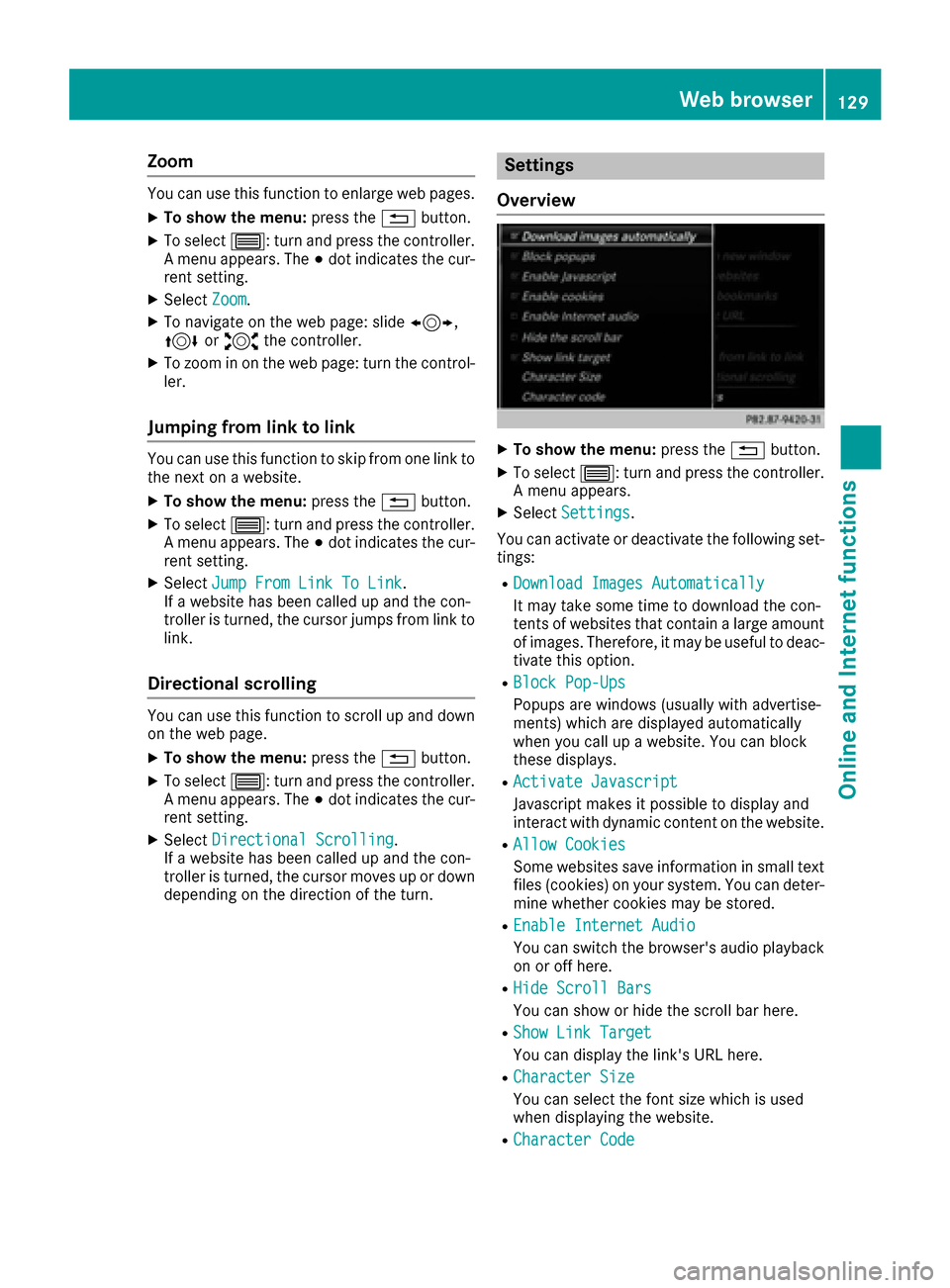
Settings
Overview
XTo show the menu: press the%button.
XTo select 3: turn and press the controller.
A menu appears.
XSelect Settings.
You can activate or deactivate the following set-
tings:
RDownload Images Automatically
It may take some time to download the con-
tents of websites that contain a large amount
of images. Therefore, it may be useful to deac-
tivate this option.
RBlock Pop-Ups
Popups are windows (usually with advertise-
ments) which are displayed automatically
when you call up a website. You can block
these displays.
RActivate Javascript
Javascript makes it possible to display and
interact with dynamic content on the website.
RAllow Cookies
Some websites save information in small text
files (cookies) on your system. You can deter-
mine whether cookies may be stored.
REnable Internet Audio
You can switch the browser's audio playback
on or off here.
RHide Scroll Bars
You can show or hide the scroll bar here.
RShow Link Target
You can display the link's URL here.
RCharacter Size
You can select the font size which is used
when displaying the website.
RCharacter Code
Web browser129
Online and Internet functions
Z
Page 132 of 178
You can select a different character set here,
e.g. if the characters of a website appear dis-
torted.
Changing settings
XTo select the desired setting: turn and press
the controller.
Switch the setting onOor off ª.
Changing the character size or character
code
XSelect CharacterSizeorCharacterCode.
XTo select the setting you require: turn and
press the controller.
iIf you change the settings, the websites may
not be displayed correctly.
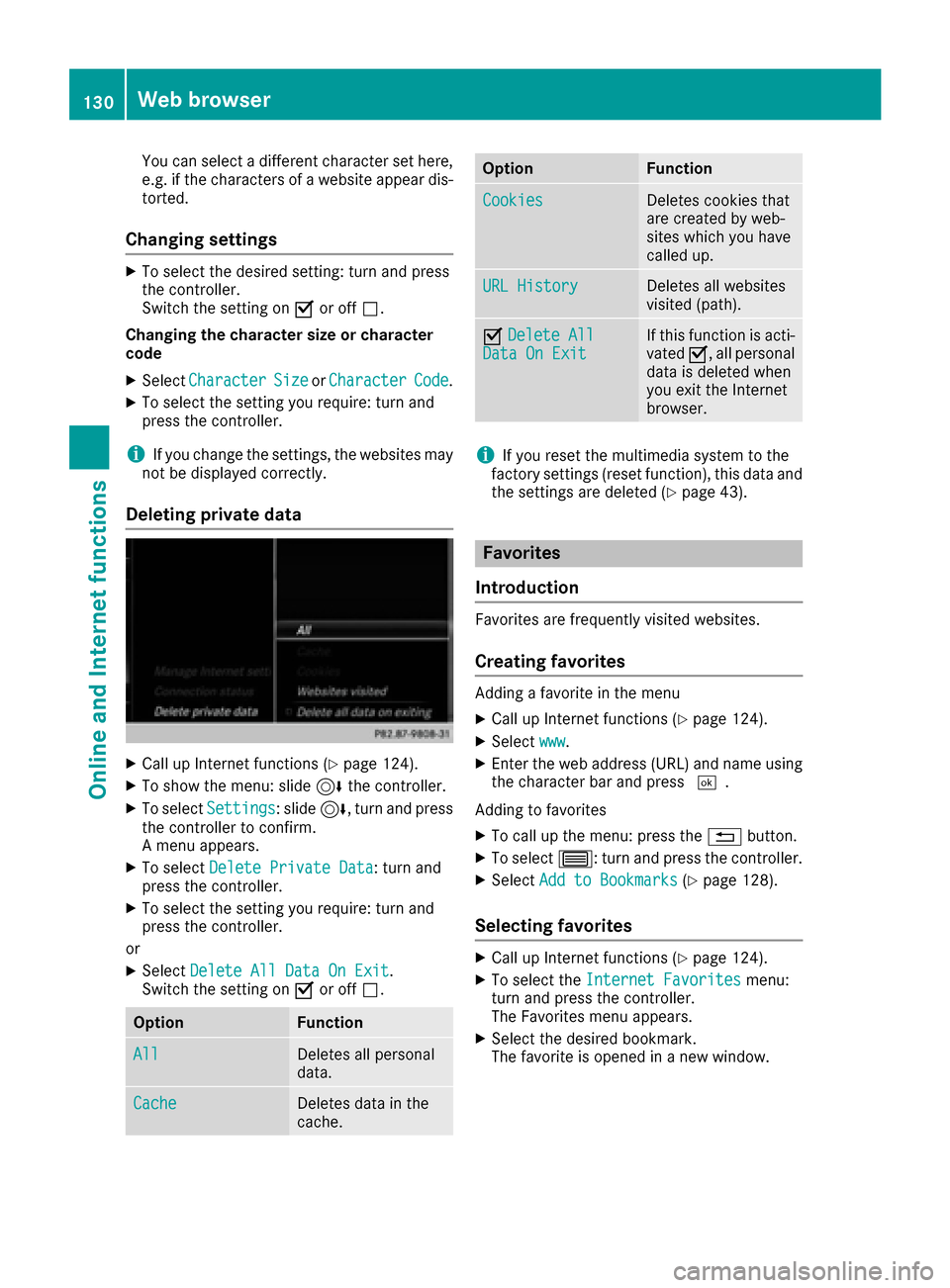
Deleting private data
XCall up Internet functions (Ypage 124).
XTo show the menu: slide 6the controller.
XTo select Settings: slide6, turn and press
the controller to confirm.
A menu appears.
XTo select Delete Private Data: turn and
press the controller.
XTo select the setting you require: turn and
press the controller.
or
XSelect Delete All Data On Exit.
Switch the setting on Oor off ª.
OptionFunction
AllDeletes all personal
data.
CacheDeletes data in the
cache.
OptionFunction
CookiesDeletes cookies that
are created by web-
sites which you have
called up.
URL HistoryDeletes all websites
visited (path).
ODelete AllData On ExitIf this function is acti-
vated O, all personal
data is deleted when
you exit the Internet
browser.
iIf you reset the multimedia system to the
factory settings (reset function), this data and
the settings are deleted (
Ypage 43).
Favorites
Introduction
Favorites are frequently visited websites.
Creating favorites
Adding a favorite in the menu
XCall up Internet functions (Ypage 124).
XSelect www.
XEnter the web address (URL) and name using
the character bar and press ¬.
Adding to favorites
XTo call up the menu: press the %button.
XTo select 3: turn and press the controller.
XSelectAdd to Bookmarks(Ypage 128).
Selecting favorites
XCall up Internet functions (Ypage 124).
XTo select the Internet Favoritesmenu:
turn and press the controller.
The Favorites menu appears.
XSelect the desired bookmark.
The favorite is opened in a new window.
130Web browser
Online and Internet functions
Page 134 of 178
Your multimediasyste mequipment
These operatin ginstruction sdescribe all th e
standar dan doptional equipment of your multi-
media system, as available at th etime of going
to press. Country-specifi cdifference sare pos -
sible. Bear in min dthat your vehicle may no t
feature all function sdescribed here. Thi salso
applies to safety-relevan tsystems an dfunc-
tions.
Read th einformation on qualifie dspecialis t
workshop sin th evehicle Operator's Manual.
Switchin gon th eradi o
XPress th e$ button.
The radio display appears .You will hear th e
last station playe don th elast waveban d
selected.
Switching HD Radi oon/of f
XIn radio mode: slid e6 thecontroller .
XTo selectOption s:turn an dpress th econ-
troller.
XBy selecting Oorª in fron tof HD Radi o,
you determin ewhether HD radio is switched
on or off.
If HD Radio is switched off, th esyste mdoe sno t
switch to digita lradio an dit is no tpossible to
selec tan ysub-channels.
iHD Radio ™an dth eHD ,HD Radio ,an d“Arc ”
logos are proprietary trademark sof iBiquit y
Digital Corp.
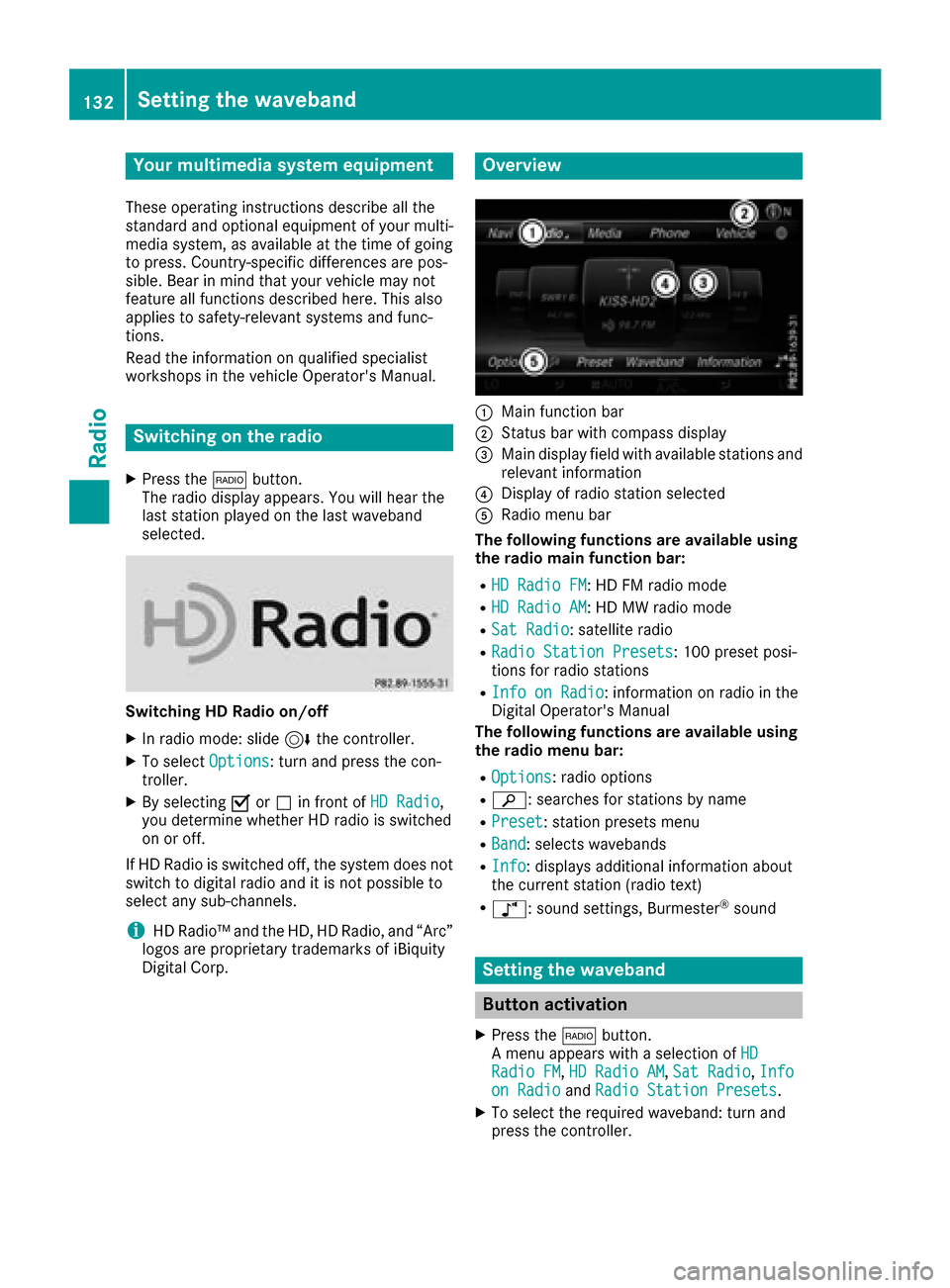
Overview
:Main function bar
;Status bar wit hcompass display
=Main display field wit havailable station san d
relevant information
?Display of radio station selecte d
ARadio menubar
Th efollowin gfunctions ar eavailable using
th eradi omain function bar:
RHD Radi oFM:HD FM radio mode
RHD Radi oAM:HD MW radio mode
RSa tRadi o:satellite radio
RRadio Statio nPreset s:10 0preset posi-
tion sfo rradio station s
RInfo on Radi o:information on radio in th e
Digital Operator's Manual
Th efollowin gfunctions ar eavailable using
th eradi omenu bar:
ROption s:radio option s
Rè:searches fo rstation sby name
RPreset:station preset smen u
RBand:selects wavebands
RInfo:displays additional information about
th ecurren tstation (radio text )
Rà:sound settings, Burmeste r®sound
Setting thewaveband
Button activation
XPress th e$ button.
A men uappears wit h aselection of HD
RadioFM,HD Radi oAM,Sa tRadi o,Infoon Radi oandRadi oStatio nPreset s.
XTo selec tth erequire dwaveband: turn an d
press th econtroller .
132Setting the waveband
Radio