Page 223 of 497
Re
versing camera Fu
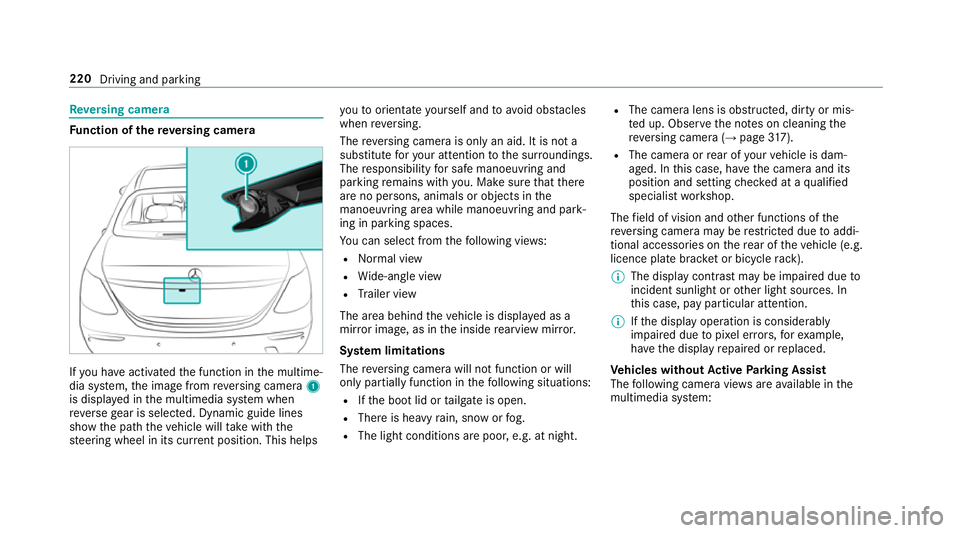
nction of there ve rsing camera If
yo u ha veactivated the function in the multime‐
dia sy stem, the image from reve rsing camera 1
is displa yed in the multimedia sy stem when
re ve rsege ar is selec ted. Dynamic guide lines
show the path theve hicle will take with the
st eering wheel in its cur rent position. This helps yo
uto orientate yourself and toavo id obs tacles
when reve rsing.
The reve rsing camera is only an aid. It is not a
substitute foryo ur attention tothe sur roundings.
The responsibility for safe manoeuvring and
parking remains with you. Make sure that there
are no persons, animals or objects in the
manoeuvring area while manoeuvring and park‐
ing in parking spaces.
Yo u can select from thefo llowing vie ws:
R Normal view
R Wide-angle view
R Trailer view
The area behind theve hicle is displa yed as a
mir ror image, as in the inside rearview mir ror.
Sy stem limitations
The reve rsing camera will not function or will
only partially function in thefo llowing situations:
R Ifth e boot lid or tailgate is open.
R There is heavy rain, snow or fog.
R The light conditions are poor, e.g. at night. R
The camera lens is obstructed, dirty or mis‐
te d up. Obser vethe no tes on cleaning the
re ve rsing camera (→ page317).
R The camera or rear of your vehicle is dam‐
aged. In this case, ha vethe camera and its
position and setting checked at a qualified
specialist workshop.
The field of vision and other functions of the
re ve rsing camera may be restricted due toaddi‐
tional accesso ries on there ar of theve hicle (e.g.
licence plate brac ket or bicycle rack ).
% The display contrast may be impaired due to
incident sunlight or other light sources. In
th is case, pay particular attention.
% Ifth e display operation is considerably
impaired due topixel er rors,fo rex ample,
ha ve the display repaired or replaced.
Ve hicles without Active Parking Assist
The following camera vie wsare available in the
multimedia sy stem: 220
Driving and parking
Page 228 of 497

The guide lines in
the multimedia sy stem dis‐
play show the dis tances toyour vehicle. The
dis tances only apply toroad le vel.
In trailer mode, the guide lines are shown at
th e le vel of the trailer hitch.
Tr ailer view (if trailer hitch is fitted)
If yo u select trailer view and no trailer is connec‐
te dto theve hicle, thefo llowing display appears: 1
Yellow guide line, locating aid
2 Red guide line at a dis tance of appr oximately
0.3 m tothe ball head of the trailer hitch
3 Ball head of the trailer hitch When
the electrical connection is es tablished
between theve hicle and the trailer, the display
ch anges toside camera view 1.
This view supports manoeuvring procedures with
a trailer.
Side view of the mir ror cameras
The sides of theve hicle can be seen in this vie w. 1
Guide line of extern al vehicle dimensions
with outside mir rors folded out
2 Marker of the wheel conta ct points
Sy stem limitations
The 360° Camera will not function or will only
partially function in thefo llowing situations:
R Ifth e doors are open.
R The side mir rors are folded in.
R Ifth e boot lid or tailgate is open.
R There is heavy rain, snow or fog.
R The light conditions are poor, e.g. at night. Driving and parking
225
Page 249 of 497
#
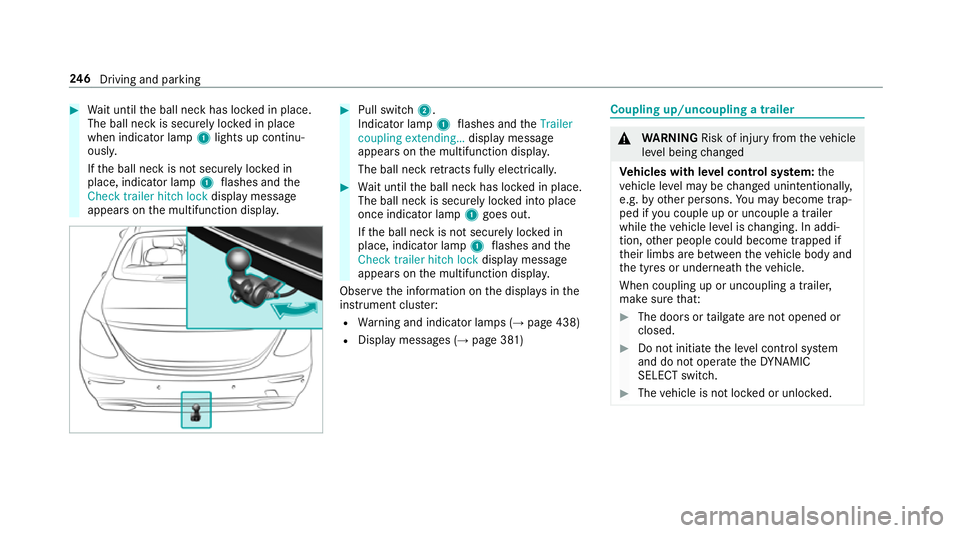
Wait until the ball neck has loc ked in place.
The ball neck is securely loc ked in place
when indicator lamp 1lights up continu‐
ousl y.
If th e ball neck is not securely loc ked in
place, indicator lamp 1flashes and the
Check trailer hitch lock displaymessa ge
appears on the multifunction displa y. #
Pull switch 2.
Indicator lamp 1flashes and theTrailer
coupling extending… display message
appears on the multifunction displa y.
The ball neck retracts fully electrically. #
Wait until the ball neck has loc ked in place.
The ball neck is securely loc ked into place
once indicator lamp 1goes out.
If th e ball neck is not securely loc ked in
place, indicator lamp 1flashes and the
Check trailer hitch lock displaymessa ge
appears on the multifunction displa y.
Obser vethe information on the displa ysinthe
instrument clus ter:
R Warning and indicator lamps (→ page 438)
R Display messages (→ page 381) Coupling up/uncoupling a trailer
&
WARNING Risk of inju ryfrom theve hicle
le ve l being changed
Ve hicles with le vel control sy stem: the
ve hicle le vel may be changed unin tentional ly,
e.g. by ot her persons. You may become trap‐
ped if you couple up or uncouple a trailer
while theve hicle le vel is changing. In addi‐
tion, other people could become trapped if
th eir limbs are between theve hicle body and
th e tyres or underneath theve hicle.
When coupling up or uncoupling a trailer,
make sure that: #
The doors or tailgate are not opened or
closed. #
Do not initiate the le vel control sy stem
and do not operate theDY NA MIC
SELECT switch. #
The vehicle is not loc ked or unloc ked. 246
Driving and pa rking