2017 MERCEDES-BENZ CLA engine
[x] Cancel search: enginePage 167 of 318
As soon as the parking procedure is complete,
the Parking Pilot Ended message appears in
the multifunction display and a warning tone
sounds. The vehicle is now parked.
The vehicle is kept stationary without the driver
having to depress the brake pedal. The braking
effect is canceled when you depress the accel-
erator pedal.
Parking Pilot no longer supports you with steer-
ing interventions and brake applications. When
Parking Pilot is ended, you must steer and brake
again yourself. Parking Assist PARKTRONIC is
still available.
Parking tips: R
The way your vehicle is positioned in the park-
ing space after parking is dependent on vari-
ous factors. These include the position and
shape of the vehicles parked in front and
behind it and the conditions of the location. It
may be the case that Parking Pilot guides you
too far into a parking space, or not far enough
into it. In some cases, it may also lead you
across or onto the curb. If necessary, you
should abort the parking procedure with Park-
ing Pilot. R
You can also select preselect transmission
position D . The vehicle redirects and does not
drive as far into the parking space. Should the
transmission change take place too early, the
parking procedure will be canceled. A sensi-
ble parking posi tion can no longer be ach-
i
eved from this position.
Exiting a parking space In order for Parking Pilot to support you when
exiting the parking space: R
you need to have parked using Parking Pilot. R
the border of the parking space must be high
enough at the front and the rear. A curb stone
is too small, for example. R
the border of the parking space must not be
too wide, as the position of the vehicle must
not exceed an angle of 45° to the starting
position as it is maneuvered into the parking
space. R
a maneuvering distance of at least 3.3 ft
(1.0 m) must be available .
Parkin g Pilo t can assist you with exiting a park-
ing space only if you have parked the vehicle
parallel to the direction of travel using Parking
Pilot. i If Parking Assist PARKTRONIC detects
obstacles, Parking Pilot brakes automatically
whilst the vehicle is exiting the parking space.
You are responsible for braking in good time. X
Start the engine. X
Release the electric parking brake. X
Switch on the turn signal in the direction you
will drive out of the parking space. X
Shift the transmission to position D or R .
The Start Parking Pilot? Yes: OK No:
8 message appears in the multifunction
display. X
To cancel the procedure: press the 8
button on the multifunction steering wheel or
pull away.
or X
To exit a parking space using Parking
Pilot: press the v button on the multi-
function steering wheel.
The Parking Pilot Active Accelerate
and Brake Observe Surroundings mes-
sage appears in the multifunction display. X
Let go of the multifunction steering wheel. X
Pull away, being ready to brake at all times. Do
not exceed a maximum speed of approx-
imately 6 mph (10 km/h) when exiting a park-
ing space. Otherwise, Parking Pilot is can-
celed immediately. X
Depending on the message or as required,
shift the transmission to position D or R .
Parking Pilot immediately steers in the other
direction. The Parking Pilot Active
Accelerate and Brake Observe Sur‐
roundings message appears in the multi-
function display.
i You will achieve the best results by waiting
for the steering procedure to complete before
pulling away.
If you back up after activation, the steering
wheel is moved to the straight-ahead posi-
tion. X
Drive forwards and reverse as prompted by
the Parking Assist PARKTRONIC warning dis-
plays, several times if necessary.
Once you have exited the parking space com-
pletely, the steering wheel is moved to the
straight-ahead position. You hear a tone and the
Parking Pilot Finished message appears in
the multifunction display. You will then have to
steer and merge into traffic on your own. Park-
ing Assist PARKTRONIC is still available. You canDriving system s 165
Dr ivi ng an d parking Z
Page 172 of 318
(200 km/h) range. If ATTENTION ASSIST
detects typical indicators of fatigue or increas-
ing lapses in concentration on the part of the
driver, it suggests taking a break.
Important safety notes ATTENTION ASSIST is only an aid to the driver. It
might not always recognize fatigue or increasing
inattentiveness in time or fail to recognize them
at all. The system is not a substitute for a well-
rested and attentive driver.
The functionality of ATTENTION ASSIST is
restricted and warnings may be delayed or not
occur at all: R
if the length of the journey is less than approx-
imately 30 minutes R
if the road condition is poor, e.g. if the surface
is uneven or if there are potholes R
if there is a strong side wind R
if you have adopted a sporty driving style with
high cornering speeds or high rates of accel-
eration R
if you are predominantly driving slower than
37 mph (60 km/h) or faster than 125 mph
(200 km/ h)R
if the time has been set incorrectly R
in active driving situations, such as when you
change lanes or change your speed
ATTENTION ASSIST is reset when you continue
your journey and starts assessing your tiredness
again if: R
you switch off the engine R
you take off your seat belt and open the driv-
er's door, e.g. for a change of drivers or to
take a break
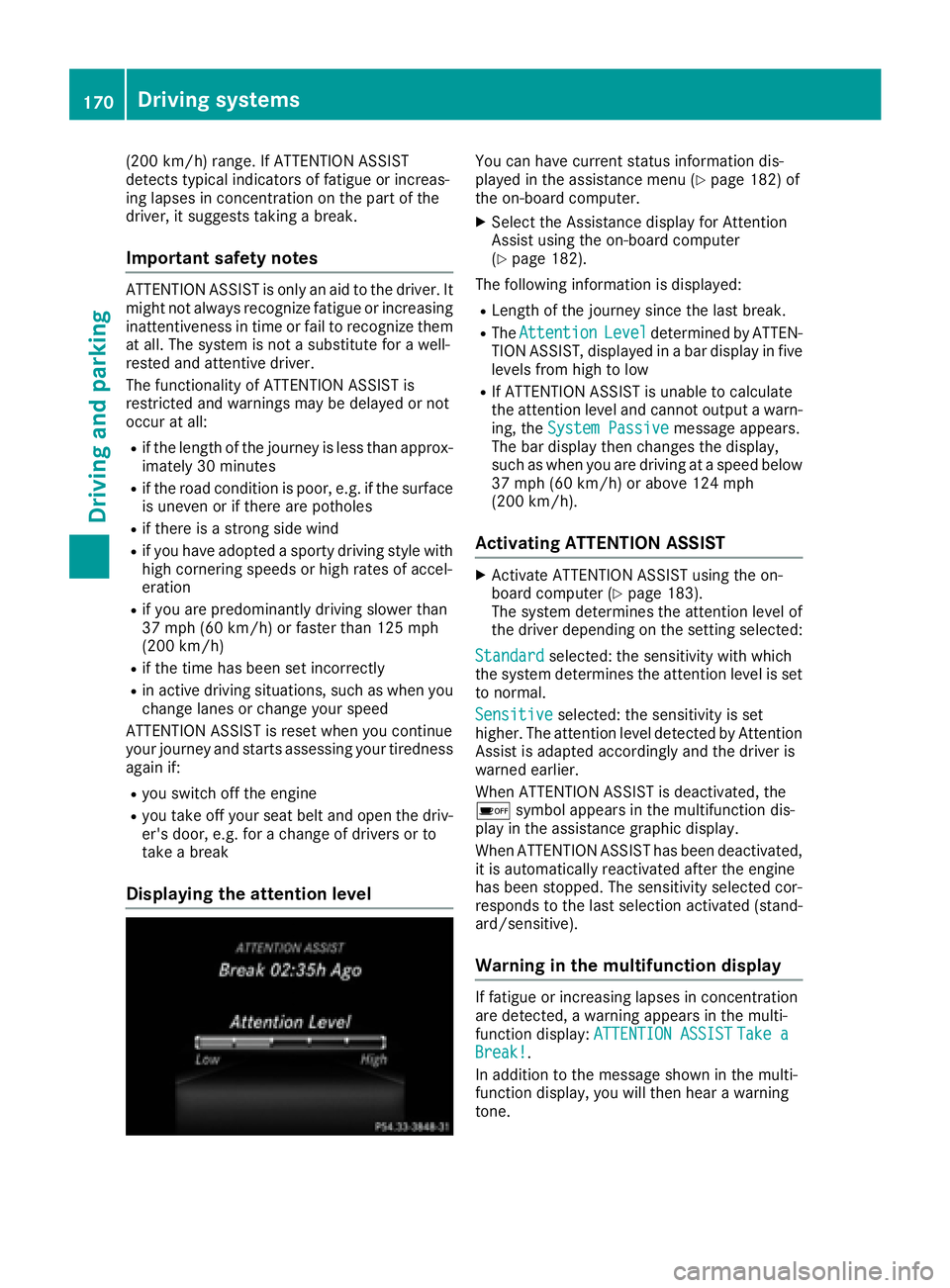
Displaying the attention level You can have current status information dis-
played in the assistance menu ( Y
page 182) of
the on-board computer. X
Select the Assistance display for Attention
Assist using the on-board computer
( Y
page 182).
The following information is displayed: R
Length of the journey since the last break. R
The Attention Level determined by ATTEN-
TION ASSIST, displayed in a bar display in five
levels from high to low R
If ATTENTION ASSIST is unable to calculate
the attention level and cannot output a warn-
ing, the System Passive message appears.
The bar display then changes the display,
such as when you are driving at a speed below
37 mph (60 km/h) or above 124 mph
(200 km/h).
Activating ATTENTION ASSIST X
Activate ATTENTION ASSIST using the on-
board computer ( Y
page 183).
The system determines the attention level of
the driver depending on the setting selected:
Standard selected: the sensitivity with which
the system determines the attention level is set
to normal.
Sensitive selected: the sensitivity is set
higher. The attention level detected by Attention
Assist is adapted accordingly and the driver is
warned earlier.
When ATTENTION ASSIST is deactivated, the
Page 176 of 318

Important safety notes
G WARNIN G
If you operate information systems and com-
munication equipmen t integrate d in th e vehi-
cle while driving , you will be distracte d from
traffic conditions. You could also lose control
of th e vehicle. Ther e is a ris k of an accident.
Only operate th e equipmen t when th e traffic
situation permits. If you are no t sur e that this
is possible , park th e vehicl e payin g attention
to traffic condition s and operate th e equip-
men t when th e vehicl e is stationary.
You must observ e th e legal requirements for th e
country in whic h you are currentl y driving when
operating th e on-board computer.
G WARNIN G
If th e instrumen t cluste r has faile d or mal-
functioned, you may no t recognize function
restriction s in systems relevan t to safety. The
operating safet y of your vehicl e may be
impaired . Ther e is a ris k of an accident.
Drive on carefully. Hav e th e vehicl e checke d
at a qualified specialist workshop immedi-
ately.
The on-board computer only shows message s or
warning s from certain systems in th e multifunc-
tion display. You should therefor e mak e sur e
your vehicl e is operating safely at all times .
If th e operating safet y of your vehicl e is
impaired , pull ove r as soo n as it is saf e to do so.
Contac t a qualified specialist workshop.
Fo r an overview, see th e instrumen t panel illus-
tration ( Y
page 32).
Displays and operation
Instrument cluster lighting
The ligh t sensor in th e instrumen t cluste r auto -
matically control s th e brightness of th e multi-
function display. In daylight, th e displays in th e
instrumen t cluste r are no t illuminated.
The lighting in th e instrumen t cluster, in th e dis-
plays and th e control s in th e vehicl e interior can
be adjusted usin g th e brightness control knob. The brightness control knob is locate d on th e
botto m lef t of th e instrumen t cluste r
( Y
page 32). X
Turn th e brightness control knob clockwise or
counter-clockwise.
If th e ligh t switch is set to th e X , ` or
X position , th e brightness is dependen t
upon th e brightness of th e ambien t light.
Speedometer with segments The speedometer is divided int o segments on
vehicles wit h Distanc e Pilot DISTRONIC.
The segments in th e speedometer indicat e
whic h spee d range is available. R
Distanc e Pilot DISTRONI C is activated
( Y
page 150):
On e or two segments in th e set spee d range
ligh t up. R
Distanc e Pilot DISTRONI C detects a vehicl e in
fron t moving mor e slowly than th e store d
speed:
The segments between th e spee d of th e vehi-
cle in fron t and th e store d spee d ligh t up.
Tachometer
! Do no t driv e in th e overrevving range, as this
could damag e th e engine.
The red ban d in th e tachometer indicates th e
engine's overrevving range.
The engin e is limite d within a range to protect
th e engin e when th e red ban d is reached.
Outside temperature display You should pay special attention to road condi-
tion s when temperatures are aroun d freezing
point.
Bea r in min d that th e outside temperature dis-
play indicates th e temperature measured and
does no t record th e road temperature.
The outside temperature display is in th e multi-
function display ( Y
page 176).
Ther e is a short delay before a chang e in outside
temperature appear s in th e multifunction dis-
play.174
Displays and operation
On-board computer and displays
Page 177 of 318
Coolant temperature gauge
G WARNING
Opening the hood when the engine is over-
heated or when there is a fire in the engine
compartment could expose you to hot gases
or other service products. There is a risk of
injury.
Let an overheated engine cool down before
opening the hood. If there is a fire in the
engine compartment, keep the hood closed
and contact the fire department.
! A display message is shown if the coolant
temperature is too high.
If the coolant temperature is over 248 ‡
(120 †), do not continue driving. The engine
will otherwise be damaged.
The coolant temperature gage is in the instru-
ment cluster on the right-hand side ( Y
page 32).
The H marking in the coolant temperature gauge
corresponds to a coolant temperature of
approximately 248 ‡ (120 †).
Under normal operating conditions and at the
correct coolant level, the coolant temperature
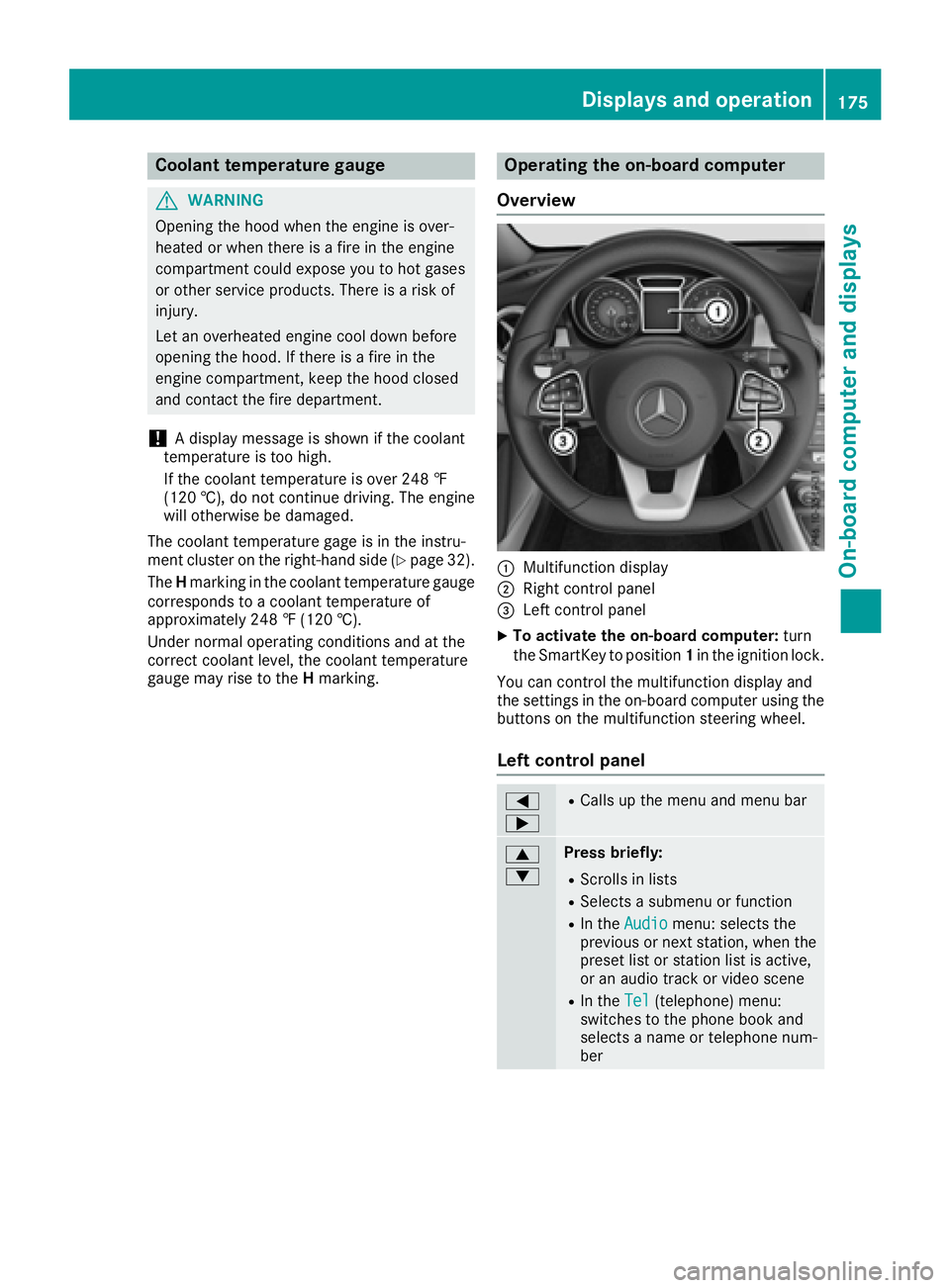
gauge may rise to the H marking. Operating the on-board computer
Overview
C
Multifunction display D
Right control panel
Page 184 of 318
Assistance menu
Int rod uctionDependin g on th e equipmen t installed in th e
vehicle, you hav e th e followin g option s in th e
DriveAssist menu:R
Displaying th e assistanc e graphic
( Y
page 182)R
Deactivating/activating ES P ®
(except
Mercedes ‑ AM G vehicles) ( Y
page 182)R
Activating/deactivating Active Brake Assis t
( Y
page 182)R
Activating/deactivating ATTENTION ASSIST
( Y
page 183)R
Activating/deactivating Blind Spot Assis t
( Y
page 183)R
Activating/deactivating Lan e Keepin g Assis t
( Y
page 183)
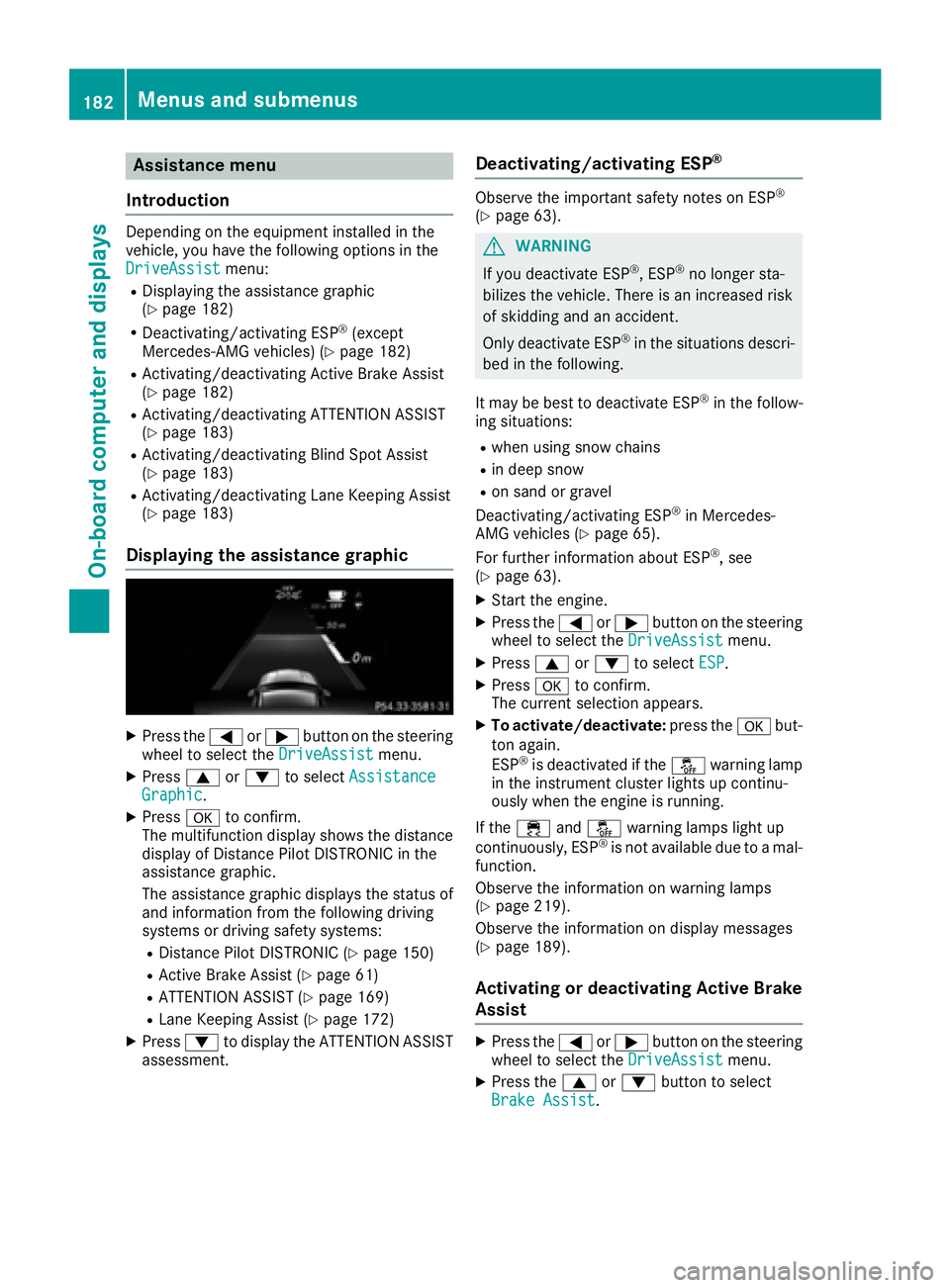
Displaying the assistance graphic X
Press th e Y or e butto n on th e steering
whee l to select th e DriveAssist menu.X
Press c or d to select Assistanc e
Graphi c .X
Press v to confirm .
The multifunction display shows th e distanc e
display of Distanc e Pilo t DISTRONI C in th e
assistanc e graphic .
The assistanc e graphic displays th e status of
and information from th e followin g drivin g
systems or drivin g safet y systems :R
Distanc e Pilo t DISTRONI C ( Y
page 150)R
Active Brake Assis t ( Y
page 61)R
ATTENTION ASSIST ( Y
page 169)R
Lan e Keepin g Assis t ( Y
page 172)X
Press d to display th e ATTENTION ASSIST
assessment. Deactivating/activating ESP ®
Observ e th e important safet y note s on ES P ®
( Y
page 63).
G WARNIN G
If you deactivat e ES P ®
, ES P ®
no longer sta-
bilizes th e vehicle. There is an increased ris k
of skiddin g and an accident.
Only deactivat e ES P ®
in th e situation s descri-
bed in th e following.
It may be best to deactivat e ES P ®
in th e follow-
ing situations: R
when usin g snow chain sR
in deep snow R
on san d or gravel
Deactivating/activating ES P ®
in Mercedes-
AM G vehicles ( Y
page 65).
Fo r further information about ES P ®
, see
( Y
page 63). X
Start th e engine. X
Press th e Y or e butto n on th e steering
whee l to select th e DriveAssist menu.X
Press c or d to select ESP .X
Press v to confirm .
The curren t selection appears. X
To activate/deactivate: press th e v but -
to n again .
ES P ®
is deactivated if th e
Page 188 of 318
temperature. Avoid driving at full engine out-
put during this time.
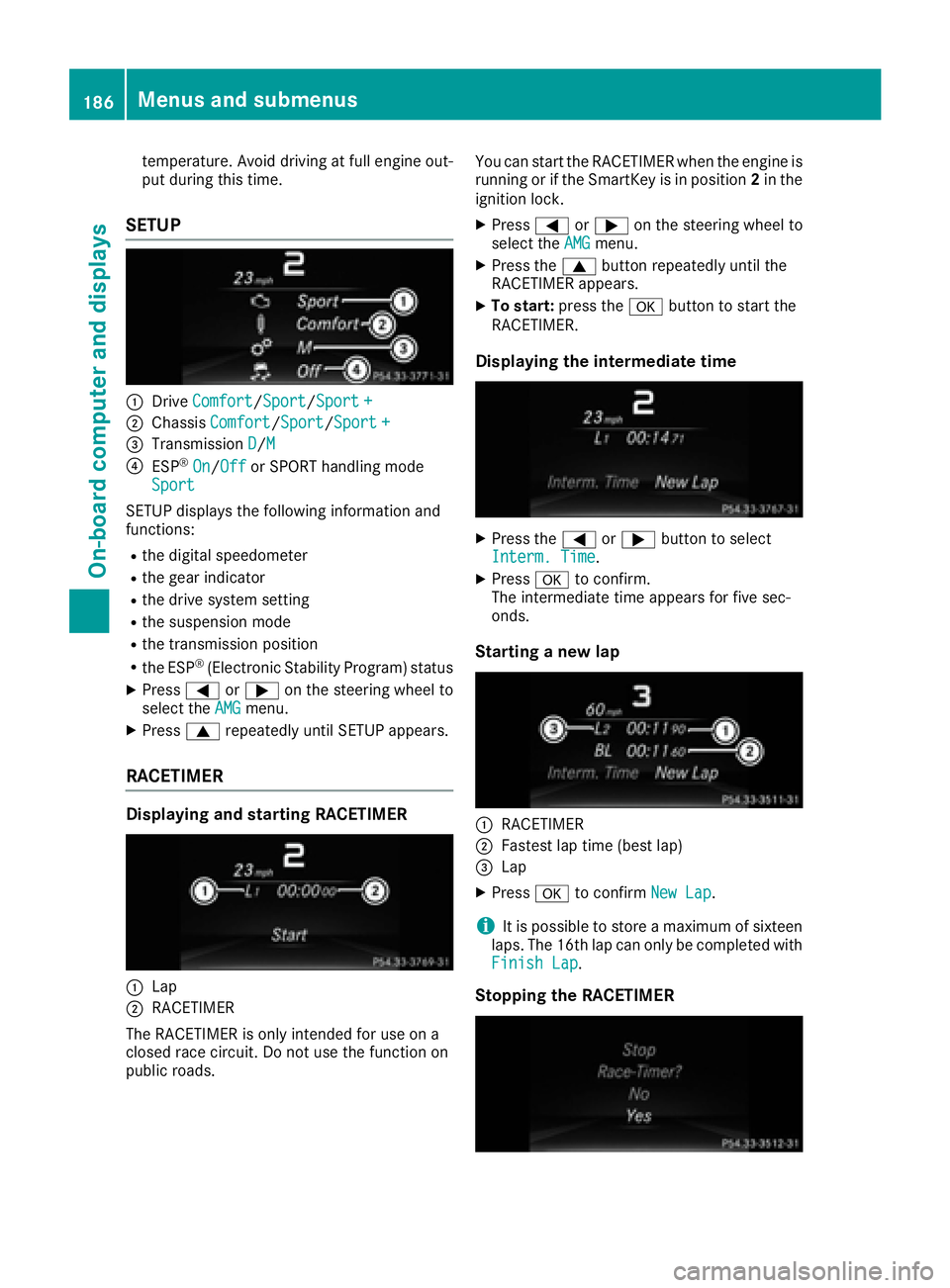
SETUP
C
Drive Comfort / Sport / Sport +D
Chassis Comfort / Sport / Sport +
Page 189 of 318
X
Press the 8 button on the steering wheel.X
Confirm Yes with v .
The RACETIMER interrupts timing if you stop the
vehicle and turn the SmartKey to position 1 in
the ignition lock. If you turn the key to position 3
and then press v to confirm Start , timing is
continued.
Resetting the current lap X
Stop the RACETIMER. X
Press the Y or e button to select
Reset Lap .X
Press v to reset the lap time to "0".
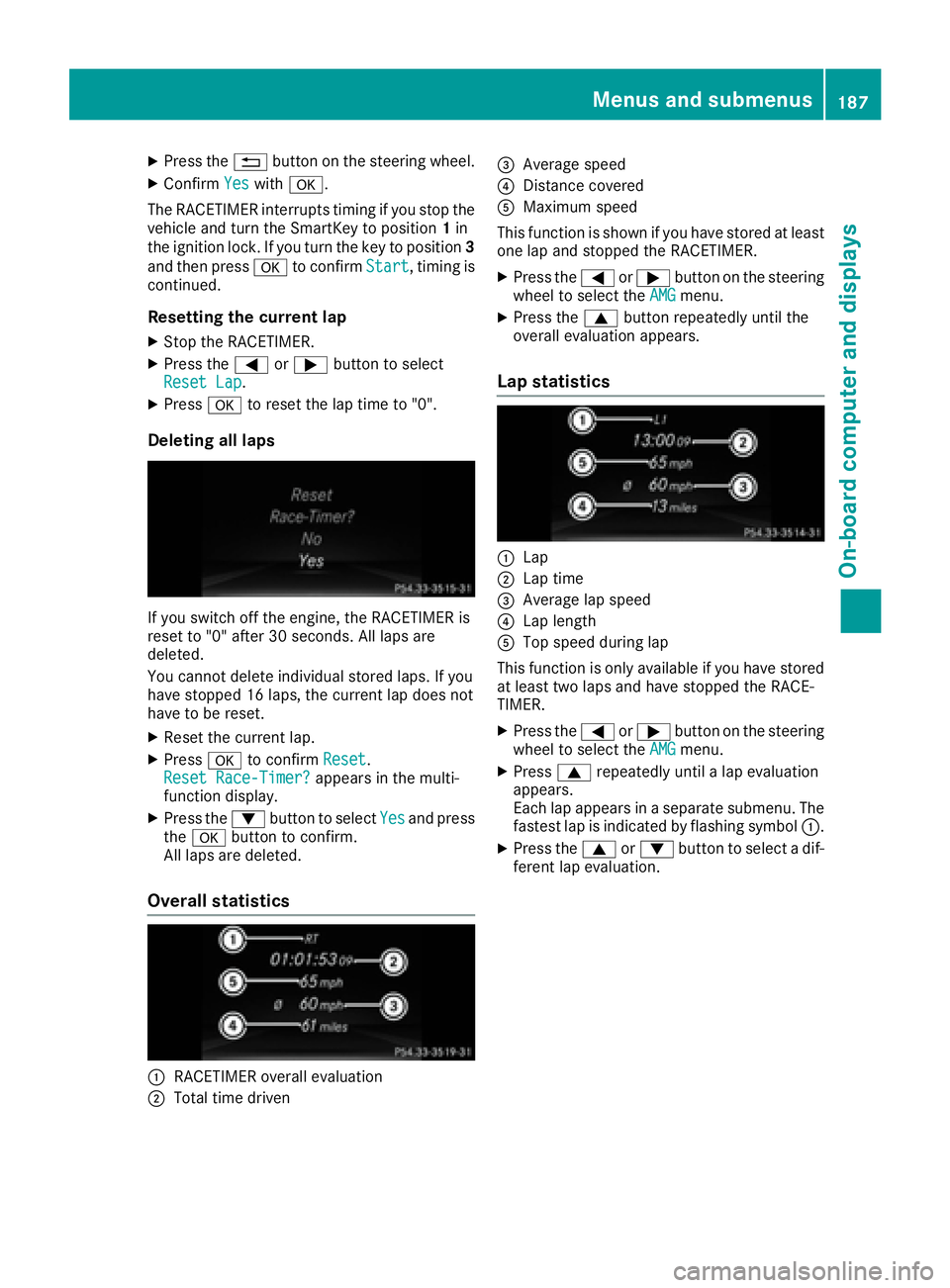
Deleting all laps
If you switch off the engine, the RACETIMER is
reset to "0" after 30 seconds. All laps are
deleted.
You cannot delete individual stored laps. If you
have stopped 16 laps, the current lap does not
have to be reset. X
Reset the current lap. X
Press v to confirm Reset .
Reset Race-Timer? appears in the multi-
function display. X
Press the d button to select Yes and press
the v button to confirm.
All laps are deleted.
Overall statistics
C
RACETIMER overall evaluation
D
Total time driven
Page 195 of 318
Display messages
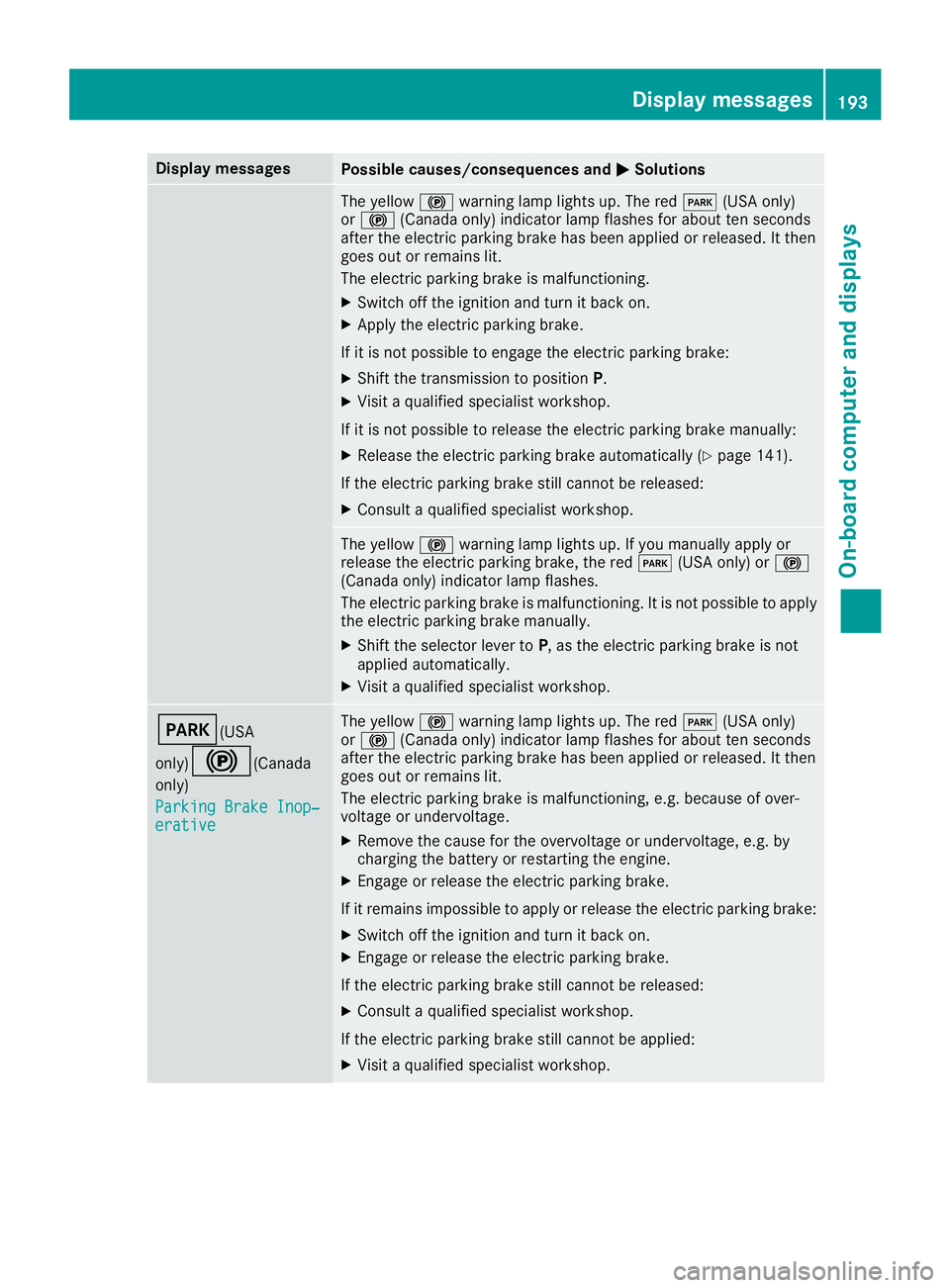
Possible causes/consequences and P Solutions
The yellow $ warning lamp lights up. The red I (US A only)
or $ (Canada only) indicator lamp flashes for about te n seconds
after th e electric parking brak e has been applie d or released. It then
goe s out or remain s lit .
The electric parking brak e is malfunctioning .X
Switc h off th e ignition and tur n it bac k on .X
Apply th e electric parking brake.
If it is no t possibl e to engage th e electric parking brake:X
Shift th e transmission to position P .X
Visit a qualified specialist workshop .
If it is no t possibl e to release th e electric parking brak e manually:X
Releas e th e electric parking brak e automatically ( Y
page 141).
If th e electric parking brak e still canno t be released:X
Consult a qualified specialist workshop .
The yellow $ warning lamp lights up. If you manually apply or
release th e electric parking brake, th e red I (US A only) or $
(Canada only) indicator lamp flashes .
The electric parking brak e is malfunctioning . It is no t possibl e to apply
th e electric parking brak e manually.X
Shift th e selector lever to P , as th e electric parking brak e is no t
applie d automatically. X
Visit a qualified specialist workshop .
I (USA
only)
$ ( Canada
only)
Parkin g Brake Inop‐
erativ e The yellow $ warning lamp lights up. The red I (US A only)
or $ (Canada only) indicator lamp flashes for about te n seconds
after th e electric parking brak e has been applie d or released. It then
goe s out or remain s lit .
The electric parking brak e is malfunctioning , e.g. because of over-
voltag e or undervoltage. X
Remove th e caus e for th e overvoltage or undervoltage, e.g. by
charging th e battery or restarting th e engine.X
Engage or release th e electric parking brake.
If it remain s impossible to apply or release th e electric parking brake:X
Switc h off th e ignition and tur n it bac k on .X
Engage or release th e electric parking brake.
If th e electric parking brak e still canno t be released:X
Consult a qualified specialist workshop .
If th e electric parking brak e still canno t be applied:X
Visit a qualified specialist workshop .Display messages 19 3
On-board computer and displays Z