2017 MERCEDES-BENZ CLA sport mode
[x] Cancel search: sport modePage 6 of 318
1, 2, 3 ...4ETS (Electronic Traction System)
see ETS/4ETS (Electronic Trac-
tion System)
4MATIC
Display message ............................ 213
4MATIC (permanent four-wheel
drive) .................................................. 159
12 V socket
see Sockets
AABS (Anti-lock Braking System)
Display message ............................ 189
Function/notes ................................ 60
Important safety notes .................... 60
Warning lamp ................................ .2 18
Accident
Automatic measures after an acci-
dent ................................................. 53
Activating media mode
General notes ................................ 232
Activating/deactivating cooling
with air dehumidification ................. 114
Active Brake Assist
Activating or deactivating .............. 182
Display message ............................ 194
Function/notes ................................ 61
ADAPTIVE BRAKE ................................. 66
Adaptive Damping System
Function/notes ............................ .1 59
Adaptive Highbeam Assist
Display message ............................ 202
Function/notes ............................ .1 01
Switching on/off ........................... 102
Additional speedometer ................... 184
Additives (engine oil) ........................ 312
Address book
see also Digital Operator's Man-
ual ................................................. .2 27
Adjusting the volume
Audio 20 ........................................ 228
COMAND ....................................... 228
Air bags
Deployment ..................................... 51
Display message ............................ 197 Front air bag (driver, front
passenger) ....................................... 45
Important safety notes .................... 44
Introduction ..................................... 44
Knee bag .......................................... 45
Occupant Classification System
(OCS) ............................................... 46
PASSENGER AIR BAG indicator
lamps ............................................... 40
Side impact air bag .......................... 45
Window curtain air bag .................... 46
Ai r vents
Important safety notes .................. 119
Rear ............................................... 119
Setting the center air vents ........... 119
Setting the side air vents .............. .1 19
Air-conditioning system
see Climate control
Alarm
ATA (Anti-Theft Alarm system) ......... 67
Switching off (ATA) .......................... 67
Switching the function on/off
(ATA) ................................................ 67
Alarm system
see ATA (Anti-Theft Alarm system)
AMG
Adaptive sport suspension sys-
tem ................................................ 158
Performance Seat ............................ 93
AMG adaptive sport suspension
system
General Information ....................... 158
AMG menu (on-board computer) ..... 185
AMG Performance exhaust sys-
tem ..................................................... 126
Anti-lock braking system
see ABS (Anti-lock Braking System)
Anti-Theft Alarm system
see ATA (Anti-Theft Alarm system)
Ashtray ............................................... 240
Assistance display (on-board com-
puter) ................................................. .1 82
Assistance menu (on-board com-
puter) ................................................. .1 82
ASSYST PLUS
Displaying a service message ....... .2 58
Driving abroad ............................... 2594
Index
Page 19 of 318
Setting the airflow ........................... .1 16
Setting the date/time format
see also Digital Operator's Man-
ual ................................................. .2 27
Setting the language
see also Digital Operator's Man-
ual ................................................. .2 27
Setting the time
see also Digital Operator's Man-
ual ................................................. .2 27
Settings
Factory (on-board computer) ......... 185
On-board computer ....................... 183
SETUP (on-board computer) ............. 186
Side impact air bag ............................ .4 5
Side marker lamp (display mes-
sage) ................................................... 201
Side windows
Cleaning ......................................... 261
Convenience closing feature ............ 82
Convenience opening feature ......... .8 2
Important safety information ........... 80
Opening/closing .............................. 81
Problem (malfunction) .................... .8 3
Resettin g ........................................ .8 3
Reversin g feature ............................ .8 1
SIRIUS services
see also Digital Operator's Man-
ual .................................................. 227
Sliding sunroof
see Panorama roof with power
tilt/sliding panel
SmartKey
Changing the battery ....................... 72
Changing the programming ............ .7 1
Checking the battery ...................... .7 2
Convenience closing feature ............ 82
Convenience opening feature .......... 82
Dis play message ............................ 214
Door central locking/unlo ckin g ...... .6 9
Importa nt safety notes .................... 69
KEYLESS-GO start function .............. 70
Loss ................................................ .7 3
Mechanical key ................................ 71
Positions (ignition lock) ................. 121
Problem (malfunction) ..................... 73
Starting the engine ........................ 123 SmartKey positions (ignition lock) .. 121
SMS
see also Digital Operator's Man-
ual .................................................. 227
Snow chains ...................................... 285
Sockets
Center console .............................. 241
General notes ................................ 241
Rear compartment ........................ .2 42
Trunk ............................................. 242
Sound
Switching on/off ........................... 228
Special seat belt retractor .................. 54
Specialist workshop ............................ 27
Speed, controlling
see Cruise control
Speedometer
Activating/deactivating the addi-
tional speedometer ........................ 184
Digital ............................................ 178
In the Instrument cluster ................. 32
Segments ...................................... 174
Selecting the display unit .............. .1 83
SPORT handling mode
Deactivating/activating
(Mercedes-AMG vehicles) ................ 65
Warning lamp ................................. 220
Standing lamps
Display message ............................ 200
Switching on/off ........................... 100
Start-off assist
Activating ....................................... 157
Important safety notes .................. 157
Start/Stop button
Removing ....................................... 122
Starting the engine ........................ 123
Start/stop function
see ECO start/stop function
Starting (engine) ................................ 122
STEER CONTROL .................................. 66
Steering
Display message ............................ 214
Ste e
ring assistant STEER CON-
TROL
see STEER CONTROL
Steering wheel
Adjusting (manually) ........................ 94 Index 17
Page 20 of 318

Button overview ............................... 33
Buttons (on-board computer) ......... 175
Cleaning ........................................ .2 64
Important safety notes .................... 94
Paddle shifters ............................... 135
Steering wheel paddle shifters ....... .1 35
Stopwatch (RACETIMER) ................... 186
Stowage compartments
Armrest (front) ............................... 234
Armrest (under) ............................ .2 35
Center console .............................. 234
Center console (rear) ..................... 235
Cup holders ................................... 238
Eyeglasses compartment .............. .2 34
Glove box ....................................... 234
Important safety information ......... 233
Map pockets .................................. 235
Stowage net ................................... 235
Under driver's seat/front-
passenger seat .............................. 235
Stowage net ....................................... 235
Stowage well beneath the trunk
floor .................................................... 237
Summer tires ..................................... 284
Sun visor ............................................ 240
Suspension
Adaptive Damping System ............. 159
Suspension setting
AMG adaptive sport suspension
system ........................................... 158
Switching air-recirculation mode
on/off ................................................. 118
Switching on media mode
Via the device list .......................... 232
T
Tachometer ........................................ 174
Tail lamps
Display message ............................ 200
see Lights
Tank
see Fuel tank
Tank content
Fuel gauge ....................................... 32
Technical data
Capacities ...................................... 309
Information .................................... 307 Tires/wheels ................................. 306
Vehicle data ................................... 314
Telephone
Accepting a call (multifunction
steering wheel) .............................. 181
Authorizing a mobile phone (con-
necting) ......................................... 231
Connecting a mobile phone (gen-
eral information) ............................ 230
Display message ............................ 214
Introduction ................................... 180
Menu (on-board computer) ............ 180
Number from the phone book ........ 181
Redialing ........................................ 181
Rejecting/ending a call ................. 181
see also Digital Operator's Man-
ual .................................................. 227
Switching between mobile
phones ........................................... 232
Temperature
Coolant .......................................... 175
Coolant (on-board computer,
Mercedes-AMG vehicles) ............... 185
Engine oil (on-board computer,
Mercedes-AMG vehicles) ............... 185
Outside temperature ...................... 174
Setting (climate control) ................ 115
Transmission oil (on-board com-
puter, Mercedes-AMG vehicles) ..... 185
Through-loading feature ................... 236
Timing (RACETIMER) ......................... 186
Tire pressure
Calling up (on-board computer) ..... 289
Checking manually ........................ 288
Display message ............................ 209
Maximum ....................................... 288
Not reached (TIREFIT) .................... 269
Notes ............................................. 287
Reached (TIREFIT) .......................... 270
Recommended ............................... 285
Tire pressure loss warning system
General notes ................................ 288
Important safety notes .................. 288
Restarting ...................................... 289
Tire pressure monitor
Checking the tire pressure elec-
tronically ........................................ 291
Function/notes ............................. 28918
Index
Page 23 of 318
Vehicle dimensions ........................... 314
Vehicle emergency locking ................ 76
Vehicle identification number
see VIN
Vehicle identification plate .............. 308
Vehicle tool kit .................................. 266
Ventilation
Setting the vents ........................... 119
Video
Operating the DVD ......................... 180
see also Digital Operator's Man-
ual .................................................. 227
VIN
Seat ............................................... 309
Type plate ...................................... 308
W Warning and indicator lamps
ABS ................................................ 218
Active Brake Assist ........................ 225
Brakes ........................................... 217
Check Engine ................................. 222
Coolant .......................................... 223
Distance warning ........................... 225
ESP ®
.............................................. 219
ESP ®
OFF ....................................... 220
Fuel tank ........................................ 222
Overview .......................................... 32
PASSENGER AIR BAG ...................... 40
Reserve fuel ................................... 222
Restraint system ............................ 222
Seat belt ........................................ 216
SPORT handling mode ................... 220
Tire pressure monitor .................... 226
Warranty .............................................. 24
Washer fluid
Display message ............................ 214
Weather display (COMAND)
see also Digital Operator's Man-
ual .................................................. 227
Wheel and tire combinations
Tires ............................................... 306
Wheel bolt tightening torque ........... 305
Wheel chock ...................................... 302
Wheels
Changing a wheel .......................... 301
Checking ........................................ 282 Cleaning ......................................... 261
Important safety notes .................. 282
Information on driving .................... 282
Interchanging/changing ................ 301
Mounting a new wheel ................... 304
Removing a wheel .......................... 304
Storing ........................................... 302
Tightening torque ........................... 305
Wheel size/tire size ....................... 306
Window curtain air bag
Display message ............................ 196
Operation ......................................... 46
Windows
see Side windows
Windshield
Defrosting ...................................... 116
Windshield washer system
Adding washer fluid ....................... 257
Important safety notes .................. 313
Windshield wipers
Display message ............................ 214
Problem (malfunction) ................... 108
Replacing the wiper blades ............ 107
Switching on/off ........................... 106
Winter driving
Slippery road surfaces ................... 147
Snow chains .................................. 285
Winter operation
General notes ................................ 284
Winter tires
M+S tires ....................................... 284
Wiper blades
Cleaning ......................................... 262
Imp o
rtant safety notes .................. 107
Wooden trim (cleaning instruc-
tions) .................................................. 264
Workshop
see Qualified specialist workshop
Z
ZONE function
Switching on/off ........................... 116 Index 21
Page 67 of 318
R
Traction control is still activated. R
STEER CONTROL is no longer active R
ESP ®
still provides support when you brake
firmly.
Deactivating/activating ESP ®
(Mercedes ‑ AMG vehicles)Important safety notes
i Observe the "Important safety notes" sec-
tion ( Y
page 60).
You can select between the following states of
ESP ®
: R
ESP ®
is activated.R
SPORT handling mode is activated. R
ESP ®
is deactivated.
G WARNING
When SPORT handling mode is activated,
there is a greater risk of skidding and acci-
dents.
Only activate SPORT handling mode in the sit-
uations described in the following.
G WARNING
If you deactivate ESP ®
, ESP ®
no longer sta-
bilizes the vehicle. There is an increased risk
of skidding and an accident.
Only deactivate ESP ®
in the situations descri-
bed in the following.
In the following situations, it may be better to
activate SPORT handling mode or deactivate
ESP ®
: R
when using snow chains R
in deep snow R
on sand or gravel R
on specially designated roads when the vehi-
cle's own oversteering and understeering
characteristics are desired
Driving in SPORT handling mode or without
ESP ®
requires an extremely qualified and expe-
rienced driver.
i Activate ESP ®
as soon as the situations
described above no longer apply. ESP ®
will
otherwise not be able to stabilize the vehicle if the vehicle starts to skid or a wheel starts to
spin.
! Avoid spinning the driven wheels for an
extended period with ESP ®
deactivated. You
could otherwise damage the drivetrain.
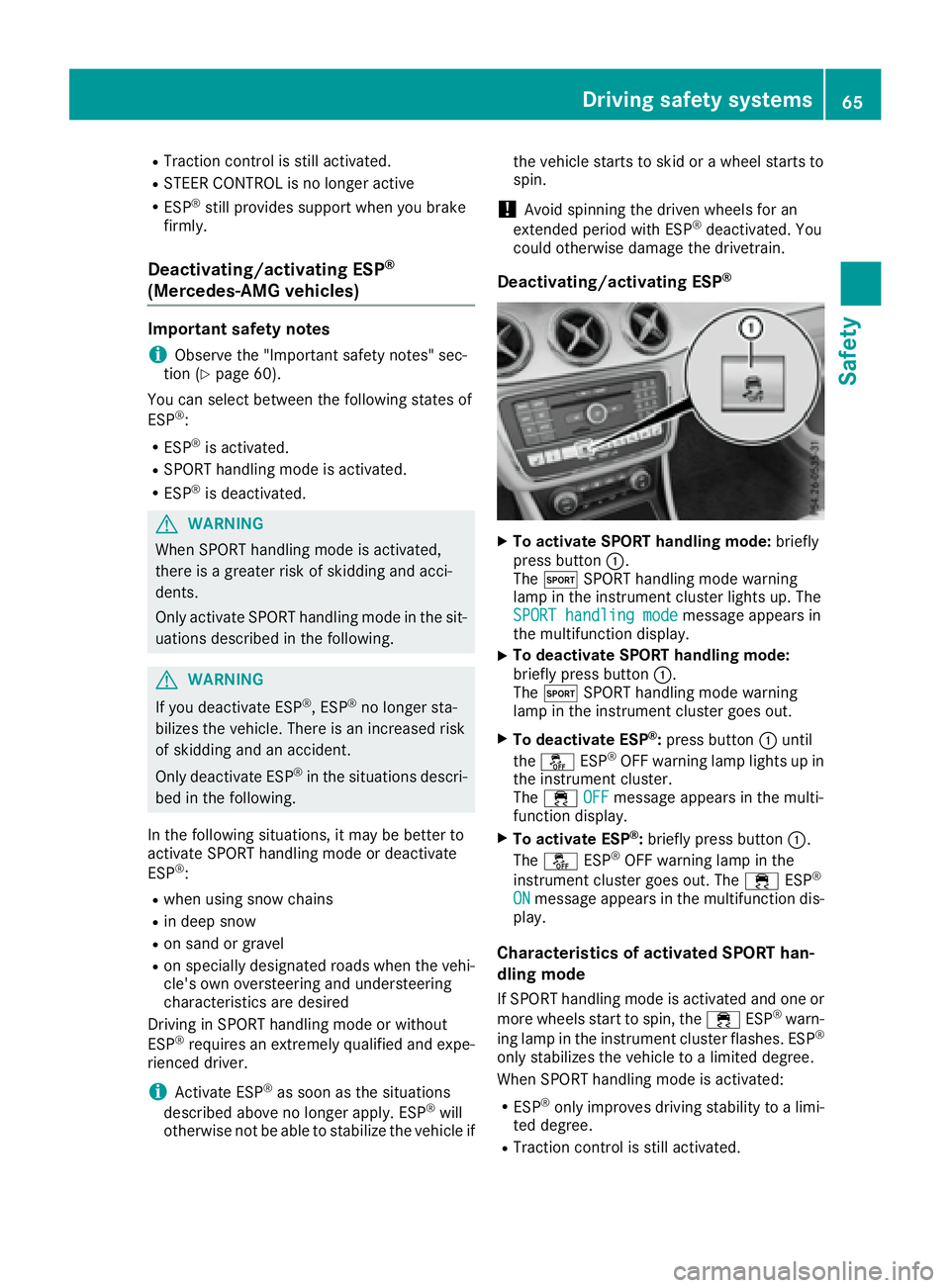
Deactivating/activating ESP ®
X
To activate SPORT handling mode: briefly
press button C .
The t SPORT handling mode warning
lamp in the instrument cluster lights up. The
SPORT handling mode
message appears in
the multifunction display. X
To deactivate SPORT handling mode:
briefly press button C .
The t SPORT handling mode warning
lamp in the instrument cluster goes out. X
To deactivate ESP ®
: press button C until
the
Page 130 of 318
In addition, the current drive program settings
are displayed briefly in the multimedia system
display.
i In a few countries, the ECO start/stop func-
tion is deactivated at the factory due to the
available fuel grade. In this case, the ECO
start/stop function is not available in any
drive program, regardless of the display in the
multimedia system display.
Available drive programs:
C Comfort Comfortable and economi-
cal driving characteristics
S Sport Sporty driving characteris-
tics
I Individual Individual settings
E Economy Particularly economical
driving characteristics
Additional information for drive programs
( Y
page 133).
You can also change gear yourself using the
steering wheel paddle shifters. For further infor-
mation on the manual drive program
( Y
page 135).
DYNAMIC SELECT controller
(Mercedes-AMG vehicles) Use the DYNAMIC SELECT controller to change
the drive program. Depending on the drive pro-
gram selected the following vehicle character-
istics will change: R
the drive R
the transmission management R
ESP ®
R
the suspension (vehicles with AMG adaptive
sport suspension system) R
the availability of the ECO start/stop function R
the availability of gliding mode
Each time you start the engine with the Smart-
Key or the Start/Stop button, drive program C is
activated. For further information about starting
the engine, see ( Y
page 122). X
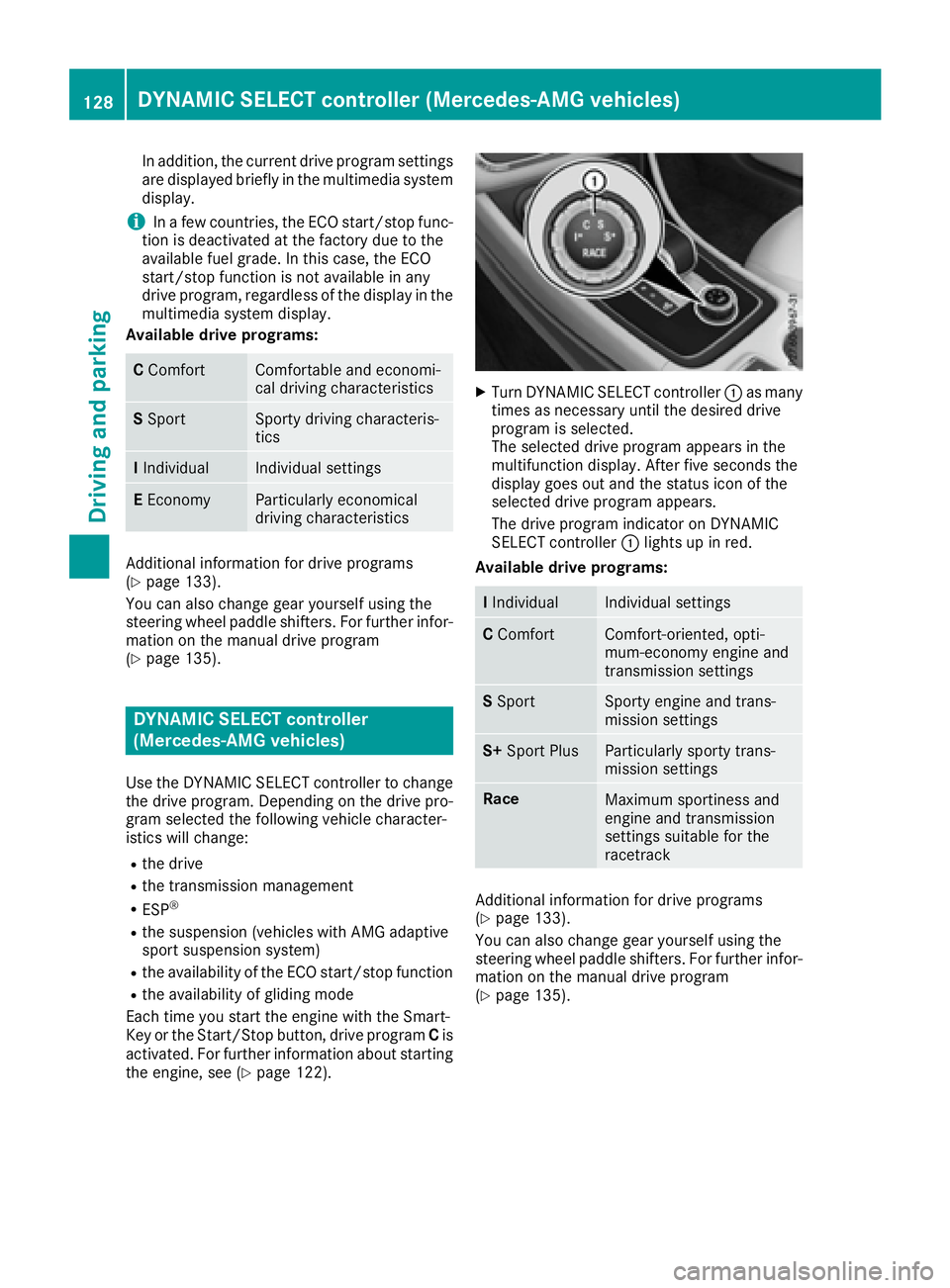
Turn DYNAMIC SELECT controller C as many
times as necessary until the desired drive
program is selected.
The selected drive program appears in the
multifunction display. After five seconds the
display goes out and the status icon of the
selected drive program appears.
The drive program indicator on DYNAMIC
SELECT controller C lights up in red.
Available drive programs:
I Individual Individual settings
C Comfort Comfort-oriented, opti-
mum-economy engine and
transmission settings
S Sport Sporty engine and trans-
mission settings
S+ Sport Plus Particularly sporty trans-
mission settings
Race
Maximum sportiness and
engine and transmission
settings suitable for the
racetrack
Additional information for drive programs
( Y
page 133).
You can also change gear yourself using the
steering wheel paddle shifters. For further infor-
mation on the manual drive program
( Y
page 135).128
DYNAMIC SELECT controller (Mercedes-AMG vehicles)
Driving and parking
Page 137 of 318
R
gliding mode is not available. R
the ECO start/stop function is not available.
Drive program S+ (Sport Plus) Drive program S+ is characterized by the fol-
lowing: R
the vehicle exhibits particularly sporty driving
characteristics. R
the automatic transmission shifts up later. R
the fuel consumption possibly being higher as
a result of the later automatic transmission
shift points. R
the suspension exhibits particularly stiff
springing and damping settings (vehicles with
AMG adaptive sport suspension system). R
gliding mode is not available. R
the ECO start/stop function is not available.
Drive program RACE (vehicles with AMG
adaptive sport suspension system) The RACE drive program is characterized by the
following: R
the vehicle exhibits driving characteristics
suitable for the racetrack. R
all vehicle systems are set for maximum
sportiness. R
the automatic transmission shifts up later. R
the fuel consumption possibly being higher as
a result of the later automatic transmission
shift points. R
the suspension exhibits particularly hard
springing and damping settings. R
gliding mode is not available. R
the ECO start/stop function is not available.
Manual gear shifting
General notes You can change gear yourself using the steering
wheel paddle shifters. The transmission must be
in position D .
Depending on which steering wheel paddle
shifter is pulled, the automatic transmission
immediately shifts into the next gear down or
up, if permitted. Mercedes-AMG vehicles: to use manual shift-
ing, you have two options: R
temporary setting R
permanent setting
If you activate manual gearshifting, the multi-
function display will show the current gear
instead of transmission position D .
If manual gearshifting is deactivated, the gears
will be selected automatically.
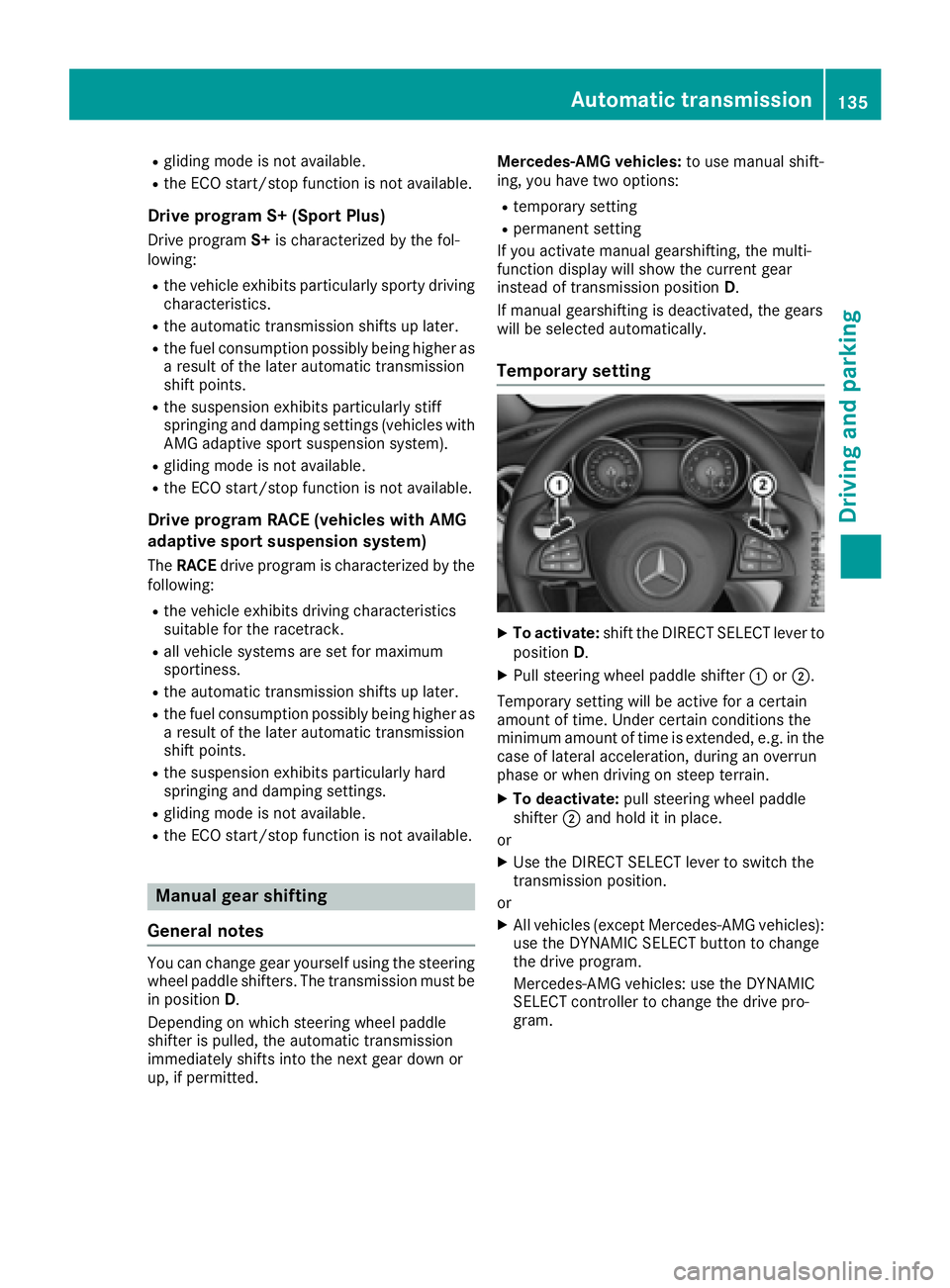
Temporary setting X
To activate: shift the DIRECT SELECT lever to
position D . X
Pull steering wheel paddle shifter C or D .
Temporary setting will be active for a certain
amount of time. Under certain conditions the
minimum amount of time is extended, e.g. in the
case of lateral acceleration, during an overrun
phase or when driving on steep terrain. X
To deactivate: pull steering wheel paddle
shifter D and hold it in place.
or X
Use the DIRECT SELECT lever to switch the
transmission position.
or X
All vehicles (except Mercedes-AMG vehicles):
use the DYNAMIC SELECT button to change
the drive program.
Mercedes-AMG vehicles: use the DYNAMIC
SELECT controller to change the drive pro-
gram.Automatic transmission 135
Driving and parking Z
Page 160 of 318
R
the steering wheel is in the straight-ahead
position. R
the vehicle is stationary and the brake pedal is
depressed (left foot). R
the transmission is in position D .R
one of the drive programs S , S+ or RACE is
selected. ( Y
page 128)
Activating RACE START X
Depress the brake pedal with your left foot
and keep it depressed. X
Pull and hold both steering wheel paddle shift-
ers. X
The RACE START Confirm: Paddle UP
Cancel: Paddle DOWN message appears in
the multifunction display. X
Release both steering wheel paddle shifters.
i If the activation conditions are no longer ful-
filled, RACE START is canceled. The RACE
START Not Possible See Operator's
Manual message appears in the multifunction
display. X
To cancel: pull the left steering wheel paddle
shifter ( Y
page 135).
or X
To confirm: pull the right steering wheel pad-
dle shifter ( Y
page 135).
The RACE START Available Depress gas
pedal message appears in the multifunction
display.
i If you do not depress the accelerator pedal
within a few seconds, RACE START is can-
celed. The multifunction display shows the
RACE START Canceled message.X
Fully depress the accelerator pedal.
The engine speed is increased.
The RACE START Release brake to start
message appears in the multifunction display.
i If you do not release the brake pedal within
a short time, RACE START will be canceled.
The multifunction display shows the RACE
START Canceled message.X
Take your foot off the brake, but keep the
accelerator pedal depressed.
The vehicle pulls away at maximum acceler-
ation.
The RACE START Active message appears in
the multifunction display. RACE START is deactivated when the vehicle
reaches a speed of approximately 50 km/h.
RACE START is deactivated immediately if you
release the accelerator pedal during RACE
START or if any of the activation conditions are
no longer fulfilled. The RACE START Not Pos‐
sible or RACE START Canceled message
appears in the multifunction display.
i If RACE START is used repeatedly within a
short period of time, it is only available again
after the vehicle has been driven a certain
distance.
AMG adaptive sport suspension sys-
tem
General notes The electronically controlled damping system
works continuously. This improves driving
safety and ride comfort.
The damping is tuned individually to each wheel
and depends on: R
your driving style, e.g. sporty R
the road surface condition, e.g. bumps R
your individual selection of "Sport" or "Com-
fort"
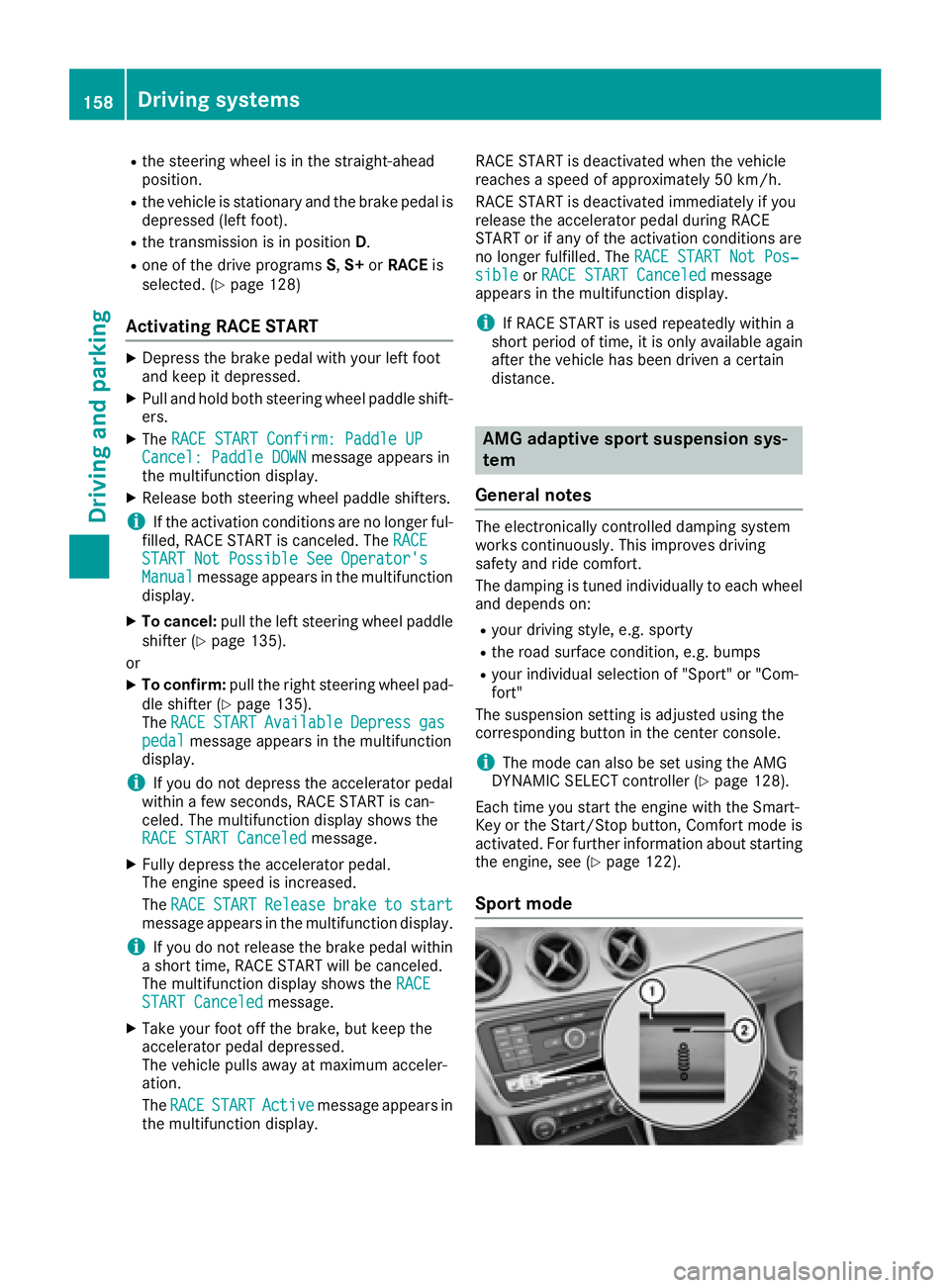
The suspension setting is adjusted using the
corresponding button in the center console.
i The mode can also be set using the AMG
DYNAMIC SELECT controller ( Y
page 128).
Each time you start the engine with the Smart-
Key or the Start/Stop button, Comfort mode is
activated. For further information about starting
the engine, see ( Y
page 122).
Sport mode158
Driving system s
Dr ivi ng an d parking