2017 LINCOLN MKZ HYBRID change time
[x] Cancel search: change timePage 442 of 546

Note:
AppLink is a native SYNC system
feature. Accessing mobile apps through
AppLink is only possible when Android Auto
or Apple CarPlay are disabled. Some apps
may only be accessible in the car through
Applink and others only through Android
Auto or Apple CarPlay. Please refer to the
Smartphone Connectivity information to
disable Android Auto or Apple CarPlay.
Note: In order to use an app with SYNC 3,
the App needs to be running in the
background of your phone. If you shut down
the app on your phone, it shuts down the
app on SYNC 3 as well.
Note: If a SYNC 3 AppLink compatible app
is not shown in the Apps Domain, make sure
the required app is running on the mobile
device. Action and Descrip-
tion
Menu Item
SYNC 3 will search
and connect to
compatible app(s)
running on your
mobile device.
Connect Mobile
Apps
Enabling SYNC 3 Mobile Apps
In order to enable mobile apps, SYNC 3
requires user consent to send and receive
app authorization information and updates
using the data plan associated with the
connected device.
The connected device sends data to Ford in
the United States. The information is
encrypted and includes your VIN, SYNC 3
module number, odometer, usage statistics
and debugging information. We retain this
data for only as long as necessary to provide
this service, troubleshoot, and improve
products and services and to offer you
products and services that may interest you
where allowed by law. Note:
You must enable mobile apps for each
connected device the first time you select a
mobile app using the system.
Note: Ford reserves the right to limit
functionality or deactivate mobile apps at
any time.
Note: Standard data rates apply. Ford is not
responsible for any additional charges you
may receive from your service provider,
when your vehicle sends or receives data
through the connected device. This includes
any additional charges incurred due to
driving in areas when roaming out of a home
network.
You can enable and disable apps through
settings. See Settings (page 442).
App Permissions
The system organizes the App permissions
into groups. You can grant these group
permissions individually. You can change a
permission group status any time when not
driving, by using the settings menu. While in
the settings menu, you can also see the data
included in each group.
439
MKZ Hybrid (CC9) Hybrid Electric Vehicle (HEV), Canada/United States of America, enUSA, First Printing SYNC™ 3
Page 447 of 546
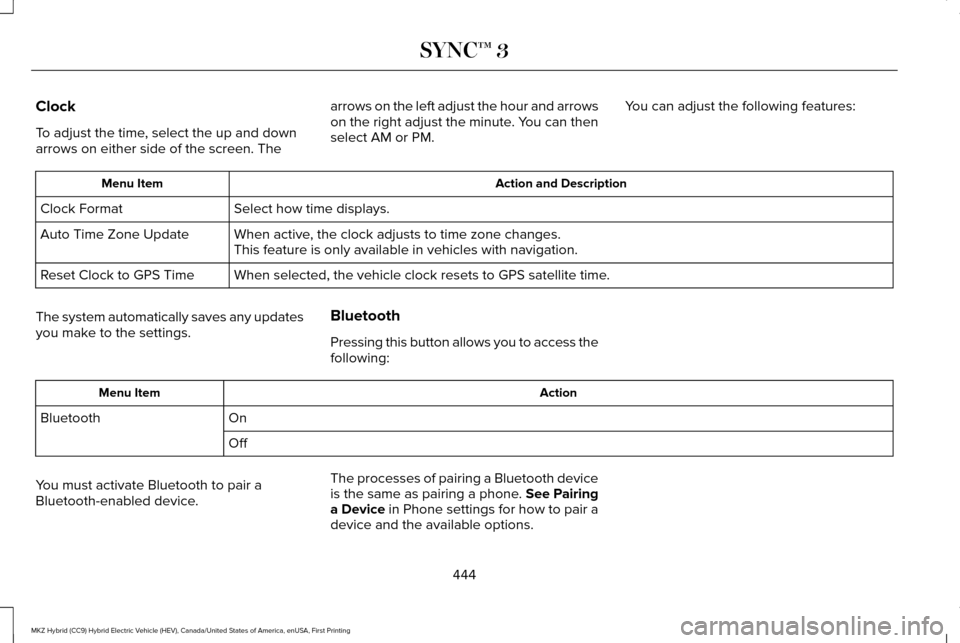
Clock
To adjust the time, select the up and down
arrows on either side of the screen. The
arrows on the left adjust the hour and arrows
on the right adjust the minute. You can then
select AM or PM.
You can adjust the following features: Action and Description
Menu Item
Select how time displays.
Clock Format
When active, the clock adjusts to time zone changes.
Auto Time Zone Update
This feature is only available in vehicles with navigation.
When selected, the vehicle clock resets to GPS satellite time.
Reset Clock to GPS Time
The system automatically saves any updates
you make to the settings. Bluetooth
Pressing this button allows you to access the
following: Action
Menu Item
On
Bluetooth
Off
You must activate Bluetooth to pair a
Bluetooth-enabled device. The processes of pairing a Bluetooth device
is the same as pairing a phone. See Pairing
a Device in Phone settings for how to pair a
device and the available options.
444
MKZ Hybrid (CC9) Hybrid Electric Vehicle (HEV), Canada/United States of America, enUSA, First Printing SYNC™ 3
Page 481 of 546

Less Cost to Properly Maintain Your Vehicle
Lincoln Protect also offers a Premium
Maintenance Plan that covers all scheduled
maintenance, and selected wear items. The
coverage is prepaid, so you never have to
worry about the cost of your vehicle
’s
maintenance.
Covered maintenance includes:
• Windshield wiper blades.
• Spark plugs.
• The clutch disc.
• Brake pads and linings.
• Shock absorbers and struts.
• Engine cooling hoses, clamps and
o-rings.
• Engine belts.
• Diesel exhaust fluid replenishment. Interest Free Finance Options
Just a 10% down payment will provide you
with an affordable, no interest, no fee
payment program allowing you all the
security and benefits Lincoln Protect has to
offer while paying over time. You are
pre-approved with no credit check or
hassles. To learn more, call our Lincoln
Protect Extended Service Plan specialists at
800-367-3377.
Complete the information below and mail to:
Lincoln Protect Extended Service Plan
P.O. Box 321067
Detroit, MI 48232
EXTENDED SERVICE PLANS (CANADA
ONLY)
You can get more protection for your vehicle
by purchasing a Lincoln Extended Service
Plan. Lincoln Extended Service Plan is the
only service contract backed by Lincoln
Motor Company of Canada, Limited.
Depending on the plan you purchase, Lincoln
Extended Service Plan provides benefits
such as: •
Rental reimbursement.
• Coverage for certain maintenance and
wear items.
• Protection against repair costs after your
New Vehicle Limited Warranty Coverage
expires.
• Roadside Assistance benefits.
There are several Lincoln Extended Service
Plans available in various time, distance and
deductible combinations. Each plan is
tailored to fit your own driving needs,
including reimbursement for towing and
rental. When you purchase Lincoln Extended
Service Plan, you receive added
peace-of-mind protection throughout
Canada, the United States and Mexico,
provided by a network of participating
authorized Lincoln Motor Company dealers.
Note: Repairs performed outside of Canada,
the United States and Mexico are not eligible
for Lincoln Extended Service Plan coverage.
This information is subject to change. For
more information, visit your local Lincoln of
Canada dealer or www.Lincoln.ca to find the
Lincoln Extended Service Plan that is right
for you.
478
MKZ Hybrid (CC9) Hybrid Electric Vehicle (HEV), Canada/United States of America, enUSA, First Printing Lincoln Protect
Page 483 of 546

Your vehicle is equipped with an information
display, which indicates the proper oil
change interval. This interval may be up to
one year or 10000 miles (16000 kilometers).
When ENGINE OIL CHANGE DUE or OIL
CHANGE REQUIRED appears in the
information display, it is time for an oil
change. Make sure you perform the oil
change within two weeks or 500 miles (800
kilometers) of the
ENGINE OIL CHANGE
DUE or OIL CHANGE REQUIRED message
appearing. Make sure you reset the oil
monitoring system after each oil change.
See
Engine Oil Check (page 299).
If your information display resets
prematurely, becomes inoperative or the
vehicle battery becomes discharged or
disconnected, the oil monitoring system
resets to 100% oil life. You should change
your engine oil one year or 10000 miles
(16000 kilometers) from the previous oil
change. Never exceed one year or 10000
miles (16000 kilometers) between oil change
intervals. Your vehicle is very sophisticated and built
with multiple, complex, performance systems.
Every manufacturer develops these systems
using different specifications and
performance features. That is why it is
important to rely upon your dealership to
properly diagnose and repair your vehicle.
Ford Motor Company has recommended
maintenance intervals for various parts and
component systems based upon engineering
testing. Ford Motor Company relies upon this
testing to determine the most appropriate
mileage for replacement of oils and fluids to
protect your vehicle at the lowest overall cost
to you and recommends against
maintenance schedules that deviate from
the scheduled maintenance information.
We strongly recommend the use of only
genuine Ford, Motorcraft or Ford-authorized
re-manufactured replacement parts
engineered for your vehicle.
Additives and Chemicals
This owner's manual and the Ford Workshop
Manual list the recommended additives and
chemicals for your vehicle. We do not
recommend using chemicals or additives not
approved by us as part of your vehicle
’s
normal maintenance. Please consult your
warranty information.
Oils, Fluids and Flushing
In many cases, fluid discoloration is a normal
operating characteristic and, by itself, does
not necessarily indicate a concern or that the
fluid needs to be changed. However, a
qualified expert, such as the factory-trained
technicians at your dealership, should
inspect discolored fluids that also show signs
of overheating or foreign material
contamination immediately.
480
MKZ Hybrid (CC9) Hybrid Electric Vehicle (HEV), Canada/United States of America, enUSA, First Printing Scheduled Maintenance
Page 531 of 546

ERROR-FREE OR THAT THE FUNCTIONING
OF THE GRACENOTE SOFTWARE OR
GRACENOTE SERVERS WILL BE
UNINTERRUPTED. GRACENOTE IS NOT
OBLIGATED TO PROVIDE YOU WITH ANY
ENHANCED OR ADDITIONAL DATA TYPES
THAT GRACENOTE MAY CHOOSE TO
PROVIDE IN THE FUTURE AND IS FREE TO
DISCONTINUE ITS ONLINE SERVICES AT
ANY TIME. GRACENOTE DISCLAIM ALL
WARRANTIES EXPRESS OR IMPLIED,
INCLUDING, BUT NOT LIMITED TO, IMPLIED
WARRANTIES OF MERCHANTABILITY,
FITNESS FOR A PARTICULAR PURPOSE,
TITLE, AND NON-INFRINGEMENT. NEITHER
GRACENOTE WARRANTS THE RESULTS
THAT WILL BE OBTAINED BY YOUR USE
OF THE GRACENOTE SOFTWARE OR ANY
GRACENOTE SERVER. IN NO CASE WILL
GRACENOTE BE LIABLE FOR ANY
CONSEQUENTIAL OR INCIDENTAL
DAMAGES OR FOR ANY LOST PROFITS OR
LOST REVENUES FOR ANY REASON
WHATSOEVER. © Gracenote 2007.
FCC ID: ACJ-SYNCG3-L
IC: 216B-SYNCG3-L
This device complies with Part 15 of the FCC
Rules and with RSS-210 of Industry Canada.
Operation is subject to the following two
conditions:
(1) This device may not cause harmful
interference, and
(2)
this device must accept any interference
received, including interference that may
cause undesired operation. WARNING
Changes or modifications not
expressively approved by the party
responsible for compliance could void the
user's authority to operate the equipment.
The term "IC" before the radio certification
number only signifies that Industry Canada
technical specifications were met. The antenna used for this transmitter must
not be co-located or operating in conjunction
with any other antenna or transmitter.TYPE APPROVALS
RF Certification Logos for Tire Pressure
Monitoring Sensor(s)
Argentina
Abu Dhabi, Dubai
528
MKZ Hybrid (CC9) Hybrid Electric Vehicle (HEV), Canada/United States of America, enUSA, First Printing AppendicesE207816 E207817
Page 538 of 546

System Errors......................................................243
System Lights, Messages and Audible
Alerts.................................................................242
System Limitations.............................................242
Using the System...............................................239
Cruise Control..................................................79
Principle of Operation........................................221
Type 1.......................................................................79
Type 2......................................................................79
Cruise control See: Using Cruise Control................................221
Customer Assistance
..................................268
D
Data Recording
..................................................9
Event Data Recording...........................................10
Service Data Recording.........................................9
Daytime Running Lamps...............................86 Type 1 - Conventional
(Non-Configurable)..........................................86
Type 2 - Configurable..........................................86
Direction Indicators........................................89 Lane Change..........................................................89
Drive Control
..................................................247
LINCOLN DRIVE CONTROL.............................247
Driver Alert......................................................231 Using Driver Alert................................................231 Driver and Passenger Airbags....................44
Children and Airbags...........................................45
Proper Driver and Front Passenger Seating
Adjustment.........................................................45
Driver and Passenger Knee Airbags.........49
Driving Aids
.....................................................231
Driving Hints..................................................256
Driving Through Water
...............................256
DRL See: Daytime Running Lamps...........................86
E
Economical Driving
......................................256
EcoSelect..........................................................171
Electric Parking Brake..................................196 Applying the electric parking brake...............
196
Applying the electric parking brake when the vehicle is moving............................................197
Battery With No Charge....................................198
Releasing the electric parking brake.............198
Electric Vehicle Information
........................431
Power.....................................................................433
Emission Control System
............................184
On-Board Diagnostics (OBD-II)........................185
Readiness for Inspection/Maintenance (I/M)
Testing...............................................................185 End User License Agreement..................509
VEHICLE SOFTWARE END USER LICENSE
AGREEMENT (EULA) ....................................509
Engine Block Heater....................................166 Using the Engine Block Heater.......................167
Engine Coolant Check................................300 Adding Coolant....................................................301
Coolant Change..................................................303
Engine Coolant Temperature
Management...................................................304
Fail-Safe Cooling................................................303
Recycled Coolant...............................................302
Severe Climates.................................................303
Engine Immobilizer See: Passive Anti-Theft System.........................74
Engine Oil Check.........................................299 Adding Engine Oil..............................................299
Engine Oil Dipstick......................................299
Engine Specifications
..................................354
Entertainment................................................396 AM/FM Radio.......................................................398
Apps.......................................................................409
Bluetooth Stereo or USB..................................407
CD (If equipped).................................................406
HD Radio ™ Information (If Available)..............402
SIRIUS® Satellite Radio (If Activated).............398
Sources.................................................................397
535
MKZ Hybrid (CC9) Hybrid Electric Vehicle (HEV), Canada/United States of America, enUSA, First Printing Index
Page 542 of 546

MyKey Troubleshooting................................62
MyKey™..............................................................59 Principle of Operation.........................................59
N
Navigation.......................................................421 cityseeker.............................................................430
Destination Mode...............................................422
Map Mode.............................................................421
Navigation Map Updates..................................430
Navigation Menu.................................................427
SiriusXM Traffic and Travel Link......................430
Waypoints.............................................................429
Normal Scheduled Maintenance..............484
O
Oil Change Indicator Reset.......................300
Oil Check See: Engine Oil Check......................................299
Opening and Closing the Hood...............296
Ordering Additional Owner's Literature......................................................273
Obtaining a French Owner’ s Manual.............273
Overhead Console
.......................................162 P
Parking Aids
..................................................205
Principle of Operation.......................................205
Passive Anti-Theft System............................74 SecuriLock..............................................................74
PATS See: Passive Anti-Theft System.........................74
Perchlorate........................................................12
Personal Safety System ™
..............................42
How Does the Personal Safety System
Work?...................................................................42
Phone
...............................................................413
During a Phone Call............................................418
Making Calls..........................................................417
Pairing Your Cell Phone for the First
Time....................................................................413
Phone Menu..........................................................414
Receiving Calls.....................................................418
Smartphone Connectivity................................420
Text Messaging....................................................419
Post-Crash Alert System............................265 Spinout Detection..............................................265
Power Door Locks See: Locking and Unlocking..............................
64
Power Seats
....................................................145
Four-Way Power Lumbar...................................147 Multi-Contour Front Seats With Active Motion
........................................................................\
.....147
Power Lumbar......................................................147
Power Windows..............................................92 Accessory Delay...................................................93
Bounce-Back ..........................................................92
One-Touch Down..................................................92
One-Touch Up.......................................................92
Window Lock..........................................................93
Pre-Collision Assist......................................244 Using the Pre-Collision Assist System..........245
Protecting the Environment
..........................15
R
Rear Parking Aid...........................................206 Obstacle Distance Indicator............................
206
Rear Seat Armrest.........................................154 Armrest pass-through........................................154
Rear Seats
.......................................................150
Rear View Camera........................................217
Using the Rear View Camera System............218
Rear View Camera See: Rear View Camera.....................................217
Refueling.........................................................180 Fuel Filler Door Manual Override Lever........182
System Warnings.................................................182
539
MKZ Hybrid (CC9) Hybrid Electric Vehicle (HEV), Canada/United States of America, enUSA, First Printing Index