Page 400 of 587
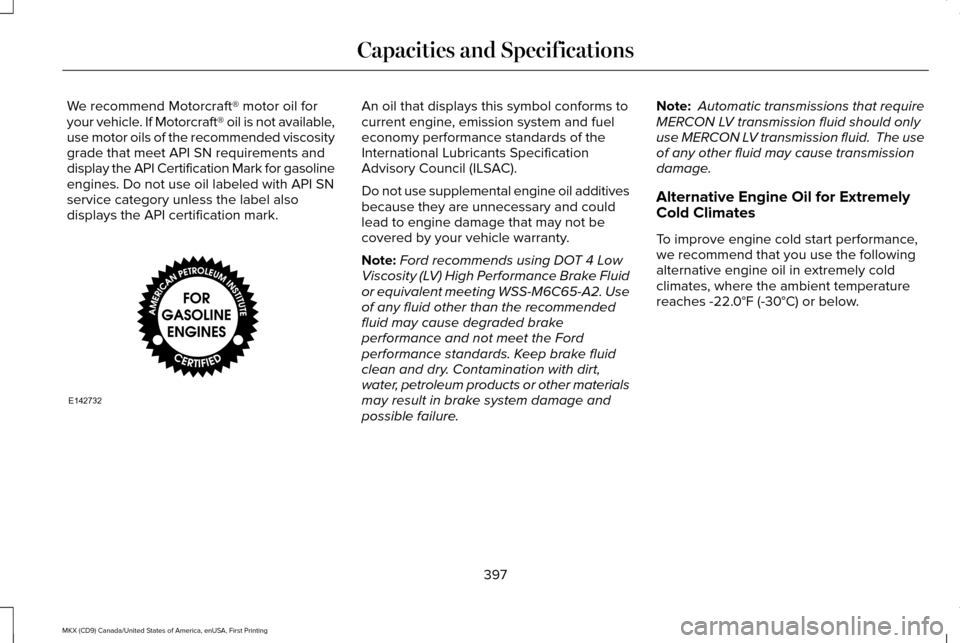
We recommend Motorcraft® motor oil for
your vehicle. If Motorcraft® oil is not available,
use motor oils of the recommended viscosity
grade that meet API SN requirements and
display the API Certification Mark for gasoline
engines. Do not use oil labeled with API SN
service category unless the label also
displays the API certification mark. An oil that displays this symbol conforms to
current engine, emission system and fuel
economy performance standards of the
International Lubricants Specification
Advisory Council (ILSAC).
Do not use supplemental engine oil additives
because they are unnecessary and could
lead to engine damage that may not be
covered by your vehicle warranty.
Note:
Ford recommends using DOT 4 Low
Viscosity (LV) High Performance Brake Fluid
or equivalent meeting WSS-M6C65-A2. Use
of any fluid other than the recommended
fluid may cause degraded brake
performance and not meet the Ford
performance standards. Keep brake fluid
clean and dry. Contamination with dirt,
water, petroleum products or other materials
may result in brake system damage and
possible failure. Note:
Automatic transmissions that require
MERCON LV transmission fluid should only
use MERCON LV transmission fluid. The use
of any other fluid may cause transmission
damage.
Alternative Engine Oil for Extremely
Cold Climates
To improve engine cold start performance,
we recommend that you use the following
alternative engine oil in extremely cold
climates, where the ambient temperature
reaches -22.0°F (-30°C) or below.
397
MKX (CD9) Canada/United States of America, enUSA, First Printing Capacities and SpecificationsE142732
Page 414 of 587
You can make the following adjustments
using the information display SYNC 3 screen:
411
MKX (CD9) Canada/United States of America, enUSA, First Printing SYNC™ 3E185883
Page 418 of 587

Website
www.syncmaroute.ca
For important information about airbag
deployment and the fuel pump shut-off
please see the Supplementary Restrains and
Roadside Emergencies sections of your
owner manual.
To switch 911 Assist on and off please view
the settings information. See Settings (page
472).
To make sure that 911 Assist works correctly:
• SYNC must be powered and working
properly at the time of the incident and
throughout feature activation and use.
• The 911 Assist feature must be set on
before the incident.
• You must pair and connect a
Bluetooth-enabled and compatible cell
phone to SYNC.
• A connected Bluetooth-enabled phone
must have the ability to make and
maintain an outgoing call at the time of
the incident. •
A connected Bluetooth-enabled phone
must have adequate network coverage,
battery power and signal strength.
• The vehicle must have battery power and
be located in the U.S., Canada or in a
territory in which 911 is the emergency
number.
In the Event of a Crash
Not all crashes will deploy an airbag or
activate the fuel pump shut-off (the triggers
for 911 Assist). If a connected cell phone
sustains damage or loses its connection to
SYNC during a crash, SYNC will search for
and try to connect to a previously paired cell
phone; SYNC will then attempt to call the
emergency services. Before making the call:
•
SYNC provides a short window of time
(about 10 seconds) to cancel the call. If
you fail to cancel the call, SYNC attempts
to dial 911.
• SYNC says the following, or a similar
message: "SYNC will attempt to call 911,
to cancel the call, press Cancel on your
screen or press and hold the phone
button on your steering wheel."
If you do not cancel the call, and SYNC
makes a successful call, a pre-recorded
message plays for the 911 operator, and then
the occupant(s) in your vehicle is able to talk
with the operator. Be prepared to provide
your name, phone number and location
immediately, because not all 911 systems are
capable of receiving this information
electronically.
415
MKX (CD9) Canada/United States of America, enUSA, First Printing SYNC™ 3
Page 420 of 587

•
Screens crowded with information, such
as Point of Interest reviews and ratings,
SiriusXM Traffic and Travel Link sports
scores, movie times or ski conditions. •
Any action that requires you to use a
keyboard is restricted, such as entering
a navigation destination or editing
information.
• All lists are limited so the user can view
fewer entries (such as phone contacts or
recent phone call entries). See the following chart for more specific
examples. Restricted features
Pairing a Bluetooth phone.
Cellular Phone
Browsing of list entries is limited for phone contacts and recent phone \
calls.
Editing the keypad code.
System Functionality
Enabling Valet Mode.
Editing settings while the rear view camera or active park assist are ac\
tive.
Editing Wi-Fi settings.
Wi-Fi
Editing the list of wireless networks.
Connecting to a new Wi-Fi network.
Viewing received text messages.
Text Messages
Using the keyboard to enter a destination.
Navigation
Adding or editing Navigation Favorites entries or Avoid Areas.
417
MKX (CD9) Canada/United States of America, enUSA, First Printing SYNC™ 3
Page 429 of 587
Phone Voice Commands
Pairing a Phone
You can use voice commands to connect
your Bluetooth-enabled phone to the system.
To pair your phone, press the voice button and when prompted, say: Description
Voice command
Follow the on-screen instructions to complete the pairing process. See Settings (page 472).
Pair Phone
Making Calls
___ is a dynamic listing, meaning that for
phone voice commands it can be the name
of the contact you wish to call or the digits
you want to dial.
Press the voice button and say a command similar to the following: Description
Voice command
Allows you to call a specific contact from your phonebook such as "Call Jenny".
Call ___
Allows you to call a specific contact from your phonebook at a specific \
location such as "Call
Jenny at Home".
Call ___ at ___
Allows you to dial a specific number such as “Dial 867-5309” .
Dial ___
426
MKX (CD9) Canada/United States of America, enUSA, First Printing SYNC™ 3
Page 430 of 587
Please make sure that you are saying the
contact name exactly as it appears in your
contact list.
Once you have provided the digits of the phone number, you can say the following commands: Description
Voice Command
If the full number was not entered with the first command, you can conti\
nue saying the number.
<0-9>
Tells SYNC 3 to make the phone call.
Dial
Tells SYNC 3 to erase the last block of digits stated.
Delete
Tells SYNC 3 to erase the entire number.
Clear
Text Message Voice Commands
To access text message options, press the voice button and say: Description
Voice command
Listen to Message You can say the number of the message you would like to hear.
Listen to text message ___
Reply to Message
427
MKX (CD9) Canada/United States of America, enUSA, First Printing SYNC™ 3
Page 431 of 587

Navigation Voice Commands (If Equipped)
Setting a Destination You can use any of the following commands
to set a destination or find a point of interest.
___ is a dynamic listing, meaning that for
navigation voice commands it can be a POI
category or an address.
You can find an address, a point of interest (POI), or search for point\
s of interest by category: Description
Voice command
Allows you to enter the address search functionality.
Find an Address
State the name of the POI category you would like to search for such as "Find restaurants".
Find a ___
Allows you to enter the POI search functionality.
Find POI
Allows you to enter the intersection search functionality.
Find Intersection
State the name of the POI category you would like to search for nearby such as "Destination nearest
restaurants".
Destination Nearest ___
Allows you to see a list of your previous destinations.
Destination Previous Destination
Allows you to route to your home address.
Destination Home
428
MKX (CD9) Canada/United States of America, enUSA, First Printing SYNC™ 3
Page 432 of 587
In addition, you can say these commands when a route is active:
Description
Voice command
Cancels the current route.
Cancel Route
Allows you to select an alternate route.
Detour
Repeats the last guidance prompt.
Repeat Instruction
Displays the active route.
Show Route
Provides current location.
Where Am I
Allows you to zoom in on the map.
Zoom in
Allows you to zoom out from the map.
Zoom out
Mobile App Voice Commands (If Equipped)
The following voice commands are always available: Description
Voice command
SYNC 3 will prompt you to say the name of an app to start it on SYNC 3.
Mobile Apps
SYNC 3 will list all of the currently available Mobile Apps.
List Mobile Apps
SYNC 3 will search and connect to compatible app(s) running on your mob\
ile device.
Find New Apps
429
MKX (CD9) Canada/United States of America, enUSA, First Printing SYNC™ 3


