Page 273 of 640
2734-5. Using the driving support systems
4
Driving
RC300h_EE(OM24740E)
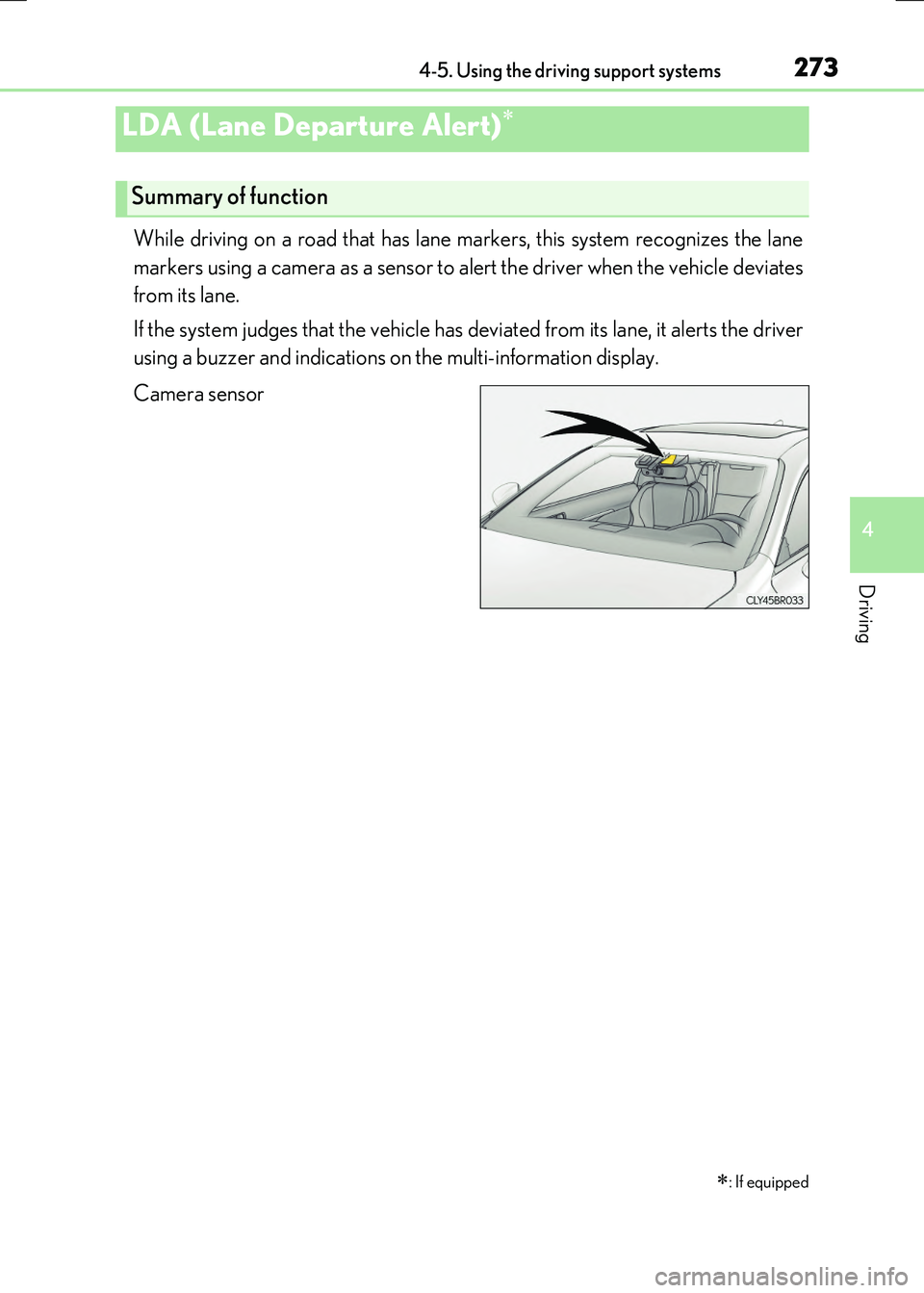
While driving on a road that has lane markers, this system recognizes the lane
markers using a camera as a sensor to alert the driver when the vehicle deviates
from its lane.
If the system judges that the vehicle has de viated from its lane, it alerts the driver
using a buzzer and indications on the multi-information display.
Camera sensor
LDA (Lane Departure Alert)
: If equipped
Summary of function
Page 275 of 640
2754-5. Using the driving support systems
4
Driving
RC300h_EE(OM24740E)
When the inside of both lane lines turn
white:
Indicates that both right and left lane
markers are recognized.
If the vehicle deviates from the lane, the
lane line on the side the vehicle has devi- ated from will flash in yellow. ( P. 543)
When the inside of either lane line turns
white:
Indicates that the lane marker on the
white-marked side is recognized.
If the vehicle deviates from the side of a
lane with recognized lane markers, the lane line will flash in yellow. ( P. 543)
When the inside of both lane lines are
black:
Indicates that no lane markers are rec-
ognized or the LDA system is tempo-
rarily canceled.
Indication on the multi-information display
Page 277 of 640

2774-5. Using the driving support systems
4
Driving
RC300h_EE(OM24740E)
●When sunlight or the headlights of oncoming vehicles are shining directly into the cam- era lens
●When driving on roads that are branching or merging
●When driving on a road surface that is wet du e to rain, previous rainfall, standing water, etc.
●When the vehicle experiences strong up-and-down motion such as when driving on an
extremely rough road or on a seam in the pavement
●When headlight brightness at nighttime is reduced due to dirt on the lenses, or when the headlights are misaligned
●When driving on winding roads or roads that are uneven
●When driving on rough or unpaved roads
■When changing the tires
Depending on the tires used, sufficient performance may not be maintainable.
■Warning messages for the LDA system
Warning messages are used to indicate a syst em malfunction or to inform the driver of
the need for caution while driving. ( P. 549)
WARNING
■Before using the LDA system
Do not rely solely on the LDA system. The LDA system does not drive the vehicle auto- matically, nor does it reduce the amount of care you need to take. As such, the driver
must always assume full responsibility fo r understanding his/her surroundings, for operating the steering wheel to correct the driving line, and for driving safely.
Inappropriate or negligent driving could lead to an accident.
■To avoid operating the LDA by mistake
Switch the LDA system off using the LDA switch when not in use.
■Situations unsuitable for LDA system
Do not use the LDA system in any of the following situations.
Otherwise, the system may not function correctly and could result in an accident.
●When driving with tire chains, a spare tire, or similar equipment
●When there are objects or structures along the roadside that might be misinterpreted as lane markers (such as guardrails, a curb, reflector posts, etc.)
●When driving on snowy roads
●When pavement lane markers are difficult to see due to rain, snow, fog, sand, dirt, etc.
●When there are visible lines on the pavement from road repairs, or if the remains of old lane markers are still visible on the road
●When driving on a road with lane closures due to maintenance, or when driving in a temporary lane
Page 279 of 640
2794-5. Using the driving support systems
4
Driving
RC300h_EE(OM24740E)
■Types of sensors
■Lexus parking assist-sensor switch
Turns the Lexus parking assist-sen-
sor on/off
When on, the indi cator light comes on to inform the driver that the sys-tem is operational.
Lexus parking assist-sensor
: If equipped
Vehicles with a Lexus Display Audio system:
The distance from your vehicle to ne arby obstacles when parallel parking or
maneuvering into a garage is measured by the sensors and communicated via
the multi-information display, Lexus Display Audio screen and a buzzer.
Always check the surrounding ar ea when using this system.
Vehicles with a navigation or multimedia system:
Refer to the “NAVIGATION AND MULTIMEDIA SYSTEM OWNER’S
MANUAL”.
Front center sensors
Front corner sensors
Rear corner sensors
Rear center sensors
1
2
3
4
Page 280 of 640
2804-5. Using the driving support systems
RC300h_EE(OM24740E)
When the sensors detect an obstacle, a graphic is shown on the multi-informa-
tion display and Lexus Display Audio screen depending on the position and dis-
tance to the obstacle.
■Multi-information display
Front corner sensor detection
Front center sensor detection
Rear corner sensor detection
Rear center sensor detection
■Lexus Display Audio screen
When the Lexus parking assist
monitor system is not displayed
A graphic is automatically displayed
when an obstacle is detected. The screen can be set so that the graphicis not displayed. ( P. 283)
: Select to mute the
buzzer sounds.
When the Lexus parking assist
monitor system is displayed
(insert display)
A simplified image is displayed on
the upper right corner of the Lexus Display Audio screen when anobstacle is detected.
Display
1
2
3
4
1
2
Page 281 of 640
2814-5. Using the driving support systems
4
Driving
RC300h_EE(OM24740E)
■Multi-information display and Lexus Display Audio screen
Sensors that detect an obstacle will illuminate continuously or blink.
*1: Multi-information display
*2: Lexus Display Audio screen
Sensor detection display, obstacle distance
Display
Insert display
(Lexus Display Audio screen only)Approximate distance to obstacle
Corner sensor/front center sensorRear center sensor
(continuous)(blinking slowly)
Front center sensor
only:
100 cm (3.3 ft.) to 50
cm (1.6 ft.)150 cm (4.9 ft.) to 60
cm (2.0 ft.)
(continuous)(blinking)
50 cm (1.6 ft.) to 40 cm
(1.3 ft.)60 cm (2.0 ft.) to 45
cm (1.5 ft.)
(continuous)(blinking rapidly)
40 cm (1.3 ft.) to 30 cm
(1.0 ft.)45 cm (1.5 ft.) to 35 cm
(1.1 ft.)
(blinking*1 or
continuous
*2)
(continuous)
Less than 30 cm (1.0 ft.)Less than 35 cm (1.1 ft.)
Page 284 of 640

2844-5. Using the driving support systems
RC300h_EE(OM24740E)
■If a message is displayed on the multi-information display
P. 545
WARNING
■When using the Lexus parking assist-sensor
Observe the following precautions.
Failing to do so may result in the vehicle be ing unable to be driven safely and possibly cause an accident.
●Do not use the sensor at speeds in excess of 10 km/h (6 mph).
●The sensors’ detection areas and reaction times are limited. When moving forward or reversing, check the areas surrounding the vehicle (especially the sides of the vehi-cle) for safety, and drive slowly, using the brake to control the vehicle’s speed.
●Do not install accessories within the sensors’ detection areas.
■Limitations of the sensors
●The detection areas of the sensors are limited to the areas around the vehicle’s front
and rear bumpers.
●Certain vehicle conditions and surrounding environments, such as the following, may affect the ability of the sensors to correctly detect objects. Pay particular attention in
the following situations. Failure to do so may result in the vehicle being driven unsafely, possibly leading to an accident.
• When there is dirt, snow or ice on a sens or (Cleaning the sensor will resolve this
problem.) • When the sensor is frozen (Thawing the area will resolve this problem.)In especially cold weather, if a sensor is frozen the screen may show an abnormal
display, or objects may not be detected • When a sensor is covered in any way• When the vehicle is leaning considerably to one side
• When driving on an extremely bumpy road, incline, gravel, or grass • When the vicinity of the vehicle is noisy due to vehicle horns, motorcycle engines,air brakes of large vehicles, or other loud noises producing ultrasonic waves
• When there is another vehicle equipped with parking assist sensor in the vicinity • When the sensor is coated with a sheet of spray or heavy rain• When the vehicle is equipped with a fender pole or wireless antenna
• When a towing eyelet is installed • When a bumper or sensor receives a strong impact• When the vehicle is approaching a tall or curved curb
• When driving in harsh sunlight or intense cold weather • When an object is directly under a bumper• When objects become too close to the sensors
• When a non-genuine Lexus suspension (l owered suspension, etc.) is installed In addition to the situations above, there are instances in which, because of theirshape, signs and other objects may be judged by the sensor to be closer than they
are.
Page 306 of 640
3064-5. Using the driving support systems
RC300h_EE(OM24740E)
If the vehicle gets stuck in mud, dirt or snow, the TRC system may reduce power
from the hybrid system to the wheels. Pressing to turn the system off may
make it easier for you to rock the vehicle in order to free it.
To turn the TRC system off, quickly
press and release .
The “TRC OFF” will be shown on the
multi-information display.
Press again to turn the system
back on.
Disabling the TRC system