Page 95 of 589

49
Features of your vehicle
✽
✽NOTICE
When starting the engine, do not use
the key with other immobilizer keys
around. Otherwise the engine may
not start or may stop soon after it
starts. Keep each key separate in
order to avoid a starting malfunction.
Do not put metal accessories near
the ignition switch.
Metal accessories may interrupt the
transponder signal and may prevent
the engine from being started.
✽ ✽NOTICE
If you need additional keys or lose
your keys, contact an authorized
Kia dealer.
This device complies with Part 15
of the FCC rules.
Operation is subject to the following
two conditions:
1. This device may not cause harmful
interference, and
2. This device must accept any inter- ference received, including inter-
ference that may cause undesired
operation.
✽ ✽NOTICE
Changes or modifications not
expressly approved by the party
responsible for compliance could
void the user’s authority to operate
the equipment. If the keyless entry
system is inoperative due to changes
or modifications not approved by
the party responsible for compli-
ance, it will not be covered by your
manufacturer’s vehicle warranty.
CAUTION- Immobilizer
damage
Do not expose your immobilizersystem to moisture, static elec-tricity and rough handling. Thismay damage your immobilizer.
CAUTION- Immobilizer
alterations
Do not change, alter or adjustthe immobilizer system becauseit could cause the immobilizersystem to malfunction.
Page 104 of 589
Features of your vehicle
18
4
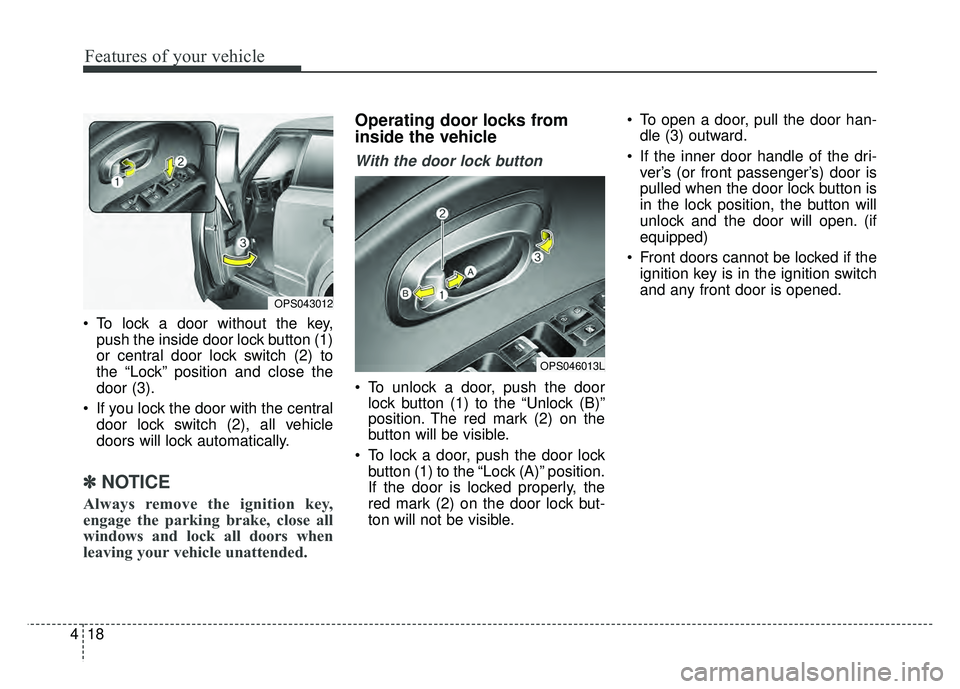
To lock a door without the key,
push the inside door lock button (1)
or central door lock switch (2) to
the “Lock” position and close the
door (3).
If you lock the door with the central door lock switch (2), all vehicle
doors will lock automatically.
✽ ✽ NOTICE
Always remove the ignition key,
engage the parking brake, close all
windows and lock all doors when
leaving your vehicle unattended.
Operating door locks from
inside the vehicle
With the door lock button
To unlock a door, push the door
lock button (1) to the “Unlock (B)”
position. The red mark (2) on the
button will be visible.
To lock a door, push the door lock button (1) to the “Lock (A)” position.
If the door is locked properly, the
red mark (2) on the door lock but-
ton will not be visible. To open a door, pull the door han-
dle (3) outward.
If the inner door handle of the dri- ver’s (or front passenger’s) door is
pulled when the door lock button is
in the lock position, the button will
unlock and the door will open. (if
equipped)
Front doors cannot be locked if the ignition key is in the ignition switch
and any front door is opened.
OPS043012
OPS046013L
Page 105 of 589
419
Features of your vehicle
If a power door lock ever fails to func-
tion while you are in the vehicle, try
one or more of the following tech-
niques to exit:
Operate the door unlock featurerepeatedly (both electronic and
manual) while simultaneously
pulling on the door handle.
Operate the other door locks and handles, front and rear.
Lower a front window and use the key to unlock the door from out-
side.
Move to the cargo area and open the liftgate.With central door lock switch
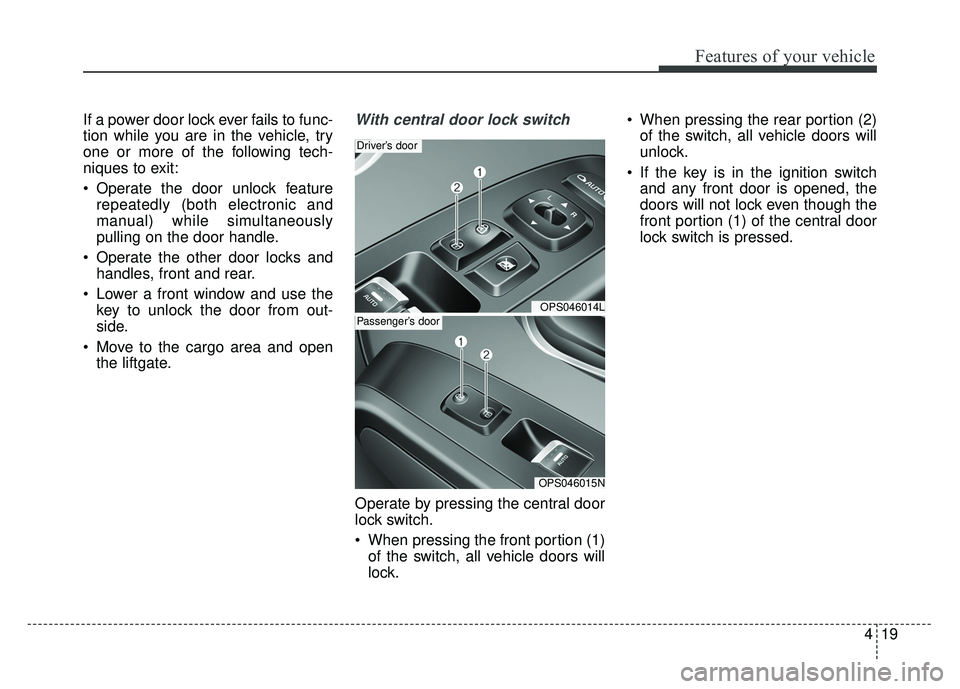
Operate by pressing the central door
lock switch.
When pressing the front portion (1)of the switch, all vehicle doors will
lock. When pressing the rear portion (2)
of the switch, all vehicle doors will
unlock.
If the key is in the ignition switch and any front door is opened, the
doors will not lock even though the
front portion (1) of the central door
lock switch is pressed.
OPS046014L
Driver’s door
OPS046015N
Passenger’s door
Page 106 of 589
Features of your vehicle
20
4
Impact sensing door unlock
system
In the event of air bag deployment
resulting from a vehicle impact, all
doors will automatically unlock.
Auto door lock/unlock feature
(if equipped)
All doors will automatically lock
when the transaxle shift lever is
shifted out of P(Park).
All doors will automatically unlock when the transaxle shift lever is
shifted into P (Park).
Speed sensing door lock sys-
tem
All doors will be automatically locked
after the vehicle speed exceeds 9.3
mph (15 km/h). And all doors will be
automatically unlocked when you
turn the engine off or when you
remove the ignition key.
✽ ✽ NOTICE
You can select some auto door
lock/unlock features in “User
Settings” as follows;
• Speed sensing auto door lock
• Auto door unlock when the igni-
tion key is removed from the igni-
tion switch or engine is turned off.
• Auto door lock/unlock by shifting the shift lever out of P(Park) or
into P(Park).
For more information, refer to
“User Settings” in this chapter.
WARNING-Unattended
children/animals
Never leave children or animals
unattended in your vehicle. An
enclosed vehicle can become
extremely hot, causing death or
severe injury to unattended
children or animals who cannot
escape the vehicle.
WARNING- Doors
The doors should always be
fully closed and locked while
the vehicle is in motion to pre-
vent accidental opening of the
door.
Page 111 of 589
425
Features of your vehicle
Power windows
The ignition switch must be in the ON
position for power windows to operate.
Each door has a power window
switch that controls the door's win-
dow. The driver has a power window
lock button which can block the oper-
ation of the rear passenger windows.
The power windows can be operated
for approximately 30 seconds after
the ignition key is removed or turned
to the ACC or LOCK position.
However, if the front doors are
opened, the power windows cannot
be operated even within the 30 sec-
ond period.
✽ ✽NOTICE
While driving with the rear windows
down or with the sunroof (if
equipped) in an open (or partially
open) position, your vehicle may
demonstrate a wind buffeting or
pulsation noise. This noise is a nor-
mal occurrence and can be reduced
or eliminated by taking the follow-
ing actions. If the noise occurs with
one or both of the rear windows
down, partially lower both front
windows approximately one inch. If
you experience the noise with the
sunroof open, slightly reduce the
size of the sunroof opening.
Window opening and closing
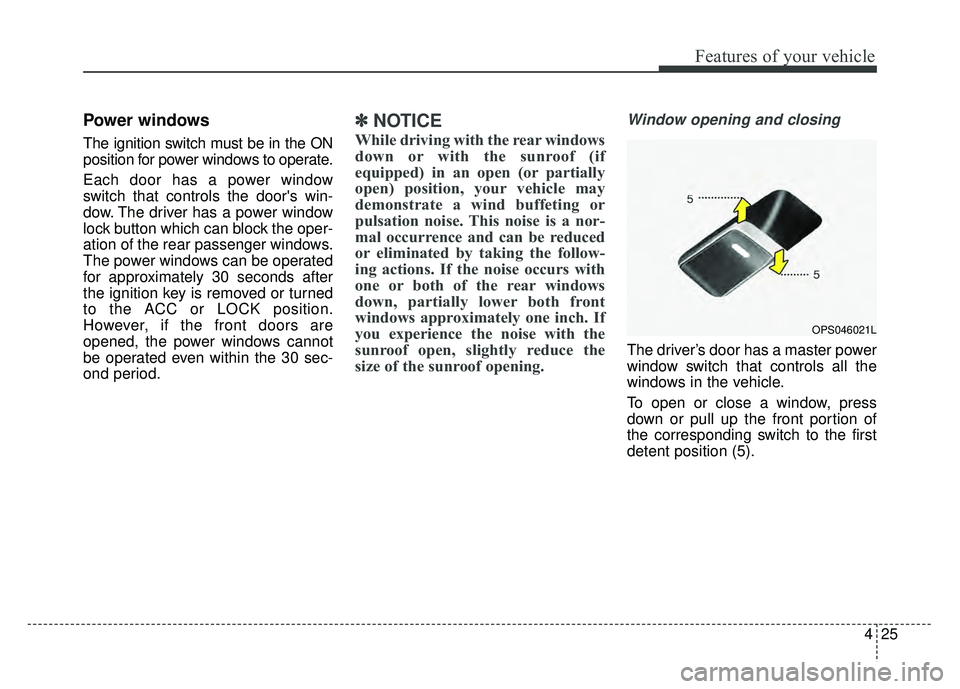
The driver’s door has a master power
window switch that controls all the
windows in the vehicle.
To open or close a window, press
down or pull up the front portion of
the corresponding switch to the first
detent position (5).
OPS046021L
Page 112 of 589
Features of your vehicle
26
4
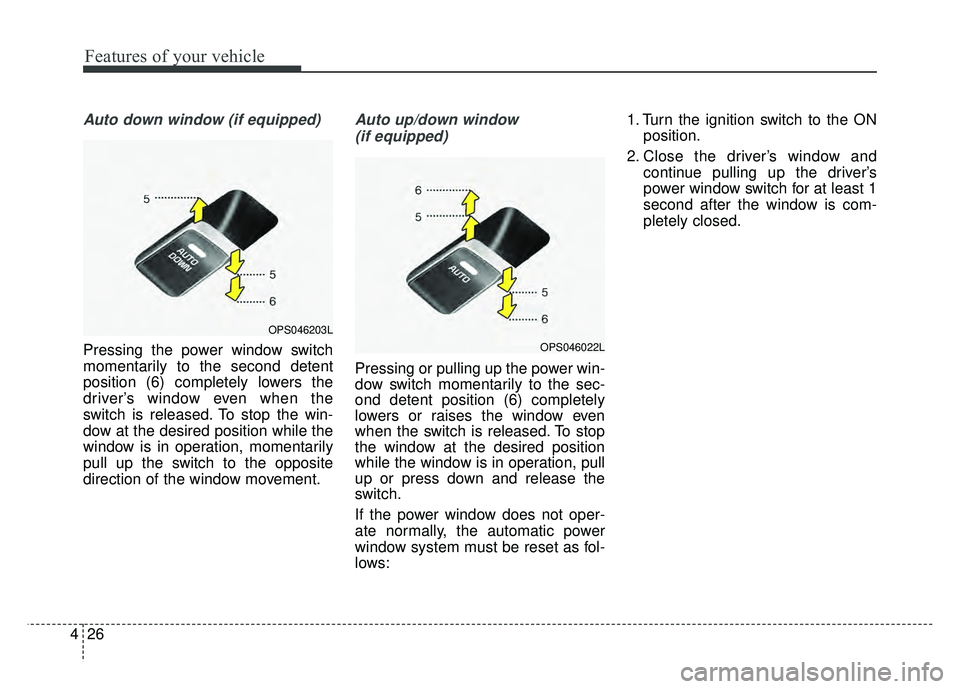
Auto down window (if equipped)
Pressing the power window switch
momentarily to the second detent
position (6) completely lowers the
driver’s window even when the
switch is released. To stop the win-
dow at the desired position while the
window is in operation, momentarily
pull up the switch to the opposite
direction of the window movement.
Auto up/down window
(if equipped)
Pressing or pulling up the power win-
dow switch momentarily to the sec-
ond detent position (6) completely
lowers or raises the window even
when the switch is released. To stop
the window at the desired position
while the window is in operation, pull
up or press down and release the
switch.
If the power window does not oper-
ate normally, the automatic power
window system must be reset as fol-
lows: 1. Turn the ignition switch to the ON
position.
2. Close the driver’s window and continue pulling up the driver’s
power window switch for at least 1
second after the window is com-
pletely closed.
OPS046203L
OPS046022L
Page 120 of 589
Features of your vehicle
34
4
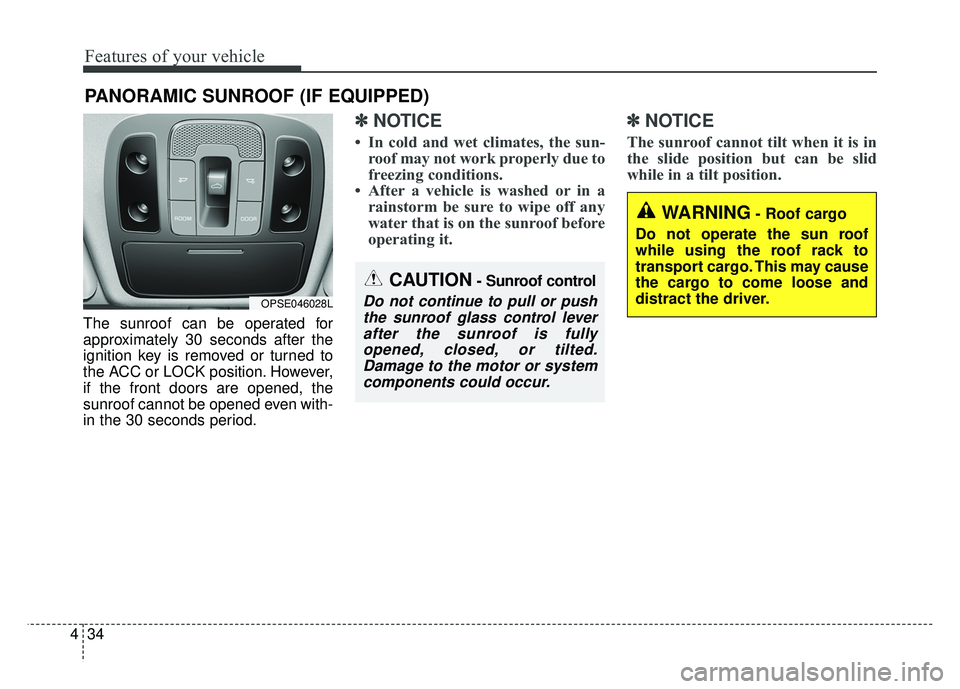
The sunroof can be operated for
approximately 30 seconds after the
ignition key is removed or turned to
the ACC or LOCK position. However,
if the front doors are opened, the
sunroof cannot be opened even with-
in the 30 seconds period.
✽ ✽
NOTICE
• In cold and wet climates, the sun-
roof may not work properly due to
freezing conditions.
• After a vehicle is washed or in a rainstorm be sure to wipe off any
water that is on the sunroof before
operating it.
✽ ✽ NOTICE
The sunroof cannot tilt when it is in
the slide position but can be slid
while in a tilt position.
PANORAMIC SUNROOF (IF EQUIPPED)
CAUTION- Sunroof control
Do not continue to pull or push
the sunroof glass control leverafter the sunroof is fullyopened, closed, or tilted.Damage to the motor or systemcomponents could occur.OPSE046028L
WARNING- Roof cargo
Do not operate the sun roof
while using the roof rack to
transport cargo. This may cause
the cargo to come loose and
distract the driver.
Page 121 of 589
435
Features of your vehicle
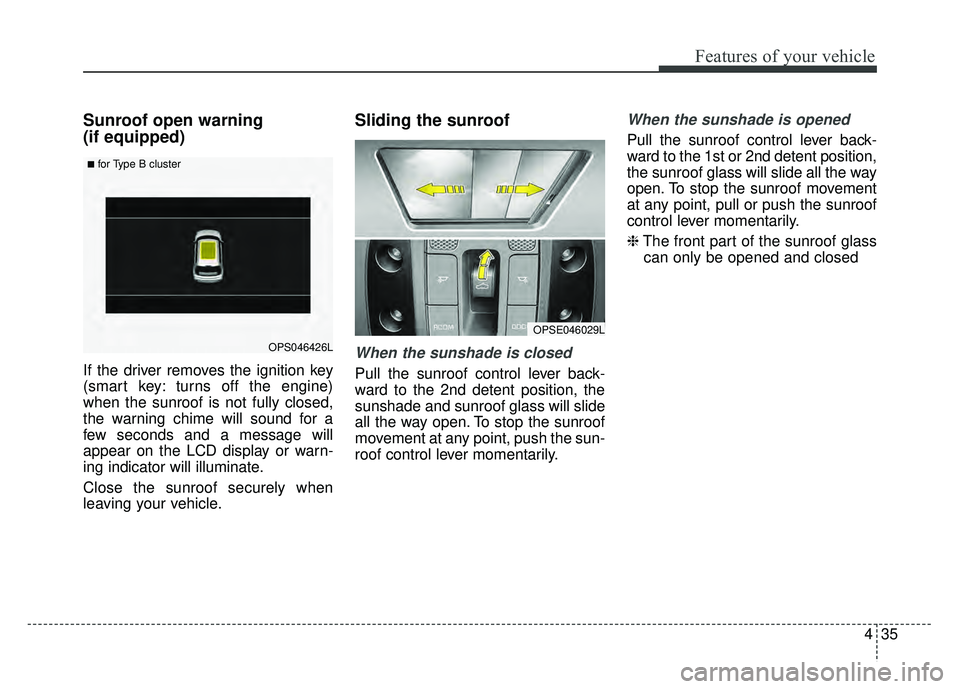
Sunroof open warning
(if equipped)
If the driver removes the ignition key
(smart key: turns off the engine)
when the sunroof is not fully closed,
the warning chime will sound for a
few seconds and a message will
appear on the LCD display or warn-
ing indicator will illuminate.
Close the sunroof securely when
leaving your vehicle.
Sliding the sunroof
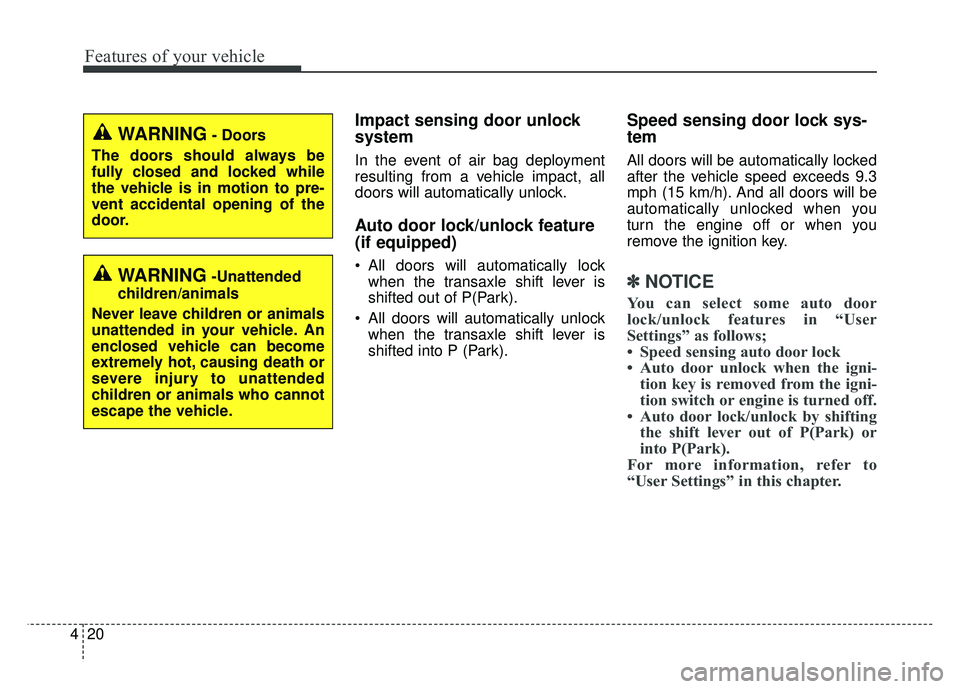
When the sunshade is closed
Pull the sunroof control lever back-
ward to the 2nd detent position, the
sunshade and sunroof glass will slide
all the way open. To stop the sunroof
movement at any point, push the sun-
roof control lever momentarily.
When the sunshade is opened
Pull the sunroof control lever back-
ward to the 1st or 2nd detent position,
the sunroof glass will slide all the way
open. To stop the sunroof movement
at any point, pull or push the sunroof
control lever momentarily.
❈The front part of the sunroof glass
can only be opened and closed
OPSE046029L
OPS046426L
■for Type B cluster