Page 162 of 488
487
Features of your vehicle
Automatic turn off function (if equipped)
The interior lights automatically turn off
approximately 20 minutes after the igni-
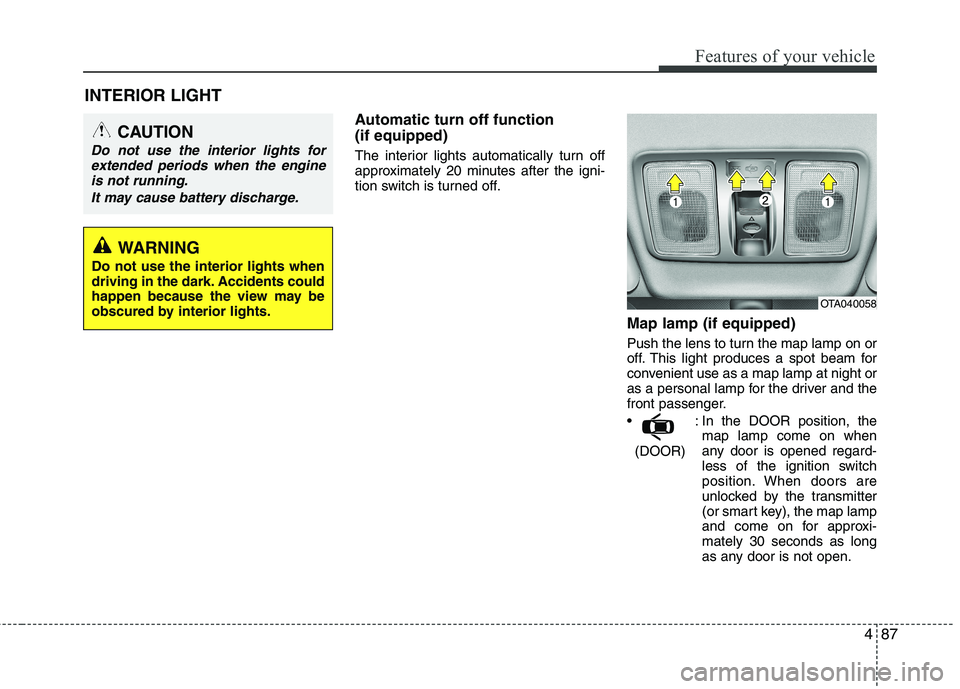
tion switch is turned off.Map lamp (if equipped)
Push the lens to turn the map lamp on or
off. This light produces a spot beam for
convenient use as a map lamp at night or
as a personal lamp for the driver and the
front passenger.
: In the DOOR position, themap lamp come on when
any door is opened regard-
less of the ignition switch
position. When doors are
unlocked by the transmitter
(or smart key), the map lamp
and come on for approxi-mately 30 seconds as long
as any door is not open.
(DOOR)
INTERIOR LIGHT
CAUTION
Do not use the interior lights for
extended periods when the engine
is not running.
It may cause battery discharge.
WARNING
Do not use the interior lights when
driving in the dark. Accidents could
happen because the view may be
obscured by interior lights.
OTA040058
Page 163 of 488
Features of your vehicle
88
4
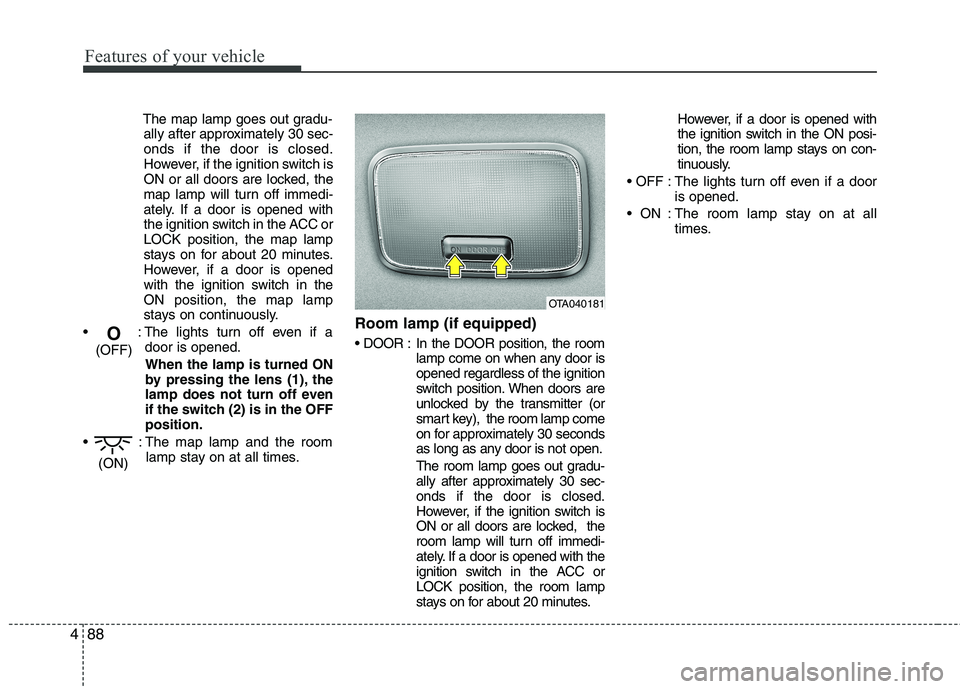
The map lamp goes out gradu-
ally after approximately 30 sec- onds if the door is closed.
However, if the ignition switch is
ON or all doors are locked, the
map lamp will turn off immedi-
ately. If a door is opened with
the ignition switch in the ACC orLOCK position, the map lamp
stays on for about 20 minutes.
However, if a door is opened
with the ignition switch in the
ON position, the map lamp
stays on continuously.
: The lights turn off even if a door is opened.
When the lamp is turned ON
by pressing the lens (1), the
lamp does not turn off even
if the switch (2) is in the OFFposition.
: The map lamp and the room lamp stay on at all times. Room lamp (if equipped)
In the DOOR position, the room
lamp come on when any door is opened regardless of the ignition
switch position. When doors are
unlocked by the transmitter (or
smart key), the room lamp come
on for approximately 30 seconds
as long as any door is not open.
The room lamp goes out gradu-
ally after approximately 30 sec-onds if the door is closed.
However, if the ignition switch is
ON or all doors are locked, the
room lamp will turn off immedi-
ately. If a door is opened with the
ignition switch in the ACC orLOCK position, the room lamp
stays on for about 20 minutes. However, if a door is opened with
the ignition switch in the ON posi-
tion, the room lamp stays on con-
tinuously.
: The lights turn off even if a door is opened.
: The room lamp stay on at all times.
(ON)
O
(OFF)
OTA040181
Page 204 of 488
129
Features of your vehicle
4
(Continued)
If you use devices such as a USB hubpurchased separately, the vehicle’s
audio system may not recognize the
USB device. In that case, connect the
USB device directly to the multimedia
terminal of the vehicle.
If the USB device is divided by logical
drives, only the music files on the
highest-priority drive are recognized
by car audio.
Devices such as MP3 Player/ Cellular
phone/Digital camera can be unrecog-
nizable by standard USB I/F can be
unrecognizable.
Charging through the USB may not be supported in some mobile devices.
USB HDD or USB types liable to con- nection failures due to vehicle vibra-
tions are not supported. (i-stick type)
Some non-standard USB devices
(METAL COVER TYPE USB) can be
unrecognizable. (Continued)(Continued)
Some USB flash memory readers
(such as CF, SD, micro SD, etc.) or
external-HDD type devices can be
unrecognizable.
Music files protected by DRM (DIGI- TAL RIGHTS MANAGEMENT) are
not recognizable.
The data in the USB memory may be
lost while using this audio. Always
back up important data on a personal
storage device.
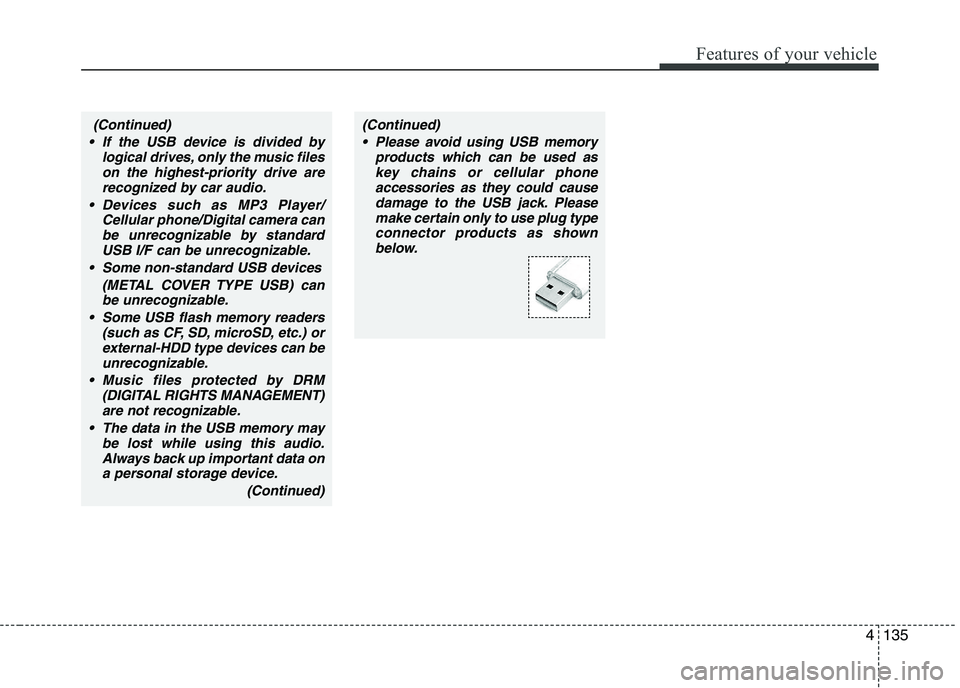
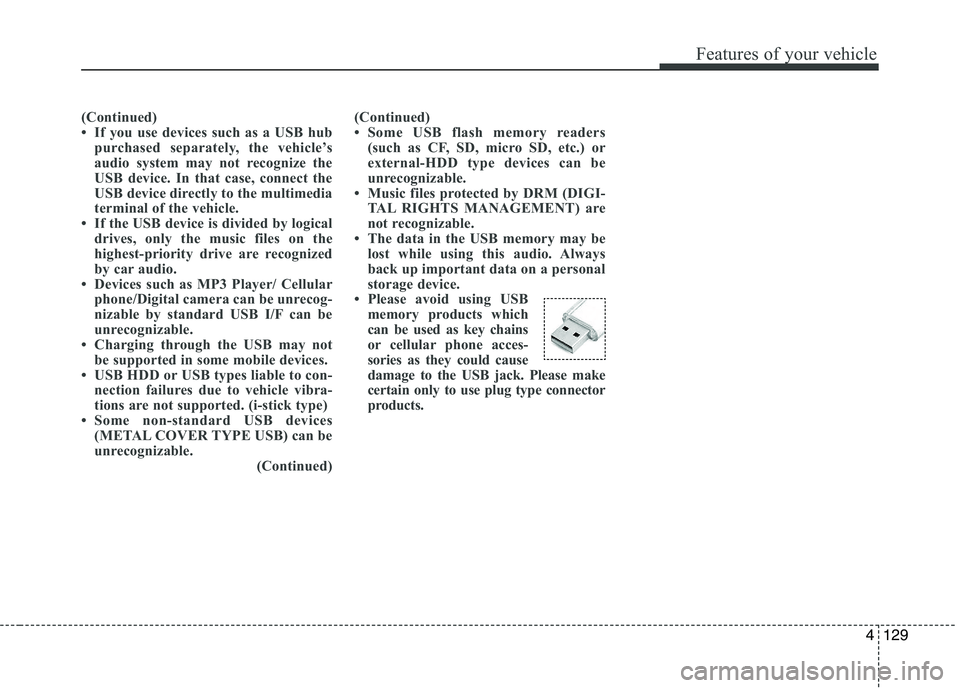
Please avoid using USB
memory products which
can be used as key chains
or cellular phone acces-
sories as they could cause
damage to the USB jack. Please make
certain only to use plug type connector
products.
Page 207 of 488
Features of your vehicle
132
Using RADIO, SETUP, VOLUME
and AUDIO CONTROL
1. Button
Turns to FM mode and toggles FM1 and
FM2 when the button is pressed each
time.2.
Button
Pressing the button selects the
AM band. AM Mode is displayed on the
LCD.
3. Button & Knob
Turns the audio system on/off when the ignition switch is on ACC or ON.
If the knob is turned clockwise/counter- clockwise, the volume will increase
/decrease.
4. Button
Changes to USB(iPod ®
), AUX mode.
Each time the key is pressed, the mode is changed in order of USB(iPod ®
),
AUX. 5. Button
When the button is
pressed, it increases the band fre- quency to automatically select chan-
nel. Stops at the previous frequency if
no channel is found.
When the button is pressed, it decreases the band fre-quency to automatically select chan-
nel. Stops at the previous frequency if
no channel is found.
SEEK
TRACK
SEEK
TRACK
SEEK
TRACK
MEDIA
VOLUMEPOWER
AM
AM
FM
4
Page 208 of 488

133
Features of your vehicle
6. PRESET Buttons
Press ~ buttons less
than 0.8 seconds to play the station
saved in each button.
Press ~ button more than 0.8 seconds or longer to save the
current station to the respective button
with a beep.
7. Button
Shortly press the key (under 0.8 sec-
onds) : Moves to the Scroll, Media, Audio
setting modes.
Scroll : Scroll (On/Off)
Media : MP3 playing information (Folder/ File, Artist/Title)
Audio : Audio setup control (Bass/Treble/ Fader/Balance) - BASS Control : To increase the BASS,
rotate the knob clockwise, while to
decrease the BASS, rotate the knob
counterclockwise.
- TREBLE Control : To increase the TRE- BLE, rotate the knob clockwise, while to
decrease the TREBLE, rotate the knob
counterclockwise.
- FADER Control : Turn the knob clock- wise to emphasize rear speaker
sound(front speaker sound will be
attenuated). When the control knob is
turned counterclockwise, front speaker
sound will be emphasized(rear speaker
sound will be attenuated).
- BALANCE Control : Rotate the knob clockwise to emphasize right speaker
sound(left speaker sound will be atten-
uated). When the control knob is turned
counter clockwise, left speaker sound
will be emphasized(right speaker sound
will be attenuated).
Press and hold the key (over 0.8 sec-
onds) : Move to the Time setting screen. 8. Knob
Turn this control while listening to a radio
channel to manually adjust frequency.
Turn clockwise to increase frequency
and counterclockwise to decrease fre-
quency.
9. Button
- Press the key (under 0.8 seconds) :
Previews each broadcast for 5 seconds each.
- Press and hold the key (over 0.8 sec- onds) : Previews the broadcasts saved
in Preset ~ for 5 sec-onds each.
❈ Press the key again to contin- ue listening to the currently selectedchannel.
®
mode
- Press the key (under 0.8 seconds) : Previews each song (file) for 10 sec- onds each
❈ Press the key again to contin- ue listening to the current song (file).
10. Button
Displays menus for AST mode.
AST : Turn on auto seek and store the Frequencies.
MENU
SCAN
SCAN
61
SCAN
TUNE
SETUPCLOCK
61
61
4
Page 210 of 488
135
Features of your vehicle
4
(Continued)
If the USB device is divided by logical drives, only the music fileson the highest-priority drive arerecognized by car audio.
Devices such as MP3 Player/ Cellular phone/Digital camera canbe unrecognizable by standard USB I/F can be unrecognizable.
Some non-standard USB devices (METAL COVER TYPE USB) canbe unrecognizable.
Some USB flash memory readers (such as CF, SD, microSD, etc.) orexternal-HDD type devices can beunrecognizable.
Music files protected by DRM (DIGITAL RIGHTS MANAGEMENT)are not recognizable.
The data in the USB memory may be lost while using this audio.
Always back up important data ona personal storage device.
(Continued)(Continued) Please avoid using USB memory products which can be used askey chains or cellular phone
accessories as they could causedamage to the USB jack. Please make certain only to use plug type
connector products as shownbelow.
Page 216 of 488
141
Features of your vehicle
4
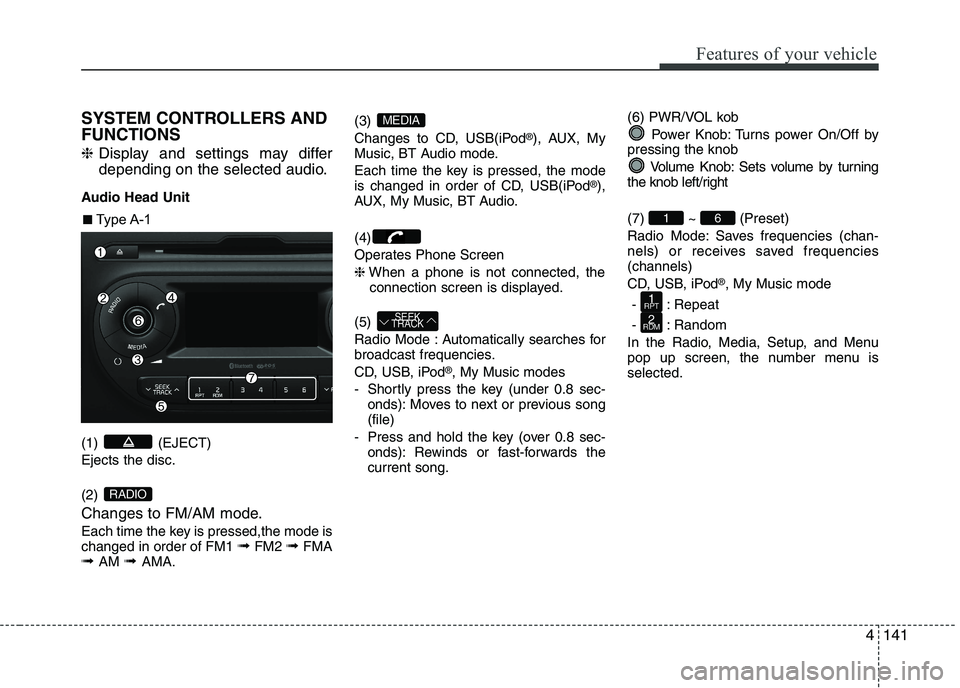
SYSTEM CONTROLLERS AND FUNCTIONS ❈
Display and settings may differ
depending on the selected audio.
Audio Head Unit (1) (EJECT) Ejects the disc. (2)
Changes to FM/AM mode.
Each time the key is pressed,the mode is changed in order of FM1 ➟FM2 ➟FMA
➟ AM ➟ AMA. (3)
Changes to CD, USB(iPod
®
), AUX, My
Music, BT Audio mode.
Each time the key is pressed, the mode
is changed in order of CD, USB(iPod ®
),
AUX, My Music, BT Audio. (4)
Operates Phone Screen❈ When a phone is not connected, the
connection screen is displayed.
(5)
Radio Mode : Automatically searches for
broadcast frequencies.
CD, USB, iPod ®
, My Music modes
- Shortly press the key (under 0.8 sec- onds): Moves to next or previous song (file)
- Press and hold the key (over 0.8 sec- onds): Rewinds or fast-forwards thecurrent song. (6) PWR/VOL kob
Power Knob: Turns power On/Off by
pressing the knob
Volume Knob: Sets volume by turning
the knob left/right (7) ~ (Preset)
Radio Mode: Saves frequencies (chan-
nels) or receives saved frequencies(channels)
CD, USB, iPod ®
, My Music mode
- : Repeat
- : Random
In the Radio, Media, Setup, and Menu
pop up screen, the number menu isselected.
2
RDM
1
RPT
61
SEEK
TRACK
MEDIA
RADIO
■■ Type A-1
Page 217 of 488

Features of your vehicle
1424(8)
Each time the button is shortly pressed (under 0.8 seconds), sets screen Off
➟
Screen On ➟Screen Off
❈ Audio operation is maintained and
only the screen will be turned Off. In
the screen Off state, press any key to
turn the screen On again. (9) Radio Mode
- Shortly press the key (under 0.8 sec-
onds): TA On/Off
- Press and hold the key (over 0.8 sec- onds): Previews each broadcast for 5 seconds each
Media mode
- Press and hold the key (over 0.8 sec- onds): Previews each song (file) for 10 seconds each
❈ Press and holding the key again to
continue listening to the current song(file).
(10)
- Shortly press the key (under 0.8 sec- onds) : Moves to the Display, Sound,
Clock, Phone, System setting modes
- Press and hold the key (over 0.8 sec- onds) : Move to the Time settingscreen (11)
Displays menus for the current
mode. ❈
iPod ®
List : Move to parent category
(12)
CD MP3, USB mode : Folder Search
(13) TUNE knob
Radio mode : Changes frequency by
turning the knob left/right
CD, USB, iPod ®
, My Music mode:
Searches .songs (files) by turning the
knob left/right. ❈ When the desired song is dis-
played, press the knob to play the song.
Moves focus in all selection menus and
selects menus
FOLDER
MENUTA
SCAN