2017 KIA OPTIMA Tire
[x] Cancel search: TirePage 405 of 629
Driving your vehicle
48
6
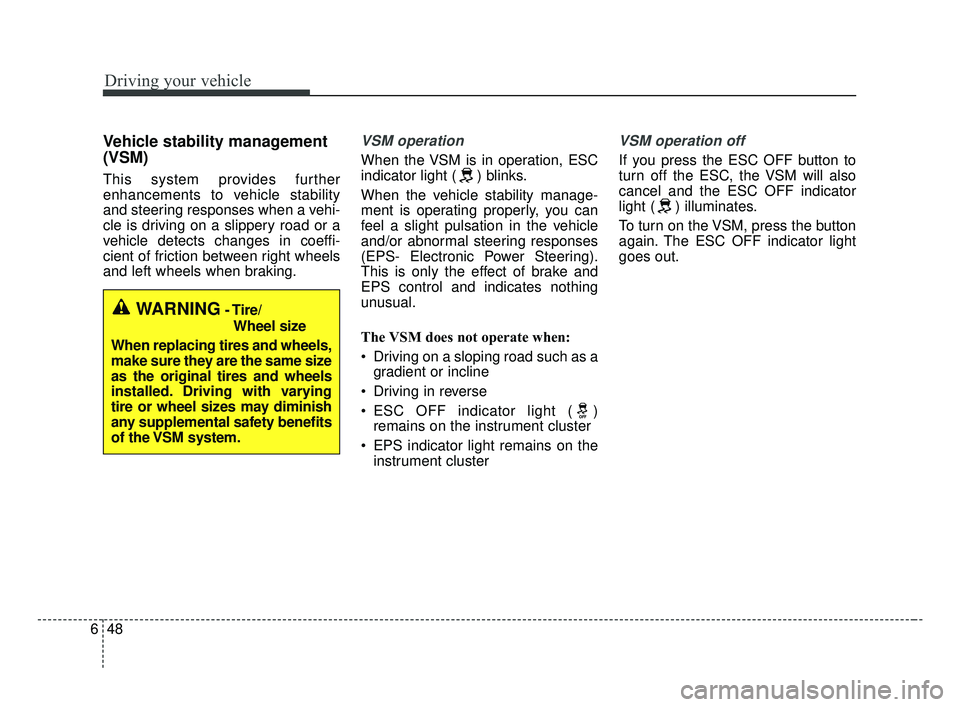
Vehicle stability management
(VSM)
This system provides further
enhancements to vehicle stability
and steering responses when a vehi-
cle is driving on a slippery road or a
vehicle detects changes in coeffi-
cient of friction between right wheels
and left wheels when braking.
VSM operation
When the VSM is in operation, ESC
indicator light ( ) blinks.
When the vehicle stability manage-
ment is operating properly, you can
feel a slight pulsation in the vehicle
and/or abnormal steering responses
(EPS- Electronic Power Steering).
This is only the effect of brake and
EPS control and indicates nothing
unusual.
The VSM does not operate when:
Driving on a sloping road such as a
gradient or incline
Driving in reverse
ESC OFF indicator light ( ) remains on the instrument cluster
EPS indicator light remains on the instrument cluster
VSM operation off
If you press the ESC OFF button to
turn off the ESC, the VSM will also
cancel and the ESC OFF indicator
light ( ) illuminates.
To turn on the VSM, press the button
again. The ESC OFF indicator light
goes out.
WARNING- Tire/
Wheel size
When replacing tires and wheels,
make sure they are the same size
as the original tires and wheels
installed. Driving with varying
tire or wheel sizes may diminish
any supplemental safety benefits
of the VSM system.
JF CAN (ENG) 6.qxp 2016-09-21 11:25 Page 48
Page 407 of 629

Driving your vehicle
50
6
Good braking practices
Check to be sure the parking brake
is not engaged and the parking
brake indicator light is out before
driving away.
Driving through water may get the brakes wet. They can also get wet
when the vehicle is washed. Wet
brakes can be dangerous! Your
vehicle will not stop as quickly if the
brakes are wet. Wet brakes may
cause the vehicle to pull to one side.
To dry the brakes, apply the brakes
lightly until the braking action
returns to normal, taking care to
keep the vehicle under control at all
times. If the braking action does not
return to normal, stop as soon as it
is safe to do so and call an author-
ized Kia dealer for assistance.
Don't coast down hills with the vehicle out of gear. This is extreme-
ly hazardous. Keep the vehicle in
gear at all times, use the brakes to
slow down, then shift to a lower
gear so that engine braking will
help you maintain a safe speed. Don't "ride" the brake pedal.
Resting your foot on the brake
pedal while driving can be danger-
ous because the brakes might
overheat and lose their effective-
ness. It also increases the wear of
the brake components.
If a tire goes flat while you are driv- ing, apply the brakes gently and
keep the vehicle pointed straight
ahead while you slow down. When
you are moving slowly enough for it
to be safe to do so, pull off the road
and stop in a safe place.
If your vehicle is equipped with an Automatic Transaxle / Dual clutch
transmission, don't let your vehicle
creep forward. To avoid creeping
forward, keep your foot firmly on
the brake pedal when the vehicle is
stopped.
Be cautious when parking on a hill. Firmly engage the parking brake
and place the shift lever in P (auto-
matic transaxle). If your vehicle is
facing downhill, turn the front
wheels into the curb to help keep
the vehicle from rolling. If your vehicle is facing uphill, turn
the front wheels away from the
curb to help keep the vehicle from
rolling. If there is no curb or if it is
required by other conditions to
keep the vehicle from rolling, block
the wheels.
Under some conditions your park- ing brake can freeze in the
engaged position. This is most like-
ly to happen when there is an
accumulation of snow or ice
around or near the rear brakes or if
the brakes are wet. If there is a risk
that the parking brake may freeze,
apply it only temporarily while you
put the shift lever in P (automatic
transaxle) and block the rear
wheels so the vehicle cannot roll.
Then release the parking brake.
Do not hold the vehicle on an incline with the accelerator pedal.
This can cause the transaxle to
overheat. Always use the brake
pedal or parking brake.
JF CAN (ENG) 6.qxp 2016-09-21 11:25 Page 50
Page 439 of 629

Driving your vehicle
82
6
- After an engine start, please stop
for several seconds. If system ini-
tialization is not completed, the
ASCC does not normally operate.
- After an engine start, if any objects are not detected or the sensor
cover is obscured with foreign sub-
stances, there is a possibility that
the ASCC system may not work.
- The following conditions may cause a malfunction: over-loading
the trunk, suspension modification,
tire replacement with unauthorized
tires or tires with different tread
wear and pressure levels. This device complies with
Industry Canada licence-exempt
RSS standard(s).
Operation is subject to the following
three conditions:
(1) This device may not cause inter-
ference, and
(2) This device must accept any interference, including interfer-
ence that may cause undesired
operation of the device.
(3) Changes or modifications not expressly approved by the party
responsible for compliance could
void the user’s authority to oper-
ate the device.
WARNING - Inclines &
Towing
Do not use ASCC on steep
inclines or when towing another
vehicle or trailer since such
extreme loading can interfere
with your vehicle's ability to
maintain the selected speed.WARNING
The advanced smart cruise con-
trol system may not detect a
vehicle which stops farther than
180 m ahead from your vehicle.
Therefore, never solely rely on
the system and pay attention
when driving to avoid a collision.
JF CAN (ENG) 6.qxp 2016-09-21 11:27 Page 82
Page 449 of 629

Driving your vehicle
92
6
✽ ✽
NOTICE
• The system may not work proper-
ly if the bumper has been replaced
or if repair work has been done
near the sensor.
• The detection area differs according to the roads road's width. If the road
is narrow the system may detect
other vehicles in the next lane.
• If the road is very wide the system may not detect other vehicles.
• The system may turn off due to strong electromagnetic interfer-
ence.
Limitations condition
Driver's Attention
The driver must be cautious in the
below situations for the system may
not assist the driver and may not
work properly.
- Curved roads, tollgates, etc.
- The surrounding of the sensor cover
is dirty with rain, snow, mud, etc.
- The rear bumper near the sensor is covered or obstructed with foreign
matter such as a sticker, bumper
guard, bicycle racks etc.
- The rear bumper is damaged or the sensor is out of place.
- The height of the vehicle has signif- icantly changed such as when the
trunk is loaded with heavy objects,
abnormal tire pressure etc.
- Due to bad weather such as heavy rain or snow. - A fixed object is near such as a
guardrail, etc.
- A substantial amount of metallic objects such as a construction
area.
- A large vehicle is nearby such as a bus or truck.
- A motorcycle or bicycle is near.
- A flat trailer is near.
- If two vehicles near each other accelerate together.
- When another vehicle passes by at a high rate of speed.
- When changing lanes.
- When going down or up a steep road where the height of the lane is
different.
- When another vehicle drives very close the back bumper/trunk.
- When a trailer or carrier is installed.
- When going down or up a steep, uneven road.
WARNING
The Blind Spot Detection
System with Lane Change
Assist and Rear Cross Traffic
Alert is not a substitute for
proper and safe lane changing
procedures. Always drive safely
and use caution when changing
lanes. The Blind Spot Detection
System may not detect every
object alongside the vehicle.
JF CAN (ENG) 6.qxp 2016-09-21 11:28 Page 92
Page 455 of 629

Driving your vehicle
98
6
Your vehicle's fuel economy depends
mainly on your style of driving, where
you drive and when you drive.
Each of these factors affects how
many kilometers (miles) you can get
from a liter (gallon) of fuel. To operate
your vehicle as economically as pos-
sible, use the following driving sug-
gestions to help save money in both
fuel and repairs:
Drive smoothly. Accelerate at a
moderate rate. Don't make "jack-
rabbit" starts or full-throttle shifts
and maintain a steady cruising
speed. Don't race between stop-
lights. Try to adjust your speed to
the traffic so you don't have to
change speeds unnecessarily.
Avoid heavy traffic whenever pos-
sible. Always maintain a safe dis-
tance from other vehicles so you
can avoid unnecessary braking.
This also reduces brake wear.
Drive at a moderate speed. The faster you drive, the more fuel your
vehicle uses. Driving at a moderate
speed, especially on the highway,
is one of the most effective ways to
reduce fuel consumption. Don't "ride" the brake pedal. This
can increase fuel consumption and
also increase wear on these com-
ponents. In addition, driving with
your foot resting on the brake pedal
may cause the brakes to overheat,
which reduces their effectiveness
and may lead to more serious con-
sequences.
Take care of your tires. Keep them inflated to the recommended pres-
sure. Incorrect inflation, either too
much or too little, results in unnec-
essary tire wear. Check the tire
pressures at least once a month.
Be sure that the wheels are aligned correctly. Improper align-
ment can result from hitting curbs
or driving too fast over irregular
surfaces. Poor alignment causes
faster tire wear and may also result
in other problems as well as
greater fuel consumption. Keep your vehicle in good condi-
tion. For better fuel economy and
reduced maintenance costs, main-
tain your vehicle in accordance
with the maintenance schedule in
chapter 8. If you drive your vehicle
in severe conditions, more frequent
maintenance is required (see
chapter 8 for details).
Keep your vehicle clean. For maxi- mum service, your vehicle should
be kept clean and free of corrosive
materials. It is especially important
that mud, dirt, ice, etc. not be
allowed to accumulate on the
underside of the vehicle. This extra
weight can result in increased fuel
consumption and also contribute to
corrosion.
Travel lightly. Don't carry unneces- sary weight in your vehicle. Weight
reduces fuel economy.
Don't let the engine idle longer than necessary. If you are waiting
(and not in traffic), turn off your
engine and restart only when
you're ready to go.
ECONOMICAL OPERATION
JF CAN (ENG) 6.qxp 2016-09-21 11:28 Page 98
Page 457 of 629

Driving your vehicle
100
6
Hazardous driving conditions
When hazardous driving conditions
are encountered such as water,
snow, ice, mud, sand, or similar haz-
ards, follow these suggestions:
Drive cautiously and allow extra
distance for braking.
Avoid sudden braking or steering.
When braking with non-ABS brakes pump the brake pedal with
a light up-and-down motion until
the vehicle is stopped.
Do not pump the brake pedal on a
vehicle equipped with ABS. If stalled in snow, mud, or sand,
use the second gear. Accelerate
slowly to avoid spinning the drive
wheels.
Use sand, rock salt, or other non- slip material under the drive
wheels to provide traction when
stalled in ice, snow, or mud.
Rocking the vehicle
If it is necessary to rock the vehicle
to free it from snow, sand, or mud,
first turn the steering wheel right and
left to clear the area around your
front wheels. Then, shift back and
forth between R (Reverse) and any
forward gear in vehicles equipped
with an Automatic Transaxle / Dual
clutch transmission. Do not race the
engine, and spin the wheels as little
as possible. If you are still stuck after
a few tries, have the vehicle pulled
out by a tow vehicle to avoid engine
overheating and possible damage to
the transaxle.
SPECIAL DRIVING CONDITIONS
WARNING- Downshifting
Do not downshift with an auto-
matic transaxle while driving on
slippery surfaces. The sudden
change in tire speed could
cause the tires to skid and
result in an accident.
WARNING- Sudden
Vehicle Movement
Do not attempt to rock the vehi-
cle if people or objects are near-
by. The vehicle may suddenly
move forward or backwards as it
becomes unstuck.
JF CAN (ENG) 6.qxp 2016-09-21 11:28 Page 100
Page 458 of 629

6101
Driving your vehicle
The ESC system should be turned
OFF prior to rocking the vehicle.
Smooth cornering
Avoid braking or gear changing in
corners, especially when roads are
wet. Ideally, corners should always
be taken under gentle acceleration. If
you follow these suggestions, tire
wear will be held to a minimum.
Driving at night
Because night driving presents more
hazards than driving in the daylight,
here are some important tips to
remember:
Slow down and keep more dis-tance between you and other vehi-
cles, as it may be more difficult to
see at night, especially in areas
where there may not be any street
lights.
CAUTION- Vehicle rocking
Prolonged rocking may causeengine overheating, transaxledamage or failure, and tire dam-age.
CAUTION- Spinning tires
Do not spin the wheels, espe-cially at speeds more than 56km/h (35 mph). Spinning thewheels at high speeds when thevehicle is stationary couldcause a tire to overheat whichcould result in tire damage thatmay injure bystanders.
OJF055062LOJF055063L
JF CAN (ENG) 6.qxp 2016-09-21 11:28 Page 101
Page 459 of 629

Driving your vehicle
102
6
Adjust your mirrors to reduce the
glare from other driver's head-
lights.
Keep your headlights clean and properly aimed. (On vehicles not
equipped with the automatic head-
light aiming feature.) Dirty or
improperly aimed headlights will
make it much more difficult to see
at night.
Avoid staring directly at the head- lights of oncoming vehicles. You
could be temporarily blinded, and it
will take several seconds for your
eyes to readjust to the darkness.Driving in the rain
Rain and wet roads can make driving
dangerous, especially if you’re not
prepared for the slick pavement.
Here are a few things to consider
when driving in the rain: A heavy rainfall will make it harder
to see and will increase the dis-
tance needed to stop your vehicle,
so slow down.
Keep your windshield wiping equipment in good shape. Replace
your windshield wiper blades when
they show signs of streaking or
missing areas on the windshield.
If your tires are not in good condi- tion, making a quick stop on wet
pavement can cause a skid and
possibly lead to an accident. Be
sure your tires are in good shape.
Turn on your headlights to make it easier for others to see you.
Driving too fast through large pud- dles can affect your brakes. If you
must go through puddles, try to
drive through them slowly.
If you believe you may have gotten your brakes wet, apply them lightly
while driving until normal braking
operation returns.
OJFA055064
JF CAN (ENG) 6.qxp 2016-09-21 11:28 Page 102