2017 KIA CARENS RHD brake light
[x] Cancel search: brake lightPage 494 of 723
659
Driving your vehicle
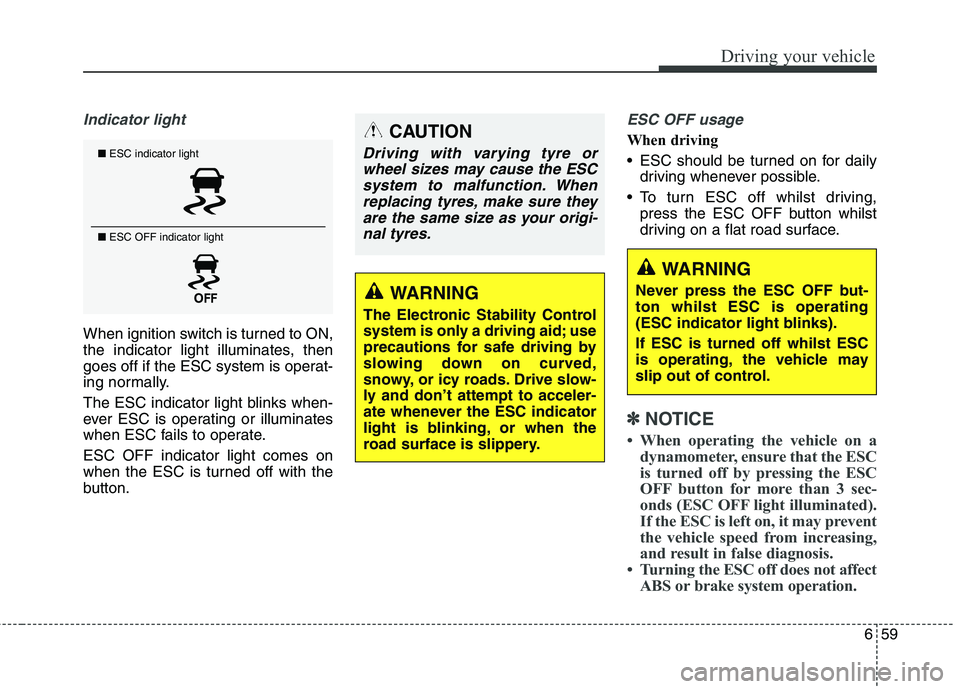
Indicator light
When ignition switch is turned to ON,
the indicator light illuminates, then
goes off if the ESC system is operat-
ing normally.
The ESC indicator light blinks when-
ever ESC is operating or illuminates
when ESC fails to operate. ESC OFF indicator light comes on
when the ESC is turned off with the
button.
ESC OFF usage
When driving
ESC should be turned on for dailydriving whenever possible.
To turn ESC off whilst driving, press the ESC OFF button whilst
driving on a flat road surface.
✽✽ NOTICE
When operating the vehicle on a dynamometer, ensure that the ESC
is turned off by pressing the ESC
OFF button for more than 3 sec-
onds (ESC OFF light illuminated).
If the ESC is left on, it may prevent
the vehicle speed from increasing,
and result in false diagnosis.
Turning the ESC off does not affect ABS or brake system operation.
■ESC indicator light
■ ESC OFF indicator light
CAUTION
Driving with varying tyre or
wheel sizes may cause the ESCsystem to malfunction. When replacing tyres, make sure theyare the same size as your origi-nal tyres.
WARNING
The Electronic Stability Control
system is only a driving aid; use
precautions for safe driving by
slowing down on curved,
snowy, or icy roads. Drive slow-
ly and don’t attempt to acceler-
ate whenever the ESC indicator
light is blinking, or when the
road surface is slippery.
WARNING
Never press the ESC OFF but- ton whilst ESC is operating
(ESC indicator light blinks). If ESC is turned off whilst ESC
is operating, the vehicle may
slip out of control.
Page 495 of 723
Driving your vehicle
60
6
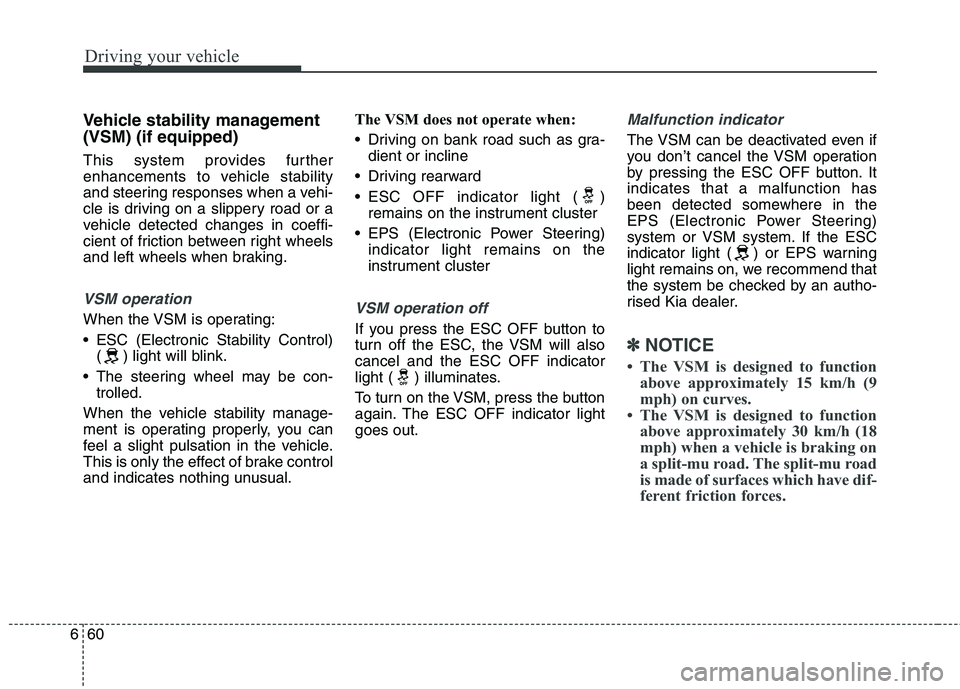
Vehicle stability management (VSM) (if equipped)
This system provides further
enhancements to vehicle stability
and steering responses when a vehi-
cle is driving on a slippery road or a
vehicle detected changes in coeffi-
cient of friction between right wheels
and left wheels when braking.
VSM operation
When the VSM is operating:
ESC (Electronic Stability Control)
( ) light will blink.
The steering wheel may be con- trolled.
When the vehicle stability manage-
ment is operating properly, you can
feel a slight pulsation in the vehicle.
This is only the effect of brake control
and indicates nothing unusual. The VSM does not operate when:
Driving on bank road such as gra-
dient or incline
Driving rearward
ESC OFF indicator light ( ) remains on the instrument cluster
EPS (Electronic Power Steering) indicator light remains on the
instrument clusterVSM operation off
If you press the ESC OFF button to
turn off the ESC, the VSM will alsocancel and the ESC OFF indicator
light ( ) illuminates.
To turn on the VSM, press the button
again. The ESC OFF indicator lightgoes out.
Malfunction indicator
The VSM can be deactivated even if
you don’t cancel the VSM operation
by pressing the ESC OFF button. Itindicates that a malfunction has
been detected somewhere in the
EPS (Electronic Power Steering)
system or VSM system. If the ESC
indicator light ( ) or EPS warning
light remains on, we recommend that
the system be checked by an autho-
rised Kia dealer.
✽✽ NOTICE
The VSM is designed to function above approximately 15 km/h (9
mph) on curves.
The VSM is designed to function above approximately 30 km/h (18
mph) when a vehicle is braking on
a split-mu road. The split-mu road
is made of surfaces which have dif-
ferent friction forces.
Page 497 of 723
Driving your vehicle
62
6
Emergency Stop Signal (ESS) (if equipped) The Emergency Stop Signal system
alerts the driver behind by blinking
the stop light when the vehicle is
braked rapidly and severely.
The system is activated when:
The vehicle suddenly stops (vehi-
cle speed is over 55km/h and the
vehicle deceleration at greaterthan 7 m/s 2
)
The ABS is activating
When the vehicle speed is under 40
km/h and the ABS deactivates or the
sudden stop situation is over, the
stop light blinking will stop. Instead,
the hazard warning flasher will turn
on automatically.
The hazard warning flasher will turn
off when vehicle speed is over
10km/h after the vehicle has
stopped. Also, it will turn off when the
vehicle is driven at low speed for
some time. You can turn it off manu-
ally by pushing the hazard warning
flasher switch. Good braking practices
WARNING
Whenever you leave or park your vehicle, always set the parking brake as far as possi-
ble and fully engage the vehi-
cle's transaxle into the P
(Park) position. If the parking
brake is not fully engaged, the
vehicle may move inadver-
tently and injure yourself and
others.
All vehicles should always have the parking brake fully
engaged when parking to
avoid inadvertent movement
of the vehicle which can injureoccupants or pedestrians.
CAUTION
The Emergency Stop Signal
(ESS) system will not work if thehazard warning flasher is already on.
Page 498 of 723
663
Driving your vehicle
Check to be sure the parking brakeis not engaged and that the park-
ing brake indicator light is out
before driving away.
Driving through water may get the brakes wet. They can also get wet
when the vehicle is washed. Wet
brakes can be dangerous! Your
vehicle will not stop as quickly if the
brakes are wet. Wet brakes may
cause the vehicle to pull to one
side.
To dry the brakes, apply the brakes
lightly until the braking action
returns to normal, taking care to
keep the vehicle under control at
all times. If the braking action does
not return to normal, stop as soon
as it is safe to do so and we rec-
ommend that you call an autho-
rised Kia dealer.
Do not coast down hills with the vehicle out of gear. This is extreme-
ly hazardous. Keep the vehicle in
gear at all times, use the brakes to
slow down, then shift to a lower
gear so that engine braking will
help you maintain a safe speed. Do not "ride" the brake pedal.
Resting your foot on the brake
pedal whilst driving can be danger-ous because it can result in the
brakes overheating and losing their
effectiveness. It also increases the
wear of the brake components.
If a tyre goes flat whilst you are driving, apply the brakes gently and
keep the vehicle pointed straight
ahead whilst you slow down. When
you are moving slowly enough for it
to be safe to do so, pull off the road
and stop in a safe place.
If your vehicle is equipped with an automatic transaxle / dual clutch
transmission, do not let your vehi-
cle creep forward. To avoid creep-
ing forward, keep your foot firmly
on the brake pedal when the vehi-cle is stopped.
Be cautious when parking on a hill. Firmly engage the parking brake
and place the shift lever in P (auto-
matic transaxle / dual clutch trans-
mission) or in first or reverse gear
(manual transaxle). If your vehicle
is facing downhill, turn the front
wheels into the kerb to help keep
the vehicle from rolling. If your vehicle is facing uphill, turn
the front wheels away from the
kerb to help keep the vehicle from
rolling. If there is no kerb or if it is
required by other conditions to
keep the vehicle from rolling, block
the wheels.
Under some conditions your park- ing brake can freeze in the
engaged position. This is most like-ly to happen when there is an accu-
mulation of snow or ice around or
near the rear brakes or if the brakes
are wet. If there is a risk that the
parking brake may freeze, apply it
only temporarily whilst you put the
shift lever in P (automatic transaxle
/ dual clutch transmission) or in first
or reverse gear (manual transaxle)
and block the rear wheels so the
vehicle cannot roll. Then release
the parking brake.
Do not hold the vehicle on the upgrade with the accelerator
pedal. This can cause the transaxle
to overheat. Always use the brake
pedal or parking brake.
Page 500 of 723
665
Driving your vehicle
✽✽NOTICE
During normal cruise control oper- ation, when the SET switch is acti-
vated or reactivated after applying
the brakes, the cruise control will
energize after approximately 3 sec-
onds. This delay is normal.
To activate cruise control, depress the brake pedal at least once after
turning the ignition switch to the
ON position or starting the engine.
This is to check if the brake switch
which is important part to cancel
cruise control is in normal condi-
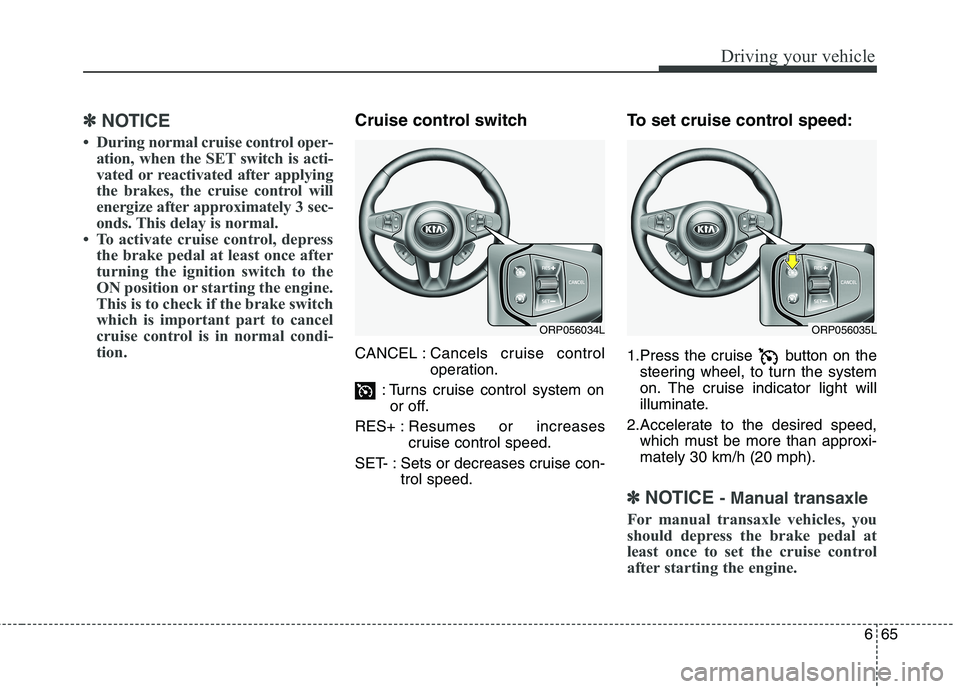
tion.Cruise control switch CANCEL : Cancels cruise control
operation.
: Turns cruise control system on or off.
RES+ : Resumes or increases
cruise control speed.
SET- : Sets or decreases cruise con- trol speed. To set cruise control speed:
1.Press the cruise button on the
steering wheel, to turn the system
on. The cruise indicator light will
illuminate.
2.Accelerate to the desired speed, which must be more than approxi- mately 30 km/h (20 mph).
✽✽ NOTICE - Manual transaxle
For manual transaxle vehicles, you
should depress the brake pedal at
least once to set the cruise control
after starting the engine.
ORP056034LORP056035L
Page 502 of 723
667
Driving your vehicle
To temporarily accelerate with
the cruise control on:
If you want to speed up temporarily
when the cruise control is on,
depress the accelerator pedal.
Increased speed will not interfere
with cruise control operation orchange the set speed.
To return to the set speed, take your
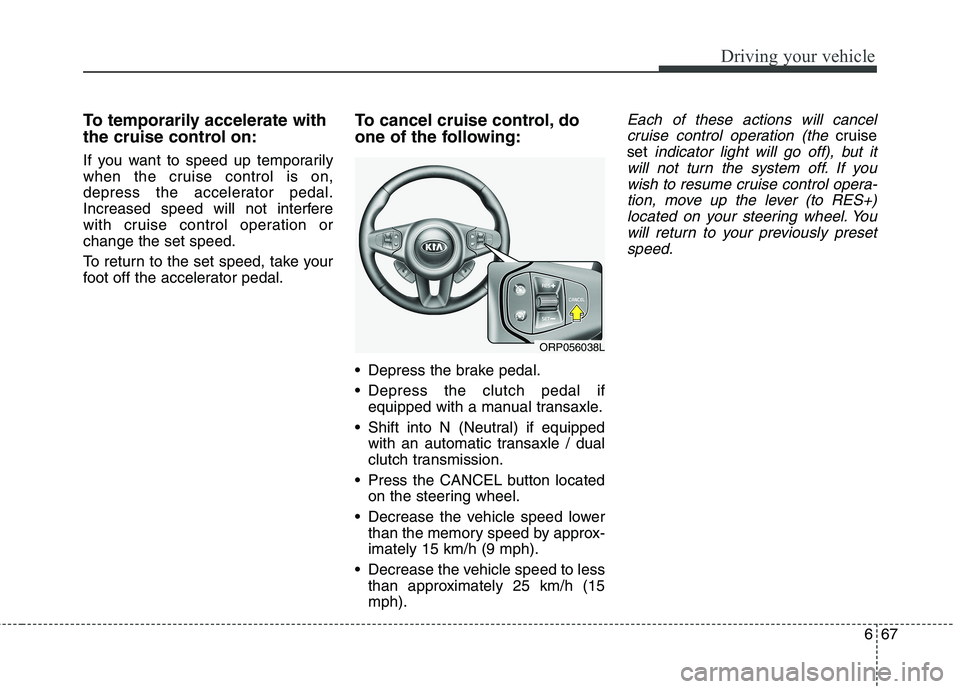
foot off the accelerator pedal.To cancel cruise control, do
one of the following:
Depress the brake pedal.
Depress the clutch pedal if
equipped with a manual transaxle.
Shift into N (Neutral) if equipped with an automatic transaxle / dual
clutch transmission.
Press the CANCEL button located on the steering wheel.
Decrease the vehicle speed lower than the memory speed by approx-imately 15 km/h (9 mph).
Decrease the vehicle speed to less than approximately 25 km/h (15mph).Each of these actions will cancel
cruise control operation (the
cruise
set
indicator light will go off), but it
will not turn the system off. If you wish to resume cruise control opera-tion, move up the lever (to RES+)located on your steering wheel. You will return to your previously presetspeed.
ORP056038L
Page 525 of 723
Driving your vehicle
90
6
ECONOMICAL OPERATION
Your vehicle's fuel economy depends
mainly on your style of driving, where
you drive and when you drive.
Each of these factors affects how
many kilometers (miles) you can get
from a litre (gallon) of fuel. To operate
your vehicle as economically as pos-
sible, use the following driving sug-
gestions to help save money in bothfuel and repairs:
Drive smoothly. Accelerate at a moderate rate. Do not make "jack-
rabbit" starts or full-throttle shifts
and maintain a steady cruising
speed. Do not race between stop-
lights. Try to adjust your speed to
the traffic so you do not have to
change speeds unnecessarily.
Avoid heavy traffic whenever pos-
sible. Always maintain a safe dis-
tance from other vehicles so you
can avoid unnecessary braking.
This also reduces brake wear.
Drive at a moderate speed. The faster you drive, the more fuel your
vehicle uses. Driving at a moderate
speed, especially on the highway,
is one of the most effective ways toreduce fuel consumption. Do not "ride" the brake or clutch
pedal. This can increase fuel con-
sumption and also increase wear
on these components. In addition,
driving with your foot resting on the
brake pedal may cause the brakes
to overheat, which reduces their
effectiveness and may lead to
more serious consequences.
Take care of your tyres. Keep them inflated to the recommended pres-
sure. Incorrect inflation, either too
much or too little, results in unnec-
essary tyre wear. Check the tyrepressures at least once a month.
Be sure that the wheels are aligned correctly. Improper align-
ment can result from hitting kerbs
or driving too fast over irregular
surfaces. Poor alignment causes
faster tyre wear and may also
result in other problems as well as
greater fuel consumption. Keep your vehicle in good condi-
tion. For better fuel economy and
reduced maintenance costs, main-
tain your vehicle in accordance
with the maintenance schedule. If
you drive your vehicle in severe
conditions, more frequent mainte-nance is required.
Keep your vehicle clean. For maxi- mum service, your vehicle should
be kept clean and free of corrosive
materials. It is especially important
that mud, dirt, ice, etc. not be
allowed to accumulate on the
underside of the vehicle. This extra
weight can result in increased fuel
consumption and also contribute tocorrosion.
Travel lightly. Do not carry unnec- essary weight in your vehicle.
Weight reduces fuel economy.
Do not let the engine idle longer than necessary. If you are waiting
(and not in traffic), turn off your
engine and restart only when
you're ready to go.
Page 526 of 723
691
Driving your vehicle
Remember, your vehicle does notrequire extended warm-up. After
the engine has started, allow the
engine to run for 10 to 20 seconds
prior to placing the vehicle in gear.
In very cold weather, however, give
your engine a slightly longer warm-
up period.
Do not "lug" or "over-rev" the engine. Lugging is driving too slow-ly in too high a gear resulting
engine bucking. If this happens,
shift to a lower gear. Over-revving
is racing the engine beyond its safe
limit. This can be avoided by shift-
ing at the recommended speeds.
Use your air conditioning sparingly. The air conditioning system is
operated by engine power so your
fuel economy is reduced when youuse it.
Open windows at high speeds can reduce fuel economy.
Fuel economy is less in crosswinds and headwinds. To help offset
some of this loss, slow down when
driving in these conditions. Keeping a vehicle in good operating
condition is important both for econ-
omy and safety. We recommend in
general that the vehicle be serviced
by an authorised Kia dealer.
WARNING
- Engine off
during motion
Never turn the engine off to
coast down hills or anytime the
vehicle is in motion. The power
steering and power brakes will
not function properly without
the engine running. Instead,
keep the engine on and down-
shift to an appropriate gear for
engine braking effect. In addi-
tion, turning off the ignition
whilst driving could engage the
steering wheel lock (ifequipped) resulting in loss of
vehicle steering which could
cause serious injury or death.