2017 KIA CADENZA power steering
[x] Cancel search: power steeringPage 14 of 500

Your vehicle at a glance
42
INTERIOR OVERVIEW
1. Door lock/unlock button.........................4-17
2. Power window switches ........................4-31
3. Central door lock switch ........................4-18
4. Power window lock button .....................4-34
5. Outside rearview mirror control switch..4-62
6. Outside rearview mirror folding button ..4-63
7. Fuel filler lid release button ...................4-37
8. Trunk lid release button................4-20, 4-21
9. ESC OFF button ...................................5-31
10. Instrument panel illumination control switch ......................................4-65
11. BSD On/OFF button............................5-76
12. Lane departure warning system button ................................................4-105
13. Steering wheel ....................................4-47
14. Steering wheel tilt control....................4-48
15. Inner fuse panel ..................................7-58
16. Brake pedal .........................................5-17
17. Parking brake pedal ............................5-19
18. Hood release lever ..............................4-35
19. Seat .......................................................3-4
OYG016003N❈ The actual shape may differ from the illustration.
Page 15 of 500

25
Your vehicle at a glance
INSTRUMENT PANEL OVERVIEW
1. Steering wheel audio controls ............4-155
2. Driver`s front air bag .............................3-54
3. Horn ......................................................4-51
4. Instrument cluster .................................4-64
5. Wiper/Washer .....................................4-113
6. Engine start/stop button .........................5-6
7. Cruise control ..............................5-49, 5-53
8. Audio...................................................4-154
9. Hazard warning flasher switch................6-2
10. Climate control system .....................4-122
11. Shift lever ............................................5-10
12. Seat warmer /Air ventilation switch ..............4-142, 4-144
13. Heated steering wheel button.............4-50
14. Drive mode control button ..................5-68
15. Electronic parking brake(EPB) switch... 5-20
16. AUTO HOLD control button ................5-26
17. Surround view monitoring system ....4-105
18. Rear curtain button ...........................4-151
19. Wireless smart phone charging system ..............................................4-146
20. Power outlet ......................................4-145
21. AUX, USB port..................................4-156
22. Center console box...........................4-140
23. Glove box ..........................................4-140
24. Passenger`s front air bag ...................3-54
OYG016004N❈ The actual shape may differ from the illustration.
Page 23 of 500

37
Safety features of your vehicle
Front seat adjustment - power
The front seat can be adjusted by
using the control switches located on
the outside of the seat cushion.
Before driving, adjust the seat to the
proper position so you can easily con-
trol the steering wheel, pedals and
switches on the instrument panel.When in operation, the power seat-
consumes a large amount of electri-
cal power. To prevent unnecessary
system drain, don’t adjust the power
seat longer than necessary while the
engine is not running.WARNING- Seat adjustment
Do not adjust the seat while wearing seat belts. Moving the
seat forward will cause strong
pressure on the abdomen.
Do not place your hand near the seat bottom or seat track
while adjusting the seat. Your
hand could get caught in the
seat mechanism.
WARNING- Small
Objects
Use extreme caution when pick-
ing up small objects trapped
under the seats or between the
seat and the center console.
Your hands might be cut or
injured by the sharp edges of
the seats mechanism.
WARNING- Unattended children
Do not leave children unattend-
ed in the vehicle. Children might
operate features of the vehicle
that could injure them.
CAUTION- Power seat adjustments
The power seating controlsfunction by electronic motor.
Excessive operation may causedamage to the electrical equip-ment.
CAUTION- Power Seating
Do not operate two or morepower seat control switches atthe same time. Doing so maydamage the power seat motor orelectrical components.
Page 83 of 500

Steering wheel . . . . . . . . . . . . . . . . . . . . . . . . . . . . . 4-47
• Electric power steering (EPS) . . . . . . . . . . . . . . . . . . 4-47
• Tilt and telescopic steering . . . . . . . . . . . . . . . . . . . . 4-48
• Heated steering wheel . . . . . . . . . . . . . . . . . . . . . . . . . 4-50
• Horn . . . . . . . . . . . . . . . . . . . . . . . . . . . . . . . . . . . . \
. . . 4-51
Mirrors . . . . . . . . . . . . . . . . . . . . . . . . . . . . . . . . . . 4-52\
• Inside rearview mirror . . . . . . . . . . . . . . . . . . . . . . . . 4-52
• Automatic-dimming function . . . . . . . . . . . . . . . . . . . 4-54
• Compass function . . . . . . . . . . . . . . . . . . . . . . . . . . . . 4-55
• Programming HomeLink
®. . . . . . . . . . . . . . . . . . . . . 4-57
• Standard programming . . . . . . . . . . . . . . . . . . . . . . . 4-57
• Rolling code programming . . . . . . . . . . . . . . . . . . . . . 4-58
• Gate operator & Canadian programming . . . . . . . . 4-59
• Operating HomeLink
®. . . . . . . . . . . . . . . . . . . . . . . . 4-59
• Reprogramming a single HomeLink
®button. . . . . . 4-60
• Erasing HomeLink
®buttons . . . . . . . . . . . . . . . . . . . 4-60
• Outside rearview mirror. . . . . . . . . . . . . . . . . . . . . . . 4-61
Instrument cluster . . . . . . . . . . . . . . . . . . . . . . . . . 4-64
• Instrument cluster control . . . . . . . . . . . . . . . . . . . . . 4-65
• LCD display control . . . . . . . . . . . . . . . . . . . . . . . . . . 4-65
• Gauges . . . . . . . . . . . . . . . . . . . . . . . . . . . . . . . . . . . . \
. 4-66
• Transaxle shift indicator . . . . . . . . . . . . . . . . . . . . . . . 4-69
LCD windows . . . . . . . . . . . . . . . . . . . . . . . . . . . . . 4-70
• Over view . . . . . . . . . . . . . . . . . . . . . . . . . . . . . . . . . . . 4-\
70
• Trip information (Trip computer) . . . . . . . . . . . . . . . 4-70
• LCD Modes . . . . . . . . . . . . . . . . . . . . . . . . . . . . . . . . . 4-74
Warning and indicator lights . . . . . . . . . . . . . . . . 4-86
• Warning lights . . . . . . . . . . . . . . . . . . . . . . . . . . . . . . . 4-86
• Indicator Lights . . . . . . . . . . . . . . . . . . . . . . . . . . . . . . 4-93
Head up display (HUD) . . . . . . . . . . . . . . . . . . . . . 4-98
• Description . . . . . . . . . . . . . . . . . . . . . . . . . . . . . . . . . . 4-98\
• Head Up Display ON/OFF . . . . . . . . . . . . . . . . . . . . . 4-99
• Head Up Display Information . . . . . . . . . . . . . . . . . . 4-99
• Head Up Display Setting. . . . . . . . . . . . . . . . . . . . . . . 4-99
Rear parking assist system . . . . . . . . . . . . . . . . . 4-100
• Operation of the rear parking assist system . . . . . . 4-100
• Non-operational conditions of rear parking assist system . . . . . . . . . . . . . . . . . . . . . . . . . . . . . . . 4-101
• Rear parking assist system precautions . . . . . . . . . 4-102
• Self-diagnosis . . . . . . . . . . . . . . . . . . . . . . . . . . . . . . . 4-103
Rearview camera . . . . . . . . . . . . . . . . . . . . . . . . . 4-104
Surround view monitoring system (SVM) . . . . . 4-105
4
Page 85 of 500

Interior features . . . . . . . . . . . . . . . . . . . . . . . . . . 4-142
• Cup holder . . . . . . . . . . . . . . . . . . . . . . . . . . . . . . . . . 4-142
• Seat warmer . . . . . . . . . . . . . . . . . . . . . . . . . . . . . . . . 4-142
• Air ventilation seat . . . . . . . . . . . . . . . . . . . . . . . . . . 4-144
• Sunvisor . . . . . . . . . . . . . . . . . . . . . . . . . . . . . . . . . . . 4-\
144
• Power outlet . . . . . . . . . . . . . . . . . . . . . . . . . . . . . . . . 4-145
• Wireless smart phone charging system . . . . . . . . . . 4-146
• Clothes hanger . . . . . . . . . . . . . . . . . . . . . . . . . . . . . . 4-149
• Floor mat anchor (s) . . . . . . . . . . . . . . . . . . . . . . . . . 4-150
• Side curtain . . . . . . . . . . . . . . . . . . . . . . . . . . . . . . . . 4-151
• Rear curtain . . . . . . . . . . . . . . . . . . . . . . . . . . . . . . . . 4-151
• Clock . . . . . . . . . . . . . . . . . . . . . . . . . . . . . . . . . . . . \
. . 4-152
• Luggage net (Holder) . . . . . . . . . . . . . . . . . . . . . . . . 4-153
Audio system . . . . . . . . . . . . . . . . . . . . . . . . . . . . . 4-154
• Antenna. . . . . . . . . . . . . . . . . . . . . . . . . . . . . . . 4-154
• Steering wheel audio controls. . . . . . . . . . . . . . . . . . 4-155
• AUX, USB port . . . . . . . . . . . . . . . . . . . . . . . . . . . . . 4-156
4
Page 128 of 500

447
Features of your vehicle
Electric power steering (EPS)
The power steering uses a motor to
assist you in steering the vehicle. If
the engine is off or if the power steer-
ing system becomes inoperative, the
vehicle may still be steered, but it will
require increased steering effort.
The motor driven power steering is
controlled by a power steering con-
trol unit which senses the steering
wheel torque and vehicle speed to
command the motor.
The steering becomes heavier as the
vehicle’s speed increases and
becomes lighter as the vehicle’s
speed decreases for optimum steer-
ing control.
Should you notice any change in the
effort required to steer during normal
vehicle operation, have the power
steering checked by an authorized
Kia dealer. If the Electric Power Steering
System does not operate normally,
the warning light will illuminate on
the instrument cluster. The steering
wheel may require increased
steering effort. Take your vehicle to
an authorized Kia dealer and have
the vehicle checked as soon as
possible.
When you operate the steering wheel in low temperature, noise
may occur. If temperature rises, the
noise will likely disappear. This is a
normal condition.
When the vehicle is stationary, and the steering wheel is turned all the
way to the left or right continuous-
ly, the steering wheel becomes
harder to turn. The power assist is
limited to protect the motor from
overheating.
As time passes, the steering wheel
will return to its normal condition.
✽ ✽ NOTICE
The following symptoms may occur
during normal vehicle operation:
• The EPS warning light does not
illuminate.
• The steering gets heavy immedi- ately after turning the ignition
switch on. This happens as the sys-
tem performs the EPS system
diagnostics. When the diagnostics
are completed, the steering wheel
will return to its normal condition.
• A click noise may be heard from the EPS relay after the Engine
Start/Stop button is turned to the
ON or OFF position.
• A motor noise may be heard when the vehicle is at a stop or at a low
driving speed.
• If the Electric Power Steering System does not operate normally,
the warning light will illuminate on
the instrument cluster. The power
steering system will not operate
and steering effort can highly
increase. Take your vehicle to an
authorized Kia dealer and have the
vehicle checked as soon as possible. (Continued)
STEERING WHEEL
Page 170 of 500
489
Features of your vehicle
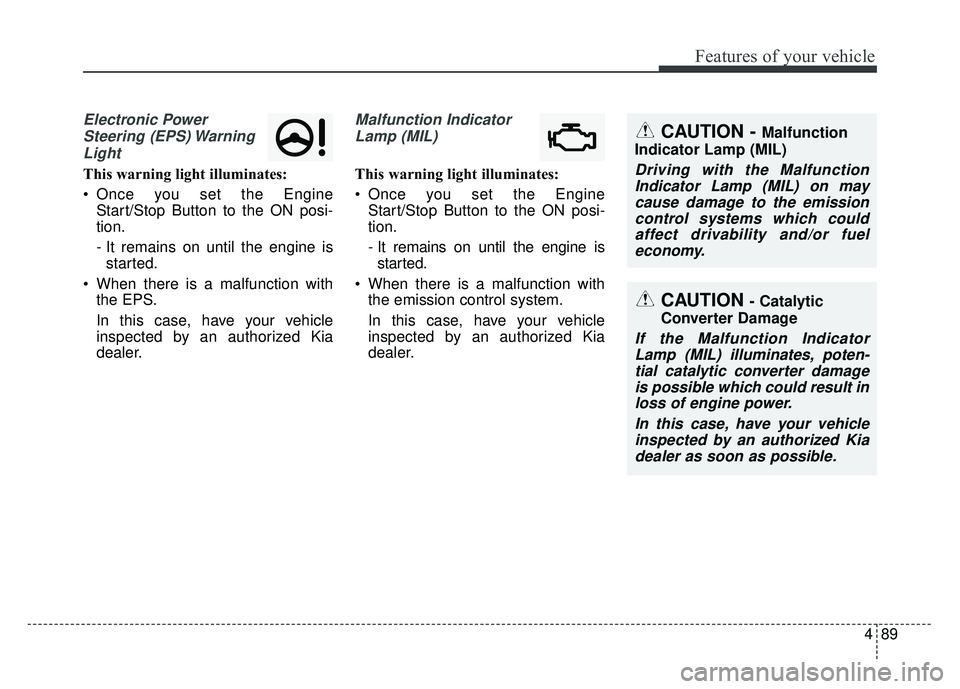
Electronic PowerSteering (EPS) WarningLight
This warning light illuminates:
Once you set the Engine Start/Stop Button to the ON posi-
tion.
- It remains on until the engine isstarted.
When there is a malfunction with the EPS.
In this case, have your vehicle
inspected by an authorized Kia
dealer.
Malfunction Indicator
Lamp (MIL)
This warning light illuminates:
Once you set the Engine Start/Stop Button to the ON posi-
tion.
- It remains on until the engine isstarted.
When there is a malfunction with the emission control system.
In this case, have your vehicle
inspected by an authorized Kia
dealer.
CAUTION - Catalytic
Converter Damage
If the Malfunction Indicator Lamp (MIL) illuminates, poten-tial catalytic converter damageis possible which could result inloss of engine power.
In this case, have your vehicleinspected by an authorized Kiadealer as soon as possible.
CAUTION - Malfunction
Indicator Lamp (MIL)
Driving with the Malfunction Indicator Lamp (MIL) on maycause damage to the emissioncontrol systems which couldaffect drivability and/or fueleconomy.
Page 254 of 500

517
Driving your vehicle
Power brakes
Your vehicle has power-assisted
brakes that adjust automatically
through normal usage.
In the event that the power-assisted
brakes lose power because of a
stalled engine or some other reason,
you can still stop your vehicle by
applying greater force to the brake
pedal than you normally would. The
stopping distance, however, will be
longer.
When the engine is not running, the
reserve brake power is partially
depleted each time the brake pedal
is applied. Do not pump the brake
pedal when the power assist has
been interrupted.
Pump the brake pedal only when
necessary to maintain steering con-
trol on slippery surfaces.Wet brakes may impair the vehicle’s
ability to safely slow down; the vehi-
cle may also pull to one side when
the brakes are applied. Applying the
brakes lightly will indicate whether
they have been affected in this way.
Always test your brakes in this fash-
ion after driving through deep water.
To dry the brakes, apply them lightly
while maintaining a safe forward
speed until brake performance
returns to normal.
BRAKE SYSTEM
WARNING- Steep hill
braking
Avoid continuous application of
the brakes when descending a
long or steep hill by shifting to a
lower gear. Continuous brake
application will cause the brakes
to overheat and could result in a
temporary loss of braking per-
formance.
CAUTION- Brake Pedal
Do not drive with your foot rest- ing on the brake pedal. This willcreate abnormally high braketemperatures which can causeexcessive brake lining and padwear.