Page 259 of 614
Features of your vehicle
162
4
Temperature conversion
If the battery has been discharged or
disconnected, the temperature mode
display will reset to Fahrenheit.
To change the temperature unit from
°F to °C or °C to °F:
- On the instrument cluster, go to
User Settings Mode ➝ Other
Features ➝Temperature Unit.
- Press the AUTO button for 3 sec- onds while pressing the OFF but-
ton. (Automatic climate control sys-
tem)
Both the temperature unit on the
cluster LCD display and climate con-
trol screen will change.Air intake control
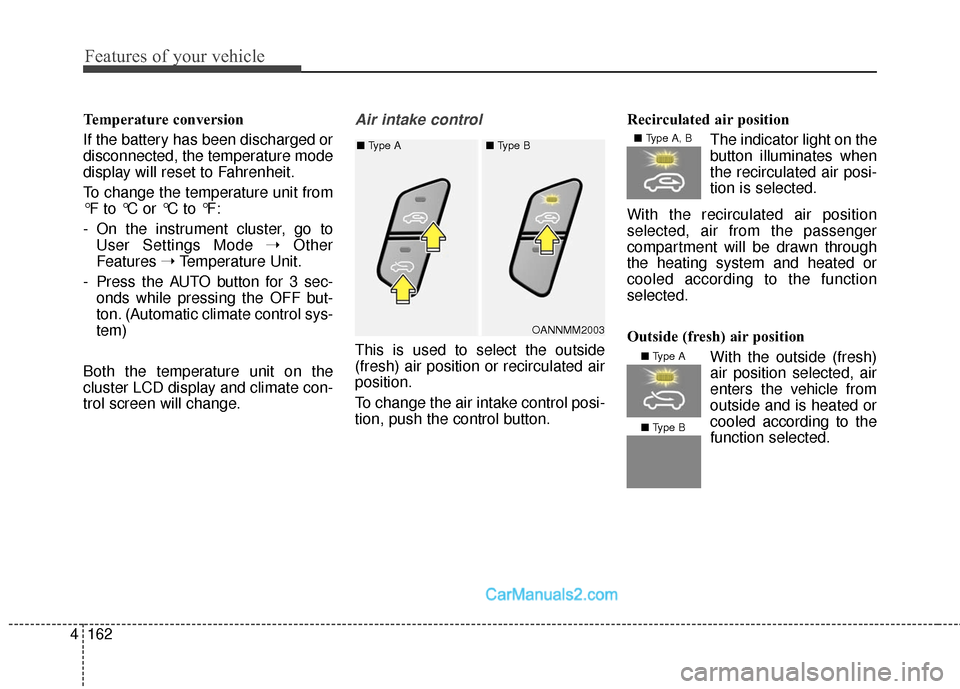
This is used to select the outside
(fresh) air position or recirculated air
position.
To change the air intake control posi-
tion, push the control button. Recirculated air position
The indicator light on the
button illuminates when
the recirculated air posi-
tion is selected.
With the recirculated air position
selected, air from the passenger
compartment will be drawn through
the heating system and heated or
cooled according to the function
selected.
Outside (fresh) air position With the outside (fresh)
air position selected, air
enters the vehicle from
outside and is heated or
cooled according to thefunction selected.
OANNMM2003
■
Type A ■ Type B
■ Type A, B
■ Type A
■ Type B
Page 333 of 614
Features of your vehicle
236
4
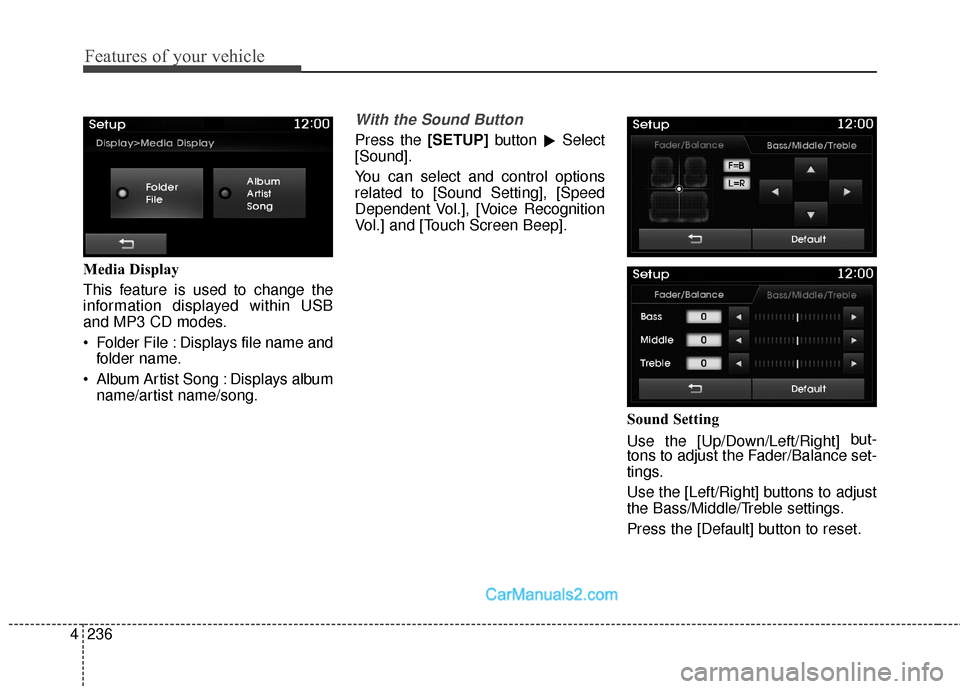
Media Display
This feature is used to change the
information displayed within USB
and MP3 CD modes.
Folder File : Displays file name and
folder name.
Album Artist Song : Displays album name/artist name/song.
With the Sound Button
Press the [SETUP] button
�Select
[Sound].
You can select and control options
related to [Sound Setting], [Speed
Dependent Vol.], [Voice Recognition
Vol.] and [Touch Screen Beep].
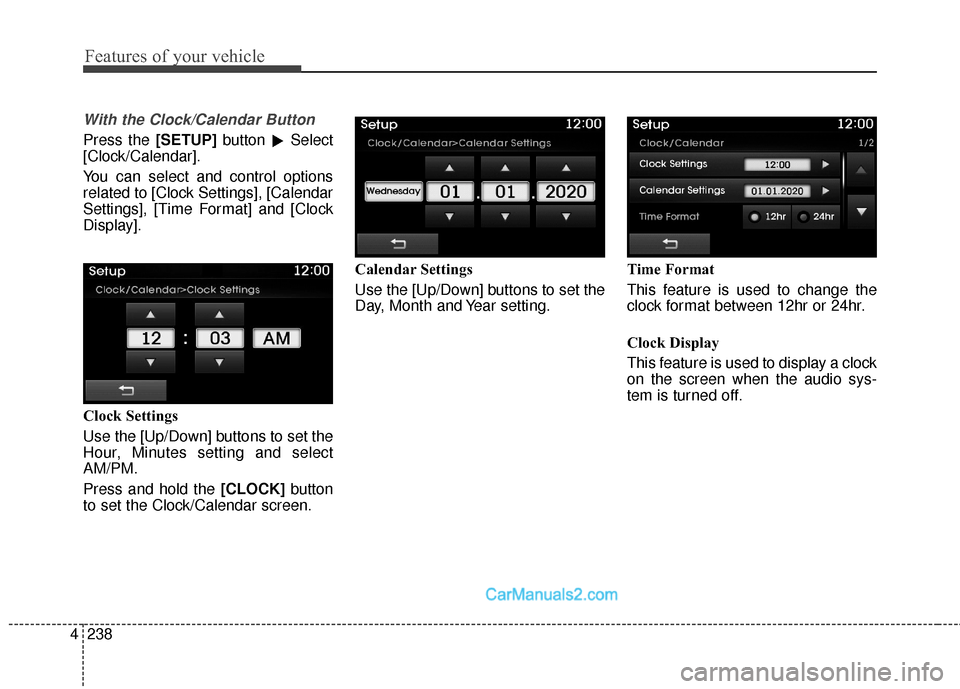
Sound Setting
Use the [Up/Down/Left/Right] but-
tons to adjust the Fader/Balance set-
tings.
Use the [Left/Right] buttons to adjust
the Bass/Middle/Treble settings.
Press the [Default] button to reset.
Page 335 of 614
Features of your vehicle
238
4
With the Clock/Calendar Button
Press the [SETUP] button
�Select
[Clock/Calendar].
You can select and control options
related to [Clock Settings], [Calendar
Settings], [Time Format] and [Clock
Display].
Clock Settings
Use the [Up/Down] buttons to set the
Hour, Minutes setting and select
AM/PM.
Press and hold the [CLOCK] button
to set the Clock/Calendar screen. Calendar Settings
Use the [Up/Down] buttons to set the
Day, Month and Year setting.
Time Format
This feature is used to change the
clock format between 12hr or 24hr.
Clock Display
This feature is used to display a clock
on the screen when the audio sys-
tem is turned off.