2017 Hyundai Santa Fe Sport Index
[x] Cancel search: IndexPage 7 of 614
1
2
3
4
5
6
7
8I
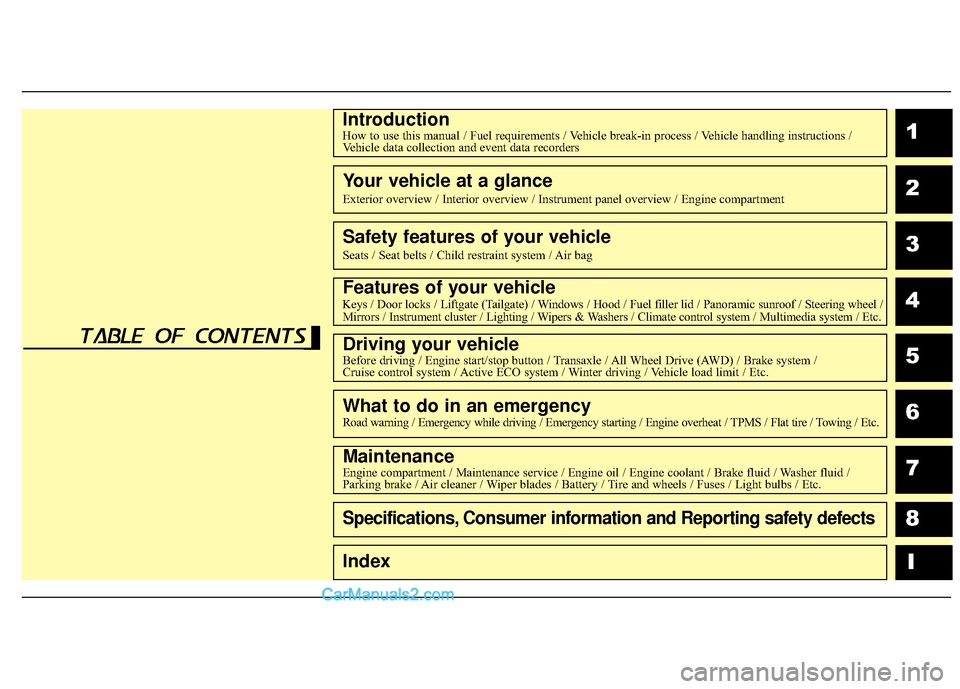
IntroductionHow to use this manual / Fuel requirements / Vehicle break-in process / Vehicle handling instructions /Vehicle data collection and event data recorders
Your vehicle at a glance
Exterior overview / Interior overview / Instrument panel overview / Engi\
ne compartment
Safety features of your vehicle
Seats / Seat belts / Child restraint system / Air bag
Features of your vehicleKeys / Door locks / Liftgate (Tailgate) / Windows / Hood / Fuel filler lid / Panoramic sunroof / Steering wheel /
Mirrors / Instrument cluster / Lighting / Wipers & Washers / Climate control system / Multimedia system / Etc.
Driving your vehicleBefore driving / Engine start/stop button / Transaxle / All Wheel Drive (AWD) / Brake system /
Cruise control system / Active ECO system / Winter driving / Vehicle load limit / Etc.
What to do in an emergencyRoad warning / Emergency while driving / Emergency starting / Engine overheat / TPMS / Flat tire / Towing / Etc.
MaintenanceEngine compartment / Maintenance service / Engine oil / Engine coolant /\
Brake fluid / Washer fluid /
Parking brake / Air cleaner / Wiper blades / Battery / Tire and wheels / Fuses / Light bulbs / Etc.
Specifications, Consumer information and Reporting safety defects
Index
table of contents
Page 9 of 614
Introduction
21
We want to help you get the greatest
possible driving experience from your
vehicle. Your Owner’s Manual can
assist you in many ways. We strongly
recommend that you read the entire
manual. In order to minimize the
chance of death or injury, you must
read the WARNING and CAUTION
sections in the manual. Illustrations
complement the text in this manual to
best explain how to use your vehicle.
By reading your manual, you will
learn about features, important safety
information, and driving tips under
various road conditions. The general
layout of the manual is provided in
the Table of Contents. A good place
to start is the index; it has an alpha-
betical listing of all information in your
manual. Sections: This manual has
eight sections plus an index. Each
section begins with a brief list of con-
tents so you can tell at a glance if that
section has the information you want.
You will find various WARNINGS,
CAUTIONS, and NOTICES in this
manual. These WARNINGS were pre-
pared to enhance your personal safe-
ty. You should carefully read and follow
ALL procedures and recommenda-
tions provided in these WARNINGS,
CAUTIONS and NOTICES.Symbols used in this manual
Warnings, Cautions and Notices
✽ ✽NOTICE
A NOTICE indicates interesting or
helpful information is being provided.
Safety symbol in illustrations
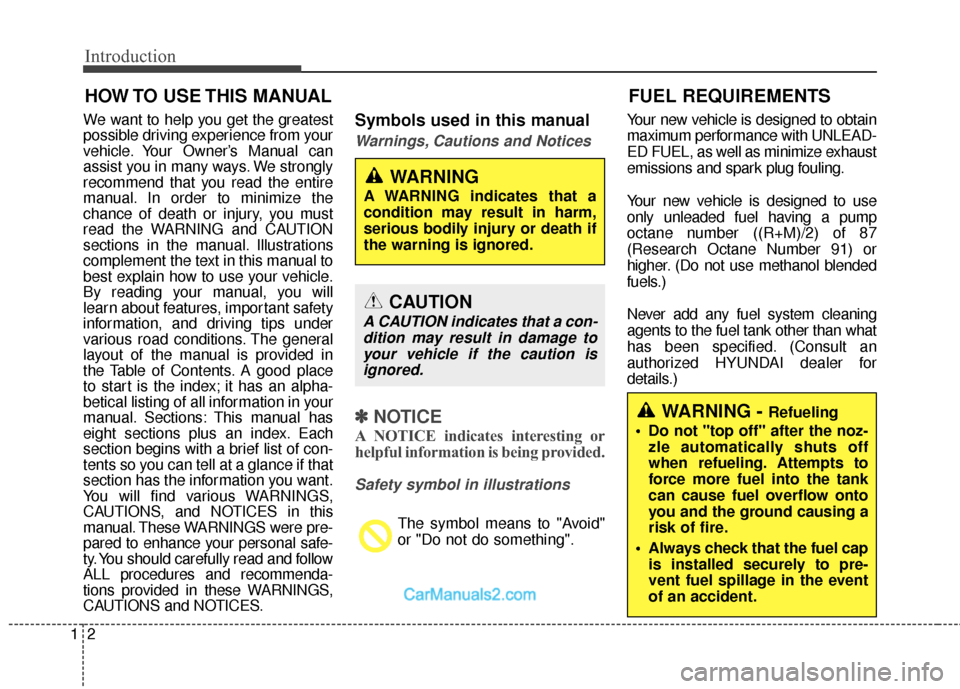
The symbol means to "Avoid"
or "Do not do something". Your new vehicle is designed to obtain
maximum performance with UNLEAD-
ED FUEL, as well as minimize exhaust
emissions and spark plug fouling.
Your new vehicle is designed to use
only unleaded fuel having a pump
octane number ((R+M)/2) of 87
(Research Octane Number 91) or
higher. (Do not use methanol blended
fuels.)
Never add any fuel system cleaning
agents to the fuel tank other than what
has been specified. (Consult an
authorized HYUNDAI dealer for
details.)
HOW TO USE THIS MANUAL
WARNING
A WARNING indicates that a
condition may result in harm,
serious bodily injury or death if
the warning is ignored.
CAUTION
A CAUTION indicates that a con-
dition may result in damage toyour vehicle if the caution isignored.
FUEL REQUIREMENTS
WARNING - Refueling
• Do not "top off" after the noz- zle automatically shuts off
when refueling. Attempts to
force more fuel into the tank
can cause fuel overflow onto
you and the ground causing a
risk of fire.
Always check that the fuel cap is installed securely to pre-
vent fuel spillage in the event
of an accident.
Page 304 of 614
4207
Features of your vehicle
MENU : MP3 CD
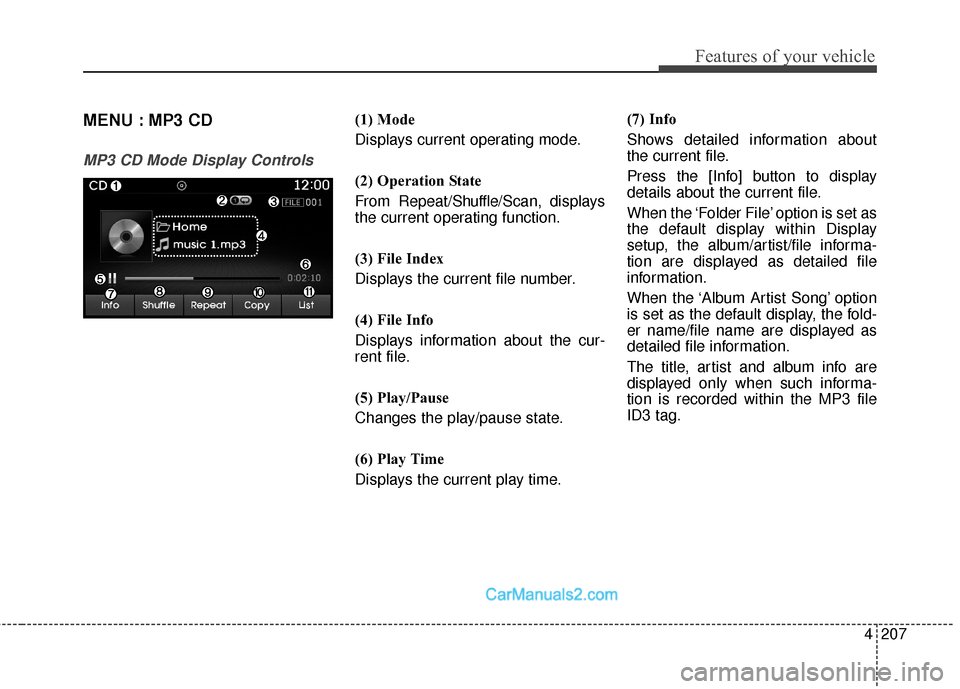
MP3 CD Mode Display Controls
(1) Mode
Displays current operating mode.
(2) Operation State
From Repeat/Shuffle/Scan, displays
the current operating function.
(3) File Index
Displays the current file number.
(4) File Info
Displays information about the cur-
rent file.
(5) Play/Pause
Changes the play/pause state.
(6) Play Time
Displays the current play time. (7) Info
Shows detailed information about
the current file.
Press the [Info] button to display
details about the current file.
When the ‘Folder File’ option is set as
the default display within Display
setup, the album/artist/file informa-
tion are displayed as detailed file
information.
When the ‘Album Artist Song’ option
is set as the default display, the fold-
er name/file name are displayed as
detailed file information.
The title, artist and album info are
displayed only when such informa-
tion is recorded within the MP3 file
ID3 tag.
Page 307 of 614
Features of your vehicle
210
4
MENU : USB
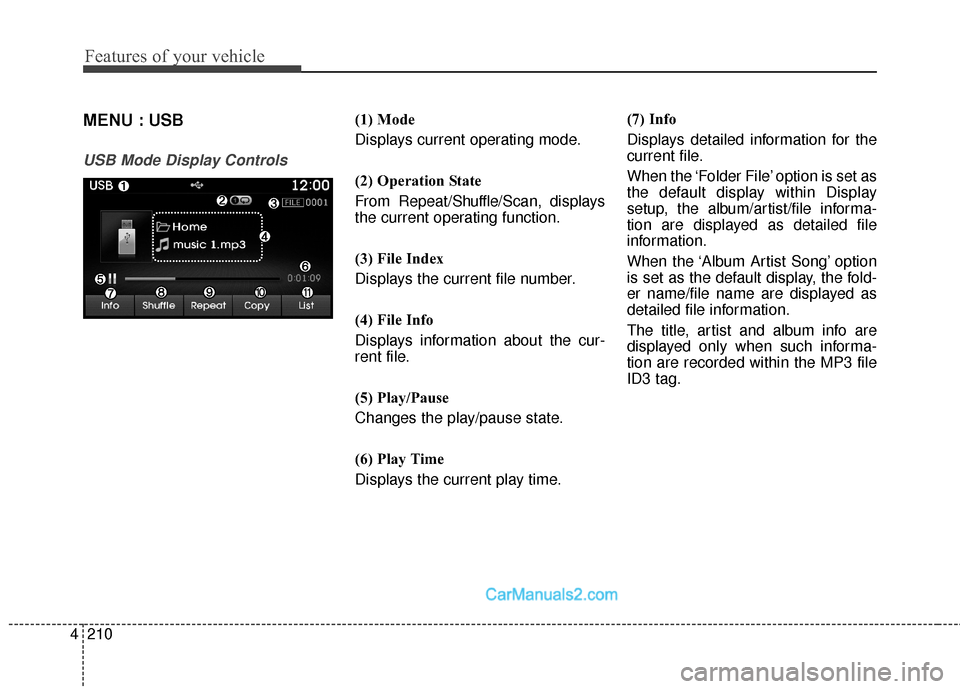
USB Mode Display Controls
(1) Mode
Displays current operating mode.
(2) Operation State
From Repeat/ Shuffle/Scan, displays
the current operating function.
(3) File Index
Displays the current file number.
(4) File Info
Displays information about the cur-
rent file.
(5) Play/Pause
Changes the play/pause state.
(6) Play Time
Displays the current play time. (7) Info
Displays detailed information for the
current file.
When the ‘Folder File’ option is set as
the default display within Display
setup, the album/artist/file informa-
tion are displayed as detailed file
information.
When the ‘Album Artist Song’ option
is set as the default display, the fold-
er name/file name are displayed as
detailed file information.
The title, artist and album info are
displayed only when such informa-
tion are recorded within the MP3 file
ID3 tag.
Page 310 of 614
4213
Features of your vehicle
MENU : iPod®
Basic Mode Screen
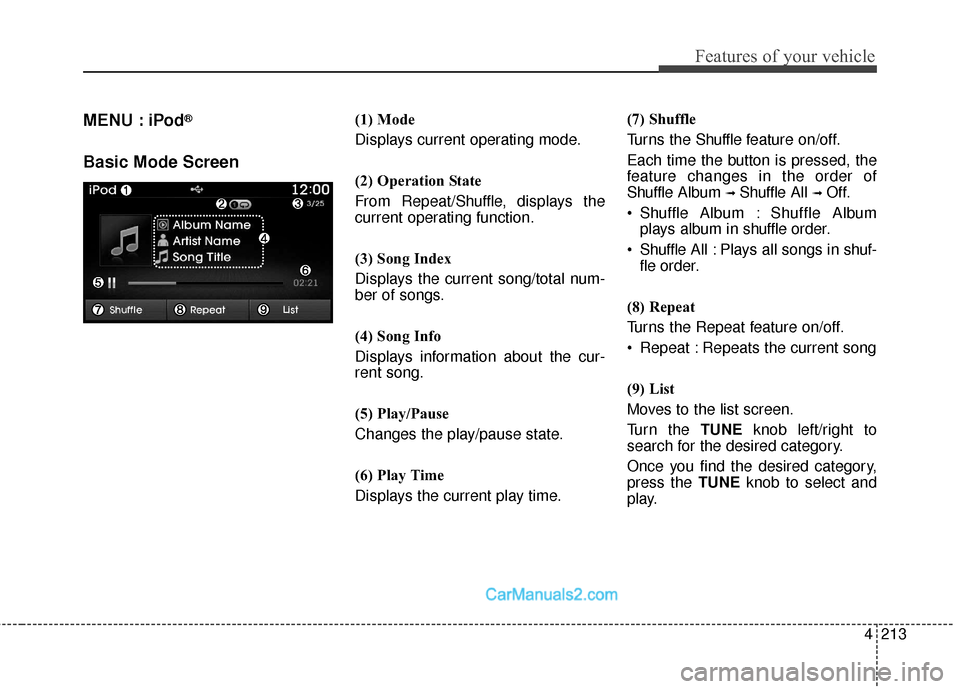
(1) Mode
Displays current operating mode.
(2) Operation State
From Repeat/Shuffle, displays the
current operating function.
(3) Song Index
Displays the current song/total num-
ber of songs.
(4) Song Info
Displays information about the cur-
rent song.
(5) Play/Pause
Changes the play/pause state.
(6) Play Time
Displays the current play time.(7) Shuffle
Turns the Shuffle f
eature on/off.
Each time the button is pressed, the
feature changes in the order of
Shuffle Album
➟ Shuffle All ➟ Off.
Shuffle Album : Shuffle Album
plays album in shuffle order.
Shuffle All : Plays all songs in shuf-
fle order.
(8) Repeat
Turns the Repeat feature on/off.
Repeat : Repeats the current song
(9) List
Moves to the list screen.
Turn the TUNE knob left/right to
search for the desired category.
Once you find the desired category,
press the TUNE knob to select and
play.
Page 313 of 614
Features of your vehicle
216
4
MENU : My Music
My Music Mode Display Controls
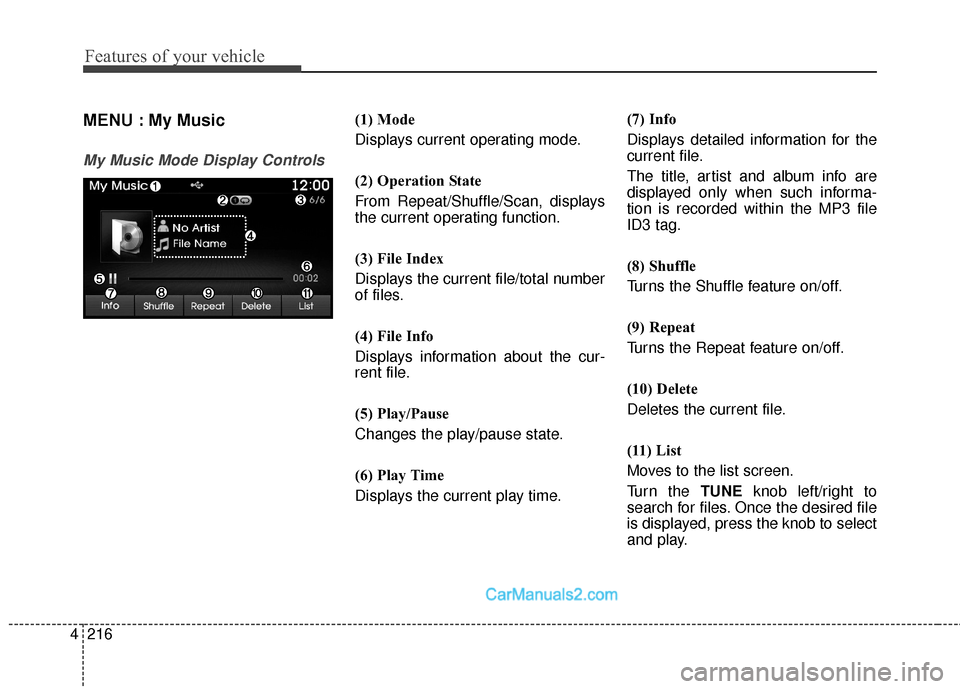
(1) Mode
Displays current operating mode.
(2) Operation State
From Repeat/Shuffle/Scan, displays
the current operating function.
(3) File Index
Displays the current file/total number
of files.
(4) File Info
Displays information about the cur-
rent file.
(5) Play/Pause
Changes the play/pause state.
(6) Play Time
Displays the current play time. (7) Info
Displays detailed information for the
current file.
The title, artist and album info are
displayed only when such informa-
tion is recorded within the MP3 file
ID3 tag.
(8) Shuffle
Turns the Shuffle feature on/off.
(9) Repeat
Turns the Repeat feature on/off.
(10) Delete
Deletes the current file.
(11) List
Moves to the list screen.
Turn the TUNE
knob left/right to
search for files. Once the desired file
is displayed, press the knob to select
and play.
Page 460 of 614
5119
Driving your vehicle
When you are ready to leave after
parking on a hill
1. With the automatic transaxle in P(Park), apply your brakes and hold
the brake pedal down while you:
and
2. Slowly remove your foot from the brake pedal.
3. Drive slowly until the trailer is clear of the chocks.
4. Stop and have someone pick up and store the chocks.
Maintenance when trailer towing
Your vehicle will need service more
often when you regularly pull a trail-
er. Important items to pay particular
attention to include engine oil, auto-
matic transaxle fluid, axle lubricant
and cooling system fluid. Brake con-
dition is another important item to
frequently check. Each item is cov-
ered in this manual, and the Index
will help you find them quickly. If
you’re trailering, it’s a good idea to
review these sections before you
start your trip.
Don’t forget to also maintain your
trailer and hitch. Follow the mainte-
nance schedule that accompanied
your trailer and check it periodically.
Preferably, conduct the check at the
start of each day’s driving. Most
importantly, all hitch nuts and bolts
should be tight.WARNING- Parking
brake
It can be dangerous to get out
of your vehicle if the parking
brake is not firmly set.
If you have left the engine run-
ning, the vehicle can move sud-
denly. You or others could be
seriously or fatally injured.CAUTION
Due to higher load during trailer usage, overheatingmight occur in hot days orduring uphill driving. If thecoolant gauge indicates over-heating, switch off the A/C andstop the vehicle in a safe areato cool down the engine.
When towing check transaxle fluid more frequently.
Page 548 of 614
751
Maintenance
Example tire size designation:
(These numbers are provided as an
example only; your tire size designa-
tor could vary depending on your
vehicle.)
(P)235/65R17 102H
(P) - Applicable vehicle type (tiresmarked with the prefix “P’’ are
intended for use on passenger
vehicles or light trucks; howev-
er, not all tires have this mark-
ing).
235 - Tire width in millimeters.
65 - Aspect ratio. The tire’s section height as a percentage of its
width.
R - Tire construction code (Radial).
17 - Rim diameter in inches.
102 - Load Index, a numerical code associated with the maximum
load the tire can carry.
H - Speed Rating Symbol. See the speed rating chart in this section
for additional information. Wheel size designation
Wheels are also marked with impor-
tant information that you need if you
ever have to replace one. The follow-
ing explains what the letters and
numbers in the wheel size designa-
tion mean.
Example wheel size designation:
7.0JX17
7.0 - Rim width in inches.
J - Rim contour designation.
17 - Rim diameter in inches.
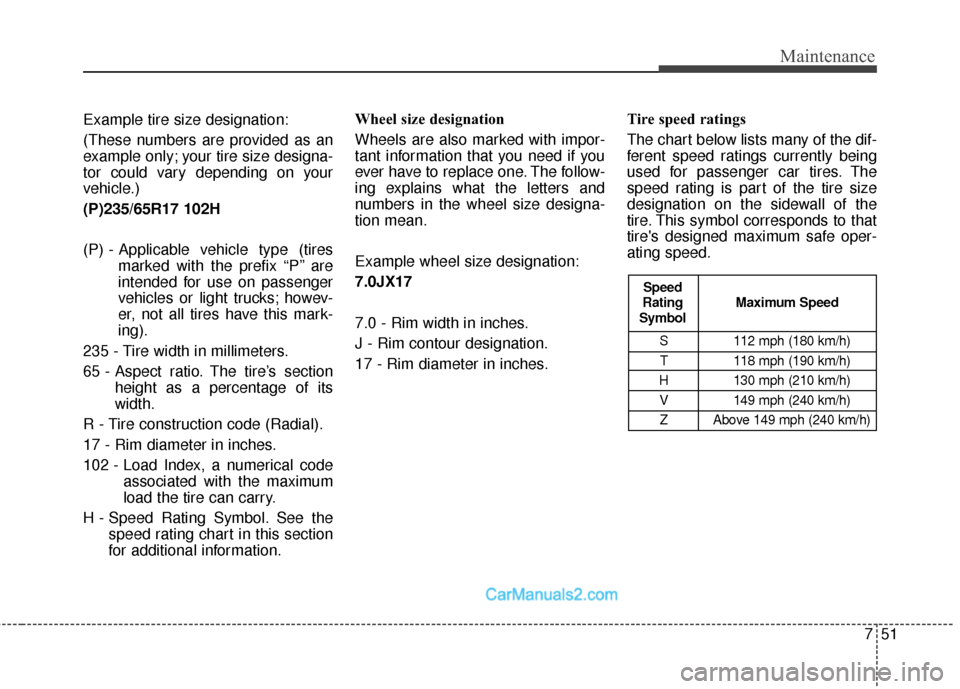
Tire speed ratings
The chart below lists many of the dif-
ferent speed ratings currently being
used for passenger car tires. The
speed rating is part of the tire size
designation on the sidewall of the
tire. This symbol corresponds to that
tire's designed maximum safe oper-
ating speed.
S 112 mph (180 km/h)
T 118 mph (190 km/h)
H 130 mph (210 km/h) V 149 mph (240 km/h)Z Above 149 mph (240 km/h)
Maximum Speed
Speed
Rating
Symbol