2017 Hyundai Santa Fe Sport Driver assist
[x] Cancel search: Driver assistPage 14 of 614
17
Introduction
This vehicle is equipped with an
event data recorder (EDR). The
main purpose of an EDR is to
record, in certain crash or near
crash-like situations, such as an
air bag deployment or hitting a
road obstacle, data that will assist
in understanding how a vehicle's
systems performed. The EDR is
designed to record data related to
vehicle dynamics and safety sys-
tems for a short period of time,
typically 30 seconds or less. The
EDR in this vehicle is designed to
record such data as:
How various systems in yourvehicle were operating;
Whether or not the driver and passenger safety belts were
buckled/fastened;
How far (if at all) the driver was depressing the accelerator
and/or brake pedal; and,
How fast the vehicle was travel- ing. These data can help provide a bet-
ter understanding of the circum-
stances in which crashes and
injuries occur. NOTE: EDR data are
recorded by your vehicle only if a
non-trivial crash situation occurs;
no data are recorded by the EDR
under normal driving conditions
and no personal data (e.g., name,
gender, age, and crash location)
are recorded. However, other par-
ties, such as law enforcement,
could combine the EDR data with
the type of personally identifying
data routinely acquired during a
crash investigation.
To read data recorded by an EDR,
special equipment is required, and
access to the vehicle or the EDR is
needed. In addition to the vehicle
manufacturer, other parties, such
as law enforcement, that have the
special equipment, can read the
information if they have access to
the vehicle or the EDR.
VEHICLE DATA COLLECTION AND EVENT DATA RECORDERS
Page 217 of 614
Features of your vehicle
120
4
Rear parking assist system
(if equipped)
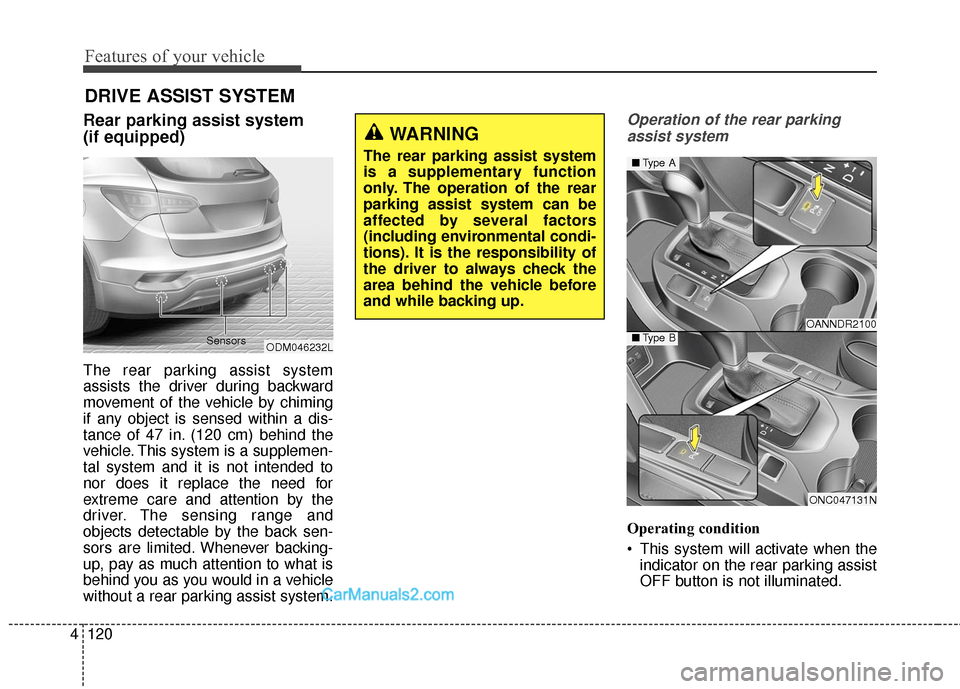
The rear parking assist system
assists the driver during backward
movement of the vehicle by chiming
if any object is sensed within a dis-
tance of 47 in. (120 cm) behind the
vehicle. This system is a supplemen-
tal system and it is not intended to
nor does it replace the need for
extreme care and attention by the
driver. The sensing range and
objects detectable by the back sen-
sors are limited. Whenever backing-
up, pay as much attention to what is
behind you as you would in a vehicle
without a rear parking assist system.
Operation of the rear parking
assist system
Operating condition
This system will activate when the indicator on the rear parking assist
OFF button is not illuminated.
DRIVE ASSIST SYSTEM
WARNING
The rear parking assist system
is a supplementary function
only. The operation of the rear
parking assist system can be
affected by several factors
(including environmental condi-
tions). It is the responsibility of
the driver to always check the
area behind the vehicle before
and while backing up.
ODM046232L
Sensors
OANNDR2100
ONC047131N
■
Type A
■Type B
Page 219 of 614
Features of your vehicle
122
4
The detecting range may decrease
when:
1. The sensor is covered with foreign
matter such as snow or water.
(The sensing range will return to
normal when removed.)
2. Outside air temperature is extremely hot or cold.
The following objects may not be rec-
ognized by the sensor:
1. Sharp or slim objects such as ropes, chains or small poles.
2. Objects which tend to absorb the sensor frequency such as clothes,
spongy material or snow.
3. Undetectable objects smaller than 40 in. (1 m) and narrower than 6
in. (14 cm) in diameter.Rear parking assist system pre-
cautions
The rear parking assist system may not sound sequentially
depending on the speed and
shapes of the objects detected.
The rear parking assist system may malfunction if the vehicle bumper
height or sensor installation has
been modified or damaged. Any
non-factory installed equipment or
accessories may also interfere with
the sensor performance.
The sensor may not recognize objects less than 15 in. (40 cm)
from the sensor, or it may sense an
incorrect distance. Use caution.
When the sensor is frozen or cov- ered with snow, dirt, or water, the
sensor may be inoperative until
any debris is removed and the sen-
sors are cleaned. Use only a soft
cloth to clean the sensors.
Do not push, scratch or strike the sensor. Sensor damage could occur.
✽ ✽ NOTICE
This system can only sense objects
within the range and location of the
sensors; it can not detect objects in
other areas where sensors are not
installed. Also, small or slim objects,
such as poles or objects located
between sensors may not be detected
by the sensors.
Always visually check behind the
vehicle when backing up.
Be sure to inform any drivers of the
vehicle that may be unfamiliar with
the system regarding the systems
capabilities and limitations.
Page 221 of 614
Features of your vehicle
124
4
Rear view camera
(if equipped)
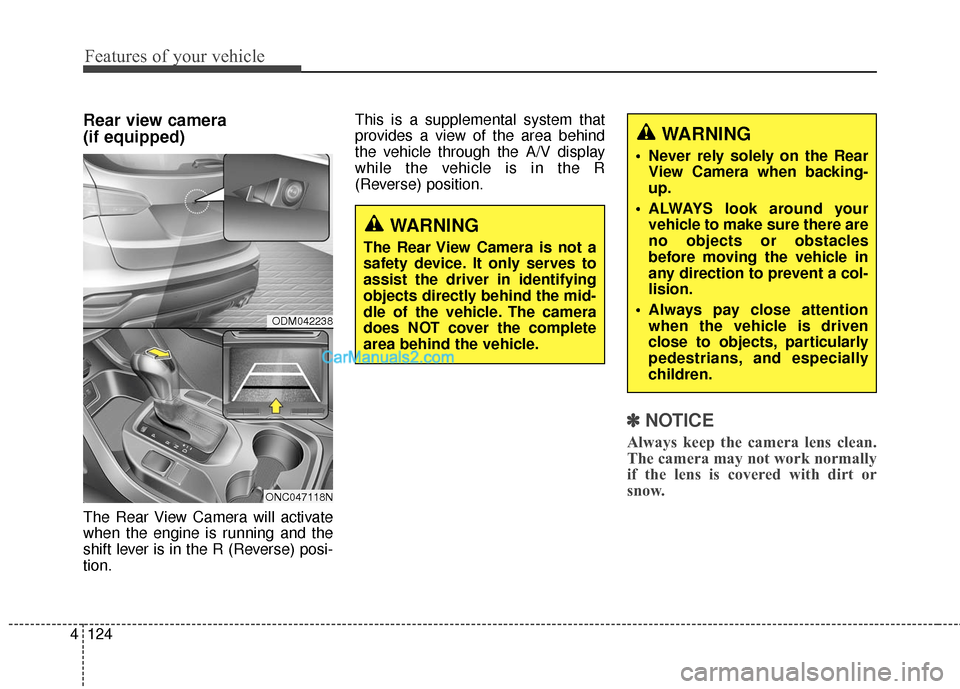
The Rear View Camera will activate
when the engine is running and the
shift lever is in the R (Reverse) posi-
tion. This is a supplemental system that
provides a view of the area behind
the vehicle through the A/V display
while the vehicle is in the R
(Reverse) position.
✽ ✽
NOTICE
Always keep the camera lens clean.
The camera may not work normally
if the lens is covered with dirt or
snow.
ODM042238
ONC047118N
WARNING
The Rear View Camera is not a
safety device. It only serves to
assist the driver in identifying
objects directly behind the mid-
dle of the vehicle. The camera
does NOT cover the complete
area behind the vehicle.
WARNING
Never rely solely on the Rear
View Camera when backing-
up.
ALWAYS look around your vehicle to make sure there are
no objects or obstacles
before moving the vehicle in
any direction to prevent a col-
lision.
Always pay close attention when the vehicle is driven
close to objects, particularly
pedestrians, and especially
children.
Page 222 of 614
4125
Features of your vehicle
Multi-view Camera System
(if equipped)
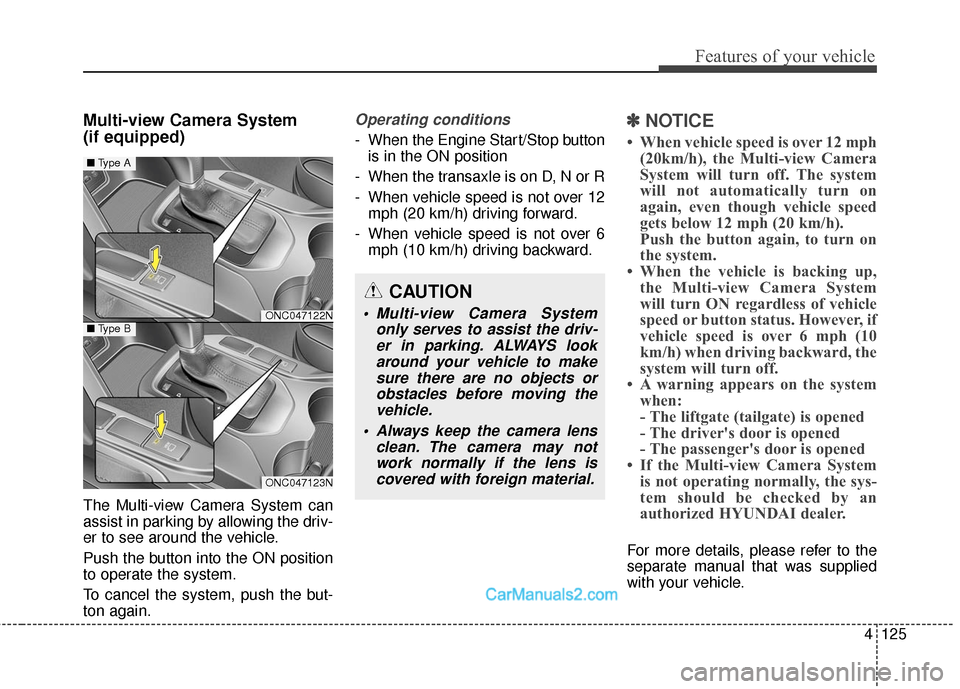
The Multi-view Camera System can
assist in parking by allowing the driv-
er to see around the vehicle.
Push the button into the ON position
to operate the system.
To cancel the system, push the but-
ton again.
Operating conditions
- When the Engine Start/Stop buttonis in the ON position
- When the transaxle is on D, N or R
- When vehicle speed is not over 12 mph (20 km/h) driving forward.
- When vehicle speed is not over 6 mph (10 km/h) driving backward.
✽ ✽ NOTICE
• When vehicle speed is over 12 mph
(20km/h), the Multi-view Camera
System will turn off. The system
will not automatically turn on
again, even though vehicle speed
gets below 12 mph (20 km/h).
Push the button again, to turn on
the system.
• When the vehicle is backing up, the Multi-view Camera System
will turn ON regardless of vehicle
speed or button status. However, if
vehicle speed is over 6 mph (10
km/h) when driving backward, the
system will turn off.
• A warning appears on the system when:
- The liftgate (tailgate) is opened
- The driver's door is opened
- The passenger's door is opened
• If the Multi-view Camera System is not operating normally, the sys-
tem should be checked by an
authorized HYUNDAI dealer.
For more details, please refer to the
separate manual that was supplied
with your vehicle.
CAUTION
Multi-view Camera System
only serves to assist the driv-er in parking. ALWAYS lookaround your vehicle to makesure there are no objects orobstacles before moving thevehicle.
Always keep the camera lens clean. The camera may notwork normally if the lens iscovered with foreign material.ONC047122N
ONC047123N
■ Type A
■Type B
Page 392 of 614
551
Driving your vehicle
✽
✽NOTICE
• The VSM is designed to function
above approximately 9 mph (15
km/h) on curves.
• The VSM is designed to function above approximately 18 mph (30
km/h) when a vehicle is braking on
a split-mu road. The split-mu road
is made of surfaces which have dif-
ferent friction forces.
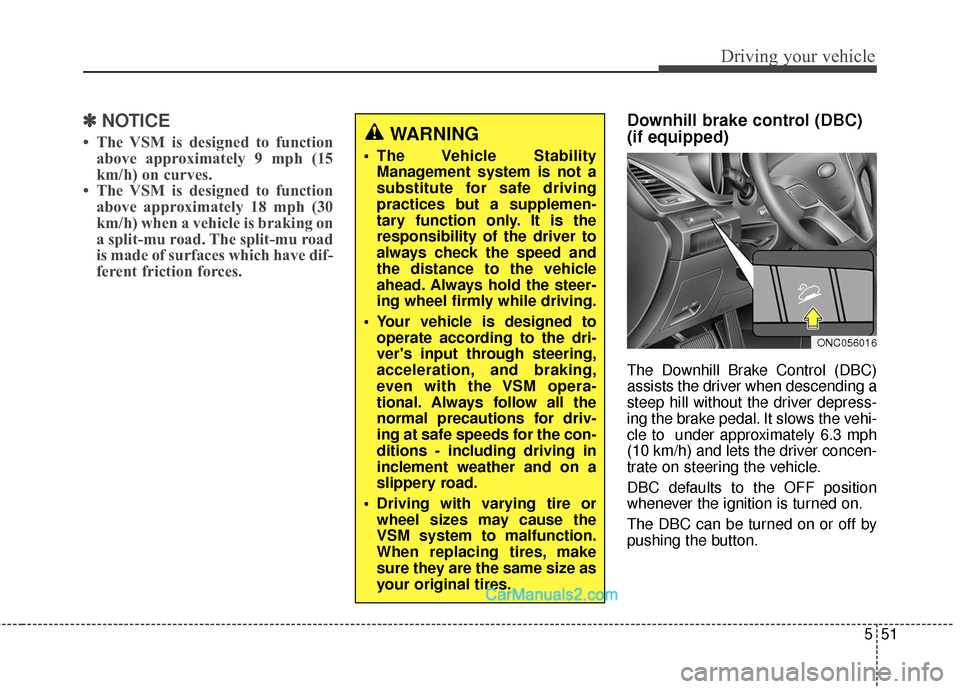
Downhill brake control (DBC)
(if equipped)
The Downhill Brake Control (DBC)
assists the driver when descending a
steep hill without the driver depress-
ing the brake pedal. It slows the vehi-
cle to under approximately 6.3 mph
(10 km/h) and lets the driver concen-
trate on steering the vehicle.
DBC defaults to the OFF position
whenever the ignition is turned on.
The DBC can be turned on or off by
pushing the button.
ONC056016
WARNING
The Vehicle Stability
Management system is not a
substitute for safe driving
practices but a supplemen-
tary function only. It is the
responsibility of the driver to
always check the speed and
the distance to the vehicle
ahead. Always hold the steer-
ing wheel firmly while driving.
Your vehicle is designed to operate according to the dri-
ver's input through steering,
acceleration, and braking,
even with the VSM opera-
tional. Always follow all the
normal precautions for driv-
ing at safe speeds for the con-
ditions - including driving in
inclement weather and on a
slippery road.
Driving with varying tire or wheel sizes may cause the
VSM system to malfunction.
When replacing tires, make
sure they are the same size as
your original tires.
Page 394 of 614
553
Driving your vehicle
✽
✽NOTICE
• The DBC does not turn ON in the
P (Park) position.
• The DBC may not activate if the ESC (or ABS) is activated.
• Noise or vibration may occur from the brakes when the DBC is acti-
vated.
• The rear stop light comes on when the DBC is activated.
• Always turn OFF the DBC on nor- mal roads. The DBC might acti-
vate from the standby mode dur-
ing abrupt cornering or driving
over speed bumps.
Hill-start assist control (HAC)
(if equipped)
A vehicle has the tendency to roll
back on a steep hill when the driver
begins to accelerate after a stop. The
Hill-start Assist Control (HAC) pre-
vents the vehicle from rolling back by
operating the brakes automatically
for about 1.5 seconds. The brakes
are released when the accelerator
pedal is depressed or after about 1.5
seconds.
✽ ✽ NOTICE
• The HAC does not operate when
the transaxle shift lever is in the P
(Park) or N (Neutral) position.
• The HAC activates even though the ESC is off but it does not acti-
vate when the ESC has malfunc-
tioned.
WARNING
Unnecessary or unwanted
DBC activation may result in
an accident.
On a very steep hill even though the brake pedal or
accelerator pedal is depressed
the DBC may not deactivate.
WARNING
The HAC is activated only for
about 1.5 seconds, so always
depress the accelerator pedal to
begin accelerating after a stop.
Page 397 of 614
Driving your vehicle
56
5
The AEB system is to reduce or to
avoid accident risk. It recognizes the
distance from the vehicle ahead or
the pedestrian through the sensors
(i.e. radar and camera), and, if nec-
essary, warns the driver of accident
risk with the warning message or the
warning alarms.System setting and activation
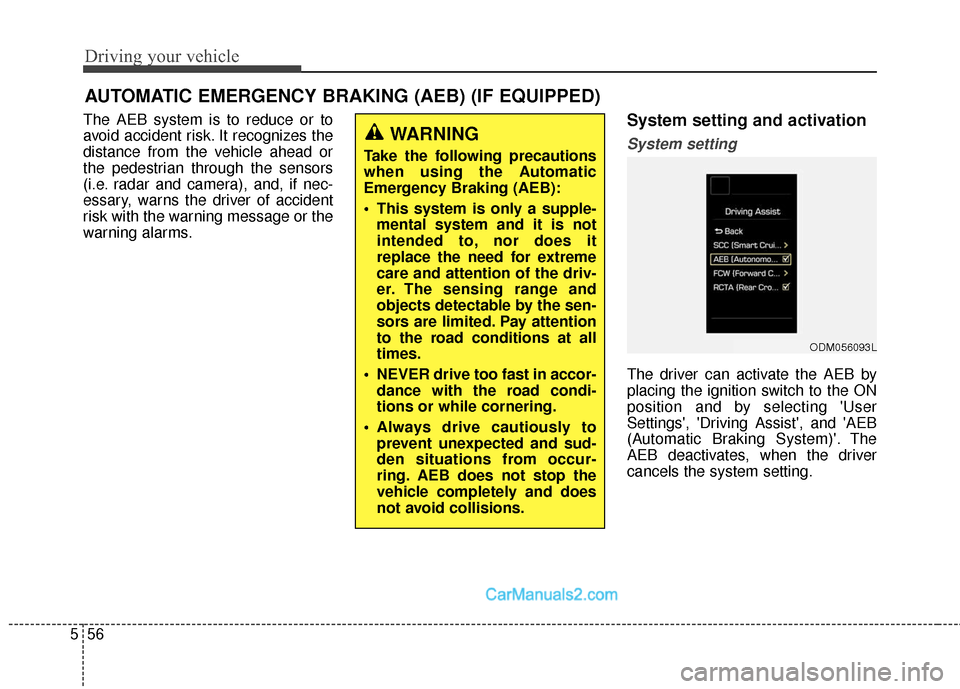
System setting
The driver can activate the AEB by
placing the ignition switch to the ON
position and by selecting 'User
Settings', 'Driving Assist', and 'AEB
(Automatic Braking System)'. The
AEB deactivates, when the driver
cancels the system setting.
AUTOMATIC EMERGENCY BRAKING (AEB) (IF EQUIPPED)
WARNING
Take the following precautions
when using the Automatic
Emergency Braking (AEB):
This system is only a supple-
mental system and it is not
intended to, nor does it
replace the need for extreme
care and attention of the driv-
er. The sensing range and
objects detectable by the sen-
sors are limited. Pay attention
to the road conditions at all
times.
NEVER drive too fast in accor- dance with the road condi-
tions or while cornering.
Always drive cautiously to prevent unexpected and sud-
den situations from occur-
ring. AEB does not stop the
vehicle completely and does
not avoid collisions.
ODM056093L