2017 Hyundai Santa Fe engine
[x] Cancel search: enginePage 366 of 569
Driving your vehicle
74
5
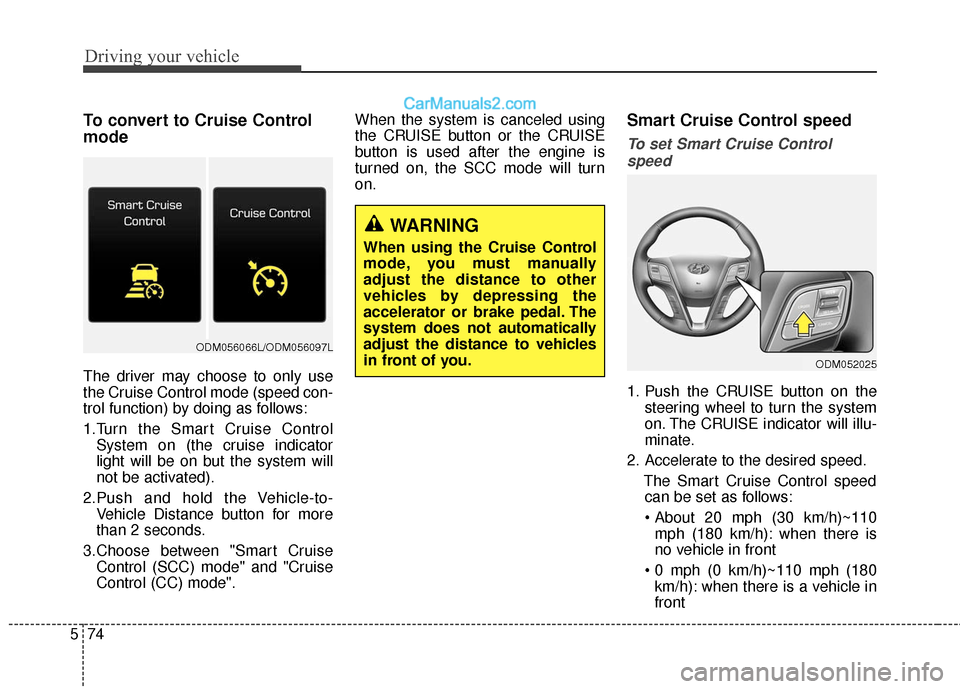
To convert to Cruise Control
mode
The driver may choose to only use
the Cruise Control mode (speed con-
trol function) by doing as follows:
1.Turn the Smart Cruise Control
System on (the cruise indicator
light will be on but the system will
not be activated).
2.Push and hold the Vehicle-to- Vehicle Distance button for more
than 2 seconds.
3.Choose between "Smart Cruise Control (SCC) mode" and "Cruise
Control (CC) mode". When the system is canceled using
the CRUISE button or the CRUISE
button is used after the engine is
turned on, the SCC mode will turn
on.
Smart Cruise Control speed
To set Smart Cruise Control
speed
1. Push the CRUISE button on the steering wheel to turn the system
on. The CRUISE indicator will illu-
minate.
2. Accelerate to the desired speed. The Smart Cruise Control speedcan be set as follows:
mph (180 km/h): when there is
no vehicle in front
km/h): when there is a vehicle in
front
WARNING
When using the Cruise Control
mode, you must manually
adjust the distance to other
vehicles by depressing the
accelerator or brake pedal. The
system does not automatically
adjust the distance to vehicles
in front of you.
ODM052025
ODM056066L/ODM056097L
Page 371 of 569
579
Driving your vehicle
Smart Cruise Control Vehicle-
to-Vehicle Distance
To set Vehicle-to-Vehicle Distance
When the Smart Cruise Control
System is ON, you can set and main-
tain the distance from the vehicle
ahead of you without pressing the
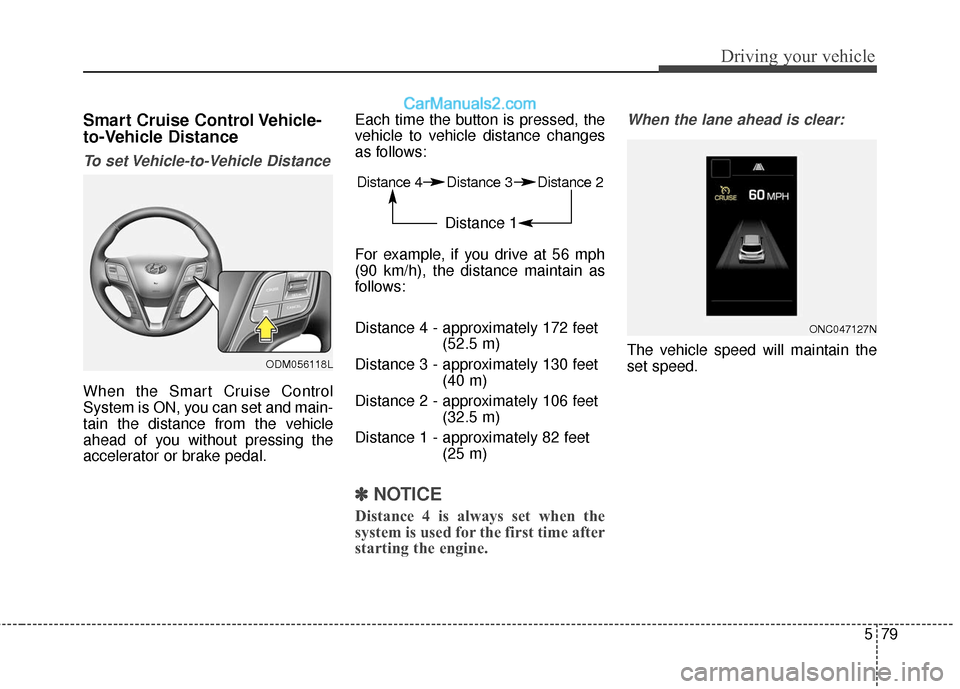
accelerator or brake pedal.Each time the button is pressed, the
vehicle to vehicle distance changes
as follows:
For example, if you drive at 56 mph
(90 km/h), the distance maintain as
follows:
Distance 4 - approximately 172 feet
(52.5 m)
Distance 3 - approximately 130 feet (40 m)
Distance 2 - approximately 106 feet (32.5 m)
Distance 1 - approximately 82 feet (25 m)
✽ ✽NOTICE
Distance 4 is always set when the
system is used for the first time after
starting the engine.
When the lane ahead is clear:
The vehicle speed will maintain the
set speed.
ONC047127N
Distance 4 Distance 3 Distance 2
Distance 1
ODM056118L
Page 381 of 569
589
Driving your vehicle
BSD (Blind Spot Detection) /
LCA (Lane Change Assist)
(if equipped)
Operating conditions
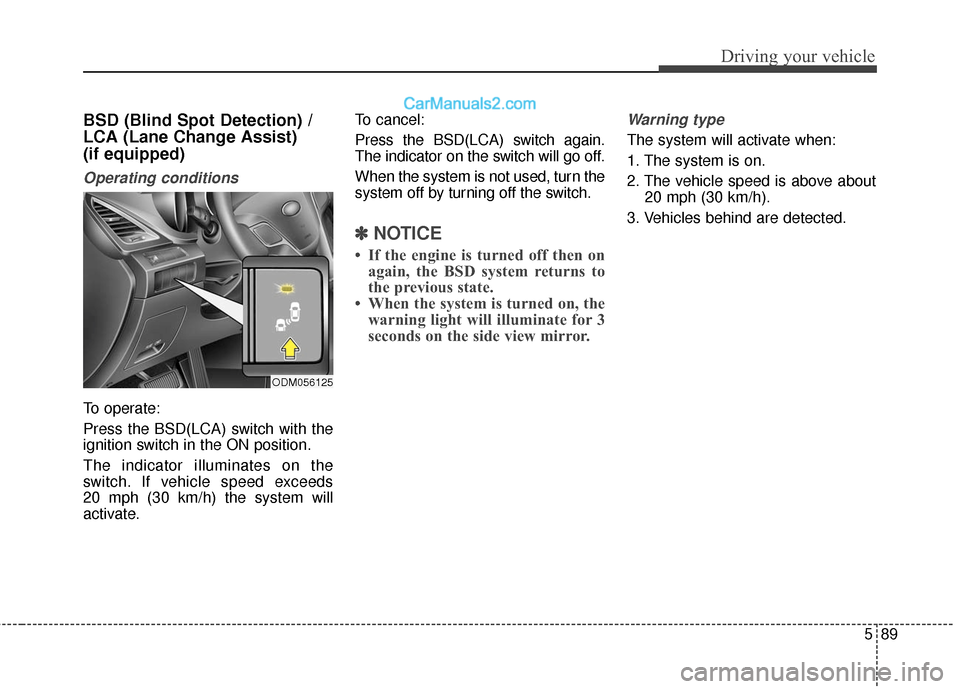
To operate:
Press the BSD(LCA) switch with the
ignition switch in the ON position.
The indicator illuminates on the
switch. If vehicle speed exceeds
20 mph (30 km/h) the system will
activate.To cancel:
Press the BSD(LCA) switch again.
The indicator on the switch will go off.
When the system is not used, turn the
system off by turning off the switch.
✽ ✽
NOTICE
• If the engine is turned off then on
again, the BSD system returns to
the previous state.
• When the system is turned on, the warning light will illuminate for 3
seconds on the side view mirror.
Warning type
The system will activate when:
1. The system is on.
2. The vehicle speed is above about
20 mph (30 km/h).
3. Vehicles behind are detected.
ODM056125
Page 389 of 569

597
Driving your vehicle
To operate the LDWS, press the but-
ton with the engine start/stop button
in the ON position. The indicator illu-
minates on the cluster. To cancel the
LDWS, press the button again.
The color of symbol will change
depend on the condition of LDWS.
- White color : It means the sensordoes not detect the
lane line.
- Green color : It means the sensor detects the lane line. If your vehicle leaves the lane when
the LDWS is operating and vehicle
speed exceeds 35 mph (60 km/h),
the warning operates as follows:
1. Visual warning
If you leave the lane, the lane you
leave on the LCD display blinks yel-
low with 0.8 seconds of interval.
2. Auditory warning
If you leave the lane, the warning
sound operates with 0.8 seconds of
interval.
ODM056092L
ODM056078L
ODM056079L
ODM056077L
■When the sensor detects the lane line■Left lane departure warning
■When the sensor doesn’t detect the lane line■Right lane departure warningODM046747
Page 392 of 569
Driving your vehicle
100
5
Active ECO operation
Active ECO helps improve fuel effi-
ciency by controlling certain engine
and transaxle system operating
parameters. Fuel efficiency depends
on the driver's driving habit and road
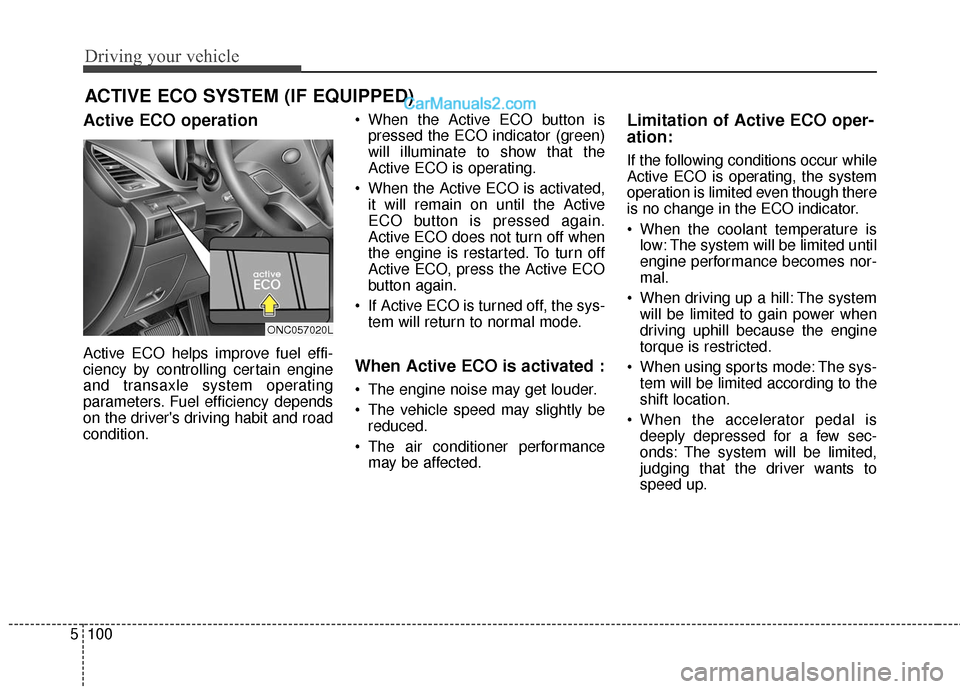
condition. When the Active ECO button is
pressed the ECO indicator (green)
will illuminate to show that the
Active ECO is operating.
When the Active ECO is activated, it will remain on until the Active
ECO button is pressed again.
Active ECO does not turn off when
the engine is restarted. To turn off
Active ECO, press the Active ECO
button again.
If Active ECO is turned off, the sys- tem will return to normal mode.When Active ECO is activated :
The engine noise may get louder.
The vehicle speed may slightly bereduced.
The air conditioner performance may be affected.
Limitation of Active ECO oper-
ation:
If the following conditions occur while
Active ECO is operating, the system
operation is limited even though there
is no change in the ECO indicator.
When the coolant temperature islow: The system will be limited until
engine performance becomes nor-
mal.
When driving up a hill: The system will be limited to gain power when
driving uphill because the engine
torque is restricted.
When using sports mode: The sys- tem will be limited according to the
shift location.
When the accelerator pedal is deeply depressed for a few sec-
onds: The system will be limited,
judging that the driver wants to
speed up.
ACTIVE ECO SYSTEM (IF EQUIPPED)
ONC057020L
Page 393 of 569
5101
Driving your vehicle
Your vehicle's fuel economy depends
mainly on your style of driving, where
you drive and when you drive.
Each of these factors affects how
many miles (kilometers) you can get
from a gallon (liter) of fuel. To oper-
ate your vehicle as economically as
possible, use the following driving
suggestions to help save money in
both fuel and repairs:
Drive smoothly. Accelerate at amoderate rate. Don't make "jack-
rabbit" starts or full-throttle shifts
and maintain a steady cruising
speed. Don't race between stop-
lights. Try to adjust your speed to
the traffic so you don't have to
change speeds unnecessarily.
Avoid heavy traffic whenever possi-
ble. Always maintain a safe dis-
tance from other vehicles so you
can avoid unnecessary braking.
This also reduces brake wear.
Drive at a moderate speed. The faster you drive, the more fuel your
vehicle uses. Driving at a moderate
speed, especially on the highway,
is one of the most effective ways to
reduce fuel consumption. Don't "ride" the brake pedal. This
can increase fuel consumption and
also increase wear on these com-
ponents. In addition, driving with
your foot resting on the brake pedal
may cause the brakes to overheat,
which reduces their effectiveness
and may lead to more serious con-
sequences.
Take care of your tires. Keep them inflated to the recommended pres-
sure. Incorrect inflation, either too
much or too little, results in unnec-
essary tire wear. Check the tire
pressures at least once a month.
Be sure that the wheels are aligned correctly. Improper align-
ment can result from hitting curbs
or driving too fast over irregular
surfaces. Poor alignment causes
faster tire wear and may also result
in other problems as well as
greater fuel consumption. Keep your vehicle in good condi-
tion. For better fuel economy and
reduced maintenance costs, main-
tain your vehicle in accordance
with the maintenance schedule in
Section 7. If you drive your vehicle
in severe conditions, more frequent
maintenance is required (see
Section 7 for details).
Keep your vehicle clean. For maxi- mum service, your vehicle should
be kept clean and free of corrosive
materials. It is especially important
that mud, dirt, ice, etc. not be
allowed to accumulate on the
underside of the vehicle. This extra
weight can result in increased fuel
consumption and also contribute to
corrosion.
Travel lightly. Don't carry unneces- sary weight in your vehicle. Weight
reduces fuel economy.
Don't let the engine idle longer than necessary. If you are waiting
(and not in traffic), turn off your
engine and restart only when
you're ready to go.
ECONOMICAL OPERATION
Page 394 of 569
Driving your vehicle
102
5
Remember, your vehicle does not
require extended warm-up. After
the engine has started, allow the
engine to run for 10 to 20 seconds
prior to placing the vehicle in gear.
In very cold weather, however, give
your engine a slightly longer warm-
up period.
Don't "lug" or "over-rev" the engine. Lugging is driving too slowly in too
high a gear resulting engine buck-
ing. If this happens, shift to a lower
gear. Over-revving is racing the
engine beyond its safe limit. This
can be avoided by shifting at the
recommended speeds.
Use your air conditioning sparingly. The air conditioning system is
operated by engine power so your
fuel economy is reduced when you
use it.
Open windows at high speeds can reduce fuel economy.
Fuel economy is less in crosswinds and headwinds. To help offset
some of this loss, slow down when
driving in these conditions. Keeping a vehicle in good operating
condition is important both for econ-
omy and safety. Therefore, have an
authorized HYUNDAI dealer perform
scheduled inspections and mainte-
nance.
WARNING - Engine off
during
motion
Never turn the engine off to
coast down hills or anytime the
vehicle is in motion. The power
steering and power brakes will
not function properly without the
engine running. Instead, keep
the engine on and downshift to
an appropriate gear for engine
braking effect. In addition, turn-
ing off the ignition while driving
could engage the steering wheel
lock resulting in loss of vehicle
steering which could cause
serious injury or death.
Page 396 of 569
Driving your vehicle
104
5
Rocking the vehicle
If it is necessary to rock the vehicle to
free it from snow, sand, or mud, first
turn the steering wheel right and left
to clear the area around your front
wheels. Then, shift back and forth
between R (Reverse) and any for-
ward gear in vehicles equipped with
an automatic transaxle. Do not race
the engine, and spin the wheels as lit-
tle as possible. If you are still stuck
after a few tries, have the vehicle
pulled out by a tow vehicle to avoid
engine overheating and possible
damage to the transaxle.WARNING - Rollover
As with other Sports Utility
Vehicle (SUV), failure to operate
this vehicle correctly may result
in loss of control, an accident or
vehicle rollover.
Utility vehicles have a signifi- cantly higher rollover rate
than other types of vehicles.
Specific design characteris- tics (higher ground clearance,
narrower track, etc.) give this
vehicle a higher center of
gravity than ordinary vehicles.
A SUV is not designed for cor- nering at the same speeds as
conventional vehicles.
Avoid sharp turns or abrupt maneuvers.
In a rollover crash, an unbelt- ed person is significantly
more likely to die than a per-
son wearing a seat belt. Make
sure everyone in the vehicle is
properly buckled up.WARNING
Your vehicle is equipped with
tires designed to provide safe
ride and handling capability. Do
not use a size and type of tire
and wheel that is different from
the one that is originally
installed on your vehicle. It can
affect the safety and perform-
ance of your vehicle, which
could lead to steering failure or
rollover and serious injury.
When replacing the tires, be
sure to equip all four tires with
the tire and wheel of the same
size, type, tread, brand and
load-carrying capacity. If you
nevertheless decide to equip
your vehicle with any tire/wheel
combination not recommended
by HYUNDAI for off road driv-
ing, you should not use these
tires for highway driving.
CAUTION
Prolonged rocking may causeengine over-heating, transaxledamage or failure, and tire dam-age.