2017 HYUNDAI IX20 warning light
[x] Cancel search: warning lightPage 79 of 456
4
Keys / 4-2
Remote keyless entry / 4-5
Smart key / 4-8
Theft-alarm system / 4-11
Door locks / 4-13
Tailgate / 4-17
Windows / 4-19
Hood / 4-24
Fuel filler lid / 4-26
Panorama sunroof / 4-29
Steering wheel / 4-33
Mirrors / 4-36
Instrument cluster / 4-40
Rear parking assist system / 4-64
Rearview camera / 4-68
Hazard warning flasher / 4-69
Lighting / 4-70
Wipers and washers / 4-76
Interior light / 4-80
Defroster / 4-81
Manual climate control system / 4-82
Automatic climate control system / 4-91
Windshield defrosting and defogging / 4-100
Storage compartment / 4-101
Interior features / 4-104
Audio system / 4-112
Features of your vehicle
procarmanuals.com
Page 83 of 456
45
Features of your vehicle
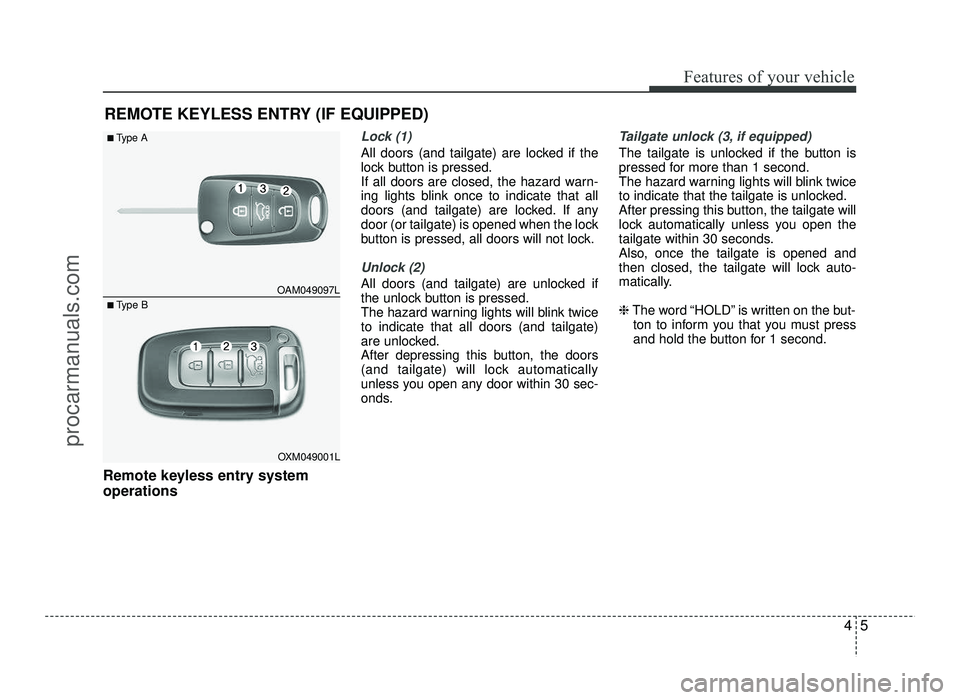
Remote keyless entry system operations
Lock (1)
All doors (and tailgate) are locked if the
lock button is pressed.
If all doors are closed, the hazard warn-
ing lights blink once to indicate that all
doors (and tailgate) are locked. If any
door (or tailgate) is opened when the lock
button is pressed, all doors will not lock.
Unlock (2)
All doors (and tailgate) are unlocked if
the unlock button is pressed.
The hazard warning lights will blink twiceto indicate that all doors (and tailgate)
are unlocked.
After depressing this button, the doors
(and tailgate) will lock automatically
unless you open any door within 30 sec-
onds.
Tailgate unlock (3, if equipped)
The tailgate is unlocked if the button is
pressed for more than 1 second.
The hazard warning lights will blink twice
to indicate that the tailgate is unlocked.
After pressing this button, the tailgate will
lock automatically unless you open the
tailgate within 30 seconds.
Also, once the tailgate is opened and
then closed, the tailgate will lock auto-
matically. ❈The word “HOLD” is written on the but-
ton to inform you that you must press
and hold the button for 1 second.
REMOTE KEYLESS ENTRY (IF EQUIPPED)
OAM049097L
OXM049001L
■
Type A
■ Type B
procarmanuals.com
Page 86 of 456
Features of your vehicle
8
4
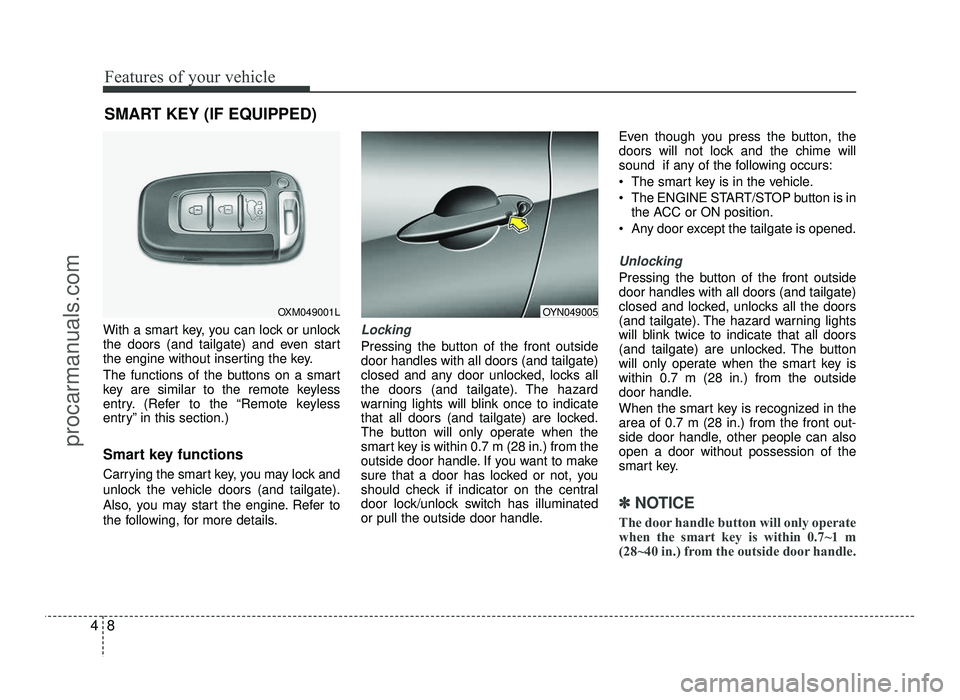
With a smart key, you can lock or unlock
the doors (and tailgate) and even start
the engine without inserting the key.
The functions of the buttons on a smart
key are similar to the remote keyless
entry. (Refer to the “Remote keyless
entry” in this section.)
Smart key functions
Carrying the smart key, you may lock and
unlock the vehicle doors (and tailgate).
Also, you may start the engine. Refer to
the following, for more details.Locking
Pressing the button of the front outside door handles with all doors (and tailgate)
closed and any door unlocked, locks all
the doors (and tailgate). The hazard
warning lights will blink once to indicate
that all doors (and tailgate) are locked.
The button will only operate when the
smart key is within 0.7 m (28 in.) from the
outside door handle. If you want to make
sure that a door has locked or not, you
should check if indicator on the central
door lock/unlock switch has illuminated
or pull the outside door handle. Even though you press the button, the
doors will not lock and the chime will
sound if any of the following occurs:
The smart key is in the vehicle.
The ENGINE START/STOP button is in
the ACC or ON position.
Any door except the tailgate is opened.
Unlocking
Pressing the button of the front outside door handles with all doors (and tailgate)
closed and locked, unlocks all the doors
(and tailgate). The hazard warning lights
will blink twice to indicate that all doors
(and tailgate) are unlocked. The button
will only operate when the smart key iswithin 0.7 m (28 in.) from the outside
door handle.
When the smart key is recognized in the area of 0.7 m (28 in.) from the front out-
side door handle, other people can alsoopen a door without possession of the
smart key.
✽✽ NOTICE
The door handle button will only operate
when the smart key is within 0.7~1 m
(28~40 in.) from the outside door handle.
SMART KEY (IF EQUIPPED)
OXM049001LOYN049005
procarmanuals.com
Page 87 of 456
49
Features of your vehicle
Tailgate unlocking
If you are within 0.7 m (28 in.) from the
outside tailgate handle, with your smart
key in possession, the tailgate will unlock
and open when you press the tailgate
handle switch.
The hazard warning lights will blink twice
to indicate that the tailgate is unlocked.
Also, once the tailgate is opened and
then closed, the tailgate will lock auto-
matically.
Start-up
You can start the engine without inserting
the key. For detailed information refer to
“Starting the engine with a smart key” insection 5.
✽✽NOTICE
Always have the smart key with you
when leaving the vehicle. If the smart
key is left near the vehicle, the vehicle
battery may be discharged.
Smart key precautions
✽✽ NOTICE
If, for some reason, you happen to lose your smart key, you will not be able to
start the engine. Tow the vehicle, if
necessary. We recommend that you
contact an authorized HYUNDAI
dealer.
A maximum of 2 smart keys can be registered to a single vehicle. If you
lose a smart key, you should immedi-
ately take the vehicle and key and we
recommend that you contact an
authorized HYUNDAI dealer.
The smart key will not work if any of the following occurs:
- The smart key is close to a radiotransmitter such as a radio station or
an airport which can interfere with
normal operation of the smart key.
- The smart key is near a mobile two- way radio system or a cellular
phone.
- Another vehicle’s smart key is being
operated close to your vehicle.
When the smart key does not work
properly, open and close the door with
the mechanical key. If you have a
problem with the smart key, we rec-
ommend that you contact an author-
ized HYUNDAI dealer. (Continued)(Continued)
If the smart key is in close proximity
to your cell phone or smart phone, the
signal from the smart key could be
blocked by normal operation of your
cell phone or smart phone. This is
especially important when the phone
is active such as making call, receiving
calls, text messaging, and/or send-
ing/receiving emails. Avoid placing
the smart key and your cell phone or
smart phone in the same pants or
jacket pocket and maintain adequate
distance between the two devices.
CAUTION
Keep the smart key away from
water or any liquid and fire. If the inside of the smart key gets damp
(due to drinks or moisture), or is heated, internal circuit may mal-
function, excluding the car from thewarranty.
CAUTION
Keep the smart key away from elec- tromagnetic materials that blocks
electromagnetic waves to the key surface.
procarmanuals.com
Page 89 of 456
411
Features of your vehicle
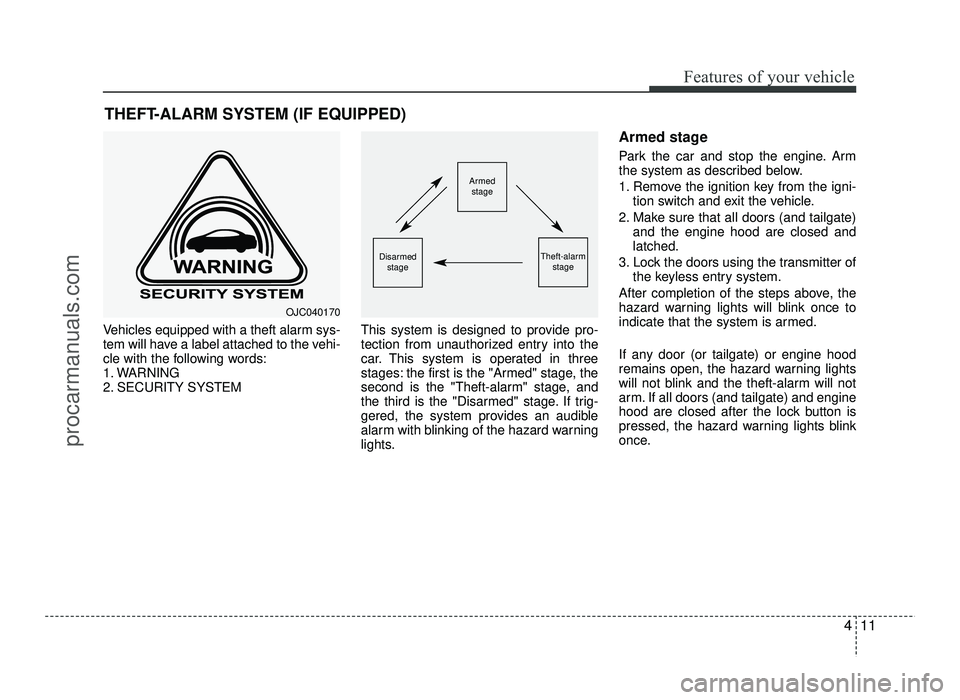
Vehicles equipped with a theft alarm sys-
tem will have a label attached to the vehi-
cle with the following words:
1. WARNING
2. SECURITY SYSTEMThis system is designed to provide pro-
tection from unauthorized entry into the
car. This system is operated in three
stages: the first is the "Armed" stage, the
second is the "Theft-alarm" stage, and
the third is the "Disarmed" stage. If trig-
gered, the system provides an audible
alarm with blinking of the hazard warning
lights. Armed stage
Park the car and stop the engine. Arm
the system as described below.
1. Remove the ignition key from the igni-
tion switch and exit the vehicle.
2. Make sure that all doors (and tailgate) and the engine hood are closed and latched.
3. Lock the doors using the transmitter of the keyless entry system.
After completion of the steps above, the
hazard warning lights will blink once to
indicate that the system is armed.
If any door (or tailgate) or engine hood
remains open, the hazard warning lights
will not blink and the theft-alarm will not
arm. If all doors (and tailgate) and engine
hood are closed after the lock button is
pressed, the hazard warning lights blink
once.
THEFT-ALARM SYSTEM (IF EQUIPPED)
Armed
stage
Theft-alarm stageDisarmedstage
OJC040170
procarmanuals.com
Page 90 of 456
Features of your vehicle
12
4
Do not arm the system until all pas-
sengers have left the vehicle. If the
system is armed while a passenger(s)
remains in the vehicle, the alarm may
be activated when the remaining pas-
senger(s) leave the vehicle. If anydoor (or tailgate) or engine hood isopened within 30 seconds after the
system enters the armed stage, the
system is disarmed to prevent unnec-
essary alarm. Theft-alarm stage
The alarm will be activated if any of the
following occurs while the system is
armed.
A front or rear door is opened without
using the transmitter (or smart key).
The tailgate is opened without using the transmitter (or smart key).
The engine hood is opened.
The horn will sound and the hazard
warning lights will blink continuously for
27 seconds, unless the system is dis-
armed. To turn off the system, unlock the
doors with the transmitter (or smart key).
Disarmed stage
The system will be disarmed when:
Transmitter
- The door unlock button is pressed.
- The engine is started. (within 3 sec- onds)
- The ignition switch is in the “ON” posi- tion for 30 seconds or more.
Smart key
- The door unlock button is pressed.
- The button of the front outside door is
pressed while carrying the smart key.
- The engine is started. (within 3 sec- onds) After the doors are unlocked, the hazard
warning lights will blink twice to indicate
that the system is disarmed.
After pressing the unlock button, if any door (or tailgate) is not opened within 30
seconds, the system will be rearmed.
✽✽
NOTICE - Immobilizer system
If the system is not disarmed with the transmitter, insert the key into the
ignition switch and start the engine.
Then the system will be disarmed.
If you lose your keys, we recommend that you consult an authorized
HYUNDAI dealer.
CAUTION
Do not change, alter or adjust the
immobilizer system because itcould cause the immobilizer sys-
tem to malfunction. We recommendthat the system be serviced by an
authorized HYUNDAI dealer.
Malfunctions caused by improperalterations, adjustments or modifi-
cations to the theft-alarm system are not covered by your vehicle
manufacturer’s warranty.
procarmanuals.com
Page 92 of 456
Features of your vehicle
14
4
Operating door locks from inside
the vehicle
With the door handle
If the inner door handle is pulled once
when the door is locked, the door will
unlock.
If the inner door handle is pulled twice, the door will open.
Inside handle override
(Front door, if equipped) If the inner door handle is pulled when
the door is locked, the door will unlockand open.
Inside handle central door unlock
(Front door, if equipped) If the inner door handle is pulled when all
doors are locked, all doors will unlock.
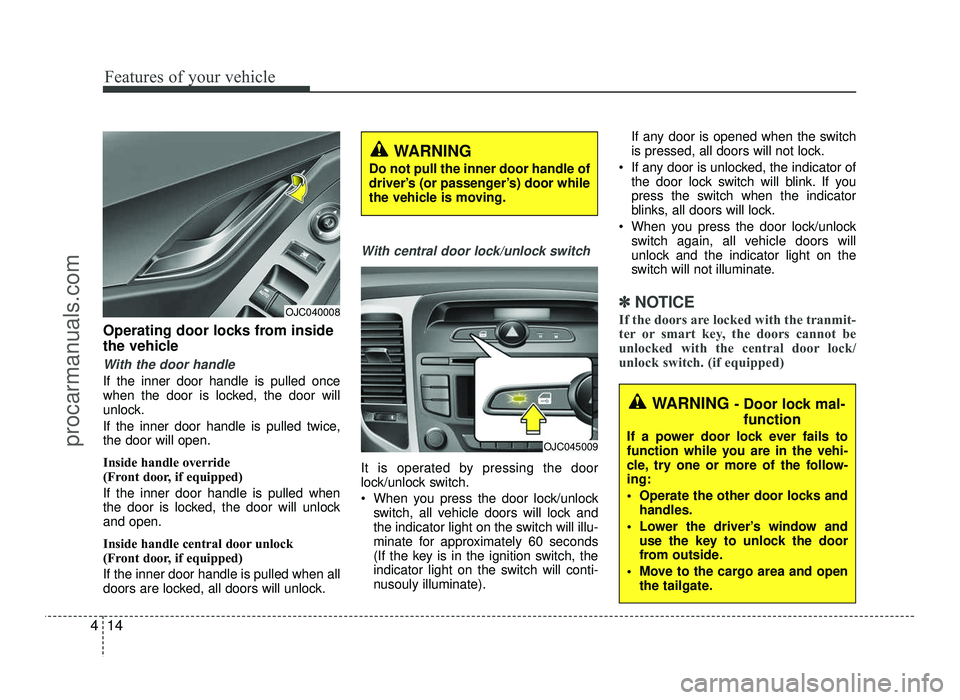
With central door lock/unlock switch
It is operated by pressing the door
lock/unlock switch.
When you press the door lock/unlock
switch, all vehicle doors will lock and
the indicator light on the switch will illu-
minate for approximately 60 seconds
(If the key is in the ignition switch, the
indicator light on the switch will conti-
nusouly illuminate). If any door is opened when the switch
is pressed, all doors will not lock.
If any door is unlocked, the indicator of the door lock switch will blink. If you
press the switch when the indicator
blinks, all doors will lock.
When you press the door lock/unlock switch again, all vehicle doors will
unlock and the indicator light on the
switch will not illuminate.
✽✽ NOTICE
If the doors are locked with the tranmit-
ter or smart key, the doors cannot be
unlocked with the central door lock/
unlock switch. (if equipped)OJC040008
WARNING - Door lock mal-
function
If a power door lock ever fails to
function while you are in the vehi-
cle, try one or more of the follow-ing:
Operate the other door locks and handles.
Lower the driver’s window and use the key to unlock the door
from outside.
Move to the cargo area and open the tailgate.
OJC045009
WARNING
Do not pull the inner door handle of
driver’s (or passenger’s) door while
the vehicle is moving.
procarmanuals.com
Page 98 of 456
Features of your vehicle
20
4
Power windows
The ignition switch must be in the ON
position for power windows to operate.
Each door has a power window switch
that controls the door's window. The driv-
er has a master power window switch
that controls all the windows in the vehi-
cle. Also, a power window lock switch
which that can block the operation of rear
passenger windows. The power windows
can be operated for approximately 30
seconds after the ignition key is removed
or turned to the ACC or LOCK position.
However, if the front doors are opened,
the power windows cannot be operated
within the 30 seconds period.✽✽
NOTICE
In cold and wet climates, power win- dows may not work properly due to
freezing conditions.
While driving with the rear windows down or with the sunroof (if equipped)
opened (or partially opened), your
vehicle may demonstrate a wind buf-
feting or pulsation noise. This noise is
a normal occurrence and can be
reduced or eliminated by taking the
following actions. If the noise occurs
with one or both of the rear windows
down, partially lower both front win-
dows approximately one inch. If you
experience the noise with the sunroof
open, slightly reduce the size of the
sunroof opening
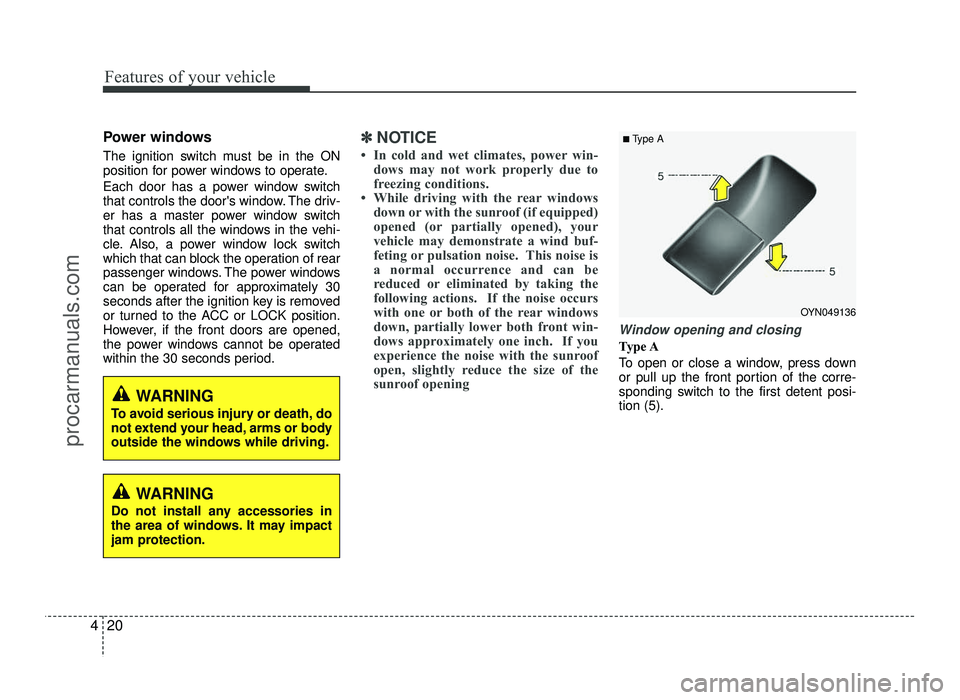
Window opening and closing
Type A
To open or close a window, press down
or pull up the front portion of the corre-
sponding switch to the first detent posi-tion (5).
OYN049136
■
Type A
WARNING
To avoid serious injury or death, do
not extend your head, arms or body
outside the windows while driving.
WARNING
Do not install any accessories in
the area of windows. It may impact
jam protection.
procarmanuals.com