Features of Your Vehicle
Satellite radio reception
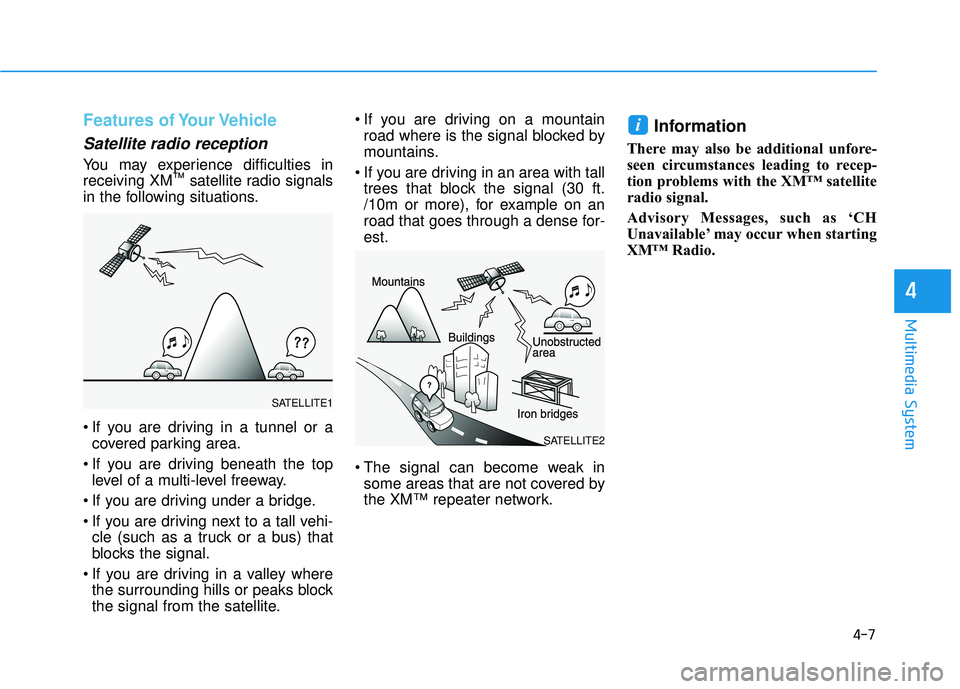
You may experience difficulties in
receiving XM™satellite radio signals
in the following situations.
If you are driving in a tunnel or a covered parking area.
If you are driving beneath the top level of a multi-level freeway.
If you are driving under a bridge.
If you are driving next to a tall vehi- cle (such as a truck or a bus) that
blocks the signal.
If you are driving in a valley where the surrounding hills or peaks block
the signal from the satellite. If you are driving on a mountain
road where is the signal blocked by
mountains.
If you are driving in an area with tall trees that block the signal (30 ft.
/10m or more), for example on an
road that goes through a dense for-
est.
The signal can become weak in some areas that are not covered by
the XM™ repeater network.
Information
There may also be additional unfore-
seen circumstances leading to recep-
tion problems with the XM™ satellite
radio signal.
Advisory Messages, such as ‘CH
Unavailable’ may occur when starting
XM™ Radio.
i
4-7
Multimedia System
4
SATELLITE2
SATELLITE1
4-38
Multimedia System
Category
Press the [CAT/FOLDER]button.
The display will indicate the catego- ry menus, highlight the category
that the current channel belongs to.
In the Category List Mode, press the [CAT/FOLDER] button to navi-
gate category list.
Press the tune knob to select the lowest channel in the highlighted
category.
If channel is selected by selecting category, then the “CATEGORY”
icon is displayed at the top of the
screen.
Preset
Press the [1] ~ [6] button
Short press : Plays the channel saved in the corresponding button.
Press and hold : Pressing and holding the desired button from [1]
~ [6] will save the current broad-
cast to the selected button and
sound a BEEP.
Information
- Troubleshooting
1. Antenna Error If this message is displayed, the
antenna or antenna cable is broken
or unplugged. Please consult with
your Hyundai dealership.
2. No Signal If this message is displayed, it
means that the antenna is covered
and that the SiriusXM Satellite
Radio signal is not available.
Ensure the antenna is uncovered
and has a clear view of the sky.
Tune
Rotate TUNEknob : Changes the
channel number or scrolls catego-
ry list.
Press
TUNEknob : Selects the
menu.
Menu : SiriusXM Radio
Press the [MENU] button.
Info (Information) : [1]Button
Displays the Artist/Song info of the
current song.
i
![HYUNDAI ELANTRA SE 2017 Owners Manual 4-38
Multimedia System
Category
Press the [CAT/FOLDER]button.
The display will indicate the catego- ry menus, highlight the category
that the current channel belongs to.
In the Category List Mode, p](/manual-img/35/56090/w960_56090-289.png "HYUNDAI ELANTRA SE 2017 Owners Manual 4-38
Multimedia System
Category
Press the [CAT/FOLDER]button.
The display will indicate the catego- ry menus, highlight the category
that the current channel belongs to.
In the Category List Mode, p")