Page 160 of 586
3-66
Convenient features of your vehicle
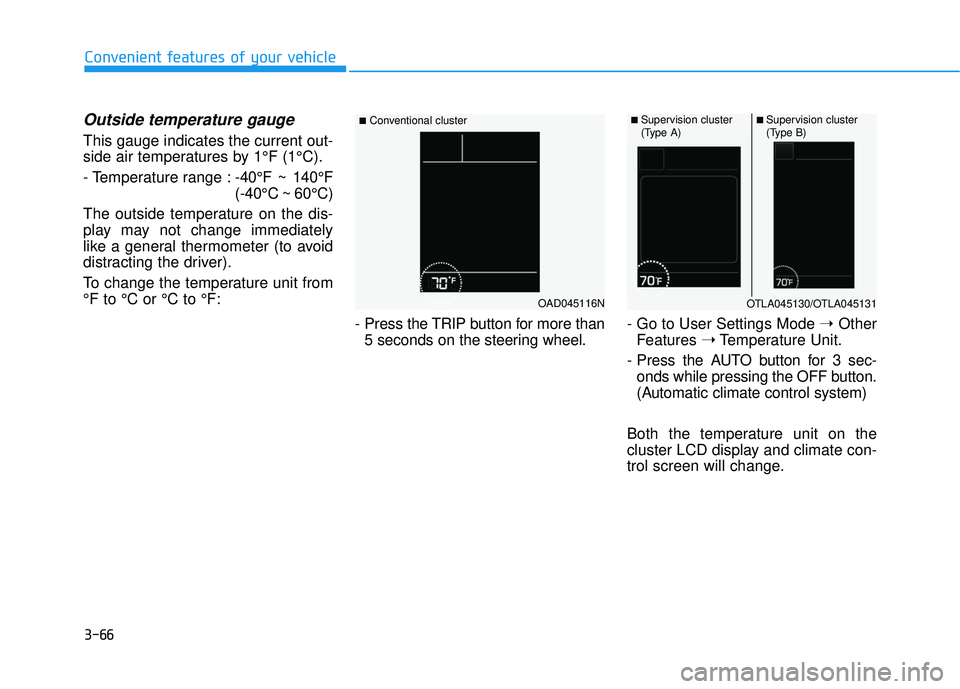
Outside temperature gauge
This gauge indicates the current out-
side air temperatures by 1°F (1°C).
- Temperature range :-40°F ~ 140°F
(-40°C ~ 60°C)
The outside temperature on the dis-
play may not change immediately
like a general thermometer (to avoid
distracting the driver).
To change the temperature unit from
°F to °C or °C to °F:
- Press the TRIP button for more than5 seconds on the steering wheel. - Go to User Settings Mode
➝Other
Features ➝Temperature Unit.
- Press the AUTO button for 3 sec- onds while pressing the OFF button.
(Automatic climate control system)
Both the temperature unit on the
cluster LCD display and climate con-
trol screen will change.
OAD045116N
■Conventional cluster■ Supervision cluster
(Type A)■ Supervision cluster
(Type B)
OTLA045130/OTLA045131
Page 165 of 586
3-71
Convenient features of your vehicle
3
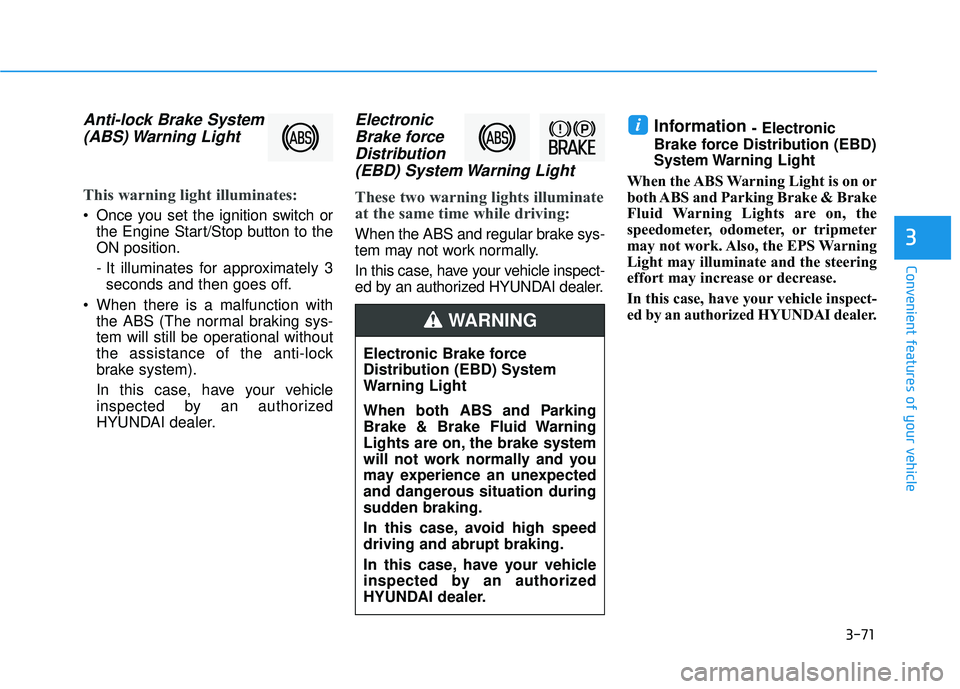
Anti-lock Brake System(ABS) Warning Light
This warning light illuminates:
Once you set the ignition switch or
the Engine Start/Stop button to the
ON position.
- It illuminates for approximately 3seconds and then goes off.
When there is a malfunction with the ABS (The normal braking sys-
tem will still be operational without
the assistance of the anti-lock
brake system).
In this case, have your vehicle
inspected by an authorized
HYUNDAI dealer.
ElectronicBrake forceDistribution(EBD) System Warning Light
These two warning lights illuminate
at the same time while driving:
When the ABS and regular brake sys-
tem may not work normally.
In this case, have your vehicle inspect-
ed by an authorized HYUNDAI dealer.
Information - Electronic
Brake force Distribution (EBD)
System Warning Light
When the ABS Warning Light is on or
both ABS and Parking Brake & Brake
Fluid Warning Lights are on, the
speedometer, odometer, or tripmeter
may not work. Also, the EPS Warning
Light may illuminate and the steering
effort may increase or decrease.
In this case, have your vehicle inspect-
ed by an authorized HYUNDAI dealer.i
Electronic Brake force
Distribution (EBD) System
Warning Light
When both ABS and Parking
Brake & Brake Fluid Warning
Lights are on, the brake system
will not work normally and you
may experience an unexpected
and dangerous situation during
sudden braking.
In this case, avoid high speed
driving and abrupt braking.
In this case, have your vehicle
inspected by an authorized
HYUNDAI dealer.
WARNING
Page 166 of 586
3-72
Convenient features of your vehicle
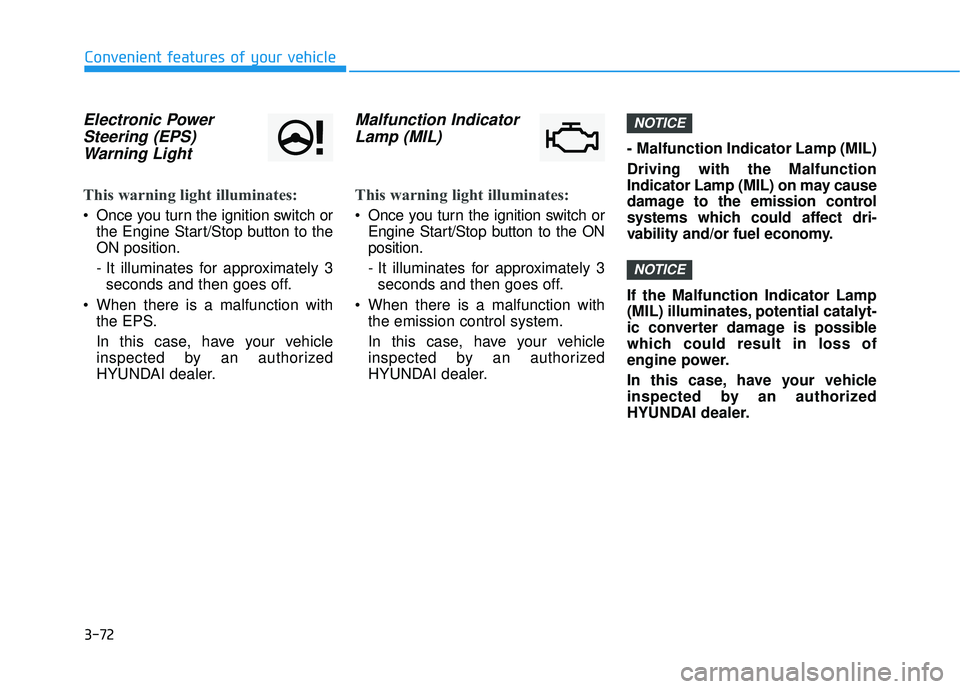
Electronic PowerSteering (EPS)Warning Light
This warning light illuminates:
Once you turn the ignition switch or
the Engine Start/Stop button to the
ON position.
- It illuminates for approximately 3seconds and then goes off.
When there is a malfunction with the EPS.
In this case, have your vehicle
inspected by an authorized
HYUNDAI dealer.
Malfunction IndicatorLamp (MIL)
This warning light illuminates:
Once you turn the ignition switch or
Engine Start/Stop button to the ON
position.
- It illuminates for approximately 3seconds and then goes off.
When there is a malfunction with the emission control system.
In this case, have your vehicle
inspected by an authorized
HYUNDAI dealer. - Malfunction Indicator Lamp (MIL)
Driving with the Malfunction
Indicator Lamp (MIL) on may cause
damage to the emission control
systems which could affect dri-
vability and/or fuel economy.
If the Malfunction Indicator Lamp
(MIL) illuminates, potential catalyt-
ic converter damage is possible
which could result in loss of
engine power.
In this case, have your vehicle
inspected by an authorized
HYUNDAI dealer.
NOTICE
NOTICE
Page 176 of 586
3-82
Convenient features of your vehicle
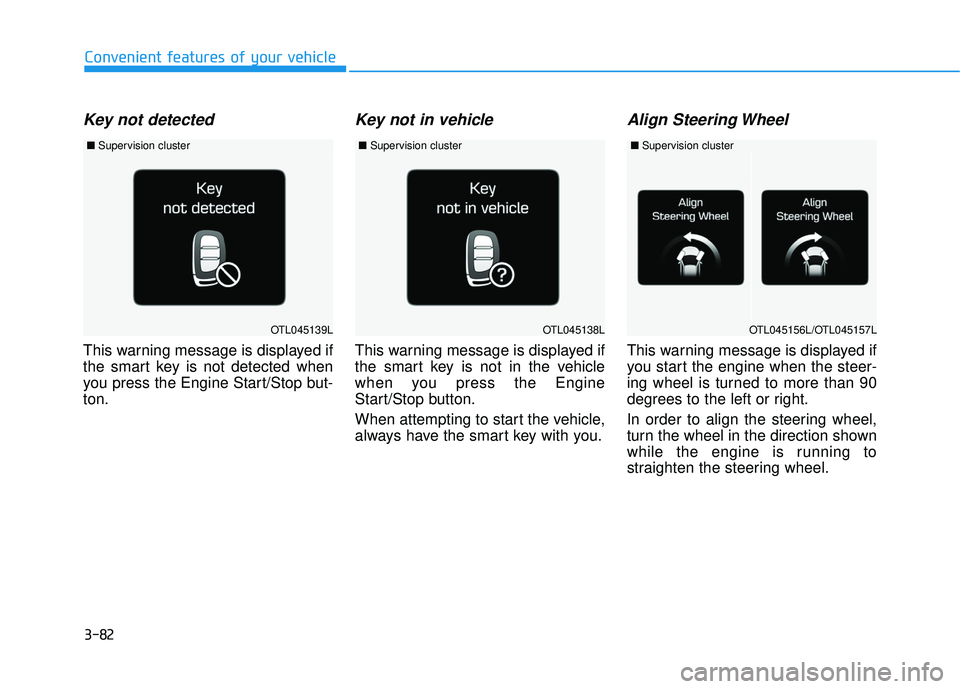
Key not detected
This warning message is displayed if
the smart key is not detected when
you press the Engine Start/Stop but-
ton.
Key not in vehicle
This warning message is displayed if
the smart key is not in the vehicle
when you press the Engine
Start/Stop button.
When attempting to start the vehicle,
always have the smart key with you.
Align Steering Wheel
This warning message is displayed if
you start the engine when the steer-
ing wheel is turned to more than 90
degrees to the left or right.
In order to align the steering wheel,
turn the wheel in the direction shown
while the engine is running to
straighten the steering wheel.
OTL045138LOTL045139LOTL045156L/OTL045157L
■Supervision cluster ■Supervision cluster ■Supervision cluster
Page 177 of 586
3-83
Convenient features of your vehicle
3
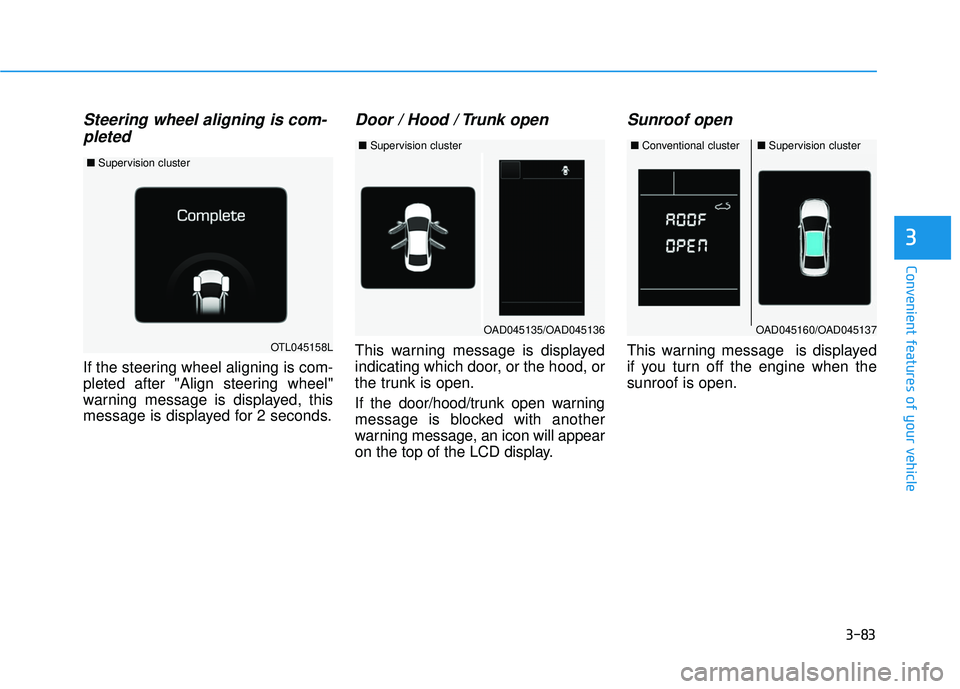
Steering wheel aligning is com-pleted
If the steering wheel aligning is com-
pleted after "Align steering wheel"
warning message is displayed, this
message is displayed for 2 seconds.
Door / Hood / Trunk open
This warning message is displayed
indicating which door, or the hood, or
the trunk is open.
If the door/hood/trunk open warning
message is blocked with another
warning message, an icon will appear
on the top of the LCD display.
Sunroof open
This warning message is displayed
if you turn off the engine when the
sunroof is open.OTL045158L
■ Supervision cluster
OAD045160/OAD045137
■Conventional cluster■Supervision cluster
OAD045135/OAD045136
■Supervision cluster
Page 178 of 586
3-84
Convenient features of your vehicle
Check BRAKE SWITCH fuse
This warning message is displayed if
the brake switch fuse is disconnect-
ed.
If this message is displayed, replace
the fuse with a new one before start-
ing the vehicle. If that is not possible,
you can start the engine by pressing
the Engine Start/Stop button for 10
seconds in the ACC position.
Turn on "FUSE SWITCH"
This warning message is displayed if
the fuse switch under the steering
wheel is OFF.
If this message is displayed, turn the
fuse switch on.
For more information, refer to
"Fuses" in chapter 7.
Low Pressure
This warning message is displayed if
the tire pressure is low. The corre-
sponding tire on the vehicle will be
illuminated.
For more information, refer to
"Tire Pressure Monitoring System
(TPMS)" in chapter 6.
OTL045147L
■Supervision cluster
OAD045144/OTL045155L
■Conventional cluster ■Supervision cluster
OAD045121N/OAD065023N
■Supervision cluster
(Type A) ■
Supervision cluster
(Type B)
Page 182 of 586
3-88
Convenient features of your vehicle
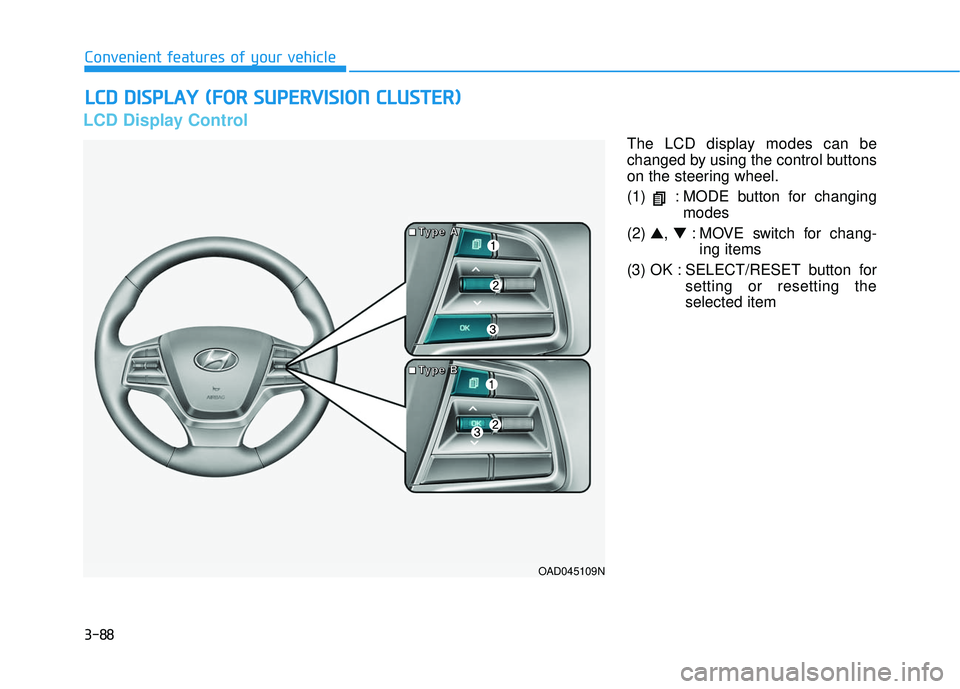
LCD Display Control
The LCD display modes can be
changed by using the control buttons
on the steering wheel.
(1) : MODE button for changingmodes
(2) ▲, ▼: MOVE switch for chang-
ing items
(3) OK : SELECT/RESET button for setting or resetting the
selected item
L
LC
C D
D
D
D I
IS
S P
P L
LA
A Y
Y
(
( F
F O
O R
R
S
S U
U P
PE
ER
R V
V I
IS
S I
IO
O N
N
C
C L
LU
U S
ST
T E
ER
R )
)
OAD045109N
■
■
■
■
T
T
T
T
y
y
y
y
p
p
p
p
e
e
e
e
A
A
A
A
■
■
■
■
T
T
T
T
y
y
y
y
p
p
p
p
e
e
e
e
B
B
B
B
Page 190 of 586
3-96
Convenient features of your vehicle
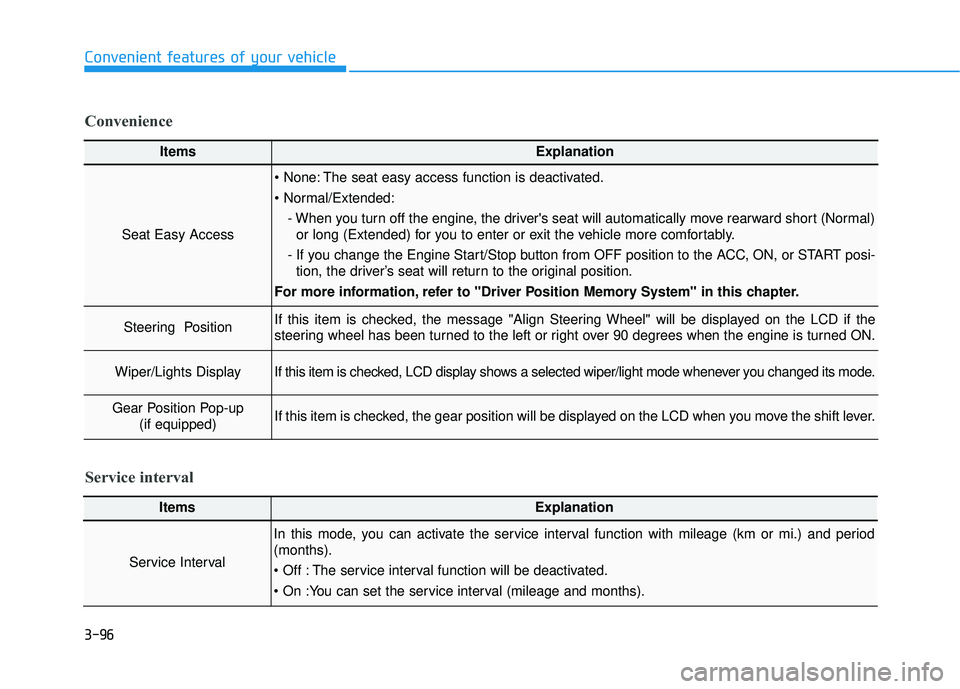
ItemsExplanation
Seat Easy Access
The seat easy access function is deactivated.
- When you turn off the engine, the driver's seat will automatically move rearward short (Normal)or long (Extended) for you to enter or exit the vehicle more comfortably.
- If you change the Engine Start/Stop button from OFF position to the ACC, ON, or START posi- tion, the driver’s seat will return to the original position.
For more information, refer to "Driver Position Memory System" in this chapter.
Steering Position If this item is checked, the message "Align Steering Wheel" will be displayed on the LCD if the
steering wheel has been turned to the left or right over 90 degrees when the engine is turned ON.
Wiper/Lights DisplayIf this item is checked, LCD display shows a selected wiper/light mode whenever you changed its mode.
Gear Position Pop-up (if equipped)If this item is checked, the gear position will be displayed on the LCD when you move the shift lever.
Convenience
ItemsExplanation
Service Interval
In this mode, you can activate the service interval function with mileage (km or mi.) and period
(months).
The service interval function will be deactivated.
Service interval