2017 HONDA ODYSSEY warning
[x] Cancel search: warningPage 420 of 565

Continued419
uuWhen Driving uForward Collision Warning (FCW)*
Driving
1Forward Collision Warning (FCW)*
Never apply a film or attach any objects to the
windshield that could obs truct the FCW camera's
field of vision.
Scratches, nicks, and othe r damage to the windshield
within the FCW camera's fi eld of vision can cause the
system to operate abnormall y. If this occurs, we
recommend that you replac e the windshield with a
genuine Honda replacem ent windshield. Making
even minor repairs within th e camera's field of vision
or installing an aftermarket replacement windshield
may also cause the system to operate abnormally.
After replacing the winds hield, have a dealer
recalibrate the camera. Prop er calibration of the FCW
camera is necessary for the system to operate
properly.
Beep
Camera-based system
The camera is located
behind the rearview mirror.
The beeper sounds
and the FCW
indicator blinks until
a possible collision is
avoided.
The beeper sounds and the
BRAKE
message appears until a possible
collision is avoided.
Models with multi-information
displayModels with
information display
* Not available on all models
17 US ODYSSEY (KA KC)-31TK86600.book 419 ページ 2016年10月24日 月曜日 午後4時2分
Page 421 of 565
uuWhen Driving uForward Collision Warning (FCW)*
420
Driving
■Automatic shutoff
FCW may automatically shut itself off and the FCW indicator comes and stays on when:
• The temperature inside the system is high.
• The windshield is blocked by di rt, mud, leaves, wet snow, etc.
Once the conditions that caused FCW to shut off improve or are addressed (e.g.,
cleaning), the system comes back on.1 Automatic shutoff
To help reduce the likel ihood that high interior
temperatures will cause the camera system to shut
off, when parking, find a sh ady area or face the front
of the vehicle away from the sun. If you use a
reflective sun shade, do not allow it to cover the
camera housing. Covering the camera can
concentrate heat on the camera.
If the CAMERA HOT message appears:
If the symbol appears:
•Use the climate control system to cool down the
interior and, if necessary , the defroster mode when
windows are fogged.
•Start driving the vehicle to lower the windshield
temperature, which cool s down the area around
the FCW system.
Models with information display
Models with multi-information display
17 US ODYSSEY (KA KC)-31TK86600.book 420 ページ 2016年10月24日 月曜日 午後4時2分
Page 422 of 565
421
uuWhen Driving uForward Collision Warning (FCW)*
Driving
FCW may not activate or may not detect a ve hicle in front of your vehicle, and may
activate even when you are aware of a ve hicle ahead of you, or when there is no
vehicle ahead under the following conditions.
■FCW Limitations
Condition
●The distance between your vehicle and the vehicle ahead of you is too short.●A vehicle cuts in front of you at a slow speed, and it brakes suddenly.●A vehicle suddenly crosses in front of you.●When either your vehicle or the vehicle ahead of you a ccelerates rapidly.●The vehicle ahead of you is a motorcycle, a small vehicle, or a unique vehicle such as a
tractor.
●When you drive off-road or on a mountain road, or curved and winding road for an
extended period that makes it difficult for the camera to properly dete ct a vehicle in front
of you.
●When there are pedestrians or an imals in front of your vehicle.●When you drive in bad weather (rain, fog, etc.).●A heavy load in the rear or modificati ons to the suspension tilts your vehicle.●An abnormal tire condition is detected (wrong tire size, flat tire, etc.).●When the windshield is blocked by dirt, mud, leaves, wet snow, etc.●When the temperature inside the system is high.●A sudden change between light and dark such as an entrance or exit of a tunnel.●You drive into the sunlight (e.g. at dawn or dusk).●When the windshield is dirty or cloudy.●When streetlights are perceived as the ta illight of a vehicle in front of yours.●When driving at night, the vehi cle ahead of you is running with either taillight bulb burned
out.
●When you drive in the shadows of trees, buildings, etc.●When your vehicle is towing a trailer.
17 US ODYSSEY (KA KC)-31TK86600.book 421 ページ 2016年10月24日 月曜日 午後4時2分
Page 423 of 565
422
uuWhen Driving uLane Departure Warning (LDW)*
Driving
Lane Departure Warning (LDW)*
Alerts you when the system detects a possibility of your vehicle unintentionally
crossing over detected side lane markings.
If your vehicle is getting too close to detected
left or right side lane markings without a turn
signal activated, LDW will give audible and
visual alerts.
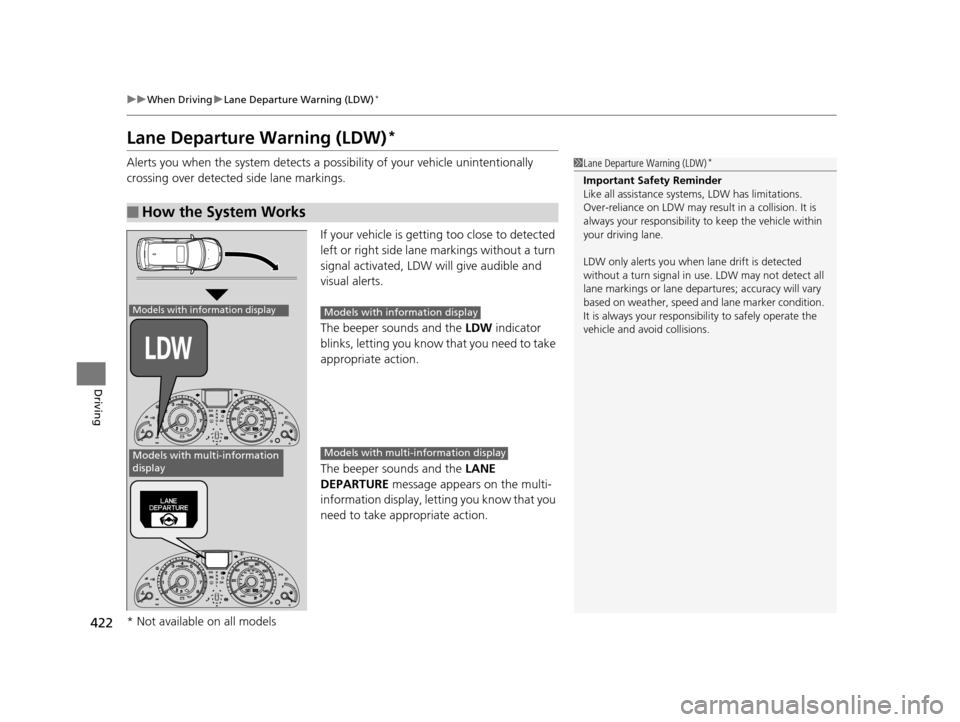
The beeper sounds and the LDW indicator
blinks, letting you know that you need to take
appropriate action.
The beeper sounds and the LANE
DEPARTURE message appears on the multi-
information display, letting you know that you
need to take appropriate action.
■How the System Works
1 Lane Departure Warning (LDW)*
Important Safety Reminder
Like all assistance systems, LDW has limitations.
Over-reliance on LDW may result in a collision. It is
always your respons ibility to keep the vehicle within
your driving lane.
LDW only alerts you when lane drift is detected
without a turn signal in us e. LDW may not detect all
lane markings or lane departures; a ccuracy will vary
based on weather, speed and lane marker condition.
It is always your responsibility to safely operate the
vehicle and avoid collisions.
Models with information display
Models with multi-information
display
Models with info rmation display
Models with multi- information display
* Not available on all models
17 US ODYSSEY (KA KC)-31TK86600.book 422 ページ 2016年10月24日 月曜日 午後4時2分
Page 424 of 565

Continued423
uuWhen Driving uLane Departure Warning (LDW)*
Driving
The system begins to search for lane marki ngs when all the following conditions are met:
• The vehicle is traveling between 40-90 mph (64-145 km/h).
• The vehicle is on a straight or slightly curved road.
• The turn signals are off.
• The brake pedal is not depressed.
■How the System Activates1How the System Activates
LDW may automaticall y shut off and the LDW
indicator comes and stays on.
2 Indicators P. 70
17 US ODYSSEY (KA KC)-31TK86600.book 423 ページ 2016年10月24日 月曜日 午後4時2分
Page 425 of 565
uuWhen Driving uLane Departure Warning (LDW)*
424
Driving
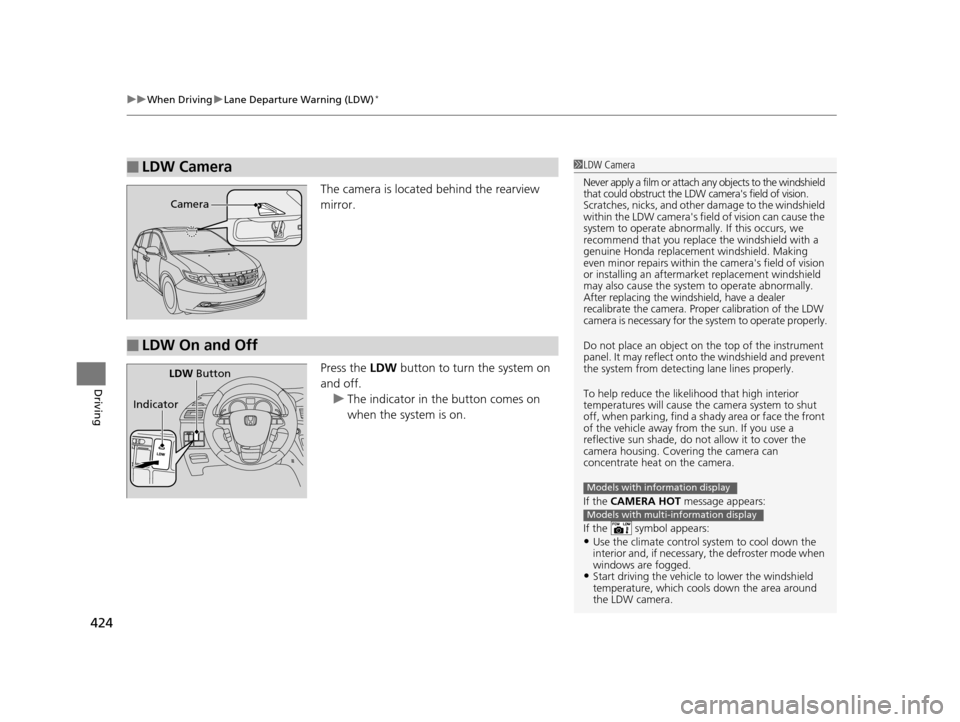
The camera is located behind the rearview
mirror.
Press the LDW button to turn the system on
and off. u The indicator in the button comes on
when the system is on.
■LDW Camera1LDW Camera
Never apply a film or attach any objects to the windshield
that could obstruct the LDW camera's field of vision.
Scratches, nicks, and othe r damage to the windshield
within the LDW camera's fi eld of vision can cause the
system to operate abnormall y. If this occurs, we
recommend that you replac e the windshield with a
genuine Honda replacem ent windshield. Making
even minor repairs within th e camera's field of vision
or installing an aftermarket replacement windshield
may also cause the system to operate abnormally.
After replacing the winds hield, have a dealer
recalibrate the camera. Proper calibration of the LDW
camera is necessary for the system to operate properly.
Do not place an object on the top of the instrument
panel. It may reflect onto the windshield and prevent
the system from detecting lane lines properly.
To help reduce the likel ihood that high interior
temperatures will cause the camera system to shut
off, when parking, find a sh ady area or face the front
of the vehicle away from the sun. If you use a
reflective sun shade, do not allow it to cover the
camera housing. Covering the camera can
concentrate heat on the camera.
If the CAMERA HOT message appears:
If the symbol appears:
•Use the climate control system to cool down the
interior and, if necessary , the defroster mode when
windows are fogged.
•Start driving the vehicle to lower the windshield
temperature, which cool s down the area around
the LDW camera.
Models with information display
Models with multi-information display
Camera
■LDW On and Off
LDW Button
Indicator
17 US ODYSSEY (KA KC)-31TK86600.book 424 ページ 2016年10月24日 月曜日 午後4時2分
Page 426 of 565

425
uuWhen Driving uLane Departure Warning (LDW)*
Driving
LDW may not activate or may not recognize lanes, and may activate even when
keeping in the middle of a lane under the following conditions.
■LDW Limitations
Condition
●When you drive in bad weather (rain, fog, etc.).●A heavy load in the rear or modificati ons to the suspension tilts your vehicle.●An abnormal tire condition is detected (wrong tire size, flat tire, etc.).●When the windshield is blocked by dirt, mud, leaves, wet snow, etc.●When the temperature inside the system is high.●A sudden change between light and dark such as an entrance or exit of a tunnel.●You drive into the sunlight (e.g. at dawn or dusk).●When the windshield is dirty or cloudy.●When you drive in the shadows of trees, buildings, etc.●When your vehicle is towing a trailer.●When you drive on a wet road su rface following another vehicle.
uThe camera may perceive the tire tracks in the water as lane lines.●When there is snow or wheel tracks on the side of the road.●When the road has many repaired areas or erased lines.●When the vehicle is running over pa inted signs or crosswalk markings.●When you drive in a lane with worn-out lane markings.
17 US ODYSSEY (KA KC)-31TK86600.book 425 ページ 2016年10月24日 月曜日 午後4時2分
Page 433 of 565

432
uuWhen Driving uBlind Spot Information (BSI) System*
Driving
Blind Spot Information (BSI) System*
Is designed to detect vehicl es in specified alert zones adjacent to your vehicle,
particularly in harder to see areas commonly known as “blind spots.”
When the system detects vehi cles approaching from behind in adjacent lanes, the
appropriate indicator comes on, providin g assistance when you change lanes.
■How the system works
1Blind Spot Inform ation (BSI) System*
Important Safety Reminder
Like all assistance systems, BSI has limitations. Over
reliance on BSI may result in a collision.
The system is for your convenience only. Even if an
object is within the alert zone, the following
situations may occur.
•The BSI alert indicator may not come on due to
obstruction (splashes, et c.) even without the BLIND
SPOT NOT AVAILABLE multi-information display
appearing.
•The BSI alert indicator may come on even with the
message appearing.
The BSI alert i ndicator may not come on under the
following conditions:
•A vehicle does not stay in the alert zone for more
than two seconds.
•A vehicle is parked in a side lane.•The speed difference betw een your vehicle and the
vehicle you are passing is gr eater than 6 mph (10 km/h).
•An object not detected by the radar sensors
approaches or passes your vehicle.
3WARNING
Failure to visually confirm that it is safe to
change lanes before doing so may result in
a crash and serious injury or death.
Do not rely only on the blind spot
information system wh en changing lanes.
Always look in your mirrors, to either side
of your vehicle, and behind you for other
vehicles before changing lanes.
●The shift lever is in ( D or .●Your vehicle speed is between
20 mph (32 km/h) and 100 mph
(160 km/h)D4
Alert zone range
A: Approx. 1.6 ft. (0.5 m)
B: Approx. 10 ft. (3 m)
C: Approx. 10 ft. (3 m) Alert Zone
Radar Sensors:
underneath the
rear bumper
cornersA
B
C
* Not available on all models
17 US ODYSSEY (KA KC)-31TK86600.book 432 ページ 2016年10月24日 月曜日 午後4時2分