Page 83 of 565
82
uuIndicators u
Instrument Panel
*1:Models with the smart entry system have an ENGINE START/STOP button instead of an ignition switch.
IndicatorNameOn/BlinkingExplanationMessage*
Fuel Economy
Indicator●Comes on and stays on while you are
driving with good fuel economy.——
CRUISE MAIN
Indicator●Comes on when you press the
CRUISE button.2Cruise Control P. 415—
CRUISE
CONTROL
Indicator●Comes on if you have set a speed for
cruise control.
2 Cruise Control P. 415—
Washer Level
Indicator*
●Comes on when the washer fluid is
low.●Refill the washer fluid.
2Refilling Window Washer Fluid
P. 474—
Maintenance
Minder Indicator*
●Comes on when the scheduled
maintenance is due soon.2 Maintenance MinderTM P. 455—
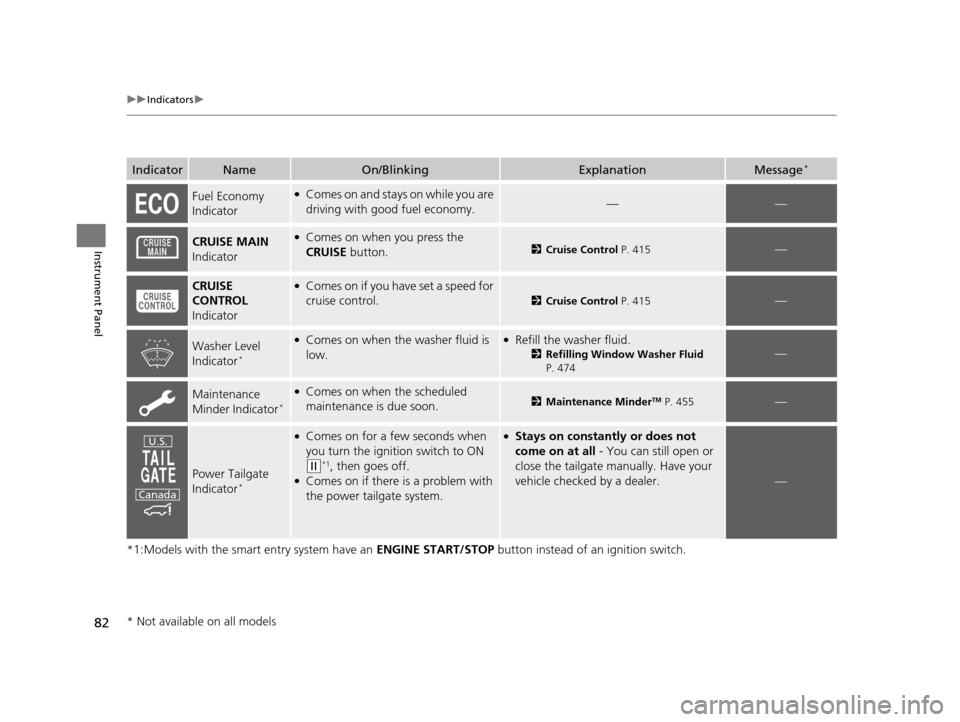
Power Tailgate
Indicator*
●Comes on for a few seconds when
you turn the igniti on switch to ON
(w*1, then goes off.●Comes on if there is a problem with
the power tailgate system.
●Stays on constantly or does not
come on at all - You can still open or
close the tailgate manually. Have your
vehicle checked by a dealer.
—
U.S.
Canada
* Not available on all models
17 US ODYSSEY (KA KC)-31TK86600.book 82 ページ 2016年10月24日 月曜日 午後4時2分
Page 84 of 565

83
uuIndicators u
Instrument Panel
*1:Models with the smart entry system have an ENGINE START/STOP button instead of an ignition switch.
IndicatorNameOn/BlinkingExplanationMessage*
Power Sliding
Door Indicator*
●Comes on for a few seconds when
you turn the ignition switch to ON
(w*1, then goes off.●Comes on if there is a problem with
the power sliding door system.
●Stays on constantly or does not
come on at all - Turn off the main
switch and manually operate the power
sliding doors. Have your vehicle checked
by a dealer.
2 Opening/Closing the Power
Sliding Doors* P. 129
—
Blind spot
information (BSI)
Indicator
*
●Comes on for a few seconds when
you turn the igniti on switch to ON
(w*1, then goes off.●Stays on while BSI is turned off.●Comes on when mud, snow, or ice
accumulates in the vicinity of sensor.
●Comes on if there is a problem with
the system.
—
●Comes on while driving - Stop in a
safe place and remove the obstacle
from vicinity of the sensor.
●Comes on while driving - Have your
vehicle checked by a dealer.
U.S.
Canada
* Not available on all models
17 US ODYSSEY (KA KC)-31TK86600.book 83 ページ 2016年10月24日 月曜日 午後4時2分
Page 87 of 565

86
uuIndicators uMulti-Information Display Warn ing and Information Messages*
Instrument Panel
Multi-Information Display Warn ing and Information Messages*
The following messages appear only on the multi-information display. Press the / (information) button to see the message agai n
with the system me ssage indicator on.
MessageConditionExplanation
●Appears when the fuel fill cap is loose or is not
installed.
2Check/Tighten Fuel Cap Message P. 529
●Appears when the scheduled maintenance is due
soon.
●Consequently, SERVICE DUE NOW and SERVICE
PAST DUE follow.
2Maintenance Minder Messages on the Multi-
Information Display P. 460
●Appears when the engine coolant temperature gets
abnormally high.
2 Overheating P. 526
●Appears when there is a pr oblem with the sensor on
the battery.●Have your vehicle ch ecked by a dealer.
2Checking the Battery P. 499
●Appears if there is a problem with the parking sensor
system. The beeper sounds.●Check if the area around the sensor(s) is covered with
mud, ice, snow, etc. If the indicator(s) stays on even
after you clean the area, have the system checked by a
dealer.
* Not available on all models
17 US ODYSSEY (KA KC)-31TK86600.book 86 ページ 2016年10月24日 月曜日 午後4時2分
Page 88 of 565
87
uuIndicators uMulti-Information Display Warn ing and Information Messages*
Continued
Instrument Panel
●Appears if there is a problem with the DRL system.●Have your vehicle checked by a dealer.
2Daytime Running Lights P. 150
●Appears when the starter system has a problem.●As a temporary measure, press and hold the ENGINE
START/STOP button for up to 15 seconds while
pressing the brake pedal and ma nually start the engine.
Have your vehicle checked by a dealer.
●Appears when the washer fluid is low.●Refill the washer fluid.
2 Refilling Window Washer Fluid P. 474
MessageConditionExplanation
U.S.
Canada
Canadian models
17 US ODYSSEY (KA KC)-31TK86600.book 87 ページ 2016年10月24日 月曜日 午後4時2分
Page 89 of 565
88
uuIndicators uMulti-Information Display Warn ing and Information Messages*
Instrument Panel
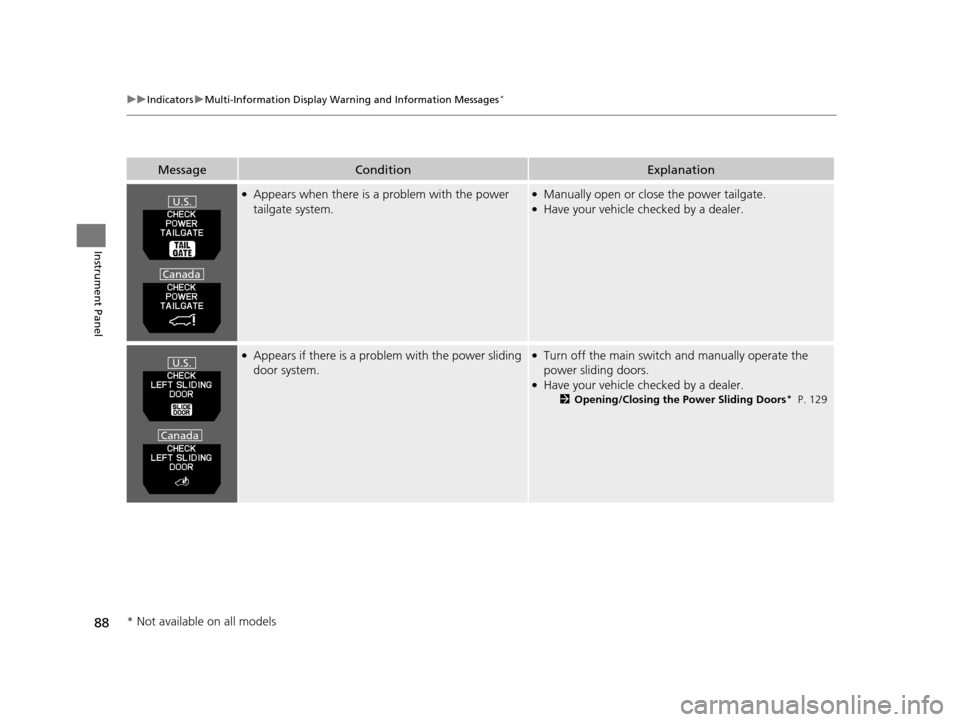
●Appears when there is a problem with the power
tailgate system.●Manually open or close the power tailgate.●Have your vehicle checked by a dealer.
●Appears if there is a prob lem with the power sliding
door system.●Turn off the main switch and manually operate the
power sliding doors.
●Have your vehicle ch ecked by a dealer.
2Opening/Closing the Power Sliding Doors* P. 129
MessageConditionExplanation
U.S.
Canada
U.S.
Canada
* Not available on all models
17 US ODYSSEY (KA KC)-31TK86600.book 88 ページ 2016年10月24日 月曜日 午後4時2分
Page 209 of 565
208
uuAudio System uAudio System Theft Protection*
Features
Audio System Theft Protection*
The audio system is disabled when it is di sconnected from the power source, such as
when the battery is disconnected or goes dead. In certain conditions, the system
may display Enter code. If this occurs, reactivate the audio system.
■Reactivating the audio system
1. Set the power mode to ON.
2. Turn on the audio system.
3. Press and hold the audio system power button for more than two seconds.
u The audio system is reac tivated when the audio co ntrol unit establishes a
connection with the vehicle control unit. If the control unit fails to recognize
the audio unit, you must go to a dealer and have the audio unit checked.
* Not available on all models
17 US ODYSSEY (KA KC)-31TK86600.book 208 ページ 2016年10月24日 月曜日 午後4時2分
Page 268 of 565
267
Features
Audio Error Messages
CD Player
If a disc error occurs, you may see the following error messages.
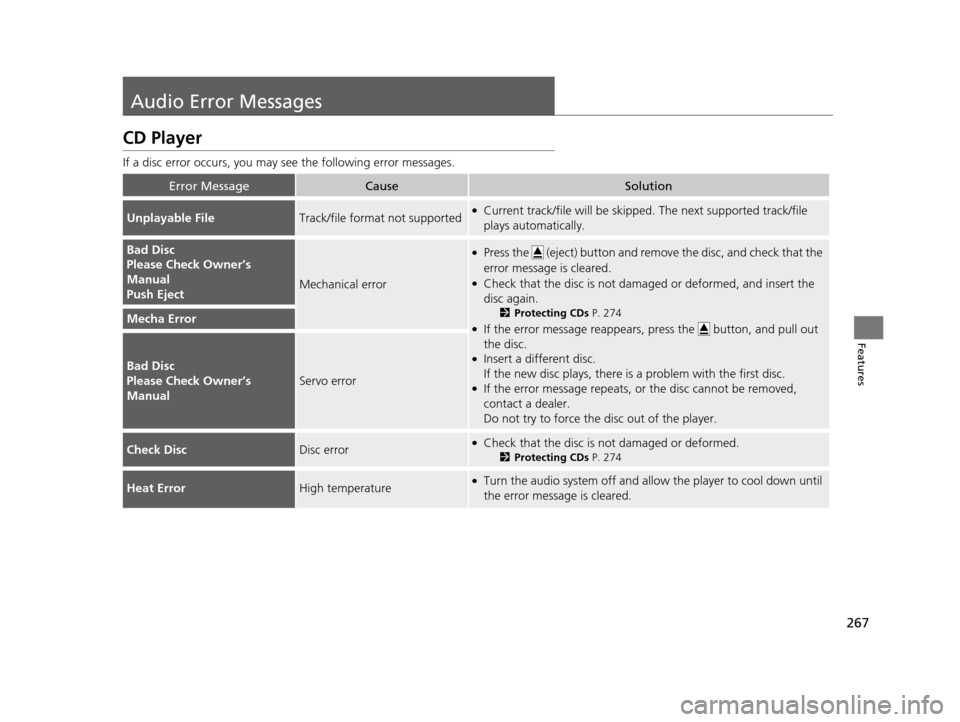
Error MessageCauseSolution
Unplayable FileTrack/file format not supported●Current track/file will be skipped. The next supported track/file
plays automatically.
Bad Disc
Please Check Owner’s
Manual
Push Eject
Mechanical error
●Press the (eject) button and remo ve the disc, and check that the
error message is cleared.
●Check that the disc is not dama ged or deformed, and insert the
disc again.
2 Protecting CDs P. 274
●If the error message reappears, press the button, and pull out
the disc.
●Insert a different disc.
If the new disc plays, there is a problem with the first disc.
●If the error message repeats, or the disc cannot be removed,
contact a dealer.
Do not try to force the disc out of the player.
Mecha Error
Bad Disc
Please Check Owner’s
Manual
Servo error
Check DiscDisc error●Check that the disc is not damaged or deformed.
2Protecting CDs P. 274
Heat ErrorHigh temperature●Turn the audio system off and allo w the player to cool down until
the error message is cleared.
17 US ODYSSEY (KA KC)-31TK86600.book 267 ページ 2016年10月24日 月曜日 午後4時2分
Page 269 of 565
268
uuAudio Error Messages uiPod/USB Flash Drive
Features
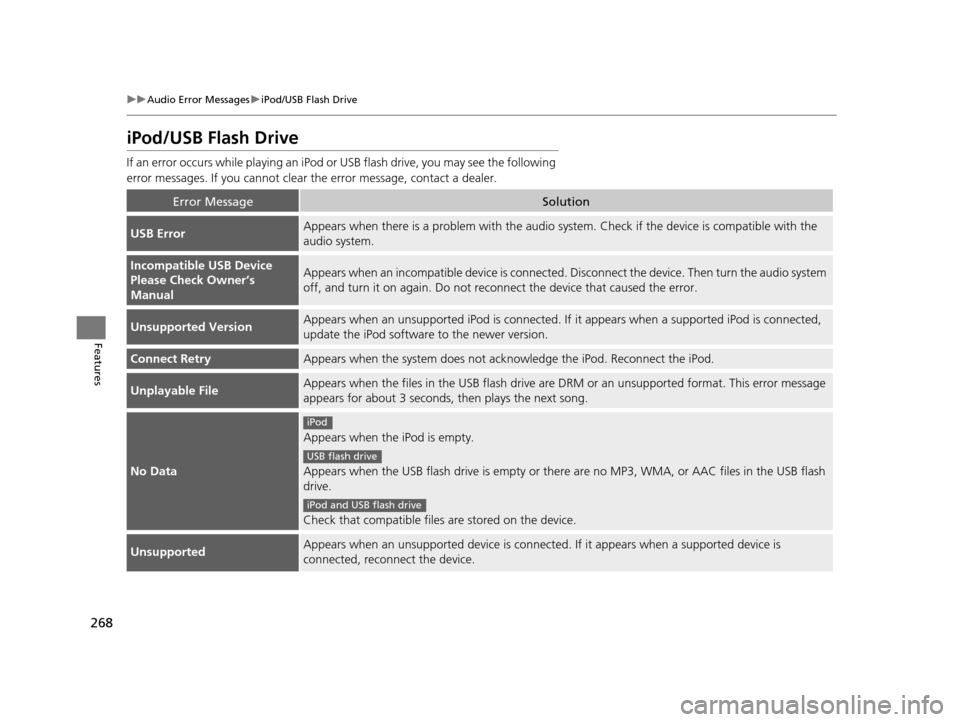
iPod/USB Flash Drive
If an error occurs while play ing an iPod or USB flash driv e, you may see the following
error messages. If you cannot clear the error message, contact a dealer.
Error MessageSolution
USB ErrorAppears when there is a problem with the audio system. Check if the device is compatible with the
audio system.
Incompatible USB Device
Please Check Owner’s
ManualAppears when an incompatible device is connected. Disconnect the device. Then turn the audio system
off, and turn it on again. Do not reco nnect the device that caused the error.
Unsupported VersionAppears when an unsupported iPod is connected. If it appears when a supported iPod is connected,
update the iPod software to the newer version.
Connect RetryAppears when the system does not acknowledge the iPod. Reconnect the iPod.
Unplayable FileAppears when the files in the USB flash drive are DRM or an unsupported format. This error message
appears for about 3 seconds, then plays the next song.
No Data
Appears when the iPod is empty.
Appears when the USB flash drive is empty or ther e are no MP3, WMA, or AAC files in the USB flash
drive.
Check that compatible files are stored on the device.
UnsupportedAppears when an unsupported device is connect ed. If it appears when a supported device is
connected, reconnect the device.
iPod
USB flash drive
iPod and USB flash drive
17 US ODYSSEY (KA KC)-31TK86600.book 268 ページ 2016年10月24日 月曜日 午後4時2分