Page 83 of 565
82
uuIndicators u
Instrument Panel
*1:Models with the smart entry system have an ENGINE START/STOP button instead of an ignition switch.
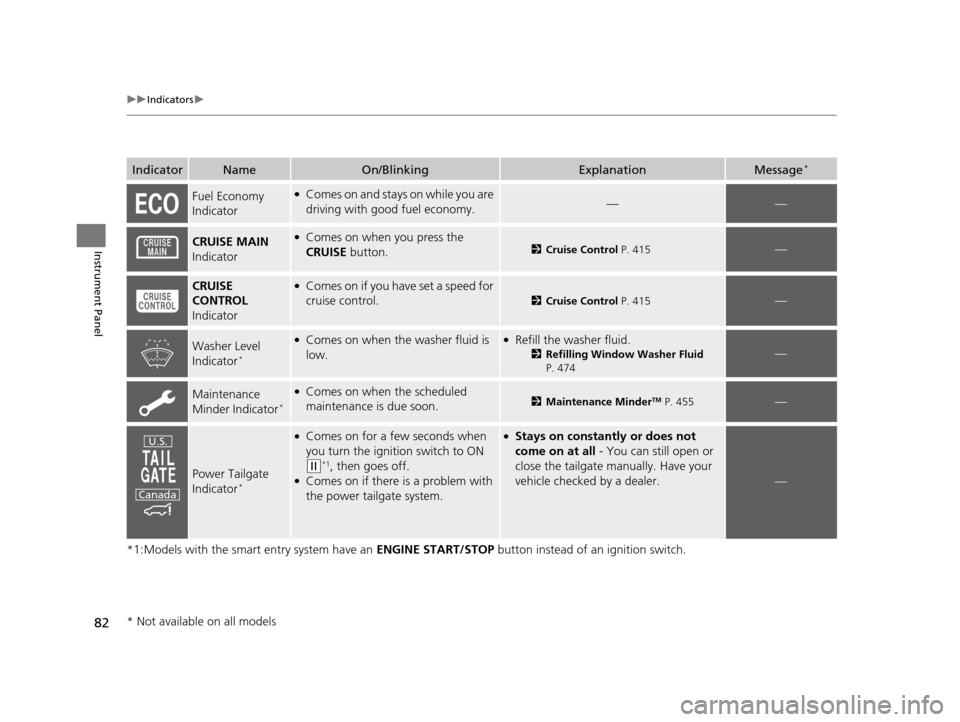
IndicatorNameOn/BlinkingExplanationMessage*
Fuel Economy
Indicator●Comes on and stays on while you are
driving with good fuel economy.——
CRUISE MAIN
Indicator●Comes on when you press the
CRUISE button.2Cruise Control P. 415—
CRUISE
CONTROL
Indicator●Comes on if you have set a speed for
cruise control.
2 Cruise Control P. 415—
Washer Level
Indicator*
●Comes on when the washer fluid is
low.●Refill the washer fluid.
2Refilling Window Washer Fluid
P. 474—
Maintenance
Minder Indicator*
●Comes on when the scheduled
maintenance is due soon.2 Maintenance MinderTM P. 455—
Power Tailgate
Indicator*
●Comes on for a few seconds when
you turn the igniti on switch to ON
(w*1, then goes off.●Comes on if there is a problem with
the power tailgate system.
●Stays on constantly or does not
come on at all - You can still open or
close the tailgate manually. Have your
vehicle checked by a dealer.
—
U.S.
Canada
* Not available on all models
17 US ODYSSEY (KA KC)-31TK86600.book 82 ページ 2016年10月24日 月曜日 午後4時2分
Page 87 of 565

86
uuIndicators uMulti-Information Display Warn ing and Information Messages*
Instrument Panel
Multi-Information Display Warn ing and Information Messages*
The following messages appear only on the multi-information display. Press the / (information) button to see the message agai n
with the system me ssage indicator on.
MessageConditionExplanation
●Appears when the fuel fill cap is loose or is not
installed.
2Check/Tighten Fuel Cap Message P. 529
●Appears when the scheduled maintenance is due
soon.
●Consequently, SERVICE DUE NOW and SERVICE
PAST DUE follow.
2Maintenance Minder Messages on the Multi-
Information Display P. 460
●Appears when the engine coolant temperature gets
abnormally high.
2 Overheating P. 526
●Appears when there is a pr oblem with the sensor on
the battery.●Have your vehicle ch ecked by a dealer.
2Checking the Battery P. 499
●Appears if there is a problem with the parking sensor
system. The beeper sounds.●Check if the area around the sensor(s) is covered with
mud, ice, snow, etc. If the indicator(s) stays on even
after you clean the area, have the system checked by a
dealer.
* Not available on all models
17 US ODYSSEY (KA KC)-31TK86600.book 86 ページ 2016年10月24日 月曜日 午後4時2分
Page 94 of 565
93
uuGauges and Displays uInformation Display*
Continued
Instrument Panel
Information Display*
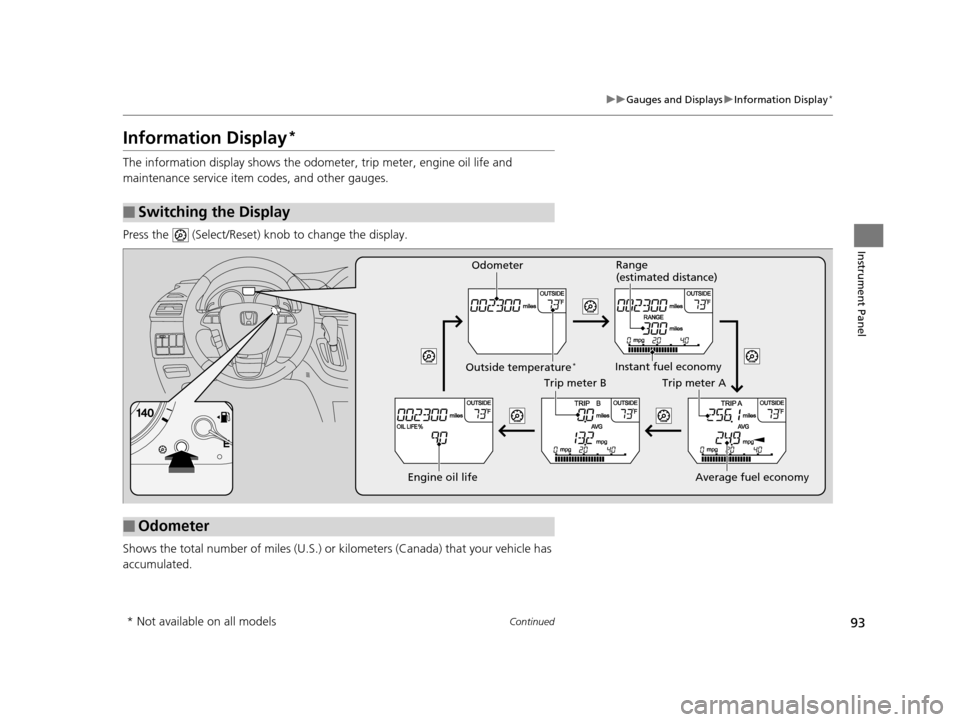
The information display shows the odom eter, trip meter, engine oil life and
maintenance service item codes, and other gauges.
Press the (Select/Reset) knob to change the display.
Shows the total number of miles (U.S.) or kilometers (Canada) that your vehicle has
accumulated.
■Switching the Display
■Odometer
Engine oil life
Trip meter B
Average fuel economy
Trip meter A
Instant fuel economy
Range
(estimated distance)
Outside temperature*
Odometer
* Not available on all models
17 US ODYSSEY (KA KC)-31TK86600.book 93 ページ 2016年10月24日 月曜日 午後4時2分
Page 95 of 565
uuGauges and Displays uInformation Display*
94
Instrument Panel
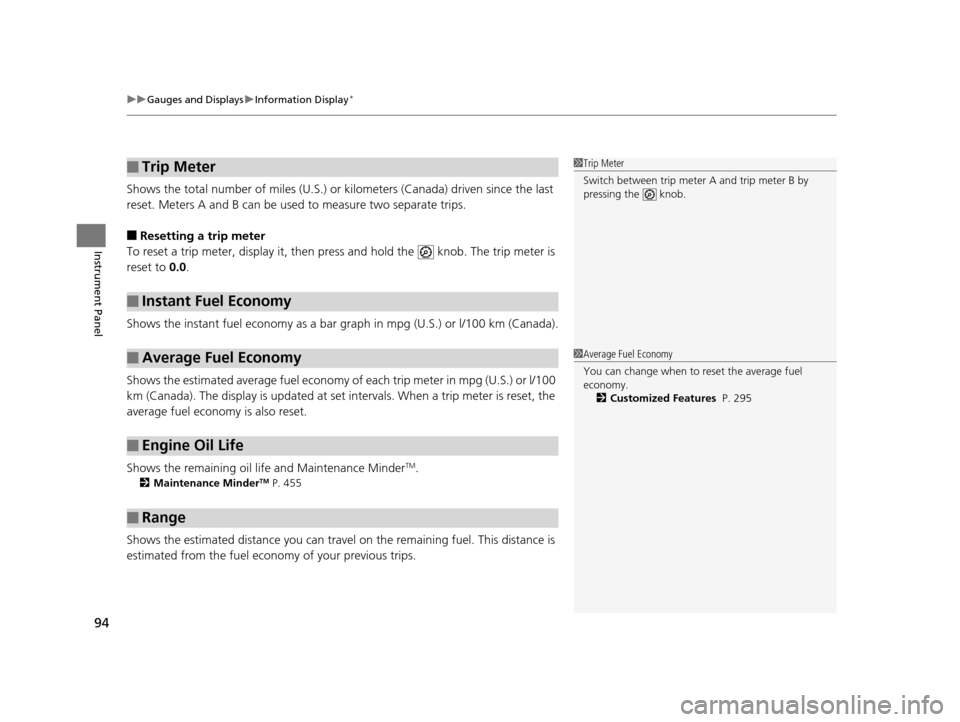
Shows the total number of miles (U.S.) or kilometers (Canada) driven since the last
reset. Meters A and B can be used to measure two separate trips.
■Resetting a trip meter
To reset a trip meter, display it, then pres s and hold the knob. The trip meter is
reset to 0.0 .
Shows the instant fuel economy as a bar gr aph in mpg (U.S.) or l/100 km (Canada).
Shows the estimated average fuel economy of each trip meter in mpg (U.S.) or l/100
km (Canada). The display is updated at set intervals. When a trip meter is reset, the
average fuel economy is also reset.
Shows the remaining oil life and Maintenance Minder
TM.
2 Maintenance MinderTM P. 455
Shows the estimated distance you can travel on the remaining fuel. This distance is
estimated from the fuel economy of your previous trips.
■Trip Meter
■Instant Fuel Economy
■Average Fuel Economy
■Engine Oil Life
■Range
1 Trip Meter
Switch between trip meter A and trip meter B by
pressing the knob.
1Average Fuel Economy
You can change when to reset the average fuel
economy.
2 Customized Features P. 295
17 US ODYSSEY (KA KC)-31TK86600.book 94 ページ 2016年10月24日 月曜日 午後4時2分
Page 99 of 565

uuGauges and Displays uMulti-Information Display*
98
Instrument Panel
Shows the average speed in m ph (U.S.) or km/h (Canada) since Trip A or Trip B was
reset.
Shows the remaining oil life and Maintenance Minder
TM.
2 Maintenance MinderTM P. 455
Shows the outside temperature in Fahr enheit (U.S.) or Celsius (Canada).
■Adjusting the outside temperature display
Adjust the temperature reading up to ±5°F or ±3°C if the temperature reading
seems incorrect.
■Average Speed
■Engine Oil Life
■Outside Temperature
1 Average Speed
You can change when to reset the average speed.
2 Customized Features P. 99, 295
1Outside Temperature
The temperature sensor is in the front bumper.
Road heat and exhaust fr om another vehicle can
affect the temperature reading when your vehicle
speed is less than 19 mph (30 km/h).
It may take several minutes for the display to be
updated after the temperature reading has stabilized.
Use the multi-information display's customized
features to correct the temperature. 2 Customized Features P. 99, 295
17 US ODYSSEY (KA KC)-31TK86600.book 98 ページ 2016年10月24日 月曜日 午後4時2分
Page 271 of 565
270
uuAudio Error Messages uPandora®
Features
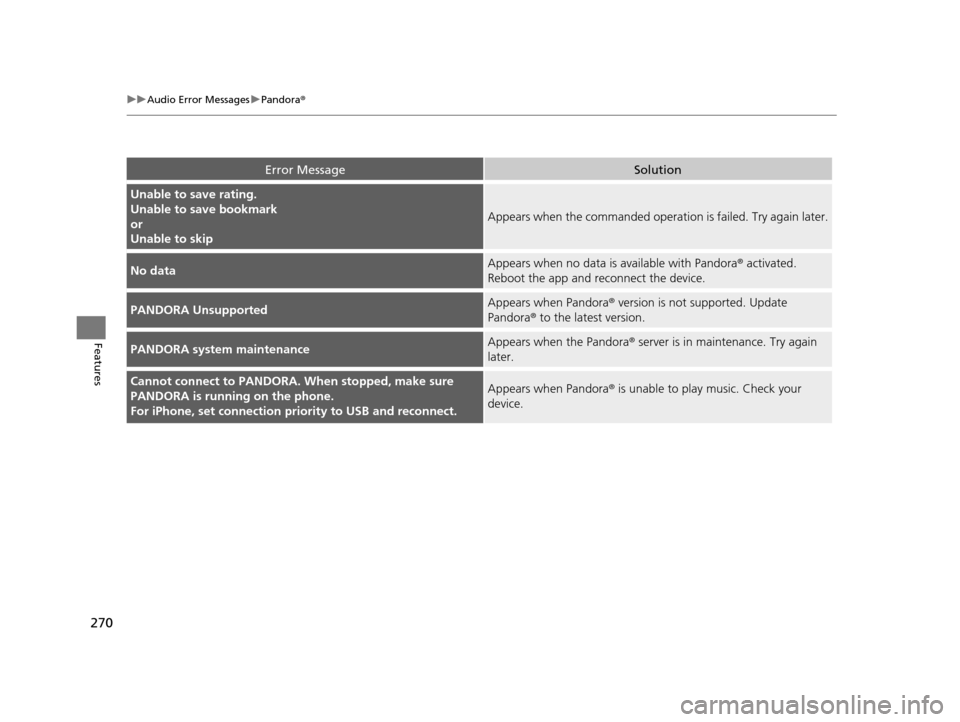
Error MessageSolution
Unable to save rating.
Unable to save bookmark
or
Unable to skip
Appears when the commanded operation is failed. Try again later.
No dataAppears when no data is available with Pandora® activated.
Reboot the app and reconnect the device.
PANDORA UnsupportedAppears when Pandora ® version is not supported. Update
Pandora® to the latest version.
PANDORA system maintenanceAppears when the Pandora ® server is in maintenance. Try again
later.
Cannot connect to PANDORA. When stopped, make sure
PANDORA is running on the phone.
For iPhone, set connection pr iority to USB and reconnect.Appears when Pandora ® is unable to play music. Check your
device.
17 US ODYSSEY (KA KC)-31TK86600.book 270 ページ 2016年10月24日 月曜日 午後4時2分
Page 298 of 565
297
uuCustomized Features u
Continued
Features
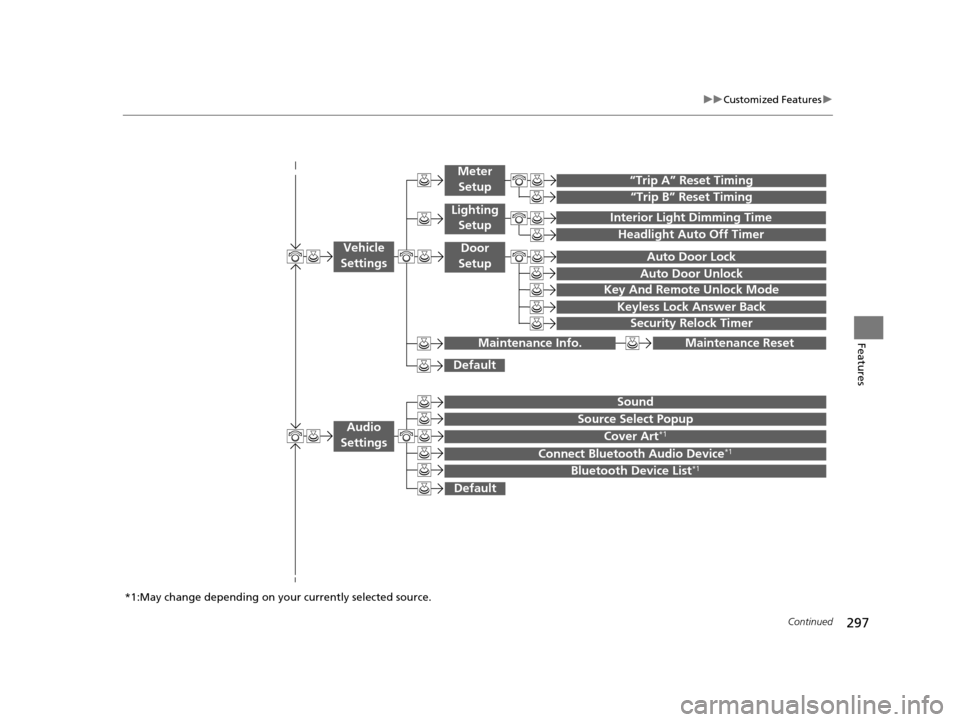
“Trip B” Reset Timing
“Trip A” Reset Timing
Auto Door Lock
Auto Door Unlock
Interior Light Dimming Time
Headlight Auto Off Timer
Key And Remote Unlock Mode
Keyless Lock Answer Back
Security Relock Timer
Maintenance Reset
Default
Vehicle
Settings
Meter
Setup
Lighting Setup
Door
Setup
Maintenance Info.
Source Select Popup
Sound
Default
Cover Art*1
Connect Bluetooth Audio Device*1
Bluetooth Device List*1
Audio
Settings
*1:May change depending on your currently selected source.
17 US ODYSSEY (KA KC)-31TK86600.book 297 ページ 2016年10月24日 月曜日 午後4時2分
Page 303 of 565
302
uuCustomized Features u
Features
*1:Default SettingSetup
Group Customizable Features Descri
ption Selectable Settings
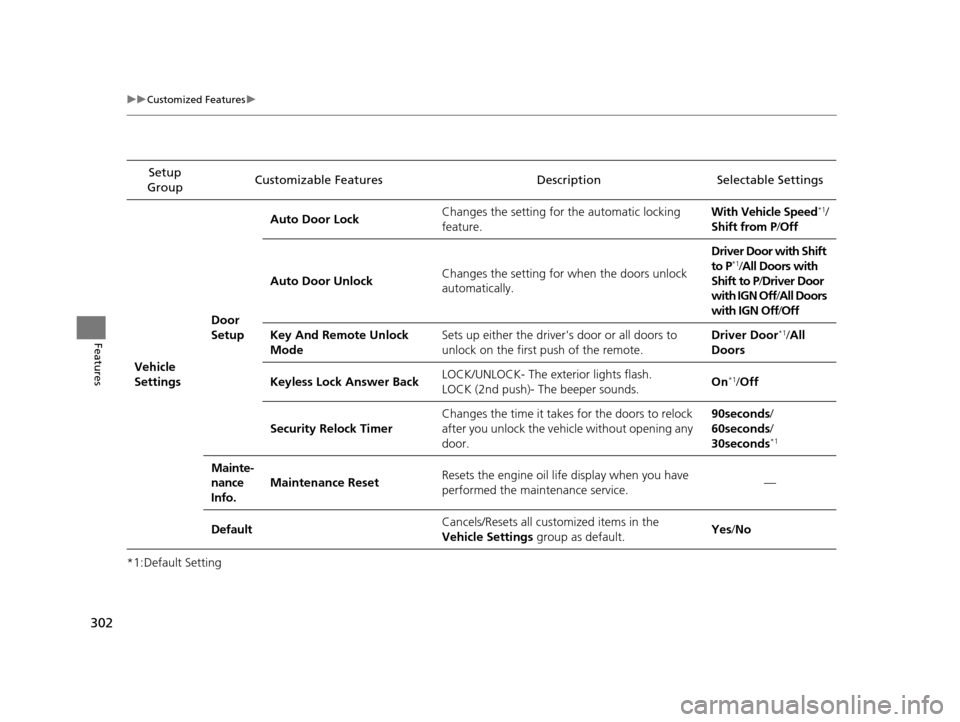
Vehicle
Settings Door
SetupAuto Door Lock
Changes the setting for the automatic locking
feature. With Vehicle Speed
*1/
Shift from P/ Off
Auto Door Unlock Changes the setting for when the doors unlock
automatically. Driver Door with Shift
to P
*1/
All Doors with
Shift to P /Driver Door
with IGN Off /All Doors
with IGN Off /Off
Key And Remote Unlock
Mode Sets up either the driver
's door or all doors to
unlock on the first push of the remote. Driver Door
*1/
All
Doors
Keyless Lock Answer Back LOCK/UNLOCK- The exterior lights flash.
LOCK (2nd push)- The beeper sounds. On
*1/
Off
Security Relock Timer Changes the time it takes for the doors to relock
after you unlock the vehicle without opening any
door. 90seconds/
60seconds/
30seconds
*1
Mainte-
nance
Info.
Maintenance Reset
Resets the engine oil life display when you have
performed the maintenance service. —
Default Cancels/Resets all cust
omized items in the
Vehicle Settings group as default. Yes
/No
17 US ODYSSEY (KA KC)-31TK86600.book 302 ページ 2016年10月24日 月曜日 午後4時2分