Page 392 of 565
391
uuBluetooth ® HandsFreeLink ®u HFL Menus
Features
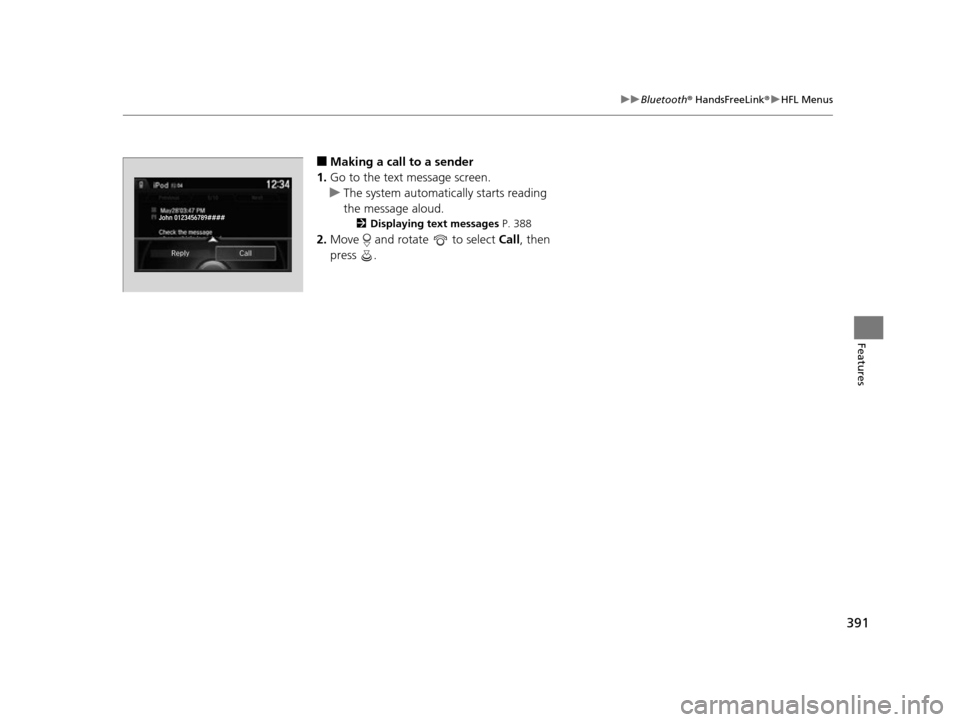
■Making a call to a sender
1. Go to the text message screen.
u The system automatically starts reading
the message aloud.
2 Displaying text messages P. 388
2.Move and rotate to select Call, then
press .
John 0123456789####
Reply Call
17 US ODYSSEY (KA KC)-31TK86600.book 391 ページ 2016年10月24日 月曜日 午後4時2分
Page 393 of 565
392
Features
Compass*
When you set the power mode to ON, the compass self-calibrates, and the compass
display appears.
Compass Calibration
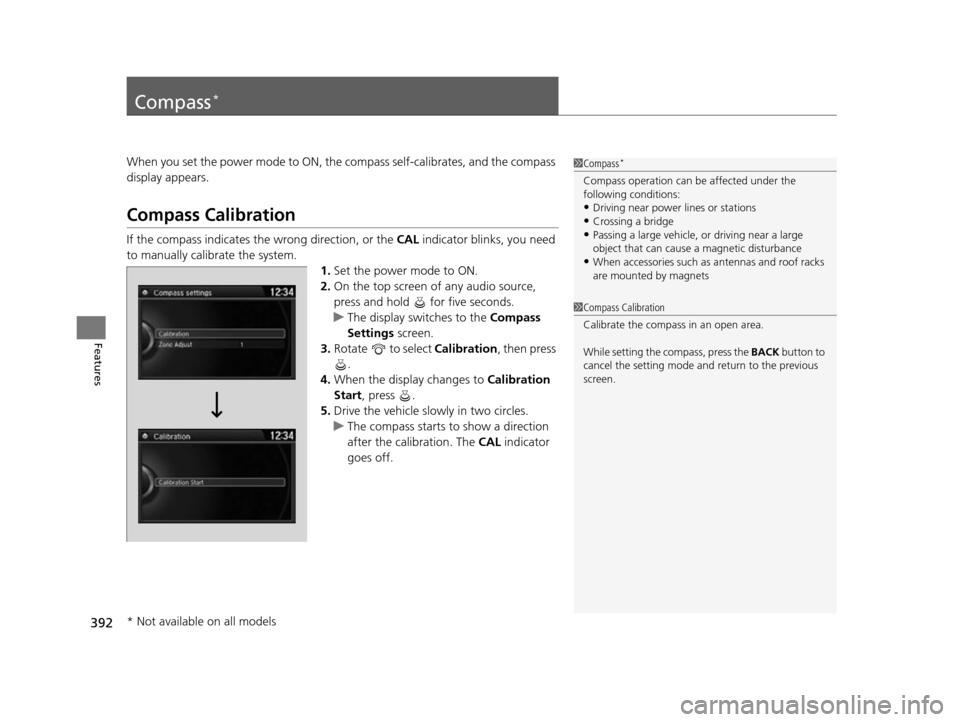
If the compass indicates the wrong direction, or the CAL indicator blinks, you need
to manually calibrate the system.
1.Set the power mode to ON.
2. On the top screen of any audio source,
press and hold for five seconds.
u The display switches to the Compass
Settings screen.
3. Rotate to select Calibration , then press
.
4. When the display changes to Calibration
Start, press .
5. Drive the vehicle slowly in two circles.
u The compass starts to show a direction
after the calibration. The CAL indicator
goes off.
1 Compass*
Compass operation can be affected under the
following conditions:
•Driving near power lines or stations•Crossing a bridge
•Passing a large vehicle, or driving near a large
object that can cause a magnetic disturbance
•When accessories such as antennas and roof racks
are mounted by magnets
1 Compass Calibration
Calibrate the compass in an open area.
While setting the compass, press the BACK button to
cancel the setting mode a nd return to the previous
screen.
* Not available on all models
17 US ODYSSEY (KA KC)-31TK86600.book 392 ページ 2016年10月24日 月曜日 午後4時2分
Page 394 of 565
393
uuCompass*uCompass Zone Selection
Features
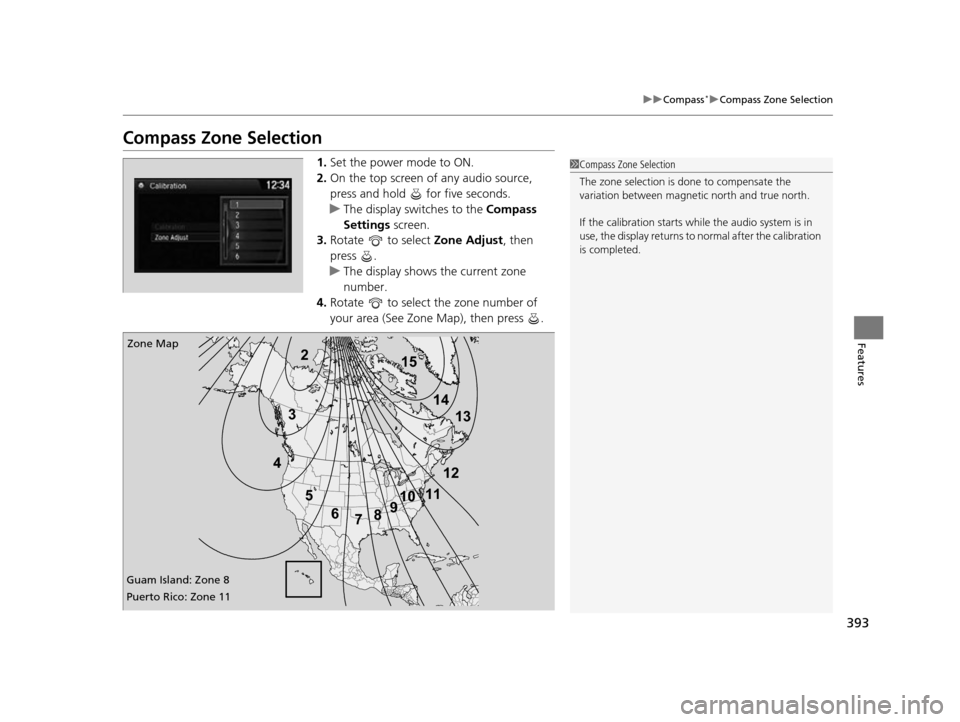
Compass Zone Selection
1. Set the power mode to ON.
2. On the top screen of any audio source,
press and hold for five seconds.
u The display swit ches to the Compass
Settings screen.
3. Rotate to select Zone Adjust, then
press .
u The display shows the current zone
number.
4. Rotate to select the zone number of
your area (See Zone Map), then press .1Compass Zone Selection
The zone selection is done to compensate the
variation between magneti c north and true north.
If the calibration starts while the audio system is in
use, the display returns to normal after the calibration
is completed.
2
3
4 5678910
111213
14
15Zone Map
Guam Island: Zone 8
Puerto Rico: Zone 11
17 US ODYSSEY (KA KC)-31TK86600.book 393 ページ 2016年10月24日 月曜日 午後4時2分
Page 396 of 565

395
Driving
This chapter discusses driving, refueling, and information on items such as accessories.
Before Driving
Driving Preparation .......................... 396
Maximum Load Limit........................ 399
Towing a Trailer Towing Preparation .......................... 401
Driving Safely with a Trailer .............. 405
Towing Your Vehicle ........................ 406
When Driving Starting the Engine .................. 407, 409
Precautions While Driving................. 411
Automatic Transmission ................... 412
Shifting ............................................ 413 Cruise Control ................................. 415
Forward Collision Warning (FCW)*.. 418
Lane Departure Warning (LDW)*..... 422
Vehicle Stability Assist (VSA®), aka Electronic
Stability Control (ESC), System ............... 426
Tire Pressure Monitoring System (TPMS) ... 428
Tire Pressure Monitoring System (TPMS) - Required Federal Explanation ......... 429
Blind Spot Information (BSI) System*.... 432
LaneWatchTM*.................................. 434 Braking
Brake System ................................... 436
Anti-lock Brake System (ABS) ........... 438
Brake Assist System ......................... 439
Parking Your Vehicle When Stopped ................................ 440
Parking Sensor System
*................... 441
Rearview Camera ............................. 445
Refueling Fuel Information .............................. 446
How to Refuel ................................. 447
Fuel Economy and CO
2 Emissions .... 449
Accessories and Modifications ........ 450
* Not available on all models
17 US ODYSSEY (KA KC)-31TK86600.book 395 ページ 2016年10月24日 月曜日 午後4時2分
Page 397 of 565
396
Driving
Before Driving
Driving Preparation
Check the following items before you start driving.
• Make sure there are no obstructions on th e windows, door mirrors, exterior
lights, or other parts of the vehicle.
u Remove any frost, snow, or ice.
u Remove any snow on the roof, as this can slip down and obstruct your field of
vision while driving. If frozen solid , remove ice once it has softened.
u When removing ice from around the wheel s, be sure not to damage the wheel
or wheel components.
• Make sure the hood is securely closed.
u If the hood opens while driving, your front view will be blocked.
• Make sure the tires are in good condition.
u Check air pressure, and check for damage and excessive wear.
2 Checking and Maintaining Tires P. 490
•Make sure there are no people or ob jects behind or around the vehicle.
u There are blind spots from the inside.
■Exterior Checks1Exterior Checks
NOTICE
When doors are frozen s hut, use warm water around
the door edges to melt any ice. Do not try to force
them open, as this can damage the rubber trim
around the doors. When done, wipe dry to avoid
further freezing.
Do not pour warm water into the key cylinder.
You will be unable to insert the key if the water
freezes in the hole.
Heat from the engine and exhaust can ignite
flammable material s left under the hood, causing a
fire. If you've parked y our vehicle for an extended
period, inspect and remove any debris that may have
collected, such as dried grass and leaves that have
fallen or have been carried in for use as a nest by a
small animal.
Also check under the hood fo r leftover flammable
materials after you or so meone else has performed
maintenance on your vehicle.
17 US ODYSSEY (KA KC)-31TK86600.book 396 ページ 2016年10月24日 月曜日 午後4時2分
Page 399 of 565
398
uuBefore Driving uDriving Preparation
Driving
• Be sure items placed on the floor behind the front seats cannot roll under the
seats.
u They can interfere with the driver's ability to operate the pedals, the operation
of the seats, or the operation of the sensors under the seats.
• Everyone in the vehicle must fasten their seat belt.
2Fastening a Seat Belt P. 33
•Make sure that the indicators in the ins trument panel come on when you start the
vehicle, and go off soon after.
u Always have a dealer check the vehicle if a problem is indicated.
2 Indicators P. 70
17 US ODYSSEY (KA KC)-31TK86600.book 398 ページ 2016年10月24日 月曜日 午後4時2分
Page 402 of 565
401Continued
Driving
Towing a Trailer
Towing Preparation
Your vehicle can tow a trailer if you carefully observe the load limits, use the proper
equipment, and follow the towing guidelin es. Check the load limits before driving.
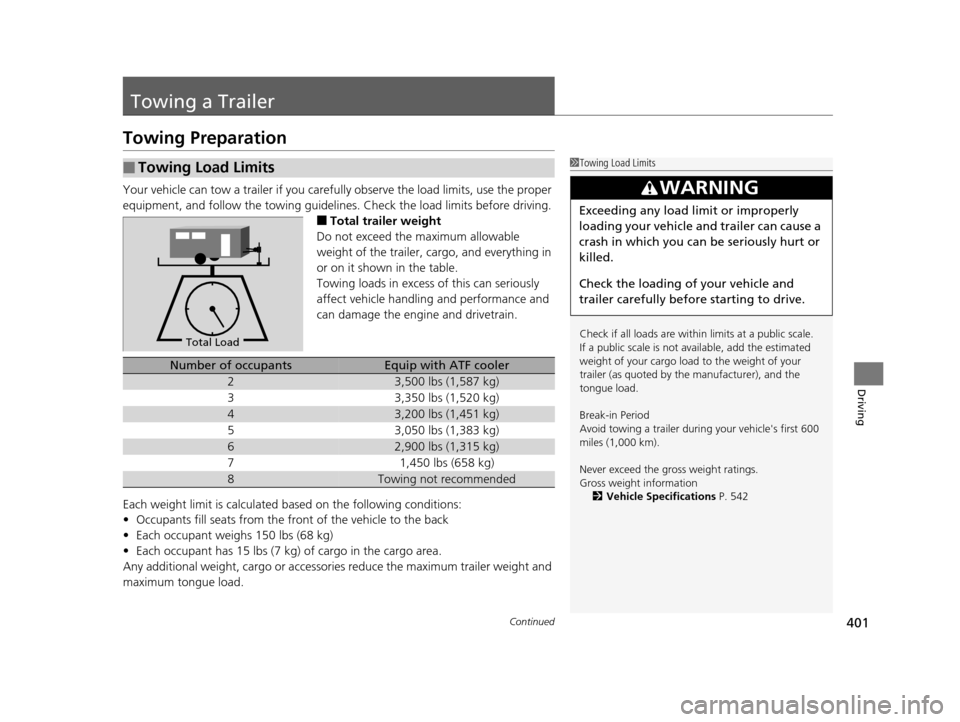
■Total trailer weight
Do not exceed the maximum allowable
weight of the trailer, cargo, and everything in
or on it shown in the table.
Towing loads in excess of this can seriously
affect vehicle handling and performance and
can damage the engine and drivetrain.
Each weight limit is calculated based on the following conditions:
• Occupants fill seats from the front of the vehicle to the back
• Each occupant weighs 150 lbs (68 kg)
• Each occupant has 15 lbs (7 kg) of cargo in the cargo area.
Any additional weight, cargo or accessories reduce the maximum trailer weight and
maximum tongue load.
■Towing Load Limits1 Towing Load Limits
Check if all loads are within limits at a public scale.
If a public scale is not available, add the estimated
weight of your cargo load to the weight of your
trailer (as quoted by th e manufacturer), and the
tongue load.
Break-in Period
Avoid towing a trailer duri ng your vehicle's first 600
miles (1,000 km).
Never exceed the gross weight ratings.
Gross weight information 2 Vehicle Specifications P. 542
3WARNING
Exceeding any load limit or improperly
loading your vehicle and trailer can cause a
crash in which you can be seriously hurt or
killed.
Check the loading of your vehicle and
trailer carefully before starting to drive.
Total Load
Number of occupantsEquip with ATF cooler
23,500 lbs (1,587 kg)
33,350 lbs (1,520 kg)
43,200 lbs (1,451 kg)
53,050 lbs (1,383 kg)
62,900 lbs (1,315 kg)
71,450 lbs (658 kg)
8Towing not recommended
17 US ODYSSEY (KA KC)-31TK86600.book 401 ページ 2016年10月24日 月曜日 午後4時2分
Page 403 of 565
uuTowing a Trailer uTowing Preparation
402
Driving
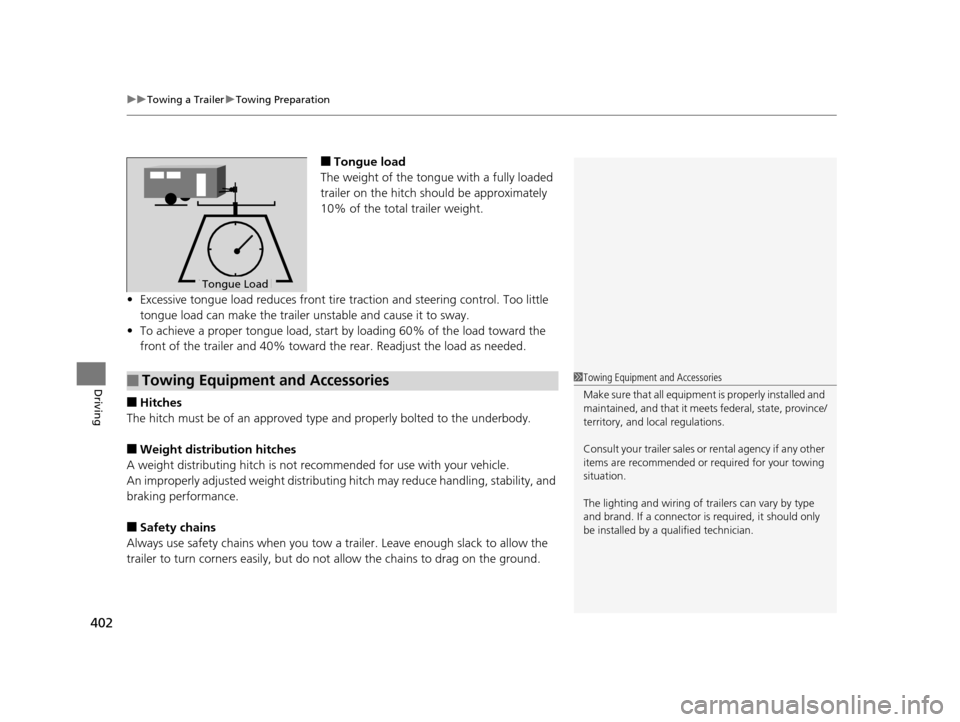
■Tongue load
The weight of the tongue with a fully loaded
trailer on the hitch should be approximately
10% of the total trailer weight.
• Excessive tongue load reduces front tire traction and steering control. Too little
tongue load can make the trailer unstable and cause it to sway.
• To achieve a proper tongue load, start by loading 60% of the load toward the
front of the trailer and 40% toward th e rear. Readjust the load as needed.
■Hitches
The hitch must be of an approved type and properly bolted to the underbody.
■Weight distribution hitches
A weight distributing hitch is not recommended for use with your vehicle.
An improperly adjusted weight distributin g hitch may reduce handling, stability, and
braking performance.
■Safety chains
Always use safety chains when you tow a trailer. Leave enough slack to allow the
trailer to turn corners easily, but do not allow the chains to drag on the ground.
To n gue LoadTongue Load
■Towing Equipment and Accessories1Towing Equipment and Accessories
Make sure that all equipment is properly installed and
maintained, and that it meets federal, state, province/
territory, and lo cal regulations.
Consult your traile r sales or rental agency if any other
items are recommended or required for your towing
situation.
The lighting and wiring of tra ilers can vary by type
and brand. If a connector is required, it should only
be installed by a qua lified technician.
17 US ODYSSEY (KA KC)-31TK86600.book 402 ページ 2016年10月24日 月曜日 午後4時2分