2017 HONDA FIT vent
[x] Cancel search: ventPage 56 of 465

55
uuChild Safety uProtecting Child Passengers
Safe Driving
• Any child who is too small to wear a seat belt correctly must be restrained in an
approved child seat that is properly secured to the vehicle using either the lap belt
portion of the lap/shoulder belt or the lower anchors of the LATCH system.
• Never hold a child on your lap because it is impossible to protect them in the
event of a collision.
• Never put a seat belt over yourself and a child. During a crash, the belt would
likely press deep into the child and cause serious or fatal injuries.
• Never let two children use the same seat belt. Both children could be very
seriously injured in a crash.
• Do not allow children to operate the doors, windows or seat adjustments.
• Do not leave children in the vehicle unattended, especially in hot weather when
the inside of the vehicle can get hot enough to kill them. They could also activate
vehicle controls causing it to move unexpectedly.1Protecting Child Passengers
To deactivate a lockable retractor, release the buckle
and allow the seat belt to wind up all the way.
To remind you of the pa ssenger’s front airbag
hazards and child safety, your vehicle has warning
labels on the dashboard (U.S. models) and on the
front visors. Please read and follow the instructions
on these labels. 2 Safety Labels P. 67
3WARNING
Allowing a child to play with a seat belt or
wrap one around their neck can result in
serious injury or death.
Instruct children not to play with any seat
belt and make sure any unused seat belt a
child can reach is buckled, fully retracted,
and locked.
17 FIT -31T5A6200.book 55 ページ 2016年5月27日 金曜日 午後6時33分
Page 57 of 465
56
uuChild Safety uSafety of Infants and Small Children
Safe Driving
Safety of Infants and Small Children
An infant must be properly restrained in a rear-facing, reclining child seat until the
infant reaches the seat maker’s weight or he ight limit for the seat, and the infant is
at least one year old.
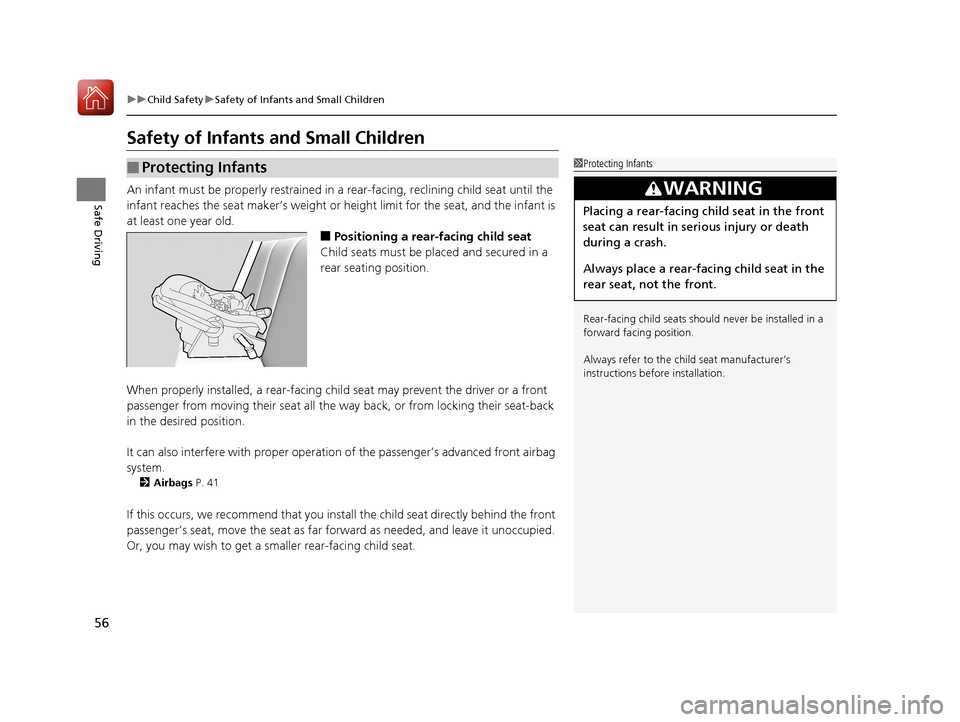
■Positioning a rear-facing child seat
Child seats must be placed and secured in a
rear seating position.
When properly installed, a rear-facing child seat may prevent the driver or a front
passenger from moving their seat all the way back, or from locking their seat-back
in the desired position.
It can also interfere with pr oper operation of the passenger’s advanced front airbag
system.
2 Airbags P. 41
If this occurs, we recommend that you install the child seat directly behind the front
passenger’s seat, move the seat as far fo rward as needed, and leave it unoccupied.
Or, you may wish to get a sm aller rear-facing child seat.
■Protecting Infants1Protecting Infants
Rear-facing child seats should never be installed in a
forward facing position.
Always refer to the child seat manufacturer’s
instructions before installation.
3WARNING
Placing a rear-facing child seat in the front
seat can result in serious injury or death
during a crash.
Always place a rear-fac ing child seat in the
rear seat, not the front.
17 FIT -31T5A6200.book 56 ページ 2016年5月27日 金曜日 午後6時33分
Page 71 of 465

70
Instrument Panel
Indicators
*1:Models with the smart entry system have an ENGINE START/STOP button instead of an ignition switch.
IndicatorNameOn/BlinkingExplanation
Parking Brake and
Brake System
Indicator
(Red)
●Comes on for a few seconds when you
turn the ignition switch to ON
(w*1, then
goes off if the parking brake has been
released.
●Comes on when the parking brake is
applied, and goes off when it is released.
●Comes on when the brake fluid level is
low.
●Comes on if there is a problem with the
brake system.
●The beeper sounds and the indicator
comes on if you drive with the parking
brake not fully released.
●Comes on while driving - Make sure the parking
brake is released. Check the brake fluid level.
2 What to do when the indicator comes on while
driving P. 431
●Comes on along with the ABS indicator - Have
your vehicle checked by a dealer.
2 If the Brake System Indicator (Red) Comes On
P. 431
Brake System
Indicator
(Amber)
●Comes on for a few seconds when you
turn the ignition switch to ON
(w*1, then
goes off.
●Comes on if there is a problem with a
system related to braking other than the
conventional brake system.
●Stays on constantly - Have your vehicle checked
by a dealer.
U.S.
Canada
(Red)
U.S.
Canada
(Amber)
17 FIT -31T5A6200.book 70 ページ 2016年5月27日 金曜日 午後6時33分
Page 75 of 465

74
uuIndicators u
Instrument Panel
*1:Models with the smart entry system have an ENGINE START/STOP button instead of an ignition switch.
IndicatorNameOn/BlinkingExplanation
High Temperature
Indicator
(Red)
●Comes on for a few seconds when you
turn the ignition switch to ON
(w*1, then
goes off.
●Blinks when the engine coolant
temperature goes up, and stays on if the
temperature continues to rise.
●Goes off, then comes on blue when the engine
coolant temperature is low.
●Blinks while driving - Drive slowly to prevent
overheating.
●Stays on while driving - Immediately stop in a
safe place and allow the engine to cool.
2 Overheating P. 427
Low Temperature
Indicator
(Blue)●Comes on when the engine coolant
temperature is low.●If the indicator stays on after the engine has reached
normal operating temperature, there may be a
problem with the temperature sensors. Have your
vehicle inspected by a dealer.
Vehicle Stability
Assist (VSA®) System
Indicator
●Comes on for a few seconds when you
turn the ignition switch to ON
(w*1, then
goes off.
●Blinks when VSA ® is active.●Comes on if there is a problem with the
VSA® system or hill start assist system.
●Stays on constantly - Have your vehicle checked
by a dealer.
2 Vehicle Stability Assist (VSA® ), aka Electronic
Stability Control (ESC), System P. 343
Vehicle Stability
Assist (VSA ®) OFF
Indicator●Comes on for a few seconds when you
turn the ignition switch to ON
(w*1, then
goes off.
●Comes on when you deactivate VSA ®.
2VSA ® OFF Button P. 344
17 FIT -31T5A6200.book 74 ページ 2016年5月27日 金曜日 午後6時33分
Page 79 of 465
78
uuIndicators u
Instrument Panel
IndicatorNameOn/BlinkingExplanationMessage
Forward
Collision
Warning
(FCW)
Indicator
●Comes on for a few seconds
when you change the power
mode to ON, then goes off.
●Comes on when you have
customized FCW to turn off.
●Comes on if there is a problem
with the FCW system.
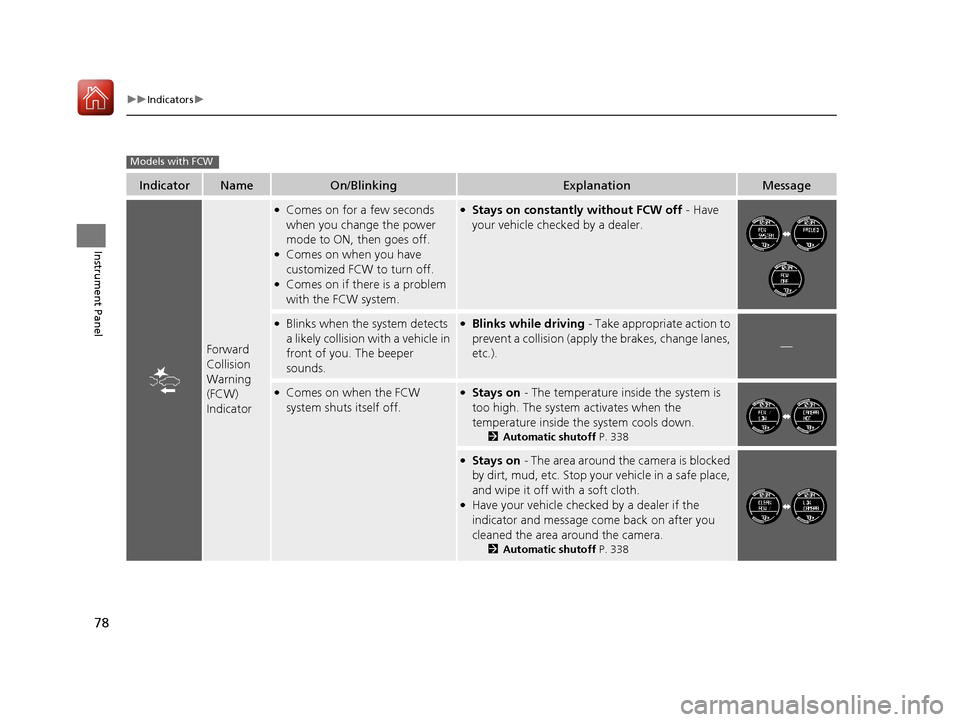
●Stays on constantly without FCW off - Have
your vehicle checked by a dealer.
●Blinks when the system detects
a likely collision with a vehicle in
front of you. The beeper
sounds.●Blinks while driving - Take appropriate action to
prevent a collision (apply the brakes, change lanes,
etc.).
—
●Comes on when the FCW
system shuts itself off.●Stays on - The temperature inside the system is
too high. The system activates when the
temperature inside the system cools down.
2 Automatic shutoff P. 338
●Stays on - The area around the camera is blocked
by dirt, mud, etc. Stop your vehicle in a safe place,
and wipe it off with a soft cloth.
●Have your vehicle checked by a dealer if the
indicator and message come back on after you
cleaned the area around the camera.
2 Automatic shutoff P. 338
Models with FCW
17 FIT -31T5A6200.book 78 ページ 2016年5月27日 金曜日 午後6時33分
Page 90 of 465

89
Controls
This chapter explains how to operate the various controls necessary for driving.
Clock.............................................................. 90
Locking and Unlocking the Doors Key Types and Functions ............................. 92
Low Smart Entry Remote Signal Strength*.......94Locking/Unlocking the Doors from the Outside ....95
Locking/Unlocking the Doors from the Inside .....101
Childproof Door Locks .............................. 104
Auto Door Locking/Unlocking*................. 105
Opening and Closing the Tailgate ............ 109
Security System .......................................... 112
Immobilizer System ......... ..................... ..... 112
Security System Alarm ............................... 112
Opening and Closing the Windows .......... 115
Opening and Closing the Moonroof
*....... 117 Operating the Switches Around the Steering
Wheel
Ignition Switch.......................................... 118
ENGINE START/STOP Button ..................... 119
Ignition Switch and Power Mode Comparison ... 122Turn Signals .............................................. 123
Light Switches .......................................... 123
Fog Lights
*............................................... 126
Daytime Running Lights ............................ 127
Wipers and Washers ................................. 128
Brightness Control .................................... 130
Rear Defogger/Heated Door Mirror* Button ...... 131Adjusting the Steering Wheel ................... 132
Models without smart entry system
Models with smart entry system
Adjusting the Mirrors .................................133
Interior Rearview Mirror .............................133
Power Door Mirrors ...................................133
Adjusting the Seats .................................... 135
Front Seats ................................................135
Rear Seats .................................................139
Interior Lights/Interior Convenience Items....... 147Interior Lights ............................................147
Interior Convenience Items ........................149
Heating and Cooling System
*....................157
Using Vents, Heating and A/C*.................157
Climate Control System*............................160
Using Automatic Climate Control ..............160
Automatic Climate Control Sensors ...........163
* Not available on all models
17 FIT -31T5A6200.book 89 ページ 2016年5月27日 金曜日 午後6時33分
Page 93 of 465

92
Controls
Locking and Unlocking the Doors
Key Types and Functions
This vehicle comes with the following keys:Use the smart entry remote to start and stop
the engine, and to lock and unlock all the
doors and tailgate. You can also use the smart
entry system to lock and unlock the doors and
tailgate.
Use the key to start and stop the engine, and
to lock and unlock all the doors, and tailgate.
You can also use the re mote transmitter to
lock and unlock the doors, and tailgate.
■Keys
1 Key Types and Functions
All the keys have an immobilizer system. The
immobilizer system helps to protect against vehicle
theft. 2 Immobilizer System P. 112
The keys contain precision electronics.
Adhere to the following advi ce to prevent damage to
the electronics:
•Do not leave the keys in direct sunlight, or in
locations with high temperature or high humidity.
•Do not drop the keys or set heavy objects on them.
•Keep the keys away from liquids.
•Do not take the keys apart except for replacing the
battery.
If the circuits in the keys are damaged, the engine
may not start, and the remote transmitter/smart entry
system
* may not work.
If the keys do not work properly, have them
inspected by a dealer.
Ignition
Keys*
Ignition Key
with Remote
Transmitter
*
Smart
Entry
Remote
*
Models with smart entry system
Models without smart entry system
* Not available on all models
17 FIT -31T5A6200.book 92 ページ 2016年5月27日 金曜日 午後6時33分
Page 101 of 465
uuLocking and Unlocking the Doors uLocking/Unlocking the Doors from the Outside
100
Controls
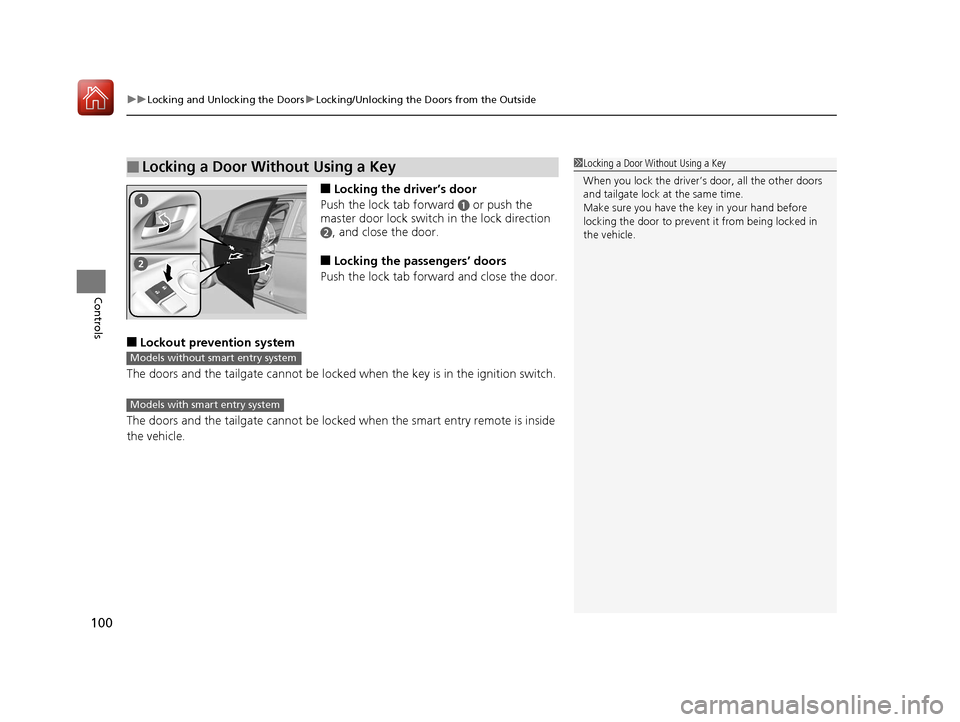
■Locking the driver’s door
Push the lock tab forward
a or push the
master door lock switch in the lock direction
b, and close the door.
■Locking the passengers’ doors
Push the lock tab forward and close the door.
■Lockout prevention system
The doors and the tailgate can not be locked when the key is in the ignition switch.
The doors and the tailgate cannot be locked when the smart entry remote is inside
the vehicle.
■Locking a Door Without Using a Key1 Locking a Door Without Using a Key
When you lock the driver’s door, all the other doors
and tailgate lock at the same time.
Make sure you have the key in your hand before
locking the door to prevent it from being locked in
the vehicle.
Models without smart entry system
Models with smart entry system
17 FIT -31T5A6200.book 100 ページ 2016年5月27日 金曜日 午後6時33分