Page 100 of 641

99
uuIndicators uDriver Information Interface Wa rning and Information Messages*
Continued
Instrument Panel
Driver Information Interface Warning and Information Messages*
The following messages appear only on the driver information interface. Press the (d isplay/information) button to see the message
again with the system message indicator on.
MessageConditionExplanation
●Appears if any door or the hatch is not completely
closed.
●Appears if any door or the hatch is opened while
driving. The beeper sounds.
●Goes off when all doors and the hatch are closed.
●Appears when the washer fluid gets low.●Refill the washer fluid.
2 Refilling Window Washer Fluid P. 547
●Appears when the scheduled maintenance is due
soon.
●Consequently, Maintenance Due Now and
Maintenance Past Due follow.
2Maintenance Minder Messages on the Driver
Information Interface P. 532
●Appears when there is a problem with the sensor on
the battery.●Have your vehicle checked by a dealer.
2Checking the Battery P. 571
●Appears along with the ba ttery charging system
indicator when the battery is not charging.●Turn off the climate control sy stem and rear defogger to
reduce electricity consumption.
2 If the Charging System Indicator Comes On P. 602
Canadian models
* Not available on all models
17 CIVIC 5D (KA KC KL)-31TGG6000.book 99 ページ 2016年6月8日 水曜日 午後 2時8分
Page 116 of 641

115
uuGauges and Displays uInformation Display*
Continued
Instrument Panel
Information Display*
The information display shows the odom eter, trip meter, engine oil life and
maintenance service item codes, and other gauges.
Press the ( TRIP) knob to change the display.
Shows the total number of miles or kilome ters that your vehicle has accumulated.
Shows the total number of miles or kilomete rs driven since the last reset. Meters A
and B can be used to measure two separate trips.
■Resetting a trip meter
To reset a trip meter, display it, then pr ess and hold the knob. The trip meter is
reset to 0.0.
■Switching the Display
1Switching the Display
Each time you press the knob, the information
display changes as follows:
Instant Fuel Economy,
Odometer, Trip Meter A,
Outside Temperature
Instant Fuel Economy,
Range, Trip Meter A,
Outside Temperature
Engine Oil Life
Instant Fuel Economy, Average
Fuel Economy A, Trip Meter A,
Outside Temperature Instant Fuel Economy, Average
Fuel Economy B, Trip Meter B,
Outside Temperature
■Odometer
■Trip Meter
1 Trip Meter
Switch between trip meter A and trip meter B by
pressing the knob.
* Not available on all models
17 CIVIC 5D (KA KC KL)-31TGG6000.book 115 ページ 2016年6月8日 水曜日 午 後2時8分
Page 117 of 641
116
uuGauges and Displays uInformation Display*
Instrument Panel
Shows the estimated average fuel economy of each trip meter in mpg or l/100 km.
The display is updated at set intervals. Wh en a trip meter is reset, the average fuel
economy is also reset.
Shows the instant fuel economy as a bar graph in mpg or l/100km.
Shows the remaining oil life and Maintenance Minder
TM.
2 Maintenance MinderTM P. 527
Shows the estimated distance you can travel on the remaining fuel. This distance is
estimated from the fuel economy of your previous trips.
■Average Fuel Economy
■Instant Fuel Economy Gauge
■Engine Oil Life
■Range
17 CIVIC 5D (KA KC KL)-31TGG6000.book 116 ページ 2016年6月8日 水曜日 午 後2時8分
Page 119 of 641
118
uuGauges and Displays uDriver Information Interface*
Instrument Panel
Driver Information Interface*
The driver information interface shows the odometer, trip meter, outside
temperature indicator, and other gauges.
It also displays important messages such as warnings and other helpful information.
■Main displays
Press the (display/information) butto n and press or to change the
display. Press ENTER to see detailed information.
■Switching the Display1Switching the Display
You can edit, add, or delete the meter contents using
the audio/information screen. 2 Customizing the Meter P. 248
(Display/
Information) Button
Press , ,
or .
Press ENTER .
Range & Fuel Turbo Meter Navigation* &
Compass*Maintenance
MinderTMCustomize*Audio*
Phone*
Speed Unit &
Disp OFF
Warning
Messages
Average Speed &
Elapsed Time
Mail
Optional contents*:
* Not available on all models
17 CIVIC 5D (KA KC KL)-31TGG6000.book 118 ページ 2016年6月8日 水曜日 午 後2時8分
Page 121 of 641
uuGauges and Displays uDriver Information Interface*
120
Instrument Panel
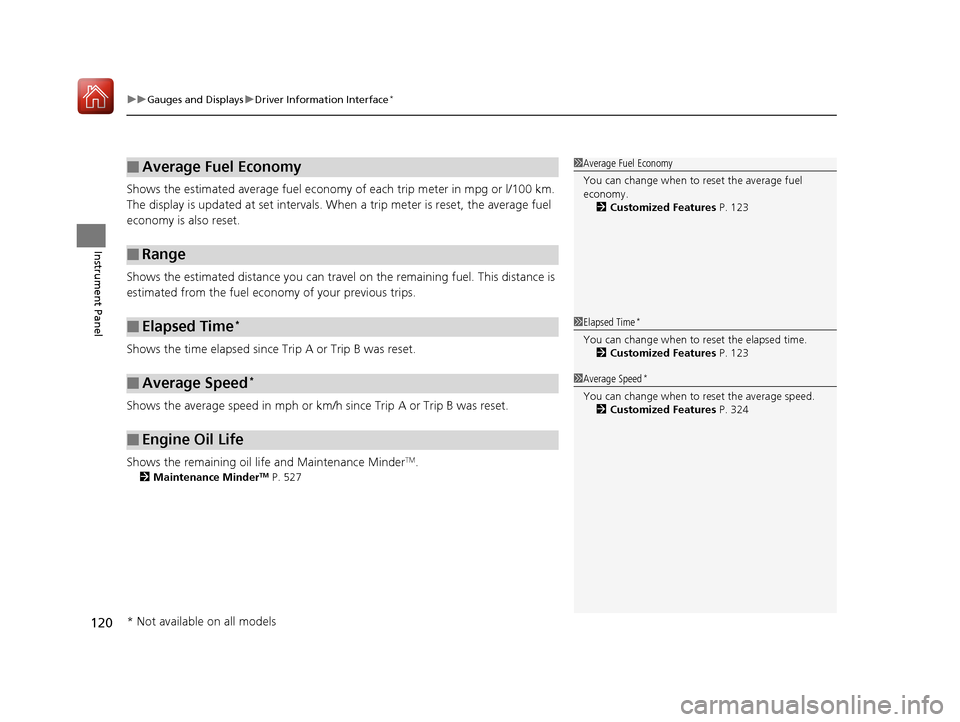
Shows the estimated average fuel economy of each trip meter in mpg or l/100 km.
The display is updated at set intervals. Wh en a trip meter is reset, the average fuel
economy is also reset.
Shows the estimated distance you can travel on the remaining fuel. This distance is
estimated from the fuel economy of your previous trips.
Shows the time elapsed since Trip A or Trip B was reset.
Shows the average speed in mph or km/h since Trip A or Trip B was reset.
Shows the remaining oil life and Maintenance Minder
TM.
2 Maintenance MinderTM P. 527
■Average Fuel Economy
■Range
■Elapsed Time*
■Average Speed*
■Engine Oil Life
1Average Fuel Economy
You can change when to reset the average fuel
economy.
2 Customized Features P. 123
1Elapsed Time*
You can change when to reset the elapsed time.
2 Customized Features P. 123
1Average Speed*
You can change when to reset the average speed.
2 Customized Features P. 324
* Not available on all models
17 CIVIC 5D (KA KC KL)-31TGG6000.book 120 ページ 2016年6月8日 水曜日 午 後2時8分
Page 126 of 641
125
uuGauges and Displays uDriver Information Interface*
Continued
Instrument Panel
Exit
3
4
3
4
3
4
Maintenance Reset
Default All
3
4
ENTER
3
4
3
4
Key And Remote Unlock Mode
Auto Door Lock
Auto Door Unlock
Keyless Lock Answer Back
Security Relock Timer
Interior Light Dimming Time
Headlight Auto OFF Timer
Auto Light Sensitivity3
4
3
4
Auto Headlight ON With Wiper ON
ENTER
ENTER
Auto Interior Illumination Sensitivity
Lighting Setup
Door Setup
17 CIVIC 5D (KA KC KL)-31TGG6000.book 125 ページ 2016年6月8日 水曜日 午 後2時8分
Page 130 of 641

129
uuGauges and Displays uDriver Information Interface*
Continued
Instrument Panel
*1: Default SettingSetup Group Customizable Features
Description Selectable Settings
Door Setup
Auto Door LockChanges the setting for when the doors
automatically lock.With Vehicle Speed*1/Shift
from P /OFF
Auto Door UnlockChanges the setting for when the doors
automatically unlock.
When Driver’s Door Opens*1/
When Shifting Into Park /
When Ignition Switched
OFF /OFF
Key And Remote Unlock
ModeSets up either the driver’s door or all doors to unlock
on the first operation of the remote or ignition key.Driver Door*1/ All Doors
Keyless Lock Answer
BackLOCK/UNLOCK- The exterior lights flash.
LOCK (2nd push)- The beeper sounds.ON*1/OFF
Security Relock Timer
Changes the time it takes for the doors to relock and
the security system to set after you unlock the
vehicle without op ening any door.
90sec/60sec /30sec*1
Maintenance
Reset —Cancels/Resets the engine oil life display when you
have performed the maintenance service.
Cancel
/Reset
Default All—Cancels/Resets all the customized settings as
default.Cancel /Set
17 CIVIC 5D (KA KC KL)-31TGG6000.book 129 ページ 2016年6月8日 水曜日 午 後2時8分
Page 251 of 641
uuAudio System Basic Operation uAudio/Information Screen
250
Features
■Adding contents
You can add up to 10 contents on the driv er information interface. To add contents,
first select:
1. Add
2.Select an icon you want to add.
u You will see a plus mark on the upper
right hand corner of the selected icon.
3. Select OK.
u The screen will return to the
Configuration of Instrument Panel
screen.1 Adding contents
Icons that are grayed out cannot be selected.
If an icon has a plus mark in the upper-right corner, it
means that the icon ha s already been added.
12�‰34
12 �‰34
12 �‰34
Range �Í
Fuel Maintenance
Minder TM Speed unit &
Disp OffTurbo M eter
PhoneSMS & MailNavigation &
Compass
Add
Add
Add
Select
OK
17 CIVIC 5D (KA KC KL)-31TGG6000.book 250 ページ 2016年6月8日 水曜日 午 後2時8分


