2017 GMC ACADIA lock
[x] Cancel search: lockPage 136 of 419
GMC Acadia/Acadia Denali Owner Manual (GMNA-Localizing-U.S./Canada/
Mexico-9803770) - 2017 - crc - 7/12/16
Instruments and Controls 135
{Warning
The brake system might not be
working properly if the brake
system warning light is on.
Driving with the brake system
warning light on can lead to a
crash. If the light is still on after
the vehicle has been pulled off
the road and carefully stopped,
have the vehicle towed for
service.
Electric Parking Brake
Light
MetricEnglish
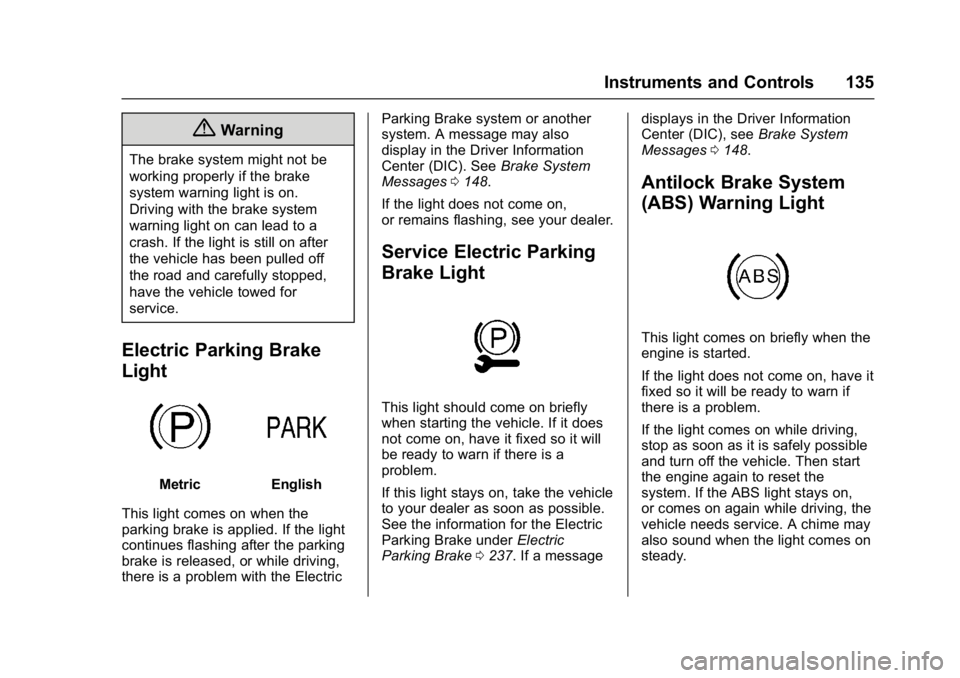
This light comes on when the
parking brake is applied. If the light
continues flashing after the parking
brake is released, or while driving,
there is a problem with the Electric Parking Brake system or another
system. A message may also
display in the Driver Information
Center (DIC). See
Brake System
Messages 0148.
If the light does not come on,
or remains flashing, see your dealer.
Service Electric Parking
Brake Light
This light should come on briefly
when starting the vehicle. If it does
not come on, have it fixed so it will
be ready to warn if there is a
problem.
If this light stays on, take the vehicle
to your dealer as soon as possible.
See the information for the Electric
Parking Brake under Electric
Parking Brake 0237. If a message displays in the Driver Information
Center (DIC), see
Brake System
Messages 0148.
Antilock Brake System
(ABS) Warning Light
This light comes on briefly when the
engine is started.
If the light does not come on, have it
fixed so it will be ready to warn if
there is a problem.
If the light comes on while driving,
stop as soon as it is safely possible
and turn off the vehicle. Then start
the engine again to reset the
system. If the ABS light stays on,
or comes on again while driving, the
vehicle needs service. A chime may
also sound when the light comes on
steady.
Page 137 of 419

GMC Acadia/Acadia Denali Owner Manual (GMNA-Localizing-U.S./Canada/
Mexico-9803770) - 2017 - crc - 7/12/16
136 Instruments and Controls
If the ABS light is the only light on,
the vehicle has regular brakes, but
the antilock brakes are not
functioning.
If both the ABS and the brake
system warning light are on, the
vehicle's antilock brakes are not
functioning and there is a problem
with the regular brakes. See your
dealer for service.
SeeBrake System Warning Light
0 134 andBrake System
Messages 0148.
Tow/Haul Mode Light
For vehicles with the Tow/Haul
Mode feature, this light comes on
when the Tow/Haul Mode has been
activated.
See Tow/Haul Mode 0236.
Hill Descent Control Light
If equipped, the Hill Descent Control
light comes on when the system is
ready for use. When the light
flashes, the system is active.
See Hill Descent Control
(HDC) 0242.
Lane Keep Assist (LKA)
Light
This light is green if LKA is available
to assist. LKA may assist by gently turning
the steering wheel if the vehicle
approaches a detected lane marking
without using the turn signal in that
direction. The LKA light will turn
amber.
This light is amber and flashes as a
Lane Departure Warning (LDW)
alert, to indicate that the lane
marking has been crossed.
See
Lane Keep Assist (LKA) 0267.
Vehicle Ahead Indicator
If equipped, this indicator will
display green when a vehicle is
detected ahead and amber when
you are following a vehicle ahead
much too closely.
See Forward Collision Alert (FCA)
System 0259.
Page 152 of 419

GMC Acadia/Acadia Denali Owner Manual (GMNA-Localizing-U.S./Canada/
Mexico-9803770) - 2017 - crc - 7/12/16
Instruments and Controls 151
Engine Power Messages
ENGINE POWER IS REDUCED
This message displays and a chime
may sound when the cooling system
temperature gets too hot and the
engine further enters the engine
coolant protection mode. See
Engine Overheating0297 for more
information.
This message also displays when
the vehicle's engine power is
reduced. Reduced engine power
can affect the vehicle's ability to
accelerate. If this message is on,
but there is no reduction in
performance, proceed to your
destination. The performance may
be reduced the next time the vehicle
is driven. The vehicle may be driven
at a reduced speed while this
message is on, but acceleration and
speed may be reduced. Anytime
this message stays on, the vehicle
should be taken to your dealer for
service as soon as possible.
Fuel System Messages
FUEL LEVEL LOW
This message displays when the
vehicle is low on fuel. Refuel as
soon as possible.
Key and Lock Messages
NO REMOTE KEY WAS
DETECTED PLACE KEY IN
TRANSMITTER POCKET THEN
START YOUR VEHICLE
This message displays when trying
to start the vehicle if an RKE
transmitter is not detected. The
transmitter battery may be weak.
See “Starting the Vehicle with a Low
Transmitter Battery” underRemote
Keyless Entry (RKE) System
Operation 029.
NO REMOTE DETECTED
This message displays when the
transmitter battery may be weak.
See “Starting the Vehicle with a Low
Transmitter Battery” underRemote
Keyless Entry (RKE) System
Operation 029.
NO REMOTE DETECTED
PRESS BRAKE TO RESTART
This message displays when
attempting to turn off the vehicle
and the RKE transmitter is no longer
detected. Restarting is allowed
without the RKE transmitter for
five minutes. Press the brake pedal
and ENGINE START/STOP to
restart the vehicle.
NUMBER OF KEYS
PROGRAMMED
This message displays when
programming new keys to the
vehicle.
REMOTE LEFT IN VEHICLE
This message displays when
leaving the vehicle with the RKE
transmitter still inside.
REPLACE BATTERY IN
REMOTE KEY
This message displays when the
battery in the RKE transmitter needs
to be replaced.
Page 153 of 419

GMC Acadia/Acadia Denali Owner Manual (GMNA-Localizing-U.S./Canada/
Mexico-9803770) - 2017 - crc - 7/12/16
152 Instruments and Controls
Lamp Messages
TURN SIGNAL ON
This message displays and a chime
sounds if a turn signal is left on for
1.2 km (0.75 mi). Move the turn
signal lever to the off position.
Object Detection System
Messages
24 GHz RADARS OFF
This message displays when driving
in certain areas where there may be
radar interference. Adaptive Cruise
Control (ACC), Forward Collision
Alert (FCA), and Forward Automatic
Braking (FAB) may not work or may
not work as well. The vehicle does
not need service.
FORWARD COLLISION
ALERT OFF
This message displays when the
Forward Collision Alert has been
turned off.
FORWARD COLLISION
SYSTEM OFF
This message displays when
Forward Automatic Braking (FAB)
has been turned off. SeeForward
Automatic Braking (FAB) 0261.
FORWARD COLLISION
SYSTEM REDUCED
If the vehicle has Adaptive Cruise
Control (ACC), this message
displays when Forward Automatic
Braking (FAB) has been set to the
Alert setting. See Forward
Automatic Braking (FAB) 0261.
FORWARD COLLISION
SYSTEM UNAVAILABLE
This message displays when
Forward Automatic Braking (FAB)
has been unavailable for some time.
FAB does not need service. This
message can display under the
following conditions:
.
The front of the vehicle or
windshield is not clean. Keep
these areas clean and free of mud, dirt, snow, ice, and slush.
For cleaning instructions, see
Exterior Care
0358.
. Heavy rain or snow is interfering
with the object detection
performance.
This message may also be
displayed if there is a problem with
the StabiliTrak system. See Traction
Control/Electronic Stability
Control 0240.
FRONT CAMERA BLOCKED
CLEAN WINDSHIELD
This message displays when the
camera is blocked. The Front
Pedestrian Braking (FPB), Forward
Collision Alert (FCA), Forward
Automatic Braking (FAB), Lane
Keep Assist (LKA), and Lane
Departure Warning (LDW) features
will not operate. Cleaning the
outside of the windshield behind the
rearview mirror may correct the
issue.
Page 154 of 419

GMC Acadia/Acadia Denali Owner Manual (GMNA-Localizing-U.S./Canada/
Mexico-9803770) - 2017 - crc - 7/12/16
Instruments and Controls 153
LANE CHANGE ALERT OFF
This message indicates that the
driver has turned the Side Blind
Zone Alert (SBZA) and Lane
Change Alert (LCA) systems off.
LANE KEEPING ASSIST
UNAVAILABLE
This message displays when the
Lane Keep Assist (LKA) and Lane
Departure Warning (LDW) system is
temporarily unavailable. The LKA
system does not need service.
This message could be due to the
camera being blocked. Clean the
outside of the windshield behind the
rearview mirror.
PARK ASSIST OFF
This message displays when the
Parking Assist system has been
turned off or when there is a
temporary condition causing the
system to be disabled.
SERVICE DRIVER ASSIST
SYSTEM
If this message displays, take the
vehicle to your dealer to repair the
system.
Adaptive Cruise Control (ACC),
Forward Collision Alert (FCA),
Forward Automatic Braking (FAB),
Assistance Systems for Parking or
Backing, Lane Keep Assist (LKA),
and/or Lane Departure Warning
(LDW) system may not work. Do not
use these systems until the vehicle
has been repaired.
SERVICE FORWARD
COLLISION SYSTEM
If this message displays, take the
vehicle to your dealer to repair the
system. Adaptive Cruise Control
(ACC), Forward Collision Alert
(FCA), and/or Forward Automatic
Braking (FAB) may not work. Do not
use these systems until the vehicle
has been repaired.
SERVICE FRONT CAMERA
If this message remains on after
continued driving, the vehicle needs
service. Take the vehicle to your
dealer. Do not use the Front
Pedestrian Braking (FPB), Forward
Collision Alert (FCA), Forward
Automatic Braking (FAB), Lane
Keep Assist (LKA), and Lane
Departure Warning (LDW) features.
SERVICE PARK ASSIST
This message displays if there is a
problem with the Parking Assist
system. Do not use this system to
help you park. See your dealer for
service.
SERVICE SIDE DETECTION
SYSTEM
If this message remains on after
continued driving, the vehicle needs
service. Take the vehicle to your
dealer. Side Blind Zone Alert
(SBZA), Lane Change Alert (LCA),
and Rear Cross Traffic Alert (RCTA)
features will not work.
Page 155 of 419

GMC Acadia/Acadia Denali Owner Manual (GMNA-Localizing-U.S./Canada/
Mexico-9803770) - 2017 - crc - 7/12/16
154 Instruments and Controls
SIDE DETECTION SYSTEM
UNAVAILABLE
This message indicates that Side
Blind Zone Alert (SBZA), Lane
Change Alert (LCA), and Rear
Cross Traffic Alert (RCTA) are
disabled either because the sensor
is blocked and cannot detect
vehicles in the blind zone, or the
vehicle is passing through an open
area, such as the desert, where
there is insufficient data for
operation. This message may also
activate during heavy rain or due to
road spray. The vehicle does not
need service. For cleaning, see
"Washing the Vehicle" under
Exterior Care0358.
TAKE STEERING
If LKA does not detect active driver
steering, an alert and chime may be
provided. Move the steering wheel
to dismiss. See Lane Keep Assist
(LKA) 0267.
Ride Control System
Messages
AWD OFF
This message displays when
All-Wheel Drive (AWD) is
temporarily unavailable. The vehicle
will be in Front-Wheel Drive (FWD).
This could be caused by:
.
Extended driving on slippery
surfaces or severe driving
conditions. AWD enters
protective mode to prevent
damage.
. A compact spare tire on the
vehicle. See Compact Spare
Tire 0350.
This message turns off when the
compact spare tire is replaced or
the conditions are no longer
present. To reset the message
manually, turn the ignition off and
then back on after 30 seconds.
If the message stays on, see your
dealer.
AWD RECOMMENDED
CHANGE DRIVER MODE
This message displays if the AWD
system detects too much wheel slip
while operating in Front-Wheel Drive
(FWD). See All-Wheel Drive 0236.
SERVICE ALL WHEEL DRIVE
This message displays when there
is a problem with the AWD system.
A number of issues could cause this
message. The AWD system may
require service.
The vehicle will operate in FWD.
Stop when it is safe and turn off the
ignition for 30 seconds. Restart the
vehicle and check for the message.
If the message does not appear,
service is not required. If the
message displays again, the system
needs service. Contact your dealer.
SERVICE STABILITRAK
This message displays if there is a
problem with the StabiliTrak system.
See Traction Control/Electronic
Stability Control 0240.
Page 159 of 419

GMC Acadia/Acadia Denali Owner Manual (GMNA-Localizing-U.S./Canada/
Mexico-9803770) - 2017 - crc - 7/12/16
158 Instruments and Controls
3. PressoBACK on the
faceplate or the
0screen
button to return to the previous
menu or exit.
Personalization Menus
The following list of menu items may
be available:
. Time and Date
. Rear Seat Reminder
. Language
. Valet Mode
. Teen Driver
. Radio
. Vehicle
. Bluetooth
. Apple CarPlay
. Android Auto
. USB Auto Launch
. Voice
. Display
. Rear Camera
. Return to Factory Settings .
Software Information
. Wi-Fi
Each menu is detailed in the
following information.
Time and Date
Manually set the time and date. See
Clock 0119.
Rear Seat Reminder
This allows for a chime and a
message “Look in Rear Seat” when
the rear door has been opened
before or during operation of the
vehicle.
Select Off or On.
Language (Language)
Select Language, then select from
the available language(s).
The selected language will display
on the system, and voice
recognition will reflect the selected
language.
Valet Mode
This will lock the infotainment
system and steering wheel controls.
It may also limit access to vehicle
storage locations (if equipped).
To enable valet mode:
1. Enter a four-digit code on the keypad.
2. Select Enter to go to the confirmation screen.
3. Re-enter the four-digit code.
Press LOCK or UNLOCK to lock or
unlock the system. Press Back to go
back to the previous menu.
Teen Driver
See “Teen Driver” under“Settings”
in the infotainment manual.
Radio
Touch and the following may
display:
. Manage Favorites
. Number of Favorites Shown
. Audible Touch Feedback
. Text Scroll
Page 160 of 419

GMC Acadia/Acadia Denali Owner Manual (GMNA-Localizing-U.S./Canada/
Mexico-9803770) - 2017 - crc - 7/12/16
Instruments and Controls 159
.Tone Settings
. Auto Volume
. Bose Audio Pilot
. Maximum Start Up Volume
Manage Favorites
This allows favorites to be edited.
See “Manage Favorites” in
“Settings” under“Radio” in the
infotainment manual.
Number of Favorites Shown
Touch to set the number of favorites
to display.
Select the desired number or select
Auto and the infotainment system
will automatically adjust the number
of favorites shown.
Audible Touch Feedback
This allows Audible Touch
Feedback to be turned on or off.
Select Off or On.
Text Scroll
Select to see text scroll on the
screen.
Select Off or On. Auto Volume
This feature adjusts the volume
based on vehicle speed and
ambient noise.
Select Off, Low, Medium-Low,
Medium, Medium-High, or High.
Bose Audio Pilot
This feature adjusts the volume
based on the noise in the vehicle.
See
“Bose AudioPilot Noise
Compensation Technology” under
“Infotainment System Settings” in
the infotainment manual.
Select Off or On.
Maximum Start Up Volume
This feature sets the maximum
startup volume. If the vehicle is
started and the volume is greater
than this level, the volume is
adjusted to this level.
To set the maximum startup volume,
touch + or −to increase or
decrease.Vehicle
Select and the following may
display:
. Climate and Air Quality
. Collision/Detection Systems
. Comfort and Convenience
. Lighting
. Power Door Locks
. Remote Lock, Unlock, Start
Climate and Air Quality
Select and the following may
display:
. Auto Fan Speed
. Auto Defog
. Auto Rear Defog
Auto Fan Speed
This feature will set the maximum
auto fan speed.
Select Low, Medium, or High.