2017 GMC ACADIA LIMITED warning light
[x] Cancel search: warning lightPage 200 of 339

GMC Acadia Limited Owner Manual (GMNA-Localizing-U.S.-10283134) -
2017 - crc - 3/31/16
Driving and Operating 199
The fuel cap is behind a hinged fuel
door on the driver side of the
vehicle. To open the fuel door, push
and release the rearward center
edge of the door.
To remove the fuel cap, turn it
slowly counterclockwise. The fuel
cap has a spring in it; if the cap is
released too soon, it will spring back
to the right.
While refueling, hang the fuel cap
from the hook on the fuel door.
{Warning
Overfilling the fuel tank by more
than three clicks of a standard fill
nozzle may cause:. Vehicle performance issues,
including engine stalling and
damage to the fuel system.
. Fuel spills.
. Potential fuel fires.
Be careful not to spill fuel. Wait a
few seconds after you have finished
pumping before removing the nozzle. Clean fuel from painted
surfaces as soon as possible. See
Exterior Care
0278.
When replacing the fuel cap, turn it
clockwise until it clicks. Make sure
the cap is fully installed. If the cap is
not properly installed, the
malfunction indicator lamp may
come on. See Malfunction Indicator
Lamp (Check Engine Light) 0109.
{Warning
If a fire starts while you are
refueling, do not remove the
nozzle. Shut off the flow of fuel by
shutting off the pump or by
notifying the station attendant.
Leave the area immediately.
Caution
If a new fuel cap is needed, be
sure to get the right type of cap
from your dealer. The wrong type
of fuel cap may not fit properly,
(Continued)
Caution (Continued)
may cause the malfunction
indicator lamp to light, and could
damage the fuel tank and
emissions system. See
Malfunction Indicator Lamp
(Check Engine Light)0109.
Filling a Portable Fuel
Container
{Warning
Filling a portable fuel container
while it is in the vehicle can cause
fuel vapors that can ignite either
by static electricity or other
means. You or others could be
badly burned and the vehicle
could be damaged. Always:
. Use approved fuel
containers.
. Remove the container from
the vehicle, trunk, or pickup
bed before filling.
(Continued)
Page 201 of 339
GMC Acadia Limited Owner Manual (GMNA-Localizing-U.S.-10283134) -
2017 - crc - 3/31/16
200 Driving and Operating
Warning (Continued)
.Place the container on the
ground.
. Place the nozzle inside the
fill opening of the container
before dispensing fuel, and
keep it in contact with the fill
opening until filling is
complete.
. Fill the container no more
than 95% full to allow for
expansion.
. Do not smoke, light
matches, or use lighters
while pumping fuel.
. Avoid using cell phones or
other electronic devices.
Trailer Towing
General Towing
Information
Only use towing equipment that has
been designed for the vehicle.
Contact your dealer or trailering
dealer for assistance with preparing
the vehicle for towing a trailer. Read
the entire section before towing a
trailer.
For towing a disabled vehicle, see
Towing the Vehicle 0274. For
towing the vehicle behind another
vehicle such as a motor home, see
Recreational Vehicle Towing 0275.
Driving Characteristics
and Towing Tips
Driving with a Trailer
When towing a trailer:
.
Become familiar with the state
and local laws that apply
specifically to trailer towing. .
Do not tow a trailer during the
first 800 km (500 mi), to prevent
damage to the engine, axle or
other parts.
. Then, during the first 800 km
(500 mi) trailer towing, do not
drive over 80 km/h (50 mph) and
do not make starts at full throttle.
. The vehicle can tow in D (Drive)
but M (Manual Mode) is
recommended. See Manual
Mode 0180. Use a lower gear if
the transmission shifts too often.
. Turn off Park Assist when
towing.
{Warning
When towing a trailer, exhaust
gases may collect at the rear of
the vehicle and enter if the
liftgate, trunk/hatch, or rear-most
window is open.
(Continued)
Page 208 of 339
GMC Acadia Limited Owner Manual (GMNA-Localizing-U.S.-10283134) -
2017 - crc - 3/31/16
Driving and Operating 207
.Gray: Illumination
. Dark Blue: Trailer Brake Signal
. Black: Ground
The electric trailer brake controller
should be installed by your dealer or
a qualified service center.Conversions and
Add-Ons
Add-On Electrical
Equipment
{Warning
The Data Link Connector (DLC) is
used for vehicle service and
Emission Inspection/Maintenance
testing. See Malfunction Indicator
Lamp (Check Engine Light)
0 109. A device connected to the
DLC —such as an aftermarket
fleet or driver-behavior tracking
device —may interfere with
vehicle systems. This could affect
vehicle operation and cause a
crash. Such devices may also
access information stored in the
vehicle’s systems.
Caution
Some electrical equipment can
damage the vehicle or cause
components to not work and
would not be covered by the
vehicle warranty. Always check
with your dealer before adding
electrical equipment.
Add-on equipment can drain the
vehicle's 12-volt battery, even if the
vehicle is not operating.
The vehicle has an airbag system.
Before attempting to add anything
electrical to the vehicle, see
Servicing the Airbag-Equipped
Vehicle 072 and Adding Equipment
to the Airbag-Equipped
Vehicle 072.
Page 209 of 339
GMC Acadia Limited Owner Manual (GMNA-Localizing-U.S.-10283134) -
2017 - crc - 3/30/16
208 Vehicle Care
Vehicle Care
General Information
General Information . . . . . . . . . . 209
California Proposition65 Warning . . . . . . . . . . . . . . . . . 209
California Perchlorate Materials Requirements . . . . . 209
Accessories and Modifications . . . . . . . . . . . . . . . . 209
Vehicle Checks
Doing Your OwnService Work . . . . . . . . . . . . . . . 210
Hood . . . . . . . . . . . . . . . . . . . . . . . . . 211
Engine Compartment Overview . . . . . . . . . . . . . . . . . . . . 212
Engine Cover . . . . . . . . . . . . . . . . . 213
Engine Oil . . . . . . . . . . . . . . . . . . . . 213
Engine Oil Life System . . . . . . . 216
Automatic Transmission Fluid . . . . . . . . . . . . . . . . . . . . . . . . 216
Engine Air Cleaner/Filter . . . . . . 217
Cooling System . . . . . . . . . . . . . . 218
Engine Coolant . . . . . . . . . . . . . . . 219
Engine Overheating . . . . . . . . . . 222
Overheated Engine Protection Operating Mode . . . . . . . . . . . . . 223
Power Steering Fluid . . . . . . . . . 224
Washer Fluid . . . . . . . . . . . . . . . . . 224 Brakes . . . . . . . . . . . . . . . . . . . . . . . 225
Brake Fluid . . . . . . . . . . . . . . . . . . . 226
Battery - North America . . . . . . 227
All-Wheel Drive . . . . . . . . . . . . . . . 228
Starter Switch Check . . . . . . . . . 228
Automatic Transmission Shift
Lock Control Function
Check . . . . . . . . . . . . . . . . . . . . . . . 228
Ignition Transmission Lock Check . . . . . . . . . . . . . . . . . . . . . . . 229
Park Brake and P (Park) Mechanism Check . . . . . . . . . . 229
Wiper Blade Replacement . . . . 229
Windshield Replacement . . . . . 230
Headlamp Aiming
Headlamp Aiming . . . . . . . . . . . . 231
Bulb Replacement
Bulb Replacement . . . . . . . . . . . . 231
High Intensity Discharge (HID) Lighting . . . . . . . . . . . . . . . . . . . . . 231
LED Lighting . . . . . . . . . . . . . . . . . 231
License Plate Lamp . . . . . . . . . . 231
Replacement Bulbs . . . . . . . . . . . 232
Electrical System
High Voltage Devices and Wiring . . . . . . . . . . . . . . . . . . . . . . . 232
Electrical System Overload . . . 232
Fuses and Circuit Breakers . . . 233 Engine Compartment Fuse
Block . . . . . . . . . . . . . . . . . . . . . . . . 233
Instrument Panel Fuse Block . . . . . . . . . . . . . . . . . . . . . . . . 239
Wheels and Tires
Tires . . . . . . . . . . . . . . . . . . . . . . . . . . 242
All-Season Tires . . . . . . . . . . . . . . 243
Winter Tires . . . . . . . . . . . . . . . . . . 243
Summer Tires . . . . . . . . . . . . . . . . 243
Tire Sidewall Labeling . . . . . . . . 244
Tire Designations . . . . . . . . . . . . . 246
Tire Terminology andDefinitions . . . . . . . . . . . . . . . . . . 247
Tire Pressure . . . . . . . . . . . . . . . . . 249
Tire Pressure Monitor System . . . . . . . . . . . . . . . . . . . . . . 250
Tire Pressure Monitor Operation . . . . . . . . . . . . . . . . . . . 251
Tire Inspection . . . . . . . . . . . . . . . . 254
Tire Rotation . . . . . . . . . . . . . . . . . 255
When It Is Time for New Tires . . . . . . . . . . . . . . . . . . . . . . . . 256
Buying New Tires . . . . . . . . . . . . . 256
Different Size Tires and Wheels . . . . . . . . . . . . . . . . . . . . . . 258
Uniform Tire Quality Grading . . . . . . . . . . . . . . . . . . . . . 258
Wheel Alignment and Tire Balance . . . . . . . . . . . . . . . . . . . . . 260
Wheel Replacement . . . . . . . . . . 260
Page 228 of 339

GMC Acadia Limited Owner Manual (GMNA-Localizing-U.S.-10283134) -
2017 - crc - 3/30/16
Vehicle Care 227
{Warning
If too much brake fluid is added, it
can spill on the engine and burn,
if the engine is hot enough. You
or others could be burned, and
the vehicle could be damaged.
Add brake fluid only when work is
done on the brake hydraulic
system.
When the brake fluid falls to a low
level, the brake warning light comes
on. See Brake System Warning
Light 0111.
Brake fluid absorbs water over time
which degrades the effectiveness of
the brake fluid. Replace brake fluid
at the specified intervals to prevent
increased stopping distance. See
Maintenance Schedule 0289.
What to Add
Use only GM approved DOT 3
brake fluid from a clean, sealed
container. See Recommended
Fluids and Lubricants 0298.
{Warning
The wrong or contaminated brake
fluid could result in damage to the
brake system. This could result in
the loss of braking leading to a
possible injury. Always use the
proper GM approved brake fluid.
Caution
If brake fluid is spilled on the
vehicle's painted surfaces, the
paint finish can be damaged.
Immediately wash off any painted
surface.
Battery - North America
The original equipment battery is
maintenance free. Do not remove
the cap and do not add fluid.
Refer to the replacement number on
the original battery label when a
new battery is needed.
{Warning
WARNING: Battery posts,
terminals, and related
accessories contain lead and lead
compounds, chemicals known to
the State of California to cause
cancer and birth defects or other
reproductive harm. Batteries also
contain other chemicals known to
the State of California to cause
cancer. WASH HANDS AFTER
HANDLING.
See California Proposition
65 Warning 0209.
Vehicle Storage
{Warning
Batteries have acid that can burn
you and gas that can explode.
You can be badly hurt if you are
not careful. See Jump Starting -
North America 0271 for tips on
working around a battery without
getting hurt.
Page 232 of 339
GMC Acadia Limited Owner Manual (GMNA-Localizing-U.S.-10283134) -
2017 - crc - 3/30/16
Vehicle Care 231
Headlamp Aiming
Headlamp aim has been preset and
should need no further adjustment.
If the vehicle is damaged in a crash,
the headlamp aim may be affected.
If adjustment to the headlamps is
necessary, see your dealer.
Bulb Replacement
For the proper type of replacement
bulbs, seeReplacement
Bulbs 0232.
For any bulb-changing procedure
not listed in this section, contact
your dealer.
High Intensity Discharge
(HID) Lighting
{Warning
The High Intensity Discharge
(HID) lighting system operates at
a very high voltage. If you try to
service any of the system
components, you could be
seriously injured. Have your
dealer or a qualified technician
service them.
After an HID headlamp bulb has
been replaced, the beam might be a
slightly different shade than it was
originally. This is normal.
LED Lighting
This vehicle has several LED lamps.
For replacement of any LED lighting
assembly, contact your dealer.
License Plate Lamp
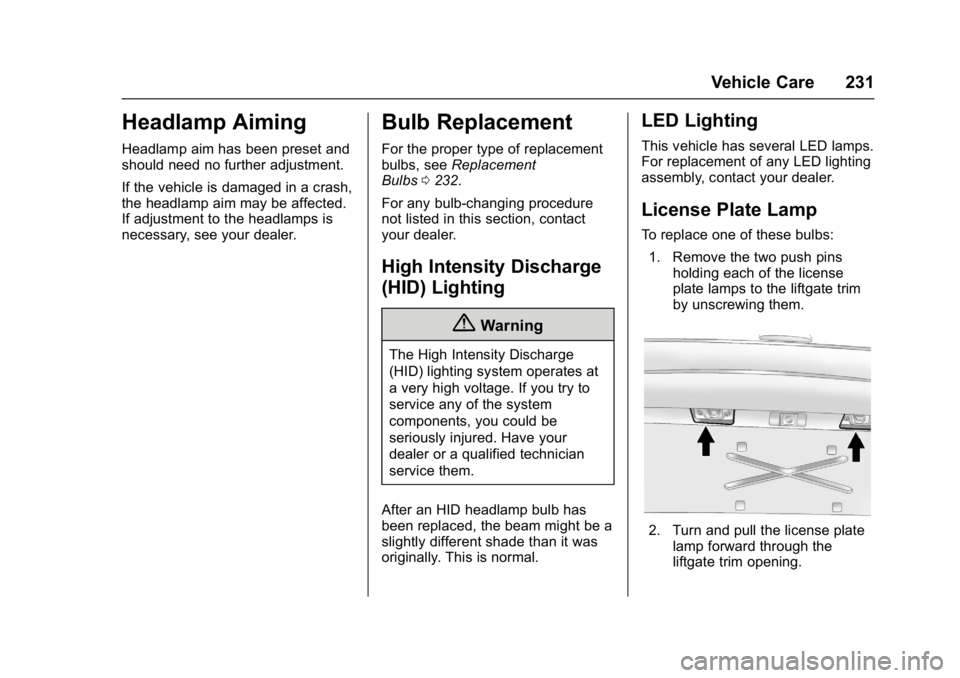
To replace one of these bulbs: 1. Remove the two push pins holding each of the license
plate lamps to the liftgate trim
by unscrewing them.
2. Turn and pull the license platelamp forward through the
liftgate trim opening.
Page 253 of 339
GMC Acadia Limited Owner Manual (GMNA-Localizing-U.S.-10283134) -
2017 - crc - 3/30/16
252 Vehicle Care
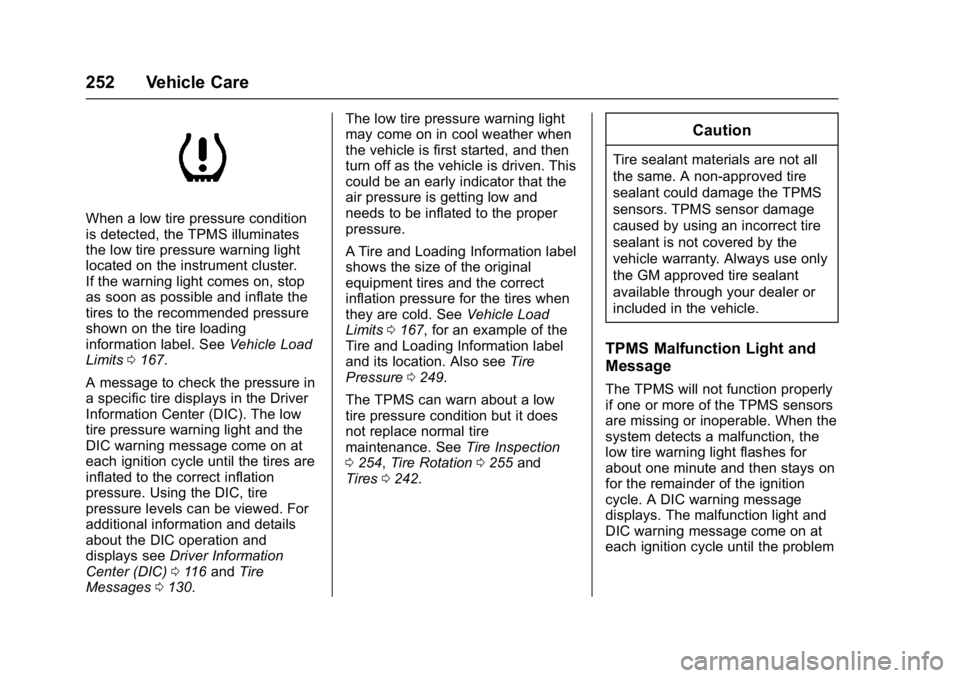
When a low tire pressure condition
is detected, the TPMS illuminates
the low tire pressure warning light
located on the instrument cluster.
If the warning light comes on, stop
as soon as possible and inflate the
tires to the recommended pressure
shown on the tire loading
information label. SeeVehicle Load
Limits 0167.
A message to check the pressure in
a specific tire displays in the Driver
Information Center (DIC). The low
tire pressure warning light and the
DIC warning message come on at
each ignition cycle until the tires are
inflated to the correct inflation
pressure. Using the DIC, tire
pressure levels can be viewed. For
additional information and details
about the DIC operation and
displays see Driver Information
Center (DIC) 0116 and Tire
Messages 0130. The low tire pressure warning light
may come on in cool weather when
the vehicle is first started, and then
turn off as the vehicle is driven. This
could be an early indicator that the
air pressure is getting low and
needs to be inflated to the proper
pressure.
A Tire and Loading Information label
shows the size of the original
equipment tires and the correct
inflation pressure for the tires when
they are cold. See
Vehicle Load
Limits 0167, for an example of the
Tire and Loading Information label
and its location. Also see Tire
Pressure 0249.
The TPMS can warn about a low
tire pressure condition but it does
not replace normal tire
maintenance. See Tire Inspection
0 254, Tire Rotation 0255 and
Tires 0242.
Caution
Tire sealant materials are not all
the same. A non-approved tire
sealant could damage the TPMS
sensors. TPMS sensor damage
caused by using an incorrect tire
sealant is not covered by the
vehicle warranty. Always use only
the GM approved tire sealant
available through your dealer or
included in the vehicle.
TPMS Malfunction Light and
Message
The TPMS will not function properly
if one or more of the TPMS sensors
are missing or inoperable. When the
system detects a malfunction, the
low tire warning light flashes for
about one minute and then stays on
for the remainder of the ignition
cycle. A DIC warning message
displays. The malfunction light and
DIC warning message come on at
each ignition cycle until the problem
Page 256 of 339

GMC Acadia Limited Owner Manual (GMNA-Localizing-U.S.-10283134) -
2017 - crc - 3/30/16
Vehicle Care 255
Tire Rotation
Tires should be rotated every
12 000 km (7,500 mi). See
Maintenance Schedule0289.
Tires are rotated to achieve a
uniform wear for all tires. The
first rotation is the most
important.
Anytime unusual wear is
noticed, rotate the tires as soon
as possible, check for proper tire
inflation pressure, and check for
damaged tires or wheels. If the
unusual wear continues after the
rotation, check the wheel
alignment. See When It Is Time
for New Tires 0256 andWheel
Replacement 0260.
Use this rotation pattern when
rotating the tires.
If the vehicle has a compact
spare tire, do not include it in the
tire rotation.
Adjust the front and rear tires to
the recommended inflation
pressure on the Tire and
Loading Information label after
the tires have been rotated. See
Tire Pressure 0249 and Vehicle
Load Limits 0167.
Reset the Tire Pressure Monitor
System. See Tire Pressure
Monitor Operation 0251. Check that all wheel nuts are
properly tightened. See
“Wheel
Nut Torque” underCapacities
and Specifications 0302.
{Warning
Rust or dirt on a wheel, or on the
parts to which it is fastened, can
make wheel nuts become loose
after time. The wheel could come
off and cause an accident. When
changing a wheel, remove any
rust or dirt from places where the
wheel attaches to the vehicle. In
an emergency, a cloth or a paper
towel can be used; however, use
a scraper or wire brush later to
remove all rust or dirt.
Lightly coat the center of the
wheel hub with wheel bearing
grease after a wheel change or
tire rotation to prevent corrosion
or rust build-up. Do not get
grease on the flat wheel
mounting surface or on the
wheel nuts or bolts.