2017 FORD FUSION HYBRID steering wheel
[x] Cancel search: steering wheelPage 196 of 516

The camera may not operate correctlyunder the following conditions:
•Nighttime or dark areas if one or bothreverse lamps are not operating.
•Mud, water or debris obstructs thecamera's view. Clean the lens with asoft, lint-free cloth and non-abrasivecleaner.
•The rear of your vehicle is hit ordamaged, causing the camera tobecome misaligned.
Camera System Settings
You can access the rear view camerasystem settings through the display screen.See General Information (page 94).
Camera Guidelines
Note:Active guidelines are only availablewhen the transmission is in reverse (R).
Active guidelinesA
CenterlineB
Fixed guideline: Green zoneC
Fixed guideline: Yellow zoneD
Fixed guideline: Red zoneE
Rear bumperF
Active guidelines are only shown with fixedguidelines. To use active guidelines, turnthe steering wheel to point the guidelinestoward an intended path. If you change thesteering wheel position while reversing,your vehicle might deviate from the originalintended path.
193
Fusion Energi / Fusion Hybrid (CC7) Hybrid Electric Vehicle (HEV)/Plug-In Hybrid Electric Vehicle (PHEV), Canada/United States of America, enUSA, First Printing
Parking AidsABCD
F
E
E142436
Page 197 of 516

The fixed and active guidelines fade in andout depending on the steering wheelposition. The active guidelines do notdisplay when the steering wheel positionis straight.
Always use caution while reversing.Objects in the red zone are closest to yourvehicle and objects in the green zone arefarther away. Objects are getting closer toyour vehicle as they move from the greenzone to the yellow or red zones. Use theside view mirrors and rear view mirror toget better coverage on both sides and rearof the vehicle.
Obstacle Distance Indicator (If
Equipped)
The system will provide an image of yourvehicle and the sensor zones. The zoneswill highlight green, yellow and red whenthe parking aid sensors detect an object inthe coverage area.
Manual Zoom
WARNING
When manual zoom is on, the fullarea behind your vehicle may notshow. Be aware of your surroundingswhen using the manual zoom feature.
Note:Manual zoom is only available whenthe transmission is in reverse (R).
Note:When you enable manual zoom, onlythe centerline is shown.
Selectable settings for this feature areZoom in (+) and Zoom out (-). Press thesymbol in the camera screen to change theview. The default setting is Zoom OFF.
This allows you to get a closer view of anobject behind your vehicle. The zoomedimage keeps the bumper in the image toprovide a reference. The zoom is onlyactive while the transmission is in reverse(R).
Rear Camera Delay
Selectable settings for this feature are ONand OFF. The default setting for the rearcamera delay is OFF.
When shifting the transmission out ofreverse (R) and into any gear other thanpark (P), the camera image remains in thedisplay until:
•Your vehicle speed sufficientlyincreases.
•You shift your vehicle into park (P)(automatic transmission).
•You apply the parking brake (manualtransmission).
194
Fusion Energi / Fusion Hybrid (CC7) Hybrid Electric Vehicle (HEV)/Plug-In Hybrid Electric Vehicle (PHEV), Canada/United States of America, enUSA, First Printing
Parking AidsE190459
Page 198 of 516

PRINCIPLE OF OPERATION
Cruise control lets you maintain a setspeed without keeping your foot on theaccelerator pedal. You can use cruisecontrol when your vehicle speed is greaterthan 20 mph (30 km/h).
USING CRUISE CONTROL
WARNINGS
Do not use cruise control on windingroads, in heavy traffic or when theroad surface is slippery. This couldresult in loss of vehicle control, seriousinjury or death.
When you are going downhill, yourvehicle speed may increase abovethe set speed. The system will notapply the brakes but a warning displays.
Note:When you are going downhill whileusing cruise control, the battery chargingsystem and engine work together to helpmaintain the set speed. Engine noise mayincrease or decrease under these conditions.
Note:Cruise control disengages if thevehicle speed decreases more than 10 mph(16 km/h) below the set speed while drivinguphill.
The cruise controls are on the steeringwheel.
Switching Cruise Control On
Note:Using cruise control with ECO Cruiseswitched on may change the operation ofthe system. This feature saves vehicleenergy by relaxing acceleration comparedto standard cruise control. For example, yourvehicle may temporarily lose speed whengoing uphill.
Energi vehicles: ECO Cruise can be turnedon or off through the information display.See Information Displays (page 94).
Hybrid vehicles: ECO Cruise is included inEcoSelect which is turned on or off usingthe ECO button on the center console.
For additional information, refer to ECOCruise and EcoSelect. See Unique DrivingCharacteristics (page 146).
Press and release ON.
The indicator appears in theinstrument cluster.
Setting the Cruise Speed
1. Drive to desired speed.
2.Press and release SET+. The indicatorchanges color.
3. Take your foot off the acceleratorpedal.
Changing the Set Speed
•Press the accelerator or brake pedaluntil you reach the desired speed. Pressand release SET+.
•Press and hold SET+ or SET-. Releasethe control when you reach the desiredspeed.
•Press and release SET+ or SET-. Theset speed will change in approximately1 mph (2 km/h) increments.
195
Fusion Energi / Fusion Hybrid (CC7) Hybrid Electric Vehicle (HEV)/Plug-In Hybrid Electric Vehicle (PHEV), Canada/United States of America, enUSA, First Printing
Cruise ControlE144500 E71340
Page 200 of 516

The adaptive cruise controls are on thesteering wheel.
Switching Adaptive Cruise ControlOn
Note:Using cruise control with ECO Cruiseswitched on may change the operation ofthe system. This feature saves vehicleenergy by relaxing acceleration comparedto standard cruise control. For example, yourvehicle may temporarily lose speed whengoing uphill.
Energi vehicles: ECO Cruise can be turnedon or off through the information display.See Information Displays (page 94).
Hybrid vehicles: ECO Cruise is included inEcoSelect which is turned on or off usingthe ECO button on the center console.
For additional information, refer to ECOCruise and EcoSelect. See Unique DrivingCharacteristics (page 146).
Press and release ON.
The indicator appears in theinformation display.
The current gap setting and set speed alsoappear in the information display.
Setting the Adaptive Cruise Speed
1. Drive to desired speed.
2. Press and release SET-. A greenindicator light, the current gap settingand your set speed appear in theinformation display.
3. Take your foot off the acceleratorpedal.
4. A vehicle graphic illuminates if there isa vehicle detected in front of you.
Note:When adaptive cruise control isactive, the speedometer may vary slightlyfrom the set speed displayed in theinformation display.
Setting the Adaptive Cruise SpeedWhen Your Vehicle is Stationary
1. Follow a vehicle to a complete stop.
2. Keep the brake pedal fully pressed.
197
Fusion Energi / Fusion Hybrid (CC7) Hybrid Electric Vehicle (HEV)/Plug-In Hybrid Electric Vehicle (PHEV), Canada/United States of America, enUSA, First Printing
Cruise ControlE222790 E144529 E164805 E164805
Page 206 of 516
DRIVER ALERT (If Equipped)
PRINCIPLE OF OPERATION
WARNING
The driver alert system is designedto aid you. It is not intended toreplace your attention and judgment.You are still responsible to drive with duecare and attention.
Note:The system will store the on or offsetting in the information display menuthrough ignition cycles.
Note:If enabled in the menu, the systemwill be active at speeds above 40 mph(64 km/h). When below the activationspeed, the information display will informthe driver that the system is unavailable.
Note:The system works as long as one lanemarking can be detected by the camera.
Note:If the camera is blocked or if thewindshield is damaged, the system may notfunction.
Note:The system may not be available inpoor weather or other low visibilityconditions.
The system automatically monitors yourdriving behavior using various inputsincluding the front camera sensor.
If the system detects that your drivingalertness is reduced below a certainthreshold, the system will alert you usinga chime and a message in the clusterdisplay.
USING DRIVER ALERT
Switching the System On and Off
Switch the system on or off using theinformation display. See GeneralInformation (page 94).
When activated, the system will monitoryour alertness level based upon yourdriving behavior in relation to the lanemarkings, and other factors.
System Warnings
Note:The system will not issue warningsbelow approximately 40 mph (64 km/h).
The warning system has two stages. Atfirst, the system issues a temporarywarning that you need to take a rest. Thismessage will only appear for a short time.If the system detects further reduction indriving alertness, it may issue anotherwarning that will remain in the informationdisplay for a longer time. You can press OKon the steering wheel control to clear thewarning.
System Display
When active the system will runautomatically in the background and onlyissue a warning if required. You can viewthe status at any time using theinformation display. See GeneralInformation (page 94).
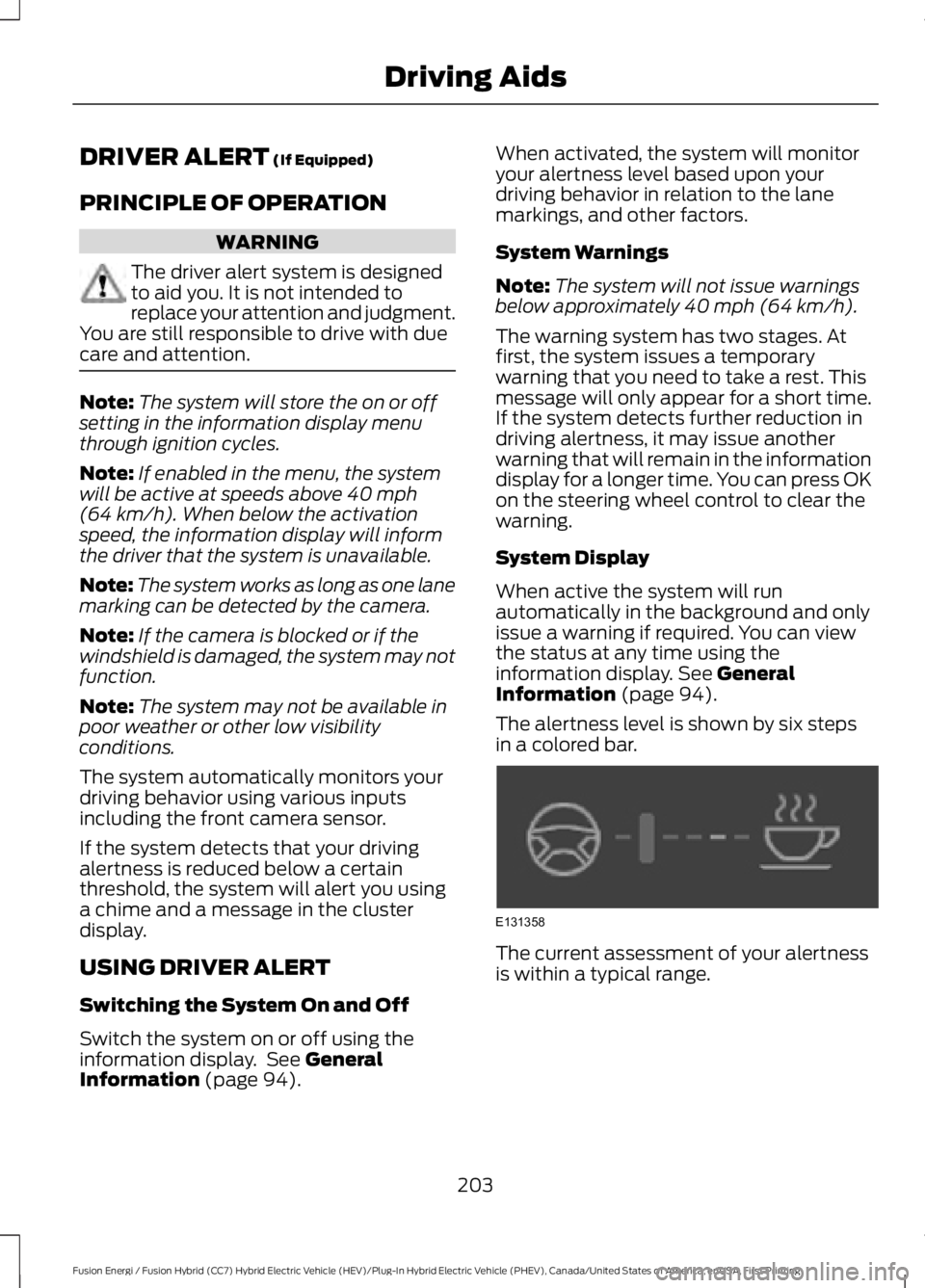
The alertness level is shown by six stepsin a colored bar.
The current assessment of your alertnessis within a typical range.
203
Fusion Energi / Fusion Hybrid (CC7) Hybrid Electric Vehicle (HEV)/Plug-In Hybrid Electric Vehicle (PHEV), Canada/United States of America, enUSA, First Printing
Driving AidsE131358
Page 207 of 516

The current assessment of your alertnessindicates that you should rest as soon assafely possible.
The status bar will travel from left to rightas the calculated alertness leveldecreases. As the rest icon is approachedthe color turns from green to yellow to red.
The yellow position indicates the firstwarning is active and the red positionindicates the second warning is active.
Note:If you have recently received awarning; you should consider resting, evenif the current assessment is within thetypical range.
Note:If the camera sensor cannot track theroad lane markings or if your vehicle speeddrops below approximately 40 mph(64 km/h), the alertness level will changeto grey for a short time and the informationdisplay will inform you that the system isunavailable.
Resetting the System
You can reset the system by either:
•Switching the ignition off and on.
•Stopping the vehicle and then openingand closing the driver’s door.
LANE KEEPING SYSTEM (If
Equipped)
WARNINGS
Always drive with due care andattention when using and operatingthe controls and features on yourvehicle.
At all times, you are responsible forcontrolling your vehicle, supervisingthe system and intervening, ifrequired. Failure to take care may result inthe loss of control of your vehicle, seriouspersonal injury or death.
In cold and severe weatherconditions the system may notfunction. Rain, snow and spray canall limit sensor performance.
Large contrasts in outside lightingcan limit sensor performance.
The system will not operate if thesensor cannot track the road lanemarkings.
If damage occurs in the immediatearea surrounding the sensor, haveyour vehicle checked as soon aspossible.
Note:The system works above 40 mph(64 km/h).
Note:The system works as long as thecamera can detect one lane marking.
Note:The system may not function if thecamera is blocked or there is damage to thewindshield.
Note:When Aid mode is on and the systemdetects no steering activity for a shortperiod, the system will alert you to put yourhands on the steering wheel. The systemmay detect a light grip or touch on thesteering wheel as hands off driving.
204
Fusion Energi / Fusion Hybrid (CC7) Hybrid Electric Vehicle (HEV)/Plug-In Hybrid Electric Vehicle (PHEV), Canada/United States of America, enUSA, First Printing
Driving AidsE131359
Page 208 of 516

The system notifies you to stay in your lanethrough the steering system and theinstrument cluster display when the frontcamera detects an unintentional drift outof your lane is likely to occur. The systemautomatically detects and tracks the roadlane markings using a camera mountedbehind the interior rear view mirror.
Switching the System On and Off
Note:The system on or off setting is storeduntil it is manually changed, unless a MyKeyis detected. If the system detects a MyKeyit defaults to on and the mode is set to Alert.
Note:If a MyKey is detected, pressing thebutton will not affect the on or off status ofthe system.
Press the button on the steeringwheel stalk to switch the systemon or off.
System Settings
The system has optional setting menusavailable. The system stores thelast-known selection for each of thesesettings. You do not need to readjust yoursettings each time you turn on the system.
Mode: This setting allows you to selectwhich of the system features you canenable.
Alert only – Provides a steering wheelvibration when the system detects anunintended lane departure.
Aid only – Provides an assistance steeringtorque input toward the lane center whenthe system detects an unintended lanedeparture.
AlertA
AidB
Alert + Aid – Provides an assistancesteering torque input toward the lanecenter. If your vehicle continues drifting outof the lane, the system provides a steeringwheel vibration.
Note:The alert and aid diagrams illustrategeneral zone coverage. They do not provideexact zone parameters.
205
Fusion Energi / Fusion Hybrid (CC7) Hybrid Electric Vehicle (HEV)/Plug-In Hybrid Electric Vehicle (PHEV), Canada/United States of America, enUSA, First Printing
Driving AidsE144813 E165515 E165516 E165517
Page 209 of 516

Intensity: This setting affects the intensityof the steering wheel vibration used for thealert and alert + aid modes. This settingdoes not affect the aid mode.
•Low
•Normal
•High
System Display
When you switch on the system, anoverhead graphic of a vehicle with lanemarkings will display in the informationdisplay. If you select aid mode when youswitch on the system, a separate whiteicon will also appear or in some vehiclesarrows will display with the lane markings.
When you switch off the system, the lanemarking graphics will not display.
While the system is on, the color of thelane markings will change to indicate thesystem status.
Gray: Indicates that the system istemporarily unable to provide a warningor intervention on the indicated side(s).This may be because:
•Your vehicle is under the activationspeed.
•The turn indicator is active.
•Your vehicle is in a dynamic maneuver.
•The road has no or poor lane markingsin the camera field-of-view.
•The camera is obscured or unable todetect the lane markings due toenvironmental conditions (significantsun angles, shadows, snow, heavy rainor fog), traffic conditions (following alarge vehicle that is blocking orshadowing the lane), or vehicleconditions (poor headlampillumination).
See Troubleshooting for additionalinformation.
Green: Indicates that the system isavailable or ready to provide a warning orintervention, on the indicated side(s).
Yellow: Indicates that the system isproviding or has just provided a lanekeeping aid intervention.
Red: Indicates that the system is providingor has just provided a lane keeping alertwarning.
The system can be temporarily suppressedat any time by the following:
•Quick braking.
•Fast acceleration.
•Using the turn signal indicator.
•Evasive steering maneuver.
206
Fusion Energi / Fusion Hybrid (CC7) Hybrid Electric Vehicle (HEV)/Plug-In Hybrid Electric Vehicle (PHEV), Canada/United States of America, enUSA, First Printing
Driving AidsE151660