2017 FORD FUSION HYBRID center console
[x] Cancel search: center consolePage 191 of 516

When you think your vehicle is properlyparked, or you hear a solid tone from theparking aid (accompanied by a displaymessage and a chime), bring your vehicleto a complete stop.
When automatic steering is complete, thesystem displays a message and a tonesounds, indicating that the active parkassist process is finished. You areresponsible for checking the parking joband making any necessary correctionsbefore leaving your vehicle.
Using Active Park Assist -Perpendicular Parking
Press the button located on thecenter console near the gearshiftlever or the right side of thecenter stack twice.
The system displays a message and acorresponding graphic to indicate it issearching for a parking space. Use thedirection indicator to select searchingeither to the left-hand side or right-handside of your vehicle.
Note:If you do not make a selection thesystem will default to the passenger's side.
When the system finds a suitable space,it displays a message and a tone sounds.Stop your vehicle and follow theinstructions on the screen. If your vehicleis moving very slowly, you may need to pullforward a short distance before the systemis ready to park.
Note:You must observe that the selectedspace remains clear of obstructions at alltimes during the maneuver.
Note:You should drive your vehicle within5 ft (1.5 m) and as perpendicular as possibleto the other vehicles while passing a parkingspace.
188
Fusion Energi / Fusion Hybrid (CC7) Hybrid Electric Vehicle (HEV)/Plug-In Hybrid Electric Vehicle (PHEV), Canada/United States of America, enUSA, First Printing
Parking AidsE130108 E146186 E186193
Page 198 of 516

PRINCIPLE OF OPERATION
Cruise control lets you maintain a setspeed without keeping your foot on theaccelerator pedal. You can use cruisecontrol when your vehicle speed is greaterthan 20 mph (30 km/h).
USING CRUISE CONTROL
WARNINGS
Do not use cruise control on windingroads, in heavy traffic or when theroad surface is slippery. This couldresult in loss of vehicle control, seriousinjury or death.
When you are going downhill, yourvehicle speed may increase abovethe set speed. The system will notapply the brakes but a warning displays.
Note:When you are going downhill whileusing cruise control, the battery chargingsystem and engine work together to helpmaintain the set speed. Engine noise mayincrease or decrease under these conditions.
Note:Cruise control disengages if thevehicle speed decreases more than 10 mph(16 km/h) below the set speed while drivinguphill.
The cruise controls are on the steeringwheel.
Switching Cruise Control On
Note:Using cruise control with ECO Cruiseswitched on may change the operation ofthe system. This feature saves vehicleenergy by relaxing acceleration comparedto standard cruise control. For example, yourvehicle may temporarily lose speed whengoing uphill.
Energi vehicles: ECO Cruise can be turnedon or off through the information display.See Information Displays (page 94).
Hybrid vehicles: ECO Cruise is included inEcoSelect which is turned on or off usingthe ECO button on the center console.
For additional information, refer to ECOCruise and EcoSelect. See Unique DrivingCharacteristics (page 146).
Press and release ON.
The indicator appears in theinstrument cluster.
Setting the Cruise Speed
1. Drive to desired speed.
2.Press and release SET+. The indicatorchanges color.
3. Take your foot off the acceleratorpedal.
Changing the Set Speed
•Press the accelerator or brake pedaluntil you reach the desired speed. Pressand release SET+.
•Press and hold SET+ or SET-. Releasethe control when you reach the desiredspeed.
•Press and release SET+ or SET-. Theset speed will change in approximately1 mph (2 km/h) increments.
195
Fusion Energi / Fusion Hybrid (CC7) Hybrid Electric Vehicle (HEV)/Plug-In Hybrid Electric Vehicle (PHEV), Canada/United States of America, enUSA, First Printing
Cruise ControlE144500 E71340
Page 200 of 516

The adaptive cruise controls are on thesteering wheel.
Switching Adaptive Cruise ControlOn
Note:Using cruise control with ECO Cruiseswitched on may change the operation ofthe system. This feature saves vehicleenergy by relaxing acceleration comparedto standard cruise control. For example, yourvehicle may temporarily lose speed whengoing uphill.
Energi vehicles: ECO Cruise can be turnedon or off through the information display.See Information Displays (page 94).
Hybrid vehicles: ECO Cruise is included inEcoSelect which is turned on or off usingthe ECO button on the center console.
For additional information, refer to ECOCruise and EcoSelect. See Unique DrivingCharacteristics (page 146).
Press and release ON.
The indicator appears in theinformation display.
The current gap setting and set speed alsoappear in the information display.
Setting the Adaptive Cruise Speed
1. Drive to desired speed.
2. Press and release SET-. A greenindicator light, the current gap settingand your set speed appear in theinformation display.
3. Take your foot off the acceleratorpedal.
4. A vehicle graphic illuminates if there isa vehicle detected in front of you.
Note:When adaptive cruise control isactive, the speedometer may vary slightlyfrom the set speed displayed in theinformation display.
Setting the Adaptive Cruise SpeedWhen Your Vehicle is Stationary
1. Follow a vehicle to a complete stop.
2. Keep the brake pedal fully pressed.
197
Fusion Energi / Fusion Hybrid (CC7) Hybrid Electric Vehicle (HEV)/Plug-In Hybrid Electric Vehicle (PHEV), Canada/United States of America, enUSA, First Printing
Cruise ControlE222790 E144529 E164805 E164805
Page 331 of 516
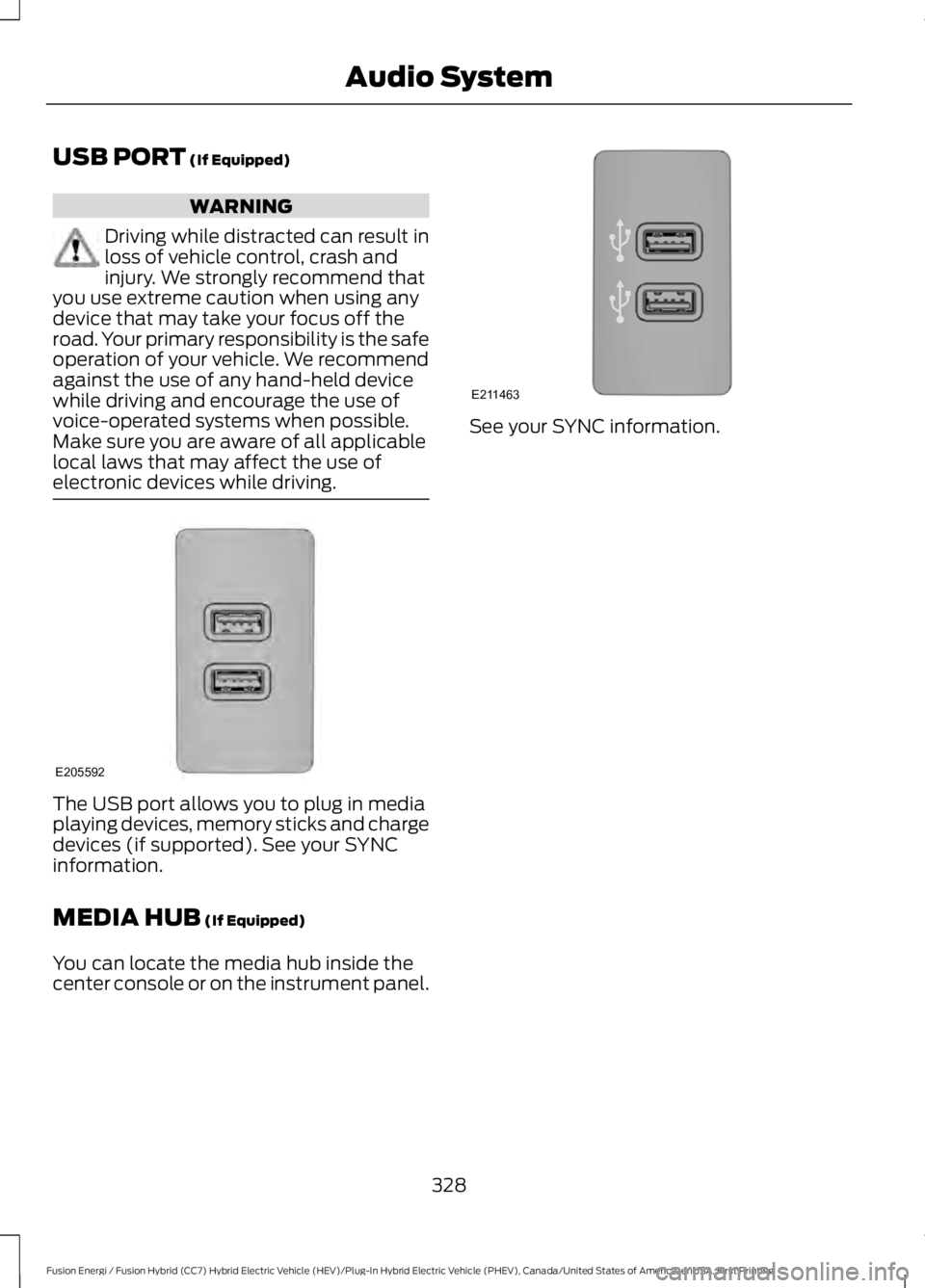
USB PORT (If Equipped)
WARNING
Driving while distracted can result inloss of vehicle control, crash andinjury. We strongly recommend thatyou use extreme caution when using anydevice that may take your focus off theroad. Your primary responsibility is the safeoperation of your vehicle. We recommendagainst the use of any hand-held devicewhile driving and encourage the use ofvoice-operated systems when possible.Make sure you are aware of all applicablelocal laws that may affect the use ofelectronic devices while driving.
The USB port allows you to plug in mediaplaying devices, memory sticks and chargedevices (if supported). See your SYNCinformation.
MEDIA HUB (If Equipped)
You can locate the media hub inside thecenter console or on the instrument panel.
See your SYNC information.
328
Fusion Energi / Fusion Hybrid (CC7) Hybrid Electric Vehicle (HEV)/Plug-In Hybrid Electric Vehicle (PHEV), Canada/United States of America, enUSA, First Printing
Audio SystemE205592 E211463
Page 359 of 516

Description and ActionDisplay
2. Scroll to browse indexed media files on the device, andthen press the OK button.
Resets the USB index. After the new indexing is complete,you can choose what to play from the USB song library.Reset USB
*You can use the buttons at the bottom of the audio display to jump to a certainalphabetical category quickly. You can also use the letters on the audio system's numerickeypad to jump in the list.
Using Voice Commands
You can access and view your USB songsusing voice commands.
Plug the device into your vehicle's USBport.
Press the voice button and whenprompted, say any of the followingcommands:
Accessing and Viewing USB Media
(browse | search | show) all (album |albums)
(browse | search | show) all (artist |artists)
(browse | search | show) all (genre |genres)
(browse | search | show) all (playlist |playlists)
(browse | search | show) all (song | songs| title | titles | file | files | track | tracks)
(browse | search | show) album ___
(browse | search | show) artist ___
(browse | search | show) genre ___
(browse | search | show) playlist ___
USB 2 (If Equipped)
Your vehicle may come equipped with anadditional USB port. If so, USB 1 is locatedat the front of the vehicle at the bottom ofthe instrument panel. USB 2 is locatedinside the storage compartment of thevehicle's center console.
You can plug in an additional USB deviceinto the second USB port.
You can access both USB devices by usingvoice commands.
To access a USB device press the voicebutton and when prompted say:
Voice command
USB 1
USB 2
Note:SYNC only supports one connectediOS (Apple) devices at a time (whicheverone you plug in first). When you connect asecond iOS device, the systems charges it,but does not support playback from it.
Bluetooth Devices and SystemSettings
You can access these menus using theaudio display. See Using SYNC™ WithYour Phone (page 333).
356
Fusion Energi / Fusion Hybrid (CC7) Hybrid Electric Vehicle (HEV)/Plug-In Hybrid Electric Vehicle (PHEV), Canada/United States of America, enUSA, First Printing
SYNC™
Page 507 of 516

Using the System..............................................208Bonnet LockSee: Opening and Closing the Hood..........253Booster Seats..................................................25Types of Booster Seats......................................26Brake Fluid Check.........................................261Brakes................................................................174General Information...........................................174Breaking-In.....................................................224Bulb Specification Chart..........................268
C
Cabin Air Filter.................................................121California Proposition 65..............................11Capacities and Specifications.................310Specifications......................................................310Car WashSee: Cleaning the Exterior................................271Center Console..............................................139Center Console with Rotary Control...........139Changing a Bulb...........................................267Headlamp.............................................................267LED Lamps...........................................................267License Plate Lamp..........................................268Reversing Lamp..................................................267Changing a Fuse............................................251Fuses........................................................................251Changing the 12V Battery..........................261Changing the Engine Air Filter.................270Changing the Wiper Blades.....................263Charging the High Voltage Battery........164Energi Vehicles....................................................164Checking MyKey System Status...............56MyKey Distance....................................................56Number of Admin Keys......................................56Number of MyKeys..............................................56Checking the Wiper Blades......................263Child Restraint and SeatbeltMaintenance..................................................37Child Restraint Positioning..........................27Child Safety.......................................................16General Information.............................................16Child Safety Locks.........................................28Left-Hand Side......................................................29Right-Hand Side...................................................29Cleaning Leather Seats..............................275Cleaning Products.........................................271
Cleaning the Alloy Wheels........................275Cleaning the Engine....................................273Cleaning the Exterior....................................271Exterior Chrome Parts......................................272Exterior Plastic Parts.........................................272Stripes or Graphics............................................272Underbody............................................................272Under Hood..........................................................272Cleaning the Instrument Panel andInstrument Cluster Lens.........................274Cleaning the Interior....................................274Cleaning the Windows and WiperBlades............................................................273Clearing All MyKeys.......................................56Climate............................................................398Climate Control..............................................116Climate Controlled Seats..........................130Cooled Seats........................................................130Collision, Damage or Fire Event...............231Guidance for Ford Motor Company Electricand Hybrid-Electric Vehicles EquippedWith High Voltage Batteries.......................231Coolant CheckSee: Engine Coolant Check............................256Crash Sensors and Airbag Indicator.......46Creating a MyKey............................................55Programming or Changing ConfigurableSettings...............................................................56Cross Traffic Alert.........................................210False Alerts............................................................213Switching the System Off and On................213System Errors.......................................................213System Lights, Messages and AudibleAlerts...................................................................212System Limitations............................................212Using the System...............................................210Cruise Control.................................................69Principle of Operation.......................................195Type 1........................................................................69Type 2.......................................................................69Cruise controlSee: Using Cruise Control................................195Customer Assistance.................................235
D
Data Recording..................................................9Event Data Recording..........................................10
504
Fusion Energi / Fusion Hybrid (CC7) Hybrid Electric Vehicle (HEV)/Plug-In Hybrid Electric Vehicle (PHEV), Canada/United States of America, enUSA, First Printing
Index
Page 511 of 516

Lighting...............................................................73General Information............................................73Load Carrying.................................................218Load Limit........................................................218Special Loading Instructions for Owners ofPick-up Trucks and Utility-typeVehicles.............................................................222Vehicle Loading - with and without aTrailer..................................................................218Locking and Unlocking.................................58Activating Intelligent Access............................59Autolock..................................................................60Autounlock..............................................................61Battery Saver..........................................................61Illuminated Entry...................................................61Illuminated Exit......................................................61Power Door Locks................................................58Remote Control....................................................58Smart Unlocks for Intelligent AccessKeys......................................................................60Locks...................................................................58
M
Maintenance..................................................253General Information.........................................253Manual Seats.................................................124Media Hub......................................................328Memory Function.........................................126Easy Entry and Exit Feature............................128Linking a PreSet Position to your RemoteControl or Intelligent Access KeyFob.......................................................................127Saving a PreSet Position..................................127Message CenterSee: Information Displays.................................94MirrorsSee: Heated Windows and Mirrors..............120See: Windows and Mirrors.................................81Mobile Communications Equipment.......13Moonroof..........................................................84Bounce-Back.........................................................85Opening and Closing the Moonroof..............85Venting the Moonroof........................................85Motorcraft Parts...........................................307MyKey Troubleshooting................................57MyKey™.............................................................54Principle of Operation........................................54
N
Navigation.....................................................406cityseeker...............................................................413Destination Mode.............................................408Map Mode............................................................406Navigation Map Updates.................................414Navigation Menu..................................................411SiriusXM Traffic and Travel Link....................414Waypoints..............................................................412Normal Scheduled Maintenance..........469Intelligent Oil-Life Monitor............................469Normal Maintenance Intervals.....................470
O
Oil Change Indicator Reset......................256Oil CheckSee: Engine Oil Check......................................255Opening and Closing the Hood..............253Closing the Hood...............................................254Opening the Hood.............................................253Ordering Additional Owner'sLiterature......................................................239Obtaining a French Owner’s Manual.........240Overhead Console.......................................140
P
Parking Aids....................................................182Principle of Operation.......................................182Passive Anti-Theft System.........................65SecuriLock®...........................................................65PATSSee: Passive Anti-Theft System.....................65Perchlorate.........................................................11Personal Safety System™..........................38How Does the Personal Safety SystemWork?..................................................................38Phone..............................................................400During a Phone Call.........................................404Making Calls........................................................403Pairing Your Cell Phone for the FirstTime..................................................................400Phone Menu.........................................................401Receiving Calls...................................................404Smartphone Connectivity.............................405Text Messaging..................................................405
508
Fusion Energi / Fusion Hybrid (CC7) Hybrid Electric Vehicle (HEV)/Plug-In Hybrid Electric Vehicle (PHEV), Canada/United States of America, enUSA, First Printing
Index