2017 FORD FIESTA buttons
[x] Cancel search: buttonsPage 49 of 450
Note:
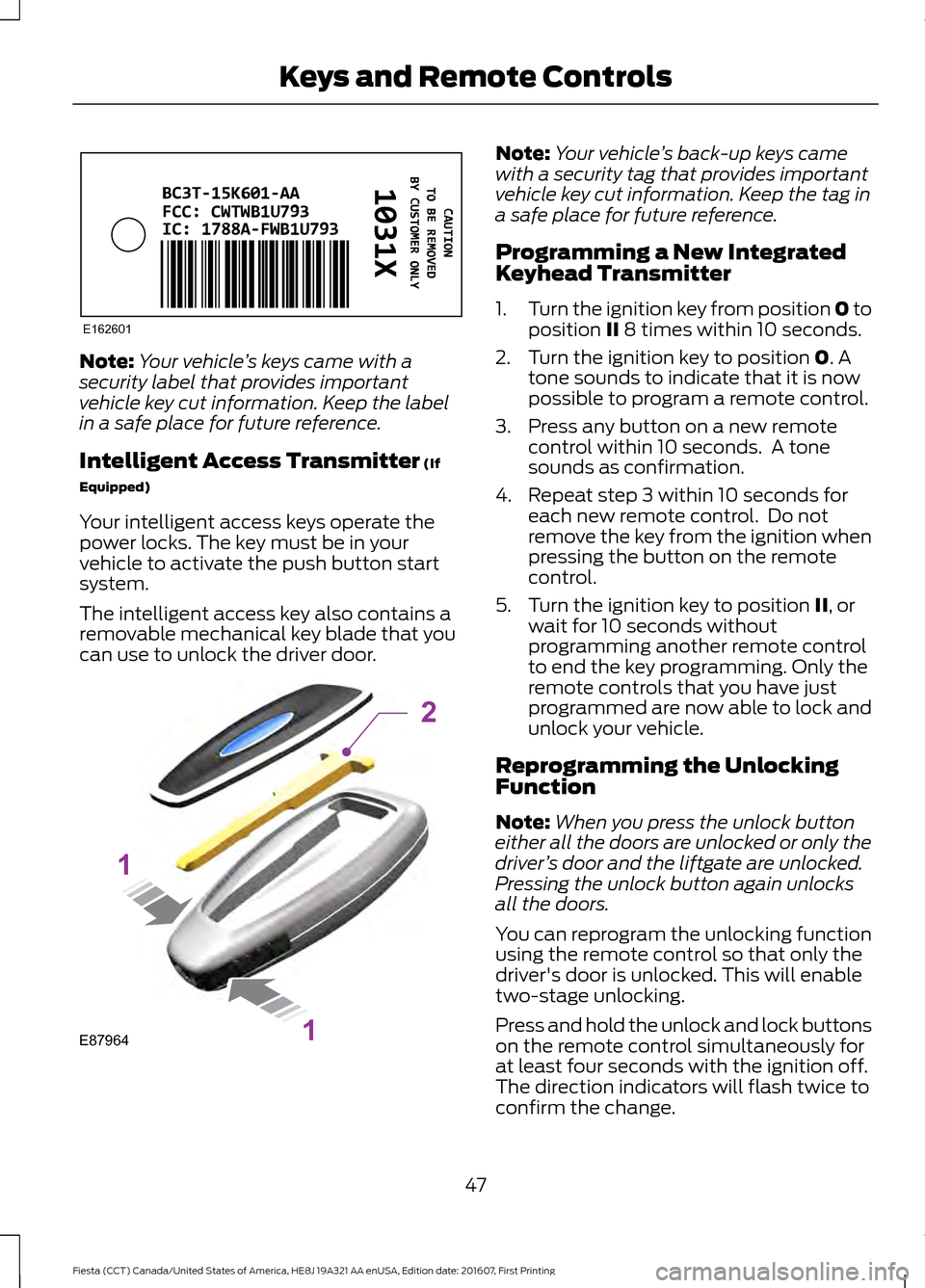
Your vehicle ’s keys came with a
security label that provides important
vehicle key cut information. Keep the label
in a safe place for future reference.
Intelligent Access Transmitter (If
Equipped)
Your intelligent access keys operate the
power locks. The key must be in your
vehicle to activate the push button start
system.
The intelligent access key also contains a
removable mechanical key blade that you
can use to unlock the driver door. Note:
Your vehicle ’s back-up keys came
with a security tag that provides important
vehicle key cut information. Keep the tag in
a safe place for future reference.
Programming a New Integrated
Keyhead Transmitter
1. Turn the ignition key from position 0 to
position
II 8 times within 10 seconds.
2. Turn the ignition key to position
0. A
tone sounds to indicate that it is now
possible to program a remote control.
3. Press any button on a new remote control within 10 seconds. A tone
sounds as confirmation.
4. Repeat step 3 within 10 seconds for each new remote control. Do not
remove the key from the ignition when
pressing the button on the remote
control.
5. Turn the ignition key to position
II, or
wait for 10 seconds without
programming another remote control
to end the key programming. Only the
remote controls that you have just
programmed are now able to lock and
unlock your vehicle.
Reprogramming the Unlocking
Function
Note: When you press the unlock button
either all the doors are unlocked or only the
driver ’s door and the liftgate are unlocked.
Pressing the unlock button again unlocks
all the doors.
You can reprogram the unlocking function
using the remote control so that only the
driver's door is unlocked. This will enable
two-stage unlocking.
Press and hold the unlock and lock buttons
on the remote control simultaneously for
at least four seconds with the ignition off.
The direction indicators will flash twice to
confirm the change.
47
Fiesta (CCT) Canada/United States of America, HE8J 19A321 AA enUSA, Edition date: 201607, First Printing Keys and Remote ControlsE162601 E87964
2
1
1
Page 51 of 450
5.
Assemble the two halves of the remote
control.
6. Install the key blade.
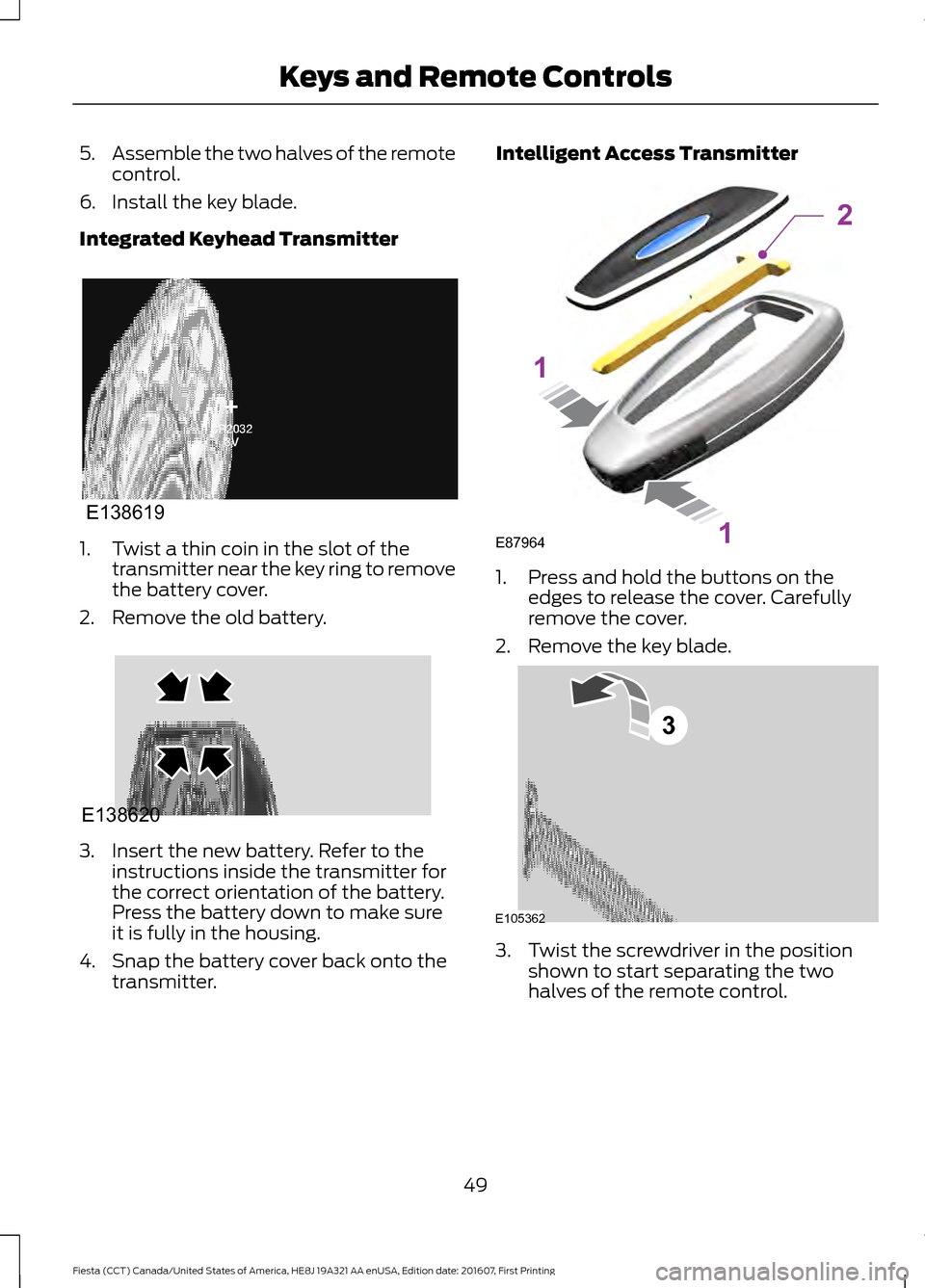
Integrated Keyhead Transmitter 1. Twist a thin coin in the slot of the
transmitter near the key ring to remove
the battery cover.
2. Remove the old battery. 3. Insert the new battery. Refer to the
instructions inside the transmitter for
the correct orientation of the battery.
Press the battery down to make sure
it is fully in the housing.
4. Snap the battery cover back onto the transmitter. Intelligent Access Transmitter
1. Press and hold the buttons on the
edges to release the cover. Carefully
remove the cover.
2. Remove the key blade. 3. Twist the screwdriver in the position
shown to start separating the two
halves of the remote control.
49
Fiesta (CCT) Canada/United States of America, HE8J 19A321 AA enUSA, Edition date: 201607, First Printing Keys and Remote ControlsE138619 E138620 E87964
2
1
1 E105362
3
Page 62 of 450
KEYLESS ENTRY
General Information
WARNING
The system may not function if the
key is close to metal objects or
electronic devices such as cell
phones. The system will not function if:
•
Your vehicle battery has no charge.
• The passive key frequencies are
jammed.
• The passive key battery has no charge.
Note: If the system does not function, you
will need to use the key blade to lock and
unlock your vehicle.
The system allows you to operate your
vehicle without the use of a key or remote
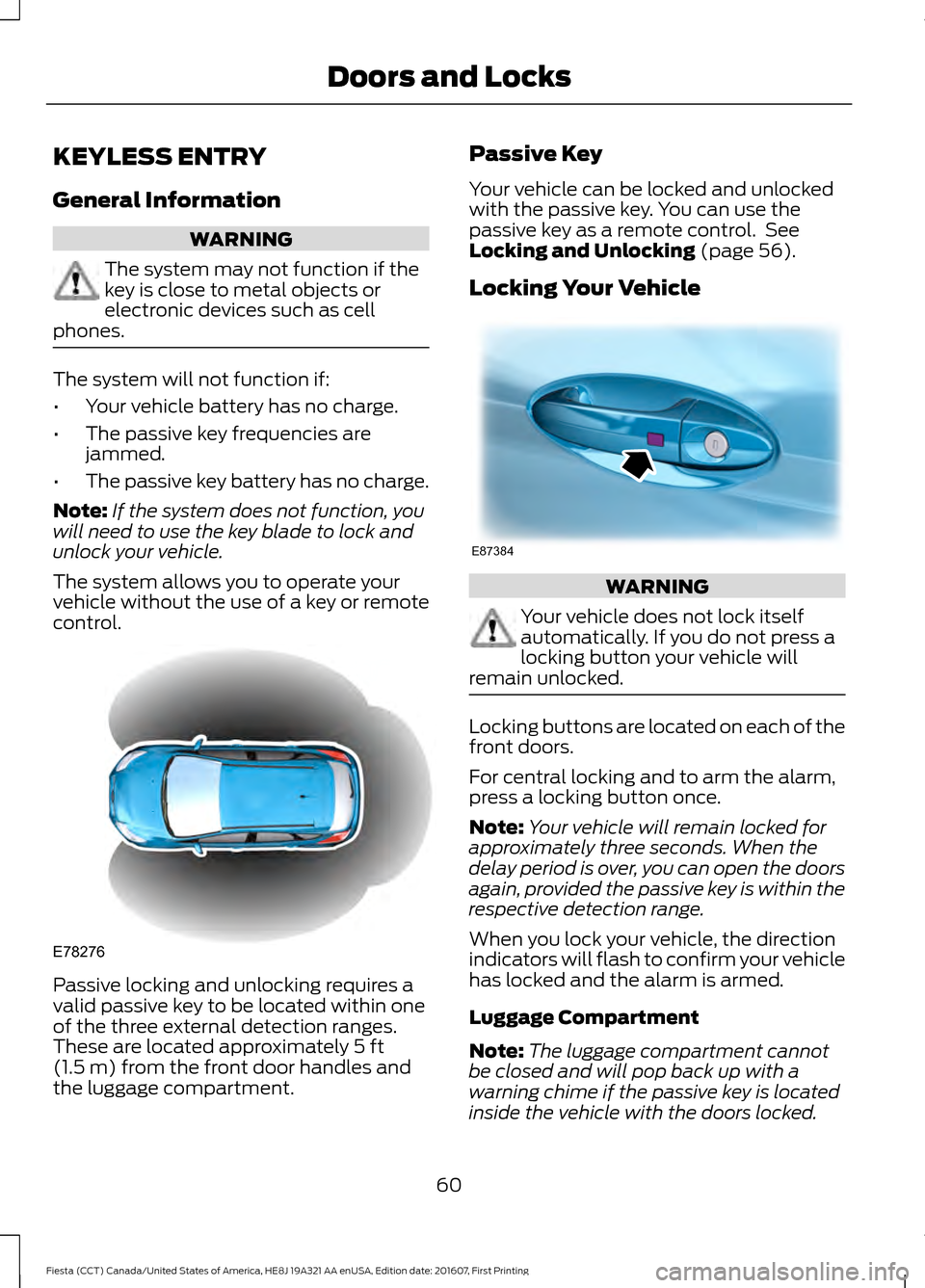
control. Passive locking and unlocking requires a
valid passive key to be located within one
of the three external detection ranges.
These are located approximately 5 ft
(1.5 m) from the front door handles and
the luggage compartment. Passive Key
Your vehicle can be locked and unlocked
with the passive key. You can use the
passive key as a remote control. See
Locking and Unlocking
(page 56).
Locking Your Vehicle WARNING
Your vehicle does not lock itself
automatically. If you do not press a
locking button your vehicle will
remain unlocked. Locking buttons are located on each of the
front doors.
For central locking and to arm the alarm,
press a locking button once.
Note:
Your vehicle will remain locked for
approximately three seconds. When the
delay period is over, you can open the doors
again, provided the passive key is within the
respective detection range.
When you lock your vehicle, the direction
indicators will flash to confirm your vehicle
has locked and the alarm is armed.
Luggage Compartment
Note: The luggage compartment cannot
be closed and will pop back up with a
warning chime if the passive key is located
inside the vehicle with the doors locked.
60
Fiesta (CCT) Canada/United States of America, HE8J 19A321 AA enUSA, Edition date: 201607, First Printing Doors and LocksE78276 E87384
Page 87 of 450

GENERAL INFORMATION
WARNING
Driving while distracted can result in
loss of vehicle control, crash and
injury. We strongly recommend that
you use extreme caution when using any
device that may take your focus off the
road. Your primary responsibility is the safe
operation of your vehicle. We recommend
against the use of any hand-held device
while driving and encourage the use of
voice-operated systems when possible.
Make sure you are aware of all applicable
local laws that may affect the use of
electronic devices while driving. Information Display Controls
Use the information display controls on
the steering wheel to adjust various system
settings on your vehicle. The information
display shows the system settings.
•
Press the up or down arrow buttons to
scroll through the list.
• Press the right arrow button to enter a
submenu.
• Press the left arrow button to exit a
submenu.
• Press the OK button to choose and
confirm settings or messages. System Check
Active warnings appear first. Press the up
or down arrow buttons to scroll through
the list.
Menu Structure
Note:
Some menus may show features as
used in different models, so may appear
different to you on your vehicle. Dial number
Phone
Redial
Phone book
Call History
Speed Dial
Text Messaging
BT device
Phone settings
Ford EcoMode Bluetooth on
SYNC-Settings
Set defaults
Master reset
Install on SYNC
System info
Voice settings
Unpair
SYNC-Apps Route options
Navigation
Map display
Assistance options
Personal data
85
Fiesta (CCT) Canada/United States of America, HE8J 19A321 AA enUSA, Edition date: 201607, First Printing Information DisplaysE103626
Page 88 of 450
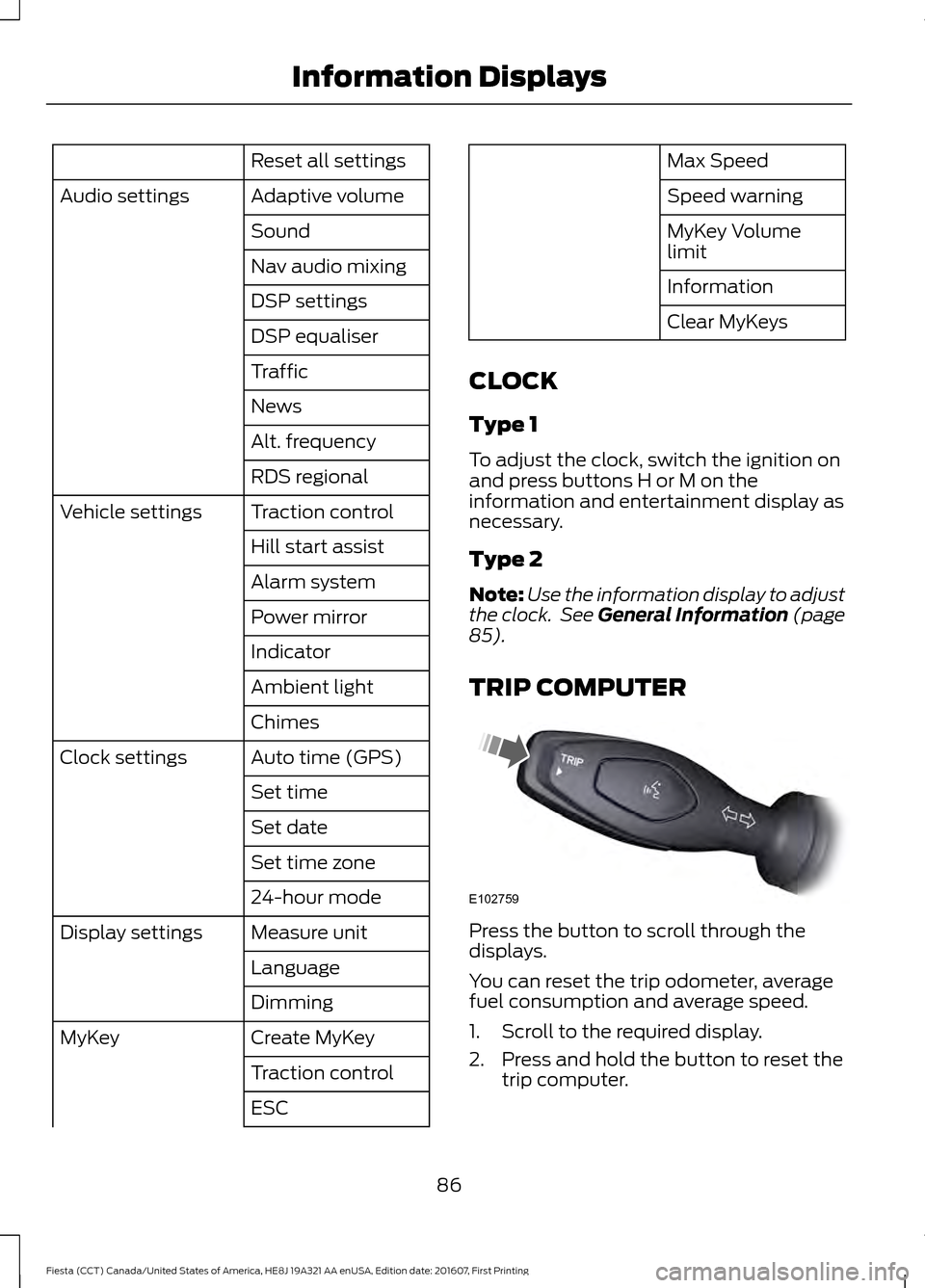
Reset all settings
Adaptive volume
Audio settings
Sound
Nav audio mixing
DSP settings
DSP equaliser
Traffic
News
Alt. frequency
RDS regional
Traction control
Vehicle settings
Hill start assist
Alarm system
Power mirror
Indicator
Ambient light
Chimes
Auto time (GPS)
Clock settings
Set time
Set date
Set time zone
24-hour mode
Measure unit
Display settings
Language
Dimming
Create MyKey
MyKey
Traction control
ESC Max Speed
Speed warning
MyKey Volume
limit
Information
Clear MyKeys
CLOCK
Type 1
To adjust the clock, switch the ignition on
and press buttons H or M on the
information and entertainment display as
necessary.
Type 2
Note: Use the information display to adjust
the clock. See General Information (page
85).
TRIP COMPUTER Press the button to scroll through the
displays.
You can reset the trip odometer, average
fuel consumption and average speed.
1. Scroll to the required display.
2. Press and hold the button to reset the
trip computer.
86
Fiesta (CCT) Canada/United States of America, HE8J 19A321 AA enUSA, Edition date: 201607, First Printing Information DisplaysE102759
Page 102 of 450
Side Window Defogging in Cold Weather
Vehicles With Automatic Climate Control
Vehicles With Manual Climate Control
Press the MAX defrost button.
Adjust the fan speed to the highest
setting.
1
Adjust the temperature control to the
highest setting.
2
Adjust the air distribution control to the
windshield position.
3
Press the A/C button.
4
Maximum Cooling Performance in
Instrument Panel or Instrument
Panel and Footwell Positions
1. Adjust the temperature control to the lowest setting.
2. Press the
A/C and recirculated air
buttons.
3. Adjust the fan speed to the highest setting initially and then adjust it to suit
the desired comfort level.
HEATED WINDOWS AND
MIRRORS
Heated Windows
Note: Make sure the engine is running
before operating the heated windows.
Heated Rear Window Press the button to clear the
heated rear window of thin ice
and fog. The heated rear
window will automatically turn off after a
short period of time. Start the engine
before you switch the heated rear window
on. Note:
Do not use razor blades or other
sharp objects to clean or remove decals
from the inside of the heated rear window.
The vehicle warranty does not cover
damage caused to the heated rear window
grid lines.
Heated Exterior Mirrors
When you switch the heated rear window
on, the heated exterior mirrors will
automatically turn on.
Note: Do not remove ice from the mirrors
with a scraper or adjust the mirror glass
when it is frozen in place.
Note: Do not clean the mirror housing or
glass with harsh abrasives, fuel or other
petroleum-based cleaning products.
CABIN AIR FILTER
Your vehicle is equipped with a cabin air
filter. It is located behind the center
console.
The particulate filtration system reduces
the concentration of airborne particles
such as dust, spores and pollen in the air
supplied to the interior of your vehicle.
100
Fiesta (CCT) Canada/United States of America, HE8J 19A321 AA enUSA, Edition date: 201607, First Printing Climate ControlE72507
Page 105 of 450
WARNINGS
Install the head restraint properly to
help minimize the risk of neck injury
in the event of a crash.
Note:
Adjust the seat backrest to an upright
driving position before adjusting the head
restraint. Adjust the head restraint so that
the top of it is level with the top of your head
and as far forward as possible. Make sure
that you remain comfortable. If you are
extremely tall, adjust the head restraint to
its highest position.
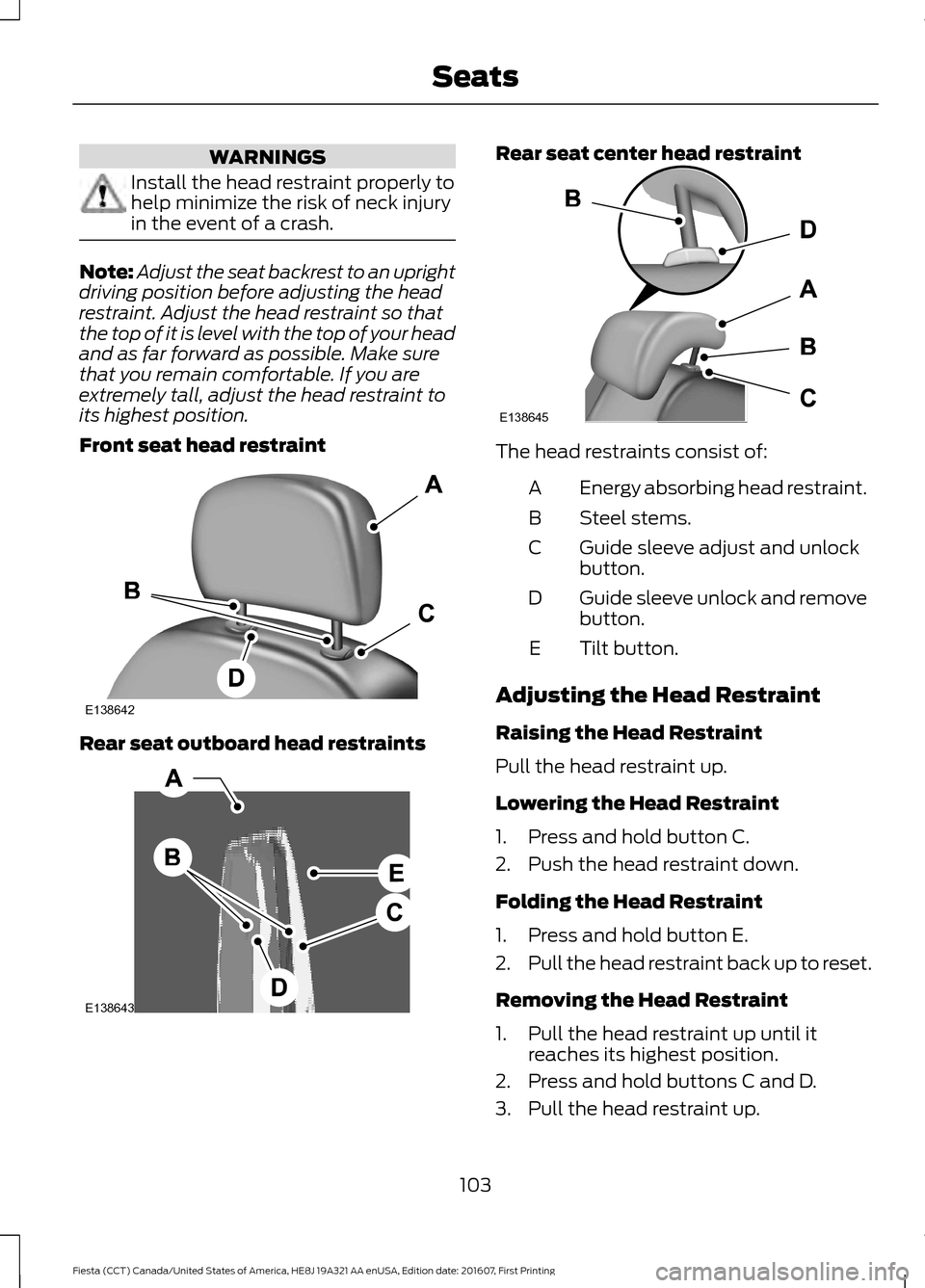
Front seat head restraint Rear seat outboard head restraints Rear seat center head restraint
The head restraints consist of:
Energy absorbing head restraint.
A
Steel stems.
B
Guide sleeve adjust and unlock
button.
C
Guide sleeve unlock and remove
button.
D
Tilt button.
E
Adjusting the Head Restraint
Raising the Head Restraint
Pull the head restraint up.
Lowering the Head Restraint
1. Press and hold button C.
2. Push the head restraint down.
Folding the Head Restraint
1. Press and hold button E.
2. Pull the head restraint back up to reset.
Removing the Head Restraint
1. Pull the head restraint up until it reaches its highest position.
2. Press and hold buttons C and D.
3. Pull the head restraint up.
103
Fiesta (CCT) Canada/United States of America, HE8J 19A321 AA enUSA, Edition date: 201607, First Printing SeatsE138642 E138643 E138645
Page 107 of 450
Recline Adjustment
REAR SEATS
Folding the Seatback
WARNING
When folding the seatback down,
take care not to get your hands
caught between the seatback and
the frame, catches or mechanism. Failure
to take care may result in personal injury. Note:
Fully lower the head restraints. Your
vehicle may have folding rear head
restraints. Fold these before you fold the
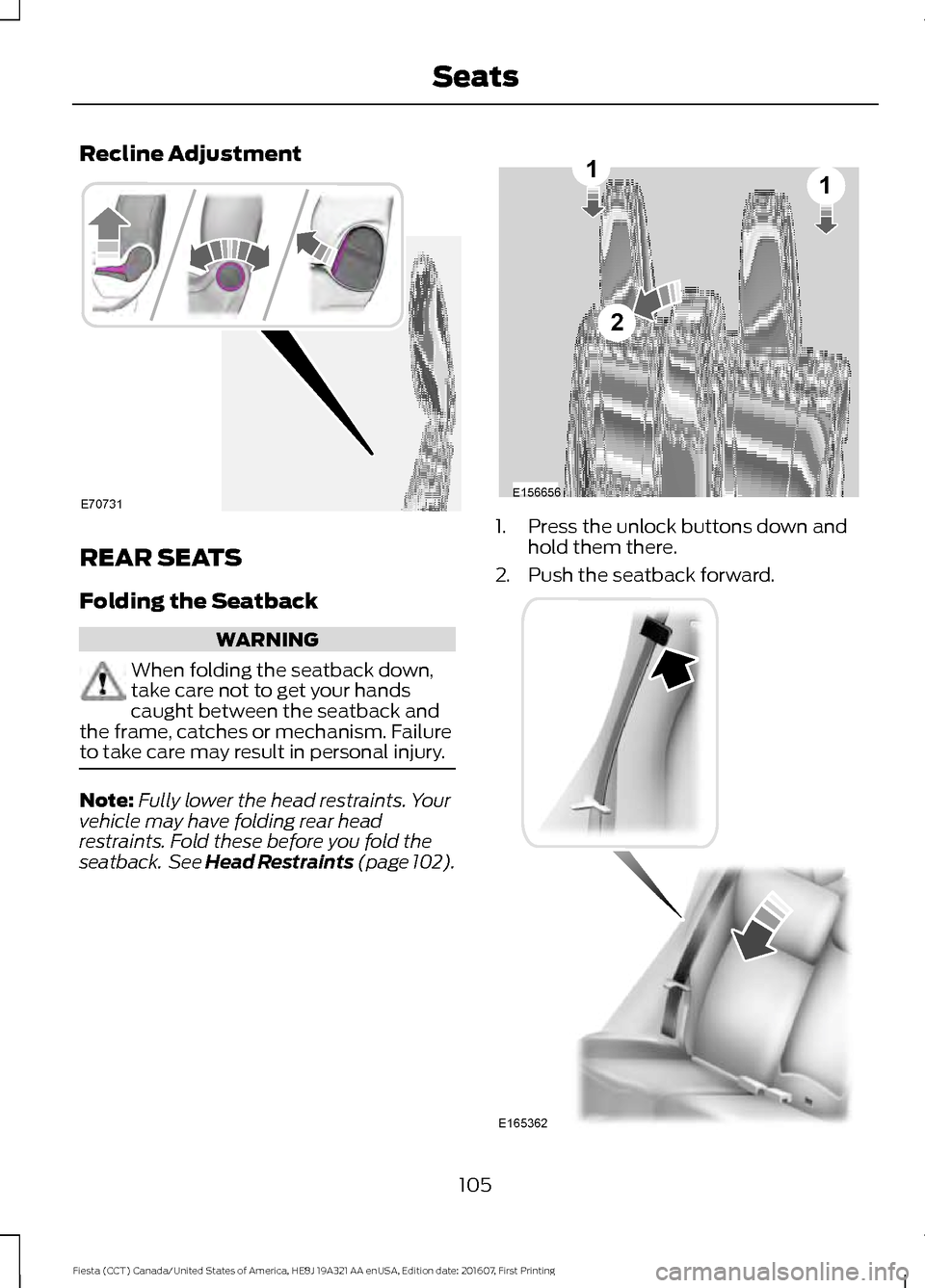
seatback. See Head Restraints (page 102). 1. Press the unlock buttons down and
hold them there.
2. Push the seatback forward. 105
Fiesta (CCT) Canada/United States of America, HE8J 19A321 AA enUSA, Edition date: 201607, First Printing SeatsE70731 E156656
2
11 E165362