2017 FORD FIESTA warning
[x] Cancel search: warningPage 140 of 450

WARNINGS
The parking aid system may not
prevent contact with small or moving
objects that are close to the ground.
The parking aid system gives an audible
warning when it detects a large object
helping to avoid damage to your vehicle.
To help avoid personal injury you must take
care when using the parking aid system. Note:
Some add-on accessories such as
large trailer hitches, bike or surfboard racks
can cause reduced performance or false
alerts.
Note: Keep the sensors free from snow, ice
and large accumulations of dirt. Blocked
sensors may affect system accuracy. Do
not clean the sensors with sharp objects.
Note: If your vehicle sustains damage
leaving the sensors misaligned, this will
cause inaccurate measurements or false
alerts.
The system warns you of objects that are
within the detection zone of the bumper
areas.
When the parking aid system sounds a
tone, the audio system may reduce the set
volume. When the warning ends, the audio
system will return to the previously set
volume.
The rear parking aid sensors automatically
turn on when you shift into reverse (R). Coverage area of up to 72 in (183
cm) from the bumper. There is
decreased coverage area at the
outer corners of the bumper.
A
As your vehicle moves closer an obstacle,
the rate of the audible warning increases.
When the obstacle is less than 12 in
(30 cm) away, the audible warning sounds
continuously. If a stationary or receding
object is detected
12 in (30 cm) or more
from the side of your vehicle, the audible
warning sounds for only three seconds.
Once the system detects an object
approaching, the audible warning sounds
again.
The system detects objects when you shift
into reverse (R) and:
• Your vehicle is moving toward a
stationary object at a speed of
3 mph
(5 km/h) or less.
• Your vehicle is moving at a speed of
3 mph (5 km/h)
or less, and an object
is approaching your vehicle at a speed
of
3 mph (5 km/h) or less.
If a fault is present in the system, a warning
message appears in the information
display and does not allow you to switch
the system on.
138
Fiesta (CCT) Canada/United States of America, HE8J 19A321 AA enUSA, Edition date: 201607, First Printing Parking Aids
(If Equipped)E130178
Page 141 of 450

FRONT PARKING AID (If Equipped)
WARNINGS
To help avoid personal injury, please
read and understand the limitations
of the system as contained in this
section. Sensing is only an aid for some
(generally large and fixed) objects when
moving on a flat surface at parking speeds.
Certain objects with surfaces that absorb
ultrasonic waves, surrounding vehicle's
parking aid systems, traffic control
systems, fluorescent lamps, inclement
weather, air brakes, and external motors
and fans may also affect the function of
the sensing system. This may include
reduced performance or a false activation. To help avoid personal injury, always
use caution when in reverse (R) and
when using the sensing system.
The parking aid system may not
prevent contact with small or moving
objects that are close to the ground.
The parking aid system gives an audible
warning when it detects a large object
helping to avoid damage to your vehicle.
To help avoid personal injury you must take
care when using the parking aid system. Note:
Keep the sensors free from snow, ice
and large accumulations of dirt. Blocked
sensors may affect system accuracy. Do
not clean the sensors with sharp objects.
Note: If your vehicle sustains damage
leaving the sensors misaligned, this will
cause inaccurate measurements or false
alerts.
The system warns you of objects that are
within the detection zone of the bumper
areas. When the parking aid system sounds a
tone, the audio system may reduce the set
volume. When the warning ends, the audio
system will return to the previously set
volume.
The front parking aid sensors automatically
turn on when you shift into reverse (R) or
you press the parking aid button.
Coverage area of up to 31 in (80
cm) from the center of the
bumper and up to 14 in (35 cm)
to the side of the bumper.
A
As your vehicle moves closer an obstacle,
the rate of the audible warning increases.
When the obstacle is less than
12 in
(30 cm) away, the audible warning sounds
continuously. If a stationary or receding
object is detected
12 in (30 cm) or more
from the side of your vehicle, the audible
warning sounds for only three seconds.
Once the system detects an object
approaching, the audible warning sounds
again.
139
Fiesta (CCT) Canada/United States of America, HE8J 19A321 AA enUSA, Edition date: 201607, First Printing Parking Aids
(If Equipped)E184301
A
Page 142 of 450

The system detects objects when you shift
into reverse (R) or you press the parking
aid button and:
•
Your vehicle is moving toward a
stationary object at a speed of 3 mph
(5 km/h) or less.
• Your vehicle is moving at a speed of
3 mph (5 km/h)
or less, and an object
is approaching your vehicle at a speed
of
3 mph (5 km/h) or less.
If a fault is present in the system, a warning
message appears in the information
display and does not allow you to switch
the system on.
Sensing System Audible Warnings
Audible warnings sound when large objects
are within the sensor coverage areas of
either bumper in the following manner:
• You will hear a high-pitched tone from
the front audio system speakers when
large objects are within the sensor
coverage area of the front bumper.
• You will hear a lower-pitched tone
from the rear audio system speakers
when large objects are within the
sensor coverage area of the rear
bumper.
• The parking aid system prioritises
audible warnings based on large
objects that are the closest to your
vehicle ’s front or rear bumper. For
example, if an object is
24 in (60 cm)
from the front bumper and at the same
time, an object is only
16 in (40 cm)
from the rear bumper, you will hear the
lower-pitched tone from the rear audio
system speakers. •
You will hear an alternating audible
warning from the front and rear audio
system speakers if large objects are
less than
12 in (30 cm) from the front
and rear bumpers.
• If the object is more than 12 in (30 cm)
from the side of the bumper area, the
audible warning sounds for three
seconds. If the object is less than
12 in
(30 cm) from the side of the bumper
area the audible warning sounds
continuously.
Switching the Parking Aid System
Off
Press the button to switch the system off.
The system remains off until you switch
the ignition off.
REAR VIEW CAMERA WARNINGS
Do not place objects in front of the
camera.
The rear view camera system is a
reverse aid supplement device that
still requires the driver to use it in
conjunction with the interior and exterior
mirrors for maximum coverage. Objects that are close to either
corner of the bumper or under the
bumper, might not be seen on the
screen due to the limited coverage of the
camera system. Reverse your vehicle slowly as higher
speeds might limit your reaction time
to stop your vehicle.
Use caution when the liftgate is ajar.
If the liftgate is ajar, the camera will
be out of position and the video
image may be incorrect. All guidelines
disappear when the liftgate is ajar. Some
vehicles may not come equipped with
guidelines.
140
Fiesta (CCT) Canada/United States of America, HE8J 19A321 AA enUSA, Edition date: 201607, First Printing Parking Aids
(If Equipped)
Page 143 of 450
WARNINGS
Do not switch the camera features
on or off when your vehicle is moving.
The operation of the camera may
vary depending on the ambient
temperature, vehicle and road
conditions. To help avoid personal injury always
use caution when in reverse (R) and
when using the rear view camera.
The rear view camera provides an image
of the area behind your vehicle. During
operation, lines appear in the display that
represents the path of your vehicle and
proximity to objects behind it.
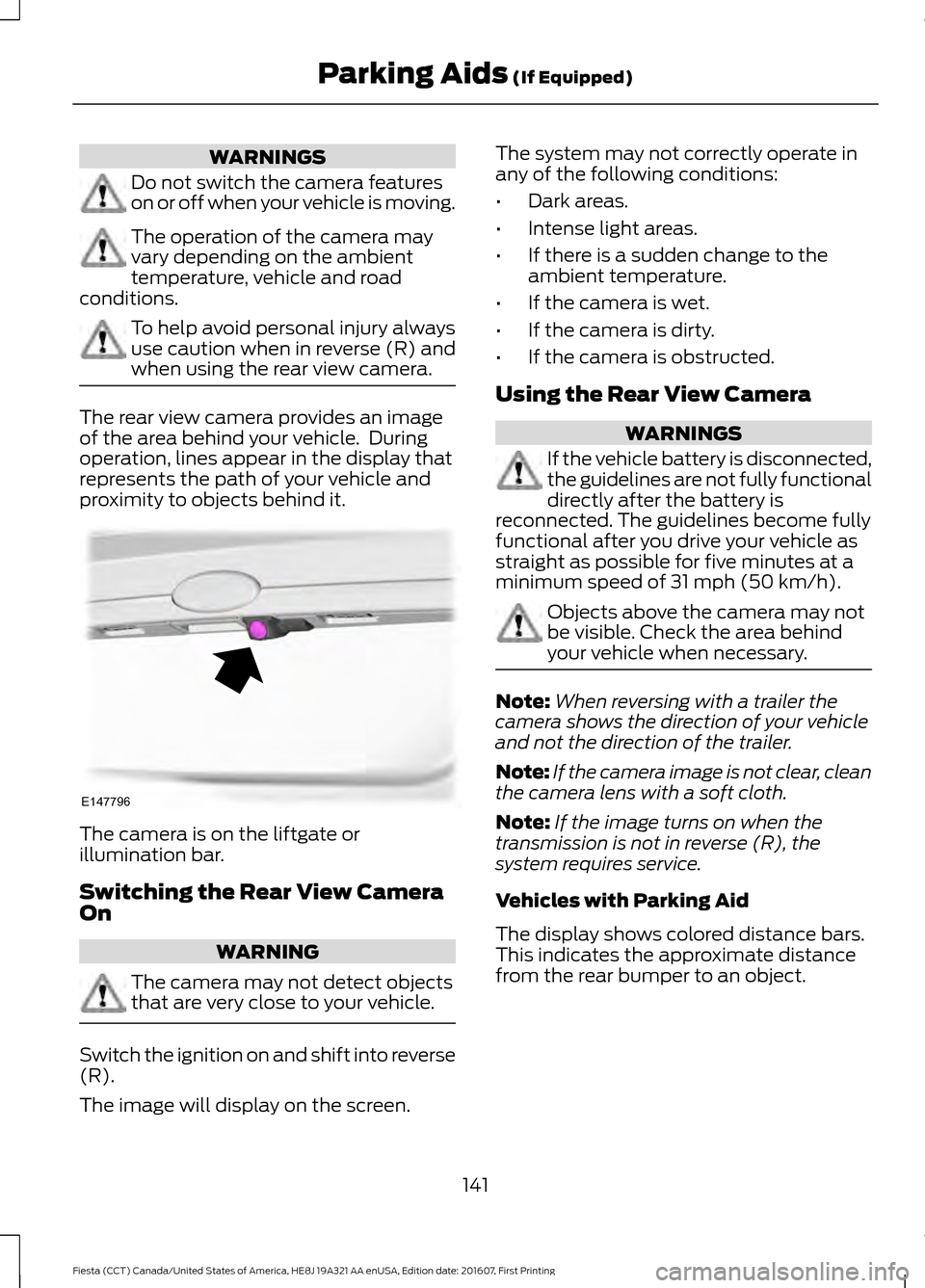
The camera is on the liftgate or
illumination bar.
Switching the Rear View Camera
On
WARNING
The camera may not detect objects
that are very close to your vehicle.
Switch the ignition on and shift into reverse
(R).
The image will display on the screen. The system may not correctly operate in
any of the following conditions:
•
Dark areas.
• Intense light areas.
• If there is a sudden change to the
ambient temperature.
• If the camera is wet.
• If the camera is dirty.
• If the camera is obstructed.
Using the Rear View Camera WARNINGS
If the vehicle battery is disconnected,
the guidelines are not fully functional
directly after the battery is
reconnected. The guidelines become fully
functional after you drive your vehicle as
straight as possible for five minutes at a
minimum speed of 31 mph (50 km/h). Objects above the camera may not
be visible. Check the area behind
your vehicle when necessary.
Note:
When reversing with a trailer the
camera shows the direction of your vehicle
and not the direction of the trailer.
Note: If the camera image is not clear, clean
the camera lens with a soft cloth.
Note: If the image turns on when the
transmission is not in reverse (R), the
system requires service.
Vehicles with Parking Aid
The display shows colored distance bars.
This indicates the approximate distance
from the rear bumper to an object.
141
Fiesta (CCT) Canada/United States of America, HE8J 19A321 AA enUSA, Edition date: 201607, First Printing Parking Aids
(If Equipped)E147796
Page 145 of 450
PRINCIPLE OF OPERATION
WARNING
The system does not relieve you of
your responsibility to drive with due
care and attention.
Cruise control allows you to control your
speed using the switches on the steering
wheel. You can use cruise control when
you exceed approximately 19 mph
(30 km/h).
USING CRUISE CONTROL WARNINGS
Do not use cruise control on winding
roads, in heavy traffic or when the
road surface is slippery. This could
result in loss of vehicle control, serious
injury or death. When you are going downhill, your
speed may increase above the set
speed. The system will not apply the
brakes. Change down a gear to assist the
system in maintaining the set speed.
Failure to do so could result in loss of
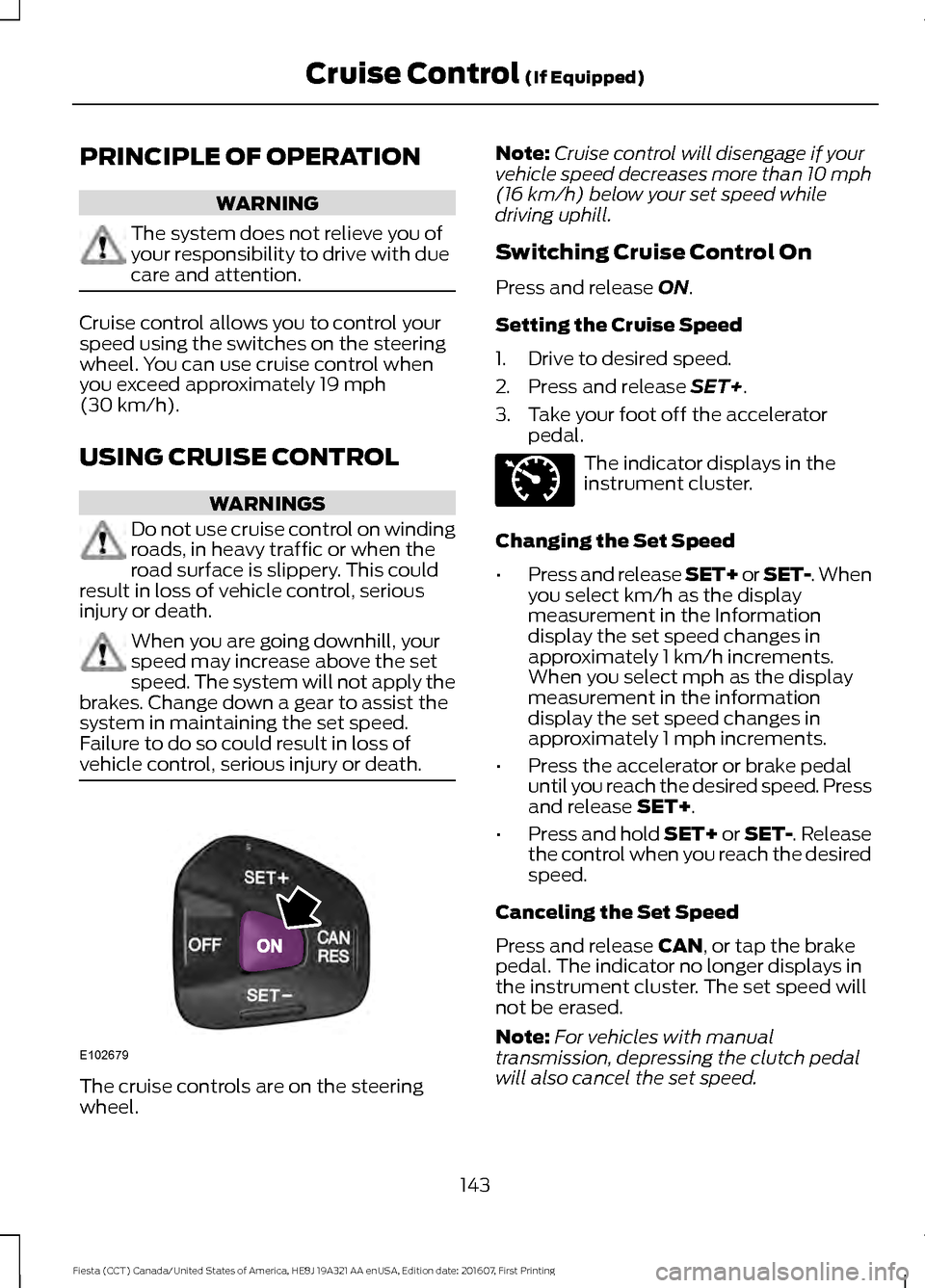
vehicle control, serious injury or death. The cruise controls are on the steering
wheel. Note:
Cruise control will disengage if your
vehicle speed decreases more than 10 mph
(16 km/h)
below your set speed while
driving uphill.
Switching Cruise Control On
Press and release
ON.
Setting the Cruise Speed
1. Drive to desired speed.
2. Press and release
SET+.
3. Take your foot off the accelerator pedal. The indicator displays in the
instrument cluster.
Changing the Set Speed
• Press and release SET+ or SET-. When
you select km/h as the display
measurement in the Information
display the set speed changes in
approximately 1 km/h increments.
When you select mph as the display
measurement in the information
display the set speed changes in
approximately 1 mph increments.
• Press the accelerator or brake pedal
until you reach the desired speed. Press
and release
SET+.
• Press and hold SET+ or SET-. Release
the control when you reach the desired
speed.
Canceling the Set Speed
Press and release
CAN, or tap the brake
pedal. The indicator no longer displays in
the instrument cluster. The set speed will
not be erased.
Note: For vehicles with manual
transmission, depressing the clutch pedal
will also cancel the set speed.
143
Fiesta (CCT) Canada/United States of America, HE8J 19A321 AA enUSA, Edition date: 201607, First Printing Cruise Control
(If Equipped)E102679 E71340
Page 147 of 450

ECO MODE (If Equipped)
This system assists you in driving more
efficiently by constantly monitoring
characteristics of gear changing,
anticipation of traffic conditions and
speeds while driving.
The value of these characteristics is
represented by petals shown in the display,
with five petals being the most efficient.
The more efficiently you drive, the better
the rating, and the better your vehicle's
overall fuel economy.
Note: These efficiency values do not result
in a defined fuel consumption figure. It might
vary as it is not only related to these driving
habits, but also influenced by many other
factors such as short trips and cold starts.
Note: Frequent short trips, where the engine
does not fully warm up, will also increase
fuel consumption
The system is accessed using the
information display control. See
General
Information (page 85).
Type 1 Gear shifting
A
Anticipation
B
Efficient speed
C
Gear shifting
Use the highest drivable gear appropriate
for the road conditions to improve fuel
consumption. Anticipation
Adjust your vehicle speed and the distance
to other vehicles to avoid the need for
heavy braking or acceleration to improve
fuel economy.
Efficient speed
Reduce your cruising speed on open roads
to improve economy. Higher speeds use
more fuel.
Resetting Eco Mode
Reset the average fuel consumption by
using the information display control.
Note:
New values may take a short time to
calculate
STEERING
Electric Power Steering WARNINGS
The electric power steering system
has diagnostic checks that
continuously monitor the system. If
a fault is detected, a message displays in
the information display. Stop your vehicle
as soon as it is safe to do so. Switch the
ignition off. After at least 10 seconds,
switch the ignition on and watch the
information display for a steering system
warning message. If a steering system
warning message returns, have the system
checked by an authorized dealer. If the system detects an error, you
may not feel a difference in the
steering, however a serious condition
may exist. Obtain immediate service from
an authorized dealer, failure to do so may
result in loss of steering control. Your vehicle has an electric power steering
system. There is no fluid reservoir. No
maintenance is required.
145
Fiesta (CCT) Canada/United States of America, HE8J 19A321 AA enUSA, Edition date: 201607, First Printing Driving AidsE121813CBA
Page 149 of 450
REAR UNDER FLOOR
STORAGE (If Equipped)
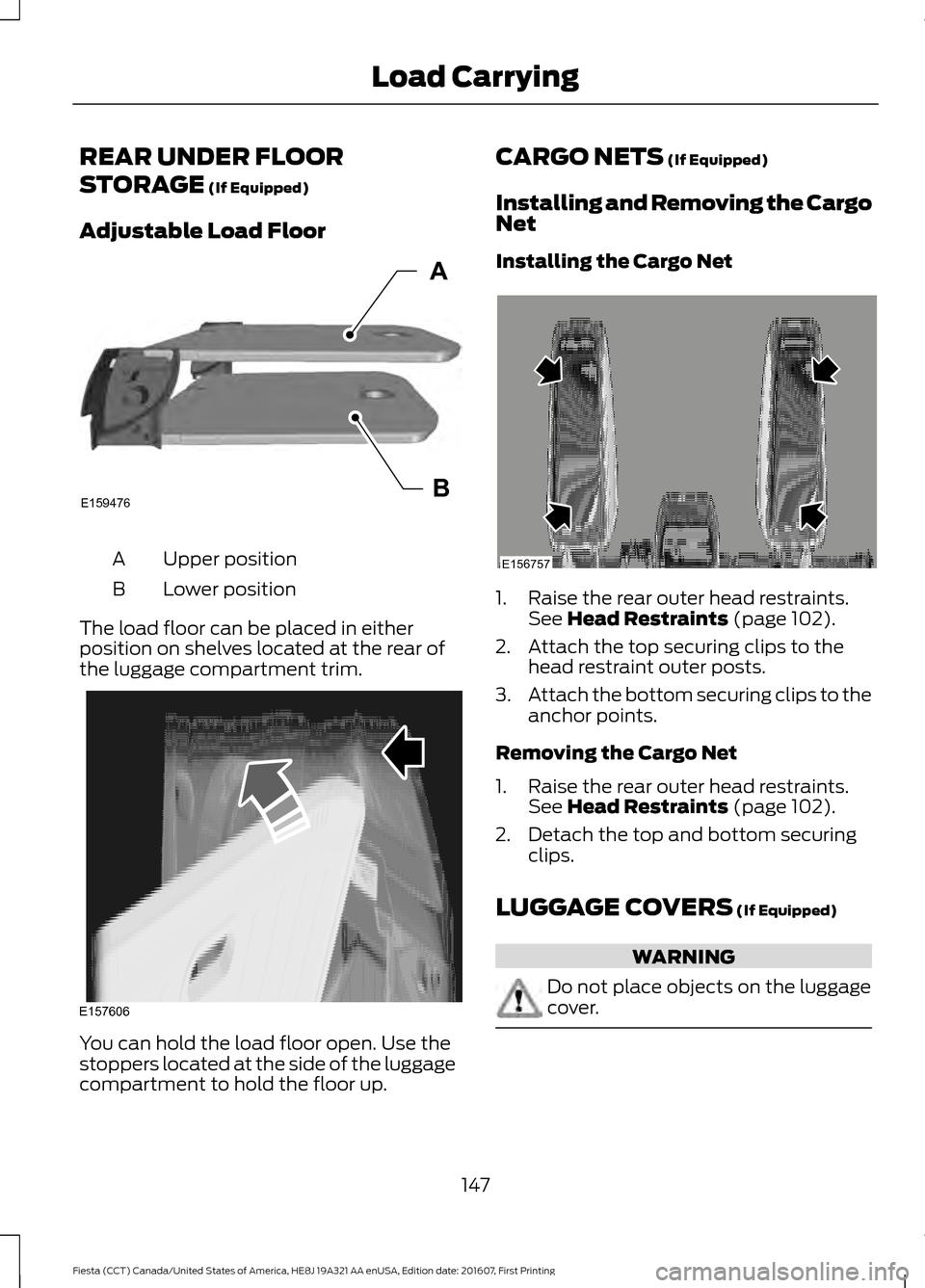
Adjustable Load Floor Upper position
A
Lower position
B
The load floor can be placed in either
position on shelves located at the rear of
the luggage compartment trim. You can hold the load floor open. Use the
stoppers located at the side of the luggage
compartment to hold the floor up. CARGO NETS
(If Equipped)
Installing and Removing the Cargo
Net
Installing the Cargo Net 1. Raise the rear outer head restraints.
See
Head Restraints (page 102).
2. Attach the top securing clips to the head restraint outer posts.
3. Attach the bottom securing clips to the
anchor points.
Removing the Cargo Net
1. Raise the rear outer head restraints. See
Head Restraints (page 102).
2. Detach the top and bottom securing clips.
LUGGAGE COVERS
(If Equipped) WARNING
Do not place objects on the luggage
cover.
147
Fiesta (CCT) Canada/United States of America, HE8J 19A321 AA enUSA, Edition date: 201607, First Printing Load CarryingE159476B
A E157606 E156757
Page 151 of 450
Payload
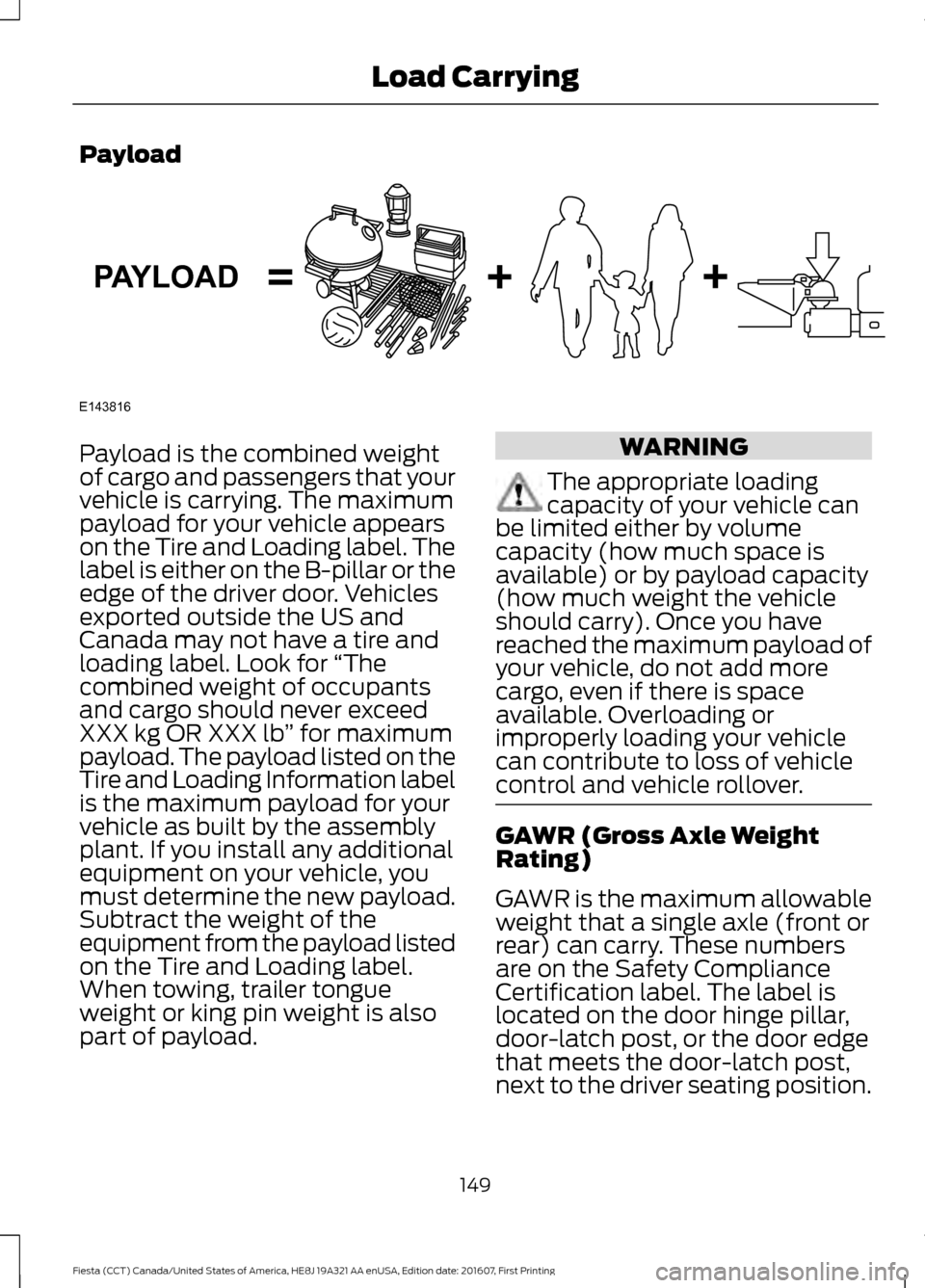
Payload is the combined weight
of cargo and passengers that your
vehicle is carrying. The maximum
payload for your vehicle appears
on the Tire and Loading label. The
label is either on the B-pillar or the
edge of the driver door. Vehicles
exported outside the US and
Canada may not have a tire and
loading label. Look for
“The
combined weight of occupants
and cargo should never exceed
XXX kg OR XXX lb ” for maximum
payload. The payload listed on the
Tire and Loading Information label
is the maximum payload for your
vehicle as built by the assembly
plant. If you install any additional
equipment on your vehicle, you
must determine the new payload.
Subtract the weight of the
equipment from the payload listed
on the Tire and Loading label.
When towing, trailer tongue
weight or king pin weight is also
part of payload. WARNING
The appropriate loading
capacity of your vehicle can
be limited either by volume
capacity (how much space is
available) or by payload capacity
(how much weight the vehicle
should carry). Once you have
reached the maximum payload of
your vehicle, do not add more
cargo, even if there is space
available. Overloading or
improperly loading your vehicle
can contribute to loss of vehicle
control and vehicle rollover. GAWR (Gross Axle Weight
Rating)
GAWR is the maximum allowable
weight that a single axle (front or
rear) can carry. These numbers
are on the Safety Compliance
Certification label. The label is
located on the door hinge pillar,
door-latch post, or the door edge
that meets the door-latch post,
next to the driver seating position.
149
Fiesta (CCT) Canada/United States of America, HE8J 19A321 AA enUSA, Edition date: 201607, First Printing Load CarryingE143816PAYLOAD