2017 FORD F150 lane assist
[x] Cancel search: lane assistPage 6 of 599
Overhead Console........................................167
Starting and Stopping the Engine
General Information
....................................168
Ignition Switch
...............................................168
Keyless Starting............................................168
Steering Wheel Lock...................................169
Starting a Gasoline Engine.......................169
Engine Block Heater.....................................172
Unique Driving Character- istics
Auto-Start-Stop............................................174
Fuel and Refueling
Safety Precautions
.......................................176
Fuel Quality - E85.........................................177
Fuel Quality - Gasoline...............................178
Fuel Filler Funnel Location - Regular Cab.................................................................178
Fuel Filler Funnel Location - SuperCab/ SuperCrew..................................................179
Running Out of Fuel.....................................179
Refueling.........................................................180
Fuel Consumption........................................182
Emission Control System..........................183
Transmission
Automatic Transmission
...........................186
Four-Wheel Drive
Using Four-Wheel Drive.............................193
Rear Axle
Electronic Locking Differential................201
Brakes
General Information...................................203 Hints on Driving With Anti-Lock
Brakes..........................................................203
Parking Brake................................................204
Electric Parking Brake................................204
Hill Start Assist
............................................206
Traction Control
Principle of Operation...............................208
Using Traction Control
..............................208
Stability Control
Principle of Operation
...............................209
Using Stability Control...............................210
Hill Descent Control
Principle of Operation
.................................212
Using Hill Descent Control
........................212
Parking Aids
Principle of Operation.................................213
Rear Parking Aid
............................................213
Active Park Assist.........................................214
Rear View Camera
.......................................218
360 Degree Camera
....................................221
Cruise Control
Principle of Operation
................................224
Using Cruise Control...................................224
Using Adaptive Cruise Control................225
Driving Aids
Driver Alert
......................................................232
Lane Keeping System.................................232
Blind Spot Information System.............236
Cross Traffic Alert........................................240
Steering...........................................................243
Collision Warning System........................244
Drive Control
.................................................246
3
F-150 (TFC) Canada/United States of America, enUSA, First Printing Table of Contents
Page 62 of 599
PRINCIPLE OF OPERATION
MyKey allows you to program keys with
restricted driving modes to promote good
driving habits. All but one of the keys
programmed to the vehicle can be
activated with these restricted modes.
Any keys that have not been programmed
are referred to as administrator keys or
admin keys. They can be used to:
•
Create a MyKey.
• Program configurable MyKey settings.
• Clear all MyKey features.
When you have programmed a MyKey, you
can access the following information using
the information display:
• How many admin keys and MyKeys are
programmed to your vehicle.
• The total distance your vehicle has
traveled using a MyKey.
Note: All MyKeys are programmed to the
same settings. You cannot program them
individually.
Note: For vehicles equipped with a
push-button start switch: When both a
MyKey and an admin key are present when
you start your vehicle, the system recognizes
the admin key only.
Non-configurable Settings
The following settings cannot be changed
by an admin key user:
• Belt-Minder or safety belt reminder.
You cannot disable this feature. The
audio system will mute when the front
seat occupants’ safety belts are not
fastened.
• Early low fuel. The low fuel warning is
activated earlier, giving the MyKey user
more time to refuel. •
Driver assist features, if equipped on
your vehicle, are forced on: parking aid,
blind spot information system (BLIS),
cross traffic alert, lane departure
warning and forward collision warning
system.
• Satellite radio adult content
restrictions (available only in some
markets).
Note: When you switch lane departure
warning off temporarily, it turns on at the
next ignition cycle.
Configurable Settings
With an admin key, you can configure
certain MyKey settings when you first
create a MyKey and before you recycle the
key or restart the vehicle. You can also
change the settings afterward with an
admin key:
• A vehicle speed limit can be set.
Warnings will be shown in the display,
followed by an audible tone when your
vehicle reaches the set speed. You
cannot override the set speed by fully
depressing the accelerator pedal or by
setting cruise control. WARNING
Do not set MyKey maximum speed
limit to a limit that will prevent the
driver from maintaining a safe speed
considering posted speed limits and
prevailing road conditions. The driver is
always responsible to drive in accordance
with local laws and prevailing conditions.
Failure to do so could result in accident or
injury. 59
F-150 (TFC) Canada/United States of America, enUSA, First Printing MyKey
™ (If Equipped)
Page 102 of 599

Blind spot mirrors have an integrated
convex mirror built into the upper outboard
corner of the exterior mirrors. They can
assist you by increasing visibility along the
side of your vehicle. The blind spot mirror
is only on the driver exterior mirror.
Check the main mirror first before a lane
change, then check the blind spot mirror.
If no vehicles are present in the blind spot
mirror and the traffic in the adjacent lane
is at a safe distance, signal that you are
going to change lanes. Glance over your
shoulder to verify traffic is clear, and
carefully change lanes. The image of the approaching vehicle is
small and near the inboard edge of the
main mirror when it is at a distance. The
image becomes larger and begins to move
outboard across the main mirror as the
vehicle approaches (A). The image
transitions from the main mirror and begins
to appear in the blind spot mirror as the
vehicle approaches (B). The vehicle
transitions to your peripheral field of view
as it leaves the blind spot mirror (C).
Blind Spot Information System (If
Equipped)
See
Blind Spot Information System
(page 236).
INTERIOR MIRROR WARNING
Do not adjust the mirror when your
vehicle is moving.
Note:
Do not clean the housing or glass of
any mirror with harsh abrasives, fuel or other
petroleum or ammonia-based cleaning
products.
You can adjust the interior mirror to your
preference. Some mirrors also have a
second pivot point. This lets you move the
mirror head up or down and from side to
side.
Pull the tab below the mirror toward you
to reduce glare at night.
Auto-Dimming Mirror
(If Equipped)
Note: Do not block the sensors on the front
and back of the mirror. Mirror performance
may be affected. A rear center passenger or
raised rear center head restraint may also
block light from reaching the sensor.
99
F-150 (TFC) Canada/United States of America, enUSA, First Printing Windows and MirrorsA
B
C
E138665
Page 235 of 599

DRIVER ALERT (If Equipped)
WARNING
The driver alert system is designed
to aid you. It is not intended to
replace your attention and judgment.
You are still responsible to drive with due
care and attention. Note:
The system will store the on or off
setting in the information display menu
through ignition cycles.
Note: If enabled in the menu, the system
will be active at speeds above
40 mph
(64 km/h).
Note: The system works as long as one lane
marking can be detected by the camera.
Note: If the camera is blocked or if the
windshield is damaged, the system may not
function.
Note: The system may not be available in
poor weather or other low visibility
conditions.
The system automatically monitors your
driving behavior using various inputs
including the front camera sensor.
If the system detects that your driving
alertness is reduced below a certain
threshold, the system will alert you using
a chime and a message in the information
display.
Using Driver Alert
Switching the system on and off
You may switch the system on or off
through the information display by
selecting Settings then Driver Assist then
Driver Alert in the menu. When activated,
the system will monitor your alertness level
based upon your driving behavior in relation
to the lane markings, and other factors. System Warnings
Note:
Note: The system will not issue
warnings below approximately
40 mph
(64 km/h).
The warning system is in two stages. At
first the system issues a temporary warning
that you need to take a rest. This message
will only appear for a short time. If the
system detects further reduction in driving
alertness, another warning may be issued
which will remain in the information display
for a longer time. Press OK on the steering
wheel control to clear the warning. When
active the system will run automatically in
the background and only issue a warning
if required.
Resetting the System
You can reset the system by either:
• Switching the ignition off and on.
• Stopping the vehicle and then opening
and closing the driver ’s door.
LANE KEEPING SYSTEM
(If
Equipped) WARNING
The system is designed to aid the
driver. It is not intended to replace
your attention and judgment. You are
still responsible to drive with due care and
attention. Note:
The system works above
40 mph
(64 km/h).
Note: The system works as long as the
camera can detect one lane marking.
Note: The system may not operate if
something blocks the camera or there is
damage to the windshield.
232
F-150 (TFC) Canada/United States of America, enUSA, First Printing Driving Aids
Page 236 of 599
Note:
When Aid mode is on and the system
detects no steering activity for a short
period, the system will alert you to put your
hands on the steering wheel. The system
may detect a light grip or touch on the
steering wheel as hands off driving.
The system notifies you to stay in your lane
through the steering system and the
instrument cluster display when the front
camera detects an unintentional drift out
of your lane is likely to occur. The system
automatically detects and tracks the road
lane markings using a camera mounted
behind the interior rear view mirror.
Switching the System On and Off
Note: The system on or off setting is stored
until it is manually changed, unless a
MyKey® is detected. If the system detects
a MyKey®, it defaults to on and the mode
is set to alert.
Note: If a MyKey® is detected, pressing the
button will not affect the on or off status of
the system. You can only change the mode
and intensity settings. Press the button located on the
center console to switch the
system on or off.
System Settings
The system has one standard feature
setting and one optional setting menu
available. See General Information
(page 110). The system stores the last
known selection for each of these settings.
You do not need to readjust your settings
each time you turn on the system.
Adjust the settings to enable one of the
three modes: Alert Only
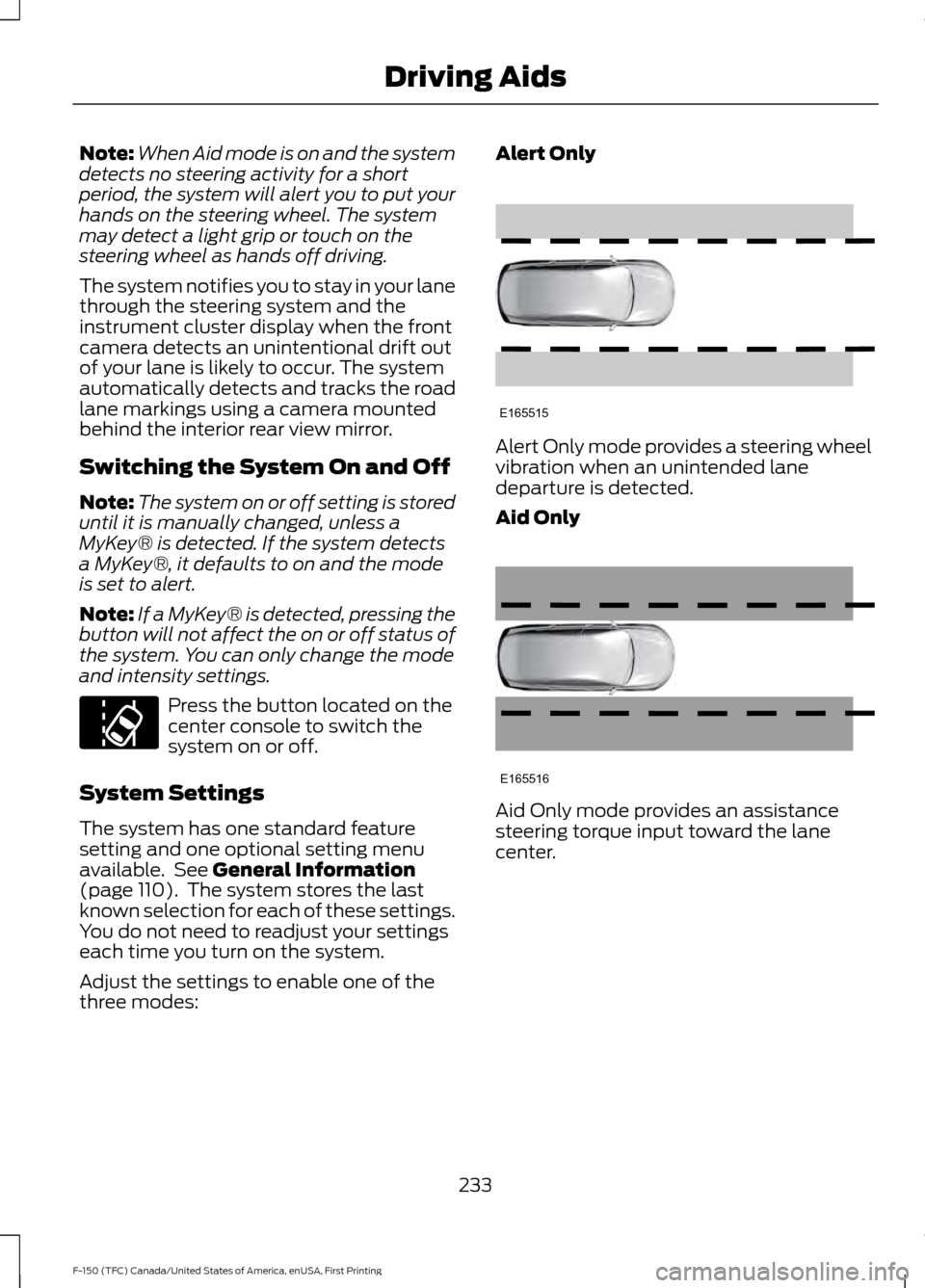
Alert Only mode provides a steering wheel
vibration when an unintended lane
departure is detected.
Aid Only
Aid Only mode provides an assistance
steering torque input toward the lane
center.
233
F-150 (TFC) Canada/United States of America, enUSA, First Printing Driving AidsE173233 E165515 E165516
Page 237 of 599

Alert and Aid Mode
Alert
A
AidB
Alert and Aid mode provides an assistance
steering torque input toward the lane
center. If your vehicle continues drifting out
of the lane, the system provides a steering
wheel vibration.
Note: The alert and aid diagrams illustrate
general zone coverage. They do not provide
exact zone parameters.
Intensity: This setting affects the intensity
of the steering wheel vibration used for the
alert and alert + aid modes. This setting
does not affect the aid mode.
• Low
• Medium
• High
System Display When you switch on the system,
an overhead graphic of a vehicle
with lane markings will display
in the information display. If you select aid mode when you
switch on the system, arrows will
be displayed with lane markings. When you switch off the system, the lane
marking graphics will not display.
Note:
The overhead vehicle graphic may
still be displayed if adaptive cruise control
is enabled.
While the system is on, the color of the
lane markings will change to indicate the
system status.
Gray: Indicates that the system is
temporarily unable to provide a warning
or intervention on the indicated side(s).
This may be because:
• Your vehicle is under the activation
speed.
• Your turn indicator is active.
• Your vehicle is in a dynamic maneuver.
• Quick braking.
• Fast acceleration.
• The road has no or poor lane markings
in the camera field-of-view.
• The camera is obscured or unable to
detect the lane markings due to
environmental conditions (significant
sun angles, shadows, snow, heavy rain,
fog), traffic conditions (following a
large vehicle that is blocking or
shadowing the lane), or vehicle
conditions (poor headlamp
illumination).
See Troubleshooting for additional
information.
Green: Indicates that the system is
available or ready to provide a warning or
intervention, on the indicated side(s).
Yellow: Indicates that the system is
providing or has just provided a lane
keeping aid intervention.
Red: Indicates that the system is providing
or has just provided a lane keeping alert
warning.
234
F-150 (TFC) Canada/United States of America, enUSA, First Printing Driving AidsE165517 E144813 E173234
Page 590 of 599

Changing a Road Wheel............................372
Dissimilar Spare Wheel and Tire Assembly
Information...................................................... 372
Tire Change Procedure.................................... 373
Changing the 12V Battery.........................329 Battery Management System...................... 330
Changing the Engine Air Filter................339
Changing the Wiper Blades......................331
Checking MyKey System Status................61
Checking the Wiper Blades.......................331
Child Restraint and Seatbelt Maintenance.................................................42
Child Restraint Positioning..........................31
Child Safety.......................................................16 General Information............................................. 16
Child Safety Locks..........................................32 Left-Hand Side...................................................... 33
Right-Hand Side................................................... 33
Cleaning Leather Seats.............................344 With King Ranch Edition................................. 345
Without King Ranch Edition.......................... 344
Cleaning Products
......................................340
Cleaning the Engine....................................342
Cleaning the Exterior...................................341 Exterior Chrome Parts....................................... 341
Exterior Plastic Parts......................................... 341
Stripes or Graphics............................................. 341
Underbody........................................................... 342
Under Hood.......................................................... 342
Cleaning the Instrument Panel and Instrument Cluster Lens........................344
Cleaning the Interior...................................343
Cleaning the Wheels
..................................346
Cleaning the Windows and Wiper Blades...........................................................343
Clearing All MyKeys......................................60
Climate...........................................................490
Climate Control
..............................................141
Climate Controlled Seats...........................157 Cooled Seats........................................................ 158
Collision Warning System
........................244
Principle Of Operation..................................... 244
Coolant Check See: Engine Coolant Check............................ 323
Crash Sensors and Airbag Indicator.........51
Creating a MyKey...........................................60 Programming/Changing Configurable
Settings.............................................................. 60Cross Traffic Alert
........................................240
False Alerts........................................................... 242
Switching the System Off and On...............243
System Errors...................................................... 243
System Lights, Messages and Audible Alerts.................................................................. 242
System Limitations........................................... 242
Using the System.............................................. 240
Cruise Control..................................................82 Principle of Operation...................................... 224
Type 1........................................................................\
82
Type 2....................................................................... 82
Cruise control See: Using Cruise Control............................... 224
Customer Assistance
................................300
D
Data Recording
..................................................9
Event Data Recording.......................................... 10
Service Data Recording........................................ 9
Daytime Running Lamps............................89 Type 1 - Conventional
(Non-Configurable)....................................... 89
Type 2 - Configurable......................................... 89
Digital Radio
....................................................417
HD Radio Reception and Station
Troubleshooting............................................. 418
Direction Indicators
........................................91
Lane Change........................................................... 91
Doors and Locks.............................................64
Drive Control.................................................246 Selectable Steering.......................................... 246
Driver Alert
......................................................232
Using Driver Alert............................................... 232
Driver and Passenger Airbags...................46 Children and Airbags.......................................... 46
Proper Driver and Front Passenger Seating Adjustment....................................................... 46
Driving Aids
.....................................................232
Driving Hints..................................................288
Driving Through Water..............................289
DRL See: Daytime Running Lamps........................ 89
E
Economical Driving
.....................................288
587
F-150 (TFC) Canada/United States of America, enUSA, First Printing Index
Page 593 of 599
Recommended Settings for Cooling..........146
Recommended Settings for Heating..........146
Side Window Defogging in Cold
Weather............................................................. 147
Hints on Driving With Anti-Lock Brakes...........................................................203
Home Screen.................................................472
Hood Lock See: Opening and Closing the Hood............317
I
Ignition Switch
...............................................168
In California (U.S. Only).............................301
Information Display Control
.......................83
Information Displays....................................110
General Information........................................... 110
Information Messages
................................126
4WD........................................................................\
140
Active Park............................................................. 127
Adaptive Cruise Control.................................... 127
AdvanceTrac and Traction Control..............128
Airbag...................................................................... 128
Alarm and Security............................................ 128
Battery and Charging System........................ 129
Blind Spot Information and Cross Traffic Alert System.................................................... 129
Collision Warning System............................... 130
Doors and Locks................................................. 130
Driver Alert.............................................................. 131
Drivetrain................................................................. 131
Engine....................................................................... 131
Fuel........................................................................\
... 132
Keys and Intelligent Access............................ 132
Lane Keeping System........................................ 133
Maintenance......................................................... 133
MyKey...................................................................... 134
Off Road................................................................. 134
Park Aid.................................................................. 135
Park Brake.............................................................. 135
Power Steering.................................................... 136
Pro Trailer Backup Assist................................. 136
Remote Start........................................................ 137
Seats....................................................................... 138
Side-Wind............................................................. 138
Starting System ................................................. 138
Tire Pressure Monitoring System.................. 139
Trailer....................................................................... 139Installing Child Restraints.............................17
Child Seats............................................................... 17
Combining Seatbelt and LATCH Lower Anchors for Attaching Child Safety
Seats.................................................................... 26
Front Seat Tether Strap Attachment (Regular Cab).................................................... 27
Rear Seat Tether Strap Attachment (Crew Cab and Super Cab)...................................... 28
Use of Inboard Lower Anchors from the Outboard Seating Positions (Center
Seating Use) ..................................................... 25
Using Inflatable Seatbelts (Rear Seat Outboard Positions)....................................... 22
Using Lap and Shoulder Belts (Except Front Center Position of Super Cab and Crew
Cab)...................................................................... 18
Using Lap and Shoulder Belts (Front Center Position of Super Cab and Crew
Cab)..................................................................... 20
Using Lower Anchors and Tethers for CHildren (LATCH)........................................... 24
Using Tether Straps............................................. 26
Instrument Cluster
.......................................102
Instrument Lighting Dimmer.....................88
Interior Lamps
.................................................92
Front Interior Lamps........................................... 92
Rear Interior Lamps............................................. 94
Interior Mirror
...................................................99
Auto-Dimming Mirror......................................... 99
Introduction.........................................................7
J
Jump Starting the Vehicle........................295 Connecting the Jumper Cables.................... 295
Jump Starting..................................................... 296
Preparing Your Vehicle.....................................295
Removing the Jumper Cables....................... 296
K
Keyless Entry...................................................66 SECURICODE™ KEYLESS ENTRY
KEYPAD.............................................................. 66
Keyless Starting............................................168 Ignition Modes..................................................... 169
Keys and Remote Controls.........................53
590
F-150 (TFC) Canada/United States of America, enUSA, First Printing Index