2017 FORD F150 keyless
[x] Cancel search: keylessPage 4 of 599

Introduction
About This Manual...........................................7
Symbols Glossary
.............................................7
Data Recording
..................................................9
California Proposition 65..............................11
Perchlorate.........................................................11
Ford Credit
..........................................................11
Replacement Parts Recommendation.......................................12
Special Notices................................................12
Mobile Communications Equipment.....................................................13
Export Unique Options
.................................14
Environment
Protecting the Environment........................15
Child Safety
General Information
.......................................16
Installing Child Restraints
.............................17
Booster Seats..................................................29
Child Restraint Positioning
..........................31
Child Safety Locks..........................................32
Seatbelts
Principle of Operation..................................34
Fastening the Seatbelts...............................35
Seatbelt Height Adjustment......................39
Seatbelt Warning Lamp and Indicator Chime.............................................................39
Seatbelt Reminder
........................................40
Child Restraint and Seatbelt Maintenance................................................42
Seatbelt Extension
........................................42
Personal Safety System ™
Personal Safety System ™
..........................44Supplementary Restraints
System
Principle of Operation..................................45
Driver and Passenger Airbags...................46
Front Passenger Sensing System
............47
Side Airbags
.....................................................49
Safety Canopy ™
............................................50
Crash Sensors and Airbag Indicator.........51
Airbag Disposal
...............................................52
Keys and Remote Controls
General Information on Radio Frequencies..................................................53
Remote Control..............................................53
Replacing a Lost Key or Remote Control...........................................................58
MyKey ™
Principle of Operation
..................................59
Creating a MyKey...........................................60
Clearing All MyKeys
......................................60
Checking MyKey System Status
................61
Using MyKey With Remote Start Systems.........................................................62
MyKey Troubleshooting
...............................62
Doors and Locks
Locking and Unlocking
................................64
Keyless Entry...................................................66
Tailgate
Tailgate Lock....................................................69
Manual Tailgate..............................................69
Electronic Tailgate
.........................................69
Removing the Tailgate
.................................70
Tailgate Step
.....................................................71
Bed Extender
....................................................72
Security
Passive Anti-Theft System.........................74
1
F-150 (TFC) Canada/United States of America, enUSA, First Printing Table of Contents
Page 6 of 599
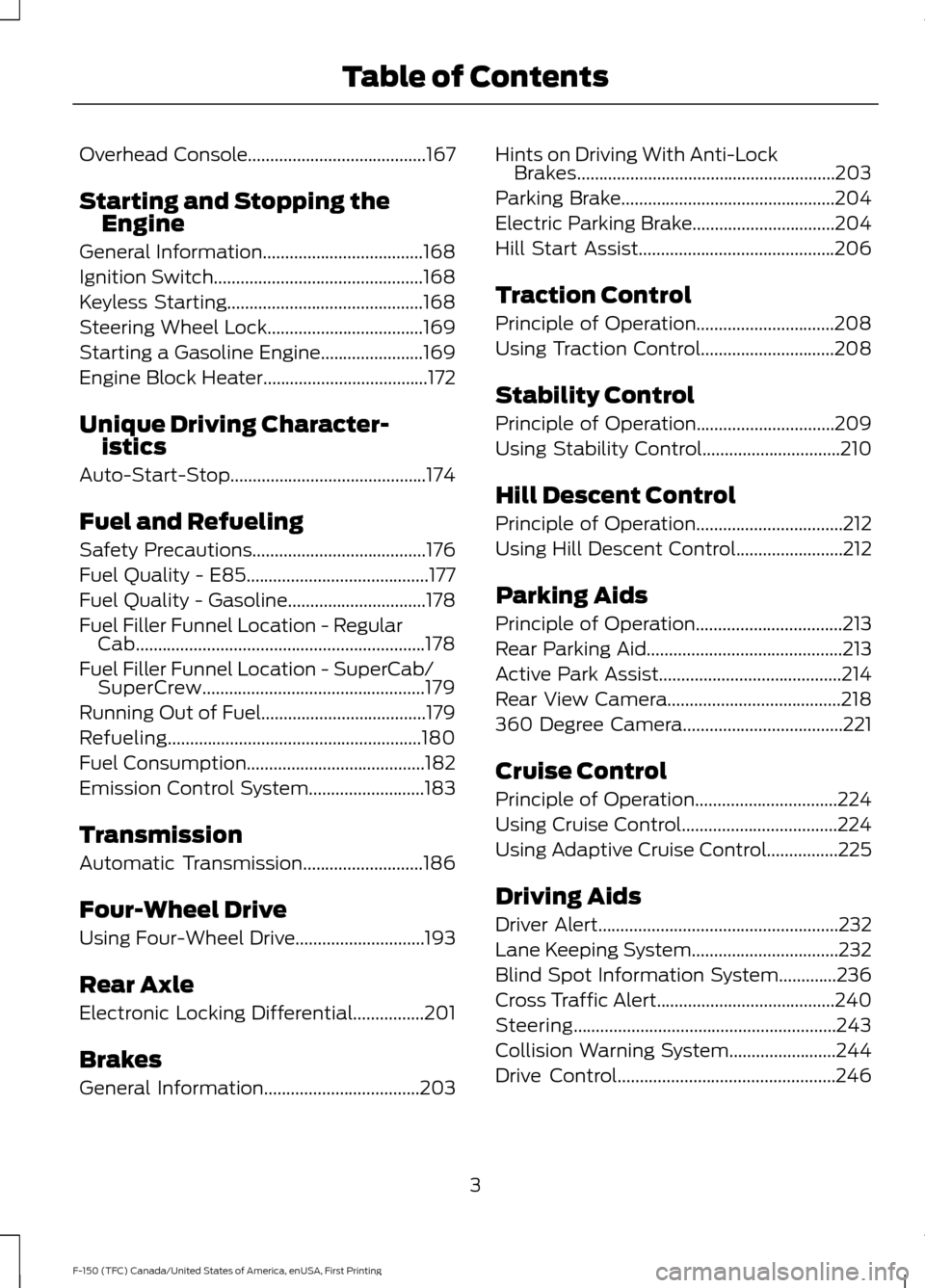
Overhead Console........................................167
Starting and Stopping the Engine
General Information
....................................168
Ignition Switch
...............................................168
Keyless Starting............................................168
Steering Wheel Lock...................................169
Starting a Gasoline Engine.......................169
Engine Block Heater.....................................172
Unique Driving Character- istics
Auto-Start-Stop............................................174
Fuel and Refueling
Safety Precautions
.......................................176
Fuel Quality - E85.........................................177
Fuel Quality - Gasoline...............................178
Fuel Filler Funnel Location - Regular Cab.................................................................178
Fuel Filler Funnel Location - SuperCab/ SuperCrew..................................................179
Running Out of Fuel.....................................179
Refueling.........................................................180
Fuel Consumption........................................182
Emission Control System..........................183
Transmission
Automatic Transmission
...........................186
Four-Wheel Drive
Using Four-Wheel Drive.............................193
Rear Axle
Electronic Locking Differential................201
Brakes
General Information...................................203 Hints on Driving With Anti-Lock
Brakes..........................................................203
Parking Brake................................................204
Electric Parking Brake................................204
Hill Start Assist
............................................206
Traction Control
Principle of Operation...............................208
Using Traction Control
..............................208
Stability Control
Principle of Operation
...............................209
Using Stability Control...............................210
Hill Descent Control
Principle of Operation
.................................212
Using Hill Descent Control
........................212
Parking Aids
Principle of Operation.................................213
Rear Parking Aid
............................................213
Active Park Assist.........................................214
Rear View Camera
.......................................218
360 Degree Camera
....................................221
Cruise Control
Principle of Operation
................................224
Using Cruise Control...................................224
Using Adaptive Cruise Control................225
Driving Aids
Driver Alert
......................................................232
Lane Keeping System.................................232
Blind Spot Information System.............236
Cross Traffic Alert........................................240
Steering...........................................................243
Collision Warning System........................244
Drive Control
.................................................246
3
F-150 (TFC) Canada/United States of America, enUSA, First Printing Table of Contents
Page 63 of 599
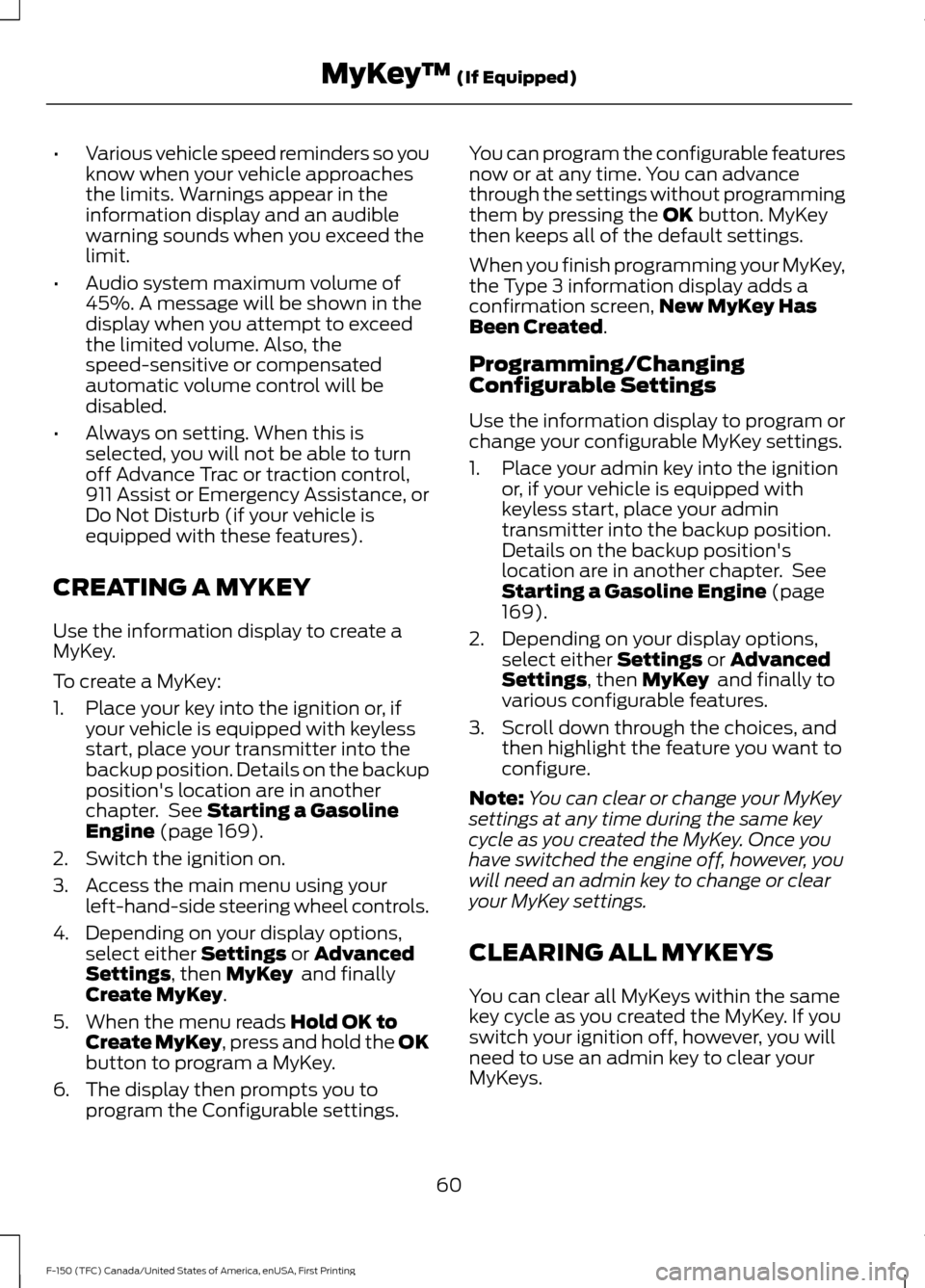
•
Various vehicle speed reminders so you
know when your vehicle approaches
the limits. Warnings appear in the
information display and an audible
warning sounds when you exceed the
limit.
• Audio system maximum volume of
45%. A message will be shown in the
display when you attempt to exceed
the limited volume. Also, the
speed-sensitive or compensated
automatic volume control will be
disabled.
• Always on setting. When this is
selected, you will not be able to turn
off Advance Trac or traction control,
911 Assist or Emergency Assistance, or
Do Not Disturb (if your vehicle is
equipped with these features).
CREATING A MYKEY
Use the information display to create a
MyKey.
To create a MyKey:
1. Place your key into the ignition or, if your vehicle is equipped with keyless
start, place your transmitter into the
backup position. Details on the backup
position's location are in another
chapter. See Starting a Gasoline
Engine (page 169).
2. Switch the ignition on.
3. Access the main menu using your left-hand-side steering wheel controls.
4. Depending on your display options, select either
Settings or Advanced
Settings, then MyKey and finally
Create MyKey.
5. When the menu reads
Hold OK to
Create MyKey, press and hold the OK
button to program a MyKey.
6. The display then prompts you to program the Configurable settings. You can program the configurable features
now or at any time. You can advance
through the settings without programming
them by pressing the
OK button. MyKey
then keeps all of the default settings.
When you finish programming your MyKey,
the Type 3 information display adds a
confirmation screen, New MyKey Has
Been Created
.
Programming/Changing
Configurable Settings
Use the information display to program or
change your configurable MyKey settings.
1. Place your admin key into the ignition or, if your vehicle is equipped with
keyless start, place your admin
transmitter into the backup position.
Details on the backup position's
location are in another chapter. See
Starting a Gasoline Engine
(page
169).
2. Depending on your display options, select either
Settings or Advanced
Settings, then MyKey and finally to
various configurable features.
3. Scroll down through the choices, and then highlight the feature you want to
configure.
Note: You can clear or change your MyKey
settings at any time during the same key
cycle as you created the MyKey. Once you
have switched the engine off, however, you
will need an admin key to change or clear
your MyKey settings.
CLEARING ALL MYKEYS
You can clear all MyKeys within the same
key cycle as you created the MyKey. If you
switch your ignition off, however, you will
need to use an admin key to clear your
MyKeys.
60
F-150 (TFC) Canada/United States of America, enUSA, First Printing MyKey
™
(If Equipped)
Page 65 of 599
USING MYKEY WITH REMOTE
START SYSTEMS
MyKey is not compatible with non
Ford-approved, aftermarket remote start
systems. If you choose to install a remote
start system, see an authorized dealer for
a Ford-approved remote start system.
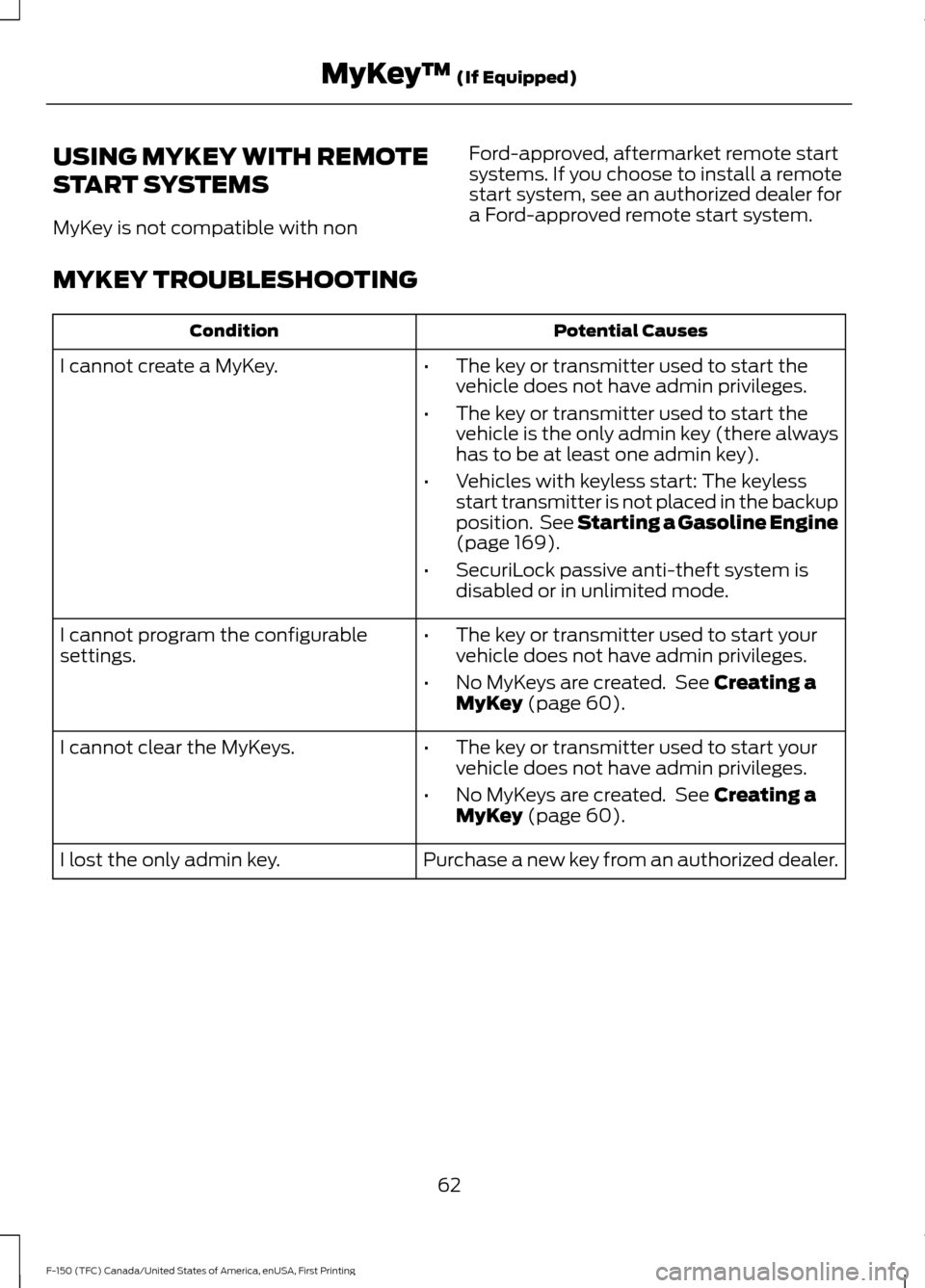
MYKEY TROUBLESHOOTING Potential Causes
Condition
I cannot create a MyKey. •The key or transmitter used to start the
vehicle does not have admin privileges.
• The key or transmitter used to start the
vehicle is the only admin key (there always
has to be at least one admin key).
• Vehicles with keyless start: The keyless
start transmitter is not placed in the backup
position. See Starting a Gasoline Engine
(page 169).
• SecuriLock passive anti-theft system is
disabled or in unlimited mode.
• The key or transmitter used to start your
vehicle does not have admin privileges.
• No MyKeys are created. See
Creating a
MyKey (page 60).
I cannot program the configurable
settings.
•The key or transmitter used to start your
vehicle does not have admin privileges.
• No MyKeys are created. See
Creating a
MyKey (page 60).
I cannot clear the MyKeys.
Purchase a new key from an authorized dealer.
I lost the only admin key.
62
F-150 (TFC) Canada/United States of America, enUSA, First Printing MyKey
™
(If Equipped)
Page 66 of 599
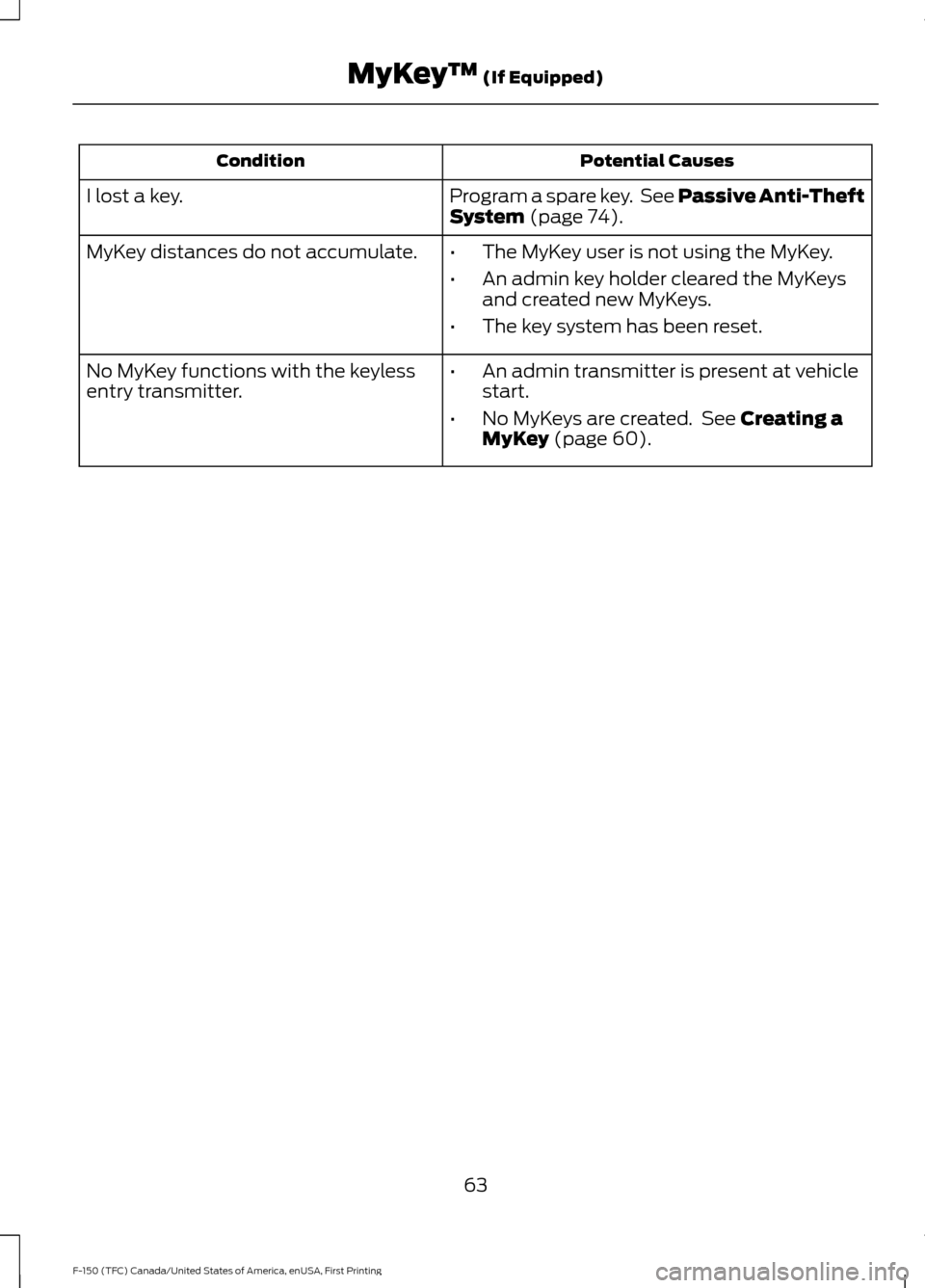
Potential Causes
Condition
Program a spare key. See Passive Anti-Theft
System (page 74).
I lost a key.
MyKey distances do not accumulate.
•The MyKey user is not using the MyKey.
• An admin key holder cleared the MyKeys
and created new MyKeys.
• The key system has been reset.
• An admin transmitter is present at vehicle
start.
• No MyKeys are created. See
Creating a
MyKey (page 60).
No MyKey functions with the keyless
entry transmitter.
63
F-150 (TFC) Canada/United States of America, enUSA, First Printing MyKey
™
(If Equipped)
Page 67 of 599

LOCKING AND UNLOCKING
You can use the power door lock control
or the remote control to lock and unlock
your vehicle.
See Electronic Tailgate (page 69).
Power Door Locks
(If Equipped)
The power door lock control is on the driver
and front passenger door panels. Unlock.
A
Lock.
B
Remote Control
(If Equipped)
You can use the remote control at any time
your vehicle is not running.
Unlocking the Vehicle (Two-Stage
Unlock) Press the button to unlock the
driver door. Press the button
again within three seconds to
unlock all doors. The direction indicators
flash. Press and hold both the lock and unlock
buttons on the remote control for four
seconds to disable or enable two-stage
unlocking. Disabling two-stage unlocking
allows your entire vehicle to unlock with
one press of the button. The direction
indicators flash twice to indicate a change
to the unlocking mode. The unlocking
mode applies to the remote control and
keyless entry keypad.
Intelligent access at the driver door will
unlock your entire vehicle when you disable
two-stage unlocking.
Locking the Vehicle
Press the button to lock all
doors. The direction indicators
flash.
Press the button again within three
seconds to confirm that all the doors are
closed. The doors lock again, the horn
sounds and the direction indicators flash
if all the doors are closed.
Mislock
If any door is open, or if the hood is open
on vehicles with an anti-theft alarm or
remote start, the horn will sound twice and
the direction indicators will not flash.
Activating Intelligent Access
(If
Equipped)
The intelligent access key must be within
3 ft (1 m)
of the door or tailgate you intend
to lock or unlock.
At the Front Doors
Pull a front exterior door handle to unlock
and open the door. The unlock sensor is on
the back of the handle. Make sure not to
touch the lock sensor area on the front of
the handle.
64
F-150 (TFC) Canada/United States of America, enUSA, First Printing Doors and LocksE138628 E138629 E138623
Page 68 of 599

Press and hold the lock sensor area for
about a second to lock your vehicle. To
avoid unlocking the door inadvertently,
make sure you only touch the lock sensor
and not other areas of the door handle.
After locking the doors with the lock
sensor, there is a brief delay before you can
unlock your vehicle. This delay lets you pull
the handle to make sure it locked.
Note:
Keep the door handle surface clean
to avoid issues with operation.
At the Electronic Tailgate Press the exterior tailgate release button
inside of the tailgate handle. The tailgate
will unlock and open. See Electronic
Tailgate (page 69). Smart Unlock
(If Equipped)
This feature helps to prevent you from
locking your intelligent access key inside
your vehicle ’s passenger compartment or
rear cargo area.
If you leave your key in the ignition, when
you open the driver door and lock your
vehicle with the power door lock control,
the doors lock then unlock.
You can still lock your vehicle with the key
in the ignition by:
• Using the manual lock on the inside of
the door.
• Locking the driver door with a key.
• Using the keyless entry keypad.
• Using the lock button on the remote
control.
Smart Unlocks for Intelligent
Access Keys
(If Equipped)
This feature helps to prevent you from
locking your intelligent access key inside
your vehicle ’s passenger compartment or
rear cargo area.
When you lock your vehicle using the
power door lock control (with the door
open, vehicle in park and ignition off), your
vehicle will search for an intelligent access
key in the passenger compartment after
you close the door. If your vehicle finds a
key, all of the doors will immediately
unlock.
In order to override the smart unlock
feature and intentionally lock the
intelligent access key inside your vehicle,
you can lock your vehicle after all doors
are closed by using the keyless entry
keypad, pressing the lock button on
another intelligent access key or touching
the locking area on the handle with another
intelligent access key in your hand.
65
F-150 (TFC) Canada/United States of America, enUSA, First Printing Doors and LocksE190690 E187693
Page 69 of 599
When you open one of the front doors and
lock your vehicle using the power door lock
control, all doors will lock then unlock if
the ignition is on.
Autolock and Autounlock (If Equipped)
The autolock feature locks all the doors
when your doors are closed, the ignition is
on, and your vehicle reaches a speed
greater than
12 mph (20 km/h).
When your doors autolock while driving,
stopping the vehicle then switching the
ignition off or to accessory and opening
the driver door unlocks all your doors. This
autounlock feature remains active for 10
minutes after stopping.
Note: The doors do not autounlock if you
have electronically locked them before
opening the driver door.
Enabling or Disabling
You can enable or disable these features
independently of each other using the
information display. An authorized dealer
can also help you enable or disable these
features. See General Information (page
110
).
Illuminated Entry
The interior lamps and select exterior
lamps illuminate when you unlock the
doors with the remote entry system.
The illuminated entry system turns off the
lights if:
• The ignition is on.
• You press the remote control lock
button.
• After 25 seconds of illumination.
The dome lamp does not turn on if the
control is set to the off position. The lights do not turn off if:
•
You switch them on with the dimmer
control.
• Any door is open.
Battery Saver
The battery saver turns off the interior
lamps 30 minutes after you switch off the
ignition if a door is open and the dome
lamp switch is on. It turns off the interior
lamps after 10 minutes if the dome lamp
switch is off.
Accessory Mode Battery Saver for
Intelligent Access Keys (If Equipped)
If you leave the ignition on after leaving
your vehicle, it turns off 15 minutes after
you close all of the doors.
KEYLESS ENTRY
(If Equipped)
SECURICODE™ KEYLESS ENTRY
KEYPAD
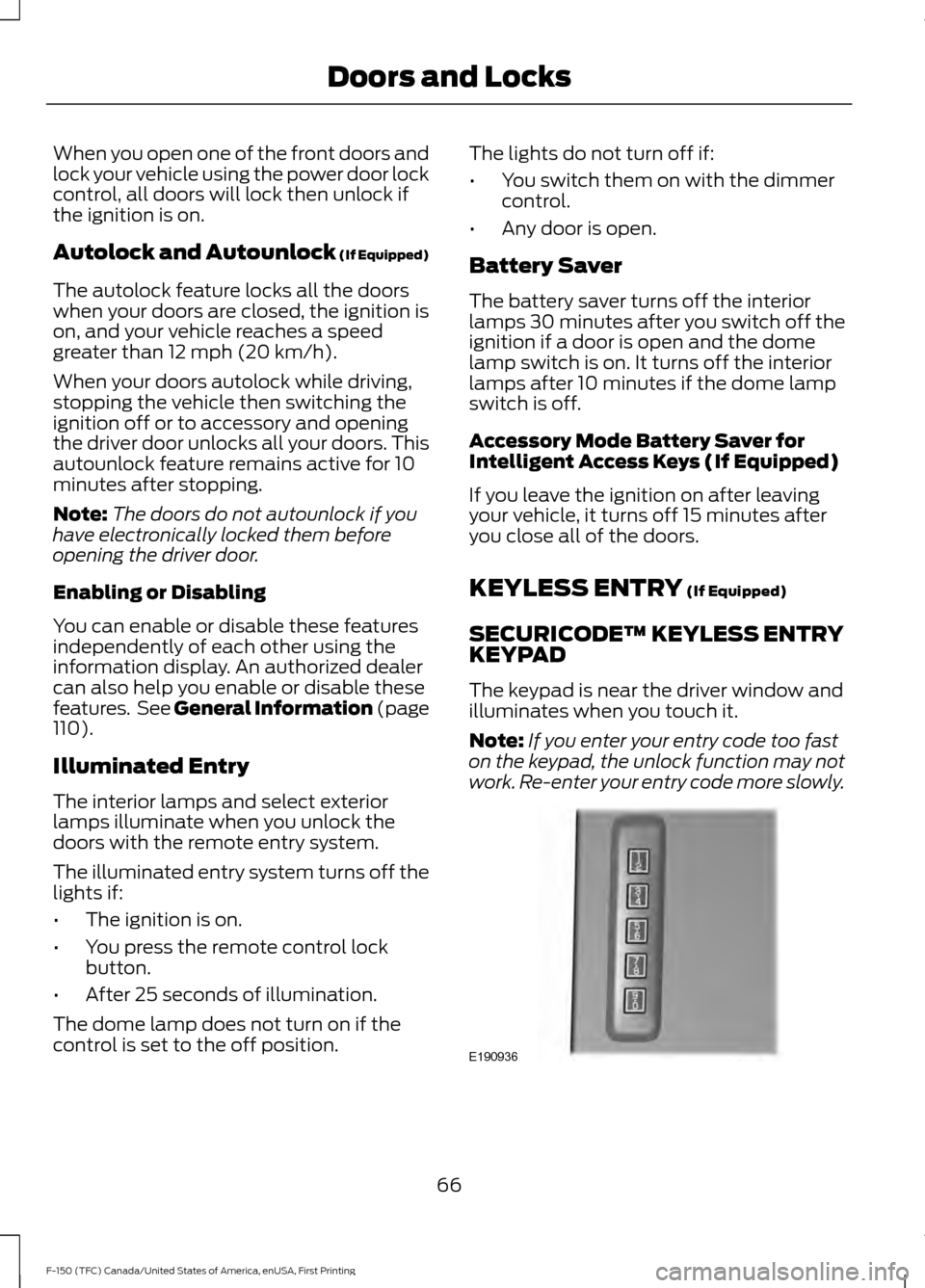
The keypad is near the driver window and
illuminates when you touch it.
Note: If you enter your entry code too fast
on the keypad, the unlock function may not
work. Re-enter your entry code more slowly. 66
F-150 (TFC) Canada/United States of America, enUSA, First Printing Doors and LocksE190936