2017 FORD EXPEDITION EL warning
[x] Cancel search: warningPage 77 of 500

Headlamp Flasher
Slightly pull the lever toward you andrelease it to flash the headlamps.
AUTOLAMPS (If Equipped)
WARNING
The autolamps switch position maynot activate the headlamps in all lowvisibility conditions, such as daytimefog. Make sure the headlamps areswitched to auto or on, as appropriate,during all low visibility conditions. Failureto do so may result in a crash.
When the lighting control is in theautolamps position, the headlampsautomatically turn on in low light situationsor when the wipers activate.
If equipped, the following also activatewhen the lighting control is in theautolamps position and you switch themon in the information display:
•Configurable daytime running lamps.
•Automatic high beam control.
•Adaptive headlamp control.
The headlamps remain on for a period oftime after you switch the ignition off. Usethe information display controls to adjustthe period of time that the headlampsremain on. See Information Displays(page 91).
Note:With the headlamps in theautolamps position, you cannot switch thehigh beam headlamps on until theautolamps system turns the low beamheadlamps on.
Windshield Wiper ActivatedHeadlamps
The windshield wiper activated headlampsturn on within 10 seconds when you switchthe windshield wipers on and the lightingcontrol is in the autolamps position. Theyturn off approximately 60 seconds afteryou switch the windshield wipers off.
The headlamps do not turn on by wiperactivation:
•During a mist wipe.
•When the wipers are on to clear washerfluid during a wash condition.
•If the wipers are in intermittent mode.
Note:If you switch autolamps andautowipers on, the headlamps willautomatically turn on when the windshieldwipers continuously operate.
74
Expedition (TB7) Canada/United States of America, enUSA, Edition date: 03/2016, First Printing
LightingE163268 E173258
A
Page 78 of 500
INSTRUMENT LIGHTING
DIMMER
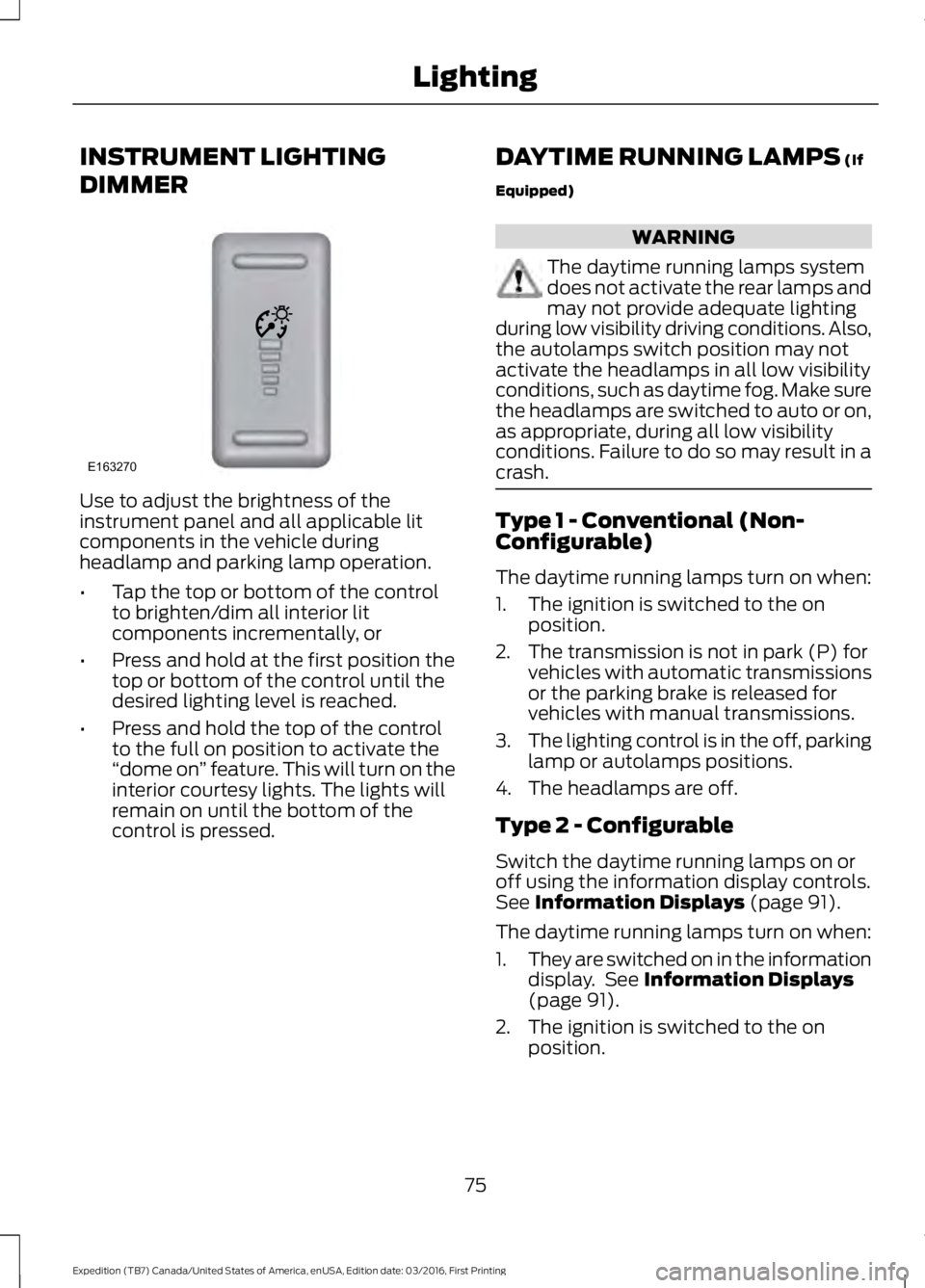
Use to adjust the brightness of theinstrument panel and all applicable litcomponents in the vehicle duringheadlamp and parking lamp operation.
•Tap the top or bottom of the controlto brighten/dim all interior litcomponents incrementally, or
•Press and hold at the first position thetop or bottom of the control until thedesired lighting level is reached.
•Press and hold the top of the controlto the full on position to activate the“dome on” feature. This will turn on theinterior courtesy lights. The lights willremain on until the bottom of thecontrol is pressed.
DAYTIME RUNNING LAMPS (If
Equipped)
WARNING
The daytime running lamps systemdoes not activate the rear lamps andmay not provide adequate lightingduring low visibility driving conditions. Also,the autolamps switch position may notactivate the headlamps in all low visibilityconditions, such as daytime fog. Make surethe headlamps are switched to auto or on,as appropriate, during all low visibilityconditions. Failure to do so may result in acrash.
Type 1 - Conventional (Non-Configurable)
The daytime running lamps turn on when:
1. The ignition is switched to the onposition.
2. The transmission is not in park (P) forvehicles with automatic transmissionsor the parking brake is released forvehicles with manual transmissions.
3.The lighting control is in the off, parkinglamp or autolamps positions.
4. The headlamps are off.
Type 2 - Configurable
Switch the daytime running lamps on oroff using the information display controls.See Information Displays (page 91).
The daytime running lamps turn on when:
1.They are switched on in the informationdisplay. See Information Displays(page 91).
2. The ignition is switched to the onposition.
75
Expedition (TB7) Canada/United States of America, enUSA, Edition date: 03/2016, First Printing
LightingE163270
Page 81 of 500
Rear Cargo Lamp
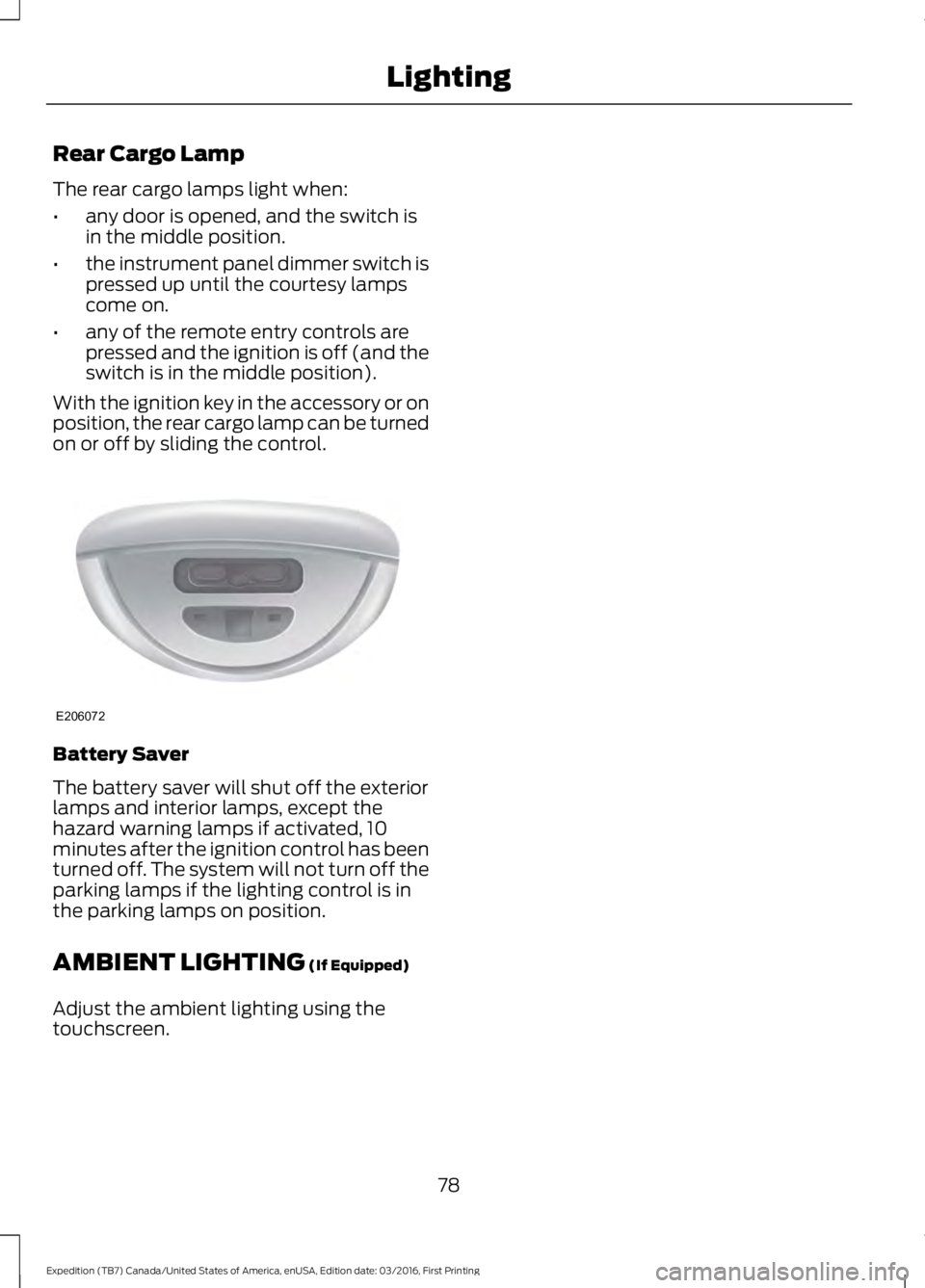
The rear cargo lamps light when:
•any door is opened, and the switch isin the middle position.
•the instrument panel dimmer switch ispressed up until the courtesy lampscome on.
•any of the remote entry controls arepressed and the ignition is off (and theswitch is in the middle position).
With the ignition key in the accessory or onposition, the rear cargo lamp can be turnedon or off by sliding the control.
Battery Saver
The battery saver will shut off the exteriorlamps and interior lamps, except thehazard warning lamps if activated, 10minutes after the ignition control has beenturned off. The system will not turn off theparking lamps if the lighting control is inthe parking lamps on position.
AMBIENT LIGHTING (If Equipped)
Adjust the ambient lighting using thetouchscreen.
78
Expedition (TB7) Canada/United States of America, enUSA, Edition date: 03/2016, First Printing
LightingE206072
Page 82 of 500
POWER WINDOWS
WARNINGS
Do not leave children unattended inyour vehicle and do not let them playwith the power windows. They mayseriously injure themselves.
When closing the power windows,you should verify they are free ofobstructions and make sure thatchildren and pets are not in the proximityof the window openings.
Note:You may hear a pulsing noise whenjust one of the windows is open. Lower theopposite window slightly to reduce thisnoise.
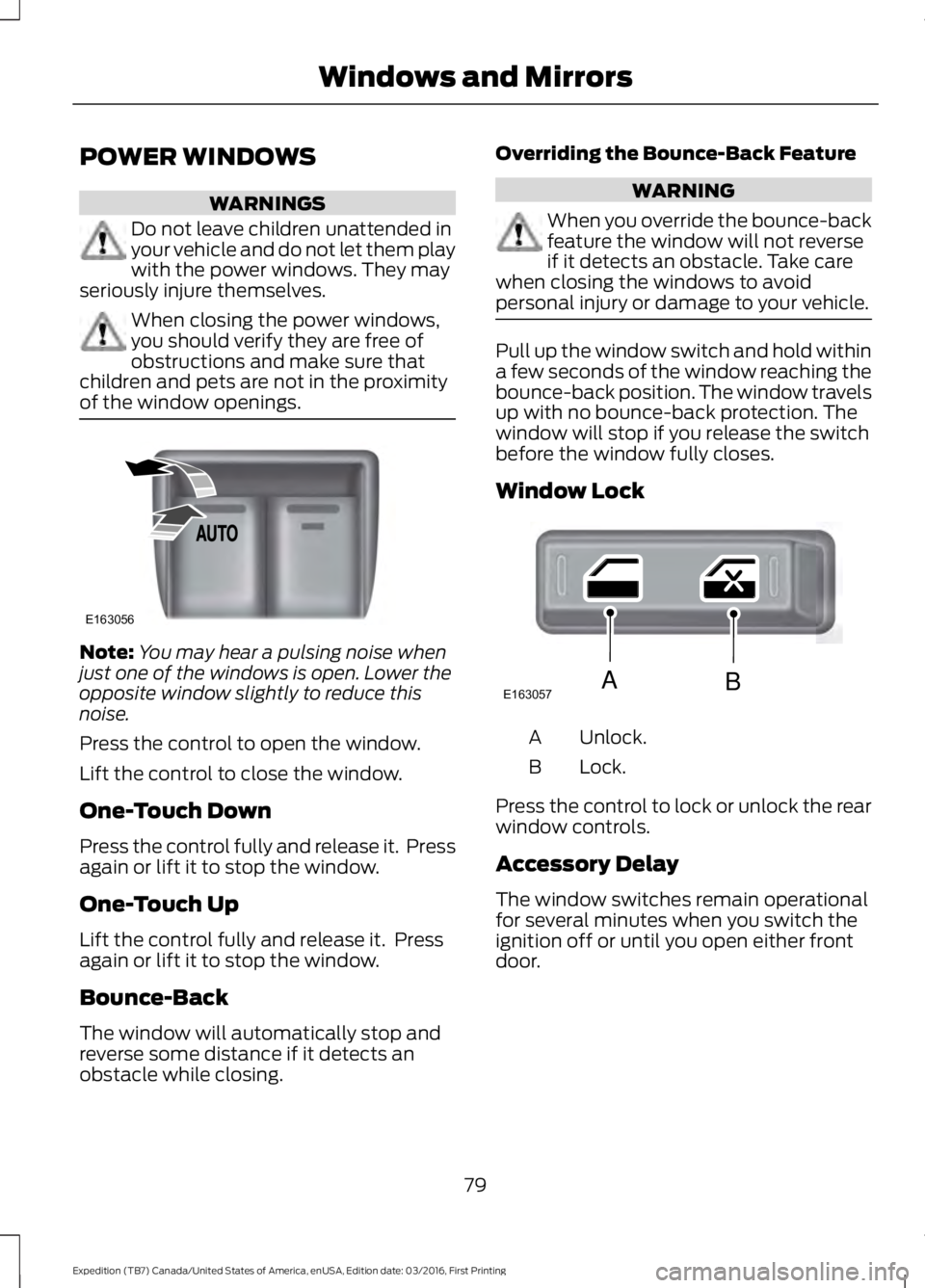
Press the control to open the window.
Lift the control to close the window.
One-Touch Down
Press the control fully and release it. Pressagain or lift it to stop the window.
One-Touch Up
Lift the control fully and release it. Pressagain or lift it to stop the window.
Bounce-Back
The window will automatically stop andreverse some distance if it detects anobstacle while closing.
Overriding the Bounce-Back Feature
WARNING
When you override the bounce-backfeature the window will not reverseif it detects an obstacle. Take carewhen closing the windows to avoidpersonal injury or damage to your vehicle.
Pull up the window switch and hold withina few seconds of the window reaching thebounce-back position. The window travelsup with no bounce-back protection. Thewindow will stop if you release the switchbefore the window fully closes.
Window Lock
Unlock.A
Lock.B
Press the control to lock or unlock the rearwindow controls.
Accessory Delay
The window switches remain operationalfor several minutes when you switch theignition off or until you open either frontdoor.
79
Expedition (TB7) Canada/United States of America, enUSA, Edition date: 03/2016, First Printing
Windows and MirrorsE163056 E163057AB
Page 83 of 500
EXTERIOR MIRRORS
Power Exterior Mirrors
WARNING
Do not adjust the mirrors when yourvehicle is moving.
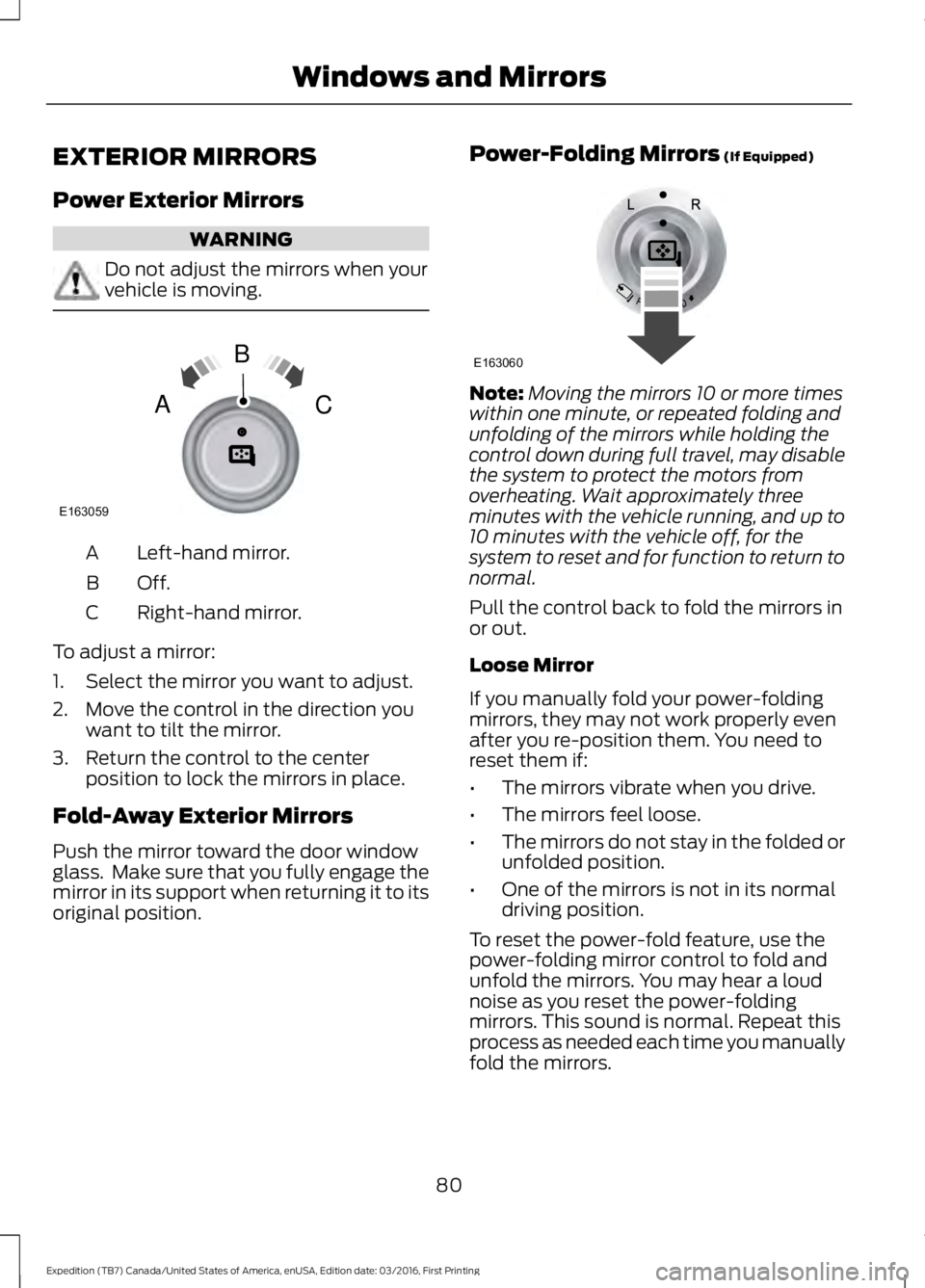
Left-hand mirror.A
Off.B
Right-hand mirror.C
To adjust a mirror:
1. Select the mirror you want to adjust.
2. Move the control in the direction youwant to tilt the mirror.
3. Return the control to the centerposition to lock the mirrors in place.
Fold-Away Exterior Mirrors
Push the mirror toward the door windowglass. Make sure that you fully engage themirror in its support when returning it to itsoriginal position.
Power-Folding Mirrors (If Equipped)
Note:Moving the mirrors 10 or more timeswithin one minute, or repeated folding andunfolding of the mirrors while holding thecontrol down during full travel, may disablethe system to protect the motors fromoverheating. Wait approximately threeminutes with the vehicle running, and up to10 minutes with the vehicle off, for thesystem to reset and for function to return tonormal.
Pull the control back to fold the mirrors inor out.
Loose Mirror
If you manually fold your power-foldingmirrors, they may not work properly evenafter you re-position them. You need toreset them if:
•The mirrors vibrate when you drive.
•The mirrors feel loose.
•The mirrors do not stay in the folded orunfolded position.
•One of the mirrors is not in its normaldriving position.
To reset the power-fold feature, use thepower-folding mirror control to fold andunfold the mirrors. You may hear a loudnoise as you reset the power-foldingmirrors. This sound is normal. Repeat thisprocess as needed each time you manuallyfold the mirrors.
80
Expedition (TB7) Canada/United States of America, enUSA, Edition date: 03/2016, First Printing
Windows and MirrorsE163059
B
AC E163060
Page 84 of 500

Heated Exterior Mirrors
See Heated Windows and Mirrors (page120).
Memory Mirrors (If Equipped)
You can save and recall the mirrorpositions through the memory function.See Memory Function (page 125).
Auto-Dimming Feature
The driver exterior mirror automaticallydims with the auto-dimming interior mirror.
Signal Indicator Mirrors (If Equipped)
The outer portion of the appropriate mirrorhousing blinks when you switch on thedirection indicator.
Blind Spot Monitor (If Equipped)
See Blind Spot Information System(page 189).
INTERIOR MIRROR
WARNING
Do not adjust the mirror when yourvehicle is moving.
Note:Do not clean the housing or glass ofany mirror with harsh abrasives, fuel or otherpetroleum or ammonia-based cleaningproducts.
You can adjust the interior mirror to yourpreference. Some mirrors also have asecond pivot point. This lets you move themirror head up or down and from side toside.
Auto-Dimming Mirror
Note:Do not block the sensors on the frontand back of the mirror. Mirror performancemay be affected. A rear center passenger orraised rear center head restraint may alsoblock light from reaching the sensor.
The mirror will dim automatically to reduceglare when bright lights are detected frombehind your vehicle. It will automaticallyreturn to normal reflection when you selectreverse gear to make sure you have a clearview when backing up.
CHILDMINDER MIRROR
On double bin overhead consoles, theconversation mirror allows the driver toview the rear seating area.
WARNING
Do not use the childminder mirror toview rearward traffic, do not allowrear passengers to distract you fromthe driving task, and make sure the rearview mirror has a clear view of rearwardtraffic. Failure to do so could increase therisk of a crash from an unseen vehicle,which may result in serious injury.
Press the release area on the rear edge ofthe bin door to open the childminder mirror.The door will open to full open position.
81
Expedition (TB7) Canada/United States of America, enUSA, Edition date: 03/2016, First Printing
Windows and MirrorsE205354
Page 85 of 500

The rear view mirror may have to beadjusted to its lower arm position toprevent interference when the childmindermirror is extended down.
REAR QUARTER WINDOWS (If
Equipped)
WARNINGS
Do not leave children unattended inyour vehicle and do not let them playwith the power windows. They mayseriously injure themselves.
When closing the power windows,you should verify they are free ofobstructions and make sure thatchildren and pets are not in the proximityof the window openings.
Press and hold the VENT control to openthe rear quarter windows.
Pull and hold the VENT control to closethe rear quarter windows.
Note:Vehicles without a moonroof will onlyhave the VENT control.
SUN VISORS
Rotate the sun visor toward the sidewindow and extend it rearward for extrashade.
Illuminated Vanity Mirror
Lift the cover to switch the lamp on.
MOONROOF (If Equipped)
WARNINGS
Do not let children play with themoonroof or leave them unattendedin the vehicle. They may seriouslyhurt themselves.
82
Expedition (TB7) Canada/United States of America, enUSA, Edition date: 03/2016, First Printing
Windows and MirrorsE205283 E138666 E162197
Page 86 of 500
WARNINGS
When closing the moonroof, youshould verify that it is free ofobstructions and make sure thatchildren and pets are not in the proximityof the roof opening.
You can manually open or close the slidingshade when the moonroof is closed. Pullthe shade toward the front of your vehicleto close it.
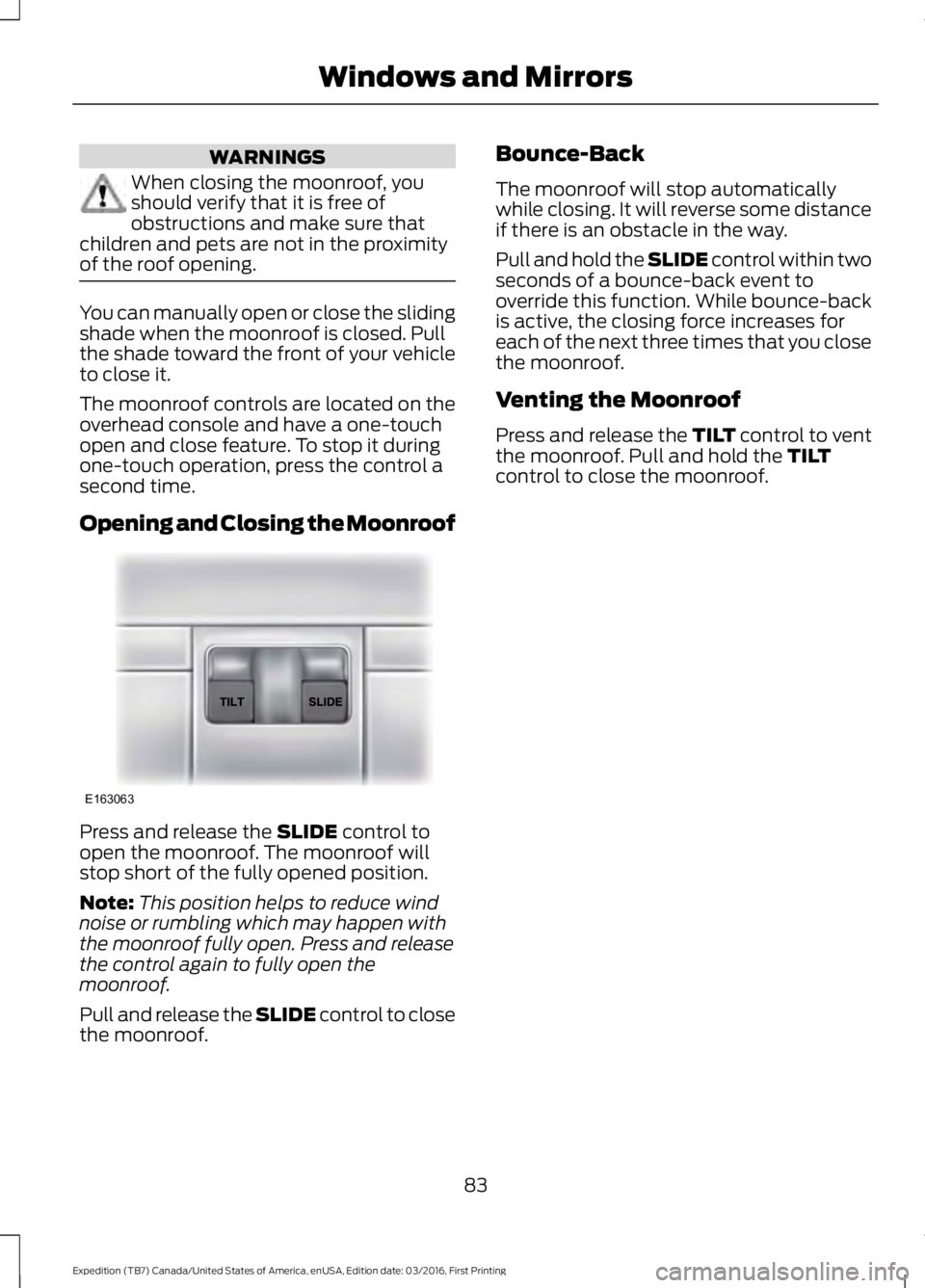
The moonroof controls are located on theoverhead console and have a one-touchopen and close feature. To stop it duringone-touch operation, press the control asecond time.
Opening and Closing the Moonroof
Press and release the SLIDE control toopen the moonroof. The moonroof willstop short of the fully opened position.
Note:This position helps to reduce windnoise or rumbling which may happen withthe moonroof fully open. Press and releasethe control again to fully open themoonroof.
Pull and release the SLIDE control to closethe moonroof.
Bounce-Back
The moonroof will stop automaticallywhile closing. It will reverse some distanceif there is an obstacle in the way.
Pull and hold the SLIDE control within twoseconds of a bounce-back event tooverride this function. While bounce-backis active, the closing force increases foreach of the next three times that you closethe moonroof.
Venting the Moonroof
Press and release the TILT control to ventthe moonroof. Pull and hold the TILTcontrol to close the moonroof.
83
Expedition (TB7) Canada/United States of America, enUSA, Edition date: 03/2016, First Printing
Windows and MirrorsE163063