2017 FORD C MAX HYBRID fuel cap
[x] Cancel search: fuel capPage 285 of 497

ENGINE SPECIFICATIONS
2.0L ATK iVCT Engine
Engine
122
Cubic inches
Minimum 87 octane
Required fuel
1-3-4-2
Firing order
Coil on plug (COP)
Ignition system
12.3:1
Compression ratio
0.051 in. ± 0.002 in. (1.3 mm ± 0.05 mm)
Spark plug gap
282
C-MAX Energi / C-MAX Hybrid (CCG) Canada/United States of America, enUSA, First Printing Capacities and Specifications
Page 289 of 497

CAPACITIES AND SPECIFICATIONS
Capacities
WARNING
The air conditioning refrigerant system contains refrigerant under high pressure.
Only qualified personnel should service the air conditioning refrigerant system.
Opening the air conditioning refrigerant system can cause personal injury.
Capacity
Item
4.5 qt (4.3 L)
Engine oil
8.2 qt (7.8 L)
Engine coolant
8.8 qt (8.3 L)
Engine coolant (Energi vehicles)
1.1 qt (1 L)
Inverter system controller coolant
Between MIN and MAX on brake fluidreservoir
Brake fluid
4.8 qt (4.5 L)
Automatic transmission fluid*
Fill as required
Windshield washer fluid
14 gal (53 L)
Fuel tank
1.63 lb (0.74 kg)
A/C Refrigerant
5.2 fl oz (153.8 ml)
A/C Refrigerant Compressor Oil
*Approximate dry fill capacity. Actual amount may vary during fluid changes.
Specifications
Materials Specification
Name
WSS-M2C947-A
Motor oil:
Motorcraft® SAE 0W-20 Synthetic Blend Motor Oil
XO-0W20-QSP
WSS-M97B44-D2
Engine coolant (U.S.):
Motorcraft® Orange Prediluted Antifreeze/Coolant
VC-3DIL-B
WSS-M97B44-D2
Engine coolant (Canada):
Motorcraft® Orange Prediluted Antifreeze/Coolant
286
C-MAX Energi / C-MAX Hybrid (CCG) Canada/United States of America, enUSA, First Printing Capacities and Specifications
Page 291 of 497

If you use oil and fluids that do not meet
the defined specification and viscosity
grade, this may lead to:
•
Component damage which is not
covered by the vehicle warranty.
• Longer engine cranking periods.
• Increased emission levels.
• Reduced engine performance.
• Reduced fuel economy.
• Degraded brake performance.
We recommend Motorcraft motor oil for
your vehicle. If Motorcraft oil is not
available, use motor oils of the
recommended viscosity grade that meet
API SN requirements and display the API
Certification Mark for gasoline engines. Do
not use oil labeled with API SN service
category unless the label also displays the
API certification mark. An oil that displays this symbol conforms
to current engine, emission system and
fuel economy performance standards of
the International Lubricants Specification
Advisory Council (ILSAC).
Do not use supplemental engine oil
additives because they are unnecessary
and could lead to engine damage that may
not be covered by your vehicle warranty. Note:
Ford recommends using DOT 4 Low
Viscosity (LV) High Performance Brake Fluid
or equivalent meeting WSS-M6C65-A2. Use
of any fluid other than the recommended
fluid may cause degraded brake
performance and not meet the Ford
performance standards. Keep brake fluid
clean and dry. Contamination with dirt,
water, petroleum products or other
materials may result in brake system
damage and possible failure.
Note: Automatic transmissions that require
MERCON LV transmission fluid should only
use MERCON LV transmission fluid. The use
of any other fluid may cause transmission
damage.
288
C-MAX Energi / C-MAX Hybrid (CCG) Canada/United States of America, enUSA, First Printing Capacities and SpecificationsE142732
Page 326 of 497
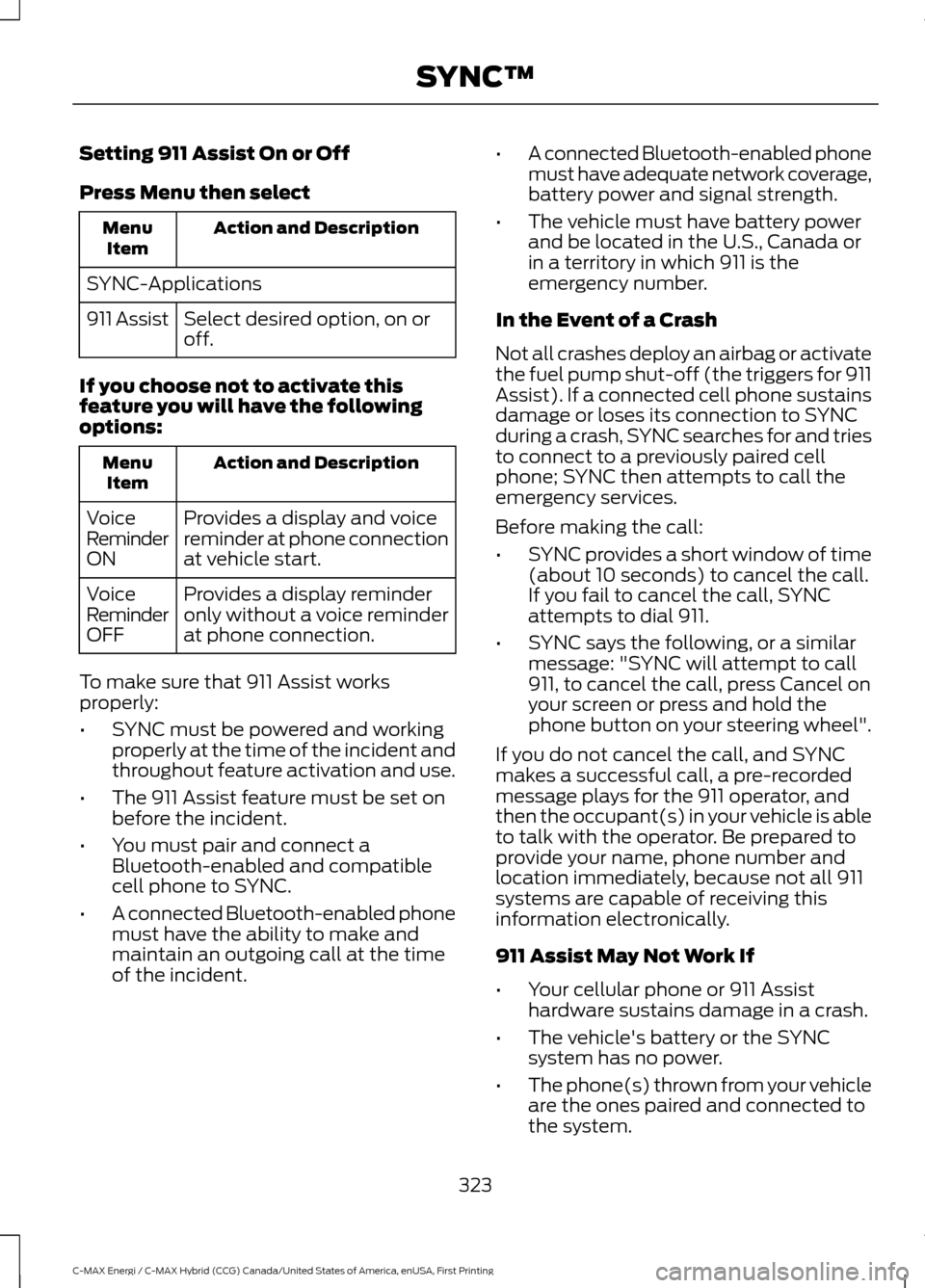
Setting 911 Assist On or Off
Press Menu then select
Action and Description
Menu
Item
SYNC-Applications Select desired option, on or
off.
911 Assist
If you choose not to activate this
feature you will have the following
options: Action and Description
Menu
Item
Provides a display and voice
reminder at phone connection
at vehicle start.
Voice
Reminder
ON
Provides a display reminder
only without a voice reminder
at phone connection.
Voice
Reminder
OFF
To make sure that 911 Assist works
properly:
• SYNC must be powered and working
properly at the time of the incident and
throughout feature activation and use.
• The 911 Assist feature must be set on
before the incident.
• You must pair and connect a
Bluetooth-enabled and compatible
cell phone to SYNC.
• A connected Bluetooth-enabled phone
must have the ability to make and
maintain an outgoing call at the time
of the incident. •
A connected Bluetooth-enabled phone
must have adequate network coverage,
battery power and signal strength.
• The vehicle must have battery power
and be located in the U.S., Canada or
in a territory in which 911 is the
emergency number.
In the Event of a Crash
Not all crashes deploy an airbag or activate
the fuel pump shut-off (the triggers for 911
Assist). If a connected cell phone sustains
damage or loses its connection to SYNC
during a crash, SYNC searches for and tries
to connect to a previously paired cell
phone; SYNC then attempts to call the
emergency services.
Before making the call:
• SYNC provides a short window of time
(about 10 seconds) to cancel the call.
If you fail to cancel the call, SYNC
attempts to dial 911.
• SYNC says the following, or a similar
message: "SYNC will attempt to call
911, to cancel the call, press Cancel on
your screen or press and hold the
phone button on your steering wheel".
If you do not cancel the call, and SYNC
makes a successful call, a pre-recorded
message plays for the 911 operator, and
then the occupant(s) in your vehicle is able
to talk with the operator. Be prepared to
provide your name, phone number and
location immediately, because not all 911
systems are capable of receiving this
information electronically.
911 Assist May Not Work If
• Your cellular phone or 911 Assist
hardware sustains damage in a crash.
• The vehicle's battery or the SYNC
system has no power.
• The phone(s) thrown from your vehicle
are the ones paired and connected to
the system.
323
C-MAX Energi / C-MAX Hybrid (CCG) Canada/United States of America, enUSA, First Printing SYNC™
Page 327 of 497
911 Assist Privacy Notice
When you switch on 911 Assist, it may
disclose to emergency services that your
vehicle has been in a crash involving the
deployment of an airbag or activation of
the fuel pump shut-off. Certain versions or
updates to 911 Assist may also be capable
of electronically or verbally disclosing to
911 operators your vehicle location or other
details about your vehicle or crash to assist
911 operators to provide the most
appropriate emergency services. If you do
not want to disclose this information, do
not switch the feature on.
SYNC Mobile Apps
The system enables voice and steering
wheel control of SYNC AppLink enabled
smartphone apps. When an app is running
through AppLink, you can control main
features of the app through voice
commands and steering wheel controls.
Note:
You must pair and connect your
smartphone to SYNC to access AppLink.
Note: iPhone users need to connect the
phone to the USB port.
Note: Android users need to connect the
phone to SYNC using Bluetooth.
Note: For information on available apps,
supported smartphone devices and
troubleshooting tips please visit the Ford
website.
Availability of SYNC AppLink enabled Apps
will vary by region. Note:
Make sure you have an active account
for the app that you have downloaded.
Some apps work automatically with no
setup. Other apps want you to configure
your personal settings and personalize your
experience by creating stations or favorites.
We recommend you do this at home or
outside of your vehicle.
Note: AppLink is not available if your
vehicle is equipped with the MyFordTouch
system.
To Access Using the SYNC Menu
Press the MENU button to access the
menu on-screen. Then select: Action and Description
Menu
Item
SYNC-Apps Scroll through the list of
available applications and
select a particular app or
select:
Mobile
Apps
Find New Apps
Note: If you cannot find a compatible SYNC
AppLink app, make sure the required app is
running on the mobile device.
Accessing an App's Menu
When an app is running through SYNC,
press the right arrow button on the steering
wheel control to access the app menu.
You can access various app features from
here, for example thumbs up and thumbs
down.
Press the left arrow button on the steering
wheel control to exit the app menu.
324
C-MAX Energi / C-MAX Hybrid (CCG) Canada/United States of America, enUSA, First Printing SYNC™
Page 355 of 497
![FORD C MAX HYBRID 2017 2.G Owners Manual If a crash deploys an airbag (excluding
knee airbags and rear inflatable safety
belts [if equipped]) or activates the fuel
pump shut-off, your SYNC-equipped
vehicle may be able to contact emergency
se](/manual-img/11/4764/w960_4764-354.png "FORD C MAX HYBRID 2017 2.G Owners Manual If a crash deploys an airbag (excluding
knee airbags and rear inflatable safety
belts [if equipped]) or activates the fuel
pump shut-off, your SYNC-equipped
vehicle may be able to contact emergency
se")
If a crash deploys an airbag (excluding
knee airbags and rear inflatable safety
belts [if equipped]) or activates the fuel
pump shut-off, your SYNC-equipped
vehicle may be able to contact emergency
services by dialing 911 through a paired and
connected Bluetooth-enabled phone. You
can learn more about the 911 Assist
feature, by visiting:
Website
www.owner.ford.com
www.syncmyride.ca
www.syncmaroute.ca
For important information about airbag
deployment and the fuel pump shut-off
please see the Supplementary Restrains
and Roadside Emergencies sections of
your owner manual.
To switch 911 Assist on and off please view
the settings information. See Settings
(page 412).
To make sure that 911 Assist works
correctly:
• SYNC must be powered and working
properly at the time of the incident and
throughout feature activation and use.
• The 911 Assist feature must be set on
before the incident.
• You must pair and connect a
Bluetooth-enabled and compatible
cell phone to SYNC.
• A connected Bluetooth-enabled phone
must have the ability to make and
maintain an outgoing call at the time
of the incident.
• A connected Bluetooth-enabled phone
must have adequate network coverage,
battery power and signal strength.
• The vehicle must have battery power
and be located in the U.S., Canada or
in a territory in which 911 is the
emergency number. In the Event of a Crash
Not all crashes will deploy an airbag or
activate the fuel pump shut-off (the
triggers for 911 Assist). If a connected cell
phone sustains damage or loses its
connection to SYNC during a crash, SYNC
will search for and try to connect to a
previously paired cell phone; SYNC will
then attempt to call the emergency
services.
Before making the call:
•
SYNC provides a short window of time
(about 10 seconds) to cancel the call.
If you fail to cancel the call, SYNC
attempts to dial 911.
• SYNC says the following, or a similar
message: "SYNC will attempt to call
911, to cancel the call, press Cancel on
your screen or press and hold the
phone button on your steering wheel."
If you do not cancel the call, and SYNC
makes a successful call, a pre-recorded
message plays for the 911 operator, and
then the occupant(s) in your vehicle is able
to talk with the operator. Be prepared to
provide your name, phone number and
location immediately, because not all 911
systems are capable of receiving this
information electronically.
911 Assist May Not Work If
• Your cellular phone or 911 Assist
hardware sustains damage in a crash.
• The vehicle's battery or the SYNC
system has no power.
• The phone(s) thrown from your vehicle
are the ones paired and connected to
the system.
352
C-MAX Energi / C-MAX Hybrid (CCG) Canada/United States of America, enUSA, First Printing SYNC™ 3
Page 356 of 497
911 Assist Privacy Notice
When you switch on 911 Assist, it may
disclose to emergency services that your
vehicle has been in a crash involving the
deployment of an airbag or activation of
the fuel pump shut-off. Certain versions or
updates to 911 Assist may also be capable
of electronically or verbally disclosing to
911 operators your vehicle location or other
details about your vehicle or crash to assist
911 operators to provide the most
appropriate emergency services. If you do
not want to disclose this information, do
not switch the feature on.
Safety Information
WARNING
Driving while distracted can result in
loss of vehicle control, crash and
injury. We strongly recommend that
you use extreme caution when using any
device that may take your focus off the
road. Your primary responsibility is the safe
operation of your vehicle. We recommend
against the use of any hand-held device
while driving and encourage the use of
voice-operated systems when possible.
Make sure you are aware of all applicable
local laws that may affect the use of
electronic devices while driving. •
Do not attempt to service or repair the
system. Have an authorized dealer
check your vehicle.
• Do not operate playing devices if the
power cords or cables are broken, split
or damaged. Place cords and cables
out of the way, so they do not interfere
with the operation of pedals, seats,
compartments or safe driving abilities. •
Do not leave playing devices in your
vehicle during extreme conditions as it
could cause them damage. See your
device's user guide for further
information.
• For your safety, some SYNC 3 functions
are speed-dependent. Their use is
limited to when your vehicle is traveling
at speeds under 3 mph (5 km/h). Make
sure that you review your device's
manual before using it with SYNC 3.
Speed-restricted Features
Some features of this system may be too
difficult to use while your vehicle is moving
so they are restricted from use unless your
vehicle is stationary.
• Screens crowded with information,
such as Point of Interest reviews and
ratings, SiriusXM Traffic and Travel Link
sports scores, movie times or ski
conditions.
• Any action that requires you to use a
keyboard is restricted, such as entering
a navigation destination or editing
information.
• All lists are limited so the user can view
fewer entries (such as phone contacts
or recent phone call entries).
See the following chart for more specific
examples.
353
C-MAX Energi / C-MAX Hybrid (CCG) Canada/United States of America, enUSA, First Printing SYNC™ 3
Page 494 of 497

Receiving Calls....................................................
378
Smartphone Connectivity.............................. 379
Text Messaging................................................... 379
Plug-In Hybrid Vehicle Operation...........137 ECO Cruise............................................................ 138
EV Modes............................................................... 137
Fuel Freshness..................................................... 139
Low Engine Use................................................... 139
Plug-in Power Mode and Hybrid Mode................................................................... 137
Post-Crash Alert System..........................203
Power Door Locks See: Locking and Unlocking.............................. 57
Power Liftgate
.................................................62
Hands-Free Feature............................................ 64
Obstacle Detection............................................. 64
Opening and Closing the Liftgate.................. 62
Setting the Liftgate Open Height................... 63
Stopping the Liftgate Movement................... 63
Power Seats.....................................................117 Power Lumbar...................................................... 119
Power Steering Fluid Check.....................232
Power Windows
..............................................78
Accessory Delay.................................................... 79
Bounce-Back......................................................... 78
One-Touch Down................................................. 78
One-Touch Up....................................................... 78
Window Lock......................................................... 78
Protecting the Environment........................15
R
Rear Parking Aid
...........................................168
Rear Seat Armrest........................................120
Rear Seats
........................................................119
Folding the Seatback ........................................ 119
Unfolding the Seatback.................................... 119
Rear Under Floor Storage.........................186
Rear View Camera........................................174 Using the Rear View Camera System..........174
Rear View Camera See: Rear View Camera.................................... 174
Rear Window Wiper and Washers
...........73
Rear Window Washer......................................... 73
Rear Window Wiper............................................. 73
Refueling..........................................................145 Easy Fuel ™ Capless System.......................... 145Remote Control...............................................47
Car Finder................................................................ 49
Integrated Keyhead Transmitters .................. 47
Intelligent Access Key........................................ 48
Remote Start (If Equipped)............................. 50
Replacing the Battery......................................... 48
Sounding a Panic Alarm.................................... 50
Remote Start
...................................................113
Automatic Settings............................................. 113
Removing a Headlamp..............................238
Repairing Minor Paint Damage...............252
Replacement Parts Recommendation........................................12
Collision Repairs.................................................... 12
Scheduled Maintenance and Mechanical Repairs.................................................................. 12
Warranty on Replacement Parts..................... 12
Replacing a Lost Key or Remote Control..............................................................51
Reporting Safety Defects (Canada Only).............................................................209
Reporting Safety Defects (U.S. Only).............................................................209
Roadside Assistance
...................................197
Vehicles Sold in Canada: Getting Roadside
Assistance........................................................ 197
Vehicles Sold in Canada: Roadside Assistance Program Coverage.................198
Vehicles Sold in Canada: Using Roadside Assistance........................................................ 198
Vehicles Sold in the United States: Getting Roadside Assistance.................................... 197
Vehicles Sold in the United States: Using Roadside Assistance.................................... 197
Roadside Emergencies...............................197
Running-In See: Breaking-In.................................................. 194
Running Out of Fuel....................................144 Adding Fuel From a Portable Fuel
Container.......................................................... 144
Filling a Portable Fuel Container.................. 144
S
Safety Canopy ™
............................................43
Safety Precautions.......................................142
491
C-MAX Energi / C-MAX Hybrid (CCG) Canada/United States of America, enUSA, First Printing Index