2017 FIAT 124 SPIDER stop start
[x] Cancel search: stop startPage 101 of 300

Amber Warning Lights
Warning lightWhat it means
AUTOMATIC TRANSMISSION WARNING LIGHT (IF EQUIPPED)
The light illuminates when the transmission has a problem.
Note:If the automatic transmission warning light illuminates, the transmission has an electrical
problem. Continuing to drive your vehicle in this condition could cause damage to your
transmission. Contact an Authorized Dealership as soon as possible.
MASTER WARNING LIGHT
Versions Without Fiat Connect 7.0 System
The warning light turns on continuously if there is a malfunction in the battery management
system or there is a malfunction in the brake switch. Contact an Authorized Dealership as soon
as possible.
Versions With Fiat Connect 7.0 System
The warning light turns on when the system has a malfunction. Operate the center display and
verify the content. Refer to “Vehicles With Fiat Connect 7.0” paragraph in this chapter.
Cold Start Disable Indicator Light
When the ambient temperature is extremely low, the engine may not crank even when the
engine starting procedure is performed. At this time, the Cold Start Disable Indicator light in the
instrument cluster flashes. However, this does not indicate a problem.
Note:Place your vehicle in a warm garage until the temperature has risen to a sufficient level to enable
engine starting.
Electric Throttle Control Warning Light
This light informs you of a problem with the Electronic Throttle Control (ETC) system. If a
problem is detected while the engine is running, the light will either stay on or flash depending on
the nature of the problem. Cycle the ignition key when the vehicle is safely and completely
stopped and the transmission is placed in the PARK position. The light should turn off. If the light
remains on with the engine running, your vehicle will usually be drivable; however, see an
authorized dealer for service as soon as possible.
If the light continues to flash when the engine is running, immediate service is required and you
may experience reduced performance, an elevated/rough idle, or engine stall and your vehicle
may require towing. The light will come on when the ignition is first turned to ON/RUN and
remain on briefly as a bulb check. If the light does not come on during starting, have the system
checked by an authorized dealer.
99
Page 104 of 300
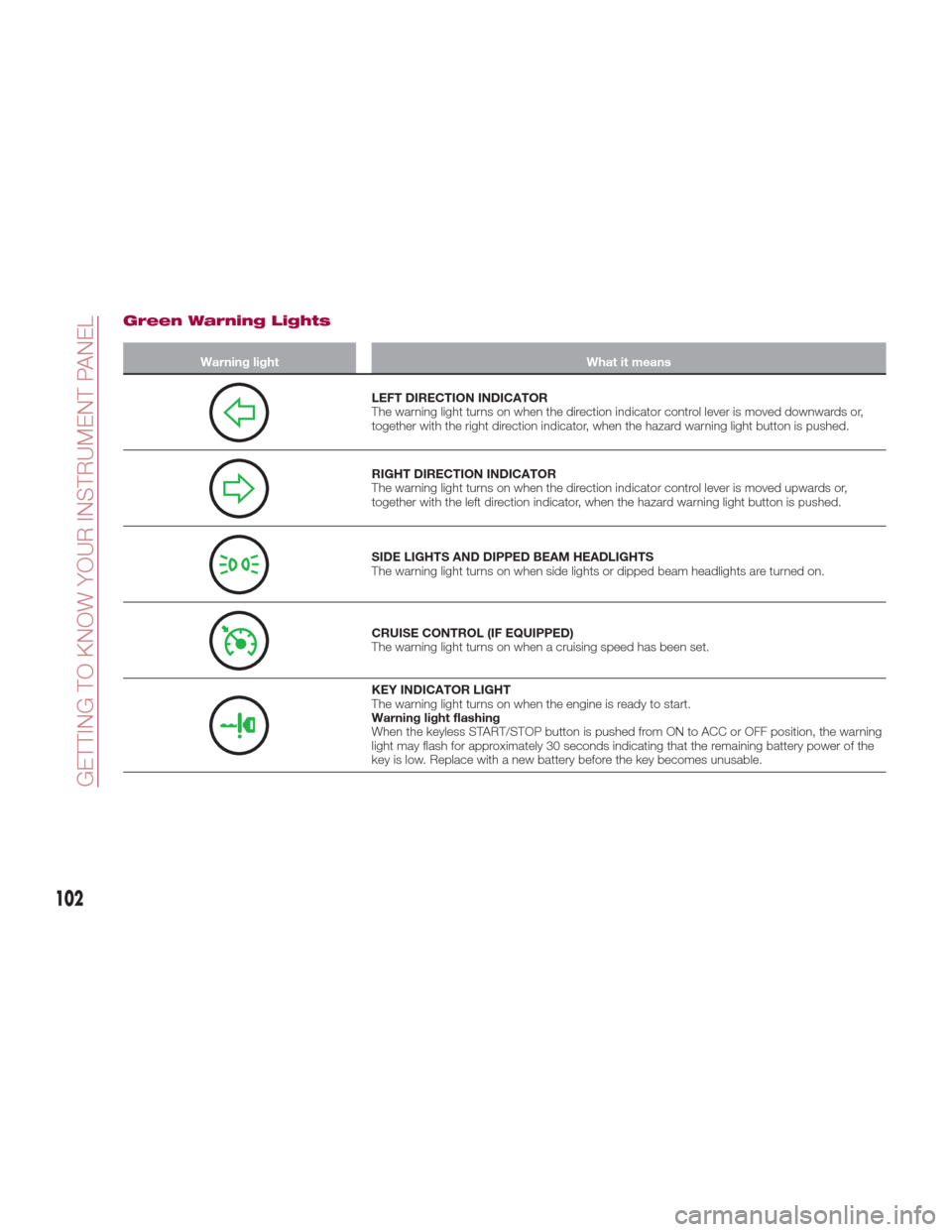
Green Warning Lights
Warning lightWhat it means
LEFT DIRECTION INDICATOR
The warning light turns on when the direction indicator control lever is moved downwards or,
together with the right direction indicator, when the hazard warning light button is pushed.
RIGHT DIRECTION INDICATOR
The warning light turns on when the direction indicator control lever is moved upwards or,
together with the left direction indicator, when the hazard warning light button is pushed.
SIDE LIGHTS AND DIPPED BEAM HEADLIGHTS
The warning light turns on when side lights or dipped beam headlights are turned on.
CRUISE CONTROL (IF EQUIPPED)
The warning light turns on when a cruising speed has been set.
KEY INDICATOR LIGHT
The warning light turns on when the engine is ready to start.
Warning light flashing
When the keyless START/STOP button is pushed from ON to ACC or OFF position, the warning
light may flash for approximately 30 seconds indicating that the remaining battery power of the
key is low. Replace with a new battery before the key becomes unusable.
102
GETTING TO KNOW YOUR INSTRUMENT PANEL
Page 106 of 300

Warning Light (Red Color) On Dashboard Trim
Warning lightWhat it means
SEAT BELT WARNING LIGHT
The seat belt warning light turns on if the driver or passengers seat is occupied and the seat belt
is not fastened with the ignition placed in the ON position.
If the driver or passengers seat belt is unfastened (only when the passenger seat is occupied)
and the vehicle is driven at a speed faster than about 12 MPH (20 km/h), the warning light
flashes. After a short time, the LED stops flashing, but remains illuminated.
If a seat belt remains unfastened, the LED flashes again for a given period of time.
If the driver or passengers seat belt is unfastened after the LED turns on, and the vehicle speed
exceeds 12 MPH (20 km/h), the LED flashes again.
With Passenger Occupant Classification System: to allow the passenger occupant
classification sensor to function properly, do not place and sit on an additional seat cushion on
the passengers seat. The sensor may not function properly because the additional seat cushion
could cause sensor interference.
Without Passenger Occupant Classification System : placing heavy items on the
passengers seat may cause the passengers seat belt warning function to operate depending on
the weight of the item. To allow the passengers seat weight sensor to function properly, do not
place and sit on an additional seat cushion on the passengers seat. The sensor may not
function properly because the additional seat cushion could cause sensor interference. If a small
child is seated on the passengers seat, the warning light may not operate.
Fasten the seat belts.
Warning Light (Amber Color) On Instrument Cluster Trim
Warning light What it means
PASSENGER AIR BAG DEACTIVATION INDICATOR LIGHT
The light turns on when the ignition is switched on for an operation check, and turns off a few
seconds later or when the engine is started. If the light does not turn on or remains turned on,
contact an Authorized Dealership.
104
GETTING TO KNOW YOUR INSTRUMENT PANEL
Page 109 of 300
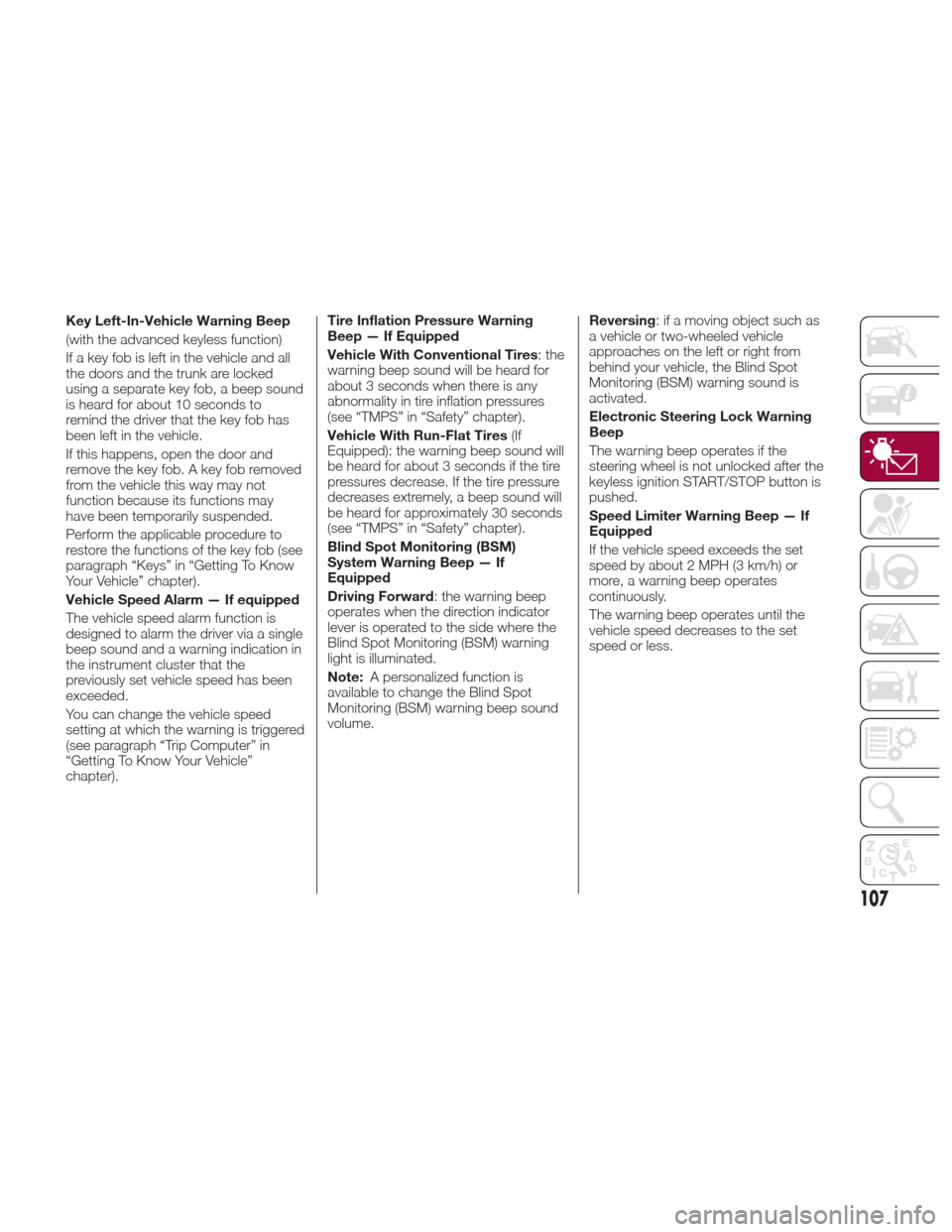
Key Left-In-Vehicle Warning Beep
(with the advanced keyless function)
If a key fob is left in the vehicle and all
the doors and the trunk are locked
using a separate key fob, a beep sound
is heard for about 10 seconds to
remind the driver that the key fob has
been left in the vehicle.
If this happens, open the door and
remove the key fob. A key fob removed
from the vehicle this way may not
function because its functions may
have been temporarily suspended.
Perform the applicable procedure to
restore the functions of the key fob (see
paragraph “Keys” in “Getting To Know
Your Vehicle” chapter).
Vehicle Speed Alarm — If equipped
The vehicle speed alarm function is
designed to alarm the driver via a single
beep sound and a warning indication in
the instrument cluster that the
previously set vehicle speed has been
exceeded.
You can change the vehicle speed
setting at which the warning is triggered
(see paragraph “Trip Computer” in
“Getting To Know Your Vehicle”
chapter).Tire Inflation Pressure Warning
Beep — If Equipped
Vehicle With Conventional Tires
: the
warning beep sound will be heard for
about 3 seconds when there is any
abnormality in tire inflation pressures
(see “TMPS” in “Safety” chapter).
Vehicle With Run-Flat Tires (If
Equipped): the warning beep sound will
be heard for about 3 seconds if the tire
pressures decrease. If the tire pressure
decreases extremely, a beep sound will
be heard for approximately 30 seconds
(see “TMPS” in “Safety” chapter).
Blind Spot Monitoring (BSM)
System Warning Beep — If
Equipped
Driving Forward : the warning beep
operates when the direction indicator
lever is operated to the side where the
Blind Spot Monitoring (BSM) warning
light is illuminated.
Note: A personalized function is
available to change the Blind Spot
Monitoring (BSM) warning beep sound
volume. Reversing
: if a moving object such as
a vehicle or two-wheeled vehicle
approaches on the left or right from
behind your vehicle, the Blind Spot
Monitoring (BSM) warning sound is
activated.
Electronic Steering Lock Warning
Beep
The warning beep operates if the
steering wheel is not unlocked after the
keyless ignition START/STOP button is
pushed.
Speed Limiter Warning Beep — If
Equipped
If the vehicle speed exceeds the set
speed by about 2 MPH (3 km/h) or
more, a warning beep operates
continuously.
The warning beep operates until the
vehicle speed decreases to the set
speed or less.
107
Page 114 of 300

SAFETY SYSTEMS
Safety Systems
The vehicle has the following safety
systems:
Anti-lock Braking System (ABS)
Traction Contol System (TCS)
Dynamic Stability Control (DSC)
For the operation of the systems, see
the following pages.
ABS System (Anti-lock
Braking System)
The ABS control unit continuously
monitors the speed of each wheel. If
one wheel is about to lock up, the ABS
responds by automatically releasing
and reapplying that wheel's brake. The
driver will feel a slight vibration in the
brake pedal and may hear a chattering
noise from the brake system. This is
normal ABS system operation.
Continue to depress the brake pedal
without pumping the brakes. The
warning light turns on when the system
has a malfunction. Refer to “Warning
Lights And Messages” paragraph in
“Getting To Know Your Instrument
Panel” chapter. Note:
Braking distances may be longer on
loose surfaces (snow or gravel, for
example) which usually have a hard
foundation. A vehicle with a normal
braking system may require less
distance to stop under these
conditions because the tires will build
up a wedge of surface layer when the
wheels skid.
The sound of the ABS operating
may be heard when starting the engine
or immediately after starting the
vehicle, however, it does not indicate a
malfunction
Warning!
The ABS contains sophisticated
electronic equipment that may be
susceptible to interference caused by
improperly installed or high output radio
transmitting equipment. This interference
can cause possible loss of anti-lock braking
capability. Installation of such equipment
should be performed by qualified
professionals.
Pumping of the Anti-Lock Brakes will
diminish their effectiveness and may lead to
a collision. Pumping makes the stopping
distance longer. Just press firmly on your
brake pedal when you need to slow down
or stop.
The ABS cannot prevent the natural
laws of physics from acting on the vehicle,
nor can it increase braking or steering
efficiency beyond that afforded by the
condition of the vehicle brakes and tires or
the traction afforded.
The ABS cannot prevent collisions,
including those resulting from excessive
speed in turns, following another vehicle
too closely, or hydroplaning.
The capabilities of an ABS equipped
vehicle must never be exploited in a
reckless or dangerous manner that could
jeopardize the user’s safety or the safety of
others.
TCS System (Traction
Control System)
Warning!
The capability of the TCS must never be
tested irresponsibly and dangerously, in
such a way as to compromise personal
safety and the safety of others.
The Traction Control System (TCS)
enhances traction and safety by
controlling engine torque and braking.
When the TCS detects driving wheel
slippage, it lowers engine torque and
operates the brakes to prevent loss of
traction. This means that on a slick
surface, the engine adjusts
automatically to provide optimum
112
SAFETY
Page 123 of 300

Tire Pressure Monitoring System —
Sport Grade
The TPMS system monitors the
pressure for each tire.
If tire pressure is too low in one or more
tires, the system will inform the driver
via the
warning light in the
instrument cluster and by the warning
beep sound.
The tire pressure sensors installed on
each wheel send tire pressure data by
radio signal to the receiver unit in the
vehicle.
TPMS does not alleviate your need to
check the pressure and condition of all
four tires regularly.
Each tire, including the spare (if
provided), should be checked monthly
when cold and inflated to the inflation
pressure recommended by the vehicle
manufacturer on the vehicle placard or
tire inflation pressure label. (If your
vehicle has tires of a different size than
the size indicated on the vehicle placard
or tire inflation pressure label, you
should determine the proper tire
inflation pressure for those tires.)
As an added safety feature, your vehicle
has been equipped with a tire pressure
monitoring system (TPMS) that
illuminates a low tire pressure telltale
when one or more of your tires is
significantly under-inflated. Accordingly,
when the low tire pressure telltale
illuminates, you should stop and check
your tires as soon as possible, and inflate them to the proper pressure.
Driving on a significantly under-inflated
tire causes the tire to overheat and can
lead to tire failure. Under-inflation also
reduces fuel efficiency and tire tread life,
and may affect the vehicle's handling
and stopping ability. Please note that
the TPMS is not a substitute for proper
tire maintenance, and it is the driver's
responsibility to maintain correct tire
pressure, even if under-inflation has not
reached the level to trigger illumination
of the TPMS low tire pressure telltale.
Your vehicle has also been equipped
with a TPMS malfunction indicator to
indicate when the system is not
operating properly. [For vehicles with a
dedicated MIL telltale, add the following
statement: The TPMS malfunction
indicator is provided by a separate
telltale, which displays the symbol
“TPMS” when illuminated.] [For vehicles
with a combined low tire pressure/MIL
telltale, add the following statement:
The TPMS malfunction indicator is
combined with the low tire pressure
telltale. When the system detects a
malfunction, the telltale will flash for
approximately one minute and then
remain continuously illuminated. This
sequence will continue upon
subsequent vehicle start-ups as long as
the malfunction exists.] When the
malfunction indicator is illuminated, the
system may not be able to detect or
signal low tire pressure as intended.
TPMS malfunctions may occur for a
variety of reasons, including the
installation of replacement or alternate
tires or wheels on the vehicle that
prevent the TPMS from functioning
properly. Always check the TPMS
malfunction telltale after replacing one
or more tires or wheels on your vehicle
to ensure that the replacement or
alternate tires and wheels allow the
TPMS to continue to function properly.
System Error Activation
When the
warning light flashes,
there may be a system malfunction.
Contact your Authorized Dealer.
A system error activation may occur in
the following cases:
When there is equipment or a device
near the vehicle using the same radio
frequency as that of the tire pressure
sensors.
When a metallic device such as a
non-genuine navigation system is
equipped near the center of the
dashboard, which may block radio
signals from the tire pressure sensor to
the receiver unit.
When using the following devices in
the vehicle that may cause radio
interference with the receiver unit.
A digital device such as a personal
computer.
A current converter device such as a
DC-AC converter.
121
Page 152 of 300
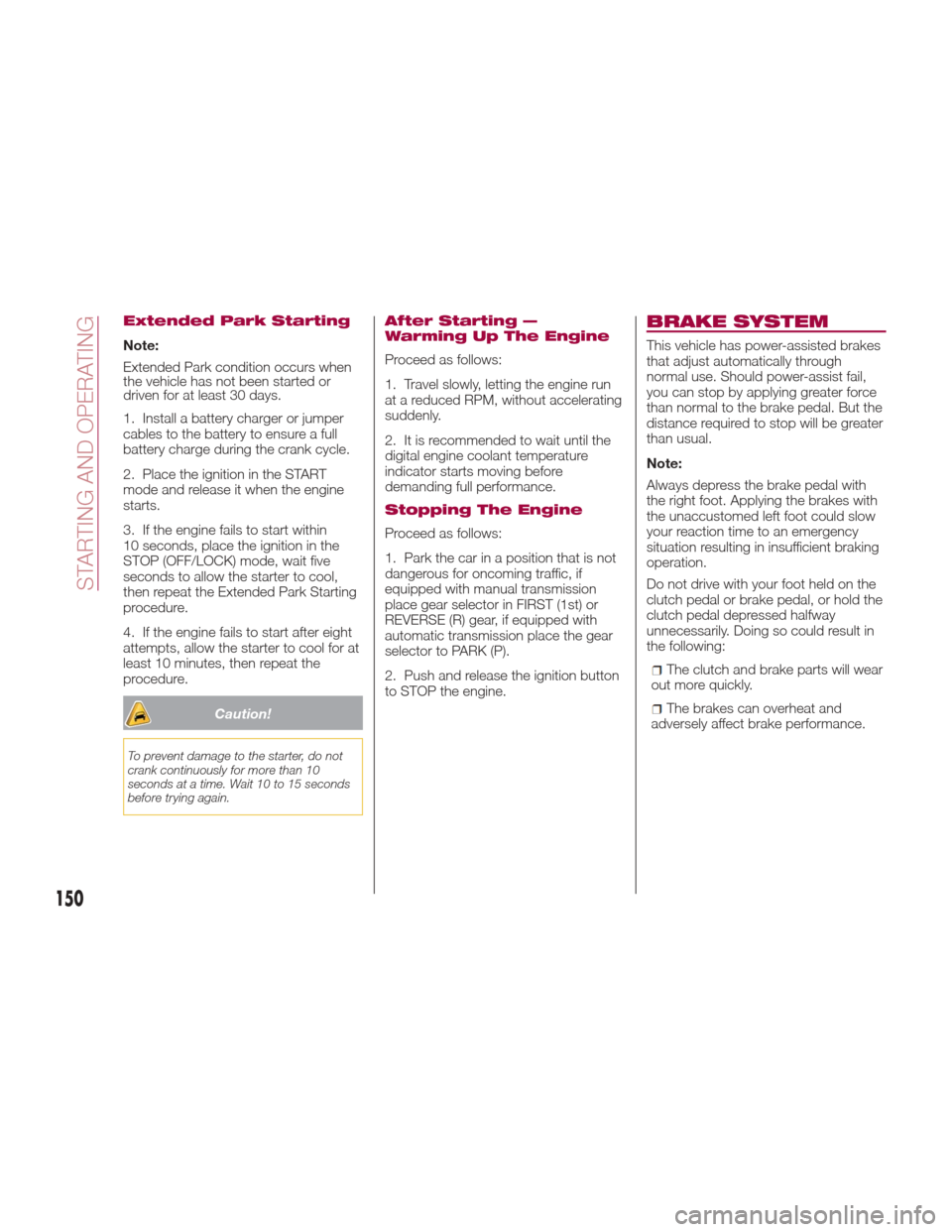
Extended Park Starting
Note:
Extended Park condition occurs when
the vehicle has not been started or
driven for at least 30 days.
1. Install a battery charger or jumper
cables to the battery to ensure a full
battery charge during the crank cycle.
2. Place the ignition in the START
mode and release it when the engine
starts.
3. If the engine fails to start within
10 seconds, place the ignition in the
STOP (OFF/LOCK) mode, wait five
seconds to allow the starter to cool,
then repeat the Extended Park Starting
procedure.
4. If the engine fails to start after eight
attempts, allow the starter to cool for at
least 10 minutes, then repeat the
procedure.
Caution!
To prevent damage to the starter, do not
crank continuously for more than 10
seconds at a time. Wait 10 to 15 seconds
before trying again.
After Starting —
Warming Up The Engine
Proceed as follows:
1. Travel slowly, letting the engine run
at a reduced RPM, without accelerating
suddenly.
2. It is recommended to wait until the
digital engine coolant temperature
indicator starts moving before
demanding full performance.
Stopping The Engine
Proceed as follows:
1. Park the car in a position that is not
dangerous for oncoming traffic, if
equipped with manual transmission
place gear selector in FIRST (1st) or
REVERSE (R) gear, if equipped with
automatic transmission place the gear
selector to PARK (P).
2. Push and release the ignition button
to STOP the engine.
BRAKE SYSTEM
This vehicle has power-assisted brakes
that adjust automatically through
normal use. Should power-assist fail,
you can stop by applying greater force
than normal to the brake pedal. But the
distance required to stop will be greater
than usual.
Note:
Always depress the brake pedal with
the right foot. Applying the brakes with
the unaccustomed left foot could slow
your reaction time to an emergency
situation resulting in insufficient braking
operation.
Do not drive with your foot held on the
clutch pedal or brake pedal, or hold the
clutch pedal depressed halfway
unnecessarily. Doing so could result in
the following:
The clutch and brake parts will wear
out more quickly.
The brakes can overheat and
adversely affect brake performance.
150
STARTING AND OPERATING
Page 160 of 300
Direct mode is cancelled (released)
under the following conditions:
The vehicle is driven for a certain
amount of time or longer (time differs
depending on the driving conditions
while operating).
The vehicle is stopped or moving at a
slow speed.
Note: Shifting up and down while in
direct mode may not be possible
depending on the vehicle speed. In
addition, because direct mode is
cancelled (released) depending on the
rate of acceleration or if the accelerator
is fully depressed, use of the manual
shift mode is recommended if you need
to drive the vehicle in a particular gear
for long periods.
Driving Tips
Overtaking
For extra power when passing another
vehicle or climbing steep grades, press
the accelerator fully. The transmission
will shift to a lower gear, depending on
vehicle speed.
Note:
The accelerator pedal may initially
feel heavy as it is being pressed, then
feel lighter as it is pressed further. This
change in pedal force aids the engine
control system in determining how
much the accelerator pedal has been pressed for performing kickdown, and
functions to control whether or not
kickdown should be performed.
While the gear selector is in the
MANUAL (M) position and the Dynamic
Stability Control (DSC) is turned off,
manual shift mode does not switch to
automatic shift mode even if the
accelerator pedal is completely
pressed. Operate the gear selector.
Climbing steep grades from a stop
To climb a steep grade from a stopped
position:
1. Press the brake pedal.
2. Shift to DRIVE (D) or M1, depending
on the load weight and grade
steepness.
3. Release the brake pedal while
gradually accelerating.
Descending steep grades
When descending a steep grade, shift
to lower gears, depending on load
weight and grade steepness.
Descend slowly, using the brakes only
occasionally to prevent them from
overheating.
ELECTRONIC SPEED
CONTROL
Electronic Speed
Control
This is an electronically controlled
driving assistance feature that allows
the desired vehicle speed to be
maintained, without having to press the
accelerator pedal.
This feature can be used at a speed
above 25 mph (40 km/h) on long
stretches of dry, straight roads with few
variations (e.g. motorways).
It is therefore not recommended to use
this feature on city roads with traffic.
Do not use it in town.
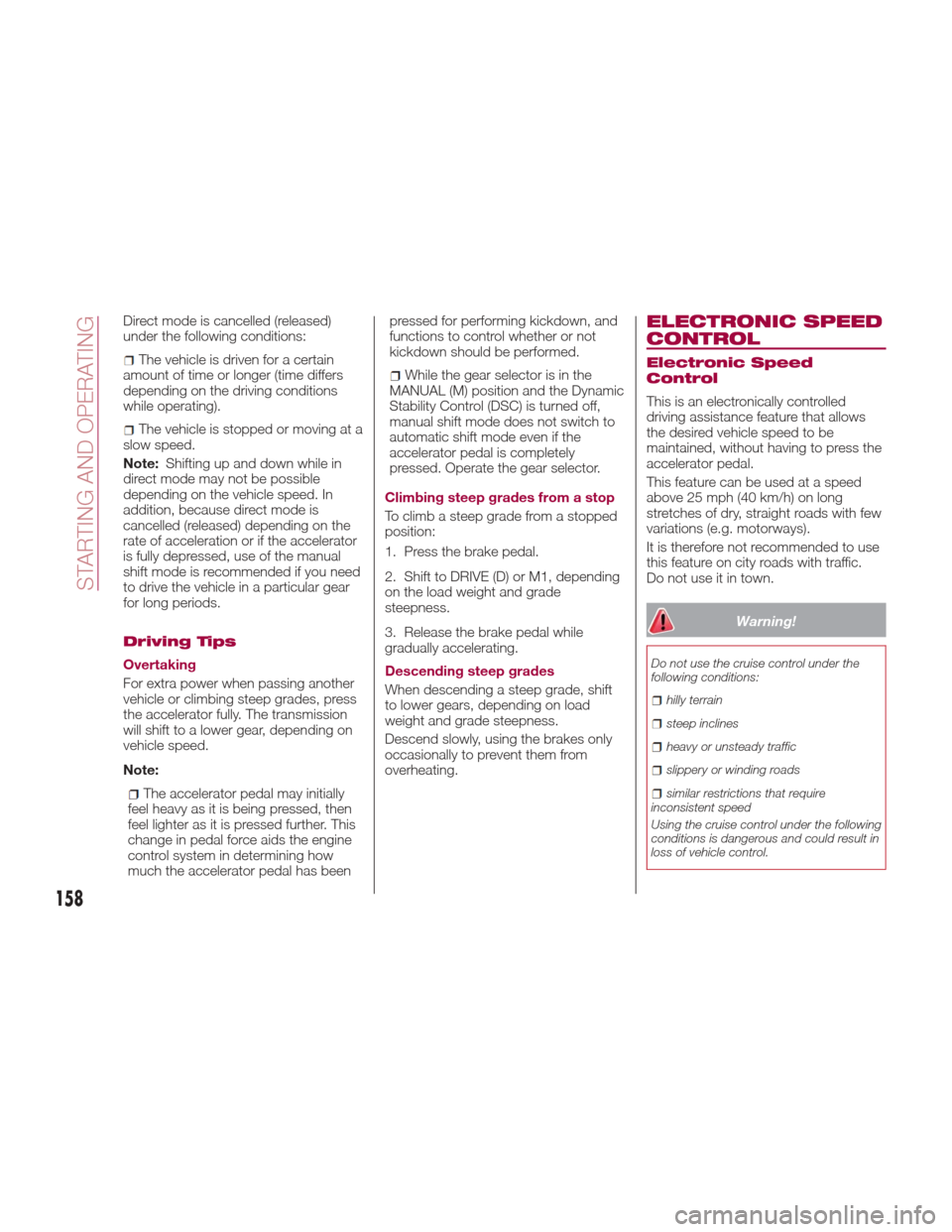
Warning!
Do not use the cruise control under the
following conditions:
hilly terrain
steep inclines
heavy or unsteady traffic
slippery or winding roads
similar restrictions that require
inconsistent speed
Using the cruise control under the following
conditions is dangerous and could result in
loss of vehicle control.
158
STARTING AND OPERATING