2017 DODGE GRAND CARAVAN service
[x] Cancel search: servicePage 126 of 530
Paging
To learn how to page, refer to “Working with Automated
Systems.” Paging works properly except for pagers of
certain companies, which time out a little too soon to work
properly with the Uconnect Phone.
Voice Mail Calling
To learn how to access your voice mail, refer to “Working
with Automated Systems.”
Working With Automated Systems
This method is used in instances where one generally has
to press numbers on the mobile phone keypad while
navigating through an automated telephone system.
You can use your Uconnect Phone to access a voice mail
system or an automated service, such as a paging service or
automated customer service line. Some services require
immediate response selection. In some instances, that may
be too quick for use of the Uconnect Phone.
When calling a number with your Uconnect Phone that
normally requires you to enter in a touch-tone sequence on
your mobile phone keypad, you can push the Voice Com-
mand
button and say the sequence you wish to enter,
followed by the word “Send.” For example, if required to enter your PIN followed with a pound, (
3746#),you
can push the Voice Command
button and say, “3 7 4
6 # Send.” Saying a number, or sequence of numbers,
followed by “Send,” is also to be used for navigating
through an automated customer service center menu
structure, and to leave a number on a pager.
You can also send stored Uconnect phonebook entries as
tones for fast and easy access to voice mail and pager
entries. To use this feature, dial the number you wish to call
and then push the Voice Command
button and say
“Send.” The system will prompt you to enter the name
or number and say the name of the phonebook entry
you wish to send. The Uconnect Phone will then send
the corresponding phone number associated with the
phonebook entry, as tones over the phone.
NOTE:
• You may not hear all of the tones due to mobile phone
network configurations. This is normal.
• Some paging and voice mail systems have system time
out settings that are too short and may not allow the use
of this feature.
124 UNDERSTANDING THE FEATURES OF YOUR VEHICLE
Page 151 of 530
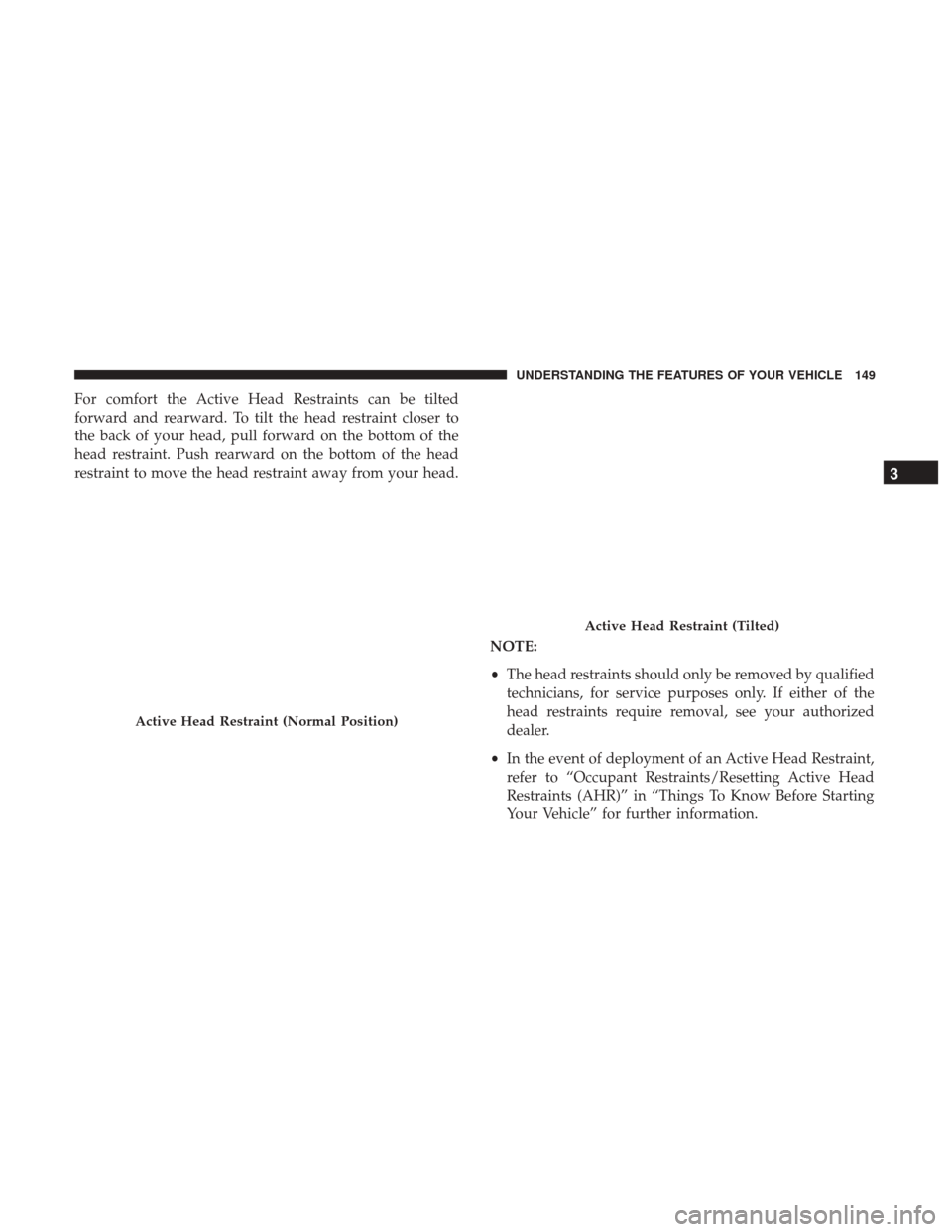
For comfort the Active Head Restraints can be tilted
forward and rearward. To tilt the head restraint closer to
the back of your head, pull forward on the bottom of the
head restraint. Push rearward on the bottom of the head
restraint to move the head restraint away from your head.NOTE:
•The head restraints should only be removed by qualified
technicians, for service purposes only. If either of the
head restraints require removal, see your authorized
dealer.
• In the event of deployment of an Active Head Restraint,
refer to “Occupant Restraints/Resetting Active Head
Restraints (AHR)” in “Things To Know Before Starting
Your Vehicle” for further information.
Active Head Restraint (Normal Position)
Active Head Restraint (Tilted)
3
UNDERSTANDING THE FEATURES OF YOUR VEHICLE 149
Page 192 of 530
Cluster Display will display the “PARK ASSIST SYSTEM
OFF” message for as long as the vehicle is in REVERSE.
Service The ParkSense Rear Park Assist System
During vehicle start up, when the ParkSense Rear Park
Assist System has detected a faulted condition, the instru-
ment cluster will actuate a single chime, once per ignition
cycle, and it will display the “SERVICE PARK ASSIST
SYSTEM” message. Refer to “Instrument Cluster Display”
in “Understanding Your Instrument Panel” for further
information. When the gear selector is moved to REVERSE
and the system has detected a faulted condition, the
Instrument Cluster Display will display the “SERVICE
PARK ASSIST SYSTEM” message for as long as the vehicle
is in REVERSE. Under this condition, ParkSense will not
operate.
If “SERVICE PARK ASSIST SYSTEM” appears in the In-
strument Cluster Display after making sure the rear fascia/
bumper is free from snow, ice, mud, dirt and debris, see
your Authorized Dealer.
Cleaning The ParkSense System
Clean the ParkSense sensors with water, car wash soap and
a soft cloth. Do not use rough or hard cloths. Do not scratch
or poke the sensors. Otherwise, you could damage the
sensors.
ParkSense System Usage Precautions
NOTE:
•Ensure that the rear bumper is free of snow, ice, mud,
dirt and debris to keep the ParkSense system operating
properly.
• Jackhammers, large trucks, and other vibrations could
affect the performance of ParkSense.
• When you turn ParkSense OFF, the instrument cluster
will display “PARK ASSIST SYSTEM OFF.” Further-
more, once you turn ParkSense off, it remains off until
you turn it on again, even if you cycle the ignition key.
• When you move the gear selector to the REVERSE
position and ParkSense is turned OFF, the Instrument
Cluster Display will display “PARK ASSIST SYSTEM
OFF” message for as long as the vehicle is in REVERSE.
• ParkSense, when on, will reduce the radio volume when
it is sounding a tone.
190 UNDERSTANDING THE FEATURES OF YOUR VEHICLE
Page 193 of 530
•Clean the ParkSense sensors regularly, taking care not to
scratch or damage them. The sensors must not be
covered with ice, snow, slush, mud, dirt or debris.
Failure to do so can result in the system not working
properly. The ParkSense system might not detect an
obstacle behind the fascia/bumper, or it could provide a
false indication that an obstacle is behind the fascia/
bumper.
• Ensure the ParkSense system is OFF if objects such as
bicycle carriers, trailer hitches, etc. are placed within 12
inches (30 cm) from the rear fascia/bumper. Failure to
do so can result in the system misinterpreting a close
object as a sensor problem, causing the “SERVICE PARK
ASSIST SYSTEM” message to be displayed in the Instru-
ment Cluster Display.
WARNING!
•Drivers must be careful when backing up even when
using ParkSense. Always check carefully behind
your vehicle, look behind you, and be sure to check
for pedestrians, animals, other vehicles, obstructions,
and blind spots before backing up. You are respon-
sible for safety and must continue to pay attention to
(Continued)
WARNING! (Continued)
your surroundings. Failure to do so can result in
serious injury or death.
• Before using ParkSense, it is strongly recommended
that the ball mount and hitch ball assembly is
disconnected from the vehicle when the vehicle is
not used for towing. Failure to do so can result in
injury or damage to vehicles or obstacles because the
hitch ball will be much closer to the obstacle than the
rear fascia when the loudspeaker sounds the con-
tinuous tone. Also, the sensors could detect the ball
mount and hitch ball assembly, depending on its size
and shape, giving a false indication that an obstacle
is behind the vehicle.
CAUTION!
•ParkSense is only a parking aid and it is unable to
recognize every obstacle, including small obstacles.
Parking curbs might be temporarily detected or not
detected at all. Obstacles located above or below the
sensors will not be detected when they are in close
proximity.
(Continued)
3
UNDERSTANDING THE FEATURES OF YOUR VEHICLE 191
Page 241 of 530

Instrument Cluster Display— If Equipped
The Instrument Cluster Display features a driver-
interactive display that is located in the instrument cluster.
Refer to “Instrument Cluster Display” in this section for
further information.
Odometer Display / Trip Odometer DisplayThe odom-
eter display shows the total distance the vehicle has been
driven.
U.S. Federal regulations require that upon transfer of
vehicle ownership, the seller certify to the purchaser the
correct mileage that the vehicle has been driven. If your
odometer needs to be repaired or serviced, the repair
technician should leave the odometer reading the same as
it was before the repair or service. If s/he cannot do so,
then the odometer must be set at zero, and a sticker must
be placed in the door jamb stating what the mileage was
before the repair or service. It is a good idea for you to
make a record of the odometer reading before the repair/
service, so that you can be sure that it is properly reset, or
that the door jamb sticker is accurate if the odometer must
be reset at zero. This also displays Trip A and Trip B, DTE, MPG or
L/100km, OAT (Outside Air Temperature) information to
Base Cluster, use STEP and RESET button (on steering
wheel) to access or reset the display.
Message Display Area
When the appropriate conditions exist, the following
odometer messages will display:
door
.............................. Door Ajar
gATE ............................ Liftgate Ajar
LoW tirE .....................LowTirePr essure
gASCAP ........................ Fuel Cap Fault
noFUSE ........................... Fuse Fault
CHAngE OIL ................Oil Change Required
LoCOOL .........................Low Coolant
NOTE: Some of the above warnings will be displayed in
the Instrument Cluster Display Area located in the instru-
ment cluster.
4
UNDERSTANDING YOUR INSTRUMENT PANEL 239
Page 243 of 530

grades. It should not be allowed to exceed the upper
limits of the normal operating range.
WARNING!
A hot engine cooling system is dangerous. You or
others could be badly burned by steam or boiling
coolant. You may want to call an authorized dealer for
service if your vehicle overheats. If you decide to look
under the hood yourself, see “Maintaining Your Ve-
hicle”. Follow the warnings under the Cooling System
Pressure Cap paragraph.
CAUTION!
Driving with a hot engine cooling system could dam-
age your vehicle. If the temperature gauge reads “H”
pull over and stop the vehicle. Idle the vehicle with the
air conditioner turned off until the pointer drops back
into the normal range. If the pointer remains on the
“H”, turn the engine off immediately and call an
authorized dealer for service.
WARNING AND INDICATOR LIGHTS
IMPORTANT:The warning / indicator lights switch on in
the instrument panel together with a dedicated message
and/or acoustic signal when applicable. These indications
are indicative and precautionary and as such must not be
considered as exhaustive and/or alternative to the infor-
mation contained in the Owner ’s Manual, which you are
advised to read carefully in all cases. Always refer to the
information in this chapter in the event of a failure indica-
tion.
All active telltales will display first if applicable. The
system check menu may appear different based upon
equipment options and current vehicle status. Some tell-
tales are optional and may not appear.
4
UNDERSTANDING YOUR INSTRUMENT PANEL 241
Page 244 of 530

Red Telltale Indicator Lights
Air Bag Warning Light
Red TelltaleLight What It Means
Air Bag Warning Light
This light will turn on for four to eight seconds as a bulb check when the ignition is placed in the
ON/RUN position. If the light is either not on during startup, stays on, or turns on while driv-
ing, have the system inspected at an authorized dealer as soon as possible. This light will illumi-
nate with a single chime when a fault with the Air Bag Warning Light has been detected, it will
stay on until the fault is cleared. If the light comes on intermittently or remains on while driving,
have an authorized dealer service the vehicle immediately.
Seat Belt Reminder Warning Light
Red Telltale
Light What It Means
Seat Belt Reminder Warning Light
When the ignition is first placed in the ON/RUN position, if the driver ’s seat belt is unbuckled, a
chime will sound and the light will turn on. When driving, if the driver or front passenger seat
belt remains unbuckled, the Seat Belt Reminder Light will flash or remain on continuously and a
chime will sound. Refer to “Occupant Restraints” in “Things To Know Before Starting Your Ve-
hicle” for further information.
242 UNDERSTANDING YOUR INSTRUMENT PANEL
Page 245 of 530
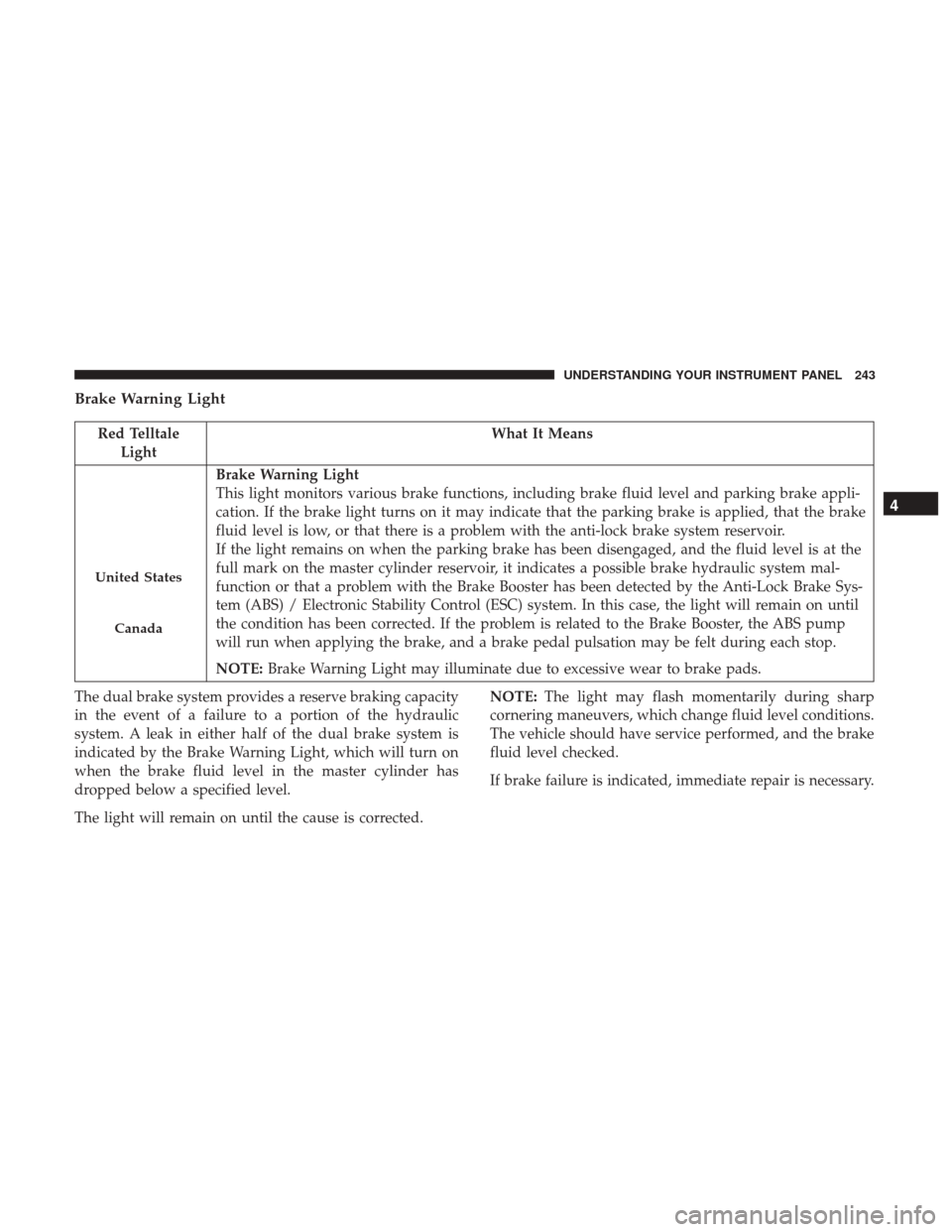
Brake Warning Light
Red TelltaleLight What It Means
United States
Canada
Brake Warning Light
This light monitors various brake functions, including brake fluid level and parking brake appli-
cation. If the brake light turns on it may indicate that the parking brake is applied, that the brake
fluid level is low, or that there is a problem with the anti-lock brake system reservoir.
If the light remains on when the parking brake has been disengaged, and the fluid level is at the
full mark on the master cylinder reservoir, it indicates a possible brake hydraulic system mal-
function or that a problem with the Brake Booster has been detected by the Anti-Lock Brake Sys-
tem (ABS) / Electronic Stability Control (ESC) system. In this case, the light will remain on until
the condition has been corrected. If the problem is related to the Brake Booster, the ABS pump
will run when applying the brake, and a brake pedal pulsation may be felt during each stop.
NOTE:
Brake Warning Light may illuminate due to excessive wear to brake pads.
The dual brake system provides a reserve braking capacity
in the event of a failure to a portion of the hydraulic
system. A leak in either half of the dual brake system is
indicated by the Brake Warning Light, which will turn on
when the brake fluid level in the master cylinder has
dropped below a specified level.
The light will remain on until the cause is corrected. NOTE:
The light may flash momentarily during sharp
cornering maneuvers, which change fluid level conditions.
The vehicle should have service performed, and the brake
fluid level checked.
If brake failure is indicated, immediate repair is necessary.
4
UNDERSTANDING YOUR INSTRUMENT PANEL 243