2017 DODGE GRAND CARAVAN sunroof
[x] Cancel search: sunroofPage 206 of 530
General Information
This device complies with FCC rules Part 15 and Industry
Canada RSS-210. Operation is subject to the following two
conditions:
1. This device may not cause harmful interference, and
2. This device must accept any interference received, in-cluding interference that may cause undesired opera-
tion.
NOTE:
• The transmitter has been tested and it complies with
FCC and IC rules. Changes or modifications not ex-
pressly approved by the party responsible for compli-
ance could void the user ’s authority to operate the
device.
• The term IC before the certification/registration number
only signifies that Industry Canada technical specifica-
tions were met.
POWER SUNROOF — IF EQUIPPED
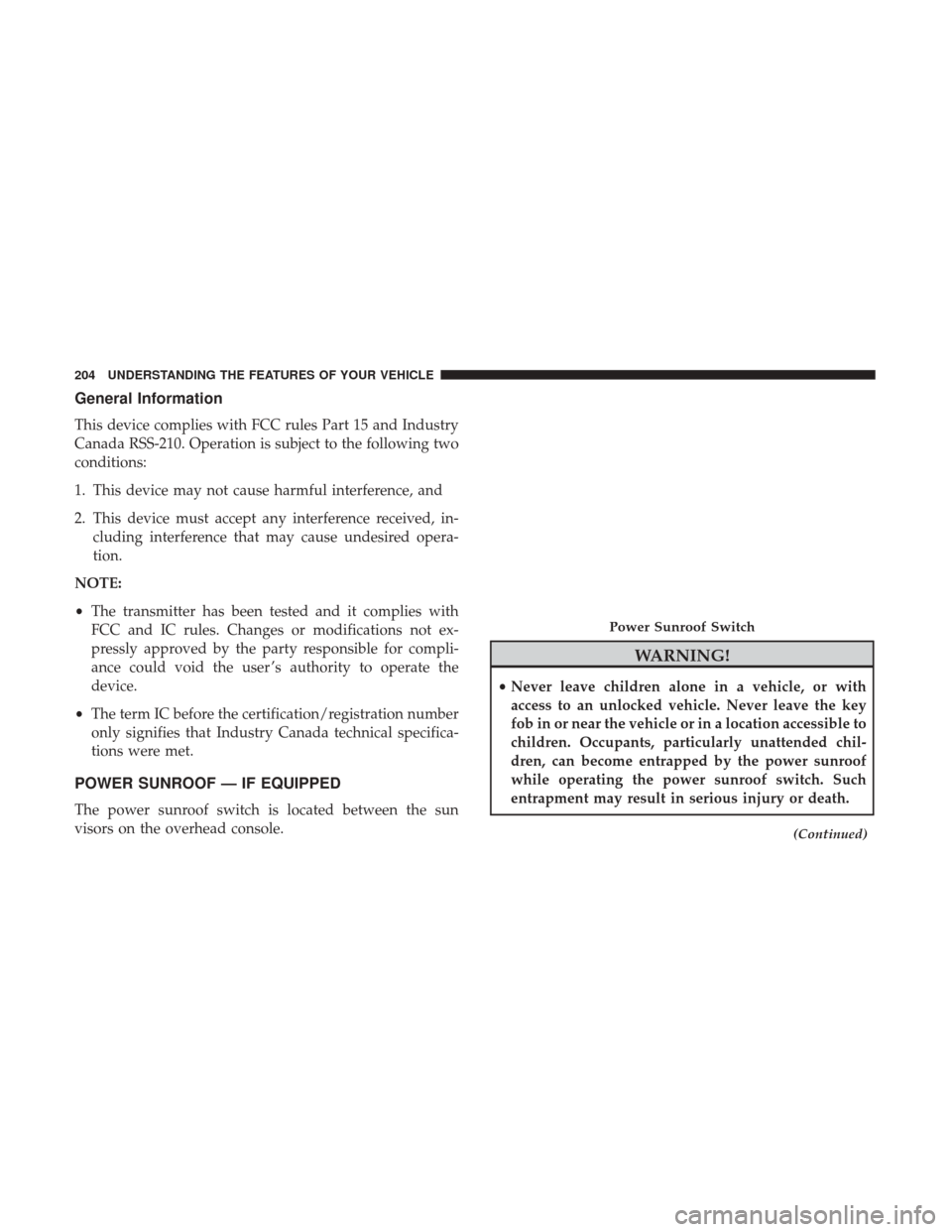
The power sunroof switch is located between the sun
visors on the overhead console.
WARNING!
•Never leave children alone in a vehicle, or with
access to an unlocked vehicle. Never leave the key
fob in or near the vehicle or in a location accessible to
children. Occupants, particularly unattended chil-
dren, can become entrapped by the power sunroof
while operating the power sunroof switch. Such
entrapment may result in serious injury or death.
(Continued)
Power Sunroof Switch
204 UNDERSTANDING THE FEATURES OF YOUR VEHICLE
Page 207 of 530
WARNING!(Continued)
•In a collision, there is greater risk of being thrown
from a vehicle with an open sunroof. You could also
be seriously injured or killed. Always fasten your
seat belt properly and make sure all passengers are
properly secured too.
• Do not allow small children to operate the sunroof.
Never allow your fingers, other body parts, or any
object to project through the sunroof opening. Injury
may result.
Opening Sunroof — Express
Push the switch rearward and release it within one-half
second. The sunroof and sunshade will open automatically
and stop when the full open position is reached. This is
called “Express Open.” During Express Open operation,
any other actuation of the sunroof switch will stop the
sunroof.
Opening Sunroof — Manual Mode
To open the sunroof, push and hold the switch rearward.
Sunroof will move rearward and automatically stop at full
open position. Any release of the switch will stop the movement. The sunroof and sunshade will remain in a
partially opened condition until the sunroof switch is
pushed again.
Closing Sunroof — Express
Push the switch forward and release it within one-half
second and the sunroof will close automatically from any
position. The sunroof will close fully and stop automati-
cally. This is called “Express Close.” During Express Close
operation, any other actuation of the switch will stop the
sunroof.
Closing Sunroof — Manual Mode
To close the sunroof, push and hold the switch forward.
Sunroof will move forward and automatically stop at full
closed position. Any release of the switch will stop the
movement and the sunroof will remain in a partially closed
condition until the sunroof switch is pushed again.
Pinch Protect Feature
This feature will detect an obstruction in the opening of the
sunroof during Express Close operation. If an obstruction
in the path of the sunroof is detected, the sunroof will
automatically retract. Remove the obstruction if this oc-
curs.
3
UNDERSTANDING THE FEATURES OF YOUR VEHICLE 205
Page 208 of 530
NOTE:If three consecutive sunroof close attempts result in
Pinch Protect reversals, Pinch Protect will disable and the
sunroof must be closed in Manual Mode.
Venting Sunroof — Express
Push and release the Vent button within one half second
and the sunroof will open to the vent position. This is
called “Express Vent” and it will occur regardless of
sunroof position. During Express Vent operation, any
movement of the switch will stop the sunroof.
Sunshade Operation
The sunshade can be opened manually. However, the
sunshade will open automatically as the sunroof opens.
NOTE: The sunshade cannot be closed if the sunroof is
open.
Wind Buffeting
Wind buffeting can be described as the perception of
pressure on the ears or a helicopter-type sound in the ears.
Your vehicle may exhibit wind buffeting with the windows
down, or the sunroof (if equipped) in certain open or
partially open positions. This is a normal occurrence and
can be minimized. If the buffeting occurs with the rear
windows open, open the front and rear windows together to minimize the buffeting. If the buffeting occurs with the
sunroof open, adjust the sunroof opening to minimize the
buffeting or open any window.
Sunroof Maintenance
Use only a non-abrasive cleaner and a soft cloth to clean the
glass panel.
Ignition Off Operation
For Vehicles Not Equipped With The Instrument Cluster
Display
The power sunroof switch will remain active for 45 seconds
after the ignition switch is turned to the LOCK position.
Opening either front door will cancel this feature.
For Vehicles Equipped With The Instrument Cluster
Display
The power sunroof switch will remain active for up to
approximately ten minutes after the ignition switch is
turned to the LOCK position. Opening either front door
will cancel this feature.
206 UNDERSTANDING THE FEATURES OF YOUR VEHICLE
Page 274 of 530
NOTE:Turning the headlights on during the daytime
causes the instrument panel lights to dim. To increase the
brightness, refer to “Lights” in “Understanding The Fea-
tures Of Your Vehicle.”
Intermittent Wiper Options — If Equipped
When ON is selected, the system will automatically acti-
vate the windshield wipers if it senses moisture on the
windshield. To make your selection, push and release the
RIGHT
arrow button until a check-mark appears
next to the feature showing the system has been acti-
vated or the check-mark is removed showing the system
has been deactivated. When the system is deactivated,
the system reverts to the standard intermittent wiper
operation.
Key-Off Power Delay
When this feature is selected, the power window switches,
radio, Uconnect phone (if equipped), DVD video system (if
equipped), power sunroof (if equipped), and power outlets
will remain active for up to 10 minutes after the ignition
switch is turned OFF. Opening either front vehicle door
will cancel this feature. To make your selection, scroll up or
down until the preferred setting is highlighted, then push and release the
RIGHT
arrow button until a check-
mark appears next to the setting, showing that the
setting has been selected.
Illuminated Approach
When this feature is selected, the headlights will activate
and remain on for up to 90 seconds when the doors are
unlocked with the key fob. To make your selection, scroll
up or down until the preferred setting is highlighted, then
push and release the RIGHT
arrow button until a
check-mark appears next to the setting, showing that
the setting has been selected.
Hill Start Assist (HSA) — If Equipped
When on is selected, the HSA system is active. Refer to
“Electronic Brake Control System” in “Starting And Oper-
ating” for system function and operating information. To
make your selection, push and release the RIGHT
ar-
row button until “ON” or “OFF” appears.
Flashers With Sliding Door
When this feature is selected, the signal lamps activate
when power or manual sliding doors are in operation,
signaling other drivers that someone may be exiting or
entering the vehicle. To make your selection, push and
release the RIGHT
arrow button until a check-mark
272 UNDERSTANDING YOUR INSTRUMENT PANEL
Page 489 of 530

Cavity Cartridge FuseMini-FuseDescription
J11 30 Amp Pink –Power Sliding Door Module/Anti–Theft Module
– If Equipped
J12 30 Amp Pink –HVAC Rear Blower, Radiator Fan Motor
J13 60 Amp Yellow –Ignition Off Draw (IOD) – Main
J14 40 Amp Green –Rear Window Defogger
J15 40 Amp Green – Front Blower
J17 40 Amp Green –Starter Solenoid
J18 20 Amp Blue –Powertrain Control Module Trans Range
J19 60 Amp Yellow – Radiator Fan
J20 30 Amp Pink –Front Wiper LO/HI
J21 20 Amp Blue –Front/Rear Washer
J22 25 Amp Clear –Sunroof Module
M1 –15 Amp Blue Rear Center Brake Lamp/Brake Switch
M2 –20 Amp Yellow Front Fog Lamps
M3 –20 Amp Yellow Vacuum Pump Motor
M5 –25 Amp Clear Inverter
M6 –20 Amp Yellow Power Outlet #1 (ACC), Rain Sensor, Cigar
Lighter (Instrument Panel or with Console Rear)
M7 –20 Amp Yellow Power Outlet #2 (BATT/ACC SELECT) – Center
Seat or with Console Rear
7
MAINTAINING YOUR VEHICLE 487
Page 523 of 530
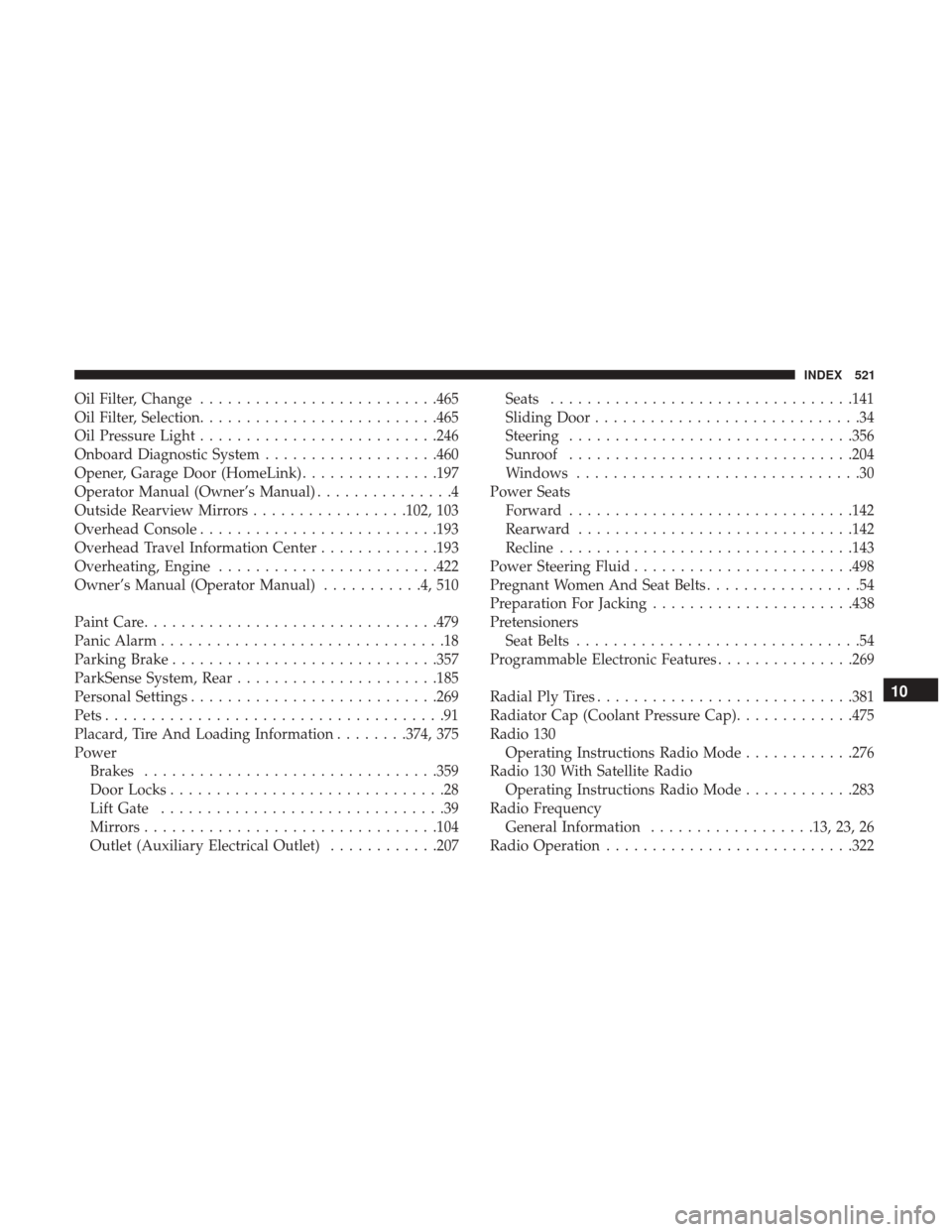
Oil Filter, Change..........................465
Oil Filter, Selection ..........................465
Oil Pressure Light ..........................246
Onboard Diagnostic System ...................460
Opener, Garage Door (HomeLink) ...............197
Operator Manual (Owner’s Manual) ...............4
Outside Rearview Mirrors .................102, 103
Overhead Console ..........................193
Overhead Travel Information Center .............193
Overheating, Engine ........................422
Owner’s Manual (Operator Manual) ...........4,510
Paint Care ............................... .479
Panic Alarm ...............................18
Parking Brake ............................ .357
ParkSense System, Rear ..................... .185
Personal Settings .......................... .269
Pets .....................................91
Placard, Tire And Loading Information ........374, 375
Power Brakes ............................... .359
Door Locks ..............................28
Lift Gate ...............................39
Mirrors ............................... .104
Outlet (Auxiliary Electrical Outlet) ............207Seats
.................................141
Sliding Door .............................34
Steering ...............................356
Sunroof ...............................204
Windows ...............................30
Power Seats Forward ...............................142
Rearward ............................. .142
Recline ............................... .143
Power Steering Fluid ........................498
Pregnant Women And Seat Belts .................54
Preparation For Jacking ..................... .438
Pretensioners Seat Belts ...............................54
Programmable Electronic Features ...............269
Radial Ply Tires ............................381
Radiator Cap
(Coolant Pressure Cap) .............475
Radio 130 Operating Instructions Radio Mode ............276
Radio 130 With Satellite Radio Operating Instructions Radio Mode ............283
Radio Frequency General Information ..................13, 23, 26
Radio Operation .......................... .32210
INDEX 521