Page 45 of 828

•Never leave children alone in a vehicle, or with access
to an unlocked vehicle. Allowing children to be in a
vehicle unattended is dangerous for a number of
reasons. A child or others could be seriously or fatally
injured. Children should be warned not to touch the
parking brake, brake pedal or the gear selector.
• Do not leave the Key Fob in or near the vehicle, or in
a location accessible to children, and do not leave the
ignition of a vehicle equipped with Keyless Enter-
N-Go in the ACC or ON/RUN mode. A child could
operate power windows, other controls, or move the
vehicle.
Central Lock/Unlock — If Equipped
A power door lock switch is on each front door trim
panel. Use this switch to lock or unlock the doors. If you push the power door lock switch while the ignition
is in the ACC or ON/RUN position, and any front door
is open, the power locks will not operate. This prevents
Driver Power Door Lock Switches
1 — Unlock Power Switch
2 — Lock Power Switch
3
GETTING TO KNOW YOUR VEHICLE 43
Page 46 of 828

you from accidentally locking your keys in the vehicle.
Placing the ignition in the OFF position or closing the
door will allow the locks to operate. A chime will sound
if the ignition is in the ACC or ON/RUN position and a
door is open, as a reminder to remove the RKE Key Fob.
If you push the power door lock switch while the sliding
door is open, the sliding door will lock.
Unlock Doors Automatically On Exit — If
Equipped
The Unlock Doors Automatically On Exit feature unlocks
all of the vehicle doors when any door is opened. This
will occur only after the gear selector has been placed
into the PARK position, after the vehicle has been driven
(the gear selector has been placed out of PARK and all
doors closed).
The Unlock Doors Automatically On Exit feature will not
operate if there is any manual operation of the power
door locks (lock or unlock).For further information, refer to
�Uconnect Settings” in
“Multimedia”.
Keyless Enter-N-Go — Passive Entry
The Passive Entry system is an enhancement to the
vehicle’s Remote Keyless Entry (RKE) system and a
feature of Keyless Enter-N-Go. This feature allows you to
lock and unlock the vehicle’s door(s) without having to
push the RKE key fob lock or unlock buttons.
NOTE:
• Passive Entry may be programmed ON/OFF, dis-
abling passive entry will also disable the hands free
sliding doors and liftgate closures. Refer to “Uconnect
Settings” in “Multimedia” for further information.
• If wearing gloves on your hands, or if it has been
raining on the Passive Entry door handle, the unlock
sensitivity can be affected, resulting in a slower re-
sponse time.
44 GETTING TO KNOW YOUR VEHICLE
Page 47 of 828
•If the vehicle is unlocked by Passive Entry and no door
is opened within 60 seconds, the vehicle will re-lock
and if equipped will arm the security alarm.
• If the child safety locks have been engaged the sliding
side doors can be unlocked from the outside using the
hands free RKE or Passive Entry system.
To Unlock From The Driver’s Side:
With a valid RKE key fob within 3ft (1 m) of the drivers
door handle, grab the drivers front door handle to unlock
the drivers side doors (driver/sliding door) automati-
cally. The interior door panel rocker knob will rotate
when the door is unlocked. NOTE:If “Unlock All Doors 1st Press” is programmed,
all doors and liftgate will unlock when you grab hold of
the driver ’s front door handle. To select between “Unlock
Driver Door 1st Press” and “Unlock All Doors 1st Press,”
refer to “Uconnect Settings” in “Multimedia” for further
information.
Grab The Door Handle To Unlock
3
GETTING TO KNOW YOUR VEHICLE 45
Page 48 of 828
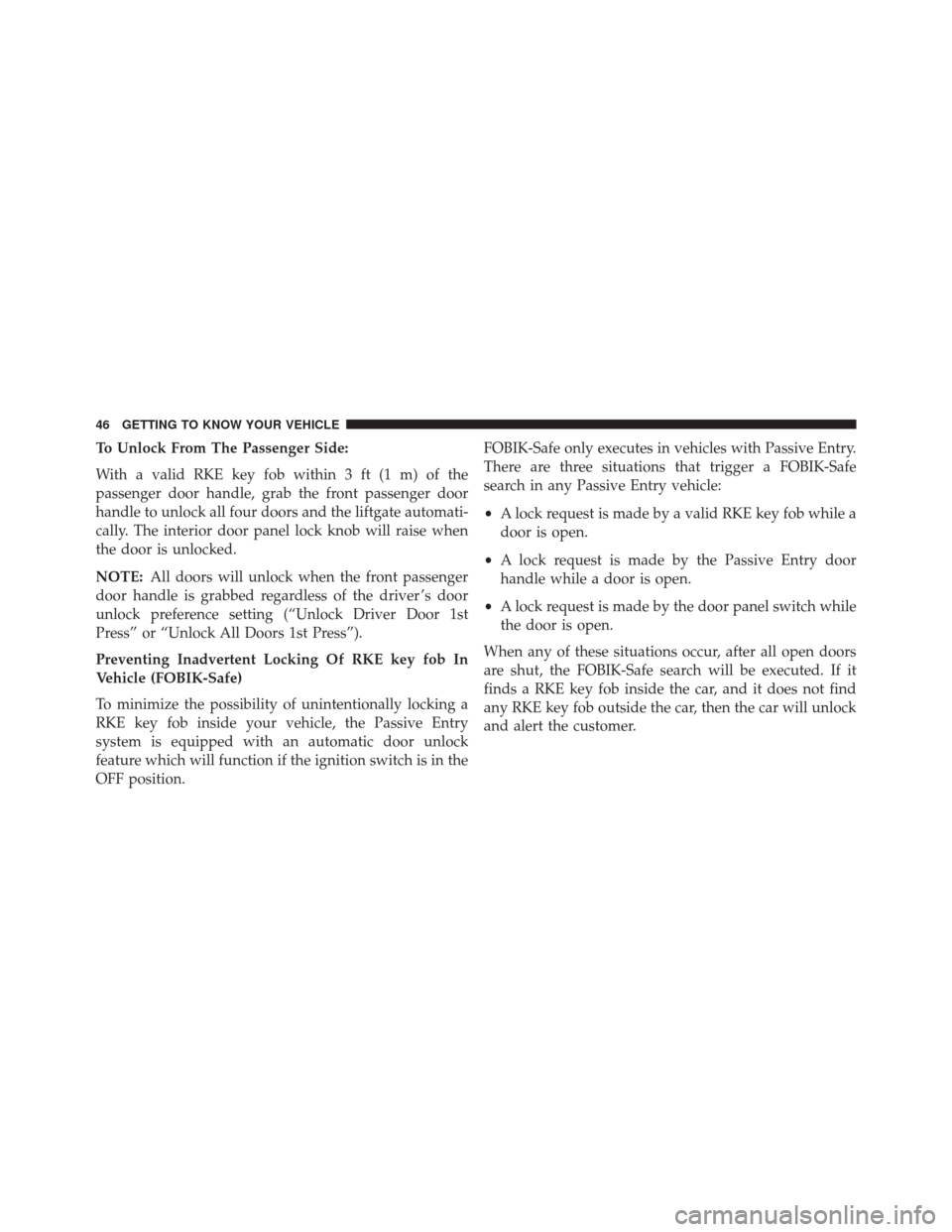
To Unlock From The Passenger Side:
With a valid RKE key fob within 3 ft (1 m) of the
passenger door handle, grab the front passenger door
handle to unlock all four doors and the liftgate automati-
cally. The interior door panel lock knob will raise when
the door is unlocked.
NOTE:All doors will unlock when the front passenger
door handle is grabbed regardless of the driver ’s door
unlock preference setting (“Unlock Driver Door 1st
Press” or “Unlock All Doors 1st Press”).
Preventing Inadvertent Locking Of RKE key fob In
Vehicle (FOBIK-Safe)
To minimize the possibility of unintentionally locking a
RKE key fob inside your vehicle, the Passive Entry
system is equipped with an automatic door unlock
feature which will function if the ignition switch is in the
OFF position. FOBIK-Safe only executes in vehicles with Passive Entry.
There are three situations that trigger a FOBIK-Safe
search in any Passive Entry vehicle:
•
A lock request is made by a valid RKE key fob while a
door is open.
• A lock request is made by the Passive Entry door
handle while a door is open.
• A lock request is made by the door panel switch while
the door is open.
When any of these situations occur, after all open doors
are shut, the FOBIK-Safe search will be executed. If it
finds a RKE key fob inside the car, and it does not find
any RKE key fob outside the car, then the car will unlock
and alert the customer.
46 GETTING TO KNOW YOUR VEHICLE
Page 49 of 828

NOTE:The vehicle will only unlock the doors when a
valid RKE key fob is detected inside the vehicle, and no
valid RKE key fob is detected outside the vehicle. The
vehicle will not unlock the doors when any of the
following conditions are met:
• The doors are manually locked using the door lock
knobs.
• There is a valid RKE key fob outside the vehicle and
within 3 ft (1 m) of either Passive Entry door handle.
• Three attempts are made to lock the doors using the
door panel switch and then close the doors.
NOTE: On the third attempt ALL doors will lock and
the RKE key fob can be locked in the vehicle. To Enter The Liftgate
With a valid RKE key fob within 3 ft (1 m) of the liftgate,
cycle the handle to open the liftgate and pull the liftgate
open with one fluid motion.
NOTE:
If “Unlock Driver Door 1st Press” is pro-
grammed, only the liftgate will unlock when the liftgate
release handle is pushed. If “Unlock All Doors 1st Press”
is programmed, all doors and the liftgate will unlock
when the liftgate release handle is pushed. To select
between “Unlock Driver Door 1st Press” and “Unlock All
Doors 1st Press,” refer to “Uconnect Settings” in “Multi-
media” for further information.
3
GETTING TO KNOW YOUR VEHICLE 47
Page 50 of 828
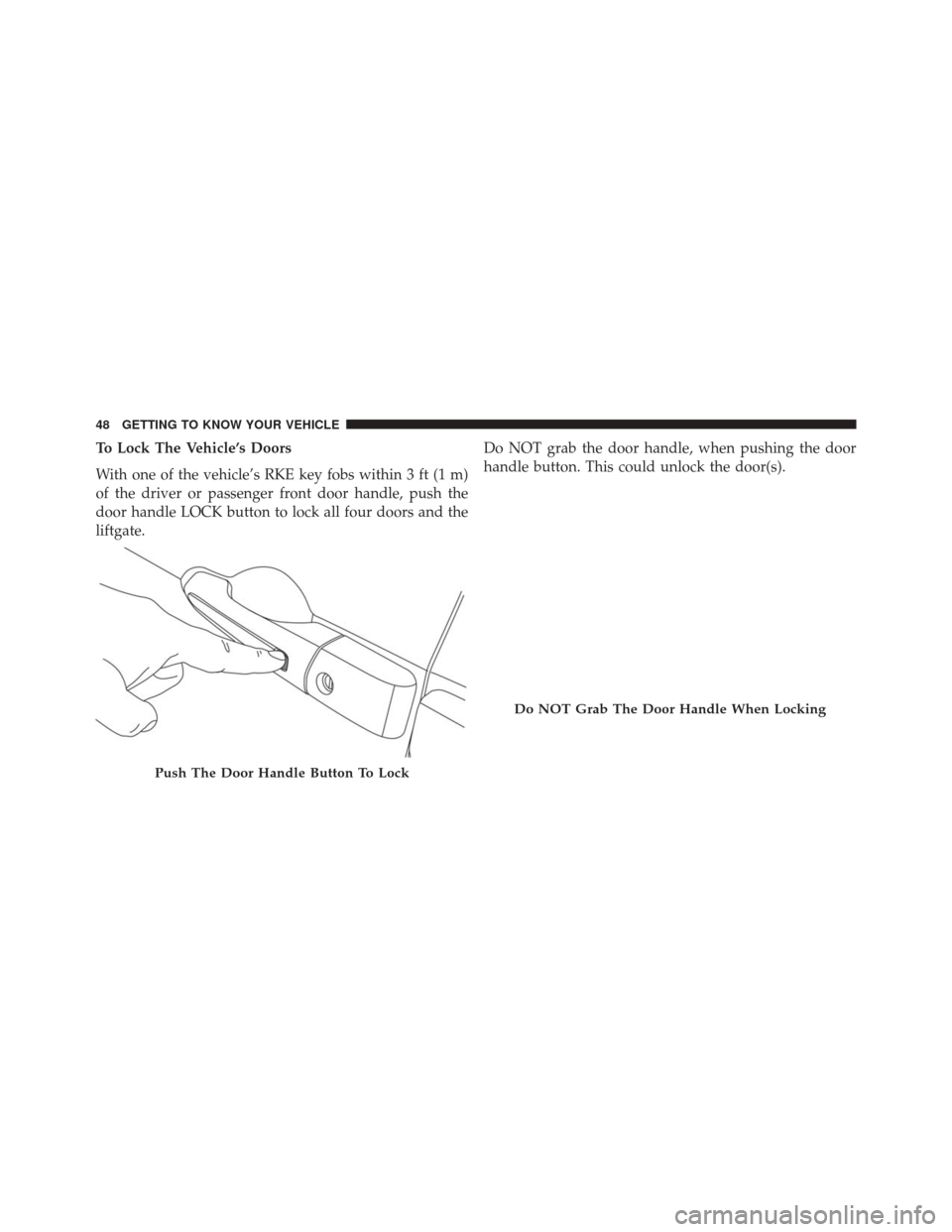
To Lock The Vehicle’s Doors
With one of the vehicle’s RKE key fobs within 3 ft (1 m)
of the driver or passenger front door handle, push the
door handle LOCK button to lock all four doors and the
liftgate.Do NOT grab the door handle, when pushing the door
handle button. This could unlock the door(s).
Push The Door Handle Button To Lock
Do NOT Grab The Door Handle When Locking
48 GETTING TO KNOW YOUR VEHICLE
Page 53 of 828

The power sliding door may be power opened or closed
in several ways:
•RKE key fob
• inside or outside handles
• the following buttons located
• in the overhead console
• just inside the sliding door
• on the outside handle
• Hands-Free Sliding Doors — If Equipped
Using any of the above ways:
• when the door is fully closed, the door will open.
• when the door is fully open, the door will close.
• when the door is moving, the door will reverse.
Push the button on the RKE key fob twice within five
seconds to open, close, or reverse a power sliding door. The RKE Key Fob and the overhead console button will
operate the door when the door is locked. All other ways
require the sliding door to be unlocked. If the vehicle is
equipped with Passive Entry, pressing the button on the
outside handle or Hands-Free feature (if equipped) will
unlock and open the sliding door, with a valid Passive
Entry RKE Key Fob within 3ft (1m) of the door handle.
NOTE:
Opening or closing the hands free sliding door (if
equipped) requires a valid RKE key fob within 3 ft (1 m)
of the door handle. If Passive Entry is turned off in the
Uconnect Settings this feature will not be functional.
To operate the sliding door manually with the handles or
to avoid unintentional operation of the power sliding
doors from the rear seats, push the power sliding door
power Off button, located in the overhead console, to
remove power to the handles and buttons just inside the
sliding doors. The power OFF LED, in the overhead
console, will be lit when the handles are manual. When
3
GETTING TO KNOW YOUR VEHICLE 51
Page 57 of 828

vehicle in the general location below the door handle(s).
Do not move your foot sideways or in a sweeping motion
or the sensors may not detect the motion.
NOTE:To open or close the Hands-Free Sliding Doors
requires a valid Passive Entry RKE Key Fob within 3 ft
(1 m) of the door handle. If a valid Passive Entry RKE
Key Fob is not within 3 ft (1 m), the door will not respond
to any kicks.
NOTE: The Hands-Free Sliding Doors feature may be
turned off through Uconnect Settings. Refer to “Uconnect
Settings” in “Multimedia” for further information. The
Hands-Free Sliding Doors feature should be turned off
during Jacking, Tire Changing, and Service.
NOTE:
• The sliding doors will not power open or close if the
gear selector is in gear or the vehicle speed is above
0 mph (0 km/h). •
If anything obstructs the power sliding doors while it
is closing or opening, the sliding doors will automati-
cally reverse to the closed or open position, provided it
meets sufficient resistance.
• If the power sliding doors encounters multiple ob-
structions within the same cycle, the system will
automatically stop. If this occurs, the liftgate must be
opened or closed manually.
Safe Lock Device — If Equipped
To provide a safer environment for small children riding
in the rear seats, the second row sliding door switches
may be overridden by pushing the OFF side of the Power
Switch located in the front overhead console.
When the power sliding door power switch is in the OFF
position, the power sliding side door may not be opened
or closed by pushing the switch located on the B-Pillar
trim panel, just in front of the sliding door or activating
the inside power sliding door handle.
3
GETTING TO KNOW YOUR VEHICLE 55