Page 406 of 828
![CHRYSLER PACIFICA 2017 2.G Owners Manual NOTE:The torque converter clutch will not engage until
the transmission fluid is warm (usually after 1 to 3 miles
[2 to 5 km] of driving). Because the engine speed is higher
when the torque converter](/manual-img/25/8503/w960_8503-405.png "CHRYSLER PACIFICA 2017 2.G Owners Manual NOTE:The torque converter clutch will not engage until
the transmission fluid is warm (usually after 1 to 3 miles
[2 to 5 km] of driving). Because the engine speed is higher
when the torque converter")
NOTE:The torque converter clutch will not engage until
the transmission fluid is warm (usually after 1 to 3 miles
[2 to 5 km] of driving). Because the engine speed is higher
when the torque converter clutch is not engaged, it may
seem as if the transmission is not shifting properly when
cold. This is normal. The torque converter clutch will
function normally once the transmission is sufficiently
warm.
ACTIVE NOISE CANCELLATION
Your vehicle is equipped with an Active Noise Cancella-
tion System. This system is designed to address exhaust
and engine noise. The system relies on four microphones
embedded in the headliner, which monitor exhaust and
engine noise, and assists an onboard frequency generator,
which creates counteracting sound waves in the audio
system’s speakers. This helps keep the vehicle quiet at
idle and during drive.
POWER STEERING
The electric power steering system will give you good
vehicle response and increased ease of maneuverability
in tight spaces. The system will vary its assist to provide
light efforts while parking and good feel while driving. If
the electric steering system experiences a fault that
reduces assist or prevents the vehicle from providing
assist, you will still have the ability to steer the vehicle
manually.
WARNING!
Continued operation with reduced assist could pose
a safety risk to yourself and others. Service should be
obtained as soon as possible.
404 STARTING AND OPERATING
Page 407 of 828
If the “SERVICE POWER STEERING�OR
�POWER STEERING ASSIST OFF - SERVICE
SYSTEM” message and a steering wheel icon
are displayed on the EVIC/DID screen, it indicates that
the vehicle needs to be taken to the dealer for service. It
is likely the vehicle has lost power steering assistance.
Refer to “Display” in “Getting To Know Your Instrument
Panel” for further information.
NOTE:
• Even if the power steering assistance is no longer
operational, it is still possible to steer the vehicle.
Under these conditions there will be a substantial
increase in steering effort, especially at low speeds and
during parking maneuvers.
• If the condition persists, see your authorized dealer for
service.SPEED CONTROL — IF EQUIPPED
When engaged, the Speed Control takes over accelerator
operations at speeds greater than 25 mph (40 km/h).
The Speed Control buttons are located on the right side of
the steering wheel.
6
STARTING AND OPERATING 405
Page 548 of 828

6. Reverse process to reinstall the lamp onto vehicle.
Center High-Mounted Stop Lamp (CHMSL)
The center high-mounted stop lamp is an LED assembly.
See your authorized dealer for replacement.
Rear License Lamp
The rear license lamps are LED. See your authorized
dealer for replacement.
FUSES
WARNING!
•When replacing a blown fuse, always use an ap-
propriate replacement fuse with the same amp
rating as the original fuse. Never replace a fuse
with another fuse of higher amp rating. Never
(Continued)
WARNING! (Continued)
replace a blown fuse with metal wires or any other
material. Failure to use proper fuses may result in
serious personal injury, fire and/or property dam-
age.
• Before replacing a fuse, make sure that the ignition
is off and that all the other services are switched off
and/or disengaged.
• If the replaced fuse blows again, contact an autho-
rized dealer.
• If a general protection fuse for safety systems (air
bag system, braking system), power unit systems
(engine system, gearbox system) or steering system
blows, contact an authorized dealer.
546 IN CASE OF EMERGENCY
Page 576 of 828
9. Remove the speed limit labelsticker from the Portable Air Com-
pressor and place it on the center of
the steering wheel.
10. Return the Portable Air Compressor to the foam tray and secure it with the strap. Store the foam tray in the
cargo area.WARNING!
•Do not lift or carry the Portable Air Compressor by
the hose.
• Always stow the Portable Air Compressor only in
the provided place.
• The metal end fitting from Power Plug may get hot
after use, so it should be handled carefully.
• Keep the Portable Air Compressor away from open
flames or heat source.
Tire Service Kit For Inflating Tire — If Equipped
Your vehicle may be equipped with a Tire Service Kit.
Use the Tire Service Kit located in the side compartment
of the cargo area to inflate the inflatable tire to 60 psi
(4.2 Bar).
574 IN CASE OF EMERGENCY
Page 593 of 828
If the tire inflates to the recommended pressure or is at
least 26 psi (1.8 Bar) pressure within 15 minutes:
NOTE:If the tire becomes over-inflated, push the Defla-
tion Button to reduce the tire pressure to the recom-
mended inflation pressure before continuing.
1. Push the Power Button to turn offthe Tire Service Kit. 2. Remove the speed limit label from
the Tire Service Kit and place
sticker on the steering wheel.
3. Immediately disconnect the Sealant Hose from the valve stem, reinstall the cap on the fitting at the end of
the hose, and place the Tire Service Kit in the vehicle
storage location. Proceed to “Drive Vehicle.”
7
IN CASE OF EMERGENCY 591
Page 596 of 828
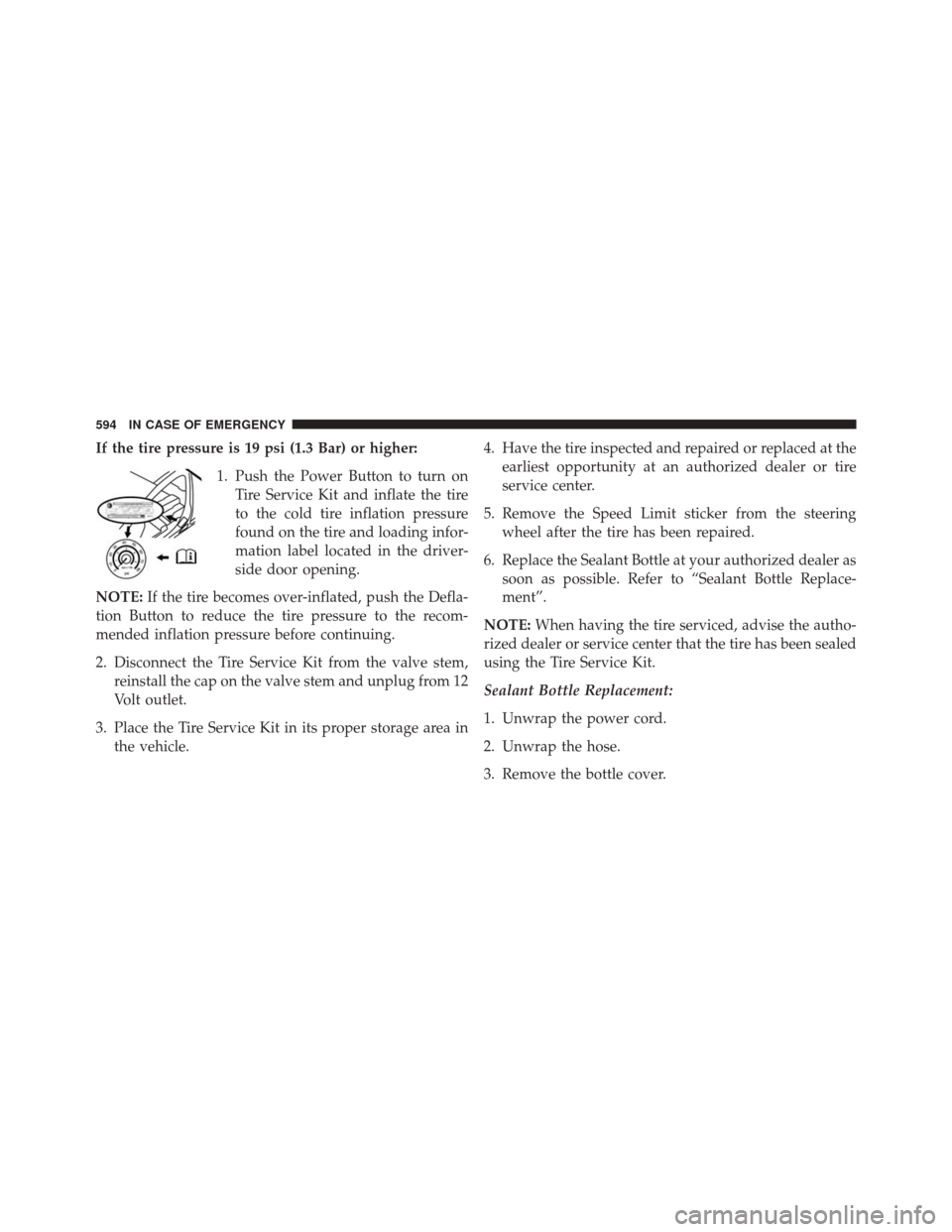
If the tire pressure is 19 psi (1.3 Bar) or higher:1. Push the Power Button to turn onTire Service Kit and inflate the tire
to the cold tire inflation pressure
found on the tire and loading infor-
mation label located in the driver-
side door opening.
NOTE: If the tire becomes over-inflated, push the Defla-
tion Button to reduce the tire pressure to the recom-
mended inflation pressure before continuing.
2. Disconnect the Tire Service Kit from the valve stem, reinstall the cap on the valve stem and unplug from 12
Volt outlet.
3. Place the Tire Service Kit in its proper storage area in the vehicle. 4. Have the tire inspected and repaired or replaced at the
earliest opportunity at an authorized dealer or tire
service center.
5. Remove the Speed Limit sticker from the steering wheel after the tire has been repaired.
6. Replace the Sealant Bottle at your authorized dealer as soon as possible. Refer to “Sealant Bottle Replace-
ment”.
NOTE: When having the tire serviced, advise the autho-
rized dealer or service center that the tire has been sealed
using the Tire Service Kit.
Sealant Bottle Replacement:
1. Unwrap the power cord.
2. Unwrap the hose.
3. Remove the bottle cover.
594 IN CASE OF EMERGENCY
Page 714 of 828

Key Fob UNLOCK button twice to unlock the passen-
ger’s doors. When “All” is selected, all of the doors will
unlock on the first press of the RKE Key Fob UNLOCK
button.
NOTE:If “All” is programmed, all doors will unlock no
matter which Passive Entry equipped door handle is
grasped. If “Driver” is programmed, only the driver ’s
door will unlock when the driver ’s door is grasped.
Touching the handle more than once will only result in
the driver ’s door opening once. If the driver door is
opened, the interior door lock/unlock switch can be used
to unlock all doors (or use RKE Key Fob).
Auto Comfort Systems — If Equipped
After pressing the “Auto-On Comfort & Remote Start”
button on the touchscreen the following settings will be
available: •
Auto-On Driver Heated/Ventilated Seat & Steering
Wheel With Vehicle Start — If Equipped
When this feature is selected the driver ’s heated seat and
heated steering wheel will automatically turn ON when
temperatures are below 40° F (4.4° C). When tempera-
tures are above 80° F (26.7° C) the driver vented seat will
turn ON. To make your selection, press the “Auto-On
Driver Heated/Ventilated Seat & Steering Wheel With
Vehicle Start” button to select from “Off,” “Remote Start”
or “All Starts” until a check-mark appears next to setting,
showing that setting has been selected.
Engine Off Options
After pressing the “Engine Off Options” button on the
touchscreen the following settings will be available.
• Engine Off Power Delay — If Equipped
When this feature is selected, the power window
switches, radio, Uconnect phone system (if equipped),
712 MULTIMEDIA
Page 738 of 828
touchscreen, until a check-mark appears next to the
setting, showing that the setting has been selected.
•Personal Settings Linked to Key Fob — If Equipped
This feature provides automatic recall of all settings
stored to a memory location (driver ’s seat, exterior
mirrors, steering column position and radio station pre-
sets) to enhance driver mobility when entering and
exiting the vehicle. To make your selection, press the
“Personal Settings Linked to Key Fob” button on the
touchscreen, until a check-mark appears next to the
setting, showing that the setting has been selected.
NOTE: The seat will return to the memorized seat
location (if Personal Settings Linked to Key Fob is set to
ON) when the Remote Keyless Entry (RKE) Key Fob is
used to unlock the door. •
Power Liftgate Alert
When this feature is selected, an alert plays when the
power liftgate is raising or lowering. To make your
selection, press the “Power Liftgate Alert” button on the
touchscreen, until a check-mark appears next to the
setting, showing that the setting has been selected.
• Hands Free Power Liftgate
When this feature is selected, hands free technology
automatically opens or closes the power liftgate. To make
your selection, press the “Hands Free Power Liftgate”
button on the touchscreen, until a check-mark appears
next to the setting, showing that the setting has been
selected.
736 MULTIMEDIA