2017 CHEVROLET TRAX steering
[x] Cancel search: steeringPage 206 of 373

Chevrolet TRAX Owner Manual (GMNA-Localizing-U.S./Canada/Mexico-
10122735) - 2017 - crc - 7/12/16
Driving and Operating 205
If the ignition becomes difficult to
turn, seeKeys (Keyless Access)
0 27 orKeys (Key Access) 025.
Ignition Positions
(Keyless Access)
The vehicle may be equipped with
an electronic keyless ignition with
pushbutton start.
The RKE transmitter must be in the
vehicle for the system to operate.
If the vehicle is not working, the
vehicle may be near a strong
antenna signal causing interference to the Keyless Access system. See
Remote Keyless Entry (RKE)
System Operation (Keyless Access)
0
31 orRemote Keyless Entry
(RKE) System Operation (Key
Access) 028.
To shift out of P (Park), the vehicle
must be in ACC/ACCESSORY or
ON/RUN and the brake must be
applied.
Stopping the Engine/LOCK/OFF
(No Indicator Lights) : When the
vehicle is stopped, press ENGINE
START/STOP once to turn the
engine off. If the vehicle is in
P (Park), the ignition will turn off,
and Retained Accessory Power
(RAP) will remain active. See
Retained Accessory Power
(RAP) 0210.
If the vehicle is not in P (Park), the
ignition will return to ACC/
ACCESSORY and the Driver
Information Center (DIC) will display
the message SHIFT TO PARK. See
Transmission Messages 0136.
When the vehicle is shifted into
P (Park), the ignition system will
switch to OFF. Do not turn the engine off when the
vehicle is moving. This will cause a
loss of power assist in the brake
and steering systems and disable
the airbags.
If the vehicle must be shut off in an
emergency:
1. Brake using a firm steady pressure. Do not pump the
brakes repeatedly. This may
deplete power assist, requiring
increased brake pedal force.
2. Shift the vehicle to N (Neutral). This can be done while the
vehicle is moving. After shifting
to N (Neutral), firmly apply the
brakes and steer the vehicle to
a safe location.
3. Come to a complete stop, shift to P (Park), and turn the
ignition to OFF. On vehicles
with an automatic transmission,
the shift lever must be in
P (Park) to turn the ignition
switch to the OFF position.
4. Set the parking brake. See Parking Brake 0219.
Page 207 of 373

Chevrolet TRAX Owner Manual (GMNA-Localizing-U.S./Canada/Mexico-
10122735) - 2017 - crc - 7/12/16
206 Driving and Operating
{Warning
Turning off the vehicle while
moving may cause loss of power
assist in the brake and steering
systems and disable the airbags.
While driving, only shut the
vehicle off in an emergency.
If the vehicle cannot be pulled over,
and must be shut off while driving,
press and hold ENGINE START/
STOP for longer than two seconds,
or press twice in five seconds.
ACC/ACCESSORY (Amber
Indicator Light) : This mode allows
you to use some electrical
accessories when the engine is off.
With the ignition off, pressing
ENGINE START/STOP one time
without the brake pedal applied will
place the ignition system in ACC/
ACCESSORY.
The ignition will switch from ACC/
ACCESSORY to OFF after
five minutes to prevent battery
rundown. ON/RUN/START (Green Indicator
Light) :
This mode is for driving and
starting. With the ignition off, and
the brake pedal applied, pressing
ENGINE START/STOP once will
place the ignition system in ON/
RUN/Start.
Once engine cranking begins,
release ENGINE START/STOP.
Engine cranking will continue until
the engine starts. See Starting the
Engine 0206.
The engine will then remain in
ON/RUN.
Service Only Mode : This power
mode is available for service and
diagnostics, and to verify the proper
operation of the malfunction
indicator lamp as may be required
for emission inspection purposes.
With the vehicle off, and the brake
pedal not applied, pressing and
holding ENGINE START/STOP for
more than five seconds will place
the vehicle in Service Only Mode. The instruments and audio system
will operate as they do in ON/RUN,
but the vehicle will not be able to be
driven. The engine will not start in
Service Only Mode.
Press ENGINE START/STOP again
to turn the vehicle off.
Starting the Engine
Place the transmission in the
proper gear.
Caution
If you add electrical parts or
accessories, you could change
the way the engine operates. Any
resulting damage would not be
covered by the vehicle warranty.
See
Add-On Electrical
Equipment 0237.
Page 208 of 373

Chevrolet TRAX Owner Manual (GMNA-Localizing-U.S./Canada/Mexico-
10122735) - 2017 - crc - 7/12/16
Driving and Operating 207
Caution
If the steering wheel is turned
until it reaches the end of its
travel, and is held in that position
while starting the vehicle, damage
may occur to the hydraulic power
steering system and there may be
loss of power steering assist.
Automatic Transmission
Move the shift lever to P (Park) or
N (Neutral). To restart the vehicle
when it is already moving, use
N (Neutral) only.
Caution
Do not try to shift to P (Park) if the
vehicle is moving. If you do, you
could damage the transmission.
Shift to P (Park) only when the
vehicle is stopped. Manual Transmission
The shift lever should be in Neutral
and the parking brake engaged.
Hold the clutch pedal down to the
floor and start the engine.
Starting Procedure (Key Access)
1. With your foot off the accelerator pedal, turn the
ignition key to START. When
the engine starts, let go of the
ignition.
The idle speed will go down as
the engine gets warm. Do not
race the engine immediately
after starting it. Operate the
engine and transmission gently
to allow the oil to warm up and
lubricate all moving parts.
Caution
Cranking the engine for long
periods of time, by returning the
ignition to the START position
immediately after cranking has
ended, can overheat and damage
the cranking motor, and drain the
(Continued)
Caution (Continued)
battery. Wait at least 15 seconds
between each try, to let the
cranking motor cool down.
2. If the engine does not start after five to 10 seconds,
especially in very cold weather
(below −18 °C or 0 °F), it could
be flooded with too much
gasoline. Try pushing the
accelerator pedal all the way to
the floor and holding it there as
you hold the key in START for
up to a maximum of
15 seconds. Wait at least
15 seconds between each try,
to allow the cranking motor to
cool down. When the engine
starts, let go of the key and the
accelerator. If the vehicle starts
briefly but then stops again, do
the same thing. This clears the
extra gasoline from the engine.
Do not race the engine
immediately after starting it.
Operate the engine and
Page 220 of 373

Chevrolet TRAX Owner Manual (GMNA-Localizing-U.S./Canada/Mexico-
10122735) - 2017 - crc - 7/12/16
Driving and Operating 219
Brakes
Antilock Brake
System (ABS)
Antilock Brake System (ABS) (if
equipped) is an advanced electronic
braking system that helps prevent a
braking skid.
When the vehicle begins to drive
away, ABS checks itself.
A momentary motor or clicking noise
might be heard while this test is
going on, and it might even be
noticed that the brake pedal moves
a little. This is normal.
If there is a problem with the ABS,
this warning light stays on. See
Antilock Brake System (ABS)
Warning Light0119. If driving safely on a wet road and it
becomes necessary to slam on the
brakes and continue braking to
avoid a sudden obstacle, a
computer senses that the wheels
are slowing down. If one of the
wheels is about to stop rolling, the
computer will separately work the
brakes at each wheel.
ABS can change the brake pressure
to each wheel, as required, faster
than any driver could. This can help
you steer around the obstacle while
braking hard.
As the brakes are applied, the
computer keeps receiving updates
on wheel speed and controls
braking pressure accordingly.
Remember: ABS does not change
the time needed to get a foot up to
the brake pedal or always decrease
stopping distance. If you get too
close to the vehicle in front of you,
there will not be enough time to
apply the brakes if that vehicle
suddenly slows or stops. Always
leave enough room up ahead to
stop, even with ABS.
Using ABS
Do not pump the brakes. Just hold
the brake pedal down firmly and let
ABS work. You might hear the ABS
pump or motor operating and feel
the brake pedal pulsate, but this is
normal.
Braking in Emergencies
ABS allows you to steer and brake
at the same time. In many
emergencies, steering can help
more than even the very best
braking.
Parking Brake
Page 229 of 373

Chevrolet TRAX Owner Manual (GMNA-Localizing-U.S./Canada/Mexico-
10122735) - 2017 - crc - 7/12/16
228 Driving and Operating
Turning the System On and Off
The RPA system can be turned on
and off using the infotainment
system controls. SeeVehicle
Personalization 0137.
When the System Does Not
Seem to Work Properly
This light may come on for the
following reasons:
.
The sensors are not clean. Keep
the vehicle's rear bumper free of
mud, dirt, snow, ice, and slush.
For cleaning instructions, see
Exterior Care 0311.
. The parking assist sensors are
covered by frost or ice. Frost or
ice can form around and behind
the sensors and may not always
be seen; this can occur after washing the vehicle in cold
weather. The light may not clear
until the frost or ice has melted.
. An object was hanging out of the
liftgate during the last drive
cycle. Once the object is
removed, RPA will return to
normal operation.
. The bumper is damaged. Take
the vehicle to your dealer to
repair the system.
. Other conditions, such as
vibrations from a jackhammer or
the compression of air brakes on
a very large truck, are affecting
system performance.
If the above conditions do not exist,
take the vehicle to your dealer to
repair the system.
Forward Collision Alert
(FCA) System
If equipped, the FCA system may
help to avoid or reduce the harm
caused by front-end crashes. When
approaching a vehicle ahead too
quickly, FCA provides a flashing red
alert on the windshield and rapidly beeps. FCA also lights an amber
visual alert if following another
vehicle much too closely.
FCA detects vehicles within a
distance of approximately 60 m
(197 ft) and operates at speeds
above 40 km/h (25 mph).
{Warning
FCA is a warning system and
does not apply the brakes. When
approaching a slower-moving or
stopped vehicle ahead too rapidly,
or when following a vehicle too
closely, FCA may not provide a
warning with enough time to help
avoid a crash. It also may not
provide any warning at all. FCA
does not warn of pedestrians,
animals, signs, guardrails,
bridges, construction barrels,
or other objects. Be ready to take
action and apply the brakes. See
Defensive Driving
0193.
FCA can be disabled with the FCA
steering wheel control.
Page 230 of 373
Chevrolet TRAX Owner Manual (GMNA-Localizing-U.S./Canada/Mexico-
10122735) - 2017 - crc - 7/12/16
Driving and Operating 229
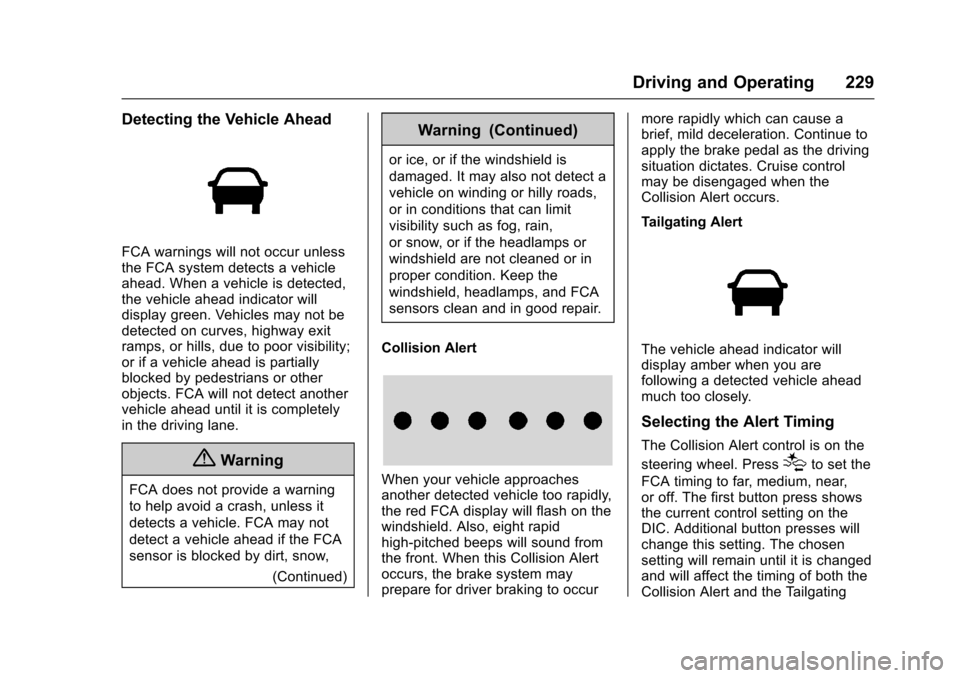
Detecting the Vehicle Ahead
FCA warnings will not occur unless
the FCA system detects a vehicle
ahead. When a vehicle is detected,
the vehicle ahead indicator will
display green. Vehicles may not be
detected on curves, highway exit
ramps, or hills, due to poor visibility;
or if a vehicle ahead is partially
blocked by pedestrians or other
objects. FCA will not detect another
vehicle ahead until it is completely
in the driving lane.
{Warning
FCA does not provide a warning
to help avoid a crash, unless it
detects a vehicle. FCA may not
detect a vehicle ahead if the FCA
sensor is blocked by dirt, snow,(Continued)
Warning (Continued)
or ice, or if the windshield is
damaged. It may also not detect a
vehicle on winding or hilly roads,
or in conditions that can limit
visibility such as fog, rain,
or snow, or if the headlamps or
windshield are not cleaned or in
proper condition. Keep the
windshield, headlamps, and FCA
sensors clean and in good repair.
Collision Alert
When your vehicle approaches
another detected vehicle too rapidly,
the red FCA display will flash on the
windshield. Also, eight rapid
high-pitched beeps will sound from
the front. When this Collision Alert
occurs, the brake system may
prepare for driver braking to occur more rapidly which can cause a
brief, mild deceleration. Continue to
apply the brake pedal as the driving
situation dictates. Cruise control
may be disengaged when the
Collision Alert occurs.
Tailgating Alert
The vehicle ahead indicator will
display amber when you are
following a detected vehicle ahead
much too closely.
Selecting the Alert Timing
The Collision Alert control is on the
steering wheel. Press
[to set the
FCA timing to far, medium, near,
or off. The first button press shows
the current control setting on the
DIC. Additional button presses will
change this setting. The chosen
setting will remain until it is changed
and will affect the timing of both the
Collision Alert and the Tailgating
Page 239 of 373

Chevrolet TRAX Owner Manual (GMNA-Localizing-U.S./Canada/Mexico-
10122735) - 2017 - crc - 7/12/16
238 Vehicle Care
Vehicle Care
General Information
General Information . . . . . . . . . . 239
California Proposition65 Warning . . . . . . . . . . . . . . . . . 239
California Perchlorate Materials Requirements . . . . . 239
Accessories and Modifications . . . . . . . . . . . . . . . . 240
Vehicle Checks
Doing Your OwnService Work . . . . . . . . . . . . . . . 240
Hood . . . . . . . . . . . . . . . . . . . . . . . . . 241
Engine Compartment Overview . . . . . . . . . . . . . . . . . . . . 243
Engine Oil . . . . . . . . . . . . . . . . . . . . 246
Engine Oil Life System . . . . . . . 248
Automatic Transmission Fluid . . . . . . . . . . . . . . . . . . . . . . . . 249
Manual Transmission Fluid . . . 250
Hydraulic Clutch . . . . . . . . . . . . . . 250
Engine Air Cleaner/Filter . . . . . . 250
Cooling System . . . . . . . . . . . . . . 251
Engine Coolant . . . . . . . . . . . . . . . 253
Engine Overheating . . . . . . . . . . 255
Power Steering Fluid (1.4L L4 Engine) . . . . . . . . . . . . . . . . . . . . . 257 Power Steering Fluid (1.8L L4
Engine) . . . . . . . . . . . . . . . . . . . . . 257
Washer Fluid . . . . . . . . . . . . . . . . . 257
Brakes . . . . . . . . . . . . . . . . . . . . . . . 258
Brake Fluid . . . . . . . . . . . . . . . . . . . 259
Battery - North America . . . . . . 260
All-Wheel Drive . . . . . . . . . . . . . . . 261
Starter Switch Check . . . . . . . . . 261
Automatic Transmission Shift Lock Control Function
Check . . . . . . . . . . . . . . . . . . . . . . . 262
Ignition Transmission Lock Check . . . . . . . . . . . . . . . . . . . . . . . 262
Park Brake and P (Park) Mechanism Check . . . . . . . . . . 262
Wiper Blade Replacement . . . . 263
Headlamp Aiming
Headlamp Aiming . . . . . . . . . . . . 264
Bulb Replacement
Bulb Replacement . . . . . . . . . . . . 264
Halogen Bulbs . . . . . . . . . . . . . . . . 264
LED Lighting . . . . . . . . . . . . . . . . . 264
Headlamps, Front Turn Signal and Parking Lamps . . . . . . . . . 265
Fog Lamps . . . . . . . . . . . . . . . . . . . 268 Taillamps, Turn Signal,
Sidemarker, Stoplamps, and
Back-Up Lamps . . . . . . . . . . . . . 268
License Plate Lamp . . . . . . . . . . 270
Replacement Bulbs . . . . . . . . . . . 271
Electrical System
Electrical System Overload . . . 272
Fuses and Circuit Breakers . . . 272
Engine Compartment Fuse Block . . . . . . . . . . . . . . . . . . . . . . . . 273
Instrument Panel Fuse Block . . . . . . . . . . . . . . . . . . . . . . . . 276
Rear Compartment Fuse Block . . . . . . . . . . . . . . . . . . . . . . . . 278
Wheels and Tires
Tires . . . . . . . . . . . . . . . . . . . . . . . . . . 279
All-Season Tires . . . . . . . . . . . . . . 280
Winter Tires . . . . . . . . . . . . . . . . . . 280
Tire Sidewall Labeling . . . . . . . . 281
Tire Designations . . . . . . . . . . . . . 283
Tire Terminology andDefinitions . . . . . . . . . . . . . . . . . . 283
Tire Pressure . . . . . . . . . . . . . . . . . 286
Tire Pressure Monitor System . . . . . . . . . . . . . . . . . . . . . . 287
Tire Pressure Monitor Operation . . . . . . . . . . . . . . . . . . . 288
Tire Inspection . . . . . . . . . . . . . . . . 291
Tire Rotation . . . . . . . . . . . . . . . . . 291
Page 247 of 373

Chevrolet TRAX Owner Manual (GMNA-Localizing-U.S./Canada/Mexico-
10122735) - 2017 - crc - 7/12/16
246 Vehicle Care
1.Engine Air Cleaner/Filter 0250.
2. Power Steering Fluid Reservoir. See Power Steering
Fluid (1.4L L4 Engine) 0257
or Power Steering Fluid (1.8L
L4 Engine) 0257.
3. Engine Oil Dipstick. See Engine Oil 0246.
4. Engine Cooling Fan (Out of View). See Cooling
System 0251.
5. Engine Oil Fill Cap. See Engine Oil 0246.
6. Engine Coolant Surge Tank and Pressure Cap. See
Cooling System 0251.
7. Brake/Clutch Fluid Reservoir. See Brake Fluid 0259 and
Hydraulic Clutch 0250.
8. Auxiliary Fuse Block. See Engine Compartment Fuse
Block 0273.
9. Battery - North America 0260.
10. Windshield Washer Fluid Reservoir. See Washer
Fluid 0257. 11.
Engine Compartment Fuse
Block 0273.
Engine Oil
To ensure proper engine
performance and long life, careful
attention must be paid to engine oil.
Following these simple, but
important steps will help protect
your investment:
.
Use engine oil approved to the
proper specification and of the
proper viscosity grade. See
“Selecting the Right Engine Oil”
in this section.
. Check the engine oil level
regularly and maintain the
proper oil level. See “Checking
Engine Oil” and“When to Add
Engine Oil” in this section.
. Change the engine oil at the
appropriate time. See Engine Oil
Life System 0248.
. Always dispose of engine oil
properly. See “What to Do with
Used Oil” in this section.
Checking Engine Oil
Check the engine oil level regularly,
every 650 km (400 mi), especially
prior to a long trip. The engine oil
dipstick handle is a loop. See
Engine Compartment Overview
0243 for the location.
{Warning
The engine oil dipstick handle
may be hot; it could burn you.
Use a towel or glove to touch the
dipstick handle.
If a low oil Driver Information Center
(DIC) message displays, check the
oil level.
Follow these guidelines:
. To get an accurate reading, park
the vehicle on level ground.
Check the engine oil level after
the engine has been off for at
least two hours. Checking the
engine oil level on steep grades
or too soon after engine shutoff
can result in incorrect readings.
Accuracy improves when