2017 CHEVROLET SUBURBAN key
[x] Cancel search: keyPage 65 of 465
Chevrolet Tahoe/Suburban Owner Manual (GMNA-Localizing-U.S./Canada/
Mexico-9955986) - 2017 - crc - 7/5/16
64 Keys, Doors, and Windows
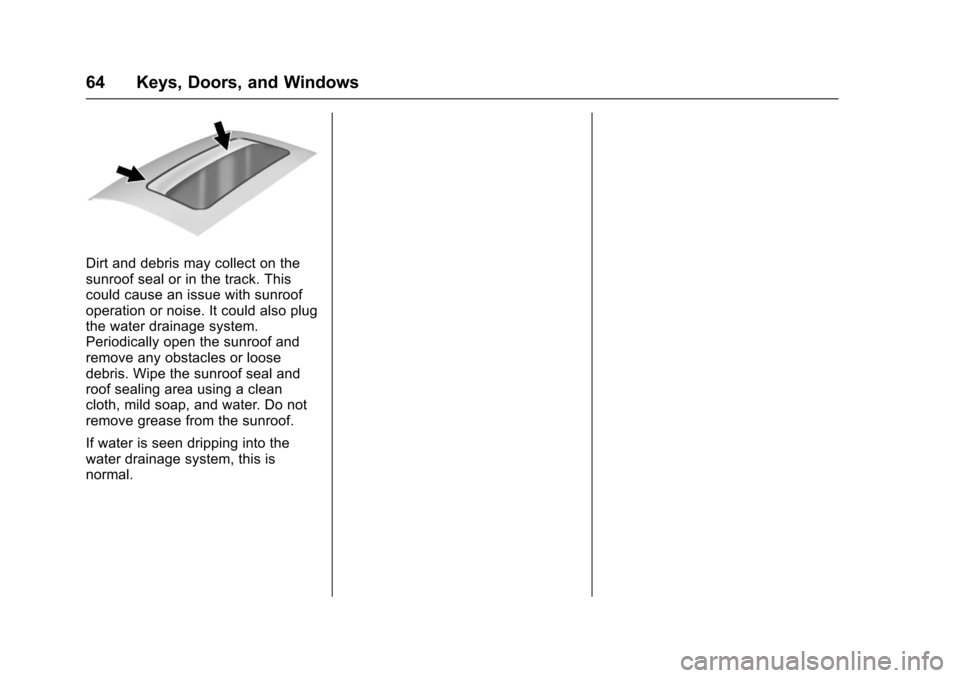
Dirt and debris may collect on the
sunroof seal or in the track. This
could cause an issue with sunroof
operation or noise. It could also plug
the water drainage system.
Periodically open the sunroof and
remove any obstacles or loose
debris. Wipe the sunroof seal and
roof sealing area using a clean
cloth, mild soap, and water. Do not
remove grease from the sunroof.
If water is seen dripping into the
water drainage system, this is
normal.
Page 80 of 465
Chevrolet Tahoe/Suburban Owner Manual (GMNA-Localizing-U.S./Canada/
Mexico-9955986) - 2017 - crc - 7/5/16
Seats and Restraints 79
1. Pull the seat down until bothsides of the seat are latched to
the floor. Make sure the seat is
securely latched to the floor
before raising the seatback.
If both sides are not latched to
the floor, the seatback will not
raise.
2. Lift the seatback and push it rearward. Push and pull on the
seatback to make sure it is
locked.
Third Row Seats
Folding the Seatback
Caution
Folding a rear seat with the safety
belts still fastened may cause
damage to the seat or the safety
belts. Always unbuckle the safety
belts and return them to their
normal stowed position before
folding a rear seat. On third row seats (if equipped), the
seatbacks can be folded to increase
cargo space.
Manual Operation
To fold the seatback (if equipped):
1. Open the liftgate.
2. Make sure that there is nothing under, in front of, or on
the seat.
3. Make sure the second row seatbacks are in the upright
position.
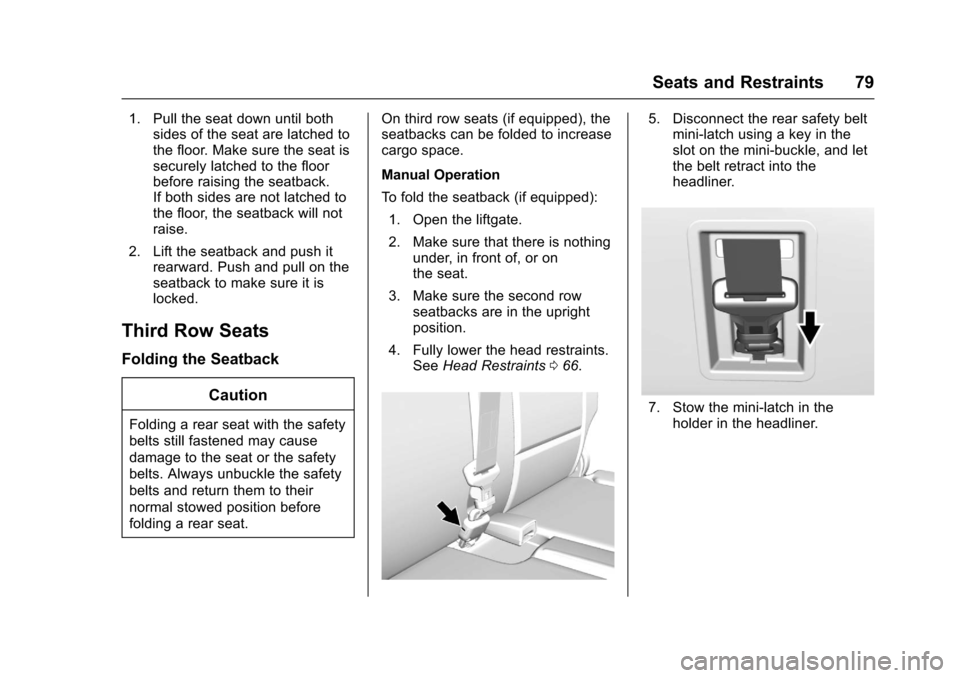
4. Fully lower the head restraints. See Head Restraints 066.
5. Disconnect the rear safety belt
mini-latch using a key in the
slot on the mini-buckle, and let
the belt retract into the
headliner.
7. Stow the mini-latch in the
holder in the headliner.
Page 81 of 465
Chevrolet Tahoe/Suburban Owner Manual (GMNA-Localizing-U.S./Canada/
Mexico-9955986) - 2017 - crc - 7/5/16
80 Seats and Restraints
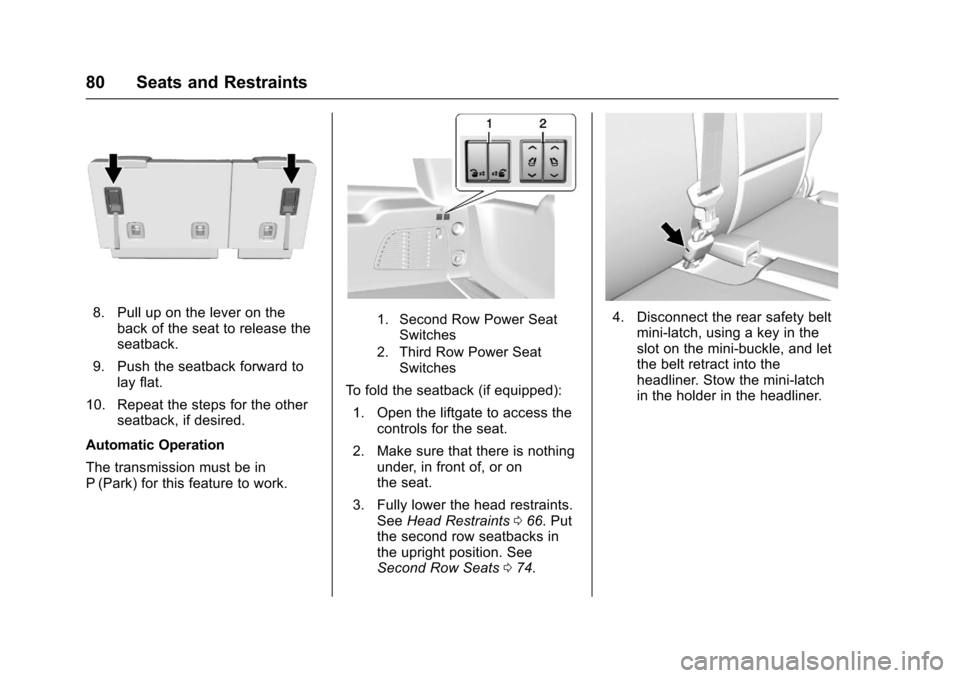
8. Pull up on the lever on theback of the seat to release the
seatback.
9. Push the seatback forward to lay flat.
10. Repeat the steps for the other seatback, if desired.
Automatic Operation
The transmission must be in
P (Park) for this feature to work.1. Second Row Power Seat Switches
2. Third Row Power Seat Switches
To fold the seatback (if equipped):
1. Open the liftgate to access the controls for the seat.
2. Make sure that there is nothing under, in front of, or on
the seat.
3. Fully lower the head restraints. See Head Restraints 066. Put
the second row seatbacks in
the upright position. See
Second Row Seats 074.
4. Disconnect the rear safety belt
mini-latch, using a key in the
slot on the mini-buckle, and let
the belt retract into the
headliner. Stow the mini-latch
in the holder in the headliner.
Page 90 of 465
Chevrolet Tahoe/Suburban Owner Manual (GMNA-Localizing-U.S./Canada/
Mexico-9955986) - 2017 - crc - 7/5/16
Seats and Restraints 89
3. Be sure that the belt is nottwisted and it lies flat. The
elastic cord must be behind the
belt with the plastic guide on
the front.
4. Buckle, position, and release
the safety belt as described
previously in this section. Make
sure the shoulder portion of the
belt is on the shoulder and not
falling off of it. The belt should
be close to, but not contacting,
the neck. To remove and store the comfort
guide, squeeze the belt edges
together so that the safety belt can
be removed from the guide. Slide
the guide onto its storage clip.
Third Row Seating Positions
Comfort guides are available
through your dealer for third row
seating positions. Instructions are
included with the guides.
Safety Belt Use During
Pregnancy
Safety belts work for everyone,
including pregnant women. Like all
occupants, they are more likely to
be seriously injured if they do not
wear safety belts.
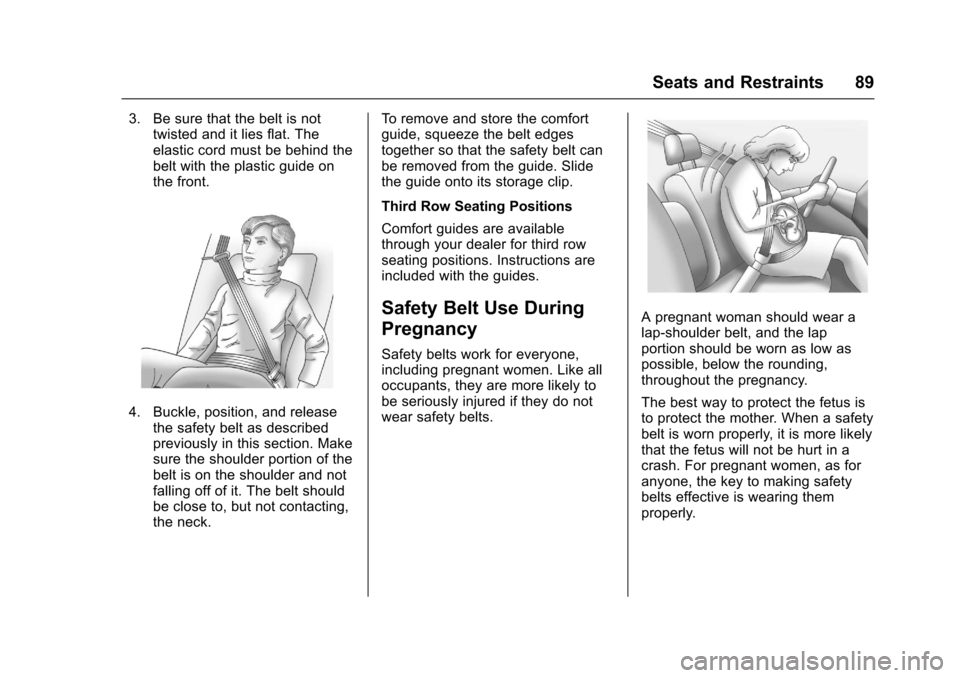
A pregnant woman should wear a
lap-shoulder belt, and the lap
portion should be worn as low as
possible, below the rounding,
throughout the pregnancy.
The best way to protect the fetus is
to protect the mother. When a safety
belt is worn properly, it is more likely
that the fetus will not be hurt in a
crash. For pregnant women, as for
anyone, the key to making safety
belts effective is wearing them
properly.
Page 130 of 465
Chevrolet Tahoe/Suburban Owner Manual (GMNA-Localizing-U.S./Canada/
Mexico-9955986) - 2017 - crc - 7/5/16
Instruments and Controls 129
Instruments and
Controls
Controls
Steering Wheel Adjustment . . . 130
Steering Wheel Controls . . . . . . 131
Heated Steering Wheel . . . . . . . 132
Horn . . . . . . . . . . . . . . . . . . . . . . . . . . 132
Windshield Wiper/Washer . . . . 132
Rear Window Wiper/Washer . . . . . . . . . . . . . . . . . . . . . 134
Compass . . . . . . . . . . . . . . . . . . . . . 135
Clock . . . . . . . . . . . . . . . . . . . . . . . . . 135
Power Outlets . . . . . . . . . . . . . . . . 136
Wireless Charging . . . . . . . . . . . . 138
Warning Lights, Gauges, and
Indicators
Warning Lights, Gauges, and Indicators . . . . . . . . . . . . . . . . . . . 140
Instrument Cluster . . . . . . . . . . . . 141
Speedometer . . . . . . . . . . . . . . . . . 145
Odometer . . . . . . . . . . . . . . . . . . . . . 145
Trip Odometer . . . . . . . . . . . . . . . . 145
Tachometer . . . . . . . . . . . . . . . . . . . 145
Fuel Gauge . . . . . . . . . . . . . . . . . . . 145
Engine Oil Pressure
Gauge . . . . . . . . . . . . . . . . . . . . . . 146 Engine Coolant Temperature
Gauge . . . . . . . . . . . . . . . . . . . . . . 147
Voltmeter Gauge . . . . . . . . . . . . . 148
Safety Belt Reminders . . . . . . . . 149
Airbag Readiness Light . . . . . . . 149
Passenger Airbag Status Indicator . . . . . . . . . . . . . . . . . . . . 150
Charging System Light . . . . . . . 151
Malfunction Indicator Lamp (Check Engine Light) . . . . . . . . 151
Brake System Warning Light . . . . . . . . . . . . . . . . . . . . . . . . 153
Antilock Brake System (ABS) Warning Light . . . . . . . . . . . . . . . 154
Tow/Haul Mode Light . . . . . . . . . 154
Hill Descent Control Light . . . . 154
Lane Keep Assist (LKA) Light (1500 Series) . . . . . . . . . . . . . . . 154
Vehicle Ahead Indicator . . . . . . 155
Traction Off Light . . . . . . . . . . . . . 155
StabiliTrak®OFF Light . . . . . . . . 155
Traction Control System (TCS)/ StabiliTrak
®Light . . . . . . . . . . . 156
Tire Pressure Light . . . . . . . . . . . 156
Low Fuel Warning Light . . . . . . 156
Security Light . . . . . . . . . . . . . . . . . 157
High-Beam On Light . . . . . . . . . . 157
Front Fog Lamp Light . . . . . . . . . 157
Lamps On Reminder . . . . . . . . . 157
Cruise Control Light . . . . . . . . . . 157
Information Displays
Driver Information Center (DIC) (Base Level) . . . . . . . . . . . . . . . . 158
Driver Information Center (DIC) (Uplevel) . . . . . . . . . . . . . . . . . . . . 160
Head-Up Display (HUD) . . . . . . 162
Vehicle Messages
Vehicle Messages . . . . . . . . . . . . 166
Battery Voltage and Charging
Messages . . . . . . . . . . . . . . . . . . . 166
Brake System Messages . . . . . 167
Compass Messages . . . . . . . . . . 167
Cruise Control Messages . . . . . 167
Door Ajar Messages . . . . . . . . . . 168
Engine Cooling System Messages . . . . . . . . . . . . . . . . . . . 168
Engine Oil Messages . . . . . . . . . 169
Engine Power Messages . . . . . 169
Fuel System Messages . . . . . . . 170
Key and Lock Messages . . . . . 170
Lamp Messages . . . . . . . . . . . . . . 170
Object Detection System
Messages . . . . . . . . . . . . . . . . . . . 171
Ride Control System Messages . . . . . . . . . . . . . . . . . . . 172
Airbag System Messages . . . . 174
Security Messages . . . . . . . . . . . 174
Steering System Messages . . . . . . . . . . . . . . . . . . . 174
Page 138 of 465
Chevrolet Tahoe/Suburban Owner Manual (GMNA-Localizing-U.S./Canada/
Mexico-9955986) - 2017 - crc - 7/5/16
Instruments and Controls 137
battery power modes. If these
power outlets are used while in
the battery power mode, this
could cause interference
between the Remote Keyless
Entry (RKE) transmitter and the
vehicle, and the vehicle may not
start. SeeIgnition Positions
(Keyless Access) 0252 or
Ignition Positions (Key
Access) 0254.
. The power outlets in the third
row seat area or in the rear
cargo area are powered at all
times. The power outlets inside
the storage area, on the rear of
the console, or on the bench
seat are only powered when the
ignition is in ON/RUN or ACC/
ACCESSORY, or when RAP is
active.
{Warning
Power is always supplied to the
outlet, if configured accordingly.
Do not leave electrical equipment
plugged in when the vehicle is not
(Continued)
Warning (Continued)
in use because the vehicle could
catch fire and cause injury or
death.
Caution
Leaving electrical equipment
plugged in for an extended period
of time while the ignition is in
LOCK/OFF will drain the battery.
Always unplug electrical
equipment when not in use and
do not plug in equipment that
exceeds the maximum 15 ampere
rating.
Certain power accessory plugs may
not be compatible with the
accessory power outlet and could
overload vehicle or adapter fuses.
If a problem is experienced, see
your dealer. When adding electrical equipment,
be sure to follow the proper
installation instructions included with
the equipment. See
Add-On
Electrical Equipment 0318.
Caution
Hanging heavy equipment from
the power outlet can cause
damage not covered by the
vehicle warranty. The power
outlets are designed for
accessory power plugs only, such
as cell phone charge cords.
Power Outlet 110/120 Volt
Alternating Current
If equipped with this power outlet, it
can be used to plug in electrical
equipment that uses a maximum
limit of 150 watts.
For vehicles with a center console,
the 110/120 volt power outlet is on
the rear of the center console.
Page 140 of 465
Chevrolet Tahoe/Suburban Owner Manual (GMNA-Localizing-U.S./Canada/
Mexico-9955986) - 2017 - crc - 7/5/16
Instruments and Controls 139
{Warning
Remove all metal objects from the
charging pad before charging
your mobile device. Metal objects,
such as coins, keys, rings,
or paper clips, between the phone
and charging pad will become
very hot. On the rare occasion
that the charging system does not
detect a metal object, and the
object gets wedged between the
phone and charger, remove the
phone and allow the metallic
object to cool before removing it
from the charging pad, to prevent
burns.
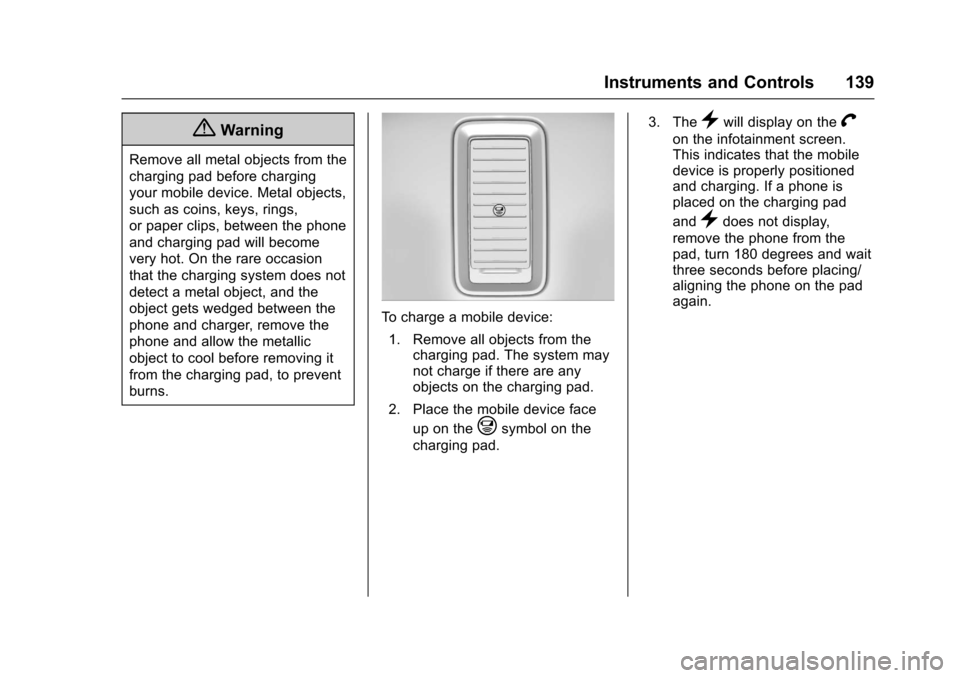
To charge a mobile device:1. Remove all objects from the charging pad. The system may
not charge if there are any
objects on the charging pad.
2. Place the mobile device face up on the
@symbol on the
charging pad. 3. The
}will display on theV
on the infotainment screen.
This indicates that the mobile
device is properly positioned
and charging. If a phone is
placed on the charging pad
and
}does not display,
remove the phone from the
pad, turn 180 degrees and wait
three seconds before placing/
aligning the phone on the pad
again.
Page 152 of 465
Chevrolet Tahoe/Suburban Owner Manual (GMNA-Localizing-U.S./Canada/
Mexico-9955986) - 2017 - crc - 7/5/16
Instruments and Controls 151
Warning (Continued)
with the airbag system. To help
avoid injury to yourself or others,
have the vehicle serviced right
away. SeeAirbag Readiness
Light 0149 for more information,
including important safety
information.
Charging System Light
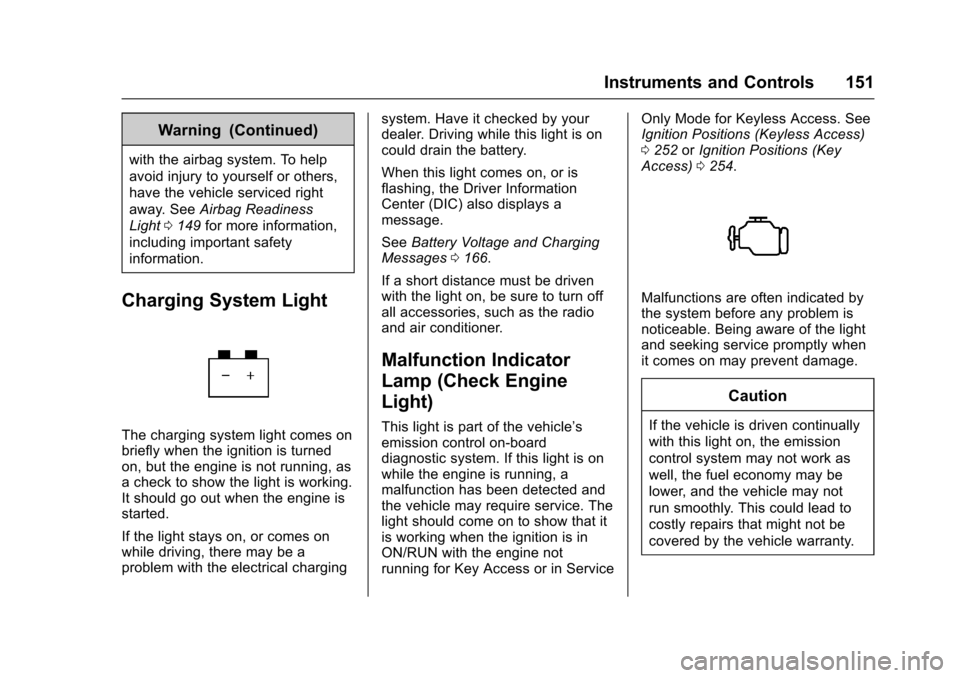
The charging system light comes on
briefly when the ignition is turned
on, but the engine is not running, as
a check to show the light is working.
It should go out when the engine is
started.
If the light stays on, or comes on
while driving, there may be a
problem with the electrical charging system. Have it checked by your
dealer. Driving while this light is on
could drain the battery.
When this light comes on, or is
flashing, the Driver Information
Center (DIC) also displays a
message.
See
Battery Voltage and Charging
Messages 0166.
If a short distance must be driven
with the light on, be sure to turn off
all accessories, such as the radio
and air conditioner.
Malfunction Indicator
Lamp (Check Engine
Light)
This light is part of the vehicle’s
emission control on-board
diagnostic system. If this light is on
while the engine is running, a
malfunction has been detected and
the vehicle may require service. The
light should come on to show that it
is working when the ignition is in
ON/RUN with the engine not
running for Key Access or in Service Only Mode for Keyless Access. See
Ignition Positions (Keyless Access)
0
252 orIgnition Positions (Key
Access) 0254.
Malfunctions are often indicated by
the system before any problem is
noticeable. Being aware of the light
and seeking service promptly when
it comes on may prevent damage.
Caution
If the vehicle is driven continually
with this light on, the emission
control system may not work as
well, the fuel economy may be
lower, and the vehicle may not
run smoothly. This could lead to
costly repairs that might not be
covered by the vehicle warranty.