2017 CHEVROLET SUBURBAN steering
[x] Cancel search: steeringPage 315 of 465
Chevrolet Tahoe/Suburban Owner Manual (GMNA-Localizing-U.S./Canada/
Mexico-9955986) - 2017 - crc - 7/5/16
314 Driving and Operating
{Warning
Connecting a trailer that has an
air brake system may result in
reduced or complete loss of trailer
braking. There may be an
increase in stopping distance or
trailer instability which could
result in personal injury or
damage to the vehicle, trailer,
or other property. Use the ITBC
system only with electric or
electric over hydraulic trailer
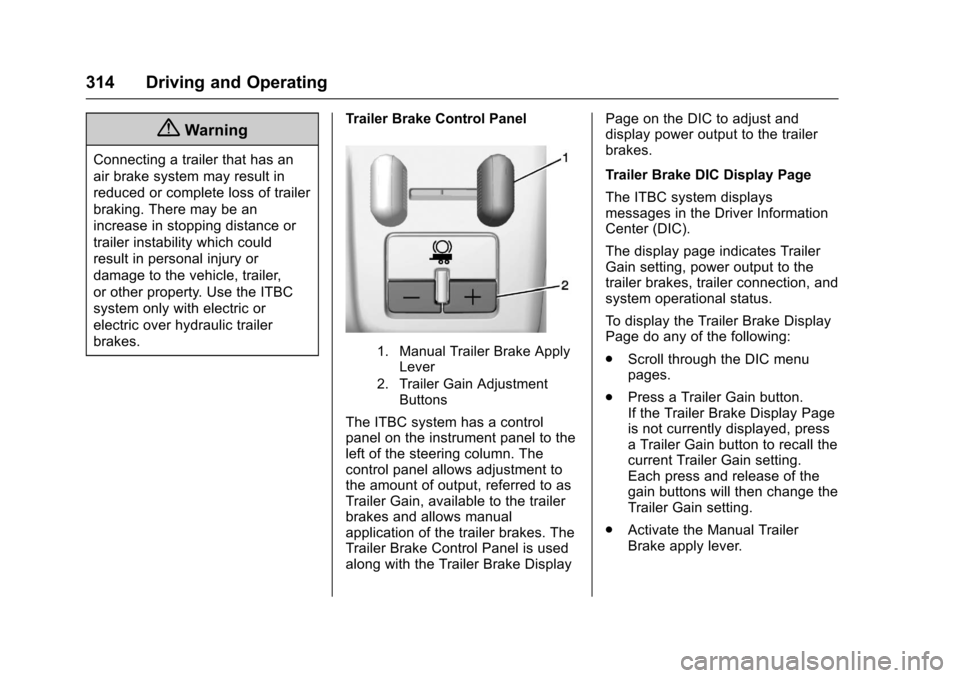
brakes.Trailer Brake Control Panel
1. Manual Trailer Brake Apply
Lever
2. Trailer Gain Adjustment Buttons
The ITBC system has a control
panel on the instrument panel to the
left of the steering column. The
control panel allows adjustment to
the amount of output, referred to as
Trailer Gain, available to the trailer
brakes and allows manual
application of the trailer brakes. The
Trailer Brake Control Panel is used
along with the Trailer Brake Display Page on the DIC to adjust and
display power output to the trailer
brakes.
Trailer Brake DIC Display Page
The ITBC system displays
messages in the Driver Information
Center (DIC).
The display page indicates Trailer
Gain setting, power output to the
trailer brakes, trailer connection, and
system operational status.
To display the Trailer Brake Display
Page do any of the following:
.
Scroll through the DIC menu
pages.
. Press a Trailer Gain button.
If the Trailer Brake Display Page
is not currently displayed, press
a Trailer Gain button to recall the
current Trailer Gain setting.
Each press and release of the
gain buttons will then change the
Trailer Gain setting.
. Activate the Manual Trailer
Brake apply lever.
Page 320 of 465
Chevrolet Tahoe/Suburban Owner Manual (GMNA-Localizing-U.S./Canada/
Mexico-9955986) - 2017 - crc - 7/5/16
Vehicle Care 319
Vehicle Care
General Information
General Information . . . . . . . . . . 320
California Proposition65 Warning . . . . . . . . . . . . . . . . . 320
California Perchlorate Materials Requirements . . . . . 321
Accessories and Modifications . . . . . . . . . . . . . . . . 321
Vehicle Checks
Doing Your OwnService Work . . . . . . . . . . . . . . . 322
Hood . . . . . . . . . . . . . . . . . . . . . . . . . 322
Engine Compartment Overview . . . . . . . . . . . . . . . . . . . . 323
Engine Oil . . . . . . . . . . . . . . . . . . . . 325
Engine Oil Life System . . . . . . . 327
Automatic Transmission Fluid . . . . . . . . . . . . . . . . . . . . . . . . 328
Engine Air Cleaner/Filter . . . . . . 331
Cooling System . . . . . . . . . . . . . . 332
Engine Coolant . . . . . . . . . . . . . . . 333
Engine Overheating . . . . . . . . . . 336
Engine Fan . . . . . . . . . . . . . . . . . . . 337
Power Steering Fluid . . . . . . . . . 338
Washer Fluid . . . . . . . . . . . . . . . . . 338
Brakes . . . . . . . . . . . . . . . . . . . . . . . 338
Brake Fluid . . . . . . . . . . . . . . . . . . . 339 Battery - North America . . . . . . 340
Four-Wheel Drive . . . . . . . . . . . . . 341
Front Axle . . . . . . . . . . . . . . . . . . . . 341
Rear Axle . . . . . . . . . . . . . . . . . . . . 342
Noise Control System . . . . . . . . 343
Starter Switch Check . . . . . . . . . 344
Automatic Transmission Shift
Lock Control Function
Check . . . . . . . . . . . . . . . . . . . . . . . 344
Ignition Transmission Lock Check . . . . . . . . . . . . . . . . . . . . . . . 344
Park Brake and P (Park) Mechanism Check . . . . . . . . . . 345
Wiper Blade Replacement . . . . 345
Glass Replacement . . . . . . . . . . 346
Windshield Replacement . . . . . 346
Headlamp Aiming
Headlamp Aiming . . . . . . . . . . . . 347
Bulb Replacement
Bulb Replacement . . . . . . . . . . . . 347
Halogen Bulbs . . . . . . . . . . . . . . . . 347
High Intensity Discharge (HID) Lighting . . . . . . . . . . . . . . . . . . . . . 347
LED Lighting . . . . . . . . . . . . . . . . . 347
Headlamps . . . . . . . . . . . . . . . . . . . 348
Fog Lamps . . . . . . . . . . . . . . . . . . . 348
Front Turn Signal Lamps . . . . . 348 Taillamps, Turn Signal,
Stoplamps, and Back-Up
Lamps . . . . . . . . . . . . . . . . . . . . . . 349
License Plate Lamp . . . . . . . . . . 350
Replacement Bulbs . . . . . . . . . . . 351
Electrical System
Electrical System Overload . . . 351
Fuses . . . . . . . . . . . . . . . . . . . . . . . . 351
Engine Compartment Fuse Block . . . . . . . . . . . . . . . . . . . . . . . . 352
Instrument Panel Fuse Block (Left) . . . . . . . . . . . . . . . . . 356
Instrument Panel Fuse Block (Right) . . . . . . . . . . . . . . . . . . . . . . 359
Rear Compartment Fuse Block . . . . . . . . . . . . . . . . . . . . . . . . 361
Wheels and Tires
Tires . . . . . . . . . . . . . . . . . . . . . . . . . . 362
All-Season Tires . . . . . . . . . . . . . . 363
Winter Tires . . . . . . . . . . . . . . . . . . 363
Low-Profile Tires . . . . . . . . . . . . . 364
All-Terrain Tires . . . . . . . . . . . . . . . 364
Tire Sidewall Labeling . . . . . . . . 364
Tire Designations . . . . . . . . . . . . . 365
Tire Terminology and
Definitions . . . . . . . . . . . . . . . . . . 366
Tire Pressure . . . . . . . . . . . . . . . . . 369
Tire Pressure for High-Speed
Operation . . . . . . . . . . . . . . . . . . . 370
Page 323 of 465
Chevrolet Tahoe/Suburban Owner Manual (GMNA-Localizing-U.S./Canada/
Mexico-9955986) - 2017 - crc - 7/5/16
322 Vehicle Care
Vehicle Checks
Doing Your Own
Service Work
{Warning
It can be dangerous to work on
your vehicle if you do not have
the proper knowledge, service
manual, tools, or parts. Always
follow owner’s manual procedures
and consult the service manual
for your vehicle before doing any
service work.
If doing some of your own service
work, use the proper service
manual. It tells you much more
about how to service the vehicle
than this manual can. To order the
proper service manual, see Service
Publications Ordering
Information 0438.
This vehicle has an airbag system.
Before attempting to do your own
service work, see Servicing the
Airbag-Equipped Vehicle 0102. Keep a record with all parts receipts
and list the mileage and the date of
any service work performed. See
Maintenance Records
0424.
Caution
Even small amounts of
contamination can cause damage
to vehicle systems. Do not allow
contaminants to contact the fluids,
reservoir caps, or dipsticks.
Hood
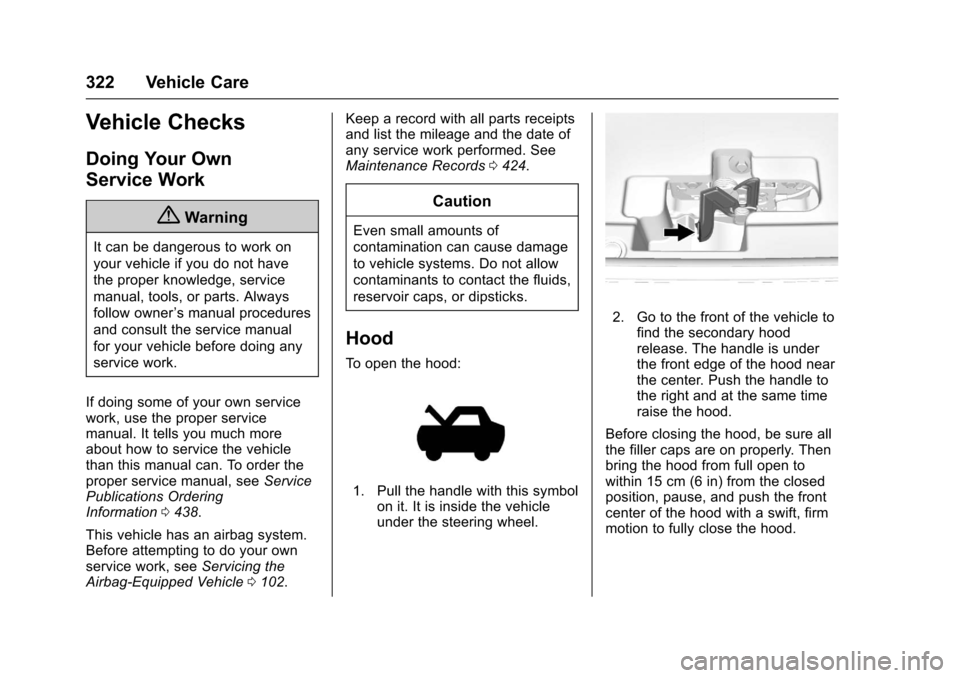
To open the hood:
1. Pull the handle with this symbol
on it. It is inside the vehicle
under the steering wheel.
2. Go to the front of the vehicle tofind the secondary hood
release. The handle is under
the front edge of the hood near
the center. Push the handle to
the right and at the same time
raise the hood.
Before closing the hood, be sure all
the filler caps are on properly. Then
bring the hood from full open to
within 15 cm (6 in) from the closed
position, pause, and push the front
center of the hood with a swift, firm
motion to fully close the hood.
Page 339 of 465
Chevrolet Tahoe/Suburban Owner Manual (GMNA-Localizing-U.S./Canada/
Mexico-9955986) - 2017 - crc - 7/5/16
338 Vehicle Care
Power Steering Fluid
For a heavy-duty Suburban, see the
Suburban Heavy-Duty Package
supplement.
Washer Fluid
What to Use
When windshield washer fluid needs
to be added, be sure to read the
manufacturer's instructions before
use. Use a fluid that has sufficient
protection against freezing in an
area where the temperature may fall
below freezing.
Adding Washer Fluid
The vehicle has a low washer fluid
message on the DIC that comes on
when the washer fluid is low. The
message is displayed for
15 seconds at the start of each
ignition cycle. When the WASHER
FLUID LOW ADD FLUID message
displays, washer fluid will need to
be added to the windshield washer
fluid reservoir.
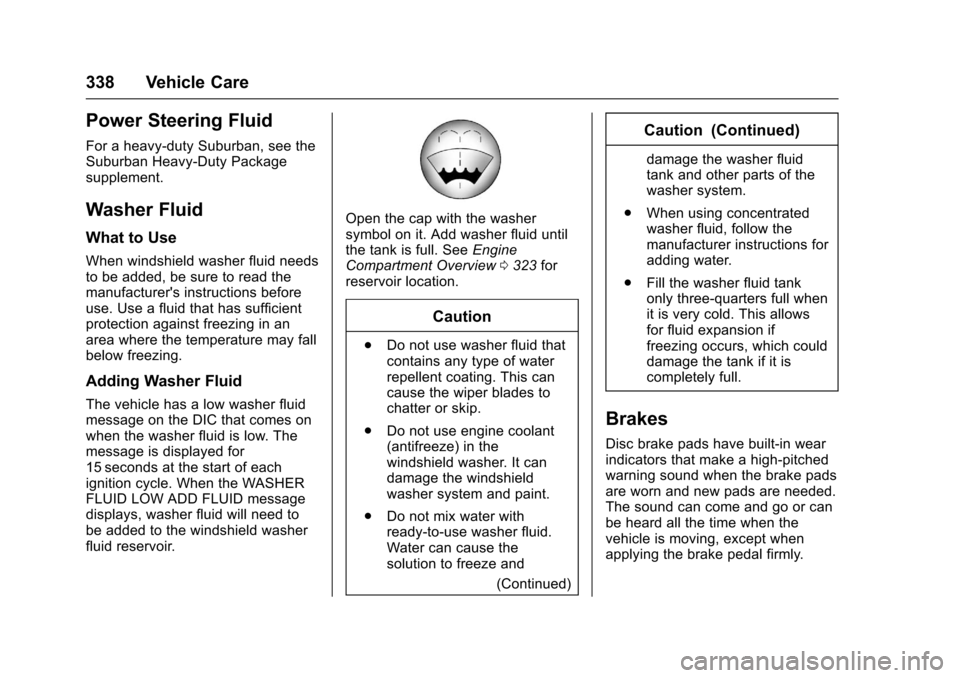
Open the cap with the washer
symbol on it. Add washer fluid until
the tank is full. SeeEngine
Compartment Overview 0323 for
reservoir location.
Caution
. Do not use washer fluid that
contains any type of water
repellent coating. This can
cause the wiper blades to
chatter or skip.
. Do not use engine coolant
(antifreeze) in the
windshield washer. It can
damage the windshield
washer system and paint.
. Do not mix water with
ready-to-use washer fluid.
Water can cause the
solution to freeze and
(Continued)
Caution (Continued)
damage the washer fluid
tank and other parts of the
washer system.
. When using concentrated
washer fluid, follow the
manufacturer instructions for
adding water.
. Fill the washer fluid tank
only three-quarters full when
it is very cold. This allows
for fluid expansion if
freezing occurs, which could
damage the tank if it is
completely full.
Brakes
Disc brake pads have built-in wear
indicators that make a high-pitched
warning sound when the brake pads
are worn and new pads are needed.
The sound can come and go or can
be heard all the time when the
vehicle is moving, except when
applying the brake pedal firmly.
Page 358 of 465
Chevrolet Tahoe/Suburban Owner Manual (GMNA-Localizing-U.S./Canada/
Mexico-9955986) - 2017 - crc - 7/5/16
Vehicle Care 357
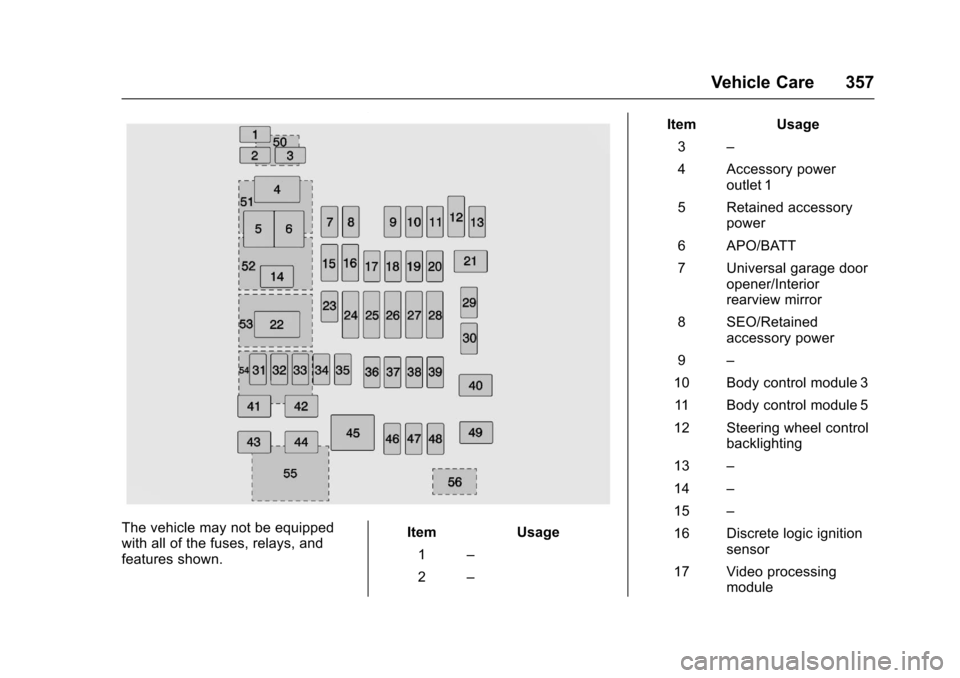
The vehicle may not be equipped
with all of the fuses, relays, and
features shown.Item Usage
1 –
2 – Item Usage
3 –
4 Accessory power outlet 1
5 Retained accessory power
6 APO/BATT
7 Universal garage door opener/Interior
rearview mirror
8 SEO/Retained accessory power
9 –
10 Body control module 3
11 Body control module 5
12 Steering wheel control backlighting
13 –
14 –
15 –
16 Discrete logic ignition sensor
17 Video processing module
Page 359 of 465
Chevrolet Tahoe/Suburban Owner Manual (GMNA-Localizing-U.S./Canada/
Mexico-9955986) - 2017 - crc - 7/5/16
358 Vehicle Care
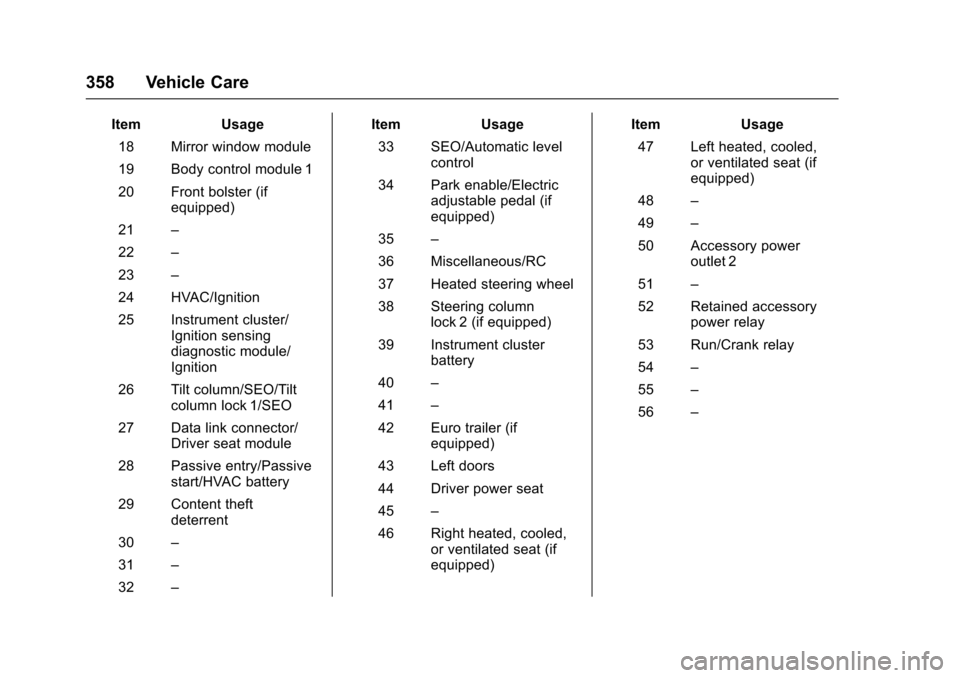
ItemUsage
18 Mirror window module
19 Body control module 1
20 Front bolster (if equipped)
21 –
22 –
23 –
24 HVAC/Ignition
25 Instrument cluster/ Ignition sensing
diagnostic module/
Ignition
26 Tilt column/SEO/Tilt column lock 1/SEO
27 Data link connector/ Driver seat module
28 Passive entry/Passive start/HVAC battery
29 Content theft deterrent
30 –
31 –
32 – Item
Usage
33 SEO/Automatic level control
34 Park enable/Electric adjustable pedal (if
equipped)
35 –
36 Miscellaneous/RC
37 Heated steering wheel
38 Steering column lock 2 (if equipped)
39 Instrument cluster battery
40 –
41 –
42 Euro trailer (if equipped)
43 Left doors
44 Driver power seat
45 –
46 Right heated, cooled, or ventilated seat (if
equipped) Item
Usage
47 Left heated, cooled, or ventilated seat (if
equipped)
48 –
49 –
50 Accessory power outlet 2
51 –
52 Retained accessory power relay
53 Run/Crank relay
54 –
55 –
56 –
Page 361 of 465
Chevrolet Tahoe/Suburban Owner Manual (GMNA-Localizing-U.S./Canada/
Mexico-9955986) - 2017 - crc - 7/5/16
360 Vehicle Care
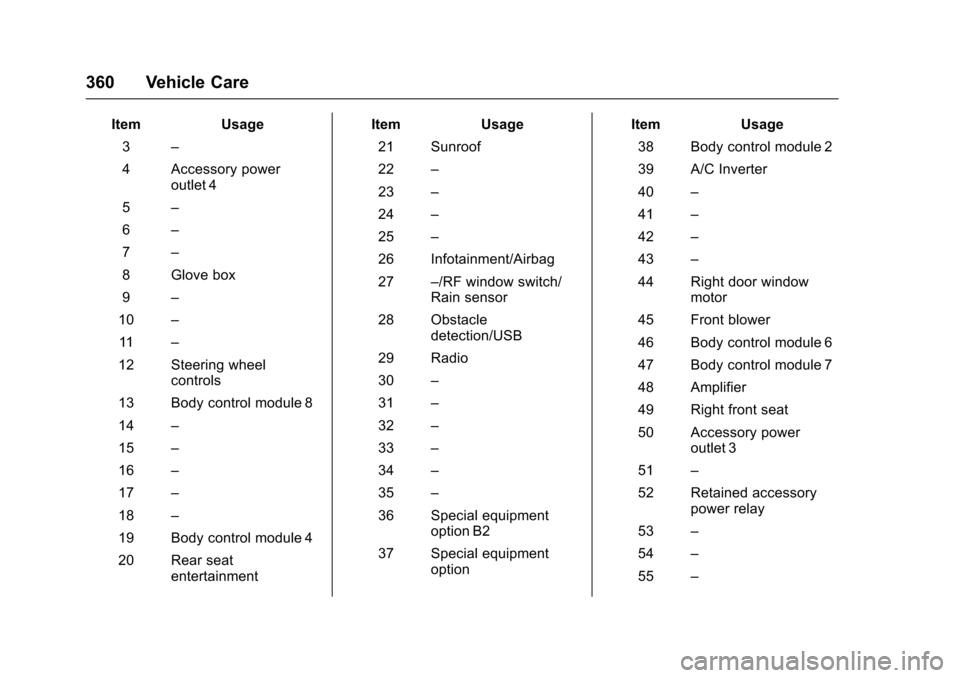
ItemUsage
3 –
4 Accessory power outlet 4
5 –
6 –
7 –
8 Glove box
9 –
10 –
11 –
12 Steering wheel controls
13 Body control module 8
14 –
15 –
16 –
17 –
18 –
19 Body control module 4
20 Rear seat entertainment Item
Usage
21 Sunroof
22 –
23 –
24 –
25 –
26 Infotainment/Airbag
27 –/RF window switch/
Rain sensor
28 Obstacle detection/USB
29 Radio
30 –
31 –
32 –
33 –
34 –
35 –
36 Special equipment option B2
37 Special equipment option Item
Usage
38 Body control module 2
39 A/C Inverter
40 –
41 –
42 –
43 –
44 Right door window motor
45 Front blower
46 Body control module 6
47 Body control module 7
48 Amplifier
49 Right front seat
50 Accessory power outlet 3
51 –
52 Retained accessory power relay
53 –
54 –
55 –
Page 375 of 465
Chevrolet Tahoe/Suburban Owner Manual (GMNA-Localizing-U.S./Canada/
Mexico-9955986) - 2017 - crc - 7/5/16
374 Vehicle Care
passenger side front tire, passenger
side rear tire, and driver side rear.
See your dealer for service or to
purchase a relearn tool. A TPMS
relearn tool can also be purchased.
See Tire Pressure Monitor Sensor
Activation Tool at
www.gmtoolsandequipment.com or
call 1-800-GM TOOLS
(1-800-468-6657).
There are two minutes to match the
first tire/wheel position, and
five minutes overall to match all four
tire/wheel positions. If it takes
longer, the matching process stops
and must be restarted.
The TPMS sensor matching
process is:1. Set the parking brake.
2. Turn the ignition to ON/RUN with the engine off or place the
vehicle power mode in ON/
RUN/START.
3. Uplevel DIC Only: Make sure the Tire Pressure info page
option is turned on. The info
pages on the DIC can be
turned on and off through the Settings menu. See
Driver
Information Center (DIC) (Base
Level) 0158 orDriver
Information Center (DIC)
(Uplevel) 0160.
4. If the vehicle has an uplevel DIC, use the DIC controls on
the right side of the steering
wheel to scroll to the Tire
Pressure screen under the DIC
info page.
If the vehicle has a base level
DIC, use the trip odometer
reset stem to scroll to the Tire
Pressure screen.
5. If the vehicle has an uplevel DIC, press and hold
Vin the
center of the DIC controls.
If the vehicle has a base level
DIC, press and hold the trip
odometer reset stem for about
five seconds. A message
asking if the process should
begin should appear. Select
yes and press the trip
odometer reset stem to confirm
the selection. The horn sounds twice to
signal the receiver is in relearn
mode and the TIRE
LEARNING ACTIVE message
displays on the DIC screen.
6. Start with the driver side front tire.
7. Place the relearn tool against the tire sidewall, near the valve
stem. Then press the button to
activate the TPMS sensor.
A horn chirp confirms that the
sensor identification code has
been matched to this tire and
wheel position.
8. Proceed to the passenger side front tire, and repeat the
procedure in Step 7.
9. Proceed to the passenger side rear tire, and repeat the
procedure in Step 7.
10. Proceed to the driver side rear tire, and repeat the procedure
in Step 7. The horn sounds two
times to indicate the sensor
identification code has been
matched to the driver side rear
tire, and the TPMS sensor