2017 CHEVROLET SS climate control
[x] Cancel search: climate controlPage 123 of 400

Chevrolet SS Sedan Owner Manual (GMNA-Localizing-U.S.-10122752) -2017 - crc - 8/31/16
122 Instruments and Controls
Phone Settings
See“Phone”inConfigure Menu0181.
Navigation Settings
SeeConfigure Menu0181.
Display Settings
Select and the following maydisplay:
.Home Page Menu
.Rear Camera Options
.Display Off
.Map Settings
Home Page Menu
Select to customize the first page ofthe Home Page.
Rear Camera Options
Select and the following maydisplay:
.Camera
.Symbols
.Guide Lines
Select to turn an option on and off.
SeeAssistance Systems for Parkingor Backing0254.
Display Off
Select to turn off the display. Thedisplay will return when any buttonis pressed or the screen is touched.
Map Settings
Select to enter the submenu tochange Automatic Zoom, enableSpeed Limit to display on the map,and change Map Display settings.
.Map Display:Select to changethe screen background.
To c h a n g e t h e o v e r a l l b r i g h t n e s ssetting for the display, use thevehicle interior lightinginstrument panel illuminationcontrol.
⇣The Automatic setting adjuststhe screen backgroundautomatically depending onthe exterior lighting conditions.
⇣The Day setting brightens themap background.
⇣The Night setting darkens themap background.
.Speed Limits:Select to displaythe posted speed limit on themap, when available.
Vehicle Settings
Select and the following maydisplay:
.Climate and Air Quality
.Comfort and Convenience
.Collision/Detection Systems
.Lighting
.Power Door Locks
.Remote Lock/Unlock/Start
.Return to Factory Settings?
Climate and Air Quality
Select and the following maydisplay:
.Auto Fan Speed
.Remote Start Auto Cool Seat
.Remote Start Auto Heat Seat
Auto Fan Speed
This feature sets the climate controlfan speed to maintain the interiortemperature.
Page 190 of 400

Chevrolet SS Sedan Owner Manual (GMNA-Localizing-U.S.-10122752) -2017 - crc - 8/31/16
Infotainment System 189
Voice Recognition
Voice recognition allows forhands-free operation of theinfotainment system features.
Voice recognition can be used whenthe radio is on or when RetainedAccessory Power (RAP) is active.SeeRetained Accessory Power(RAP)0232.Thesystemmaintainsaminimumvolumelevel.
Using Voice Recognition
1. Pressb/gon the steering
wheel. The audio systemmutes. A voice prompt states,“Please say a command.”Waituntil the tone is heard beforespeaking.
If there is no tone, make surethat the volume is turned up.
While voice recognition is
active, the system displays ag
symbol in the top right of theinfotainment display.
2. Clearly speak one of thecommands listed later in thissection.
Pressb/gtwice on the steering
wheel to skip the voice promptmessages.
Canceling Voice Recognition
1. Press and release$/ion
the steering wheel control tocancel a command, if thesystem response does notmatch the voice command,or say“Goodbye”or“Cancel.”
2. The system replies,“Goodbye.”
Helpful Hints for Speaking
Commands
.When multiple commands areavailable, choose the commandthat works best for you.
.Words in parentheses areoptional. For example, for thecommand“Tune FM(frequency),”saying“Tune FM87.7”or“Tune FM”are bothvalid commands.
.When the command isrecognized, the system willeither perform the function orask to confirm the choice.
.When the system does notrecognize the command, thesystem says“pardon.”
.If experiencing difficulty with thesystem recognizing a command,confirm that the command iscorrect. Try saying the commandclearly or wait for a brief momentafter the tone.
.Background noise such as aclimate control fan positioned onhigh, open windows, and veryloud outside noises, even if thewindows are closed, can causevoice commands to bemisunderstood.
.The system is able to recognizecommands in differentlanguages, such as English,Canadian French, and Spanish.The system only recognizescommands based on thelanguage selected.
.To i n c r e a s e o r d e c r e a s e t h evoice volume during a voicerecognition session, turn thevolume knob of the radio,or press the volume steeringwheel control. If the volume is
Page 211 of 400

Chevrolet SS Sedan Owner Manual (GMNA-Localizing-U.S.-10122752) -2017 - crc - 8/31/16
210 Climate Controls
Climate Controls
Climate Control Systems
Dual Automatic ClimateControl System . . . . . . . . . . . . . 210
Air Vents
Air Vents . . . . . . . . . . . . . . . . . . . . . 214
Maintenance
Passenger Compartment AirFilter . . . . . . . . . . . . . . . . . . . . . . . . 215Service . . . . . . . . . . . . . . . . . . . . . . . 215
Climate Control Systems
Dual Automatic Climate Control System
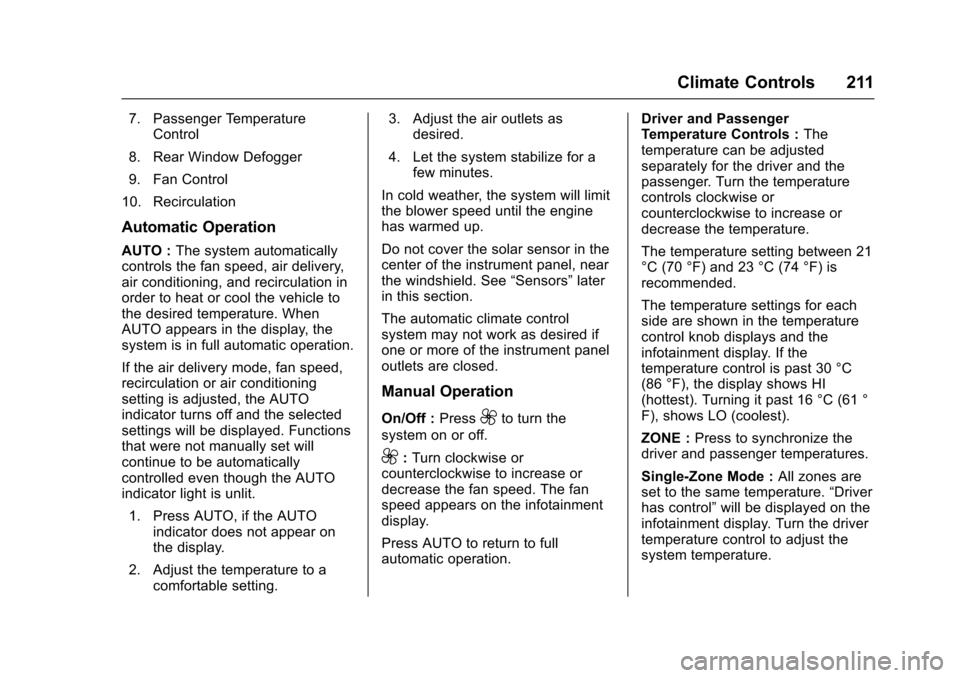
The heating, cooling, and ventilation for the vehicle can be controlled withthis system.
1. Driver Temperature Control
2. AUTO (Automatic Operation)
3. Air Conditioning
4. Air Delivery Mode Controls
5. Front Defrost
6. ZONE
Page 212 of 400
Chevrolet SS Sedan Owner Manual (GMNA-Localizing-U.S.-10122752) -2017 - crc - 8/31/16
Climate Controls 211
7. Passenger TemperatureControl
8. Rear Window Defogger
9. Fan Control
10. Recirculation
Automatic Operation
AUTO :The system automaticallycontrols the fan speed, air delivery,air conditioning, and recirculation inorder to heat or cool the vehicle tothe desired temperature. WhenAUTO appears in the display, thesystem is in full automatic operation.
If the air delivery mode, fan speed,recirculation or air conditioningsetting is adjusted, the AUTOindicator turns off and the selectedsettings will be displayed. Functionsthat were not manually set willcontinue to be automaticallycontrolled even though the AUTOindicator light is unlit.
1. Press AUTO, if the AUTOindicator does not appear onthe display.
2. Adjust the temperature to acomfortable setting.
3. Adjust the air outlets asdesired.
4. Let the system stabilize for afew minutes.
In cold weather, the system will limitthe blower speed until the enginehas warmed up.
Do not cover the solar sensor in thecenter of the instrument panel, nearthe windshield. See“Sensors”laterin this section.
The automatic climate controlsystem may not work as desired ifone or more of the instrument paneloutlets are closed.
Manual Operation
On/Off :Press9to turn the
system on or off.
9:Turn clockwise orcounterclockwise to increase ordecrease the fan speed. The fanspeed appears on the infotainmentdisplay.
Press AUTO to return to fullautomatic operation.
Driver and PassengerTe m p e r a t u r e C o n t r o l s :Thetemperature can be adjustedseparately for the driver and thepassenger. Turn the temperaturecontrols clockwise orcounterclockwise to increase ordecrease the temperature.
The temperature setting between 21°C (70 °F) and 23 °C (74 °F) isrecommended.
The temperature settings for eachside are shown in the temperaturecontrol knob displays and theinfotainment display. If thetemperature control is past 30 °C(86 °F), the display shows HI(hottest). Turning it past 16 °C (61 °F), shows LO (coolest).
ZONE :Press to synchronize thedriver and passenger temperatures.
Single-Zone Mode :All zones areset to the same temperature.“Driverhas control”will be displayed on theinfotainment display. Turn the drivertemperature control to adjust thesystem temperature.
Page 213 of 400

Chevrolet SS Sedan Owner Manual (GMNA-Localizing-U.S.-10122752) -2017 - crc - 8/31/16
212 Climate Controls
Dual-Zone Mode :Allows differenttemperatures to be set for the driverand passenger sides.
Enter Dual-Zone mode by adjustingthe passenger side temperaturewhen in Single-Zone mode.
Air Delivery Mode Controls :
PressY,),-,or[to change
the current airflow mode. Thecurrent mode selection appears inthe infotainment display. Changingthe mode cancels the automaticoperation and the system goes intosemi-automatic operation. PressAUTO to return to full automaticoperation.
Select from the following:
Y:Air is directed to the instrumentpanel outlets and console outlet.
):Air is divided between theinstrument panel outlets, consoleoutlet and the floor outlets. Coolerair is directed to the upper outletsand warmer air to the floor outlets.
[:Air is directed to the flooroutlets with some air directed to theouter instrument panel, windshield,and side window outlets.
-:Air is directed to the windshield,floor and side window outlets. Usethis mode to clear the windows offog or moisture and warm thepassengers.
5FRONT :Press to turn the
defrost on or off. The5FRONT
indicator appears in the display.Aportionoftheairisdirectedtothewindshield and side window outlets,with some air directed to the outerinstrument panel outlets.
For best results, clear all snow andice from the windshield beforedefrosting.
Air Conditioning
#:Press to turn the airconditioning system on or off. The#appears on the infotainmentdisplay when the air conditioning ison. When the air conditioning is
turned off,#OFF appears on the
infotainment display.
The air conditioning systemremoves moisture and heat fromthe air.
The air conditioning mightautomatically turn off during heavyacceleration, abnormal systempressure or very cold outsidetemperatures.
When-,h,or5FRONTis
selected, the air conditioning isautomatically switched on toimprove defogging performance andremove moisture from the air.
Recirculation
h:Press to change the air intakebetween recirculated air and outside
air.happears on the
infotainment display whenrecirculation is activated.
The recirculation mode recyclesinterior air and is not recommendedfor extended use. If it is used for along period of time, the systemautomatically lets some outside airinto the vehicle for ventilation.
Do not use the recirculation mode ifoccupants are smoking.
The recirculation mode cannot beturned on in defrost mode.
Page 214 of 400

Chevrolet SS Sedan Owner Manual (GMNA-Localizing-U.S.-10122752) -2017 - crc - 8/31/16
Climate Controls 213
AUTOhis displayed when the
system is automatically controllingthe combination of outside andrecirculated air for bestperformance.
Rear Window Defogger
The rear window defogger uses awarming grid to remove fog or frostfrom the rear window. It only workswhen the ignition is on.
K:Press to turn the rear windowdefogger on or off. The indicator onthe button turns on. The rearwindow defogger turns offautomatically if it is left on.
Caution
Using a razor blade or sharp
object on the inside rear window
can damage the antenna or
defogger. Repairs would not be
covered by the vehicle warranty.
Do not stick anything to the rear
window.
Heated Mirrors :If equipped withheated outside mirrors, the mirrorsheat to help clear fog or frost fromthe surface of the mirror when therear window defog button ispressed. SeeHeated Mirrors039.
Sensors
The automatic climate controlsystem uses sensors to maintaintemperatures. The solar sensor ison the instrument panel near thewindshield, and the outsidetemperature sensor is in front of theradiator.
The solar sensor monitors the solarradiation when operating in AUTOmode, adjusting the temperature,fan speed and air delivery.
The system may also supply coolerair to the side of the vehicle facingthe sun. The recirculation mode willalso be activated, as necessary.
The outside temperature sensor canbe affected by radiant heat whenthe vehicle is not moving.
To p r e v e n t f a l s e t e m p e r a t u r ereadings, the displayed temperaturewill not update at low vehiclespeeds.
If the vehicle has been turned off forless than four hours, thetemperature at start up will berecalled from previous operation.
Do not cover the sensors; otherwisethe automatic climate control systemwill not work properly.
Remote Start Climate Control
Operation
If equipped with the remote startfeature, when it is activated, theclimate control system will use theprevious settings. SeeRemoteVehicle Start030.
Regular Operation
Adjusting the Temperature
When the climate control systemhas stabilized, adjust thetemperature to a comfortablesetting.
Page 215 of 400

Chevrolet SS Sedan Owner Manual (GMNA-Localizing-U.S.-10122752) -2017 - crc - 8/31/16
214 Climate Controls
Quick Cool Down
When entering the vehicle on a hotday, open the windows for a shorttime to allow the hot air to escape.
Automatic Transmission
If the vehicle is stopped for a longtime in hot weather and the engineis running and the air conditioning isoperating, move the shift lever toN(Neutral)orP(Park).
A/C Sound
Aslighthissingsoundwhentheairconditioning is turned off is normal.
Water Condensation
Water may drip from underneath thevehicle; this is normal.
Unsealed Dusty Roads
To h e l p p r e v e n t d u s t f r o m e n t e r i n gyour vehicle:
.When following other vehicleson dusty roads and the dust is
airborne, selecth.
.If the dust is not airborne, selectoutside air and set the fancontrol to high speed.
.Close all windows.
.Do not use recirculation for longperiods of time.
Air Vents
The air outlets have adjustablevanes that move up or down and leftor right to change the direction ofthe airflow. Use the thumbwheelslocated near the air outlets on theinstrument panel to shut off theairflow.
Page 216 of 400

Chevrolet SS Sedan Owner Manual (GMNA-Localizing-U.S.-10122752) -2017 - crc - 8/31/16
Climate Controls 215
Operation Tips
.Clear away any ice, snow,or leaves from the air inlets atthe base of the windshield thatmay block the flow of air into thevehicle.
.Use of non-GM approved hooddeflectors may adversely affectperformance of the system.
.Keep the path under the frontseats clear of objects to helpcirculate the air inside thevehicle more effectively.
Maintenance
Passenger Compartment
Air Filter
The vehicle has a passengercompartment air filter that filters theoutside air entering the vehicle. Thefilter removes contaminants, suchas pollen and dust. See your dealerfor more information about filterreplacement.
Service
All vehicles have a label underhoodthat identifies the refrigerant used inthe vehicle. The refrigerant systemshould only be serviced by trainedand certified technicians. The airconditioning evaporator shouldnever be repaired or replaced byone from a salvage vehicle.It should only be replaced by a newevaporator to ensure proper andsafe operation.
During service, all refrigerantsshould be reclaimed with properequipment. Venting refrigerantsdirectly to the atmosphere is harmful
to the environment and may alsocreate unsafe conditions based oninhalation, combustion, frostbite,or other health-based concerns.