2017 CHEVROLET SONIC power
[x] Cancel search: powerPage 5 of 342
Chevrolet Sonic Owner Manual (GMNA-Localizing-U.S./Canada-10122660) -2017 - crc - 5/13/16
4 Introduction
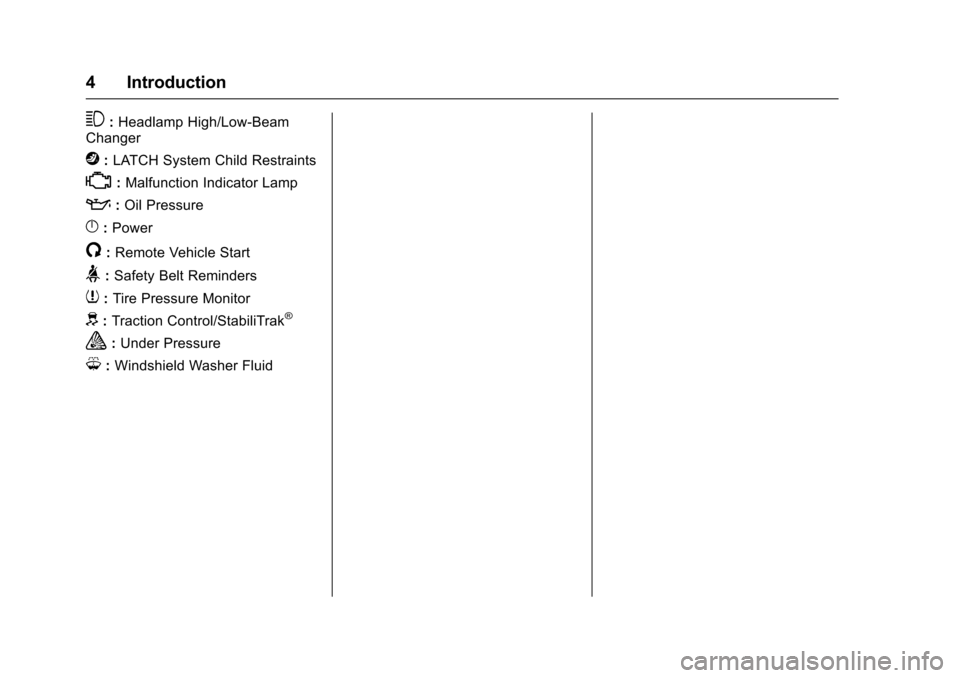
3:Headlamp High/Low-BeamChanger
j:LATCH System Child Restraints
*:Malfunction Indicator Lamp
::Oil Pressure
}:Power
/:Remote Vehicle Start
>:Safety Belt Reminders
7:Tire Pressure Monitor
d:Traction Control/StabiliTrak®
a:Under Pressure
M:Windshield Washer Fluid
Page 6 of 342

Chevrolet Sonic Owner Manual (GMNA-Localizing-U.S./Canada-10122660) -2017 - crc - 5/13/16
In Brief 5
In Brief
Instrument Panel
Instrument Panel . . . . . . . . . . . . . . . . 6
Initial Drive Information
Initial Drive Information . . . . . . . . . . 8Remote Keyless Entry (RKE)System . . . . . . . . . . . . . . . . . . . . . . . . 8Remote Vehicle Start . . . . . . . . . . . 9Door Locks . . . . . . . . . . . . . . . . . . . . . 9Liftgate (Hatchback) . . . . . . . . . . . 10Trunk Release (Sedan) . . . . . . . . 10Windows . . . . . . . . . . . . . . . . . . . . . . . 11Seat Adjustment . . . . . . . . . . . . . . . 11Second Row Seats . . . . . . . . . . . . 13Head Restraint Adjustment . . . . 13Safety Belts . . . . . . . . . . . . . . . . . . . . 13Passenger Sensing System . . . 13Mirror Adjustment . . . . . . . . . . . . . . 14Steering Wheel Adjustment . . . . 14Interior Lighting . . . . . . . . . . . . . . . . 15Exterior Lighting . . . . . . . . . . . . . . . 15Windshield Wiper/Washer . . . . . . 16Climate Controls . . . . . . . . . . . . . . . 16Transmission . . . . . . . . . . . . . . . . . . 17
Vehicle Features
Infotainment System . . . . . . . . . . . 18Radio(s) . . . . . . . . . . . . . . . . . . . . . . . 19
Satellite Radio . . . . . . . . . . . . . . . . . 19Portable Audio Devices . . . . . . . . 20Bluetooth®..................... 20Steering Wheel Controls . . . . . . . 20Cruise Control . . . . . . . . . . . . . . . . . 21Driver InformationCenter (DIC) . . . . . . . . . . . . . . . . . 21Forward Collision Alert (FCA)System . . . . . . . . . . . . . . . . . . . . . . . 21Lane DepartureWarning (LDW) . . . . . . . . . . . . . . . 21Rear Vision Camera (RVC) . . . . 22Power Outlets . . . . . . . . . . . . . . . . . 22Sunroof . . . . . . . . . . . . . . . . . . . . . . . . 22
Performance and Maintenance
Traction Control/ElectronicStability Control . . . . . . . . . . . . . . 23Tire Pressure Monitor . . . . . . . . . . 23Fuel . . . . . . . . . . . . . . . . . . . . . . . . . . . 23E85 or FlexFuel . . . . . . . . . . . . . . . . 24Engine Oil Life System . . . . . . . . 24Driving for Better FuelEconomy . . . . . . . . . . . . . . . . . . . . . 24Roadside AssistanceProgram . . . . . . . . . . . . . . . . . . . . . . 25
Page 8 of 342

Chevrolet Sonic Owner Manual (GMNA-Localizing-U.S./Canada-10122660) -2017 - crc - 5/13/16
In Brief 7
1.Air Vents0168.
2.Exterior Lamp Controls0134.
Instrument Panel IlluminationControl0137.
3. Turn Signal Lever. SeeTu r nand Lane-ChangeSignals0136.
4.Instrument Cluster0107.
5.Windshield Wiper/Washer0102.
6. Card Holder.
7.Infotainment0141.
8. Light Sensor. SeeAutomaticHeadlamp System0135.
9.Instrument Panel Storage097.
10.Passenger SensingSystem071.
11 .Hazard WarningFlashers0136.
12.USB Port0149(If Equipped).
Auxiliary Devices0155(IfEquipped).
13. Shift Lever. SeeAutomaticTr a n s m i s s i o n0191(IfEquipped) orManualTr a n s m i s s i o n0193(IfEquipped).
14. Trunk Release (Sedan). SeeTr u n k ( S e d a n )041.
Lane Departure Warning(LDW)0206(If Equipped).
Tr a c t i o n C o n t r o l / E l e c t r o n i cStability Control0197.
15.Power Outlets0105.
16.Climate ControlSystems0166.
17. Central Locking Switch. SeeDoor Locks038.
18. Ignition Switch. SeeIgnitionPositions (Key Access)0182orIgnition Positions (KeylessAccess)0183.
19.Steering Wheel Controls0101.
20.Horn0102.
21.Steering WheelAdjustment0101.
22.Cruise Control0199.
Forward Collision Alert (FCA)System0204(If Equipped.
Heated Steering Wheel0102(If Equipped).
23. Data Link Connector (DLC)(Out of View). SeeMalfunctionIndicator Lamp (Check EngineLight)011 2.
24. Hood Release. SeeHood0215.
Page 12 of 342

Chevrolet Sonic Owner Manual (GMNA-Localizing-U.S./Canada-10122660) -2017 - crc - 5/13/16
In Brief 11
To o p e n t h e t r u n k f r o m o u t s i d e o fthe vehicle:
.PressKon the RKE transmitter
to unlock all doors, then use thetouch pad.
.Press and holdYfor key
access, or pressXtwice for
keyless access, on the RKEtransmitter.
SeeTr u n k ( S e d a n )041andRemote Keyless Entry (RKE)System Operation (Keyless Access)031orRemote Keyless Entry(RKE) System Operation (KeyAccess)029.
Windows
Manual Windows
If equipped, use the window crankto open and close each window.
SeeManual Windows048.
Power Windows
If equipped, press or pull the switchto open or close the window.
The switches work when the vehicleis in ON/RUN or ACC/ACCESSORY, or when RetainedAccessory Power (RAP) is active.SeeRetained Accessory Power(RAP)0187.
SeePower Windows048.
Seat Adjustment
Manual Seats
To a d j u s t a m a n u a l s e a t :
1. Pull the handle at the front ofthe seat.
2. Slide the seat to the desiredposition and release thehandle.
3. Try to move the seat back andforth to be sure it is locked inplace.
SeeSeat Adjustment053.
Page 13 of 342
Chevrolet Sonic Owner Manual (GMNA-Localizing-U.S./Canada-10122660) -2017 - crc - 5/13/16
12 In Brief
Power Seats
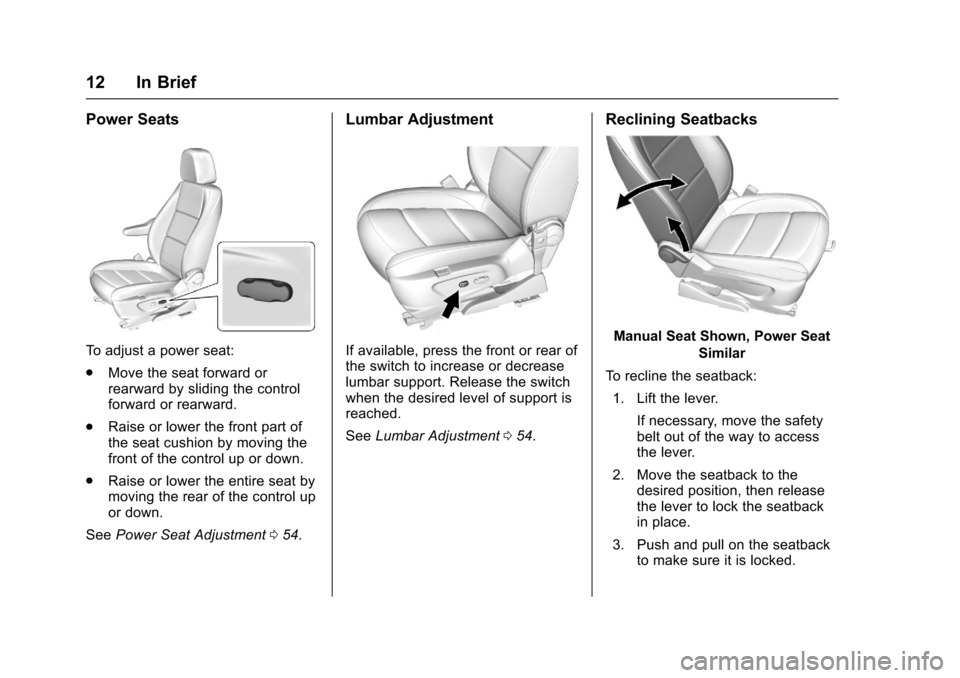
To a d j u s t a p o w e r s e a t :
.Move the seat forward orrearward by sliding the controlforward or rearward.
.Raise or lower the front part ofthe seat cushion by moving thefront of the control up or down.
.Raise or lower the entire seat bymoving the rear of the control upor down.
SeePower Seat Adjustment054.
Lumbar Adjustment
If available, press the front or rear ofthe switch to increase or decreaselumbar support. Release the switchwhen the desired level of support isreached.
SeeLumbar Adjustment054.
Reclining Seatbacks
Manual Seat Shown, Power Seat
Similar
To r e c l i n e t h e s e a t b a c k :
1. Lift the lever.
If necessary, move the safetybelt out of the way to accessthe lever.
2. Move the seatback to thedesired position, then releasethe lever to lock the seatbackin place.
3. Push and pull on the seatbackto make sure it is locked.
Page 15 of 342
Chevrolet Sonic Owner Manual (GMNA-Localizing-U.S./Canada-10122660) -2017 - crc - 5/13/16
14 In Brief
The passenger airbag statusindicator will be visible on theinstrument panel when the vehicle isstarted. SeePassenger AirbagStatus Indicator0111.
Mirror Adjustment
Exterior Mirrors
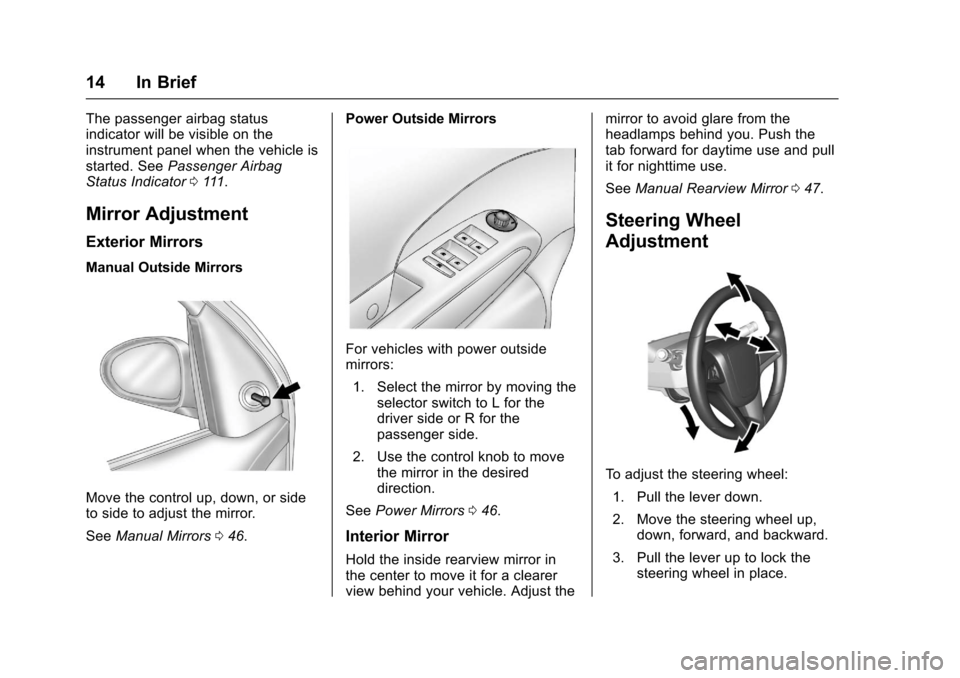
Manual Outside Mirrors
Move the control up, down, or sideto side to adjust the mirror.
SeeManual Mirrors046.
Power Outside Mirrors
For vehicles with power outsidemirrors:
1. Select the mirror by moving theselector switch to L for thedriver side or R for thepassenger side.
2. Use the control knob to movethe mirror in the desireddirection.
SeePower Mirrors046.
Interior Mirror
Hold the inside rearview mirror inthe center to move it for a clearerview behind your vehicle. Adjust the
mirror to avoid glare from theheadlamps behind you. Push thetab forward for daytime use and pullit for nighttime use.
SeeManual Rearview Mirror047.
Steering Wheel
Adjustment
To a d j u s t t h e s t e e r i n g w h e e l :
1. Pull the lever down.
2. Move the steering wheel up,down, forward, and backward.
3. Pull the lever up to lock thesteering wheel in place.
Page 20 of 342

Chevrolet Sonic Owner Manual (GMNA-Localizing-U.S./Canada-10122660) -2017 - crc - 5/13/16
In Brief 19
features are also available throughthe instrument cluster and steeringwheel controls.
Before driving:
.Become familiar with theoperation, faceplate buttons, andscreen buttons.
.Set up the audio by presettingfavorite stations, setting thetone, and adjusting thespeakers.
.Set up phone numbers inadvance so they can be calledeasily by pressing a singlebutton or by using a single voicecommand if equipped withBluetooth phone capability.
SeeDefensive Driving0172.
To p l a y t h e i n f o t a i n m e n t s y s t e m w i t hthe ignition off, seeRetainedAccessory Power (RAP)0187.
Radio(s)
O:
.Press to turn the power on.
.Press and hold to turn thepower off.
.Press to mute/unmute thesystem when on.
.Turn to decrease or increase thevolume.
g:
.Radio: Press and release to fastseek the strongest previousstation or channel.
.USB/Music/Pictures: Press to goto the previous content. Pressand hold to fast rewind.
d:
.Radio: Press and release to fastseek the next strongest stationor channel.
.USB/Music/Pictures: Press to goto the next content. Press andhold to fast forward.
5:
.Press and release to access thephone screen, answer anincoming call, or access thedevice home screen.
SeeOverview0143.
Satellite Radio
If equipped, vehicles with aSiriusXM®satellite radio tuner and avalid SiriusXM satellite radiosubscription can receive SiriusXMprogramming.
SiriusXM Satellite Radio
Service
SiriusXM is a satellite radio servicebased in the 48 contiguous UnitedStates and 10 Canadian provinces.SiriusXM satellite radio has a widevariety of programming andcommercial-free music, coast tocoast, and in digital-quality sound.AfeeisrequiredtoreceivetheSiriusXM service.
Refer to:
.www.siriusxm.com or call1-888-601-6296 (U.S.).
.www.siriusxm.ca or call1-877-438-9677 (Canada).
SeeSatellite Radio0146.
Page 23 of 342

Chevrolet Sonic Owner Manual (GMNA-Localizing-U.S./Canada-10122660) -2017 - crc - 5/19/16
22 In Brief
greater. LDW uses a camera sensorto detect the lane markings. The
LDW light,@,isgreenifalane
marking is detected. If the vehicledeparts the lane without using a turnsignal in that direction, the light willchange to amber and flash. Inaddition, beeps will sound.
SeeLane Departure Warning(LDW)0206.
Rear Vision
Camera (RVC)
If equipped, RVC displays a view ofthe area behind the vehicle, on theinfotainment display, when thevehicle is shifted into R (Reverse).
SeeRear Vision Camera(RVC)0201.
Power Outlets
The accessory power outlets can beused to plug in electrical equipment,such as a cell phone or MP3 player.
The vehicle has an accessorypower outlet behind the cupholderson the center floor console.
SeePower Outlets0105.
Sunroof
If equipped, the sunroof onlyoperates when the ignition is on orRetained Accessory Power (RAP) isactive. SeeRetained AccessoryPower (RAP)0187.
Express-open :Press and
releaseeto express-open the
sunroof. Press again to stop themovement.
Open/Close (Manual Mode) :
Press and holdeto open the
sunroof. Release the switch to stop
the movement. Press and holdg
to close the sunroof. Release theswitch to stop the movement.
Vent :Press and holdgto vent
the sunroof.
The sunshade opens automaticallywith the sunroof, but must be closedmanually.
The sunroof will not operate if thevehicle has an electrical failure.
SeeSunroof050.