2017 CHEVROLET SONIC ECU
[x] Cancel search: ECUPage 241 of 342
Chevrolet Sonic Owner Manual (GMNA-Localizing-U.S./Canada-10122660) -2017 - crc - 5/13/16
240 Vehicle Care
Taillamps, Turn Signal,
Stoplamps, and Back-Up
Lamps
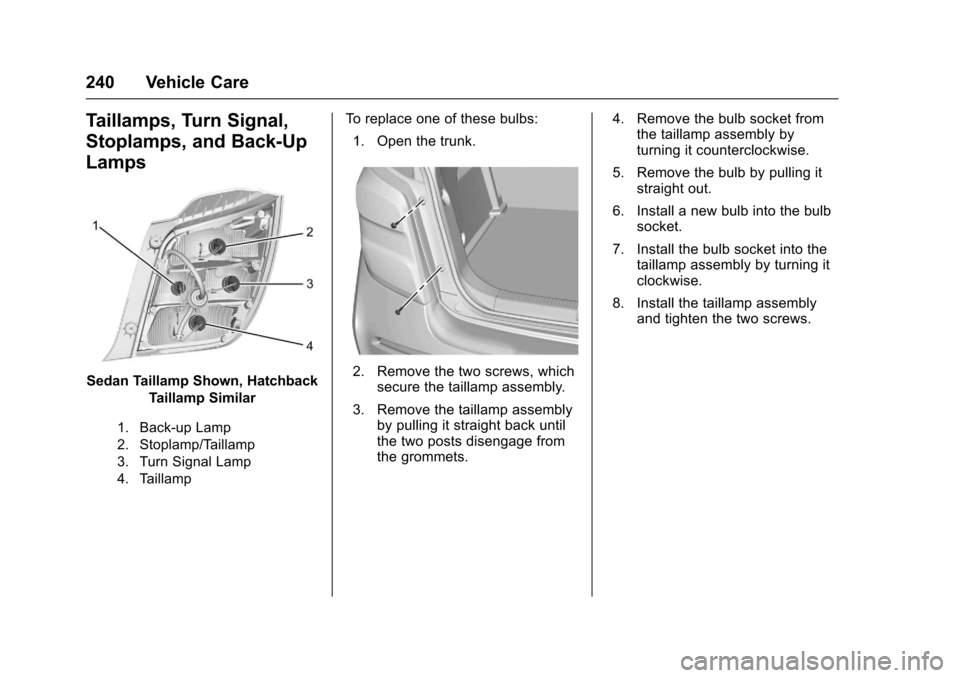
Sedan Taillamp Shown, Hatchback
Taillamp Similar
1. Back-up Lamp
2. Stoplamp/Taillamp
3. Turn Signal Lamp
4. Taillamp
To r e p l a c e o n e o f t h e s e b u l b s :
1. Open the trunk.
2. Remove the two screws, whichsecure the taillamp assembly.
3. Remove the taillamp assemblyby pulling it straight back untilthe two posts disengage fromthe grommets.
4. Remove the bulb socket fromthe taillamp assembly byturning it counterclockwise.
5. Remove the bulb by pulling itstraight out.
6. Install a new bulb into the bulbsocket.
7. Install the bulb socket into thetaillamp assembly by turning itclockwise.
8. Install the taillamp assemblyand tighten the two screws.
Page 244 of 342
Chevrolet Sonic Owner Manual (GMNA-Localizing-U.S./Canada-10122660) -2017 - crc - 5/13/16
Vehicle Care 243
Engine Compartment
Fuse Block
1.8L Engines
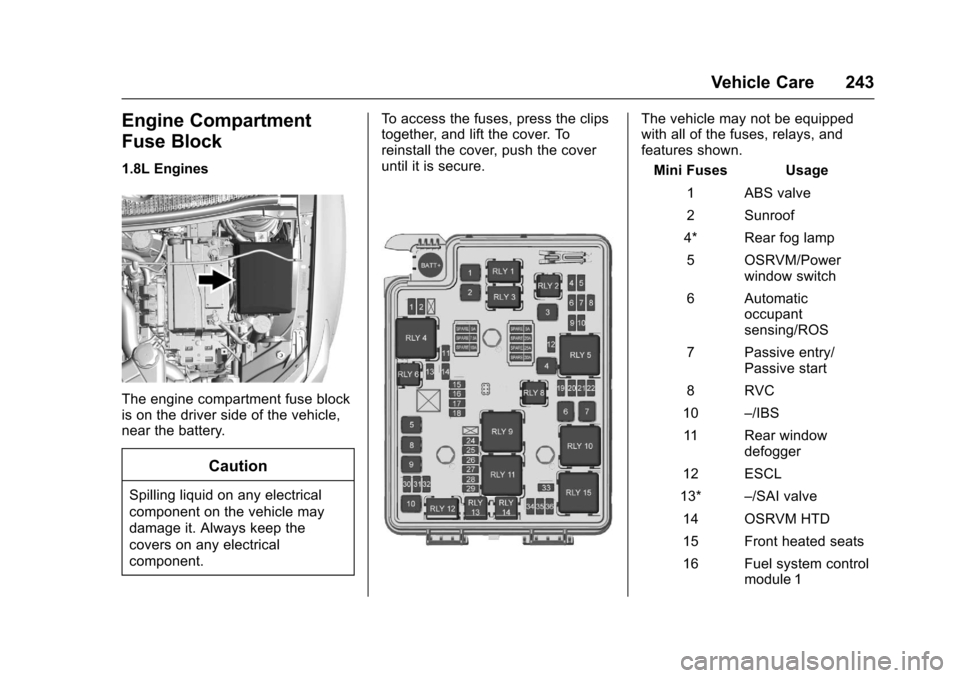
The engine compartment fuse blockis on the driver side of the vehicle,near the battery.
Caution
Spilling liquid on any electrical
component on the vehicle may
damage it. Always keep the
covers on any electrical
component.
To a c c e s s t h e f u s e s , p r e s s t h e c l i p stogether, and lift the cover. Toreinstall the cover, push the coveruntil it is secure.
The vehicle may not be equippedwith all of the fuses, relays, andfeatures shown.
Mini Fuses Usage
1ABSvalve
2Sunroof
4* Rear fog lamp
5OSRVM/Powerwindow switch
6Automaticoccupantsensing/ROS
7Passiveentry/Passive start
8RVC
10–/IBS
11 R e a r w i n d o wdefogger
12 ESCL
13*–/SAI valve
14 OSRVM HTD
15 Front heated seats
16 Fuel system controlmodule 1
Page 278 of 342

Chevrolet Sonic Owner Manual (GMNA-Localizing-U.S./Canada-10122660) -2017 - crc - 5/13/16
Vehicle Care 277
{Warning
Fans or other moving engine
parts can injure you badly. Keep
your hands away from moving
parts once the engine is running.
5. Connect one end of the redpositive (+) cable to thepositive (+) terminal on thedischarged battery.
6. Connect the other end of thered positive (+) cable to thepositive (+) terminal of the goodbattery.
7. Connect one end of the blacknegative (–)cabletothenegative (–)terminalofthegood battery.
8. Connect the other end of theblack negative (–)cabletothenegative (–)postforthedischarged battery.
9. Start the engine in the vehiclewith the good battery and runthe engine at idle speed for atleast four minutes.
10. Try to start the vehicle that hadthe dead battery. If it will notstart after a few tries, itprobably needs service.
Caution
If the jumper cables are
connected or removed in the
wrong order, electrical shorting
may occur and damage the
vehicle. The repairs would not be
covered by the vehicle warranty.
Always connect and remove the
jumper cables in the correct order,
making sure that the cables do
not touch each other or other
metal.
Jumper Cable Removal
Reverse the sequence exactly whenremoving the jumper cables.
After starting the disabled vehicleand removing the jumper cables,allow it to idle for several minutes.
Towing the Vehicle
Caution
Incorrectly towing a disabled
vehicle may cause damage. The
damage would not be covered by
the vehicle warranty.
Do not lash or hook to
suspension components. Use the
proper straps around the tires to
secure the vehicle.
Have the vehicle towed on a flatbedcar carrier. A wheel lift tow truckcould damage the vehicle.
Consult your dealer or aprofessional towing service if thedisabled vehicle must be towed.
Recreational Vehicle
Towing
Recreational vehicle towing meanstowing the vehicle behind anothervehicle, such as a motor home. Thetwo most common types ofrecreational vehicle towing are
Page 280 of 342
Chevrolet Sonic Owner Manual (GMNA-Localizing-U.S./Canada-10122660) -2017 - crc - 5/13/16
Vehicle Care 279
The vehicle was not designed to betowed with all four wheels on theground. If the vehicle must betowed, a dolly should be used. Seethe information on dolly towing laterin this section.
Dinghy Towing All except RS
Model with Automatic
Transmission
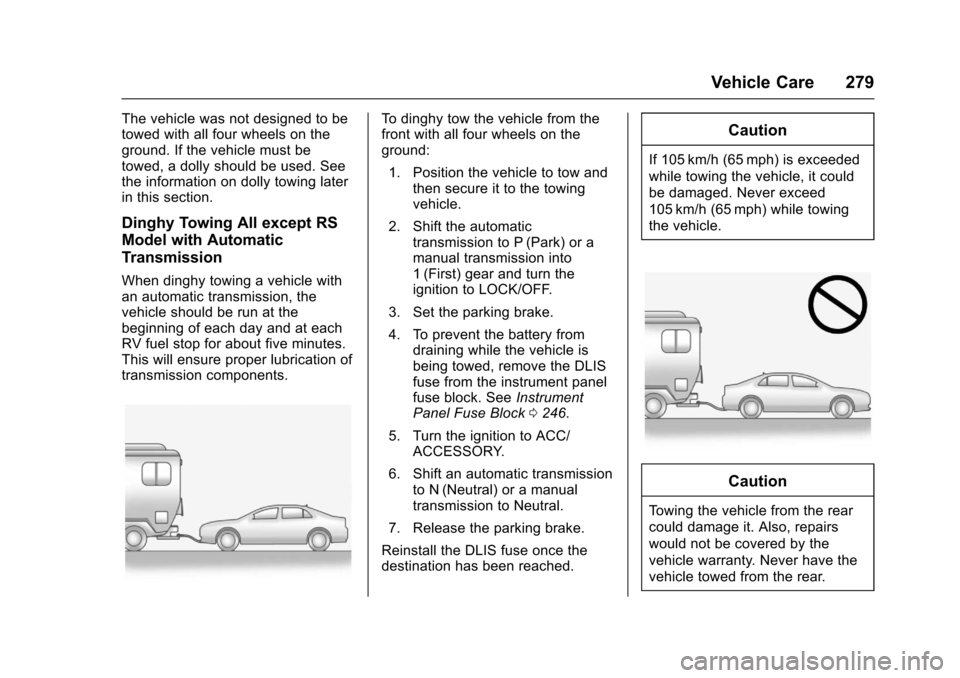
When dinghy towing a vehicle withan automatic transmission, thevehicle should be run at thebeginning of each day and at eachRV fuel stop for about five minutes.This will ensure proper lubrication oftransmission components.
To d i n g h y t o w t h e v e h i c l e f r o m t h efront with all four wheels on theground:
1. Position the vehicle to tow andthen secure it to the towingvehicle.
2. Shift the automatictransmission to P (Park) or amanual transmission into1(First) gear and turn theignition to LOCK/OFF.
3. Set the parking brake.
4. To prevent the battery fromdraining while the vehicle isbeing towed, remove the DLISfuse from the instrument panelfuse block. SeeInstrumentPanel Fuse Block0246.
5. Turn the ignition to ACC/ACCESSORY.
6. Shift an automatic transmissionto N (Neutral) or a manualtransmission to Neutral.
7. Release the parking brake.
Reinstall the DLIS fuse once thedestination has been reached.
Caution
If 105 km/h (65 mph) is exceeded
while towing the vehicle, it could
be damaged. Never exceed
105 km/h (65 mph) while towing
the vehicle.
Caution
To w i n g t h e v e h i c l e f r o m t h e r e a r
could damage it. Also, repairs
would not be covered by the
vehicle warranty. Never have the
vehicle towed from the rear.
Page 281 of 342
Chevrolet Sonic Owner Manual (GMNA-Localizing-U.S./Canada-10122660) -2017 - crc - 5/13/16
280 Vehicle Care
Dolly Towing from the Front
The vehicle can be towed from thefront using a dolly. To tow thevehicle using a dolly:
1. Attach the dolly to the towvehicle following the dollymanufacturer's instructions.
2. Drive the front wheels onto thedolly.
3. Put an automatic transmissionin P (Park) or a manualtransmission into 1 (First) gear.
4. Set the parking brake andremove the key.
5. Clamp the steering wheel in astraight-ahead position with aclamping device designed fortowing.
6. Secure the vehicle to the dolly.
7. Release the parking brake.
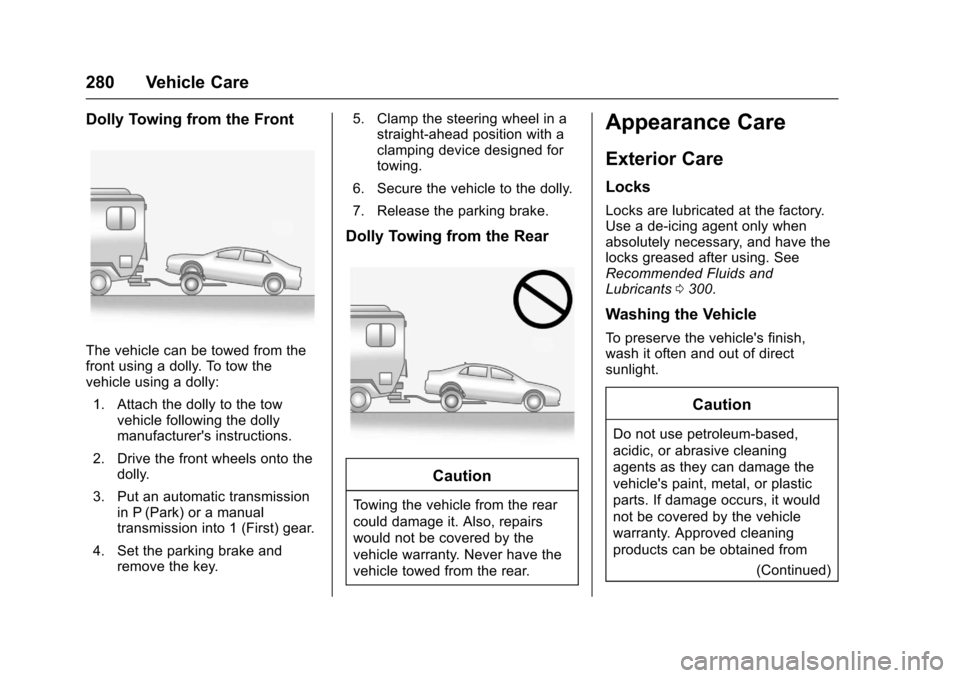
Dolly Towing from the Rear
Caution
To w i n g t h e v e h i c l e f r o m t h e r e a r
could damage it. Also, repairs
would not be covered by the
vehicle warranty. Never have the
vehicle towed from the rear.
Appearance Care
Exterior Care
Locks
Locks are lubricated at the factory.Use a de-icing agent only whenabsolutely necessary, and have thelocks greased after using. SeeRecommended Fluids andLubricants0300.
Washing the Vehicle
To p r e s e r v e t h e v e h i c l e ' s f i n i s h ,wash it often and out of directsunlight.
Caution
Do not use petroleum-based,
acidic, or abrasive cleaning
agents as they can damage the
vehicle's paint, metal, or plastic
parts. If damage occurs, it would
not be covered by the vehicle
warranty. Approved cleaning
products can be obtained from
(Continued)
Page 289 of 342
Chevrolet Sonic Owner Manual (GMNA-Localizing-U.S./Canada-10122660) -2017 - crc - 5/13/16
288 Vehicle Care
Floor Mats
{Warning
If a floor mat is the wrong size or
is not properly installed, it can
interfere with the pedals.
Interference with the pedals can
cause unintended acceleration
and/or increased stopping
distance which can cause a crash
and injury. Make sure the floor
mat does not interfere with the
pedals.
Use the following guidelines forproper floor mat usage:
.The original equipment floormats were designed for yourvehicle. If the floor mats needreplacing, it is recommendedthat GM certified floor mats bepurchased. Non-GM floor matsmay not fit properly and mayinterfere with the pedals. Alwayscheck that the floor mats do notinterfere with the pedals.
.Do not use a floor mat if thevehicle is not equipped with afloor mat retainer on the driverside floor.
.Use the floor mat with thecorrect side up. Do not turnit over.
.Do not place anything on top ofthe driver side floor mat.
.Use only a single floor mat onthe driver side.
.Do not place one floor mat ontop of another.
Removing and Replacing the
Floor Mats
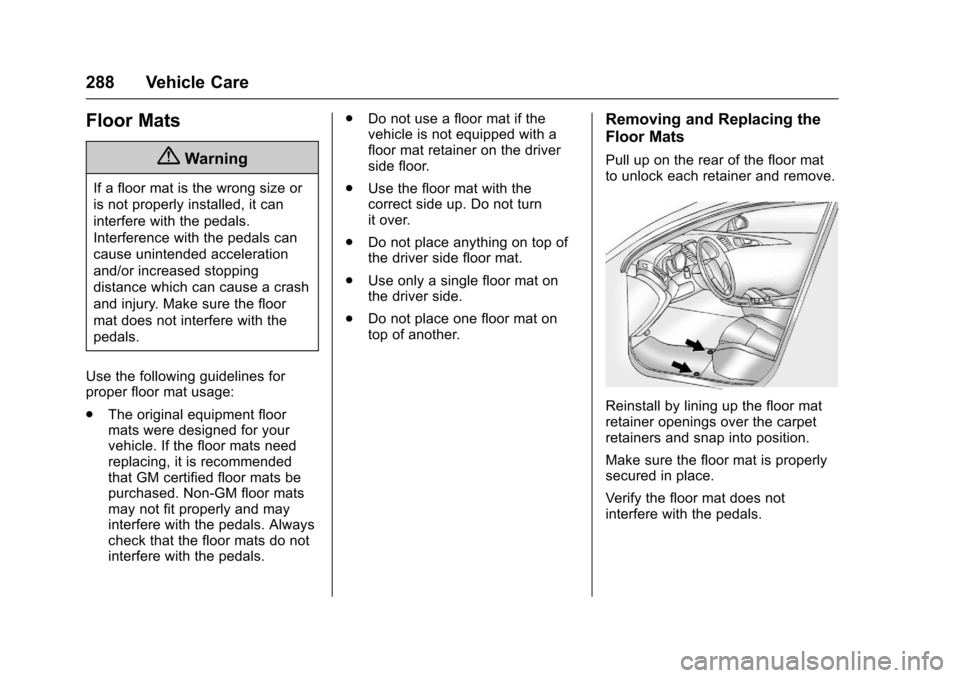
Pull up on the rear of the floor matto unlock each retainer and remove.
Reinstall by lining up the floor matretainer openings over the carpetretainers and snap into position.
Make sure the floor mat is properlysecured in place.
Verify the floor mat does notinterfere with the pedals.
Page 313 of 342
Chevrolet Sonic Owner Manual (GMNA-Localizing-U.S./Canada-10122660) -2017 - crc - 5/13/16
312 Customer Information
Services Provided
.Emergency Fuel Delivery:Delivery of enough fuel for thevehicle to get to the nearestservice station.
.Lock-Out Service:Service tounlock the vehicle if you arelocked out. A remote unlock maybe available if you have OnStar.For security reasons, the drivermust present identificationbefore this service is given.
.Emergency Tow from a PublicRoad or Highway:To w t o t h enearest Chevrolet dealer forwarranty service, or if the vehiclewas in a crash and cannot bedriven. Assistance is not givenwhen the vehicle is stuck in thesand, mud, or snow.
.Flat Tire Change:Service tochange a flat tire with the sparetire. The spare tire, if equipped,must be in good condition andproperly inflated. It is the owner'sresponsibility for the repair orreplacement of the tire if it is notcovered by the warranty.
.Battery Jump Start:Service tojump start a dead battery.
.Tr i p I n t e r r u p t i o n B e n e f i t s a n dAssistance:If your trip isinterrupted due to a warrantyevent, incidental expenses maybe reimbursed within thePowertrain warranty period.Items considered are reasonableand customary hotel, meals,rental car, or a vehicle beingdelivered back to the customer,up to 805 km (500 mi).
Services Not Included in
Roadside Assistance
.Impound towing caused byviolation of any laws.
.Legal fines.
.Mounting, dismounting,or changing of snow tires,chains, or other traction devices.
Service is not provided if a vehicleis in an area that is not accessibleto the service vehicle or is not aregularly traveled or maintainedpublic road, which includes ice andwinter roads. Off-road use is notcovered.
Services Specific to
Canadian-Purchased Vehicles
.Fuel Delivery:Reimbursementis up to 7 liters. If available,diesel fuel delivery may berestricted. Propane and otherfuels are not provided throughthis service.
.Lock-Out Service:Vehicleregistration is required.
.Tr i p I n t e r r u p t i o n B e n e f i t s a n dAssistance:Must be over150 km from where your trip wasstarted to qualify.Pre-authorization, originaldetailed receipts, and a copy ofthe repair orders are required.Once authorization has beenreceived, the RoadsideAssistance advisor will help tomake arrangements and explainhow to receive payment.
.Alternative Service:Ifassistance cannot be providedright away, the RoadsideAssistance advisor may givepermission to get localemergency road service. You willreceive payment, up to $100,
Page 322 of 342
Chevrolet Sonic Owner Manual (GMNA-Localizing-U.S./Canada-10122660) -2017 - crc - 5/13/16
OnStar 321
OnStar
OnStar Overview
OnStar Overview . . . . . . . . . . . . . 321
OnStar Services
Emergency . . . . . . . . . . . . . . . . . . . 322Security . . . . . . . . . . . . . . . . . . . . . . 322Navigation . . . . . . . . . . . . . . . . . . . . 323Connections . . . . . . . . . . . . . . . . . . 323Diagnostics . . . . . . . . . . . . . . . . . . . 325
OnStar Additional Information
OnStar AdditionalInformation . . . . . . . . . . . . . . . . . . 326
OnStar Overview
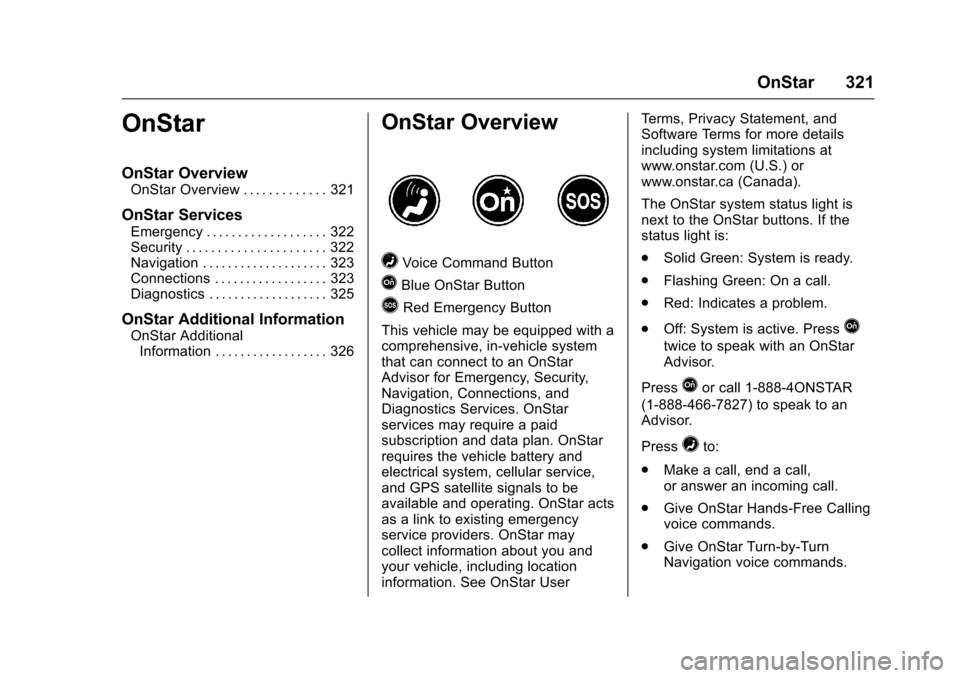
=Voice Command Button
QBlue OnStar Button
>Red Emergency Button
This vehicle may be equipped with acomprehensive, in-vehicle systemthat can connect to an OnStarAdvisor for Emergency, Security,Navigation, Connections, andDiagnostics Services. OnStarservices may require a paidsubscription and data plan. OnStarrequires the vehicle battery andelectrical system, cellular service,and GPS satellite signals to beavailable and operating. OnStar actsas a link to existing emergencyservice providers. OnStar maycollect information about you andyour vehicle, including locationinformation. See OnStar User
Te r m s , P r i v a c y S t a t e m e n t , a n dSoftware Terms for more detailsincluding system limitations atwww.onstar.com (U.S.) orwww.onstar.ca (Canada).
The OnStar system status light isnext to the OnStar buttons. If thestatus light is:
.Solid Green: System is ready.
.Flashing Green: On a call.
.Red: Indicates a problem.
.Off: System is active. PressQ
twice to speak with an OnStarAdvisor.
PressQor call 1-888-4ONSTAR
(1-888-466-7827) to speak to anAdvisor.
Press=to:
.Make a call, end a call,or answer an incoming call.
.Give OnStar Hands-Free Callingvoice commands.
.Give OnStar Turn-by-TurnNavigation voice commands.