2017 CHEVROLET SONIC Shift
[x] Cancel search: ShiftPage 192 of 342
Chevrolet Sonic Owner Manual (GMNA-Localizing-U.S./Canada-10122660) -2017 - crc - 5/13/16
Driving and Operating 191
Automatic
Transmission
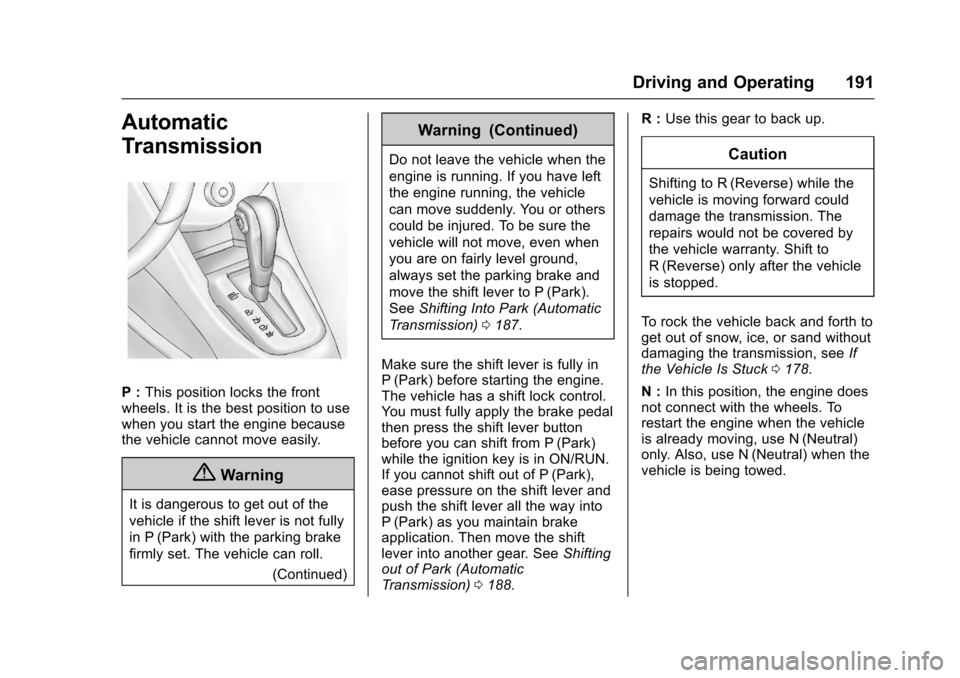
P:This position locks the frontwheels. It is the best position to usewhen you start the engine becausethe vehicle cannot move easily.
{Warning
It is dangerous to get out of the
vehicle if the shift lever is not fully
in P (Park) with the parking brake
firmly set. The vehicle can roll.
(Continued)
Warning (Continued)
Do not leave the vehicle when the
engine is running. If you have left
the engine running, the vehicle
can move suddenly. You or others
could be injured. To be sure the
vehicle will not move, even when
you are on fairly level ground,
always set the parking brake and
move the shift lever to P (Park).
SeeShifting Into Park (Automatic
Tr a n s m i s s i o n )0187.
Make sure the shift lever is fully inP(Park) before starting the engine.The vehicle has a shift lock control.Yo u m u s t f u l l y a p p l y t h e b r a k e p e d a lthen press the shift lever buttonbefore you can shift from P (Park)while the ignition key is in ON/RUN.If you cannot shift out of P (Park),ease pressure on the shift lever andpush the shift lever all the way intoP(Park) as you maintain brakeapplication. Then move the shiftlever into another gear. SeeShiftingout of Park (AutomaticTr a n s m i s s i o n )0188.
R:Use this gear to back up.
Caution
Shifting to R (Reverse) while the
vehicle is moving forward could
damage the transmission. The
repairs would not be covered by
the vehicle warranty. Shift to
R(Reverse) only after the vehicle
is stopped.
To r o c k t h e v e h i c l e b a c k a n d f o r t h t oget out of snow, ice, or sand withoutdamaging the transmission, seeIfthe Vehicle Is Stuck0178.
N:In this position, the engine doesnot connect with the wheels. Torestart the engine when the vehicleis already moving, use N (Neutral)only. Also, use N (Neutral) when thevehicle is being towed.
Page 193 of 342
Chevrolet Sonic Owner Manual (GMNA-Localizing-U.S./Canada-10122660) -2017 - crc - 5/13/16
192 Driving and Operating
{Warning
Shifting into a drive gear while the
engine is running at high speed is
dangerous. Unless your foot is
firmly on the brake pedal, the
vehicle could move very rapidly.
Yo u c o u l d l o s e c o n t r o l a n d h i t
people or objects. Do not shift
into a drive gear while the engine
is running at high speed.
Caution
Shifting out of P (Park) or
N(Neutral) with the engine
running at high speed may
damage the transmission. The
repairs would not be covered by
the vehicle warranty. Be sure the
engine is not running at high
speed when shifting the vehicle.
D:This position is for normaldriving. It provides the best fueleconomy. If you need more powerfor passing, and you are:
.Going less than 56 km/h(35 mph), push the acceleratorpedal about halfway down.
.Going about 56 km/h (35 mph) ormore, push the accelerator allthe way down.
M:This position allows you tochange gears similar to a manualtransmission. If equipped, see“Manual Mode”following.
Operating Modes
The transmission may operate in alower gear than normal to improvevehicle performance. The enginespeed may be higher and there maybe an increase in noise during thefollowing conditions:
.When climbing a grade.
.When driving downhill.
.When driving in hottemperatures or at high altitude.
Manual Mode
To u s e t h i s f e a t u r e , i f e q u i p p e d :
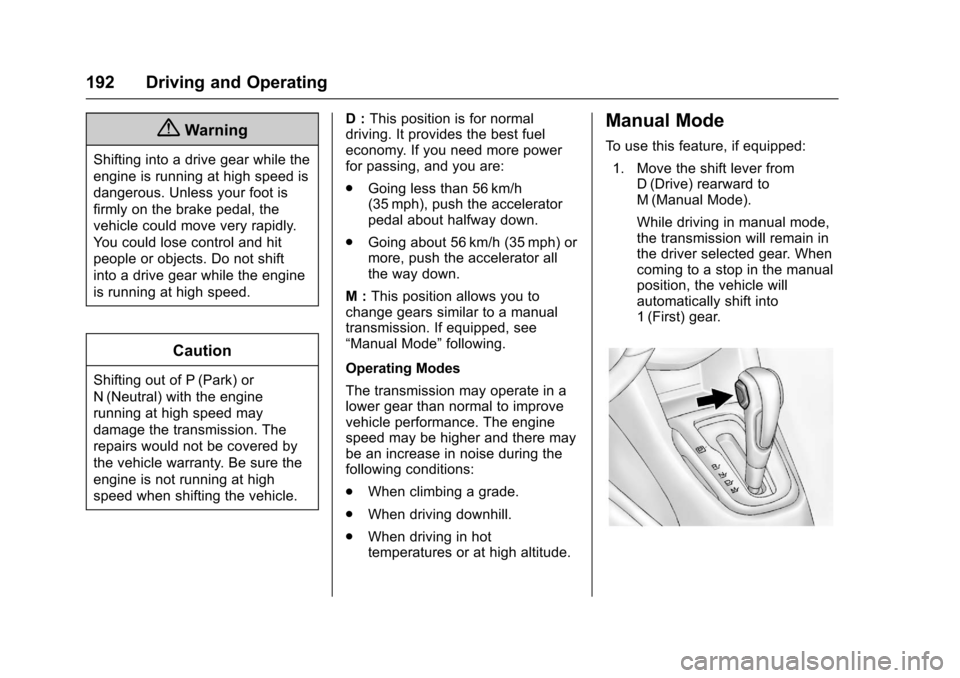
1. Move the shift lever fromD(Drive) rearward toM(Manual Mode).
While driving in manual mode,the transmission will remain inthe driver selected gear. Whencoming to a stop in the manualposition, the vehicle willautomatically shift into1(First) gear.
Page 194 of 342
Chevrolet Sonic Owner Manual (GMNA-Localizing-U.S./Canada-10122660) -2017 - crc - 5/13/16
Driving and Operating 193
2. Press the + (plus) end of thebutton on the side of the shiftlever to upshift, or press the✓(minus) end of the button todownshift.
The Driver Information Center (DIC)in the instrument cluster will changefrom the currently displayedmessage to the letter M, for Manualposition, and a number indicatingthe requested gear.
While using manual mode, thetransmission will have firmer shiftingand sportier performance. You canuse this for sport driving or whenclimbing hills to stay in gear longeror to downshift for more power orengine braking.
The transmission will only allow youto shift into gears appropriate for thevehicle speed and enginerevolutions per minute (rpm):
.The transmission will notautomatically shift to the nexthigher gear if the vehicle speedor engine rpm is too low.
.The transmission will not allowshifting to the next lower gear ifthe vehicle speed or engine rpmis too high.
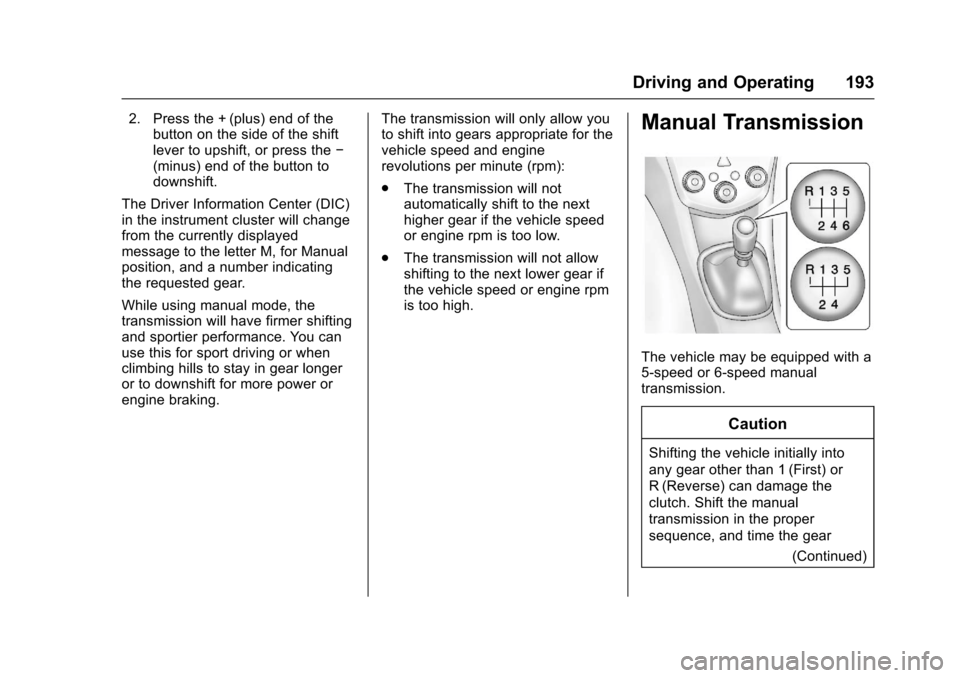
Manual Transmission
The vehicle may be equipped with a5-speed or 6-speed manualtransmission.
Caution
Shifting the vehicle initially into
any gear other than 1 (First) or
R(Reverse) can damage the
clutch. Shift the manual
transmission in the proper
sequence, and time the gear
(Continued)
Page 195 of 342
Chevrolet Sonic Owner Manual (GMNA-Localizing-U.S./Canada-10122660) -2017 - crc - 5/13/16
194 Driving and Operating
Caution (Continued)
shifting with the accelerator to
avoid revving the engine and
damaging the clutch.
1(First) :Press the clutch pedaland shift into 1 (First). Then, slowlylet up on the clutch pedal as youpress the accelerator pedal.
Yo u c a n s h i f t i n t o 1 ( F i r s t ) w h e ngoing less than 32 km/h (20 mph).If you have come to a complete stopand it is hard to shift into 1 (First),put the shift lever in Neutral and letup on the clutch. Press the clutchpedal back down. Then shift into1(First).
2(Second) :Press the clutch pedalas you let up on the acceleratorpedal and shift into 2 (Second).Then, slowly let up on the clutchpedal as you press the acceleratorpedal.
3(Third), 4(Fourth), 5(Fifth), and6(Sixth) :Shift into 3 (Third),4(Fourth), 5(Fifth), and 6(Sixth) (ifequipped) the same way as for
2(Second). Slowly let up on theclutch pedal as you press theaccelerator pedal.
To s t o p , l e t u p o n t h e a c c e l e r a t o rpedal and press the brake pedal.Just before the vehicle stops, pressthe clutch pedal and the brakepedal, and shift to Neutral.
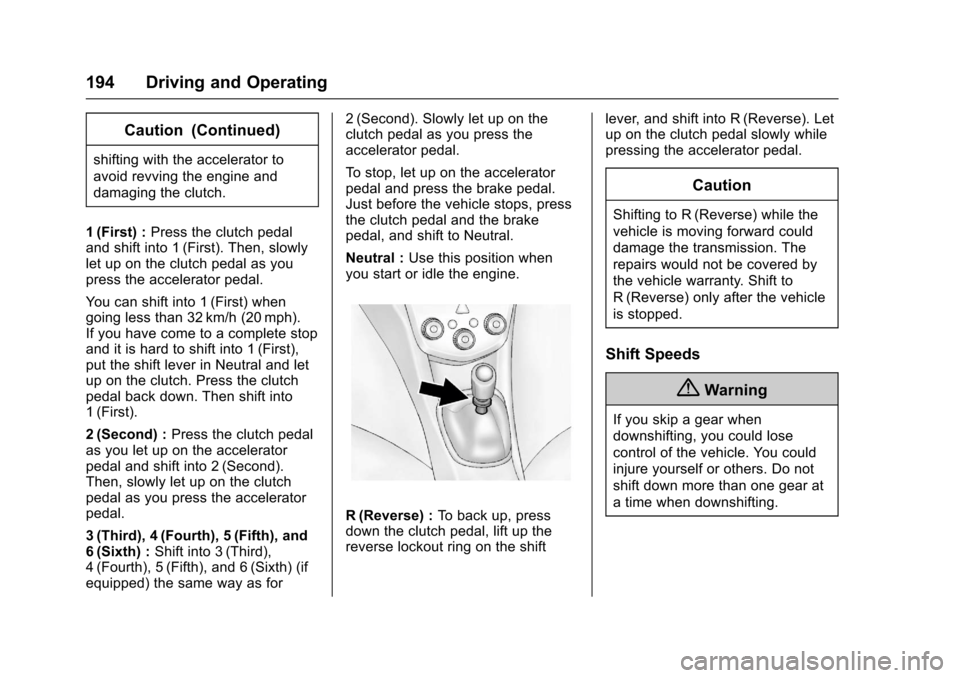
Neutral :Use this position whenyou start or idle the engine.
R(Reverse) :To b a c k u p , p r e s sdown the clutch pedal, lift up thereverse lockout ring on the shift
lever, and shift into R (Reverse). Letup on the clutch pedal slowly whilepressing the accelerator pedal.
Caution
Shifting to R (Reverse) while the
vehicle is moving forward could
damage the transmission. The
repairs would not be covered by
the vehicle warranty. Shift to
R(Reverse) only after the vehicle
is stopped.
Shift Speeds
{Warning
If you skip a gear when
downshifting, you could lose
control of the vehicle. You could
injure yourself or others. Do not
shift down more than one gear at
atimewhendownshifting.
Page 196 of 342
Chevrolet Sonic Owner Manual (GMNA-Localizing-U.S./Canada-10122660) -2017 - crc - 5/13/16
Driving and Operating 195
Up-Shift Light
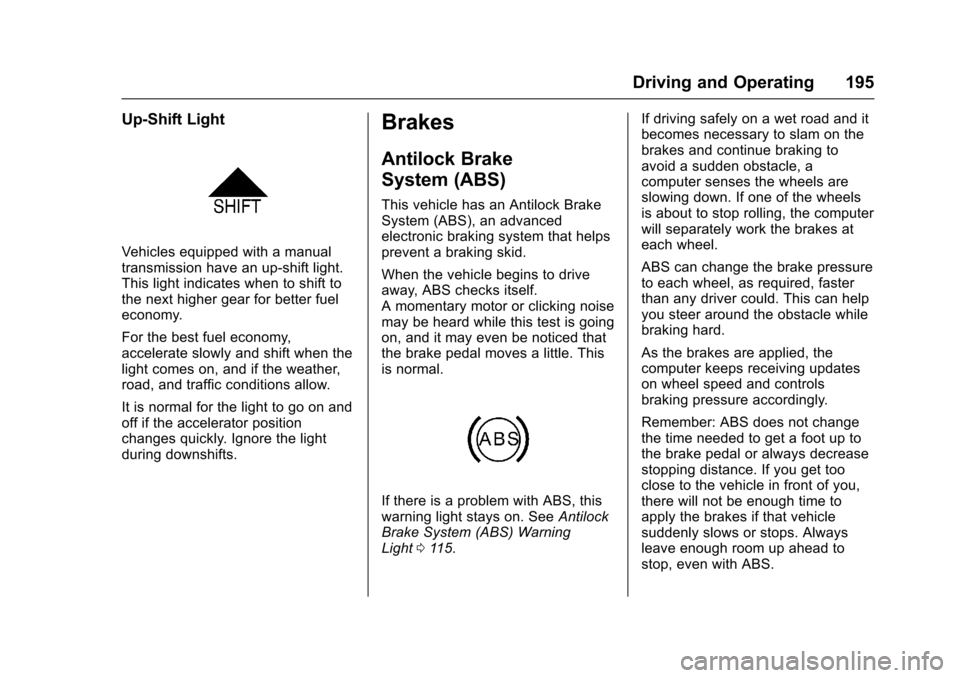
Vehicles equipped with a manualtransmission have an up-shift light.This light indicates when to shift tothe next higher gear for better fueleconomy.
For the best fuel economy,accelerate slowly and shift when thelight comes on, and if the weather,road, and traffic conditions allow.
It is normal for the light to go on andoff if the accelerator positionchanges quickly. Ignore the lightduring downshifts.
Brakes
Antilock Brake
System (ABS)
This vehicle has an Antilock BrakeSystem (ABS), an advancedelectronic braking system that helpsprevent a braking skid.
When the vehicle begins to driveaway, ABS checks itself.Amomentarymotororclickingnoisemay be heard while this test is goingon, and it may even be noticed thatthe brake pedal moves a little. Thisis normal.
If there is a problem with ABS, thiswarning light stays on. SeeAntilockBrake System (ABS) WarningLight011 5.
If driving safely on a wet road and itbecomes necessary to slam on thebrakes and continue braking toavoid a sudden obstacle, acomputer senses the wheels areslowing down. If one of the wheelsis about to stop rolling, the computerwill separately work the brakes ateach wheel.
ABS can change the brake pressureto each wheel, as required, fasterthan any driver could. This can helpyou steer around the obstacle whilebraking hard.
As the brakes are applied, thecomputer keeps receiving updateson wheel speed and controlsbraking pressure accordingly.
Remember: ABS does not changethe time needed to get a foot up tothe brake pedal or always decreasestopping distance. If you get tooclose to the vehicle in front of you,there will not be enough time toapply the brakes if that vehiclesuddenly slows or stops. Alwaysleave enough room up ahead tostop, even with ABS.
Page 202 of 342
Chevrolet Sonic Owner Manual (GMNA-Localizing-U.S./Canada-10122660) -2017 - crc - 5/13/16
Driving and Operating 201
The speedometer reading can bedisplayed in either English or metricunits. SeeDriver Information Center(DIC)0121.Theincrementvalueused depends on the unitsdisplayed.
Passing Another Vehicle WhileUsing Cruise Control
Use the accelerator pedal toincrease the vehicle speed. Whenyou take your foot off the pedal, thevehicle slows down to the previousset cruise control speed. Whilepressing the accelerator pedal orshortly following the release tooverride cruise control, brieflymoving the thumbwheel towardSET/- will result in cruise control setto the current vehicle speed.
Using Cruise Control on Hills
How well cruise control works onhills depends on the vehicle speed,load, and the steepness of the hills.When going up steep hills, youmight have to step on theaccelerator pedal to maintain thevehicle speed. When goingdownhill, you might have to brake orshift to a lower gear to keep your
speed down. If the brake pedal isapplied, cruise control willdisengage.
Ending Cruise Control
There are four ways to end cruisecontrol:
.To d i s e n g a g e c r u i s e c o n t r o l ,step lightly on the brake pedal orclutch for manual transmission.
.Press*.
.Shift the transmission toN(Neutral).
.To t u r n o f f c r u i s e c o n t r o l ,
press5.
Erasing Speed Memory
The cruise control set speed is
erased from memory if5is pressed
or if the ignition is turned off.
Driver Assistance
Systems
Rear Vision
Camera (RVC)
This vehicle may have the RVCsystem. Read this entire sectionbefore using it.
The RVC system can assist thedriver when backing up bydisplaying a view of the area behindthe vehicle.
{Warning
The camera(s) do not display
children, pedestrians, bicyclists,
crossing traffic, animals, or any
other object outside of the
cameras’field of view, below the
bumper, or under the vehicle.
Shown distances may be different
from actual distances. Do not
drive or park the vehicle using
only these camera(s). Always
check behind and around the
(Continued)
Page 203 of 342
Chevrolet Sonic Owner Manual (GMNA-Localizing-U.S./Canada-10122660) -2017 - crc - 5/13/16
202 Driving and Operating
Warning (Continued)
vehicle before driving. Failure to
use proper care may result in
injury, death, or vehicle damage.
An image appears on theinfotainment screen when thevehicle is shifted into R (Reverse).The infotainment screen goes to theprevious screen after approximatelyfour seconds once the vehicle isshifted out of R (Reverse).
To r e t u r n t o t h e p r e v i o u s s c r e e nsooner, do one of the following:
.Shift into P (Park).
.Reach a vehicle speed of8km/h (5mph).
Guidelines
The RVC system has a guidelineoverlay that can help the driver alignthe vehicle when backing into aparking spot.
To t u r n t h e g u i d e l i n e s o n o r o f f :
1. Shift into P (Park).
2. From the home page on theinfotainment system, selectSettings.
3. Select Rear Camera Options.
4. Select Guidelines.
Rear Vision Camera ErrorMessages
SERVICE REAR VISION CAMERASYSTEM :This message candisplay when the system is notoperating properly.
If any other problem occurs or if aproblem persists, see your dealer.
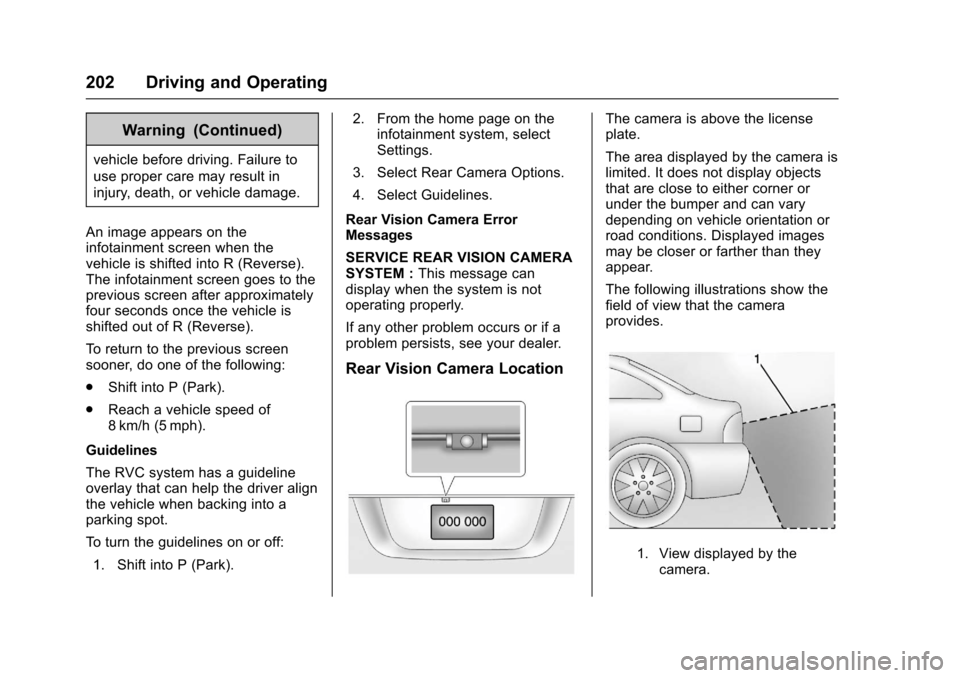
Rear Vision Camera Location
The camera is above the licenseplate.
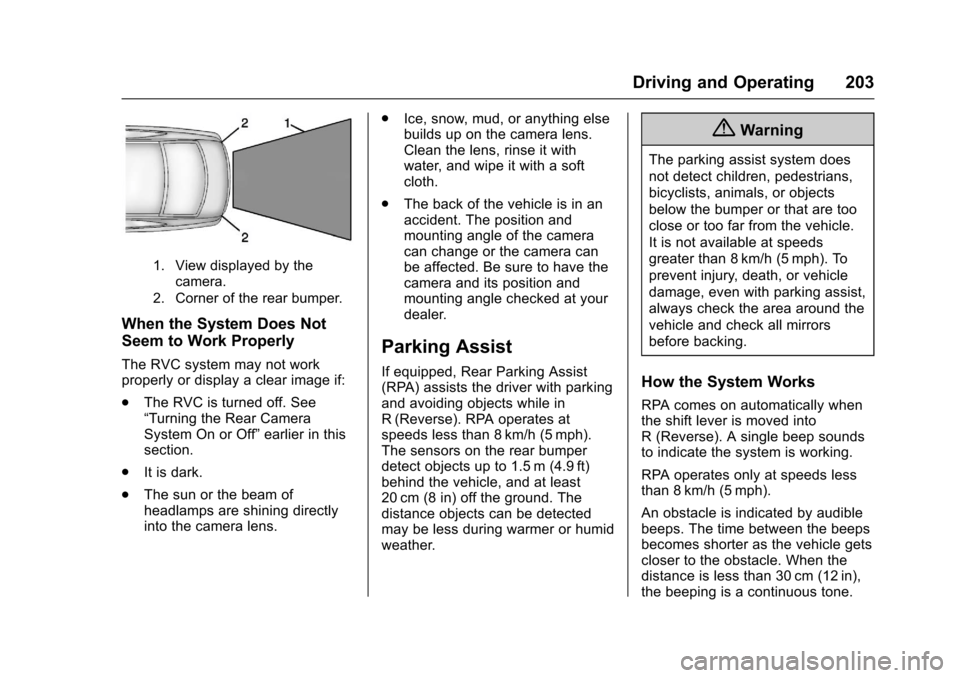
The area displayed by the camera islimited. It does not display objectsthat are close to either corner orunder the bumper and can varydepending on vehicle orientation orroad conditions. Displayed imagesmay be closer or farther than theyappear.
The following illustrations show thefield of view that the cameraprovides.
1. View displayed by thecamera.
Page 204 of 342
Chevrolet Sonic Owner Manual (GMNA-Localizing-U.S./Canada-10122660) -2017 - crc - 5/13/16
Driving and Operating 203
1. View displayed by thecamera.
2. Corner of the rear bumper.
When the System Does Not
Seem to Work Properly
The RVC system may not workproperly or display a clear image if:
.The RVC is turned off. See“Turning the Rear CameraSystem On or Off”earlier in thissection.
.It is dark.
.The sun or the beam ofheadlamps are shining directlyinto the camera lens.
.Ice, snow, mud, or anything elsebuilds up on the camera lens.Clean the lens, rinse it withwater, and wipe it with a softcloth.
.The back of the vehicle is in anaccident. The position andmounting angle of the cameracan change or the camera canbe affected. Be sure to have thecamera and its position andmounting angle checked at yourdealer.
Parking Assist
If equipped, Rear Parking Assist(RPA) assists the driver with parkingand avoiding objects while inR(Reverse). RPA operates atspeeds less than 8 km/h (5 mph).The sensors on the rear bumperdetect objects up to 1.5 m (4.9 ft)behind the vehicle, and at least20 cm (8 in) off the ground. Thedistance objects can be detectedmay be less during warmer or humidweather.
{Warning
The parking assist system does
not detect children, pedestrians,
bicyclists, animals, or objects
below the bumper or that are too
close or too far from the vehicle.
It is not available at speeds
greater than 8 km/h (5 mph). To
prevent injury, death, or vehicle
damage, even with parking assist,
always check the area around the
vehicle and check all mirrors
before backing.
How the System Works
RPA comes on automatically whenthe shift lever is moved intoR(Reverse).Asinglebeepsoundsto indicate the system is working.
RPA operates only at speeds lessthan 8 km/h (5 mph).
An obstacle is indicated by audiblebeeps. The time between the beepsbecomes shorter as the vehicle getscloser to the obstacle. When thedistance is less than 30 cm (12 in),the beeping is a continuous tone.