2017 CHEVROLET SONIC Shift
[x] Cancel search: ShiftPage 116 of 342

Chevrolet Sonic Owner Manual (GMNA-Localizing-U.S./Canada-10122660) -2017 - crc - 5/13/16
Instruments and Controls 115
Antilock Brake System
(ABS) Warning Light
This light comes on briefly when theengine is started.
If the light stays on, turn the ignitionto LOCK/OFF or if the light comeson, stop as soon as possible andturn the ignition off. Then start theengine again to reset the system.If the light still stays on, or comeson again while driving, the vehicleneeds service. See your dealer.If the regular brake system warninglight is not on, the brakes will stillwork, but the antilock brakes will notwork. If the regular brake systemwarning light is also on, the antilockbrakes will not work and there is aproblem with the regular brakes.SeeBrake System WarningLight011 4.
The ABS warning light will come onbriefly when the ignition is turned toON/RUN. This is normal. If the lightdoes not come on then, have it fixedso it will be ready to warn if there isaproblem.
Operate Pedal Light
This light comes on when the clutchor brake pedal needs to be appliedto start the vehicle.
Up-Shift Light
For manual transmission vehicles,there is an up-shift light that comeson in the lower DIC area. It showswhen to shift to the next higher gearfor best fuel economy.
SeeManual Transmission0193.
Power Steering Warning
Light
This light comes on briefly when theignition is turned to ON/RUN as acheck to show it is working.
If it does not come on have thevehicle serviced by your dealer.
If this light stays on, or comes onwhile driving, the system may not beworking. If this happens, see yourdealer for service.
Page 127 of 342
Chevrolet Sonic Owner Manual (GMNA-Localizing-U.S./Canada-10122660) -2017 - crc - 5/13/16
126 Instruments and Controls
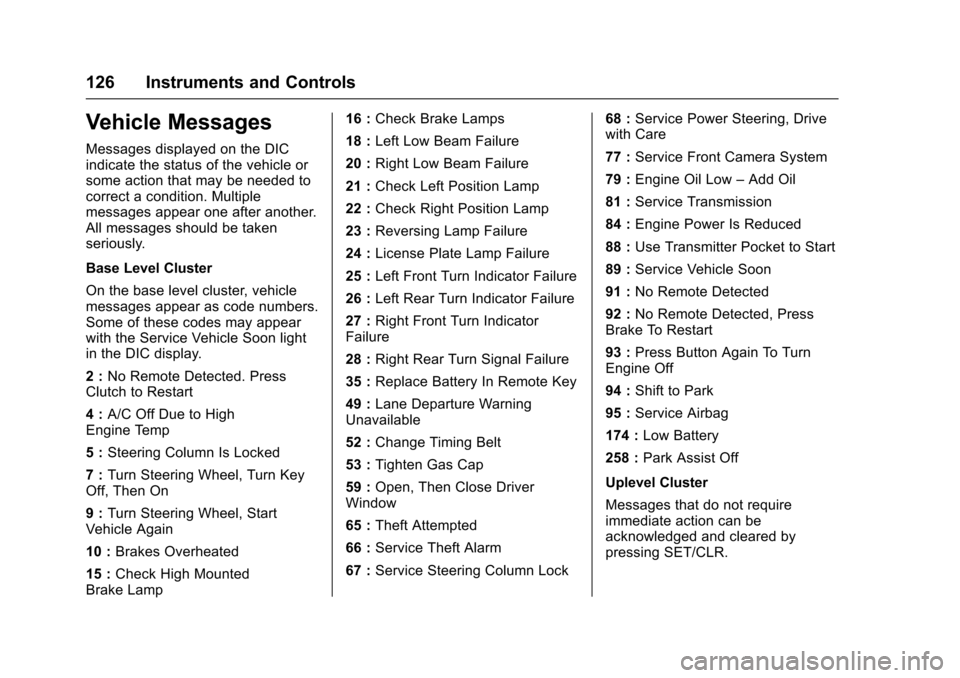
Vehicle Messages
Messages displayed on the DICindicate the status of the vehicle orsome action that may be needed tocorrect a condition. Multiplemessages appear one after another.All messages should be takenseriously.
Base Level Cluster
On the base level cluster, vehiclemessages appear as code numbers.Some of these codes may appearwith the Service Vehicle Soon lightin the DIC display.
2:No Remote Detected. PressClutch to Restart
4:A/C Off Due to HighEngine Temp
5:Steering Column Is Locked
7:Turn Steering Wheel, Turn KeyOff, Then On
9:Turn Steering Wheel, StartVehicle Again
10 :Brakes Overheated
15 :Check High MountedBrake Lamp
16 :Check Brake Lamps
18 :Left Low Beam Failure
20 :Right Low Beam Failure
21 :Check Left Position Lamp
22 :Check Right Position Lamp
23 :Reversing Lamp Failure
24 :License Plate Lamp Failure
25 :Left Front Turn Indicator Failure
26 :Left Rear Turn Indicator Failure
27 :Right Front Turn IndicatorFailure
28 :Right Rear Turn Signal Failure
35 :Replace Battery In Remote Key
49 :Lane Departure WarningUnavailable
52 :Change Timing Belt
53 :Tighten Gas Cap
59 :Open, Then Close DriverWindow
65 :Theft Attempted
66 :Service Theft Alarm
67 :Service Steering Column Lock
68 :Service Power Steering, Drivewith Care
77 :Service Front Camera System
79 :Engine Oil Low–Add Oil
81 :Service Transmission
84 :Engine Power Is Reduced
88 :Use Transmitter Pocket to Start
89 :Service Vehicle Soon
91 :No Remote Detected
92 :No Remote Detected, PressBrake To Restart
93 :Press Button Again To TurnEngine Off
94 :Shift to Park
95 :Service Airbag
174 :Low Battery
258 :Park Assist Off
Uplevel Cluster
Messages that do not requireimmediate action can beacknowledged and cleared bypressing SET/CLR.
Page 130 of 342
Chevrolet Sonic Owner Manual (GMNA-Localizing-U.S./Canada-10122660) -2017 - crc - 5/13/16
Instruments and Controls 129
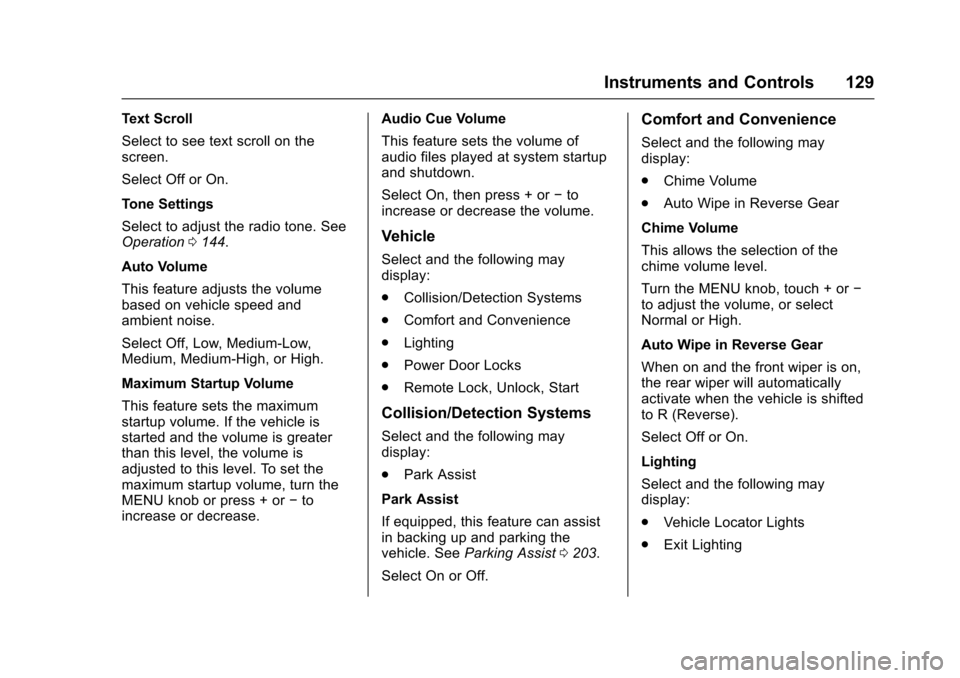
Text Scroll
Select to see text scroll on thescreen.
Select Off or On.
Tone Settings
Select to adjust the radio tone. SeeOperation0144.
Auto Volume
This feature adjusts the volumebased on vehicle speed andambient noise.
Select Off, Low, Medium-Low,Medium, Medium-High, or High.
Maximum Startup Volume
This feature sets the maximumstartup volume. If the vehicle isstarted and the volume is greaterthan this level, the volume isadjusted to this level. To set themaximum startup volume, turn theMENU knob or press + or✓toincrease or decrease.
Audio Cue Volume
This feature sets the volume ofaudio files played at system startupand shutdown.
Select On, then press + or✓toincrease or decrease the volume.
Vehicle
Select and the following maydisplay:
.Collision/Detection Systems
.Comfort and Convenience
.Lighting
.Power Door Locks
.Remote Lock, Unlock, Start
Collision/Detection Systems
Select and the following maydisplay:
.Park Assist
Park Assist
If equipped, this feature can assistin backing up and parking thevehicle. SeeParking Assist0203.
Select On or Off.
Comfort and Convenience
Select and the following maydisplay:
.Chime Volume
.Auto Wipe in Reverse Gear
Chime Volume
This allows the selection of thechime volume level.
Turn the MENU knob, touch + or✓to adjust the volume, or selectNormal or High.
Auto Wipe in Reverse Gear
When on and the front wiper is on,the rear wiper will automaticallyactivate when the vehicle is shiftedto R (Reverse).
Select Off or On.
Lighting
Select and the following maydisplay:
.Vehicle Locator Lights
.Exit Lighting
Page 131 of 342
Chevrolet Sonic Owner Manual (GMNA-Localizing-U.S./Canada-10122660) -2017 - crc - 5/13/16
130 Instruments and Controls
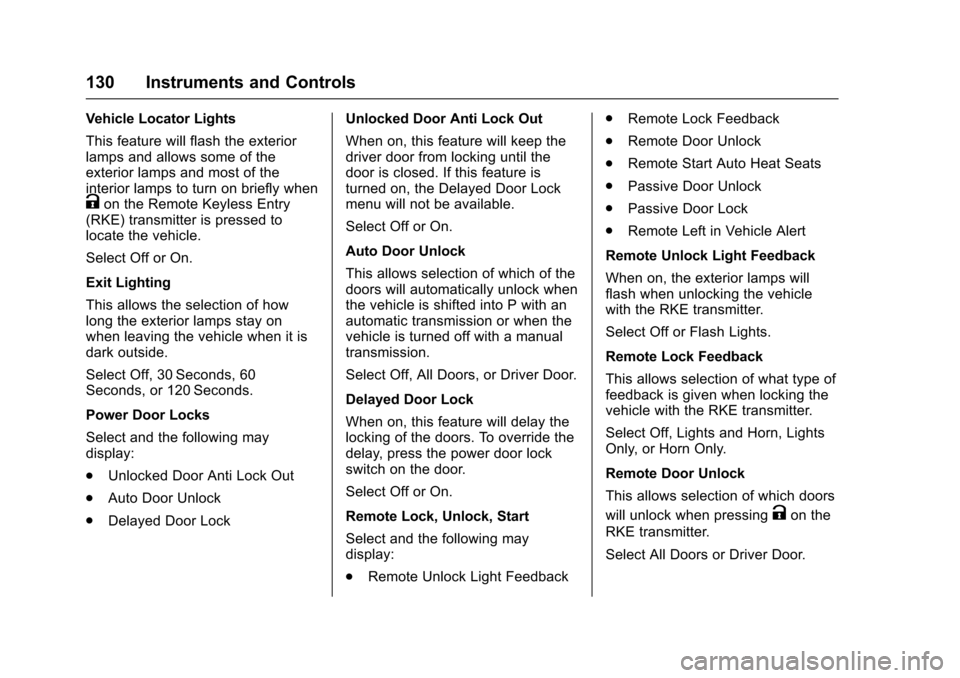
Vehicle Locator Lights
This feature will flash the exteriorlamps and allows some of theexterior lamps and most of theinterior lamps to turn on briefly whenKon the Remote Keyless Entry(RKE) transmitter is pressed tolocate the vehicle.
Select Off or On.
Exit Lighting
This allows the selection of howlong the exterior lamps stay onwhen leaving the vehicle when it isdark outside.
Select Off, 30 Seconds, 60Seconds, or 120 Seconds.
Power Door Locks
Select and the following maydisplay:
.Unlocked Door Anti Lock Out
.Auto Door Unlock
.Delayed Door Lock
Unlocked Door Anti Lock Out
When on, this feature will keep thedriver door from locking until thedoor is closed. If this feature isturned on, the Delayed Door Lockmenu will not be available.
Select Off or On.
Auto Door Unlock
This allows selection of which of thedoors will automatically unlock whenthe vehicle is shifted into P with anautomatic transmission or when thevehicle is turned off with a manualtransmission.
Select Off, All Doors, or Driver Door.
Delayed Door Lock
When on, this feature will delay thelocking of the doors. To override thedelay, press the power door lockswitch on the door.
Select Off or On.
Remote Lock, Unlock, Start
Select and the following maydisplay:
.Remote Unlock Light Feedback
.Remote Lock Feedback
.Remote Door Unlock
.Remote Start Auto Heat Seats
.Passive Door Unlock
.Passive Door Lock
.Remote Left in Vehicle Alert
Remote Unlock Light Feedback
When on, the exterior lamps willflash when unlocking the vehiclewith the RKE transmitter.
Select Off or Flash Lights.
Remote Lock Feedback
This allows selection of what type offeedback is given when locking thevehicle with the RKE transmitter.
Select Off, Lights and Horn, LightsOnly, or Horn Only.
Remote Door Unlock
This allows selection of which doors
will unlock when pressingKon the
RKE transmitter.
Select All Doors or Driver Door.
Page 172 of 342

Chevrolet Sonic Owner Manual (GMNA-Localizing-U.S./Canada-10122660) -2017 - crc - 5/13/16
Driving and Operating 171
Driving and
Operating
Driving Information
Distracted Driving . . . . . . . . . . . . 172Defensive Driving . . . . . . . . . . . . . 172Drunk Driving . . . . . . . . . . . . . . . . . 172Control of a Vehicle . . . . . . . . . . . 173Braking . . . . . . . . . . . . . . . . . . . . . . . 173Steering . . . . . . . . . . . . . . . . . . . . . . 173Off-Road Recovery . . . . . . . . . . . 174Loss of Control . . . . . . . . . . . . . . . 174Driving on Wet Roads . . . . . . . . 175Hill and Mountain Roads . . . . . 176Winter Driving . . . . . . . . . . . . . . . . 176If the Vehicle Is Stuck . . . . . . . . 178Vehicle Load Limits . . . . . . . . . . . 178
Starting and Operating
New Vehicle Break-In . . . . . . . . . 181Ignition Positions (KeyAccess) . . . . . . . . . . . . . . . . . . . . . 182Ignition Positions (KeylessAccess) . . . . . . . . . . . . . . . . . . . . . 183Starting the Engine . . . . . . . . . . . 185Engine Heater . . . . . . . . . . . . . . . . 186Retained AccessoryPower (RAP) . . . . . . . . . . . . . . . . 187
Shifting Into Park (AutomaticTransmission) . . . . . . . . . . . . . . . 187Shifting out of Park (AutomaticTransmission) . . . . . . . . . . . . . . . 188Parking . . . . . . . . . . . . . . . . . . . . . . . 189Parking over ThingsThat Burn . . . . . . . . . . . . . . . . . . . 189Extended Parking . . . . . . . . . . . . 189
Engine Exhaust
Engine Exhaust . . . . . . . . . . . . . . 190Running the Vehicle WhileParked . . . . . . . . . . . . . . . . . . . . . . 190
Automatic Transmission
Automatic Transmission . . . . . . 191Manual Mode . . . . . . . . . . . . . . . . . 192
Manual Transmission
Manual Transmission . . . . . . . . . 193
Brakes
Antilock BrakeSystem (ABS) . . . . . . . . . . . . . . . 195Parking Brake . . . . . . . . . . . . . . . . 196Brake Assist . . . . . . . . . . . . . . . . . . 196Hill Start Assist (HSA) . . . . . . . . 197
Ride Control Systems
Traction Control/ElectronicStability Control . . . . . . . . . . . . . 197
Cruise Control
Cruise Control . . . . . . . . . . . . . . . . 199
Driver Assistance Systems
Rear Vision Camera (RVC) . . . 201Parking Assist . . . . . . . . . . . . . . . . 203Forward Collision Alert (FCA)System . . . . . . . . . . . . . . . . . . . . . . 204Lane DepartureWarning (LDW) . . . . . . . . . . . . . 206
Fuel
Fuel . . . . . . . . . . . . . . . . . . . . . . . . . . 207California FuelRequirements . . . . . . . . . . . . . . . 208Fuels in Foreign Countries . . . 208Fuel Additives . . . . . . . . . . . . . . . . 208Filling the Tank . . . . . . . . . . . . . . . 209Filling a Portable FuelContainer . . . . . . . . . . . . . . . . . . . 210
Trailer Towing
General Towing Information . . . 211
Conversions and Add-Ons
Add-On ElectricalEquipment . . . . . . . . . . . . . . . . . . 211
Page 176 of 342
Chevrolet Sonic Owner Manual (GMNA-Localizing-U.S./Canada-10122660) -2017 - crc - 5/13/16
Driving and Operating 175
The vehicle may straighten out.Be ready for a second skid if itoccurs.
.Slow down and adjust yourdriving according to weatherconditions. Stopping distancecan be longer and vehiclecontrol can be affected whentraction is reduced by water,snow, ice, gravel, or othermaterial on the road. Learn torecognize warning clues—suchas enough water, ice, or packedsnow on the road to make amirrored surface—and slowdown when you have any doubt.
.Try to avoid sudden steering,acceleration, or braking,including reducing vehicle speedby shifting to a lower gear. Anysudden changes could causethe tires to slide.
Remember: Antilock brakes helpavoid only the braking skid.
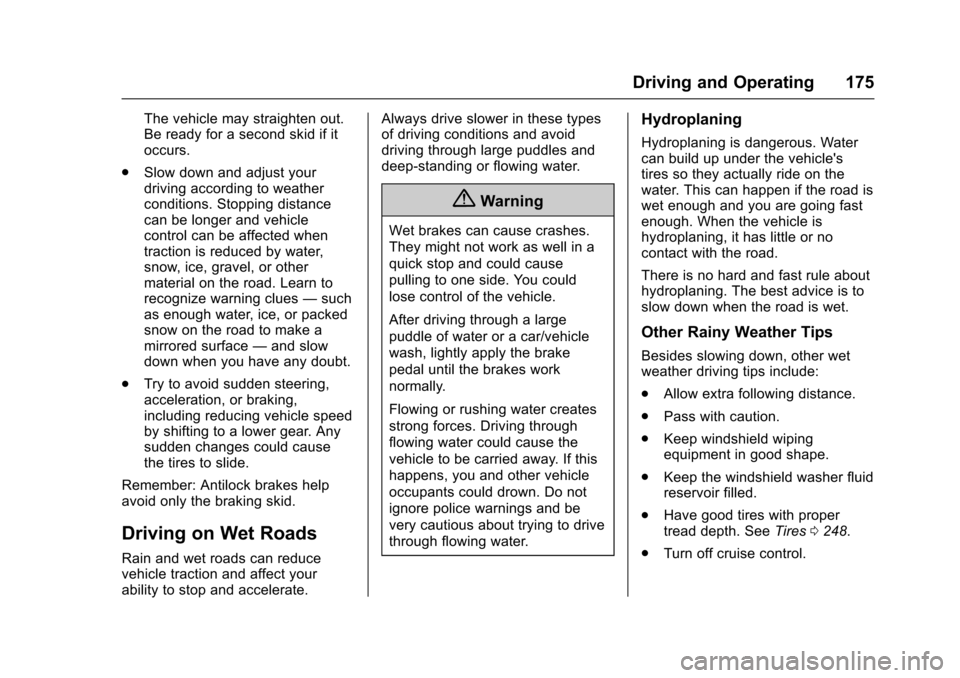
Driving on Wet Roads
Rain and wet roads can reducevehicle traction and affect yourability to stop and accelerate.
Always drive slower in these typesof driving conditions and avoiddriving through large puddles anddeep-standing or flowing water.
{Warning
Wet brakes can cause crashes.
They might not work as well in a
quick stop and could cause
pulling to one side. You could
lose control of the vehicle.
After driving through a large
puddle of water or a car/vehicle
wash, lightly apply the brake
pedal until the brakes work
normally.
Flowing or rushing water creates
strong forces. Driving through
flowing water could cause the
vehicle to be carried away. If this
happens, you and other vehicle
occupants could drown. Do not
ignore police warnings and be
very cautious about trying to drive
through flowing water.
Hydroplaning
Hydroplaning is dangerous. Watercan build up under the vehicle'stires so they actually ride on thewater. This can happen if the road iswet enough and you are going fastenough. When the vehicle ishydroplaning, it has little or nocontact with the road.
There is no hard and fast rule abouthydroplaning. The best advice is toslow down when the road is wet.
Other Rainy Weather Tips
Besides slowing down, other wetweather driving tips include:
.Allow extra following distance.
.Pass with caution.
.Keep windshield wipingequipment in good shape.
.Keep the windshield washer fluidreservoir filled.
.Have good tires with propertread depth. SeeTires0248.
.Turn off cruise control.
Page 177 of 342

Chevrolet Sonic Owner Manual (GMNA-Localizing-U.S./Canada-10122660) -2017 - crc - 5/13/16
176 Driving and Operating
Hill and Mountain Roads
Driving on steep hills or throughmountains is different than drivingon flat or rolling terrain. Tips include:
.Keep the vehicle serviced and ingood shape.
.Check all fluid levels and brakes,tires, cooling system, andtransmission.
.Shift to a lower gear when goingdown steep or long hills.
{Warning
Using the brakes to slow the
vehicle on a long downhill slope
can cause brake overheating, can
reduce brake performance, and
could result in a loss of braking.
Shift the transmission to a lower
gear to let the engine assist the
brakes on a steep downhill slope.
{Warning
Coasting downhill in N (Neutral)
or with the ignition off is
dangerous. This can cause
overheating of the brakes and
loss of steering. Always have the
engine running and the vehicle
in gear.
.Drive at speeds that keep thevehicle in its own lane. Do notswing wide or cross thecenter line.
.Be alert on top of hills;something could be in your lane(e.g., stalled car, accident).
.Pay attention to special roadsigns (e.g., falling rocks area,winding roads, long grades,passing or no-passing zones)and take appropriate action.
Winter Driving
Driving on Snow or Ice
Snow or ice between the tires andthe road creates less traction orgrip, so drive carefully. Wet ice canoccur at about 0 °C (32 °F) whenfreezing rain begins to fall. Avoiddriving on wet ice or in freezing rainuntil roads can be treated.
For Slippery Road Driving:
.Accelerate gently. Acceleratingtoo quickly causes the wheels tospin and makes the surfaceunder the tires slick.
.Turn on Traction Control. SeeTr a c t i o n C o n t r o l / E l e c t r o n i cStability Control0197.
.The Antilock Brake System(ABS) improves vehicle stabilityduring hard stops, but thebrakes should be applied soonerthan when on dry pavement.SeeAntilock Brake System(ABS)0195.
.Allow greater following distanceand watch for slippery spots. Icypatches can occur on otherwise
Page 179 of 342
Chevrolet Sonic Owner Manual (GMNA-Localizing-U.S./Canada-10122660) -2017 - crc - 5/13/16
178 Driving and Operating
If the Vehicle Is Stuck
Slowly and cautiously spin thewheels to free the vehicle whenstuck in sand, mud, ice, or snow.
If stuck too severely for the tractionsystem to free the vehicle, turn thetraction system off and use therocking method. SeeTr a c t i o nControl/Electronic StabilityControl0197.
{Warning
If the vehicle's tires spin at high
speed, they can explode, and you
or others could be injured. The
vehicle can overheat, causing an
engine compartment fire or other
damage. Spin the wheels as little
as possible and avoid going
above 56 km/h (35 mph).
Rocking the Vehicle to Get
it Out
Turn the steering wheel left andright to clear the area around thefront wheels. Turn off any tractionsystem. Shift back and forth
between R (Reverse) and a lowforward gear, spinning the wheelsas little as possible. To preventtransmission wear, wait until thewheels stop spinning before shiftinggears. Release the acceleratorpedal while shifting, and presslightly on the accelerator pedalwhen the transmission is in gear.Slowly spinning the wheels in theforward and reverse directionscauses a rocking motion that couldfree the vehicle. If that does not getthe vehicle out after a few tries, itmight need to be towed out. If thevehicle does need to be towed out,seeTo w i n g t h e V e h i c l e0277.
Vehicle Load Limits
It is very important to know how
much weight the vehicle can
carry. This weight is called the
vehicle capacity weight and
includes the weight of all
occupants, cargo, and all
nonfactory-installed options.
Two labels on the vehicle may
show how much weight it may
properly carry: the Tire and
Loading Information label and
the Certification label.
{Warning
Do not load the vehicle any
heavier than the Gross
Vehicle Weight Rating
(GVWR), or either the
maximum front or rear Gross
Axle Weight Rating (GAWR).
This can cause systems to
break and change the way the
vehicle handles. This could
cause loss of control and a
crash. Overloading can also
reduce stopping distance,
damage the tires, and shorten
the life of the vehicle.